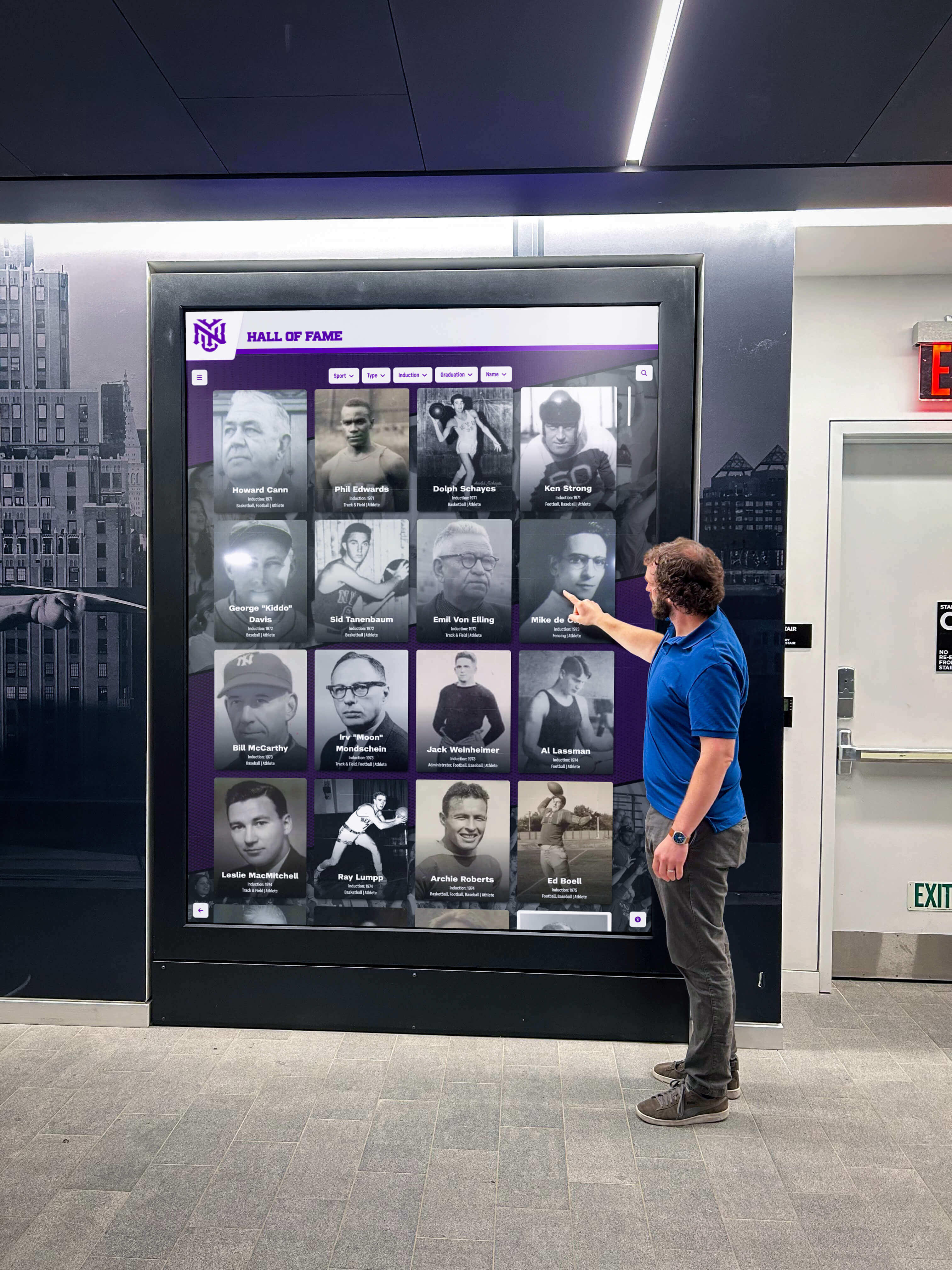




Schools, universities, and nonprofit organizations implementing digital recognition displays face more than design and content decisions. These institutions carry legal and moral obligations ensuring their recognition systems serve all community members equally—including visitors with disabilities who must access information through assistive technologies or alternative interaction methods.
The Web Content Accessibility Guidelines (WCAG) 2.2 Level AA represents the accessibility standard most organizations must meet to comply with the Americans with Disabilities Act (ADA) and similar regulations worldwide. According to the U.S. Department of Justice, public entities must ensure their web content and digital interfaces meet WCAG 2.1 AA at minimum, with WCAG 2.2 offering enhanced protections addressing additional accessibility barriers identified since 2018.
Digital recognition displays—including touchscreen trophy cases, interactive donor walls, and digital halls of fame—function as public-facing digital interfaces subject to these accessibility requirements. Organizations implementing non-compliant displays face legal liability, exclude community members with disabilities from recognition experiences, and undermine institutional commitments to diversity and inclusion. Understanding WCAG 2.2 AA compliance requirements enables institutions to select accessible display solutions that serve all visitors equally.
This comprehensive guide explains WCAG 2.2 AA success criteria, why each accessibility requirement matters for digital recognition displays, and how organizations can implement compliant systems that provide inclusive recognition experiences for visitors with diverse abilities.

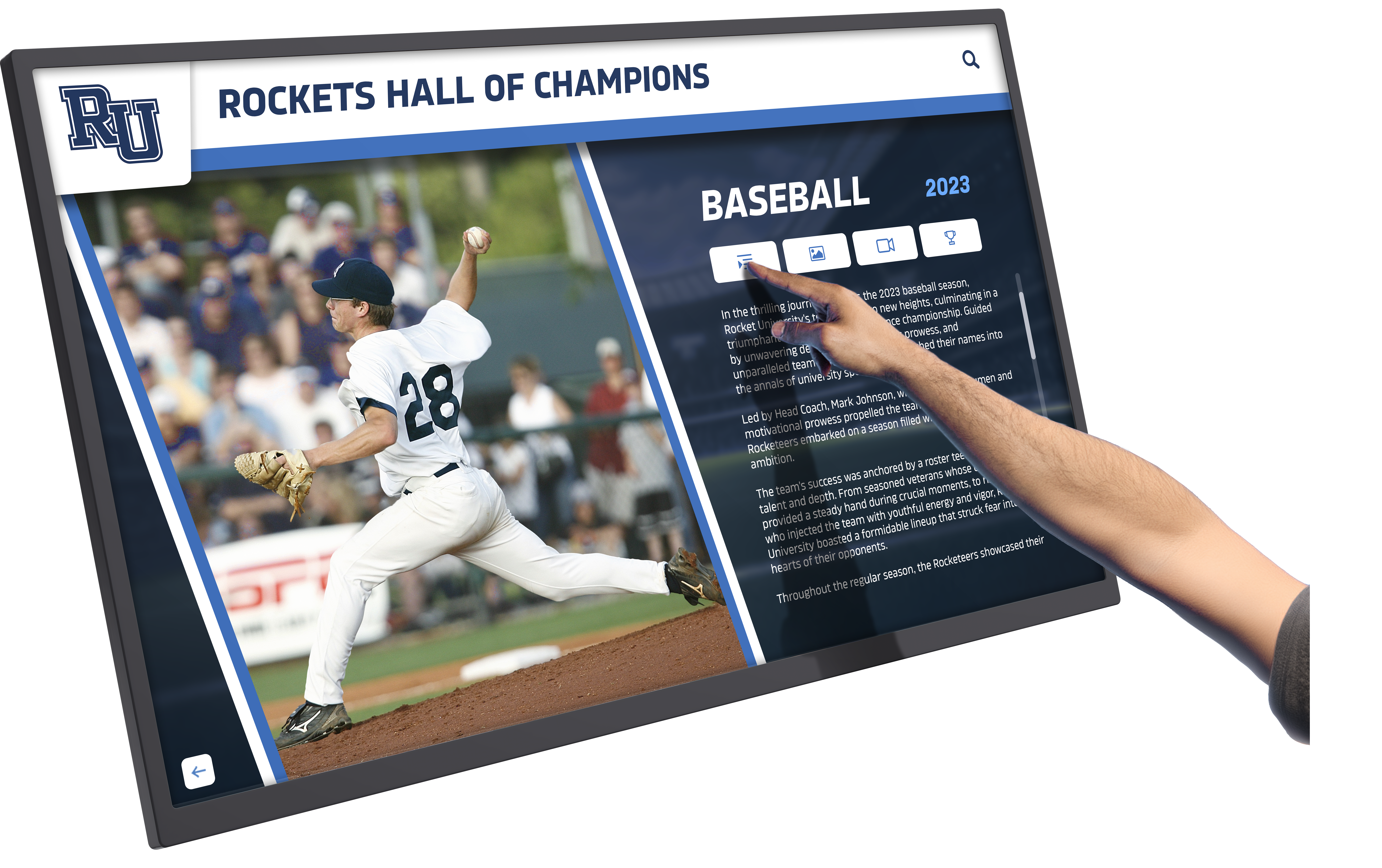
Accessible digital displays enable all visitors to explore recognition content through intuitive interfaces designed for diverse abilities and interaction methods
Understanding WCAG 2.2 AA: The Accessibility Standard for Digital Content
Before examining specific success criteria, organizations must understand what WCAG represents and why Level AA compliance matters for institutional digital displays.
What Are the Web Content Accessibility Guidelines?
The World Wide Web Consortium (W3C) publishes WCAG as internationally recognized technical standards defining how to make web content accessible to people with disabilities. These guidelines address visual, auditory, physical, speech, cognitive, language, learning, and neurological disabilities through specific testable success criteria.
WCAG Versions and Evolution
WCAG has evolved through several major versions:
- WCAG 2.0 (2008): Original comprehensive accessibility framework
- WCAG 2.1 (2018): Added 17 new success criteria addressing mobile accessibility, low vision, and cognitive disabilities
- WCAG 2.2 (2023): Added 9 additional success criteria focusing on mobile accessibility, cognitive disabilities, and vision impairments
Each version builds upon previous standards rather than replacing them. Organizations meeting WCAG 2.2 automatically satisfy WCAG 2.1 and 2.0 requirements.
Conformance Levels Explained
WCAG defines three conformance levels representing increasing accessibility coverage:
- Level A (Minimum): Basic web accessibility features that, if absent, make content impossible for some users to access
- Level AA (Standard): Removes significant accessibility barriers for most users with disabilities—the compliance level most regulations require
- Level AAA (Enhanced): Highest accessibility standard addressing specialized needs—often unachievable for complex interactive content
Most legal frameworks including ADA Title II and III require WCAG 2.0 or 2.1 Level AA conformance at minimum. WCAG 2.2 Level AA represents current best practice for organizations implementing new digital systems.
Why WCAG 2.2 AA Matters for Digital Recognition Displays
Digital recognition displays differ from traditional websites but fall under the same accessibility obligations:
Legal Compliance Requirements
Public schools, state universities, and government entities must comply with Section 508 of the Rehabilitation Act and ADA Title II requiring accessible digital interfaces. Private universities, nonprofit organizations, and businesses serving the public face ADA Title III obligations ensuring equal access to programs and services. According to accessibility attorneys, digital displays function as program delivery mechanisms subject to full accessibility requirements.
Organizations implementing non-compliant displays face Department of Justice complaints, Office for Civil Rights investigations, and private lawsuits seeking remediation and damages. The National Federation of the Blind and similar advocacy organizations actively identify and challenge inaccessible digital systems, making compliance essential for risk management.
Inclusion and Institutional Values
Beyond legal obligations, accessibility reflects institutional commitments to diversity, equity, and inclusion. Recognition displays celebrating community achievements that exclude community members with disabilities contradict inclusive values organizations claim to uphold. Accessible displays ensure alumni with visual impairments can explore hall of fame profiles, donors using screen readers can review recognition walls, and student-athletes with mobility limitations can interact with trophy displays.
Organizations implementing comprehensive digital recognition programs must ensure these systems serve all community members equally rather than creating two-tier recognition where some stakeholders access full experiences while others encounter barriers.

Touch interfaces must accommodate users with diverse motor abilities through appropriately sized targets and alternative navigation methods
User Experience Benefits
Accessibility improvements benefit all users, not just those with disabilities. Clear navigation helps everyone find content quickly. Readable text supports visitors viewing displays in varied lighting conditions. Keyboard navigation enables operation when touch screens become unresponsive. Alternative content formats accommodate learning preferences across cognitive diversity.
Organizations implementing accessibility best practices create better user experiences for entire communities while meeting compliance obligations.
WCAG 2.2 Level A Success Criteria: Foundation of Accessibility
Level A represents minimum accessibility requirements that, if absent, make content completely inaccessible to some users. Digital recognition displays must meet all Level A criteria as the foundation for accessibility compliance.
Perceivable Content (Principle 1)
The first WCAG principle ensures users can perceive information regardless of sensory abilities.
1.1.1 Non-text Content (Level A)
All non-text content must have text alternatives serving the same purpose. For recognition displays, this means:
- Profile photos include alt text describing individuals (“Dr. Sarah Johnson, Class of 1995, Distinguished Alumni Award recipient”)
- Trophy images include descriptions (“2023 State Football Championship trophy”)
- Charts and infographics have text equivalents conveying the same information
- Decorative images marked appropriately so screen readers skip them
Without text alternatives, visitors using screen readers encounter meaningless “image” announcements instead of learning about recognized individuals and achievements. This criterion ensures visual content remains accessible to people with visual impairments.
1.2.1-1.2.3 Time-Based Media Alternatives (Level A)
Video and audio content requires alternatives:
- Pre-recorded video includes captions for deaf visitors
- Audio-only content provides text transcripts
- Video content includes audio descriptions or text alternatives explaining visual information
Recognition displays featuring championship game highlights, interview clips, or ceremony footage must provide captions and transcripts ensuring visitors who are deaf or hard of hearing access the same information.
1.3.1 Info and Relationships (Level A)
Information structure must be programmatically determinable. For digital displays, this means:
- Headings use proper semantic markup identifying organizational hierarchy
- Lists marked as lists rather than visual-only formatting
- Form fields associated with clear labels
- Data tables include proper header cells
Screen readers rely on structural markup to help users navigate content efficiently. Visitors using assistive technology should understand content organization without visual presentation.
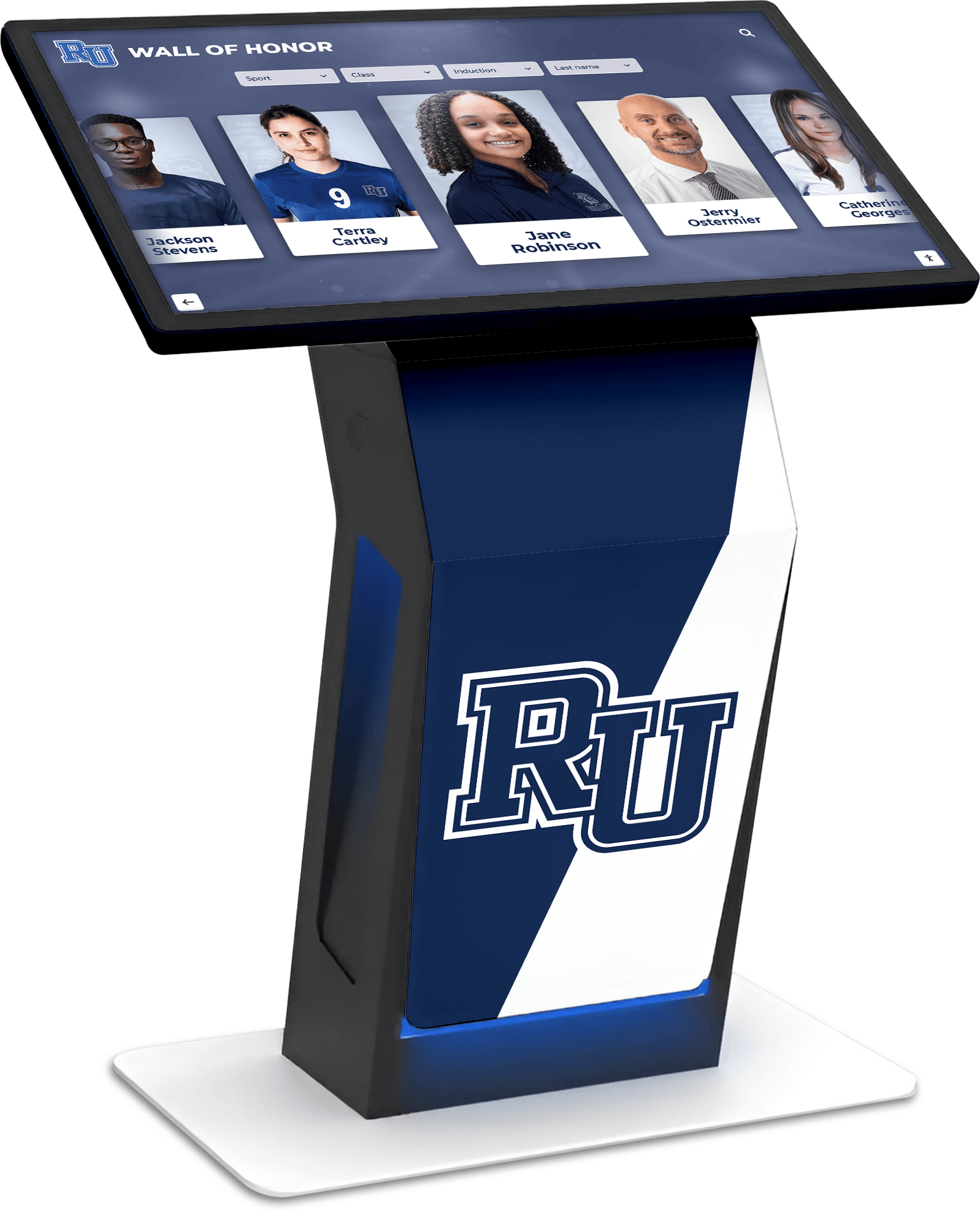
Proper information architecture with clear headings and structure enables assistive technology users to navigate recognition content efficiently
1.3.2 Meaningful Sequence (Level A)
Content order must make sense when presented sequentially. Screen readers present content in the order it appears in code, which may differ from visual layout. Recognition displays must ensure logical reading order so profiles, achievements, and biographical information flow logically for assistive technology users.
1.3.3 Sensory Characteristics (Level A)
Instructions cannot rely solely on sensory characteristics like shape, size, visual location, orientation, or sound. Rather than “tap the round button on the right,” instructions should reference both visual and programmatic identifiers: “tap the Search button (circular icon on the right side of the screen).”
This criterion ensures visitors with visual impairments or cognitive processing differences can follow instructions without perceiving specific visual characteristics.
1.4.1 Use of Color (Level A)
Color cannot be the only visual means of conveying information. Recognition tiers distinguished by color alone fail this criterion—displays must also use text labels, icons, or other visual indicators. Links must be distinguishable from surrounding text through methods beyond color difference.
Approximately 8% of men and 0.5% of women have color vision deficiencies. Displays relying exclusively on color exclude these visitors from important information.
1.4.2 Audio Control (Level A)
Auto-playing audio must include controls allowing users to pause or stop it. Recognition displays featuring background music or ambient sound must provide volume control preventing interference with screen readers or causing distraction for visitors with auditory processing sensitivities.
Operable Interfaces (Principle 2)
The second WCAG principle ensures users can interact with interface components regardless of input method.
2.1.1 Keyboard (Level A)
All functionality must be available through keyboard interfaces. While recognition displays primarily use touchscreens, accessible systems must support:
- Bluetooth keyboard navigation for visitors unable to use touch
- On-screen keyboard for text input accessible via assistive technology
- Clear focus indicators showing current navigation position
- Logical tab order through interactive elements
Organizations implementing touchscreen kiosk solutions for schools must ensure alternative interaction methods for visitors with motor impairments affecting touch screen use.
2.1.2 No Keyboard Trap (Level A)
Keyboard focus must never become trapped in page sections. Users navigating via keyboard must be able to move focus away from any component using standard navigation methods. Recognition displays must not create situations where visitors become stuck in search interfaces or filter menus without obvious exit methods.
2.1.4 Character Key Shortcuts (Level A - WCAG 2.1/2.2)
If displays implement single-key shortcuts (pressing “S” to search), users must be able to turn off, remap, or restrict shortcuts to when specific components have focus. This prevents accidental activation and accommodates users with motor control challenges who might trigger shortcuts unintentionally.
2.2.1 Timing Adjustable (Level A)
Time limits must be adjustable, extendable, or eliminable. Recognition displays that timeout after inactivity must:
- Provide at least 20 seconds warning before timeout
- Allow users to extend timeouts with simple actions
- Permit users to turn off time limits
- Extend limits to at least 10 times the default length
Visitors with motor, cognitive, or vision impairments need more time to read, navigate, and interact with content. Rigid timeouts exclude these users from full participation.
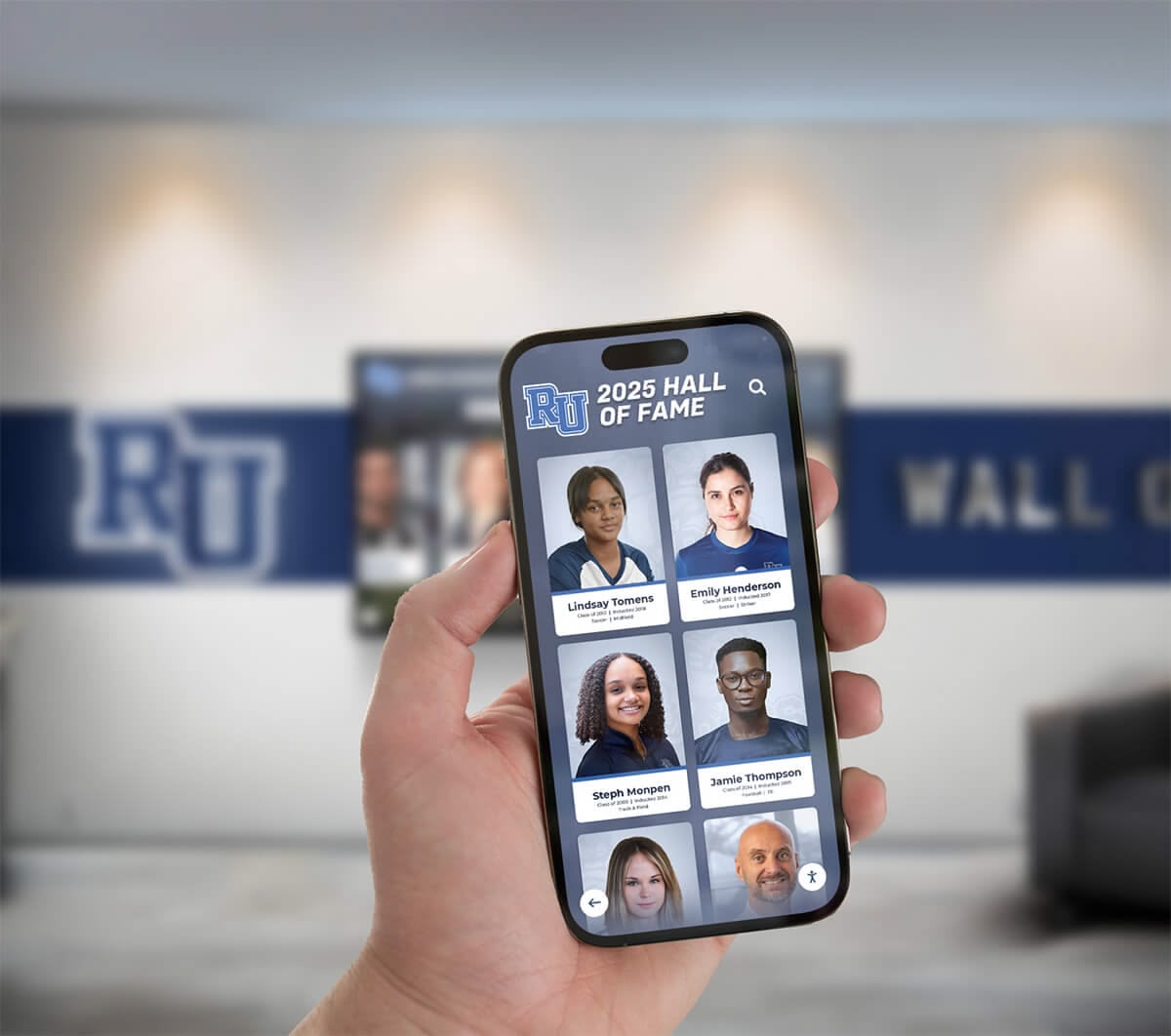
Mobile extensions through QR codes provide alternative access methods for visitors unable to interact comfortably with wall-mounted displays
2.2.2 Pause, Stop, Hide (Level A)
Moving, blinking, scrolling, or auto-updating content lasting longer than 5 seconds must have controls to pause, stop, or hide it. Recognition displays featuring:
- Automatic photo slideshows rotating through profiles
- Scrolling achievement lists
- Animated transitions between content
- Auto-refreshing statistics or leaderboards
Must provide visitors control over motion preventing distraction and enabling content review at individual paces.
2.3.1 Three Flashes or Below Threshold (Level A)
Content must not flash more than three times per second to prevent triggering seizures in susceptible individuals. Recognition displays should avoid flashing animations, rapid transitions, or strobing effects that could cause photosensitive epileptic seizures.
2.4.1 Bypass Blocks (Level A)
Mechanisms must exist to skip repeated content blocks. Recognition displays with consistent navigation elements, headers, or sidebars should provide “skip to main content” links enabling visitors to bypass these sections when navigating sequentially through keyboard or screen reader.
2.4.2 Page Titled (Level A)
Screens and sections must have titles describing their purpose. Recognition displays should clearly label sections like “Football Hall of Fame,” “Distinguished Alumni,” or “State Championship Teams” so visitors understand content before engaging.
2.4.3 Focus Order (Level A)
Navigation order through interactive elements must preserve meaning and operability. Tab order should follow logical flow through content rather than jumping erratically between unrelated sections, ensuring keyboard and assistive technology users experience coherent navigation sequences.
2.4.4 Link Purpose (In Context) (Level A)
Link purpose must be determinable from link text alone or from link text plus programmatically determined context. Rather than generic “Click here” or “Learn more” links, recognition displays should use descriptive text like “View Sarah Johnson’s full profile” or “Explore 2023 championship season details.”
Screen reader users who navigate by links need descriptive text understanding where links lead without surrounding visual context.
Pointer and Input Modality (WCAG 2.1/2.2 Additions)
2.5.1 Pointer Gestures (Level A)
Functionality requiring multi-point or path-based gestures must also be available through single-pointer actions. Recognition displays should not require:
- Pinch-to-zoom gestures without alternative zoom controls
- Swipe gestures without button alternatives
- Drag-and-drop without alternative selection methods
Visitors with motor impairments may struggle with complex gestures, requiring simple tap or click alternatives.
2.5.2 Pointer Cancellation (Level A)
For single-pointer functionality:
- Activation occurs on the up-event (releasing touch) not down-event (initial contact)
- Users can abort actions by moving away before releasing
- Down-event activation only when essential or reversible
This criterion prevents accidental activation when visitors with motor control challenges touch unintended targets, allowing correction before committing actions.
2.5.3 Label in Name (Level A)
Visible text labels must be included in programmatic names. If a button shows “Search” visually, its programmatic name must include “Search” so voice control users can activate it by saying “Search.” Recognition displays must ensure visual labels match control names enabling voice navigation.
2.5.4 Motion Actuation (Level A)
Functionality triggered by device motion (shaking, tilting) must also be available through standard user interface components, with options to disable motion activation. Recognition displays should avoid requiring physical motion to access features, accommodating visitors with motor disabilities or those using mobility devices.
Understandable Content (Principle 3)
The third WCAG principle ensures content and interfaces are understandable.
3.1.1 Language of Page (Level A)
The default human language must be programmatically determinable. Recognition displays should declare language (typically English) enabling screen readers to use appropriate pronunciation and speech synthesis. Multilingual displays must indicate language changes so assistive technology adjusts accordingly.
3.2.1 On Focus (Level A)
Receiving focus must not initiate context changes. When visitors navigate to interactive elements, unexpected actions like automatic navigation, form submission, or window opening should not occur. Recognition displays must not surprise users by changing content simply because focus moved to an element.
3.2.2 On Input (Level A)
Changing form settings must not automatically cause context changes unless users receive advance warning. Recognition displays with filters or preference controls should not automatically navigate or submit when users adjust settings, allowing visitors to configure multiple options before seeing results.
3.2.6 Consistent Help (Level A - WCAG 2.2)
Help mechanisms must appear in consistent locations across screens. If recognition displays provide assistance through help buttons, contact information, or FAQ access, these resources should appear in predictable locations so visitors with cognitive disabilities can reliably find support.
Organizations implementing digital donor recognition walls should ensure help resources follow consistent patterns familiar to users across institutional digital systems.
3.3.1 Error Identification (Level A)
Input errors must be automatically detected and described to users in text. Search fields, contact forms, or filter interfaces on recognition displays should provide clear error messages like “Please enter at least 3 characters to search” rather than generic warnings.
3.3.2 Labels or Instructions (Level A)
Labels or instructions must be provided when content requires user input. Search fields need clear labels explaining their purpose. Filter controls require instructions describing how to apply them. Recognition displays should never expect visitors to guess how to interact with interface elements.
3.3.7 Redundant Entry (Level A - WCAG 2.2)
Information previously entered or provided must not require re-entry within the same session unless necessary for security or when previous information is no longer valid. Multi-step processes on recognition displays should preserve search terms, filter selections, and form inputs rather than forcing repeated data entry that burdens visitors with cognitive or motor impairments.

Accessible interfaces with clear labels, logical organization, and consistent navigation enable visitors of all abilities to explore recognition content comfortably
4.1.2 Name, Role, Value (Level A)
For user interface components, the name, role, state, and properties must be programmatically determinable and settable. Buttons must announce as “button,” checkboxes as “checkbox” with checked/unchecked state, and custom controls must communicate their purpose and state to assistive technologies. Recognition displays using custom interfaces must maintain proper semantic markup.
Note: Success criterion 4.1.1 Parsing was removed from WCAG 2.2 as obsolete—proper HTML5 coding eliminates the parsing errors this criterion addressed. Organizations following current web standards automatically satisfy this deprecated requirement.
WCAG 2.2 Level AA Success Criteria: Standard Compliance
Level AA builds upon Level A foundation, addressing significant barriers affecting larger disability populations. Most regulations require Level AA conformance.
Enhanced Perceivability
1.2.4 Captions (Live) (Level AA)
Live audio content requires captions. Recognition displays featuring live event streams, real-time announcements, or streaming video coverage must provide simultaneous captions for visitors who are deaf or hard of hearing.
1.2.5 Audio Description (Prerecorded) (Level AA)
Pre-recorded video requires audio descriptions explaining visual information not available through default audio track. Championship game highlights should describe on-screen action: “Johnson receives the ball at midfield, dodges two defenders, and scores the winning goal.”
1.3.4 Orientation (Level AA - WCAG 2.1/2.2)
Content must not be restricted to single display orientation (portrait or landscape) unless specific orientation is essential. Recognition displays should support both orientations or be operable regardless of device orientation when accessed via mobile QR code extensions.
1.3.5 Identify Input Purpose (Level AA - WCAG 2.1/2.2)
Input fields collecting user information must be programmatically identifiable. Search fields, contact forms, and filter interfaces should use autocomplete attributes enabling browsers and assistive technology to help users complete inputs more easily.
1.4.3 Contrast (Minimum) (Level AA)
Text and images of text must have contrast ratio of at least:
- 4.5:1 for normal text
- 3:1 for large text (18pt+ or 14pt+ bold)
Recognition displays must ensure adequate contrast between text and backgrounds enabling visitors with low vision or color vision deficiencies to read content. White text on light gray backgrounds fails this criterion. Dark text on dark backgrounds fails this criterion.
Approximately 217 million people worldwide have moderate to severe vision impairment. Adequate contrast ensures legibility for this substantial population.
1.4.4 Resize Text (Level AA)
Text must be resizable up to 200% without loss of content or functionality. Recognition displays should support browser zoom enabling visitors with low vision to enlarge text without triggering horizontal scrolling or causing content to overlap and become unreadable.
1.4.5 Images of Text (Level AA)
Images of text should be avoided except when the presentation is essential to the information conveyed. Recognition displays should use actual text rather than text embedded in images, ensuring text remains accessible to screen readers and resizable for low vision visitors.
1.4.10 Reflow (Level AA - WCAG 2.1/2.2)
Content must reflow to viewport width of 320 CSS pixels without requiring scrolling in two dimensions. When accessed via mobile devices, recognition content should reflow vertically without horizontal scrolling, enabling visitors with low vision using screen magnification to read content by scrolling one direction.
1.4.11 Non-text Contrast (Level AA - WCAG 2.1/2.2)
User interface components and graphical objects must have contrast ratio of at least 3:1 against adjacent colors. Recognition display interface elements—buttons, form borders, focus indicators, and icons—require adequate contrast ensuring visibility for visitors with vision impairments.
High-contrast interfaces with clear visual boundaries ensure visibility for visitors with low vision or color vision deficiencies
1.4.12 Text Spacing (Level AA - WCAG 2.1/2.2)
Content must not lose information or functionality when users override text spacing to:
- Line height at least 1.5 times font size
- Paragraph spacing at least 2 times font size
- Letter spacing at least 0.12 times font size
- Word spacing at least 0.16 times font size
Visitors with dyslexia and visual processing challenges often adjust text spacing for improved readability. Recognition displays must accommodate these adjustments without breaking layouts or hiding content.
1.4.13 Content on Hover or Focus (Level AA - WCAG 2.1/2.2)
Additional content appearing on hover or focus must be:
- Dismissible without moving pointer or focus
- Hoverable so users can interact with triggered content
- Persistent until dismissed or no longer relevant
Tooltip explanations, preview panels, and contextual help on recognition displays must not disappear before users read them or prevent interaction with other content.
Enhanced Operability
2.4.5 Multiple Ways (Level AA)
Multiple ways must exist to locate content unless content is result of or step in a process. Recognition displays should provide:
- Search functionality finding specific individuals
- Alphabetical directory browsing
- Filter by category (sport, year, achievement type)
- Browse chronologically through timeline
Multiple access methods accommodate cognitive diversity and different visitor search strategies.
2.4.6 Headings and Labels (Level AA)
Headings and labels must describe topics or purposes. Recognition displays should use clear, descriptive section headings like “State Championship Teams” rather than generic labels like “Section 1.” Form labels should clearly identify required information.
Organizations implementing athletic hall of fame recognition systems should organize content with clear hierarchical headings enabling efficient navigation for all visitors.
2.4.7 Focus Visible (Level AA)
Keyboard focus indicator must be visible. Recognition displays must clearly show which element currently has focus when visitors navigate via keyboard or assistive technology. Blue outlines, color changes, or visual highlights must make focus position obvious.
Approximately 15% of adults in the United States have some form of physical functioning difficulty. Visible focus helps these visitors navigate interfaces confidently without losing track of current position.
2.4.11 Focus Not Obscured (Minimum) (Level AA - WCAG 2.2)
When components receive keyboard focus, they must not be completely hidden by author-created content. Sticky headers, persistent navigation, or other overlays must not cover focused elements preventing visitors from seeing what they’re interacting with.
2.5.7 Dragging Movements (Level AA - WCAG 2.2)
Functionality requiring dragging must also be achievable through single pointer actions without dragging. Recognition displays should not require drag-to-reorder, drag-to-filter, or similar interactions without alternative click or tap methods.
2.5.8 Target Size (Minimum) (Level AA - WCAG 2.2)
Interactive targets must be at least 24x24 CSS pixels except when:
- Equivalent targets exist with adequate size
- Target is inline within sentence or text block
- User agent controls target size
- Presentation is essential
Recognition display buttons, links, and interactive elements should provide adequate touch targets accommodating visitors with motor impairments who struggle with small precise interactions.
Enhanced Understandability
3.1.2 Language of Parts (Level AA)
Language of passages or phrases must be programmatically determinable. Recognition displays including foreign language content (Latin mottos, translated sections, international student profiles) must mark language changes enabling screen readers to adjust pronunciation.
3.2.3 Consistent Navigation (Level AA)
Repeated navigation mechanisms must occur in consistent relative order across screens. Recognition displays should maintain navigation element positions predictably so visitors with cognitive disabilities can form reliable mental models of interface organization.
3.2.4 Consistent Identification (Level AA)
Components with same functionality must be identified consistently. If magnifying glass icons mean “Search” on some screens, magnifying glass icons must mean “Search” throughout the system. Inconsistent labeling confuses visitors with cognitive processing differences.
3.3.3 Error Suggestion (Level AA)
When input errors are detected, suggestions for correction should be provided unless doing so would jeopardize security or purpose. Search interfaces on recognition displays might suggest “Did you mean: Johnson?” when visitors enter “Jonson.” Form validation should explain how to correct invalid entries.
3.3.4 Error Prevention (Legal, Financial, Data) (Level AA)
For interactions causing legal commitments, financial transactions, or data modification, at least one of the following must be true:
- Submissions are reversible
- Data is checked for input errors with correction opportunity
- Confirmation mechanism reviews and confirms before finalizing
Recognition displays collecting donor information, memorial dedications, or other significant data should provide review and confirmation steps before submission.
3.3.8 Accessible Authentication (Minimum) (Level AA - WCAG 2.2)
Cognitive function tests must not be required for any authentication step unless alternative authentication methods exist or assistance is available. Recognition displays requiring password access should avoid CAPTCHA challenges without accessible alternatives. Password managers and copy-paste functionality must be supported.
4.1.3 Status Messages (Level AA - WCAG 2.1/2.2)
Status messages must be programmatically determinable through role or properties enabling assistive technologies to present them without receiving focus. Recognition displays showing “Loading search results,” “Profile added to favorites,” or “Connection lost” messages must announce these updates to screen reader users.
WCAG 2.2 Level AAA Success Criteria: Enhanced Accessibility
Level AAA represents the highest accessibility standard. While not typically required for legal compliance, organizations committed to inclusion may pursue AAA conformance for portions of content.
Enhanced Multimedia Access
Level AAA includes enhanced media requirements like sign language interpretation (1.2.6), extended audio descriptions (1.2.7), and text-only alternatives (1.2.8). Recognition displays featuring extensive video content might provide sign language interpretation ensuring full access for visitors who are deaf and primarily communicate through sign language rather than written English.
Enhanced Readability and Navigation
1.4.6 Contrast (Enhanced) (Level AAA)
Enhanced contrast requires 7:1 ratio for normal text and 4.5:1 for large text—significantly higher than Level AA requirements. Organizations prioritizing accessibility might implement enhanced contrast benefiting visitors with significant low vision or viewing displays in challenging lighting conditions.
2.4.8 Location (Level AAA)
Information about user location within navigation structure must be available. Recognition displays might implement breadcrumb navigation showing “Home > Athletics > Football > 2023 State Championship” helping visitors understand their position within content hierarchy.
2.4.10 Section Headings (Level AAA)
Section headings should organize content. While not required at lower levels, comprehensive heading structures help all visitors—particularly those with cognitive disabilities—understand content organization and navigate efficiently.
Enhanced Input Flexibility
2.5.5 Target Size (Level AAA)
Enhanced target size requirements specify 44x44 CSS pixels—nearly double Level AA minimum. Recognition displays implementing generous touch targets improve usability for elderly visitors, children, and anyone experiencing motor control challenges.
3.3.5 Help (Level AAA)
Context-sensitive help should be available. Recognition displays might provide inline assistance explaining how to use search features, interpret filter options, or access additional information about achievements and individuals.

Well-designed accessible interfaces benefit all visitors through clear organization, readable text, and intuitive navigation regardless of ability
Implementing WCAG 2.2 AA Compliance for Recognition Displays
Understanding success criteria represents only the first step. Organizations must systematically implement accessibility throughout design, development, content, and maintenance processes.
Selecting Accessible Display Platforms
Platform selection significantly affects compliance capacity:
Built-in Accessibility Features
Modern recognition display platforms should include accessibility features by design rather than requiring custom development. Solutions like Rocket Alumni Solutions build WCAG 2.1 AA compliance into core platform architecture, providing:
- Semantic HTML structure supporting screen readers
- Keyboard navigation throughout interfaces
- High-contrast viewing modes
- Text resizing without functionality loss
- Alternative text support for media
- Focus indicators for interactive elements
Organizations implementing donor recognition displays should verify platform accessibility capabilities during vendor evaluation rather than assuming compliance.
Content Management Accessibility
Administrative interfaces must also be accessible enabling staff with disabilities to manage recognition displays. Cloud-based content management systems should support keyboard navigation, screen readers, and sufficient contrast ensuring all staff can contribute content regardless of ability.
Content Accessibility Best Practices
Even accessible platforms require accessible content:
Image Alternative Text
Every image requires meaningful alternative text. Recognition displays should provide:
- Profile photos: “Dr. Maria Rodriguez, Class of 2015, Rhodes Scholar”
- Achievement photos: “2023 Women’s Soccer Team celebrating state championship victory”
- Trophy images: “Presidential Volunteer Service Award gold medal”
- Decorative elements: Empty alt text (alt="") so screen readers skip them
Generic alt text like “image123” or “photo” fails to convey information. Missing alt text causes screen readers to announce file names creating confusing experiences.
Video Captions and Transcripts
Video content requires synchronized captions. Organizations should:
- Use professional captioning services for accuracy
- Review captions ensuring proper attribution of speakers
- Include sound effects and musical descriptions in brackets: [crowd cheering], [inspirational music plays]
- Provide downloadable transcripts for visitors preferring text
Caption accuracy matters—errors change meaning and frustrate viewers relying on captions for comprehension.
Color and Contrast Verification
Designers should test color combinations using contrast checkers like WebAIM’s Contrast Checker ensuring compliance with 4.5:1 requirements. Recognition displays must avoid:
- Light gray text on white backgrounds
- Pale yellow text on white backgrounds
- Dark blue text on black backgrounds
- Any combination failing contrast requirements
Consistent Navigation Patterns
Recognition displays should maintain consistent navigation across all screens. If “Back” buttons appear top-left on some screens, they should appear top-left consistently. If search appears in top-right corner, maintain that position throughout. Consistency helps visitors with cognitive disabilities form reliable mental models.
Testing and Validation
Accessibility cannot be assumed—organizations must test comprehensively:
Automated Testing Tools
Automated accessibility scanners identify many common issues:
- WAVE (WebAIM): Browser extension scanning pages for accessibility errors
- axe DevTools: Developer tools plugin finding WCAG violations
- Lighthouse: Chrome built-in accessibility auditing
- Accessibility Insights: Microsoft tool testing keyboard access and screen reader compatibility
Automated tools catch approximately 30-50% of accessibility issues. Manual testing remains essential for comprehensive evaluation.
Manual Keyboard Testing
Test all functionality using only keyboard:
- Can you navigate to every interactive element?
- Is focus order logical?
- Are focus indicators clearly visible?
- Can you activate all buttons and controls?
- Can you dismiss modal dialogs and menus?
- Can you complete searches and view results?
If any functionality requires mouse/touch, keyboard accessibility fails.
Screen Reader Testing
Test with actual screen readers understanding experiences for visitors with visual impairments:
- NVDA (Windows, free): Most common Windows screen reader
- JAWS (Windows, paid): Enterprise standard screen reader
- VoiceOver (macOS/iOS, built-in): Apple devices’ native screen reader
- TalkBack (Android, built-in): Android screen reader
Organizations implementing touchscreen display systems should conduct screen reader testing throughout development and before launch ensuring content is perceivable and navigable for assistive technology users.
User Testing with People with Disabilities
Ideally, involve visitors with disabilities in testing:
- People who are blind testing with screen readers
- People with low vision testing with magnification
- People with motor disabilities testing keyboard navigation
- People who are deaf testing captions
- People with cognitive disabilities testing comprehension
Nothing replaces feedback from actual users with disabilities who experience barriers that able-bodied testers might miss.
Maintaining Compliance Over Time
Accessibility is not one-time implementation but ongoing commitment:
Content Review Processes
Establish workflows ensuring new content meets accessibility standards:
- Alternative text required for all uploaded images
- Video uploads must include captions before publication
- Text content reviewed for contrast and readability
- Interactive features tested for keyboard access
- Regular audits identifying accessibility regressions
Organizations implementing comprehensive digital recognition programs should integrate accessibility into content governance preventing drift over time.
Platform Updates and Feature Changes
Monitor platform changes ensuring accessibility remains intact:
- Test major updates before deploying to production displays
- Review new features for accessibility implications
- Verify third-party integrations meet accessibility standards
- Document any temporary accessibility limitations during transitions
Staff Training and Awareness
Educate content contributors about accessibility importance and best practices:
- How to write effective alternative text
- Why keyboard accessibility matters
- Color contrast requirements and checking tools
- Common accessibility mistakes to avoid
- Where to find accessibility resources and support
Accessibility Statements
Publish accessibility statements documenting:
- Conformance level achieved (WCAG 2.1 AA, WCAG 2.2 AA)
- Known limitations or exceptions
- Contact information for accessibility feedback
- Commitment to ongoing accessibility improvement
- Alternative access methods when available
Accessibility statements demonstrate organizational commitment while providing visitors information about accommodation availability.
Legal Considerations and Risk Management
WCAG compliance protects organizations from legal liability while fulfilling moral obligations:
Regulatory Requirements
Different sectors face varying accessibility mandates:
- Public K-12 schools: Section 504 and ADA Title II apply
- Public universities: Section 508 and ADA Title II requirements
- Private universities receiving federal funds: Section 504 obligations
- Private schools without federal funding: ADA Title III requirements
- Nonprofits: ADA Title III applies to public-facing services
- Government entities: Section 508 and ADA Title II compliance mandatory
Organizations should consult accessibility attorneys confirming specific obligations for their sector and jurisdiction.
OCR Complaints and DOJ Investigations
The Department of Justice and Office for Civil Rights actively investigate accessibility complaints. Non-compliant organizations face:
- Mandatory remediation orders requiring accessibility improvements
- Timeline mandates for achieving compliance
- Monitoring and reporting requirements during compliance period
- Potential financial penalties for willful violations
- Negative publicity affecting institutional reputation
Proactive compliance avoids costly reactive remediation under regulatory scrutiny.
Private Lawsuits
Organizations also face private lawsuits under ADA seeking damages and remediation:
- Plaintiff attorneys actively identify accessibility violations
- Settlement costs often exceed proactive compliance investment
- Legal defense consumes substantial staff time and resources
- Judgments may require retroactive remediation of all digital content
- Ongoing monitoring requirements may extend for years
According to accessibility law firms, average ADA website accessibility lawsuit settlements range from $10,000-$50,000 for small organizations to $500,000+ for larger entities—far exceeding proactive compliance costs.
Rocket Alumni Solutions: Built-in WCAG 2.1 AA Compliance
Organizations selecting recognition display platforms should prioritize accessibility as core platform feature rather than afterthought requiring custom development.
Rocket Alumni Solutions builds WCAG 2.1 AA accessibility compliance into core platform architecture, providing:
- Semantic HTML structure supporting assistive technologies
- Complete keyboard navigation enabling operation without touch or mouse
- High-contrast viewing modes meeting color contrast requirements
- Responsive design supporting text resizing up to 200%
- Alternative text support throughout content management
- Screen reader compatibility tested with NVDA, JAWS, and VoiceOver
- Focus indicators clearly showing navigation position
- Logical content organization enabling sequential access
- QR code mobile extensions providing alternative access methods
These accessibility features come standard rather than requiring custom development, ensuring compliance while simplifying implementation for schools, universities, and organizations.
For institutions committed to enhanced accessibility beyond legal minimums, Rocket’s platform accommodates WCAG 2.2 AA and selective AAA criteria through configuration and content choices.
Implement Accessible Digital Recognition
Discover how Rocket Alumni Solutions provides WCAG 2.1 AA compliant recognition displays ensuring all community members can access your digital trophy cases, donor walls, and halls of fame regardless of ability. See how built-in accessibility features simplify compliance while creating inclusive experiences for diverse visitor populations.
Explore Accessible SolutionsConclusion: Accessibility Enables Inclusive Recognition
WCAG 2.2 AA compliance represents more than regulatory checkbox—it reflects institutional commitment ensuring recognition serves all community members equally. Digital displays celebrating achievements while excluding visitors with disabilities contradict the inclusive values these recognition systems should embody.
The success criteria detailed in this guide address specific barriers preventing people with visual, auditory, motor, and cognitive disabilities from accessing digital content. Level A criteria establish accessibility foundation ensuring content is perceivable, operable, understandable, and robust. Level AA criteria address significant barriers affecting substantial disability populations. Level AAA criteria provide enhanced accessibility for specialized needs.
Organizations implementing digital recognition displays must evaluate platforms based on built-in accessibility capabilities rather than assuming compliance. Platforms designed with WCAG standards integrated throughout architecture deliver accessibility far more effectively than systems requiring extensive custom development retrofitting accessibility onto inaccessible foundations.
Beyond platform selection, organizations must implement accessible content practices—meaningful alternative text, accurate captions, sufficient contrast, logical structure, and consistent navigation. Comprehensive testing with automated tools, manual keyboard evaluation, screen reader verification, and ideally user testing with people with disabilities validates accessibility before launch.
Accessibility requires ongoing commitment rather than one-time implementation. Content review processes, platform update verification, staff training, and periodic audits maintain compliance as content and technology evolve.
The legal landscape increasingly demands accessibility. Regulatory requirements, OCR investigations, DOJ enforcement, and private litigation create substantial risk for non-compliant organizations. Proactive accessibility investment costs far less than reactive remediation under regulatory orders or legal settlement.
Most importantly, accessibility enables fulfilling the fundamental purpose of recognition—celebrating community achievements in ways that include all community members regardless of ability. Accessible recognition displays demonstrate institutional values through inclusive design serving diverse populations with equal dignity.
Organizations ready to implement accessible digital recognition should select platforms prioritizing WCAG compliance, commit to accessible content practices, establish testing and review processes, train staff on accessibility importance, and view accessibility as essential feature rather than optional enhancement.
Ready to implement accessible digital recognition displays that serve all community members equally? Schedule a consultation to learn how Rocket Alumni Solutions delivers WCAG 2.1 AA compliant platforms designed for schools, universities, and organizations committed to inclusive recognition serving visitors of all abilities.
Sources:































