The Easiest Touchscreen Solution




Live Example: Rocket Alumni Solutions Touchscreen Display
Interact with a live example (16:9 scaled 1920x1080 display). All content is automatically responsive to all screen sizes and orientations.
Schools invest significantly in recognition displays honoring athletes, scholars, donors, and community members. Yet many trophy cases built decades ago were designed without today’s accessibility standards in mind. Fixed glass cases mounted at standing eye level, dense plaques engraved in small text, and hallways crowded with trophy cabinets can exclude students who use wheelchairs, visitors with low vision, and anyone who cannot comfortably approach or read the display.
This trophy case accessibility checklist gives athletic directors, facilities teams, school administrators, and recognition committees a practical framework for assessing and improving display access. It covers the seven dimensions most relevant to school recognition installations—reach range, sight lines, glare, circulation, typography, digital display standards, and environmental safety—along with a step-by-step walkthrough guide and FAQ.
Note: This guide addresses general accessibility best practices for school recognition displays. It does not constitute legal advice. Compliance obligations under the Americans with Disabilities Act, Section 504 of the Rehabilitation Act, or state and local building codes vary by institution type, construction date, and jurisdiction. Consult qualified legal counsel and a certified accessibility specialist for guidance specific to your institution.

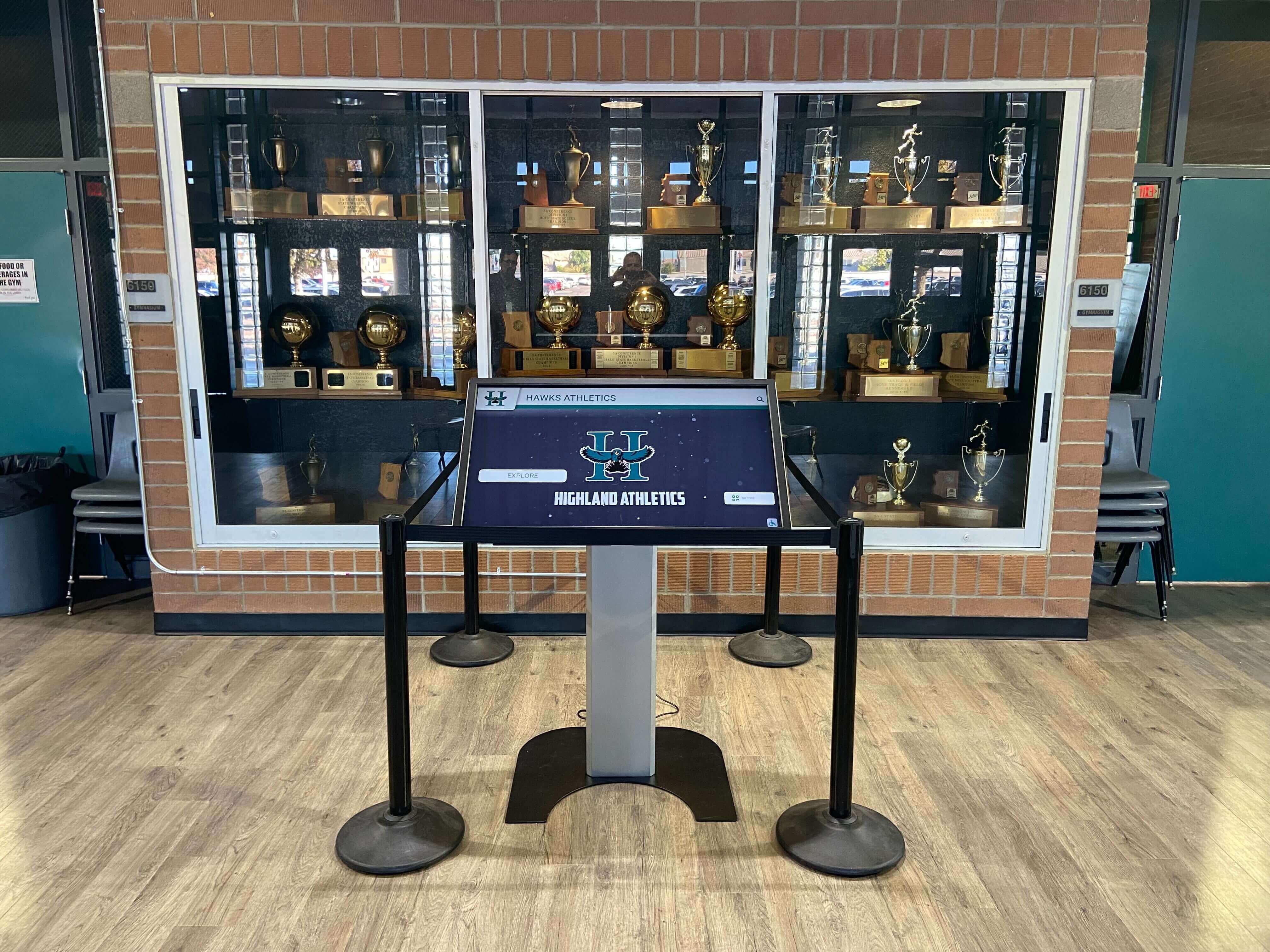
A digital kiosk integrated into a school trophy case extends recognition access to all visitors, including those who cannot reach or read physical displays
Why Trophy Case Accessibility Matters
Recognition displays serve the entire school community—current students, alumni, family members, prospective students, donors, and visitors. When a trophy case is inaccessible to any of these audiences, the school inadvertently signals that recognition is not for everyone.
Beyond community impact, schools receiving federal funding are subject to accessibility requirements under federal law that extend to physical facilities and increasingly to digital content. Trophy cases in hallways, lobbies, and gymnasiums fall within the scope of facility accessibility reviews during construction, renovation, and program compliance assessments.
The practical barriers are common and fixable:
- Reach range — Display cases mounted so that trophies and plaques are above or below ADA-recommended forward and side reach ranges
- Sight lines — Content positioned at heights comfortable for standing adults but not for users of wheelchairs or scooters
- Glare — Glass-fronted cases in naturally lit hallways that create reflective glare obscuring content
- Circulation — Display cases positioned in corridors without adequate clear floor space for wheelchair maneuvering
- Typography — Engraved or printed labels using small fonts or low-contrast color combinations
- Content depth — Physical plaques limited to names and years with no supplemental information for visitors without institutional context
Schools that excel at building accessible recognition programs understand that every recognition barrier is a missed connection—a student who cannot read the honor roll display, a parent who cannot see their child’s name on the championship plaque, a donor whose gift goes unnoticed because the recognition wall is unreachable.
Trophy Case Accessibility Checklist
Use this checklist during your next facilities walkthrough. Each item maps to a common accessibility dimension. Rate each item: Pass, Needs Attention, or Not Applicable.
1. Reach Range and Mounting Height
| Item | Standard Reference | Pass / Needs Attention / N/A |
|---|---|---|
| Trophy tops and highest plaques are at or below 48 in. above finished floor for unobstructed forward approach | ADA Standards §308.2 forward reach | |
| Lowest display content is at or above 15 in. above finished floor | ADA Standards §308.2 | |
| Side-reach elements (locks, interactive buttons, operable controls) are within 15–48 in. range | ADA Standards §308.3 side reach | |
| Obstructions do not reduce reach range below 34 in. for items accessed over a counter or base | ADA Standards §308.2.2 |
Reference: ADA Standards for Accessible Design, Section 308 (Reach Ranges), published by the U.S. Department of Justice, establishes reach-range dimensions for accessible facilities. These dimensions are minimums under federal standards; consult your accessibility consultant for current local code requirements.
2. Sight Lines and Viewing Height
| Item | Guidance | Pass / Needs Attention / N/A |
|---|---|---|
| Primary content (names, years, achievements) is visible from a seated position (approximate eye height 43–51 in.) | Universal design guidance | |
| Case interior is not divided by a horizontal shelf that blocks seated sight lines to lower content | Design review | |
| Overhead lighting and case positioning avoid shadows that obscure lower-shelf content | Site observation | |
| Supplemental floor-standing signs or kiosks are positioned so seated visitors have a clear, unobstructed view | Design review |
3. Glare and Lighting
| Item | Guidance | Pass / Needs Attention / N/A |
|---|---|---|
| Glass case fronts do not create significant reflective glare under primary lighting conditions | Site observation at multiple times of day | |
| Anti-reflective or low-reflectance glazing is used where glare is identified | Glazing specification review | |
| Interior case lighting is sufficient to read engraved text without straining (50+ foot-candles recommended for detailed reading tasks) | Illuminance check | |
| Digital screen brightness is adjustable and does not wash out in high-ambient-light environments | Manufacturer specification review |
4. Circulation and Clear Floor Space
| Item | Standard Reference | Pass / Needs Attention / N/A |
|---|---|---|
| Clear floor space of at least 30 × 48 in. is available in front of each interactive element | ADA Standards §305.3 | |
| Approach path to display cases is at least 36 in. wide; 60 in. preferred for two-way traffic | ADA Standards §403.5 | |
| No obstacles (trophy bases, freestanding signage, furniture) project into required clear floor space | Site observation | |
| Turning space (60 in. diameter circle or T-turn dimensions) is available nearby for wheelchair maneuvering | ADA Standards §304 |
5. Typography and Label Legibility
| Item | Guidance | Pass / Needs Attention / N/A |
|---|---|---|
| Engraved or printed text uses a minimum 1/2 in. character height for primary recognition content | ADA Standards §703.2 (applies to signs; used as baseline for display labels) | |
| Text color contrasts with background at a ratio of at least 3:1 for large text, 4.5:1 for body text | WCAG 2.1 AA contrast guidance | |
| Sans-serif or high-legibility typefaces are preferred over decorative scripts for key recognition text | Readability best practice | |
| Digital display text meets WCAG 2.1 AA standards for color contrast and text size | WCAG 2.1 AA, Success Criterion 1.4.3 |
6. Digital Display Accessibility
| Item | Guidance | Pass / Needs Attention / N/A |
|---|---|---|
| Touchscreen interactive elements have touch targets of at least 44 × 44 pixels per WCAG 2.5.5 | WCAG 2.1 AA | |
| Screen content is navigable without requiring fine motor precision (swipe-only gestures supplemented by large-button alternatives) | Accessibility design review | |
| QR codes are provided at accessible height (within 15–48 in.) for mobile access to digital recognition content | ADA reach range + design review | |
| Audio or visual feedback is provided upon touch interaction for visitors with low vision | Assistive technology review |
7. Environmental Safety
| Item | Guidance | Pass / Needs Attention / N/A |
|---|---|---|
| Trophy case doors open without requiring tight grasping or twisting of the wrist | ADA Standards §309.4 operable parts | |
| Case bases or protruding elements extending into circulation paths are cane-detectable (4 in. or less protrusion above 27 in.) or guarded | ADA Standards §307 protruding objects | |
| Floor surfaces in front of cases are stable, firm, and slip-resistant | ADA Standards §302 | |
| Aisle lighting prevents trip hazards during evening events | Facilities and safety standard |
Step-by-Step: Conducting Your Accessibility Walkthrough
Running a structured walkthrough produces more actionable results than ad-hoc observation. Follow these steps to get a complete picture of your trophy display environment.
Step 1: Assemble your review team. Include a facilities staff member, an athletic director or recognition committee representative, and if available, a student or staff member who uses a mobility device. Direct experience reveals barriers that observation alone misses. A student who navigates the trophy hallway daily will identify issues faster than any checklist.
Step 2: Photograph and measure. Use a tape measure to record mounting heights, aisle widths, and clear floor spaces at each display case. Document each case with photographs taken from both standing and seated heights—the visual difference is often striking.
Step 3: Evaluate lighting at multiple times of day. Glare and shadow conditions change dramatically between morning, midday, and after-school hours. Schools hosting homecoming festivities and evening events see peak trophy corridor traffic under different lighting conditions than daytime—assess displays under those conditions, not only during the school day.
Step 4: Test legibility from required viewing distances. Stand 36 in. from the case and attempt to read engraved text. Repeat from a seated position at approximately 48 in. high. Document any text that requires moving closer than a wheelchair user could comfortably approach.
Step 5: Review digital elements separately. For any interactive kiosks or digital screens in or adjacent to the trophy area, evaluate touch-target size, font contrast, and whether content is reachable and operable from a seated position. This includes any hall of fame kiosks, digital signage, or honor roll screens in the same corridor.
Step 6: Prioritize findings. Categorize each finding as: (a) immediate safety concern, (b) compliance priority, or (c) enhancement opportunity. Focus resources on safety and compliance items first. Not every enhancement needs to happen immediately—a phased plan is more sustainable than deferred action.
Step 7: Document and plan. Create a written record of findings with photographs. Use it to develop a phased improvement plan and communicate needs to administration, facilities leadership, and budget committees.
Common Accessibility Barriers Found in School Trophy Cases
School recognition displays share recurring accessibility challenges regardless of institution age or size:
Overcrowded display cases — Dense arrangements of trophies and plaques that eliminate clear sight lines to individual items. When every inch of shelf space is occupied, nothing is truly legible.
Case mounting height mismatch — Cases designed for hallway walls frequently position top shelves well above 48 in., placing older championship trophies at heights unreachable from a seated position.
Narrow trophy corridors — Trophy hallways designed before modern accessibility standards often measure 32–36 in. in width—technically passable but uncomfortable for wheelchair users, especially when cases have protruding bases.
Engraved text on silver or gold trophies — Metal-on-metal engraving provides poor contrast, particularly for visitors with low vision. The award is visible from a distance; the name on it may be unreadable.
No supplemental context — Physical plaques provide names and years but rarely include team records, individual statistics, or the stories that help visitors understand why an achievement was significant. This gap disproportionately affects visitors who arrive without institutional memory to fill in the blanks.
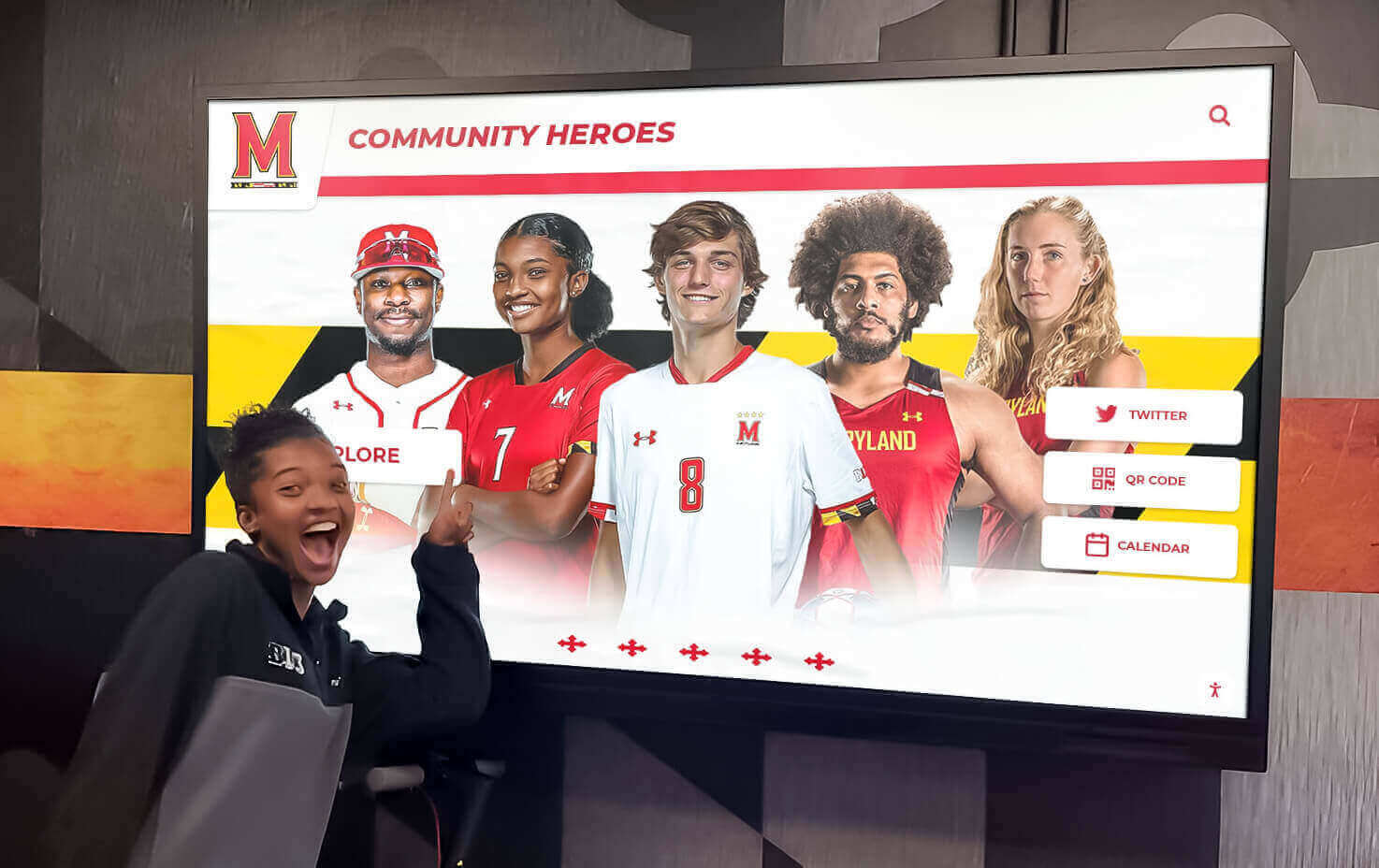
Digital recognition displays designed for hallway installation can provide accessible content to all visitors, including those who cannot comfortably reach or read physical cases
When Digital Displays Solve What Physical Renovation Cannot
Some accessibility barriers in existing trophy cases are expensive or impractical to address through physical renovation alone. A case recessed into a structural wall cannot be easily repositioned. A historic case cannot be replaced without losing its character. Label contrast on a decades-old engraved plaque cannot be changed without re-engraving the entire surface.
Digital recognition displays serve as a practical complement—and sometimes a full solution—for physical cases facing these constraints:
Unlimited recognition at one accessible height. A touchscreen kiosk mounted at ADA-compliant height provides access to every record in a school’s recognition history, including content stored in physical cases at unreachable heights or in storage closets. Museum-quality interactive displays use the same principle: the device is accessible; the content depth is unlimited.
Font and contrast that adapt. Digital displays render text at any size and contrast level. A visitor with low vision can increase font size or switch to a high-contrast mode without requiring physical changes to the case or its contents. Cloud-managed recognition platforms built to WCAG 2.1 AA standards include contrast, text size, and touch-target requirements as design fundamentals rather than afterthoughts.
QR codes for mobile access. Placing a QR code at accessible height allows any visitor to pull up the full recognition database on their smartphone, even when physical displays cannot be approached. This approach works for athletic records, academic decathlon teams and scholar honorees, honor roll portraits, and donor recognition alike—content that exists but is physically inaccessible becomes reachable instantly.
Remote content updates. Cloud-managed systems allow staff to add new recognition content, correct errors, or update records without physical access to the display case. A student earning a late-season award can be recognized before the year ends, not at the next renovation cycle.
Scheduled publishing and auto-ranking. Content can be programmed to appear on specific dates and automatically sorted by achievement type, recency, or custom criteria—ensuring the most relevant recognition stays visible without manual rearrangement that requires physical case access.
Schools considering this approach can explore the full recognition platform to understand how digital kiosks integrate with existing trophy case environments and what accessibility standards are built into the system.
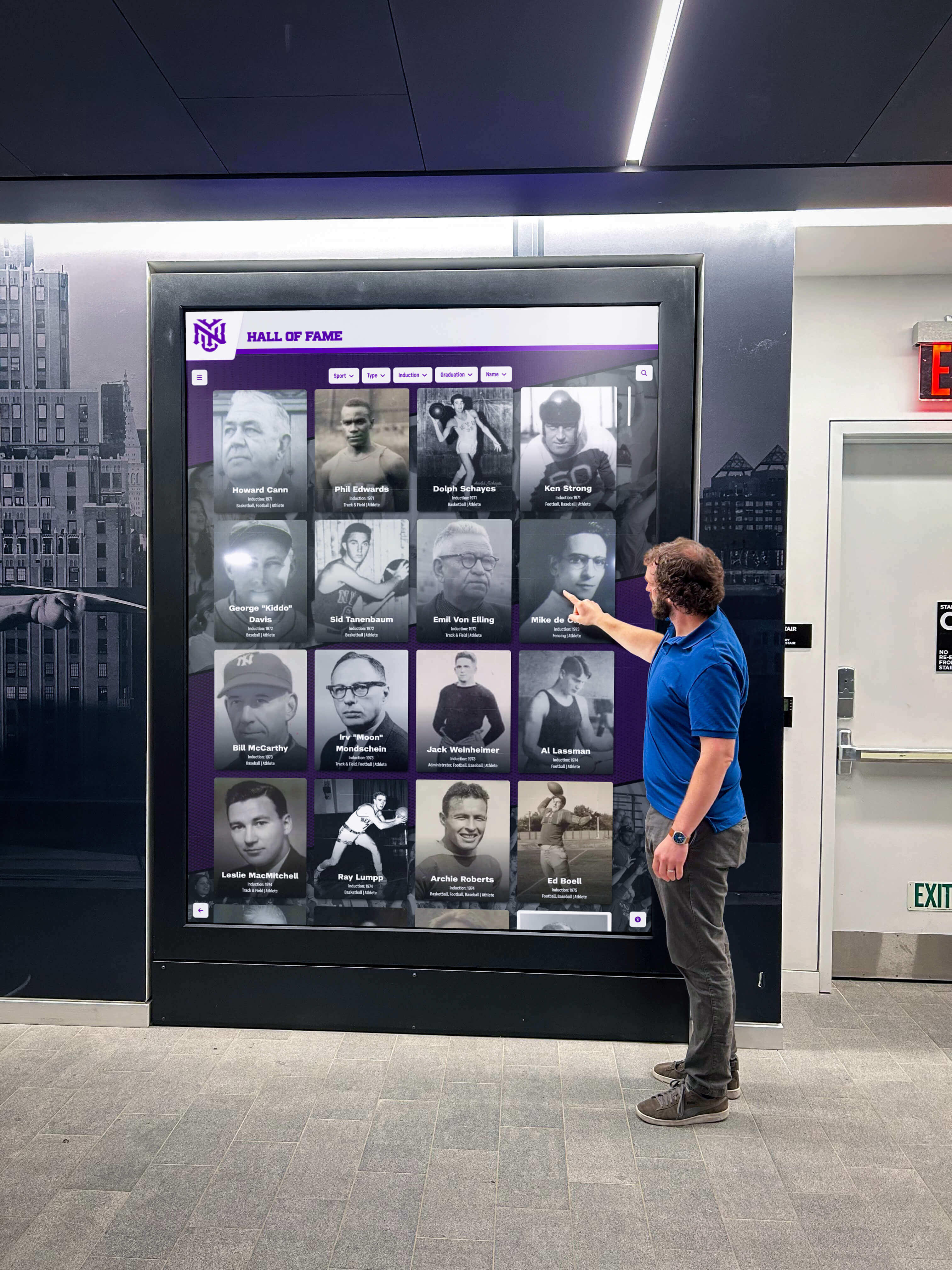
Interactive screens bring recognition content to all visitors regardless of mobility, vision, or reach range—making the school's achievements accessible to everyone who walks through the door
Applying the Checklist Across All Recognition Types
The checklist above focuses on trophy cases, but the same principles apply across a school’s full recognition landscape.
Academic honors — Honor rolls, academic achievement boards distinguishing different honor tiers, and scholar recognition displays should meet the same sight-line and typography standards as athletic cases. Academic recognition is often placed in main office corridors where visitors encounter it first—those high-traffic locations deserve the same accessibility attention as gymnasium trophy halls.
Hall of fame walls — Dedicated hall of fame installations for athletics, academics, or alumni benefit directly from this checklist. Permanent hall of fame displays incorporating senior banners and retired numbers face the same height and contrast challenges as trophy cases; applying reach range and sight-line standards at the design stage is far less costly than retrofitting after installation.
Interactive history displays — Schools creating interactive history and culture walls should build accessibility requirements into the design specification from the beginning. Touch-target sizing, mounting height, and contrast requirements for interactive elements need to be resolved with the vendor before hardware is ordered, not after it arrives on a pallet.
Sports recognition installations — Specialized recognition for individual sports, including all-star recognition walls, should follow the same reach, sight-line, and legibility standards governing general trophy case design. Sport-specific installations are often located in auxiliary gymnasiums or locker-room corridors that see less administrative review than main hallway locations—a targeted walkthrough ensures they meet the same standards.
Donor recognition — Donor walls and naming opportunities serve important stewardship and community-building functions. Ensuring donor recognition content is visible and accessible honors the relationship between the institution and its supporters. Recognition that a donor cannot see or read defeats its own purpose.
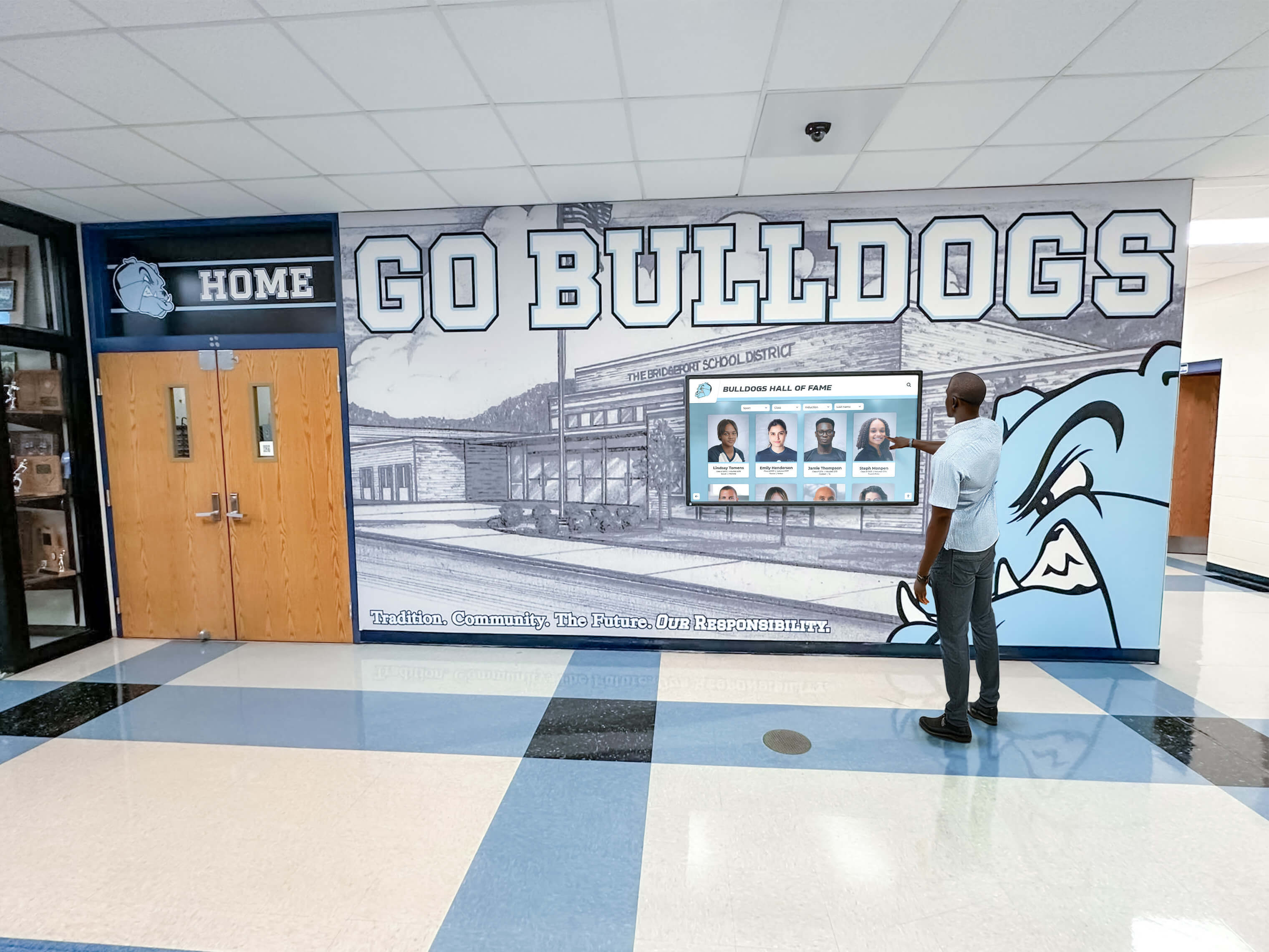
Hallway-mounted digital kiosks bring recognition content to accessible height and provide information depth well beyond what physical plaques alone can hold
Quick-Reference Accessibility Summary
Physical trophy case standards to verify:
- Forward reach: 15–48 in. above finished floor (unobstructed)
- Clear floor space: 30 × 48 in. minimum per interactive element
- Circulation path: 36 in. minimum, 60 in. preferred
- Text contrast: 3:1 minimum (large text), 4.5:1 (body text)
- Protruding objects: 4 in. or less above 27 in., or guarded
Digital display standards to verify:
- Touch targets: 44 × 44 px minimum
- Text contrast: WCAG 2.1 AA (4.5:1 body, 3:1 large text)
- Screen mounting height: within 15–48 in. reach range
- QR codes: at accessible height for mobile backup access
- Content management: cloud-updateable without physical case access
FAQ: Trophy Case Accessibility
Does the ADA require schools to make all trophy cases accessible?
Schools subject to the ADA and Section 504 of the Rehabilitation Act are generally required to ensure that their programs and activities are accessible in their totality, though not every individual element of every facility must be made accessible on its own. Whether a specific trophy case requires modification depends on factors including when it was constructed, whether it is part of an alteration project, and whether the school’s overall recognition program is accessible through alternative means. This is not legal advice—consult qualified legal counsel and a certified accessibility specialist for guidance specific to your institution, jurisdiction, and construction history.
What is the ADA reach range standard for display elements?
ADA Standards for Accessible Design Section 308 establishes reach ranges for accessible elements. For a forward reach with no obstruction, the maximum high reach is 48 in. above the floor and the minimum low reach is 15 in. Side-reach ranges are the same. Where a forward reach over an obstruction (such as a trophy case base) is required, the maximum high reach decreases to 44 in. when the obstruction depth is between 20–25 in. These figures apply to operable parts and interactive elements; display cases that visitors observe without touching are subject to sight-line guidance rather than reach requirements—though reach standards become directly relevant for any lock mechanism, interactive kiosk button, or operable control.
How do I evaluate glare in a trophy case?
Walk the corridor at several points in the day—early morning, midday, and late afternoon. Look at the glass from the primary viewing angle (typically perpendicular to the case from the walkway). If you can see a reflection of overhead light fixtures, windows, or your own image in the glass more easily than you can see the trophies behind it, glare is a problem. Anti-reflective glazing, adjusted lighting angles, and matte-finish case interiors all reduce glare. Evaluate digital screens in the same way—matte-screen coatings and ambient-light sensors help displays remain readable in brightly lit hallways.
What font size should engraved trophy plaques use?
ADA Standards Section 703.2 covers character height for signs. While those standards apply specifically to signs rather than display plaques, using them as a practical baseline makes sense for recognition installations. Characters on wall-mounted signs must be a minimum of 1/2 in. high. For trophy plaques and recognition labels viewed from outside a glass case at typical viewing distance (24–36 in.), a minimum of 3/4 in. for primary achievement names is a reasonable starting target for legibility. Text engraved into a metallic surface that matches the base material in color requires larger sizing to compensate for the reduced contrast.
Can a digital display fully replace a physical trophy case for accessibility purposes?
A digital display can extend recognition access to content that physical cases cannot practically deliver—deep archives, high-mounted trophies, faded engravings, and records currently in storage. However, digital displays introduce their own accessibility requirements: touch-target sizing, contrast ratios, reach height, and compatibility with assistive technologies. A thoughtful implementation uses the physical case for the tangible experience of seeing championship hardware while the digital component provides accessible, searchable, and updatable recognition depth. Platforms built to WCAG 2.1 AA compliance address the most common digital accessibility requirements at the platform level, reducing the burden on individual schools to specify every technical detail.
How often should we re-evaluate accessibility?
Conduct a formal walkthrough whenever the physical display area is renovated, whenever new fixtures or cases are added, and at a minimum every three to five years as a standing practice. Accessibility standards, available technology, and student and visitor needs all evolve. Building a brief accessibility check into the annual recognition program review ensures improvements accumulate over time rather than being deferred indefinitely. Including it alongside your annual trophy case inventory review creates a natural pairing that’s easy to schedule and sustain.
Take the Next Step
A trophy case accessibility checklist is most valuable when it leads to concrete improvements. Schools that identify barriers and address them—through physical modifications, digital supplements, or both—create recognition spaces that genuinely serve every member of their community.
Rocket Alumni Solutions builds cloud-managed, WCAG 2.1 AA-compliant digital recognition kiosks that integrate with existing trophy cases, providing accessible content at appropriate mounting heights with touch targets, contrast standards, and mobile QR-code backup built in. See how the platform can work alongside your existing trophy displays by scheduling a demonstration.
Live Example: Rocket Alumni Solutions Touchscreen Display
Interact with a live example (16:9 scaled 1920x1080 display). All content is automatically responsive to all screen sizes and orientations.