




Every facility manager knows this frustration: visitors wandering hallways searching for offices, reception staff answering the same directional questions dozens of times daily, and outdated printed directories becoming obsolete the moment new tenants move in. Traditional building directories simply cannot keep pace with the changing nature of modern facilities.
Touchscreen building directories solve these persistent navigation challenges by providing intuitive, self-service wayfinding that guides visitors to their destinations independently while dramatically reducing administrative burden. These interactive systems replace static directory boards with searchable, updatable interfaces that remain current without reprinting costs or maintenance delays.
This comprehensive guide explores everything facility managers, administrators, and decision-makers need to understand about touchscreen building directories—from core features and implementation requirements to cost considerations and best practices that ensure successful deployments serving visitors effectively for years.
Modern facilities implementing effective touchscreen building directories report 35-45% reduction in reception desk inquiries, measurably improved visitor satisfaction scores, and enhanced professional image. Success depends on understanding the distinction between directory-focused solutions and broader interactive kiosk systems, selecting appropriate features for specific building contexts, and establishing sustainable content management processes.

Self-service touchscreen directories enable visitors to navigate buildings independently without waiting for staff assistance
Understanding Touchscreen Building Directories
Before evaluating specific systems, understanding what distinguishes effective building directories from general-purpose kiosks helps organizations select solutions matching their actual wayfinding needs rather than overbuying unnecessary features.
Core Purpose and Design Philosophy
Quick Navigation vs. Extended Interaction
Touchscreen building directories prioritize speed and simplicity. Visitors interact for 20-40 seconds—just long enough to search for a tenant or office, view the suite number and floor location, and proceed to their destination. This brief interaction model shapes every design decision from interface layout to search functionality.
General interactive kiosks serve different purposes requiring extended engagement. Hospital patient check-in systems, retail mall directories with detailed store information and promotional content, museum exhibit guides with rich multimedia, and self-service transaction systems all assume multi-minute interactions supporting complex tasks.
Organizations implementing directories specifically for wayfinding should avoid platforms designed for extended kiosk applications. The interface complexity supporting lengthy interactions creates unnecessary friction for visitors who simply need quick directional information.
Essential vs. Optional Features
Core Directory Capabilities
Effective building directories provide searchable tenant databases enabling lookup by company name, individual name, or suite number. Clear visual presentation of results showing floor numbers, suite locations, and directional guidance represents baseline functionality. Simple, intuitive interfaces requiring no instruction allow first-time visitors to find information immediately without assistance.
Real-time content updates ensure accuracy as tenants move, offices reorganize, and building occupancy changes. Multi-language support serves diverse visitor populations. Accessibility features including adjustable text sizing and screen reader compatibility ensure inclusive access.
Advanced Wayfinding Features
More comprehensive systems add interactive floor plans showing building layouts and paths to destinations. Turn-by-turn directional guidance provides detailed routing from directory location to destination. Integration with building management systems displays real-time meeting room availability. Emergency messaging capabilities allow instant communication during facility incidents.
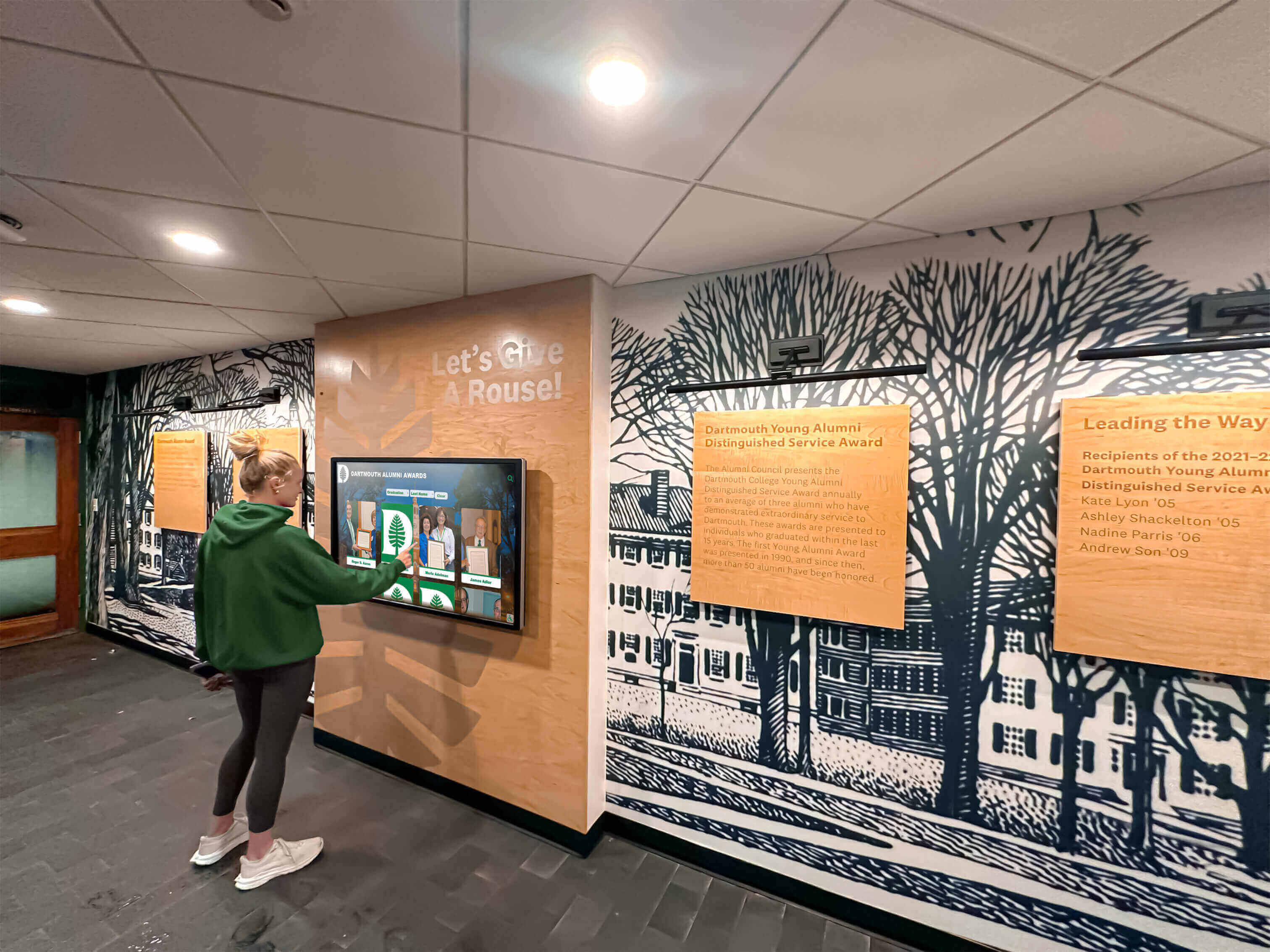
Schools and universities implementing campus directory systems often extend basic wayfinding with recognition content displaying achievements, events, and announcements alongside directional information.
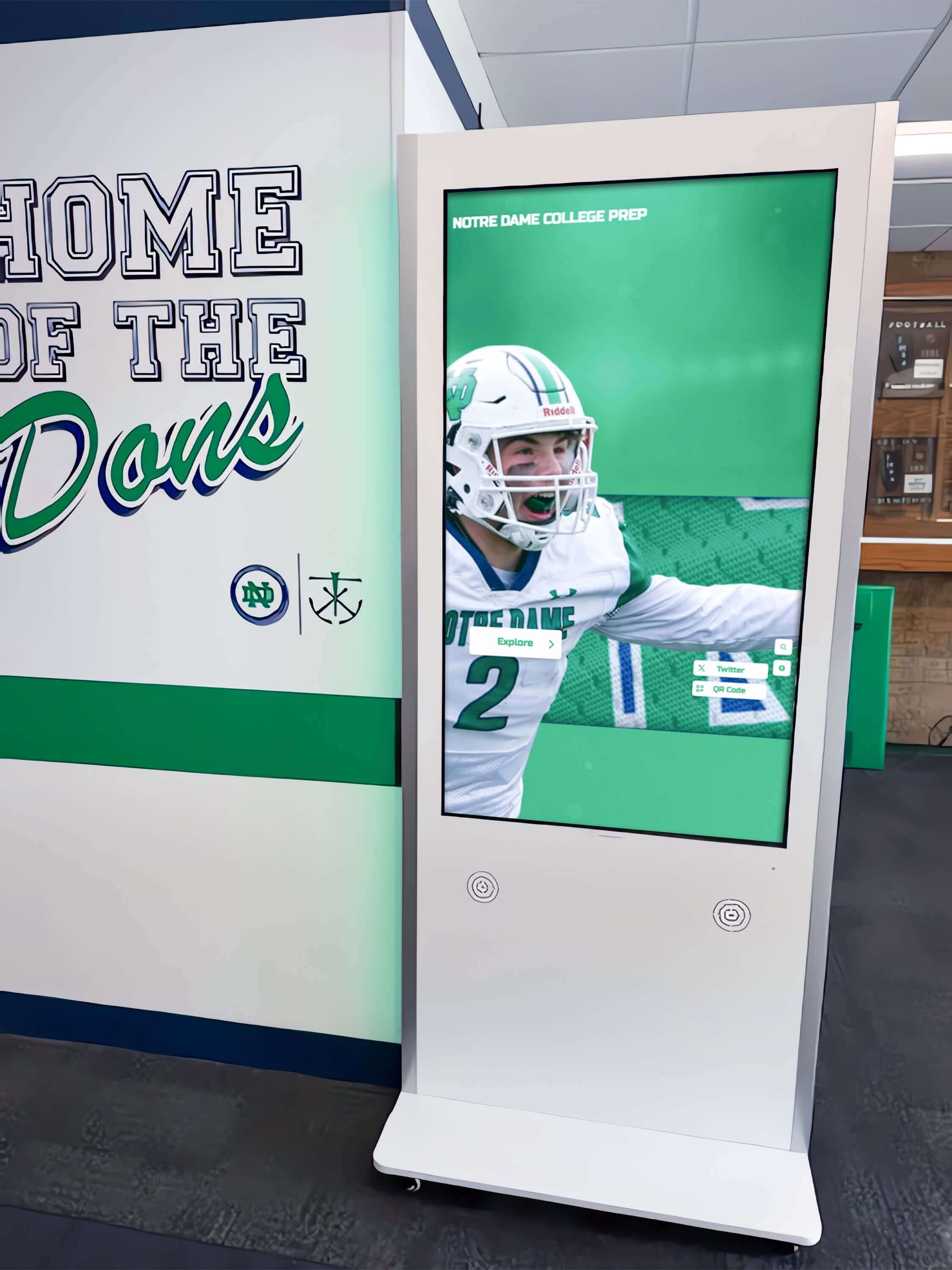
Educational facilities often combine wayfinding directories with recognition content celebrating student and athletic achievements
Touchscreen Directory vs. Digital Kiosk: Critical Differences
Organizations frequently conflate building directories with interactive kiosks, leading to mismatched solutions that either underserve wayfinding needs or include unnecessary complexity and cost.
Use Case and Interaction Model
Building Directory Scenario
A visitor enters your facility lobby needing to find Suite 405. They approach the touchscreen directory, tap the search field, type the suite number or company name, view the result showing “Suite 405, 4th Floor, West Wing,” note the directional arrow indicating elevator location, and proceed to their destination. Total interaction time: 25 seconds.
This focused interaction requires simple, fast search functionality, clear result presentation, and basic directional guidance. The system serves one purpose: helping visitors find offices quickly.
Interactive Kiosk Scenario
A hospital patient approaches a check-in kiosk. They navigate through multiple screens confirming appointment details, updating insurance information, completing health screening questions, reviewing consent forms, making payment, and receiving printed check-in confirmation. Total interaction time: 4-8 minutes.
This complex workflow requires multi-step form interfaces, data validation, integration with scheduling and billing systems, payment processing, and peripheral device management. The system supports comprehensive self-service transaction processing.
Content Depth and Management
Directory Content Simplicity
Building directory content consists primarily of structured data: tenant names, suite numbers, floor locations, and department information. Updates involve adding new tenants, removing departed occupants, and modifying office assignments. Content management focuses on maintaining accurate, current listings rather than creating rich media experiences.
Schools implementing digital signage for wayfinding may add announcements, event calendars, and recognition content alongside directory listings, but the wayfinding database itself remains straightforward.
Kiosk Content Complexity
Interactive kiosks supporting extended engagement require rich multimedia content, detailed product or service information, promotional materials, instructional videos, and real-time data from multiple integrated systems. Content development demands graphic design, copywriting, video production, and continuous updates maintaining freshness.
Technical Infrastructure Requirements
Directory System Simplicity
Touchscreen building directories typically require straightforward technical infrastructure. Standard network connectivity enables content updates and remote management. No payment processing integration, minimal external system connectivity, and basic touch-capable displays with standard computing platforms characterize directory deployments.
Organizations can often implement directory systems without extensive IT involvement beyond network connection and basic security configuration.
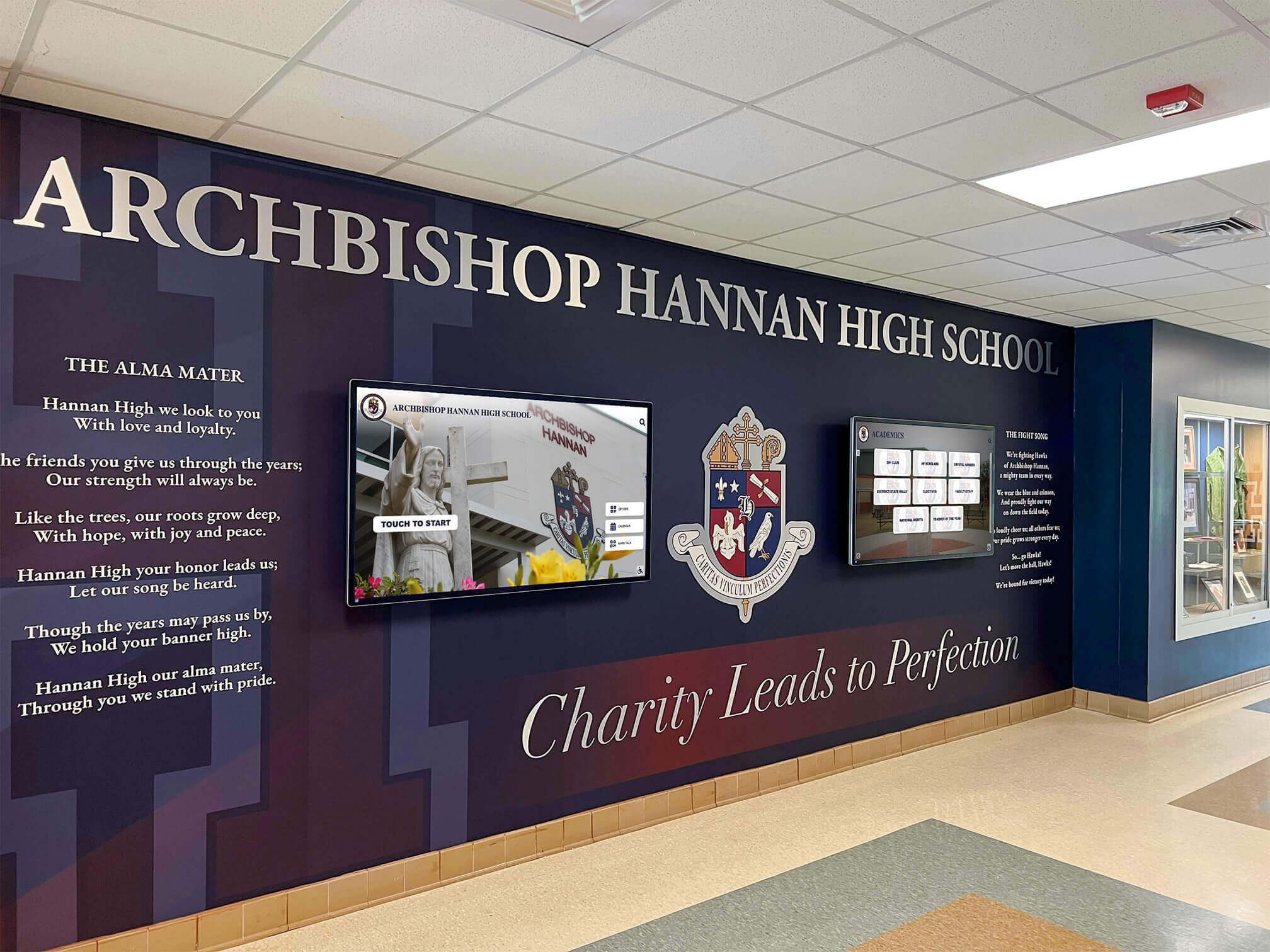
Multiple coordinated displays in facility lobbies can serve both wayfinding and information distribution needs simultaneously
Kiosk System Complexity
Comprehensive interactive kiosks demand more elaborate infrastructure. Integration with scheduling systems, patient records, inventory databases, payment processing, and other enterprise systems requires significant IT coordination. Peripheral device management including receipt printers, barcode scanners, card readers, and document scanners adds complexity. Enhanced security measures protecting sensitive transaction data increase technical requirements.
These implementations typically require dedicated IT project teams managing integration development, security configuration, and ongoing maintenance.
Key Features of Effective Touchscreen Building Directories
Successful directory deployments share common characteristics that distinguish functional systems from disappointing implementations failing to serve visitor needs or prove sustainable for building administrators.
Search and Navigation Functionality
Multiple Search Methods
Visitors arrive with different information requiring flexible search options. Name-based search supports visitors knowing who they’re visiting but not the location. Company or department search serves those with organizational knowledge but no specific contact. Suite or room number search helps visitors with written directions or appointment confirmations. Browse by floor options accommodate exploratory searching.
The best directory systems recognize that different visitor types require different search approaches, providing multiple pathways to the same destination information.
Intelligent Search Features
Modern directory software should accommodate common search challenges. Fuzzy matching corrects minor spelling errors without requiring exact input. Partial matching returns results as visitors type, accelerating searches. Nickname and abbreviation recognition finds “Bob Smith” when searching “Robert” or “MIT” when seeking “Massachusetts Institute of Technology.”
These intelligent search features prevent frustration when visitors don’t know exact spellings or formal names.
Visual Wayfinding and Mapping
Static vs. Interactive Floor Plans
Basic directories display static floor plan images showing general building layout and destination locations. Visitors view maps, identify their destination, and navigate independently using visible landmarks and signage.
Interactive floor plans enable zooming for detailed views, highlighting specific paths from directory location to destination, and showing multiple floors with clear level transitions. These interactive maps provide more explicit guidance but require more sophisticated software and content development.
Directional Guidance Integration
Beyond showing where destinations exist, effective directories indicate how to reach them from the directory location. Simple directional arrows pointing toward elevators, stairwells, or corridors provide basic guidance. More detailed systems offer turn-by-turn instructions with distance estimates. Advanced implementations track visitor progress through connected screens showing updated directions as they move through buildings.
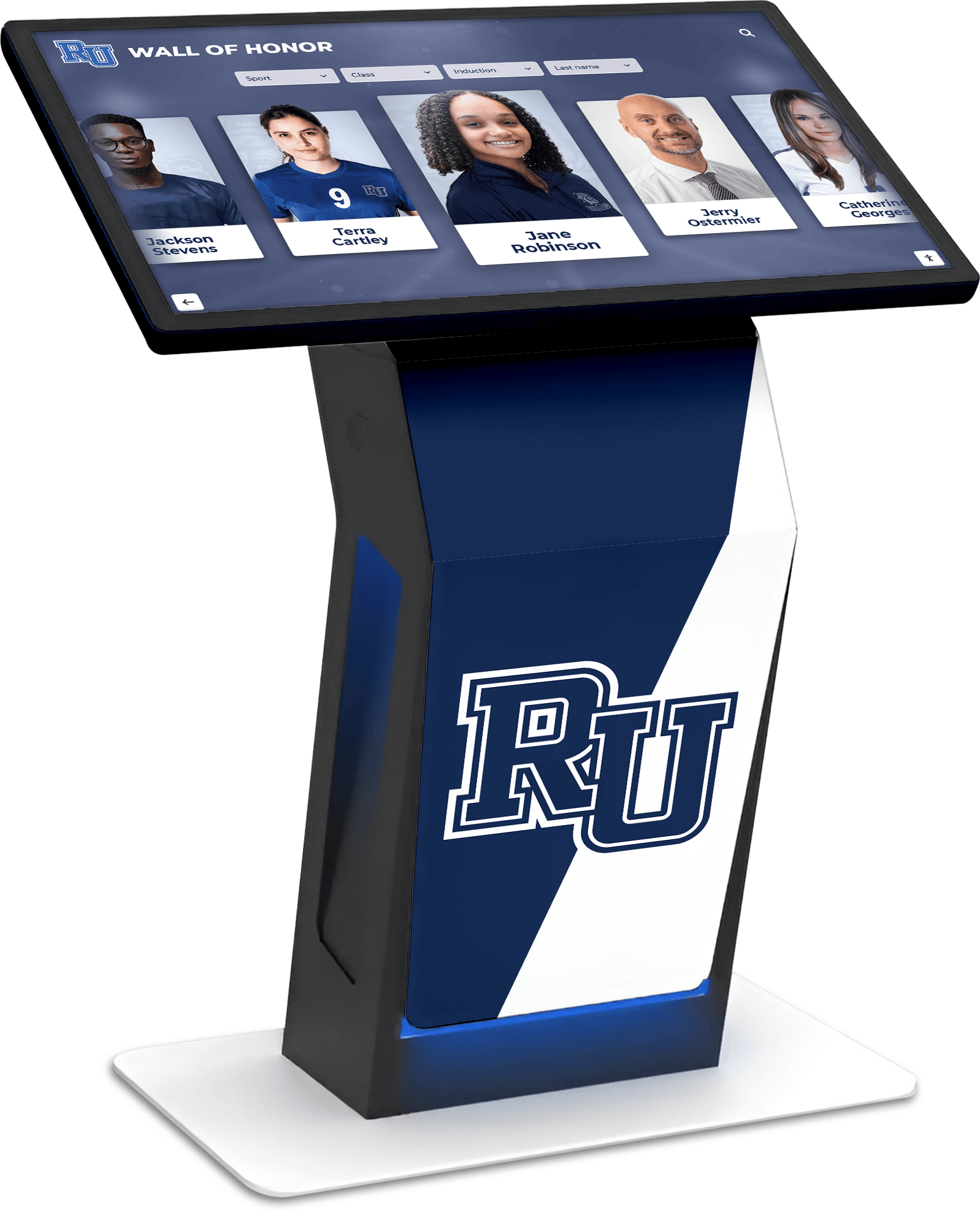
Custom branded interfaces integrate directory functionality with institutional identity and recognition content
Content Management and Updates
Administrative Interface Requirements
Sustainable directory operation depends on straightforward content management enabling non-technical staff to maintain current listings. Web-based administrative interfaces accessible from any device without specialized software eliminate barriers to updates. Simple add/edit/delete operations for tenant listings require no training. Bulk import and export capabilities accelerate major updates when multiple changes occur simultaneously.
Role-based access control allows distributed management where department administrators update their own listings without accessing unrelated content or system settings.
Update Speed and Publishing
Traditional printed directories and static boards require reprinting or manual updates when listings change. Touchscreen systems should support immediate updates publishing instantly to displays. Scheduled publishing capabilities enable future-dated changes taking effect automatically at specified times. Bulk update operations allow mass changes during building reorganizations or tenant turnovers.
The difference between platforms enabling same-day updates versus those requiring vendor service calls significantly impacts both cost and directory accuracy.
Accessibility and Inclusive Design
WCAG Compliance Requirements
All public touchscreen installations must accommodate users with varying abilities. WCAG 2.1 AA compliance represents the baseline standard for educational institutions and many commercial facilities. Key requirements include sufficient color contrast ratios, text sizing options, keyboard navigation alternatives, and screen reader compatibility.
Organizations should verify that directory systems achieve compliance out-of-the-box rather than requiring custom development. Many general kiosk platforms require significant accessibility work, while specialized directory solutions increasingly build compliance into core architecture.
Physical Accessibility Considerations
Beyond software accessibility, physical installation impacts usability. Mounting height should accommodate wheelchair users, with touchable screen areas between 15-48 inches from the floor per ADA requirements. Placement in high-traffic areas ensures visibility while avoiding corridor obstructions. Adequate clear space in front of directories enables wheelchair maneuvering.
Facilities implementing accessible interactive displays should conduct user testing with diverse populations confirming usability before finalizing installations.
Implementation Considerations and Best Practices
Moving from directory selection to successful deployment requires attention to technical, content, and operational factors that separate effective implementations from disappointing installations.
Hardware Selection and Specifications
Display Size and Resolution
Building directory displays typically range from 32-inch to 55-inch screens depending on mounting location and viewing distance. Lobby installations visible from greater distances benefit from larger displays. Corridor locations with closer interaction suit smaller formats. Resolution should match native touchscreen capabilities, with 1920x1080 (Full HD) representing baseline quality and 4K displays providing enhanced clarity for detailed floor plans.
Portrait orientation suits directory content better than landscape format. Vertical layouts accommodate longer tenant lists and provide natural reading orientation for sequential information.
Touch Technology Options
Capacitive touchscreens provide smartphone-like responsiveness with multi-touch support enabling pinch-to-zoom and gesture navigation. These displays require direct finger contact and don’t respond to gloves, creating usability challenges in certain environments. Projected capacitive technology represents current standard for public installations.
Infrared touch overlays work with any touch implement including gloved hands and styluses, making them suitable for healthcare and industrial environments. These systems sit in front of displays rather than integrating into screens, potentially affecting image clarity.
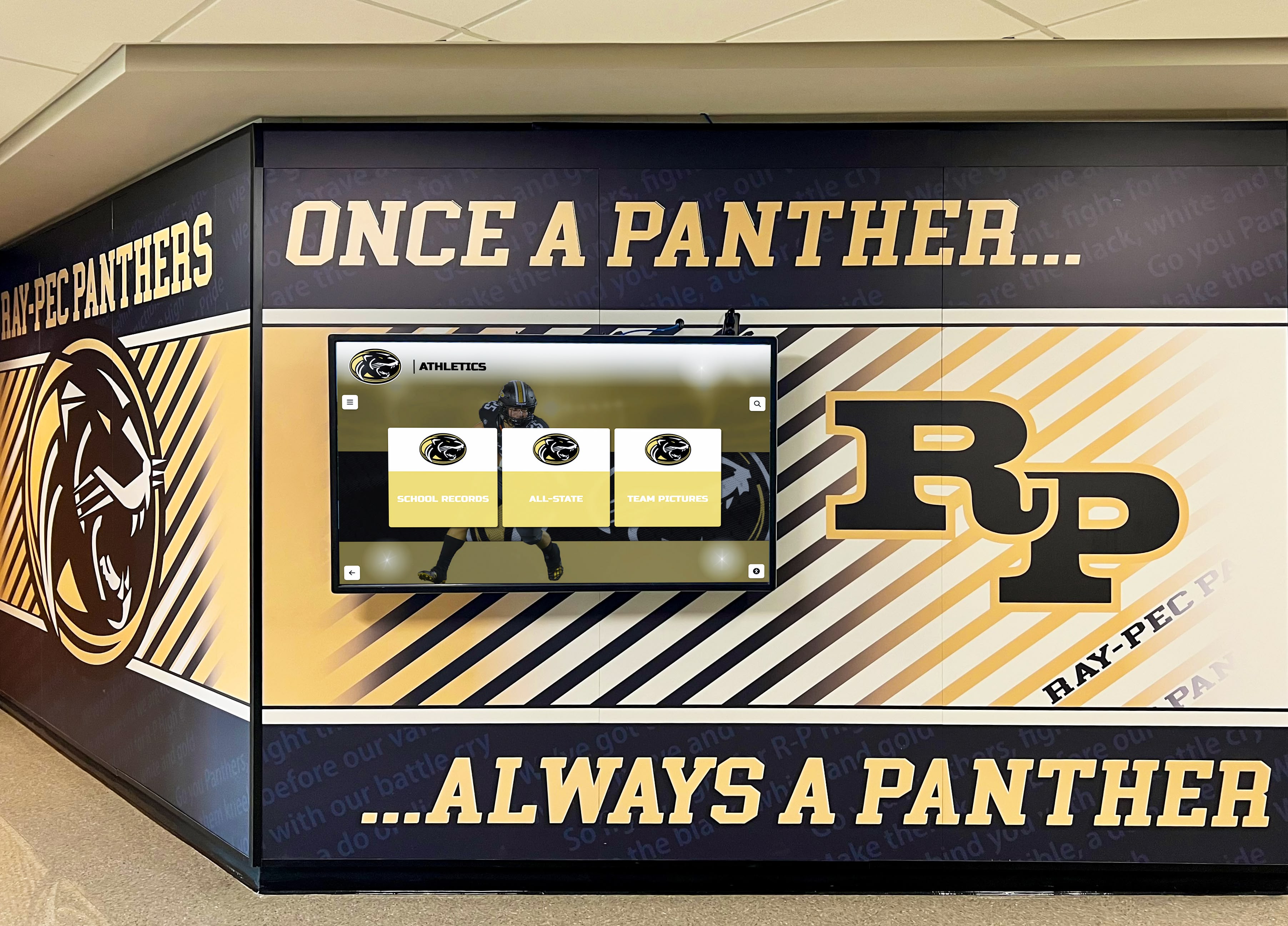
Strategic placement in high-traffic areas ensures directory visibility while creating opportunities for recognition content integration
Software Platform Selection
Hosted vs. On-Premise Solutions
Cloud-hosted directory platforms provide web-based content management, automatic software updates, remote monitoring and support, and no local server infrastructure requirements. Organizations access administrative interfaces through standard web browsers from any location. Subscription pricing typically includes hosting, updates, and technical support in annual fees.
On-premise solutions require local server infrastructure, IT staff managing updates and maintenance, and often larger upfront license costs. Some organizations with strict data security requirements or limited internet connectivity may require on-premise deployment, but most facilities find hosted solutions more sustainable.
Specialized Directory vs. General Kiosk Software
Purpose-built directory platforms focus on wayfinding workflows with pre-configured tenant listing templates, built-in search functionality, and directory-specific management interfaces. Implementation moves faster because core functionality exists ready to deploy rather than requiring custom development.
General kiosk authoring platforms offer greater design flexibility but require building directory functionality from scratch. Organizations need design expertise and development time creating interfaces, implementing search, and building content management workflows. This approach suits facilities with unique requirements but adds complexity and cost for standard directory applications.
Educational institutions implementing interactive kiosk solutions often benefit from platforms designed specifically for campus environments, combining directory functionality with recognition content, event promotion, and announcements in unified interfaces.
Content Development and Migration
Initial Tenant Data Collection
Successful directory launches require accurate, complete tenant listings. Organizations should compile tenant names, suite or room numbers, floor locations, department affiliations, phone numbers (if displayed), and special access instructions. Contact information for each tenant enables verification and update notifications.
Data quality issues discovered after launch create poor first impressions. Investment in thorough initial data collection and verification prevents post-launch credibility problems.
Ongoing Content Maintenance Processes
Directories remain useful only when current. Organizations should establish clear update workflows specifying who maintains listings, how tenant changes get communicated, and update timelines. Building management teams receive move-in/move-out notifications and update directories accordingly. Department administrators notify central coordinators about internal reorganizations affecting office assignments.
Quarterly audit processes reviewing all listings help identify drift and maintain accuracy. Regular verification prevents the gradual deterioration that undermines directory credibility.
User Experience Optimization
Interface Simplicity and Clarity
Directories should be immediately intuitive to first-time users. Large, obvious search fields with clear prompts like “Search by name, company, or suite number” guide visitors. Minimal interface chrome and distracting elements maintain focus on wayfinding tasks. High contrast between text and backgrounds ensures readability across varying lighting conditions.
Organizations should test directories with actual visitors representing diverse technical comfort levels. Interface elements obvious to system designers may confuse actual users.
Intuitive interfaces enable successful wayfinding by users with varying technical experience and abilities
Search Result Presentation
Search results should prioritize essential wayfinding information. Large, readable text showing tenant name, suite number, and floor location provides core details at a glance. Directional indicators like “4th Floor, West Wing, near Elevator B” add helpful context. Optional detail views can provide phone numbers, department information, or additional context without cluttering primary results.
Ambiguous results listing multiple matches require clear differentiation. “John Smith, Suite 301, Finance Department” and “John Smith, Suite 520, Legal Department” prevent confusion and misdirection.
Location and Placement Strategy
High-Traffic Entry Points
Primary directory installations belong in main building entrances where visitors naturally enter. Lobby placements near reception desks provide self-service options while keeping staff nearby for questions requiring human assistance. Visibility from entry doors ensures visitors encounter directories before wandering.
Secondary installations near elevator banks and major corridor intersections serve visitors entering through alternate entrances or needing wayfinding after reaching incorrect floors.
Campus-Wide Directory Networks
Large facilities spanning multiple buildings benefit from networked directory systems with consistent interfaces across locations. Campus maps showing building layouts help visitors understand spatial relationships. Building-specific directories focus on internal navigation within individual structures. Unified content management maintains consistency as tenants and departments span multiple buildings.
Universities implementing comprehensive wayfinding often combine digital building directories with outdoor digital signage providing campus-wide orientation before visitors enter specific buildings.
Special Considerations for Different Facility Types
While core directory principles apply universally, specific facility types present unique requirements and opportunities shaping implementation decisions.
Educational Campuses
Academic Building Directories
School and university buildings house constantly changing occupants as courses schedule across semesters, faculty offices relocate, and departments reorganize. Directory systems must accommodate this fluidity with flexible content management enabling frequent updates by multiple administrators.
Beyond faculty and office locations, educational directories often include classroom finding tools helping students navigate complex scheduling across large campuses. Building-specific maps showing lecture halls, labs, study spaces, and facilities support academic navigation needs.
Multi-Purpose Directory Applications
Educational institutions increasingly combine wayfinding with other content serving campus communities. Event calendars promote activities and programming. Student achievement recognition celebrates academic and athletic accomplishments. Emergency messaging capabilities support campus safety communication. Sponsorship displays acknowledge donors and partners.
Platforms like Rocket Alumni Solutions specifically address educational environments by integrating directory functionality with digital recognition displays featuring unlimited student achievements alongside wayfinding, creating comprehensive campus communication systems in unified interfaces.
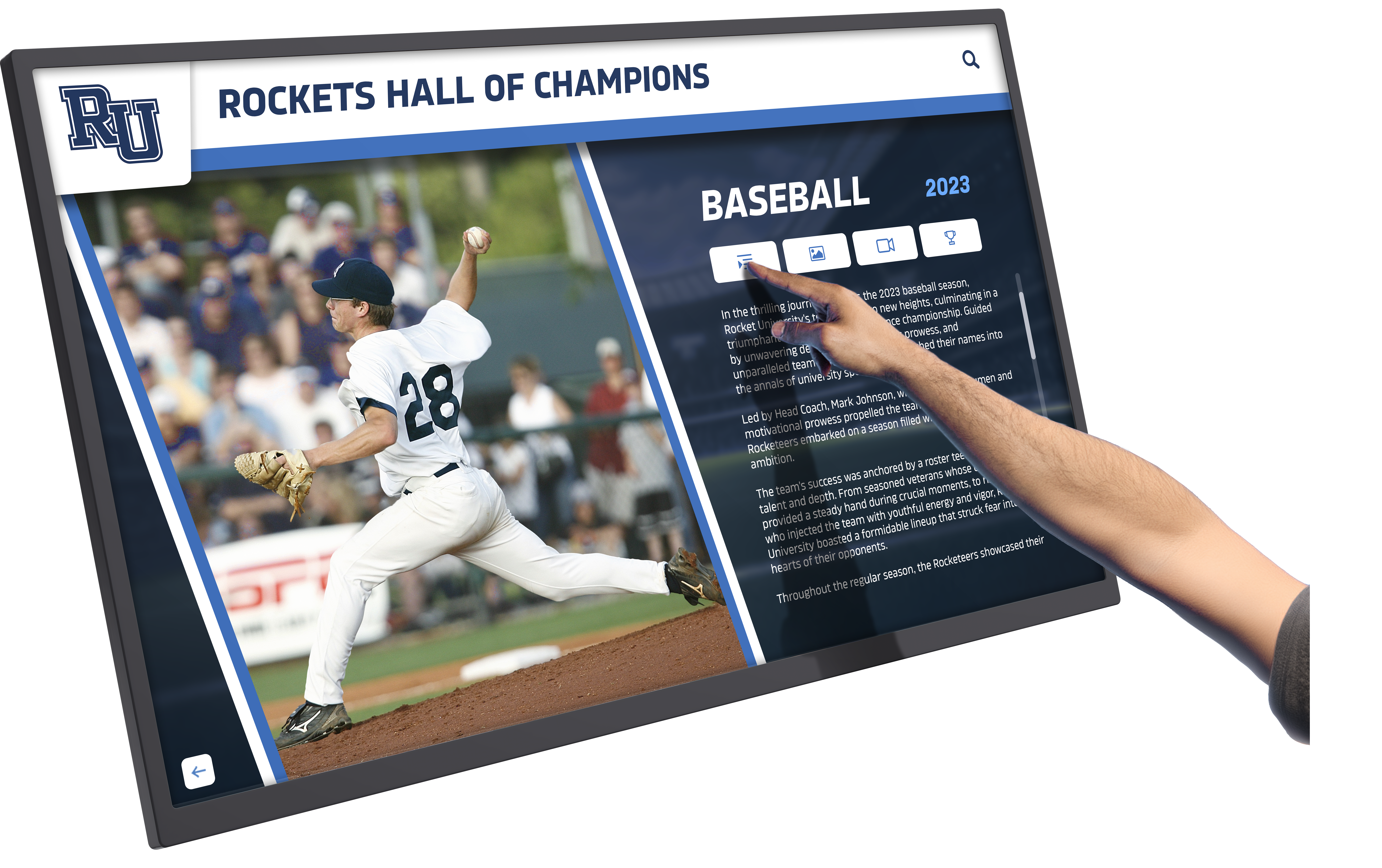
Educational directories often extend beyond wayfinding to include recognition content celebrating student achievements and program highlights
Corporate Office Buildings
Multi-Tenant Commercial Buildings
Office buildings housing multiple independent tenants require clear organizational hierarchy distinguishing between companies, departments within companies, and individual offices. Search functionality should accommodate visitors who know company names but not specific employee names or suite numbers.
Security considerations become more prominent in corporate environments. Some directories intentionally limit detail, showing company names and suite numbers without listing individual employees. Integration with visitor management systems can provide authorized guests with detailed navigation while restricting public access to comprehensive listings.
Single-Tenant Corporate Campuses
Large organizations occupying entire facilities can implement more detailed directories showing departments, individual employees, meeting room locations, and amenities. Internal audiences familiar with the organization benefit from comprehensive listings supporting colleague-finding and space-locating.
These environments often integrate calendaring systems showing meeting room availability and supporting conference room booking through directory interfaces. Facility maps include amenities like cafeterias, fitness centers, and collaboration spaces beyond just office locations.
Healthcare Facilities
Patient and Visitor Navigation Complexity
Hospitals and medical campuses present uniquely challenging navigation with complex layouts, specialized department names, and visitors often under stress seeking critical services. Clear, jargon-free language helps anxious patients find locations. Multiple search paths accommodating different information types serve diverse arrival scenarios.
Directories should distinguish between patient-facing departments (Emergency, Radiology, Surgical Center) and administrative offices (Billing, Human Resources, Medical Records). Visitors primarily need clinical department locations, making clear categorization essential.
Integration with Wayfinding Beyond Directories
Comprehensive healthcare wayfinding extends beyond directory kiosks to include color-coded pathways, clear corridor signage, and potentially mobile apps extending navigation to patient smartphones. Directory systems serve as initial orientation points, with physical signage providing continued guidance along complex paths through multiple building sections.
Public Facilities and Government Buildings
Accessibility Requirements and Public Service
Government buildings, libraries, community centers, and other public facilities serve diverse populations including elderly users, non-native speakers, and individuals with varying abilities. Enhanced accessibility features become even more critical than in corporate environments.
Multi-language support extends beyond Spanish to include prevalent languages in local communities. Text-to-speech functionality assists users with visual impairments. Simple, clear interfaces accommodate users with limited technical experience.
Dual-Purpose Information and Wayfinding
Public facilities often use directory installations for dual purposes combining wayfinding with information distribution about services, hours, upcoming events, and community resources. These implementations blur the line between pure directories and informational kiosks, requiring careful interface design preventing wayfinding functionality from getting lost among other content.

Public facilities and community centers often combine wayfinding directories with recognition content celebrating local achievements and community members
Cost Considerations and ROI Analysis
Understanding complete directory implementation costs and quantifying benefits helps organizations justify investments and select appropriate solutions matching budget realities.
Implementation Cost Components
Hardware Investment
Complete directory hardware including commercial-grade touchscreen displays, protective enclosures, mounting hardware, and computing platforms typically ranges from $4,000-$12,000 per installation depending on display size, touch technology, enclosure sophistication, and computing specifications. Floor-standing kiosks with fully-enclosed designs cost more than wall-mounted displays with open or minimal enclosures.
Organizations should budget for commercial-grade hardware designed for continuous operation rather than consumer displays failing under constant public use. The incremental cost difference between consumer and commercial equipment pales compared to replacement and downtime costs when inadequate hardware fails.
Software Licensing and Services
Directory software pricing varies dramatically between platforms. Basic digital signage solutions with limited directory functionality may cost $500-$1,500 annually per display. Purpose-built directory platforms typically range from $1,500-$4,000 annually including hosting, updates, and support. Enterprise systems serving large facility networks with advanced features may cost $5,000-$15,000 annually for site licenses covering multiple displays.
Hosted cloud platforms typically use subscription pricing including all updates and hosting. On-premise solutions often require larger upfront license purchases with separate annual maintenance fees.
Installation and Integration
Professional installation including mounting, electrical work, network connection, and commissioning typically costs $1,000-$3,000 per location depending on facility infrastructure and mounting complexity. Simple wall mounts in locations with existing power and network access cost less than floor-standing kiosks requiring new power drops and substantial network work.
Content development including initial data migration, interface customization, and floor plan creation adds $2,000-$8,000 depending on building complexity and customization level. Organizations with clean existing data and standard requirements invest less than those requiring extensive data cleanup or custom interface development.
Quantifying Directory Benefits
Reception Desk Efficiency Gains
Organizations consistently report 35-45% reduction in directional questions at reception desks following directory implementation. A receptionist spending 90 minutes daily answering wayfinding questions saves approximately 40 minutes daily with effective self-service directories. At $25/hour loaded labor cost, this represents roughly $4,300 in annual productivity gains per receptionist.
These time savings enable reception staff to focus on higher-value visitor interactions, administrative tasks, and security functions rather than repeating the same directional information dozens of times daily.
Visitor Experience Improvements
Quantifying visitor experience improvements proves more difficult but remains equally important. Reduced navigation frustration improves first impressions. Faster self-service wayfinding demonstrates organizational efficiency and respect for visitor time. Professional, modern technology signals institutional investment and forward-thinking culture.
For organizations where visitor experience influences enrollment decisions, tenant retention, or community support, these intangible benefits often exceed direct cost savings.
Update and Maintenance Savings
Traditional directory systems using printed materials, engraved panels, or manual letter boards require ongoing update costs. Directory revisions involving design, printing, and installation typically cost $500-$2,000 per update. Organizations with frequent tenant changes may spend $3,000-$8,000 annually on directory updates.
Digital directories eliminate these recurring costs through instant, no-cost updates. Initial investment typically achieves payback through eliminated print and update costs within 2-3 years, with ongoing benefits extending through 7-10 year hardware lifecycles.
Emerging Technologies and Future Trends
Building directory technology continues advancing with new capabilities expanding functionality while maintaining the core wayfinding focus distinguishing directories from general kiosks.
Contactless Interaction Options
QR Code and Mobile Integration
Touchscreen directories traditionally require physical contact creating hygiene concerns amplified by pandemic awareness. QR codes displayed on directory screens enable visitors to access directory information on personal smartphones without touching shared surfaces. Mobile-optimized directory interfaces provide full search and wayfinding functionality through personal devices.
This approach extends directories beyond physical locations, enabling wayfinding information access before visitors reach directory kiosks or from anywhere in buildings through persistent mobile access.
Voice Control and Gesture Navigation
Voice-activated search enables hands-free directory interaction. Visitors speak queries like “Show me Suite 405” or “Find the Human Resources Department” rather than typing. This capability benefits users with mobility limitations, those carrying packages or children, and anyone preferring voice over touch interaction.
Gesture control using cameras detecting hand movements enables fully contactless navigation through swipe and select gestures without physical screen contact. While less mature than voice control, gesture technology continues improving and may become more prevalent in post-pandemic directory deployments.
Artificial Intelligence and Personalization
Natural Language Processing
Advanced directory systems increasingly incorporate natural language processing understanding complex queries beyond simple name matching. Visitors can ask questions like “Where can I find someone about parking permits?” and receive relevant results even without exact department names. Contextual understanding interprets intent beyond literal search terms.
These AI-enhanced systems require training on organizational structures and common visitor questions but can significantly improve wayfinding success rates for visitors unsure exactly what they’re seeking.
Predictive Wayfinding and Analytics
Directory analytics tracking search patterns, popular destinations, and common queries inform facility improvements beyond directory functionality. Consistently high search volumes for specific locations might indicate inadequate physical signage requiring enhancement. Frequent searches for amenities like restrooms, cafeterias, or ATMs suggest need for better facility maps or additional locations.
Predictive systems can automatically surface relevant information based on time, day, or current events. Directories near auditoriums might automatically display venue maps during scheduled events. Systems in medical facilities could highlight relevant departments during published clinic hours.
Augmented Reality Integration
Mobile AR Wayfinding
Augmented reality applications overlaying directional guidance on smartphone camera views provide advanced wayfinding extending beyond static directory kiosks. Visitors scan QR codes from directory screens to launch mobile AR applications showing floating arrows and directional indicators superimposed on real-world views through phone cameras.
While AR wayfinding remains emerging technology with adoption barriers including app installation requirements and varying smartphone capabilities, forward-thinking organizations experiment with these advanced capabilities supplementing core directory functionality.
Selecting the Right Directory Solution
Organizations facing directory platform decisions should evaluate options against specific wayfinding requirements rather than purchasing based on feature checklists including capabilities they’ll never use.
Requirements Assessment Framework
Defining Core vs. Optional Needs
Start by distinguishing must-have wayfinding features from nice-to-have enhancements. Core requirements typically include searchable tenant listings, clear result presentation, basic directional guidance, straightforward content management, and accessibility compliance. Optional enhancements might include interactive floor plans, mobile integration, multi-language support beyond primary languages, or advanced analytics.
Organizations should resist the temptation to purchase platforms with extensive features “just in case” they’re needed later. Simpler systems serving actual requirements typically prove more sustainable than complex platforms including unused capabilities that complicate administration without adding value.
Audience and Use Case Analysis
Consider who will use directories and for what purposes. Corporate buildings serving business visitors with meeting appointments have different requirements than university campuses where students navigate complex academic schedules. Healthcare facilities serving anxious patients in unfamiliar environments need different approaches than government buildings serving local residents.
User research involving actual visitors provides valuable insights. Observing how people currently navigate buildings and what information they seek reveals requirements that pure stakeholder input might miss.
Vendor Evaluation Criteria
Implementation Support and Services
Directory system quality matters less than ongoing vendor support for organizations without in-house technical expertise. Comprehensive implementation services including hardware consultation, initial setup, content migration, and administrator training significantly increase deployment success compared to self-implementation of more sophisticated platforms.
Organizations should evaluate vendor support quality, response time commitments, available training resources, and user community strength. References from similar organizations provide insight into real-world support experiences beyond vendor promises.
Total Cost of Ownership
Initial purchase price represents only part of total directory costs. Factor in annual subscription or maintenance fees, estimated content management time requirements, potential integration development costs, and anticipated hardware refresh cycles. A seemingly affordable platform requiring extensive ongoing vendor services for routine updates may cost more long-term than higher-priced solutions enabling independent content management.
Request detailed pricing including all recurring costs, typical customization charges, and expected additional service fees over five-year periods to enable accurate cost comparison.
Platform Longevity and Vendor Stability
Directory deployments should serve organizations for many years. Vendor stability, ongoing development commitment, and client retention rates indicate platform longevity. Organizations want partners committed to long-term platform evolution rather than companies that might discontinue products or be acquired with uncertain roadmaps.
Directory systems from established vendors serving hundreds of installations typically present lower risk than newer platforms from startups regardless of feature advantages.
Making Touchscreen Directories Work Long-Term
Initial implementation represents only the beginning of successful directory deployments. Sustained effectiveness requires ongoing attention to content accuracy, user experience optimization, and technology maintenance.
Content Governance and Accuracy
Assign clear responsibility for directory content maintenance. Distributed models where department administrators manage their own listings work well for large organizations. Centralized approaches suit smaller facilities where single administrators can maintain complete directories.
Establish update workflows triggered by tenant moves, organizational changes, or scheduled reviews. Regular audits comparing directory content against authoritative records prevent gradual accuracy drift. Encourage user feedback reporting errors discovered through actual directory use.
Performance Monitoring and Optimization
Track directory usage through analytics showing search patterns, popular queries, and interaction completion rates. High abandonment rates indicate usability problems. Frequently unsuccessful searches reveal missing content or search functionality issues. Peak usage times inform staffing decisions and help assess visitor traffic patterns.
User testing with diverse visitor populations reveals interface issues that usage analytics alone miss. Periodic observation of actual directory use identifies confusion points and optimization opportunities.
Hardware Maintenance and Refresh
Commercial touchscreens withstand continuous public use but eventually require maintenance or replacement. Establish cleaning schedules maintaining screen responsiveness and professional appearance. Monitor for physical damage from vandalism or misuse requiring repair.
Budget for hardware refresh cycles every 5-7 years as displays age and technology evolves. Aging equipment creates poor impressions potentially worse than no directories at all. Planning refresh cycles in advance prevents forced emergency replacements when systems fail.
Conclusion: Creating Effective Wayfinding Experiences
Touchscreen building directories fundamentally improve visitor experiences by providing instant, self-service access to navigation information while reducing administrative burden on reception staff. Successful implementations focus on core wayfinding functionality rather than overengineering solutions with unnecessary complexity.
Organizations should select directory platforms matching actual requirements, implement with attention to accessibility and user experience, establish sustainable content governance, and maintain systems through regular care. The best technology serves invisibly—visitors find destinations quickly without conscious awareness of the directory system enabling their navigation.
For schools, universities, and educational institutions, specialized platforms like Rocket Alumni Solutions combine building directory functionality with recognition content celebrating student achievements, athletic accomplishments, and community engagement. This integration creates comprehensive campus communication systems serving both wayfinding and institutional culture-building through single implementations.
Ready to explore how modern touchscreen directories can transform wayfinding in your facility? Book a demo to see directory solutions designed specifically for educational and institutional environments.































