



Intent: compare school trophy display software platforms so administrators can select the right solution for replacing or supplementing physical trophy cases with interactive digital recognition. Schools that have outgrown their glass-and-wood trophy cases face a real decision: which software platform actually delivers the engaging, manageable, and accessible digital displays that students, alumni, and visitors expect? This guide breaks down four platforms athletic directors and school administrators frequently evaluate—Rocket Alumni Solutions, TouchPros, Touchstone, and Gipper—so you can cut through the noise and find the right fit.
Physical trophy cases are a familiar fixture in school hallways, but they present mounting limitations. Space runs out. Hardware needs dusting. Updating nameplates or adding new championship banners requires physical changes that strain budgets and facilities staff. Digital trophy display software transforms that static cabinet into an unlimited, searchable, remotely managed showcase that can include photographs, video highlights, statistics, and historical records going back decades.
This comparison focuses specifically on trophy-case and achievement-display applications rather than the broader digital signage market. The platforms examined here represent four distinct approaches to school recognition, from purpose-built interactive hall-of-fame systems to social media graphics tools that some schools repurpose for recognition. By the end, you’ll have a clear picture of which platform matches your school’s workflow, budget, and recognition goals.
Schools evaluating school trophy display software typically discover that the most important differentiator is not raw feature count but rather how well the platform fits the operational reality of a school environment: limited IT resources, mixed-experience administrators, physical display constraints, and the need to recognize athletes, scholars, donors, and alumni without a dedicated marketing team.

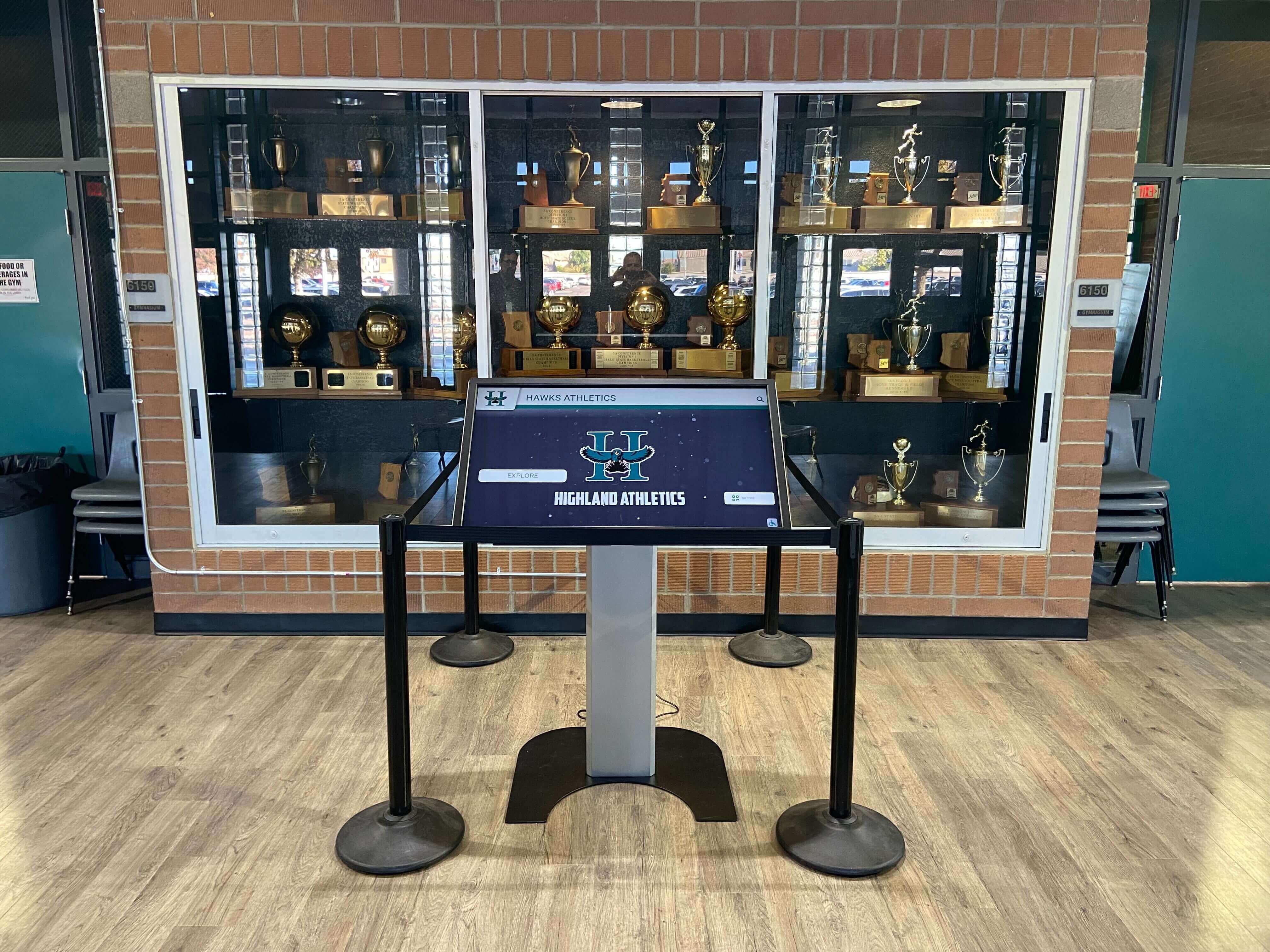
Modern school trophy display software transforms physical trophy cases into interactive digital experiences that can showcase unlimited achievements without space constraints
What School Trophy Display Software Actually Does
Before comparing platforms, it is worth establishing what separates purpose-built trophy display software from general-purpose tools adapted for recognition use.
Recognition-Specific Capabilities
Beyond Slideshow: True Interactive Access
A digital trophy case that simply rotates photos on a screen solves only the visual update problem. Effective school trophy display software enables students, families, and visitors to actively explore recognition content through touch interfaces. Searchable databases let a visitor find an athlete by name or graduation year in seconds. Category filters surface championship trophies, academic honor rolls, or donor recognition independently. Individual profiles show photos, statistics, bios, and career highlights in depth.
This interactive layer is what separates trophy display software from digital signage software. According to a state championship trophy case display guide, schools that deploy interactive touchscreen displays report dramatically higher student and visitor engagement with recognition content compared to passive rotating slideshow systems.
Cloud-Based Content Management
The athletic director should be able to add this year’s state championship team to the display before the end of the school day—not file an IT ticket and wait two weeks. Cloud-based content management systems accessible through any web browser enable non-technical administrators to update, organize, and publish recognition content without touching the physical display hardware. This capability is non-negotiable for a school environment where dedicated technical staff are rarely available for routine content updates.
Accessibility Compliance
Public displays in schools must meet ADA and accessibility standards. WCAG 2.1 AA compliance—including adjustable text sizes, high-contrast modes, screen reader compatibility, and alternative navigation—protects schools from accessibility liability while ensuring all visitors can engage with recognition content. Platforms that bake compliance in rather than layering it on as an afterthought significantly reduce administrative burden.
What Schools Are Actually Comparing
Most schools begin their search for trophy display software after recognizing one of three problems:
- Space exhaustion: The physical case is full and adding hardware would require facility renovation
- Staleness: The case hasn’t been updated in years because the process is too cumbersome
- Visibility gap: Recent achievements get the premium spots while years of history disappear into storage
Digital solutions address all three simultaneously. A digital hall of fame display versus traditional trophy case comparison consistently shows that digital platforms eliminate the space-versus-recognition trade-off entirely: every achievement, from 1987 state champions to this year’s honor roll, remains permanently accessible without displacing anything else.
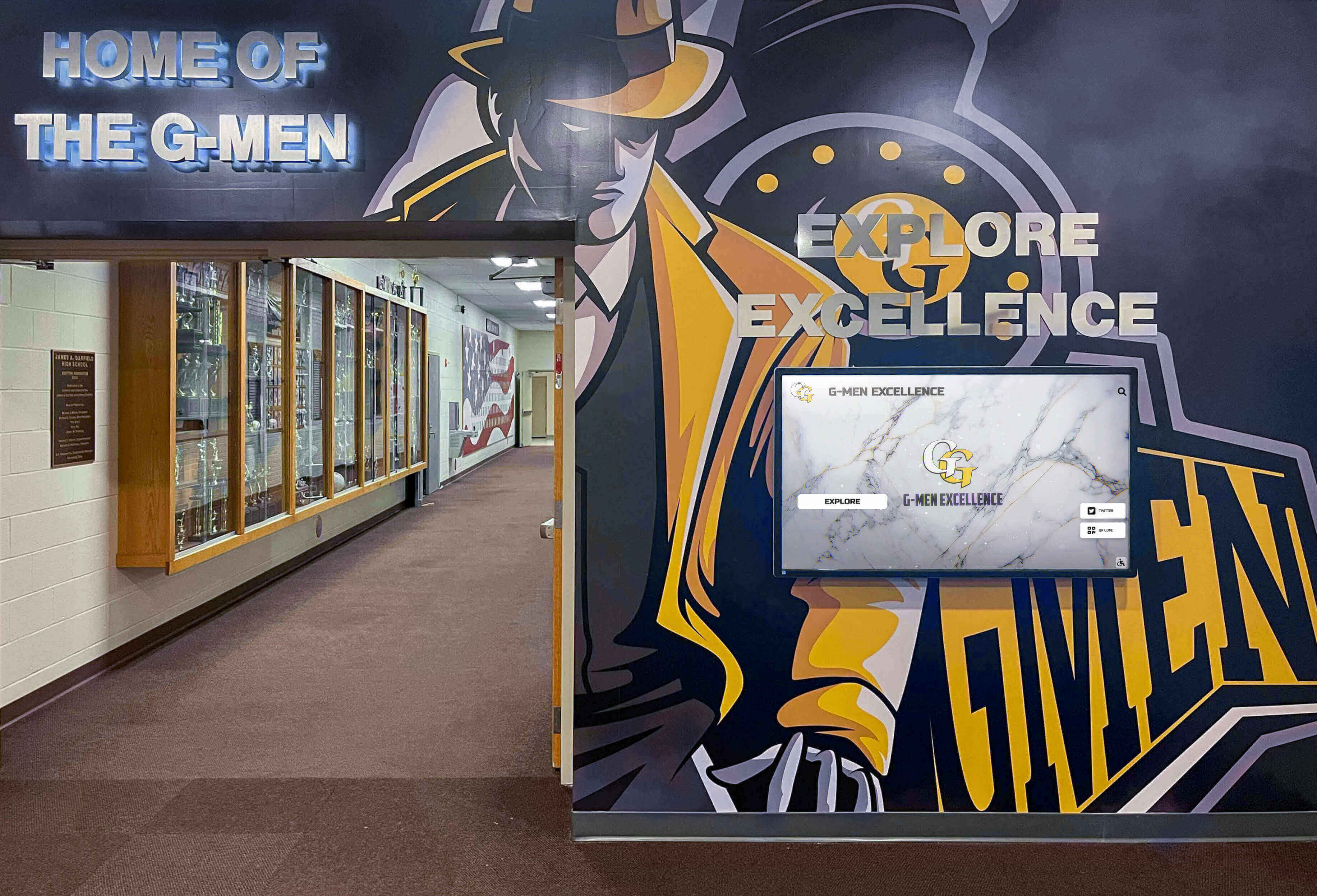
Many schools integrate digital trophy display software alongside existing physical cases, expanding recognition capacity without removing familiar hallway features
1. Rocket Alumni Solutions: Best Purpose-Built School Trophy Display Software
Rocket Alumni Solutions is the most comprehensive platform specifically designed for school and university recognition applications, including athletic trophy displays, academic honor showcases, donor walls, and hall-of-fame installations.
Key Strengths for Trophy Display Use
Built for Recognition, Not Adapted for It
Most software platforms that schools consider for trophy display applications were designed for other purposes—digital signage, social media graphics, general-purpose kiosks—and repurposed for recognition. Rocket Alumni Solutions is the inverse: the entire platform architecture centers on recognition workflows. Pre-configured profile templates for individual athletes, championship teams, academic honorees, donors, and sponsors eliminate the custom design work required by general platforms. Automatic ranking and sorting by year, achievement category, or giving tier means administrators are not manually organizing lists as content grows.
Unlimited capacity removes the trade-off that defines physical trophy cases. A school can include every athlete who lettered, every team that won a championship, every student who made the honor roll, and every donor who contributed—without any performance degradation or display crowding. A digital trophy touch wall guide highlights how this unlimited-capacity model fundamentally changes the school’s relationship with its own recognition history.
Cloud-Based CMS Without IT Dependency
Rocket’s web-based content management system requires no software installation and no technical training. Athletic directors, development staff, and administrative assistants can log in from any browser, add new profiles, upload photos, update statistics, and publish changes that go live on the physical display immediately. Role-based permissions let different departments manage their own content—athletics manages athlete profiles, development manages donor recognition—without stepping on each other’s work.
Scheduled publishing allows administrators to prepare future content in advance. New inductees announced at a fall banquet can be prepared in September and scheduled to appear on the display automatically on ceremony night, without requiring anyone to be at a computer at a specific time.
WCAG 2.1 AA Accessibility Out of the Box
Rocket Alumni Solutions achieves full WCAG 2.2 AA accessibility compliance as a standard feature, not an add-on. High-contrast display modes, adjustable text sizing, screen reader compatibility, and keyboard navigation alternatives come standard. QR codes embedded in the display extend recognition to mobile devices, allowing students, parents, and alumni who cannot physically approach a wall-mounted screen to explore the full recognition catalog from their smartphones.
Turnkey Implementation
Rocket provides hardware consultation, custom branded interface design, initial content migration from existing records, and ongoing support as part of its service model. Schools working with limited technical staff report this turnkey approach as a decisive advantage—there is a single point of contact for hardware, software, design, and support rather than coordinating multiple vendors.

Rocket Alumni Solutions enables visitors to browse and select individual achievement profiles through intuitive touchscreen interfaces requiring no instruction
Limitations
Rocket Alumni Solutions optimizes for institutional recognition applications rather than general-purpose interactive design. Organizations requiring complex sensor integrations, highly custom interaction logic, or non-recognition applications will find specialized platforms better suited to those needs. The platform’s depth of recognition-specific features reflects its focus, which means schools wanting a multipurpose campus information kiosk may need to evaluate whether recognition or general information access is their primary use case.
Best Suited For
Schools, athletic departments, universities, and organizations prioritizing comprehensive recognition displays—athletic trophy cases, academic honor rolls, donor walls, alumni halls of fame—that require non-technical staff management, accessibility compliance, and unlimited recognition capacity. Small and medium public high schools in particular benefit from Rocket’s guided implementation model; a dedicated review of why Rocket is a strong fit for small and medium public high schools details how the platform’s service model addresses the real constraints those schools face.
See Rocket Alumni Solutions in Action
If your school is ready to replace or supplement its physical trophy case with an interactive digital display, Rocket Alumni Solutions offers a personalized demo showing how the platform handles your specific recognition categories—athletics, academics, donors, or all three.
2. TouchPros: Interactive Displays for Athletic Programs
TouchPros specializes in interactive digital display systems for athletic facilities, building touchscreen installations tailored to sports programs, team histories, and athletic recognition. Their systems are commonly found in athletic lobbies, fieldhouses, and gymnasium entrances.
Key Strengths
Athletic Program Focus
TouchPros understands the visual language of athletic recognition—large format displays, team photography, historical records, and program identity design play central roles in their installations. Their systems prioritize visual impact for prospective student-athletes and visitors touring athletic facilities.
Turnkey Hardware and Software Pairing
Like Rocket, TouchPros typically provides hardware alongside software, reducing the coordination burden for schools unfamiliar with commercial display procurement. This bundled approach suits athletic directors who want a single vendor relationship rather than managing separate hardware and software contracts.
Limitations
TouchPros skews toward athletic program applications and may not provide the same breadth of recognition categories—academic awards, donor acknowledgment, club and activity honors—that schools wanting a comprehensive campus-wide trophy display require. Schools evaluating wall display case ideas for schools that extend beyond athletics may find TouchPros limiting for broader recognition needs.
Content management capabilities and accessibility compliance details should be confirmed directly with TouchPros before finalizing a comparison, as their specific CMS interface and WCAG compliance status are best evaluated through a live demonstration.
Best Suited For
Schools and athletic departments whose primary trophy display need is athletic program recognition—team records, roster histories, conference championships—and who place high value on visual impact in athletic facilities.
3. Touchstone: General Interactive Kiosk Platform
Touchstone Digital Media provides interactive digital signage and kiosk solutions serving a range of industries including education, healthcare, retail, and corporate environments. Their platform supports touchscreen displays for directories, event information, and general campus communication in addition to recognition content.
Key Strengths
Cross-Purpose Flexibility
Touchstone’s general-purpose architecture allows schools to deploy a single platform for wayfinding directories, event announcements, and trophy display recognition. Organizations that want a campus information system with recognition as one component may find this flexibility valuable.
Multi-Industry Experience
Touchstone serves contexts beyond education, which means their hardware and software have been tested across high-traffic public environments. This breadth of deployment experience can translate to reliable operation in busy school lobbies.
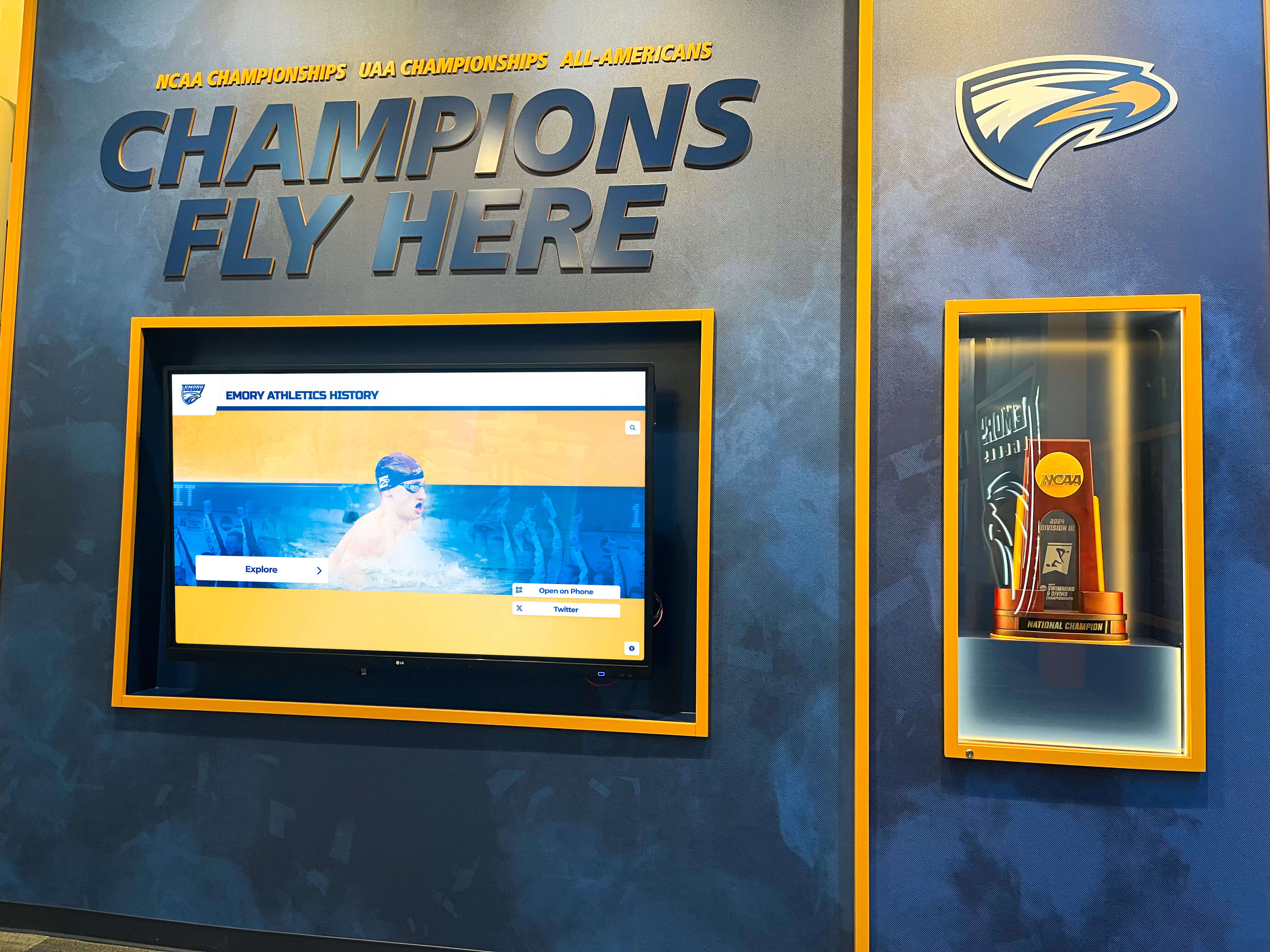
Schools often combine physical trophy displays with digital screens to create layered recognition experiences that honor both historical artifacts and new achievements
Limitations
General-purpose platforms optimized across industries typically require more configuration work to deploy recognition-specific applications compared to purpose-built systems. Schools should evaluate whether Touchstone’s content management workflows are intuitive enough for non-technical administrators handling regular trophy case updates, and whether recognition-specific features like automatic ranking, achievement categorization, and QR code mobile access are included or require custom development.
The best digital signage software for schools is often not the same as the best trophy display software—platforms optimized for scheduled broadcast signage may not deliver the interactive search and profile depth that makes digital trophy cases genuinely engaging versus passive.
Best Suited For
Schools prioritizing a multipurpose campus information platform over a dedicated recognition system, and those with technical staff capable of configuring and customizing a general-purpose platform for trophy display applications.
4. Gipper: Social Media Graphics Tool with Limited Trophy Display Application
Gipper occupies a different category from the other platforms in this comparison. It is primarily a social media graphics creation tool designed to help high school athletic programs quickly produce professional-looking graphics for announcements, game recaps, team rosters, and event promotion across Instagram, Twitter, Facebook, and similar channels.
Key Strengths
Ease of Use for Graphics Creation
Gipper’s core strength is making social media graphic design fast and accessible for coaches and athletic directors without graphic design backgrounds. Pre-built templates, school color customization, and straightforward image export make it practical for programs that post frequently on social media.
Broad Social Media Coverage
For schools actively building social media presences for their athletic programs, Gipper’s template library and social platform integrations reduce the time cost of maintaining consistent visual branding across channels.
Limitations as Trophy Display Software
Gipper is not, in its primary design, a trophy display software platform. It does not provide interactive touchscreen displays, does not include a CMS for managing ongoing recognition databases, does not support physical display hardware, and does not deliver the searchable profile depth that a digital trophy case requires.
Schools sometimes consider Gipper as part of a broader digital recognition toolkit—using it to generate graphics that are then published on other display systems—but schools expecting a comprehensive school trophy display software solution from Gipper will find it addresses only the graphic creation portion of that requirement. A review of 10 best hall of fame tools illustrates the distinction between graphic design tools and interactive recognition platforms.
Best Suited For
Athletic programs building social media content pipelines and wanting consistent, professional-looking graphics without hiring a designer. Gipper is a useful complement to a trophy display platform, not a replacement for one.
Head-to-Head Feature Comparison
| Feature | Rocket Alumni Solutions | TouchPros | Touchstone | Gipper |
|---|---|---|---|---|
| Interactive touchscreen display | Yes — core platform | Yes | Yes | No |
| Cloud-based CMS for non-technical staff | Yes — browser-based, no IT required | Varies — confirm with vendor | Yes | Yes (graphics only) |
| Unlimited recognition entries | Yes | Varies | Varies | N/A |
| WCAG 2.1 AA accessibility compliance | Yes — standard | Confirm with vendor | Confirm with vendor | N/A |
| QR code mobile access | Yes | Varies | Varies | No |
| Scheduled publishing | Yes | Confirm with vendor | Varies | No |
| Athletic + academic + donor recognition | Yes — all categories | Primarily athletic | General content | Athletic graphics only |
| Turnkey hardware + software | Yes | Yes | Varies | Software only |
| Primary use case fit for trophy display | Excellent | Good (athletics) | Moderate | Limited |
How to Choose the Right School Trophy Display Software
Selecting the right platform comes down to matching your school’s specific recognition goals, operational resources, and display context to the platform designed for that combination.
Key Questions Before You Decide
Who will manage content day-to-day?
If your athletic director, development assistant, or school secretary will be handling updates without IT support, prioritize platforms with proven non-technical CMS interfaces. The ability to add a new state championship team or academic honoree quickly—without filing a ticket or waiting for a vendor—determines whether your trophy display stays current or stagnates.
What categories of recognition do you need?
Schools that recognize athletes, academic honorees, donors, faculty, and alumni benefit from platforms covering all categories with consistent profile templates and management workflows. Schools focused exclusively on athletic trophy displays may find narrower platforms sufficient.
What are your accessibility obligations?
All public school displays should meet WCAG 2.1 AA standards. Schools working with specific accessibility offices or legal counsel on ADA compliance should confirm detailed compliance documentation from any platform under consideration. The digital signage for schools provider ranking notes accessibility compliance as a critical differentiator that many lower-cost platforms do not deliver.
How important is long-term content growth?
A physical trophy case that fills up requires renovation. A digital system that hits a content ceiling requires a platform migration. Confirm that any platform you evaluate genuinely supports unlimited entries without pricing penalties or performance degradation as your recognition library grows over years and decades.
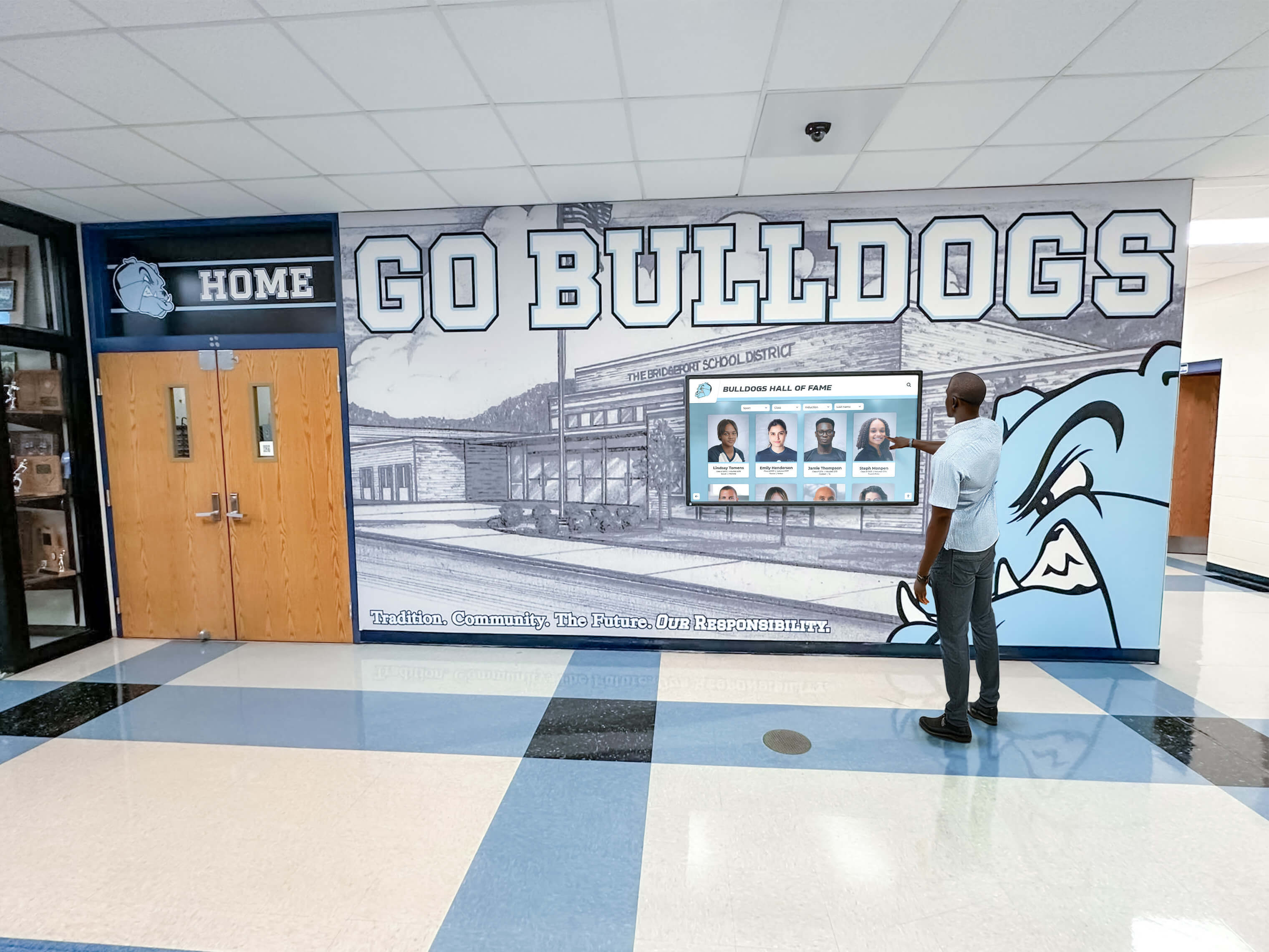
Intuitive touchscreen interfaces enable visitors of all ages to explore school recognition history without instruction, increasing engagement compared to static physical trophy cases
Planning Your Implementation
Beyond software selection, schools implementing digital trophy display systems benefit from planning the physical installation context, content migration scope, and ongoing governance process before signing a contract. The athletic hall of fame complete guide for school administrators provides detailed guidance on organizing historical records, establishing selection criteria, and structuring recognition categories before they are transferred to a digital system.
Schools with decades of trophy case history—plaques, photographs, programs, and records held in storage rooms or spread across multiple departments—benefit from working with vendors who provide structured content migration support rather than expecting staff to digitize everything independently before launch.
The future of digital walls of fame points toward increasingly integrated systems connecting athletic databases, school information systems, and donor management platforms to recognition displays—reducing manual data entry as systems share information automatically. Schools selecting platforms today should confirm roadmap alignment with these integration trends if long-term scalability matters.
The memorabilia display case ideas for schools guide highlights how digital systems work alongside physical artifacts—trophies, championship balls, signed jerseys—rather than replacing them entirely. The most effective school trophy displays combine the tangible presence of physical artifacts with the searchable depth and regular updates that only digital software can provide.
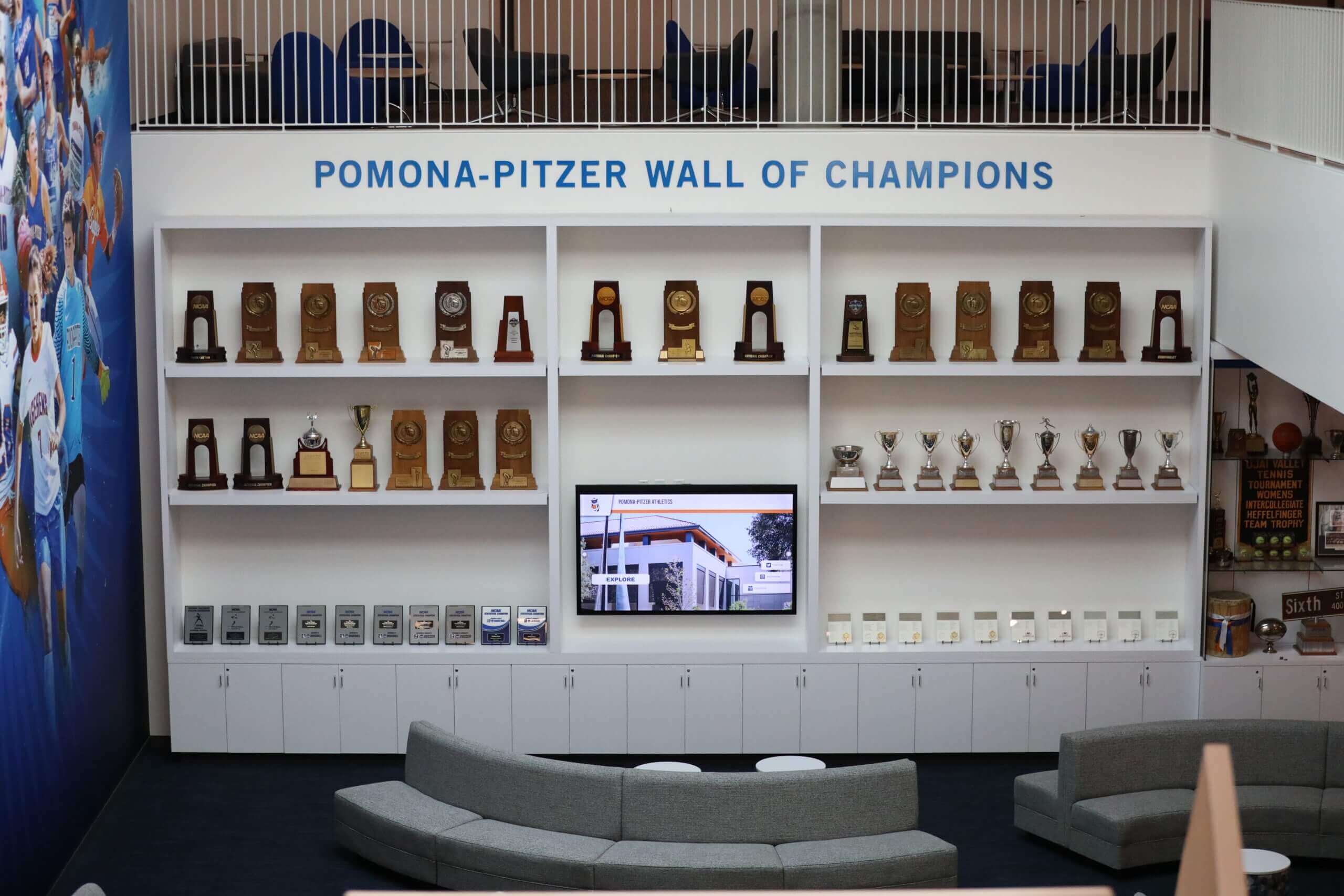
Physical and digital trophy display elements work together most effectively when connected by software that updates seamlessly as new achievements are earned
Conclusion: Matching Software to Your School’s Recognition Vision
School trophy display software has matured into a genuine product category with platforms purpose-built for the recognition workflows schools actually use. The comparison above shows that Rocket Alumni Solutions stands as the strongest option for schools prioritizing comprehensive, accessible, non-technically managed recognition across athletic, academic, and donor categories. TouchPros serves schools focused primarily on athletic program identity with visual impact as the priority. Touchstone offers flexibility for schools wanting general campus information alongside recognition. Gipper, while valuable for social media graphics, is not a trophy display platform.
The right decision depends less on feature lists than on operational fit: which platform will your specific team actually keep updated, which accessibility requirements must you meet, and which recognition categories matter most to your school community. A school with a thriving trophy case tradition that it wants to preserve and extend will find purpose-built recognition software like Rocket Alumni Solutions a far more sustainable long-term investment than adapting general tools to a recognition context they were not designed for.
Ready to See What School Trophy Display Software Can Do?
Rocket Alumni Solutions offers a personalized demo tailored to your school’s recognition categories—whether you’re focused on athletics, academics, donors, or a combination. See how the platform transforms a static trophy case concept into a living, searchable, cloud-managed digital recognition experience.































