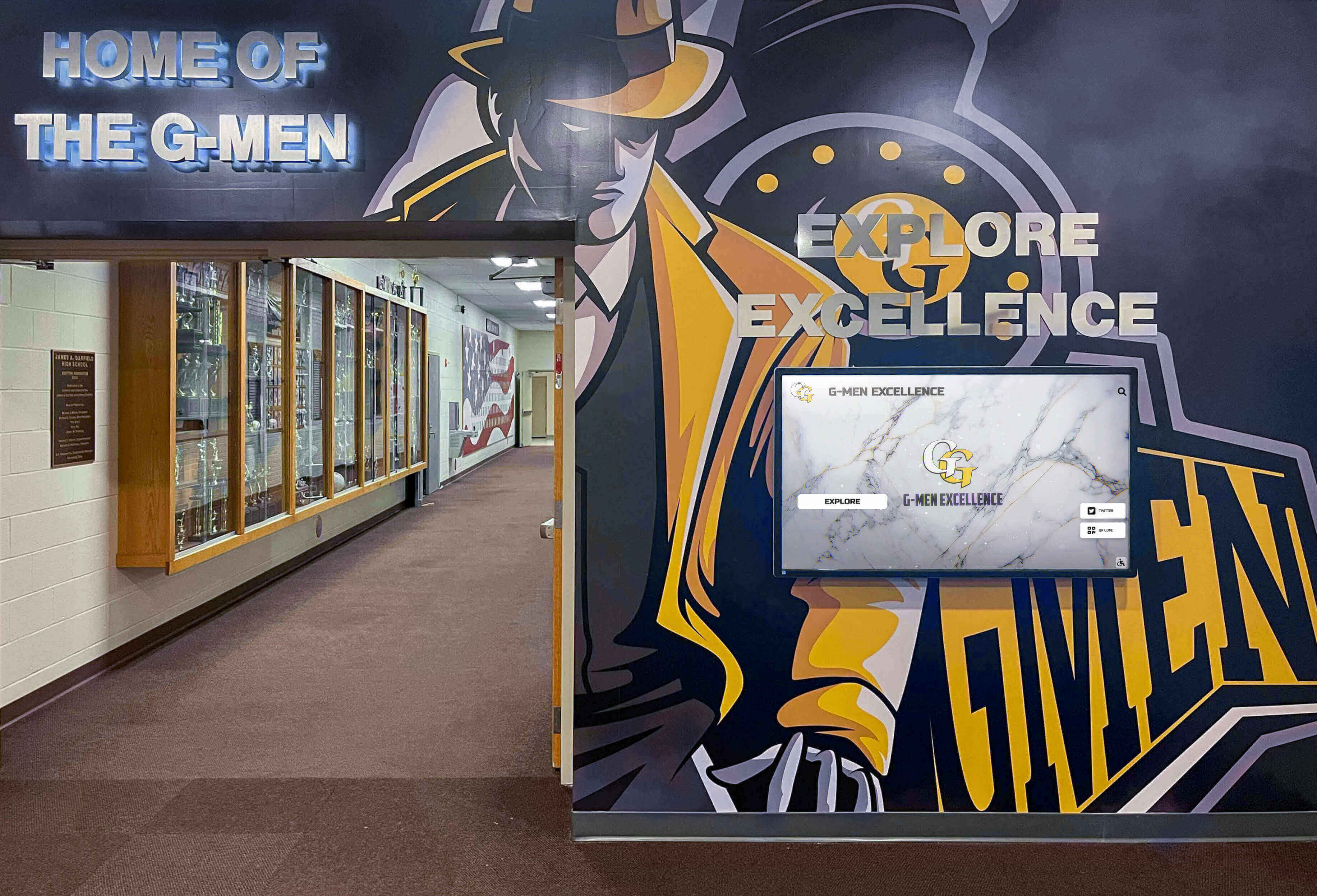
The Easiest Touchscreen Solution




Live Example: Rocket Alumni Solutions Touchscreen Display
Interact with a live example (16:9 scaled 1920x1080 display). All content is automatically responsive to all screen sizes and orientations.
Intent: research — a school trophy case desiccant indicator card inspection is a structured evaluation of the desiccant charges installed inside enclosed display cases to determine whether the drying media has absorbed enough atmospheric moisture to require regeneration or replacement. Desiccant indicator cards — color-coded sensors inserted alongside desiccant packets, canisters, or trays — provide a visible saturation signal: when the card’s indicator compound transitions from its dry-state color to its saturated-state color, the desiccant is no longer actively removing moisture from the case interior, and the interior relative humidity is rising toward ambient levels. Performing this inspection at documented intervals allows facilities staff, athletic directors, and archivists to maintain the controlled-humidity interior that championship trophies, silver and brass awards, paper certificates, photographs, and textile memorabilia require — before moisture-driven tarnish, mold growth, brittleness, or dimensional changes become visible on the artifacts themselves. This guide explains how indicator cards work, how to read them correctly, how to sequence a complete desiccant inspection, and how to make the regenerate-versus-replace decision for each desiccant charge.
Silica gel does its work invisibly. A canister or packet of desiccant placed inside a sealed trophy case absorbs ambient moisture continuously — day by day, season by season — maintaining the low-humidity environment that slows corrosion on silver and brass hardware, inhibits mold growth on fabric jerseys, and prevents the hygroscopic cycling that causes paper certificates and photographic prints to embrittle and warp over time. The desiccant announces nothing as it approaches saturation. Left uninspected, a fully saturated charge offers no humidity control at all — and the interior environment it was protecting begins tracking the ambient corridor humidity through every HVAC cycle and weather change.
Desiccant indicator cards solve this silent failure mode. These small sensors — positioned visibly alongside the desiccant charge inside the case — change color as the desiccant absorbs moisture. The color transition is the entire inspection signal: a card still showing its dry-state color confirms the desiccant remains functional; a card showing its saturated-state color means the drying media needs attention before the case interior humidity rises to levels that accelerate deterioration.
A school trophy case desiccant indicator card inspection formalizes this check into a documented workflow — with inspection intervals calibrated to the specific case conditions and collection sensitivity, a clear regenerate-versus-replace decision framework, and recordkeeping that connects each case’s desiccant status to the broader recognition program maintenance calendar.

Enclosed trophy cases in recognition corridors depend on active desiccant charges to maintain the low-humidity interior that championship hardware, paper certificates, and photographic prints require — indicator cards make the desiccant's saturation status visible without requiring the case to be opened
What Desiccant Indicator Cards Are and How They Work
A desiccant indicator card is a small paper or card substrate coated or impregnated with a moisture-sensitive indicating compound. The indicating compound changes color at a specific relative humidity threshold — visually signaling that the desiccant charge it is deployed alongside has absorbed moisture to the point where its remaining capacity is limited.
The indicator card does not measure desiccant capacity directly. What it measures is the relative humidity of the case interior air — specifically, whether the interior air has risen above the threshold humidity at which the indicator compound changes state. Because desiccant is functional precisely when it is keeping the interior RH below that threshold, a color change on the indicator card is a reliable proxy for desiccant saturation under normal case conditions.
How the indicating reaction works: The most common traditional indicator uses cobalt(II) chloride, which forms a pink-colored hydrated compound at elevated humidity and a blue anhydrous compound when dry. The card reads blue when the interior is dry and the desiccant is functional, and turns pink when interior humidity has risen — signaling that the desiccant charge is approaching or has reached saturation. Modern cobalt-free indicator cards use proprietary organic dye systems with different but equally legible color transitions, which are discussed in the next section.
What the card does not tell you: An indicator card that still shows its dry-state color confirms that the interior humidity is being maintained — but it does not confirm how much desiccant capacity remains. A charge that is 80 percent saturated may still hold the interior humidity below the indicator threshold while offering very little buffering capacity against a large humidity event, such as a wet umbrella brought into the corridor or an extended period of high outdoor humidity entering through HVAC cycling. Regular inspection intervals — rather than waiting for the card to turn — ensure the desiccant is serviced before it reaches the threshold rather than after.
Types of Indicator Cards and Their Color Transitions
Before inspecting indicator cards, confirm which type is present in each case. Misreading the color convention — expecting blue-to-pink when the case actually uses an orange-to-colorless system — produces incorrect inspection findings.
| Indicator Type | Dry-State Color | Saturated-State Color | Notes |
|---|---|---|---|
| Cobalt(II) chloride (traditional) | Blue | Pink | Most widely documented; cobalt chloride is a regulated substance under EU RoHS due to toxicological classification; many manufacturers have transitioned away; always confirm with current product label |
| Cobalt-free organic dye (methyl violet or similar) | Orange | Colorless or pale | Common in modern archival-grade packets; cleaner chemistry; read manufacturer specification for exact transition |
| Crystal violet or gentian violet | Purple or deep blue | Pale or colorless | Less common; verify specific transition with product documentation |
| Proprietary multi-stage indicator | Manufacturer-specified (often green or orange) | Manufacturer-specified (often clear, white, or contrasting hue) | Some products use three-stage cards showing partial saturation as an intermediate color; follow manufacturer legend |
| Electronic or digital humidity indicator disc | Green indicator light or digital readout | Red or amber indicator | Not paper-based; found in higher-specification archival cases; battery-dependent; check battery condition during inspection |
Practical identification: Examine the indicator card product packaging, which is typically stored with the desiccant reorder information in the case maintenance records. If no packaging is available, contact the case manufacturer or desiccant supplier with the product number printed on the card or packet. Never assume the color convention — a misread card that is actually showing saturation but is interpreted as dry will leave a case without effective humidity control for an indeterminate period.
Replacing unknown-type cards: If the indicator cards in a case cannot be identified and no documentation is available, replace them with a known product at the next inspection. Record the new indicator type in the case maintenance log so that every future inspection is conducted against a confirmed, documented baseline.
Desiccant Types Found in School Trophy Cases
Indicator cards are paired with desiccant charges, and the desiccant type determines both the regeneration procedure and the replacement criteria.
| Desiccant Type | Appearance | Typical Package Form | Regeneration Temperature | Notes for Trophy Cases |
|---|---|---|---|---|
| Silica gel (non-indicating) | White or translucent granules | Packets, canisters, loose fill in trays | 100–120°C (212–250°F) for 1–2 hours | Most common in school trophy cases; used with separate indicator cards; multiple regeneration cycles possible before replacement |
| Silica gel (cobalt chloride indicating, blue/pink) | Blue granules that turn pink when saturated | Packets, open trays | 100–120°C (212–250°F) for 1–2 hours | Granules themselves serve as the indicator; separate indicator card still advisable for inspection through case glass |
| Silica gel (cobalt-free indicating) | Orange granules that turn colorless or green when saturated | Packets, canisters | 100–120°C (212–250°F) for 1–2 hours | Preferred for archival applications; lower toxicological concern than cobalt chloride type; same regeneration procedure |
| Molecular sieve (Type 3A, 4A, or 13X) | White or beige pellets | Canisters, bulk fill | 250–350°C (482–662°F) for 2–4 hours | More aggressive drying at low RH; regeneration requires a higher-temperature oven; less common in standard school trophy cases |
| Clay desiccant (bentonite or montmorillonite) | Tan or gray granules or pellets | Packets | 93–107°C (200–225°F) for 1–2 hours | Natural mineral; lower cost; less effective at very high ambient humidity; regenerable at lower temperatures than silica gel |
| Calcium chloride (not recommended) | White crystals or pellets | Packets, tubes | Not regenerable in standard form | Not recommended for enclosed trophy cases — liquefies as it absorbs moisture and can cause surface damage to artifacts; avoid |
For most school trophy cases, silica gel with a separate indicator card represents the most practical combination — it offers reliable humidity buffering, a well-documented regeneration procedure, and the visible saturation signal that makes an indicator card inspection actionable without specialized equipment.
Pre-Inspection Preparation
A desiccant indicator card inspection requires minimal equipment, but completing it systematically requires knowing where each case’s desiccant is positioned and which indicator type is present before beginning.
Items needed:
- Case key or access credential for each enclosed case
- Flashlight for reading indicator cards placed in low-visibility case locations
- Reference card or photograph showing the dry-state and saturated-state colors for the specific indicator type present in each case
- Inspection log with columns for case ID, date, inspector, indicator color observed, desiccant weight or condition if checked, and action taken
- Replacement desiccant charges and fresh indicator cards for cases where replacement is warranted
- Airtight container for transporting saturated desiccant to the regeneration location without releasing absorbed moisture in transit
Knowing your case inventory: Before inspecting, confirm which cases have desiccant installed and where it is positioned. Cases in direct climate-controlled interior corridors will typically show slower desiccant saturation than cases near exterior doors, gymnasium entrances, or areas with high seasonal humidity variation. Trophy cases housing sensitive materials — paper awards, photographic prints, and textile displays — warrant more frequent inspection than cases holding only metal hardware, which tolerates moderate humidity cycles more gracefully.
Inspection timing: Schedule desiccant inspections during or after periods of high ambient humidity — late summer before the fall sports season begins, and again following late-winter thaw periods when outdoor moisture levels rise. These seasonal transitions are when desiccant charges absorb moisture most rapidly and when early detection of saturation has the highest preservation value. For schools with comprehensive athletic recognition collections, aligning the desiccant inspection with the broader facilities walkthrough that precedes end-of-year recognition events and sports award ceremonies ensures each case enters its highest-visibility period with a functional desiccant charge and a fresh indicator card.
Reading the Indicator Card: Step-by-Step Inspection Protocol
Step 1: Locate the indicator card in the case.
Indicator cards should be placed at a visible location inside the case — typically near the front center or along the upper shelf where they can be seen through the glass without opening the case. If the card is not visible without opening, add a note to the case record to reposition it during the next access event so subsequent inspections can be completed visually.
Step 2: Compare the card color against the reference for its indicator type.
Do not inspect by memory. Use a physical reference card or photograph that shows the dry-state and saturated-state colors for the specific indicator type in this case. Card colors can appear to shift under different hallway lighting conditions — direct overhead fluorescent light, incandescent display lighting, and natural light from nearby windows can all affect perceived color.
Step 3: Assess the overall card appearance.
A fresh, functional card in a case with adequate desiccant should present a clean, uniform color across its full indicator area. Watch for:
- Patchy or mottled coloration: The indicator area shows some saturated-state color in patches while other areas remain dry-state color. This indicates uneven humidity — possibly from a gasket gap allowing localized infiltration near one end of the case.
- Full transition to saturated color: The entire indicator area has changed. The desiccant charge should be treated as exhausted and requires immediate service.
- Card physically degraded or illegible: The card has become wet from condensation, torn, or contaminated with cleaning solution. Replace the card entirely rather than attempting to read it; a degraded card records no useful information.
Step 4: Weigh the desiccant charge if the case is opened.
For silica gel packets or canisters with a stated dry weight on the packaging, weighing the charge provides a secondary confirmation of saturation and a data point for calculating how quickly the specific case load exhausts a given charge size. Record both the current weight and the dry weight from the packaging in the inspection log. A weight gain exceeding 20 percent of the desiccant’s rated capacity is a reliable confirmation of saturation independent of the indicator card reading.
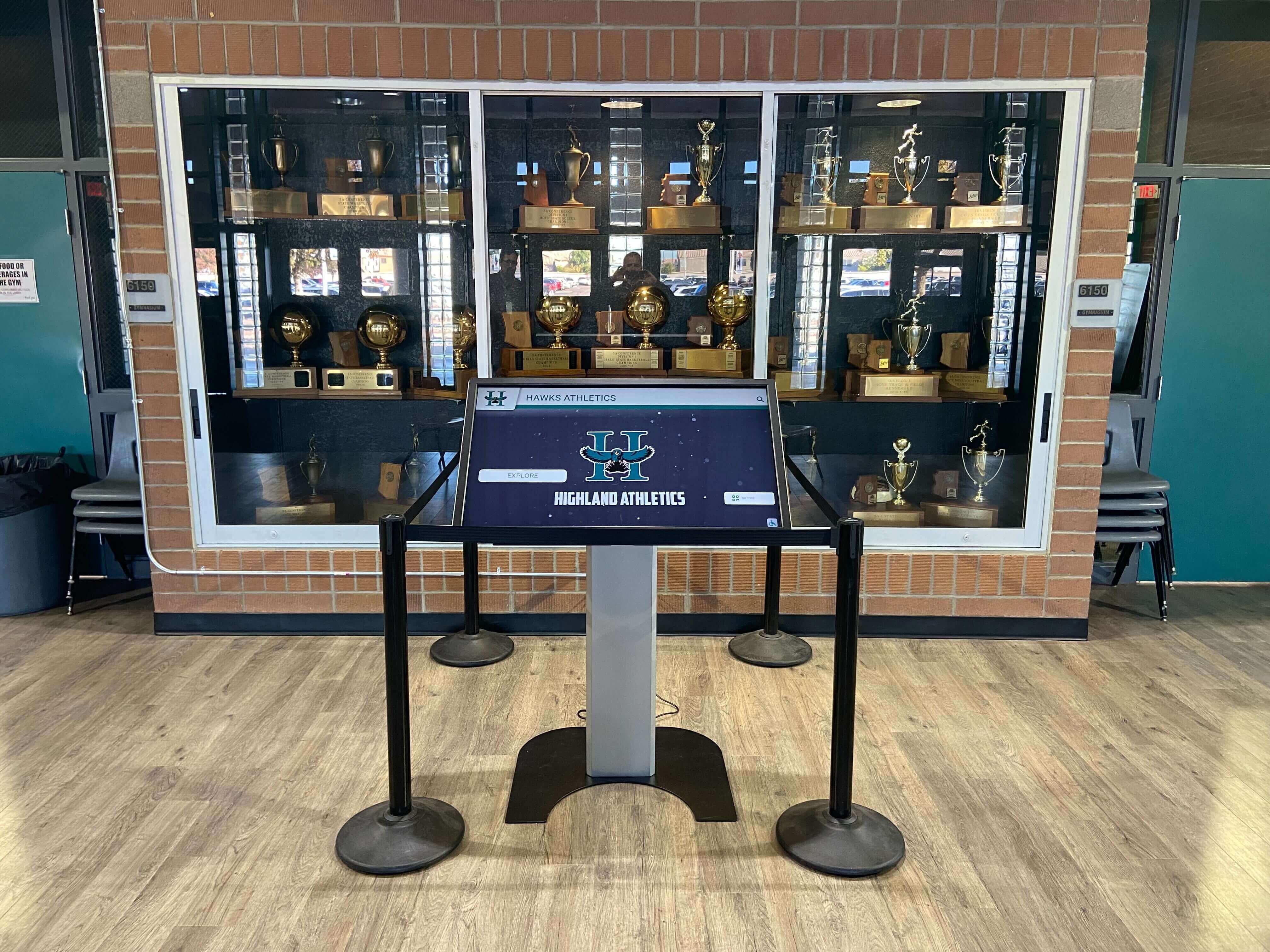
Trophy cases in the same corridor can present very different desiccant saturation rates depending on their proximity to HVAC vents, exterior-door air infiltration, and case seal integrity — document each case as an independent inspection unit with its own saturation history
Step 5: Record findings before taking any action.
Before removing or handling the desiccant, complete the case’s inspection log entry with: date, case ID, inspector name, indicator card color observed, comparison to the expected dry-state color, weight reading if taken, and whether the transition was uniform or patchy across the indicator area. This documentation creates the year-over-year pattern that reveals whether a case is reaching saturation at an expected rate or significantly faster — which can indicate a deteriorating gasket seal allowing higher-than-normal moisture infiltration, a problem that replacement desiccant alone will not correct.
Desiccant Indicator Card Inspection Checklist
Use this table to document findings for each case during the inspection cycle. One row per inspection item; flag any row with a positive finding before proceeding to the next case.
| Inspection Item | What to Assess | Flag If… | Priority |
|---|---|---|---|
| Indicator card visibility | Can the card be seen without opening the case? | Card is completely obscured by trophies or case contents | Low — reposition at next access |
| Indicator card color — any transition | Does any portion of the indicator area show saturated-state color? | Any part of the indicator area has changed from dry-state color | High — open case for full assessment |
| Indicator card color — full transition | Has the entire indicator area transitioned to the saturated-state color? | Full transition confirmed | Critical — service desiccant immediately |
| Indicator card physical condition | Is the card intact, clean, and legible? | Card is wet, torn, contaminated, or otherwise illegible | High — replace card; inspect case for condensation evidence |
| Indicator card type documented | Is the indicator type recorded in the case maintenance log? | No documentation of indicator type present | Moderate — identify and document before next inspection |
| Desiccant packet or canister condition (case open) | Are packets intact, with no tears, clumping, or unusual discoloration? | Packets torn; granules loose in case; visible caking or degradation | Moderate to High depending on degree |
| Desiccant weight vs. dry weight (if weighable) | Actual weight compared to stated dry weight from packaging | Weight exceeds dry weight by more than 20% of rated capacity | High — confirms saturation independent of indicator reading |
| Internal case RH (if hygrometer present) | Does the hygrometer reading align with the indicator card status? | Hygrometer shows RH above 50% when indicator still appears dry-state color | High — suspect indicator card failure; replace card and recheck |
| Rate of saturation vs. prior inspection | Is the desiccant reaching saturation faster than the previous cycle? | Significantly faster saturation than prior inspection interval | High — investigate gasket seal integrity before simply replacing desiccant |
| Patchy transition pattern | Is the color transition uniform or concentrated near one case area? | Patchy transition concentrated near one end or corner of the case | Moderate — investigate that area for localized humidity infiltration source |
When to Regenerate and When to Replace
The regenerate-versus-replace decision is the central action arising from a desiccant indicator card inspection. The two options are not interchangeable, and applying the wrong one produces either unnecessary expense or continued humidity exposure.
Regeneration is appropriate when:
- The indicator card shows full or near-full transition to saturated state, but the desiccant charge is relatively new — in its first or second saturation cycle
- The desiccant granules or packet material is physically intact, with no crumbling, caking, or unusual discoloration beyond normal moisture coloration
- The weight gain upon saturation is consistent with the charge’s rated capacity, indicating the desiccant has absorbed what it was designed to absorb
- The desiccant’s documented regeneration record shows it has undergone fewer than the manufacturer’s recommended maximum cycle count — typically three to five regeneration cycles for most silica gel products, though this varies by formulation
Replacement is appropriate when:
- The desiccant reaches its saturated-state indicator color within days of being freshly installed or recently regenerated, indicating significant capacity loss from accumulated regeneration cycles
- The desiccant granules are physically degraded: crumbling, caking, or showing color changes inconsistent with normal moisture absorption
- The charge has exceeded its documented regeneration cycle count
- The packet or canister has been physically compromised by a flooding or condensation event that has introduced liquid moisture rather than vapor — liquid exposure degrades silica gel more severely than vapor loading and warrants replacement regardless of the number of prior cycles
- The packet material itself has deteriorated to the point that it can no longer contain the granules effectively
For schools managing collections that include trophy hardware accumulated across many years of athletic competition — the kind of championship records and retired memorabilia associated with programs with established state-level athletic tournament traditions — a documented replacement schedule per case ensures no case relies on a desiccant charge whose capacity has been exhausted through accumulated regeneration without a corresponding refresh.
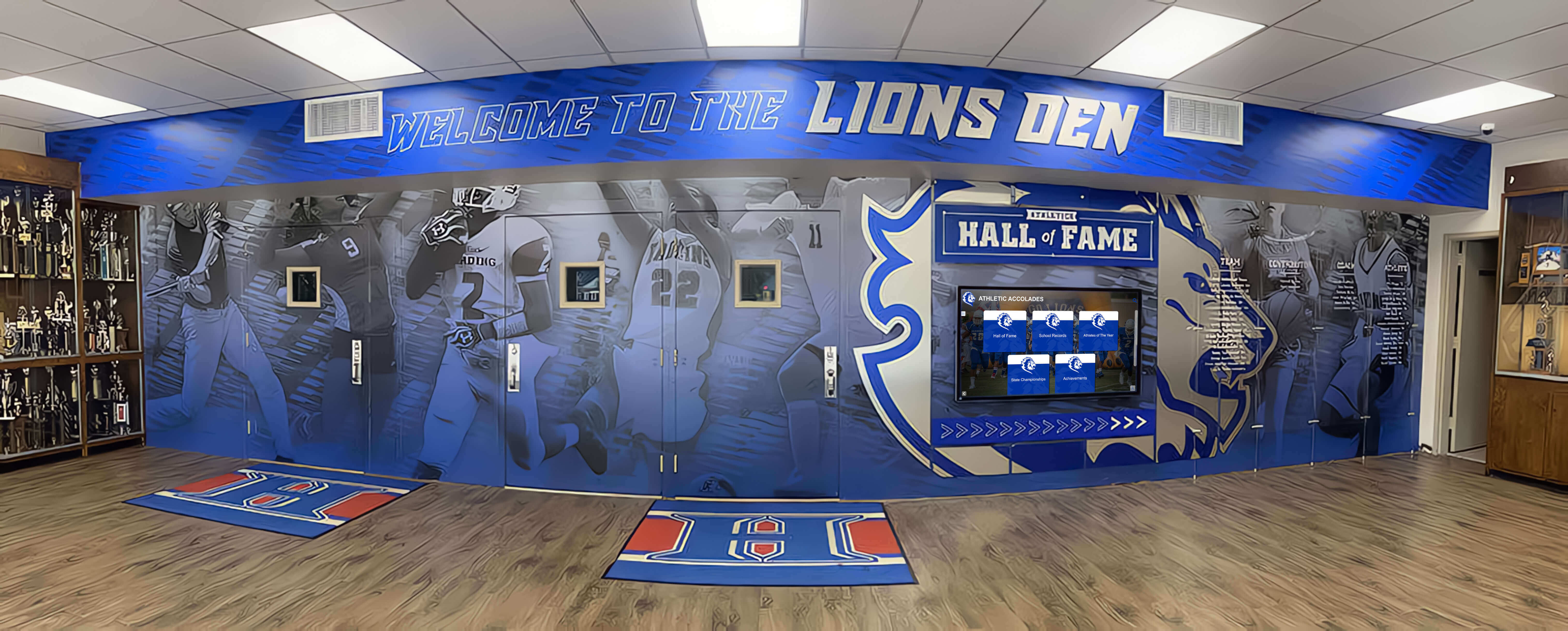
Recognition corridors that integrate trophy cases into mural and hall-of-fame installations often receive less routine facilities access than standalone lobby cases — scheduling a documented desiccant inspection ensures these cases receive maintenance attention regardless of their location in the building
Regeneration Procedure for Silica Gel
When the inspection confirms regeneration is appropriate, the procedure for silica gel desiccant can be performed by facilities staff without specialized equipment.
Materials needed:
- Conventional oven (not a microwave)
- Oven-safe tray lined with clean aluminum foil
- Airtight container for storage and transport
- Oven thermometer (optional but recommended for verifying calibration)
Procedure:
Remove the desiccant charge from the case and transport it to the regeneration location in a sealed airtight container. Do not leave saturated desiccant in an open container during transit — it will absorb moisture from the ambient environment.
Preheat the oven to 100–120°C (212–250°F). Higher temperatures are not necessary for silica gel and can damage some packet materials. Do not use microwave ovens — uneven heating can damage the granule structure without completing regeneration.
For packaged silica gel in fabric or paper packets: place on the foil-lined tray and heat for 1.5 to 2 hours, turning once halfway through. Verify the packet material is oven-safe at these temperatures before proceeding — most silica gel packets intended for desiccant applications are rated accordingly, but confirm with the product documentation.
For loose granules in a canister: pour in a single layer onto the foil-lined tray, heat for 1.5 hours, and stir once halfway through to expose all surfaces. Return to the clean, dry canister immediately after cooling.
Allow the regenerated desiccant to cool in the closed oven for 15–20 minutes, then transfer immediately to the airtight container. Do not allow regenerated desiccant to cool to room temperature in open air — it begins reabsorbing atmospheric moisture immediately upon removal from the oven.
Return the regenerated charge to the case promptly. If redeployment is delayed, store in the sealed container.
Install a fresh indicator card alongside the regenerated charge. Saturated indicator cards are not reliably reversible and should not be reused.
Documenting regeneration: Record the date of regeneration, the case ID, the desiccant charge identifier, the oven temperature used, the duration, the inspector’s name, and the running regeneration cycle count for the charge. This cycle count is the data point that determines when the charge has reached the end of its useful regeneration life.
Verifying after regeneration: After the regenerated charge has been redeployed in the case for 24–48 hours, inspect the indicator card once more. A correctly regenerated and appropriately sized charge should show the dry-state color. If the card shows saturation after only a short deployment period, this indicates either incomplete regeneration, exhausted charge capacity from prior cycles, or a humidity infiltration source overwhelming the desiccant — in which case the case’s gasket seal should be evaluated before the cycle repeats.
Desiccant Sizing and Placement for School Trophy Cases
Indicator card inspections are most informative when the desiccant charge is appropriately sized for the case volume and correctly positioned within the case interior.
Sizing guidance: Desiccant manufacturers generally express charge recommendations in terms of cubic feet or cubic meters of enclosed space. Silica gel is commonly specified at approximately 2–3 ounces (57–85 g) per cubic foot of case interior for maintaining 40–50 percent relative humidity under average conditions, though the appropriate quantity increases in cases near exterior air infiltration sources, in climates with prolonged high humidity, or in cases with compromised gasket seals. An undersized charge reaches saturation rapidly, creating a maintenance burden and potentially leaving humidity gaps between scheduled inspection cycles.
Placement recommendations:
- Position the desiccant charge at the base or rear of the case interior, where it is accessible for removal and replacement without disturbing displayed items
- Position the indicator card at the front of the same shelf level as the desiccant, oriented so it is legible through the case glass — enabling visual inspection without opening the case
- Do not place loose silica gel granules directly on trophy bases, engraved plaques, or photographic surfaces — direct granule-to-surface contact can cause abrasion
- In cases with multiple interior shelves, consider distributing the desiccant charge across two levels rather than concentrating it at the base, to provide more uniform humidity buffering across the full interior height
Interaction with gasket seal condition: Desiccant is a secondary humidity control measure that supplements the primary protection of an effective case seal. A case with a failed gasket seal allowing significant air exchange with the corridor environment will exhaust its desiccant charge far faster than a well-sealed case. When indicator cards are reaching saturation on a significantly shorter cycle than expected, the appropriate first step is a gasket seal inspection rather than simply increasing the desiccant charge quantity — continuously adding desiccant to compensate for a seal failure is both ineffective and expensive.
Connecting Desiccant Inspection to the School’s Recognition Program
The desiccant inspection is a physical preservation practice, but its purpose is inseparable from the recognition mission it serves. Every championship trophy, MVP award, conference plaque, and retired jersey inside an enclosed trophy case represents a school’s record of athletic and academic achievement. The sensitivity of those items to humidity varies: metal hardware tolerates moderate humidity cycling far better than paper certificates, photographic prints, engraved acrylic panels, and textile memorabilia. Schools with extensive recognition archives — including sports award displays spanning multiple decades and athletic programs — have the most at stake in maintaining effective humidity control across every enclosed case.
For athletic programs that accumulate hardware over time — championship trophies, all-conference plaques, retired numbers, and program records from competitive traditions with long histories — the preservation environment inside each trophy case is the physical foundation on which all other recognition investment rests. Schools building comprehensive academic recognition programs that honor athletes, scholars, and community contributors understand that physical artifacts and their institutional context are most valuable when both are maintained: the object itself, protected by an effective case environment, and the record it represents, documented and accessible through complementary digital systems.
Desiccant inspection fits into this framework as one of several preventive measures — alongside gasket seal inspection, off-gassing assessment, and cleaning protocols — that together constitute a complete trophy case maintenance program. Schools that treat these inspections as scheduled workflow items rather than reactive responses to visible damage protect their collections continuously, rather than discovering deterioration after it has become irreversible.
For programs whose recognition scope includes regional and state-level athletic achievements — including the accumulated hardware and archival records associated with programs that have developed strong championship traditions and program histories over decades — the physical artifacts represent institutional memory extending beyond any individual season. The most resilient preservation strategy pairs the physical case maintenance that desiccant inspection represents with a digital asset management approach for schools that creates an independent, searchable record of every award and recognition milestone — accessible regardless of what any individual case requires.
Documenting Desiccant Inspections for Year-Over-Year Analysis
Single inspections produce individual data points. Documented inspection cycles produce institutional knowledge: which cases deplete their desiccant fastest, which charges have been regenerated to the point of diminished capacity, and which cases maintain stable humidity with minimal intervention.
A simple log with columns for case location identifier, inspection date, inspector name, indicator card type and color observed, indicator status (dry / partial transition / saturated), desiccant weight before removal, action taken, regeneration cycle count, fresh card installed yes or no, and notes on any anomalies provides the complete record needed to manage a multi-case program.
For schools whose recognition inventory spans physical trophy archives, hall of fame displays, and digital recognition workflows, this documentation discipline extends naturally across every layer of the program — a structured record that preserves what was done, when, and by whom, so that incoming facilities staff or a new athletic director can understand the full maintenance history without reconstructing it from verbal summaries or institutional memory.
FAQ: School Trophy Case Desiccant Indicator Card Inspection
What is a desiccant indicator card, and why is it used in a trophy case? A desiccant indicator card is a small paper or card substrate coated with a moisture-sensitive compound that changes color at a specific relative humidity threshold. In a trophy case, it is placed alongside a desiccant charge — typically silica gel — to provide a visible signal of when the desiccant has absorbed enough moisture to require regeneration or replacement. The card makes the desiccant’s saturation status readable through the case glass without requiring the case to be opened, enabling regular inspection without disturbing the displayed items.
How often should desiccant indicator cards be inspected in school trophy cases? A monthly visual check — reading the card through the case glass without opening the case — is practical for most enclosed school trophy cases. Cases near exterior doors, gymnasium entrances, or areas with known humidity variability benefit from more frequent visual checks. Cases that have previously shown rapid saturation cycles should also be checked more frequently until the root cause is addressed. Regardless of visual check frequency, a full documented inspection — including opening the case, checking desiccant condition, weighing charges if applicable, and installing fresh indicator cards — should occur at least twice a year.
Can I regenerate silica gel in a microwave instead of a conventional oven? Microwave regeneration of silica gel is not recommended for trophy case applications. Microwave ovens heat unevenly and can superheat isolated pockets of the granule bed while leaving others incompletely dried. This produces a charge with variable remaining capacity that the indicator card cannot accurately represent. Conventional oven regeneration at 100–120°C for 1.5 to 2 hours produces a uniform result that restores the charge to a predictable, documented capacity.
How do I know when silica gel has reached the end of its useful life and needs replacement rather than regeneration? The primary signals are: (1) the charge reaches saturation on an indicator card within days of being freshly regenerated, indicating significant capacity loss; (2) the granules are physically degraded — crumbling, caking, or showing discoloration not consistent with normal moisture absorption; (3) the charge has exceeded the manufacturer’s recommended regeneration cycle count, typically three to five cycles for most silica gel products. Any of these conditions warrants replacement with a new charge rather than another regeneration cycle.
Does the desiccant charge replace the need for a functional gasket seal? No. Desiccant is a secondary humidity control measure that supplements the primary protection of an effective case seal. In a case with significant gasket failures, a desiccant charge is overwhelmed by continuous air exchange and will reach saturation rapidly without maintaining interior humidity. The correct approach is to maintain both systems: repair gasket failures that allow moisture infiltration, and maintain an appropriately sized desiccant charge as a secondary buffer. Relying solely on desiccant to compensate for gasket failures is both ineffective and expensive.
What relative humidity level should a school trophy case maintain? Conservation guidelines generally recommend 45–55 percent relative humidity for enclosed cases holding mixed collections of metals, paper, textiles, and photographs. Below 40 percent, paper and wooden components can become brittle; above 60 percent, corrosion accelerates on metal surfaces, and conditions favorable to mold growth develop on textiles and paper. A functional desiccant charge in a well-sealed case with interior hygroscopic materials — paper documents, wooden shelving — helps buffer against humidity swings that take the interior outside this range.
What should I do if the indicator card shows patchy color transition rather than a uniform change? A patchy indicator card — saturated-state color concentrated in one area rather than evenly distributed across the entire indicator surface — suggests localized humidity infiltration rather than overall desiccant saturation. The patch pattern often points toward a specific area of the case where a gasket gap or corner joint failure is allowing moisture infiltration. Inspect the case in that area specifically, and if gasket integrity is confirmed as the source, address the seal before the next desiccant regeneration cycle.
Integrating Desiccant Inspection into the Annual Recognition Program Calendar
A school trophy case desiccant indicator card inspection fits naturally into the same annual facilities cycle that addresses gasket seal integrity, off-gassing assessment, lighting function, and panel condition. Each of those inspection categories addresses a different risk vector; together they constitute a complete picture of what a physical trophy case requires to function as the preservation environment it is meant to be.
The practical timing aligns with the recognition program calendar. Inspecting desiccant charges in late summer — before fall sports hardware is installed and before the first high-humidity period of the academic year — ensures that every case enters the athletic season with a functional desiccant charge and a fresh indicator card. A second inspection in late winter, before spring awards seasons and end-of-semester recognition events, catches any saturation that occurred through the fall and winter humidity cycles.
Schools whose recognition programs have grown to include digital displays alongside physical trophy cases benefit from a maintenance approach that treats both systems as complementary. The physical case, properly maintained with functional seals and effective desiccant, preserves the original artifacts that give a recognition program its tangible presence. The digital platform ensures that the record those artifacts represent — every championship, every individual award, every season’s achievement — is accessible, searchable, and permanent regardless of what any individual case eventually requires.
For facilities teams and athletic directors building a complete, documented recognition program, the desiccant inspection is one of the maintenance inputs that keeps the collection in the condition it should be — reflecting decades of athletic achievement, not the humidity variability of a school hallway.
Ready to Build a Digital Recognition Platform That Complements Your Physical Trophy Case Program?
Rocket Alumni Solutions builds interactive digital trophy cases and halls of fame for schools nationwide — cloud-managed displays with unlimited record capacity, ADA WCAG 2.1 AA compliant touchscreens, QR code access for mobile viewing, and remote content updates without IT tickets. See how schools are preserving every championship, retired jersey, and alumni milestone on a platform that grows alongside their physical trophy case maintenance program.
Book A DemoLive Example: Rocket Alumni Solutions Touchscreen Display
Interact with a live example (16:9 scaled 1920x1080 display). All content is automatically responsive to all screen sizes and orientations.