




Visitors walking into modern school campuses expect the same intuitive digital experiences they encounter everywhere else—instant access to directions, information at their fingertips, and interactive displays that respond to their touch. Yet many schools still rely on static bulletin boards, outdated printed directories, and trophy cases that haven’t been updated in years.
A school kiosk transforms these traditional challenges into opportunities for engagement. These interactive touchscreen solutions provide campus navigation, showcase student achievements without space limitations, deliver real-time information to students and visitors, and reduce administrative burden by automating frequently asked questions. Schools implementing these systems report improved visitor experiences, increased recognition capacity, and significant time savings for front office staff.
This comprehensive guide explores how school kiosks work, what they can accomplish in educational environments, and how to select the right solution for your institution’s unique needs.
What Is a School Kiosk?
A school kiosk is an interactive touchscreen display strategically placed throughout campus to serve multiple functions: wayfinding assistance, student recognition, event information, directory services, and campus announcements. Unlike passive signage that simply broadcasts messages, these systems invite interaction—visitors can search for classrooms, browse achievement galleries, look up schedules, and access the specific information they need through intuitive touch interfaces.
Modern school kiosks operate as self-service information hubs that work 24/7 without requiring staff intervention. The content updates remotely through cloud-based management systems, meaning administrators can change what appears on every screen across campus from a single dashboard, whether they’re in the building or working from home.
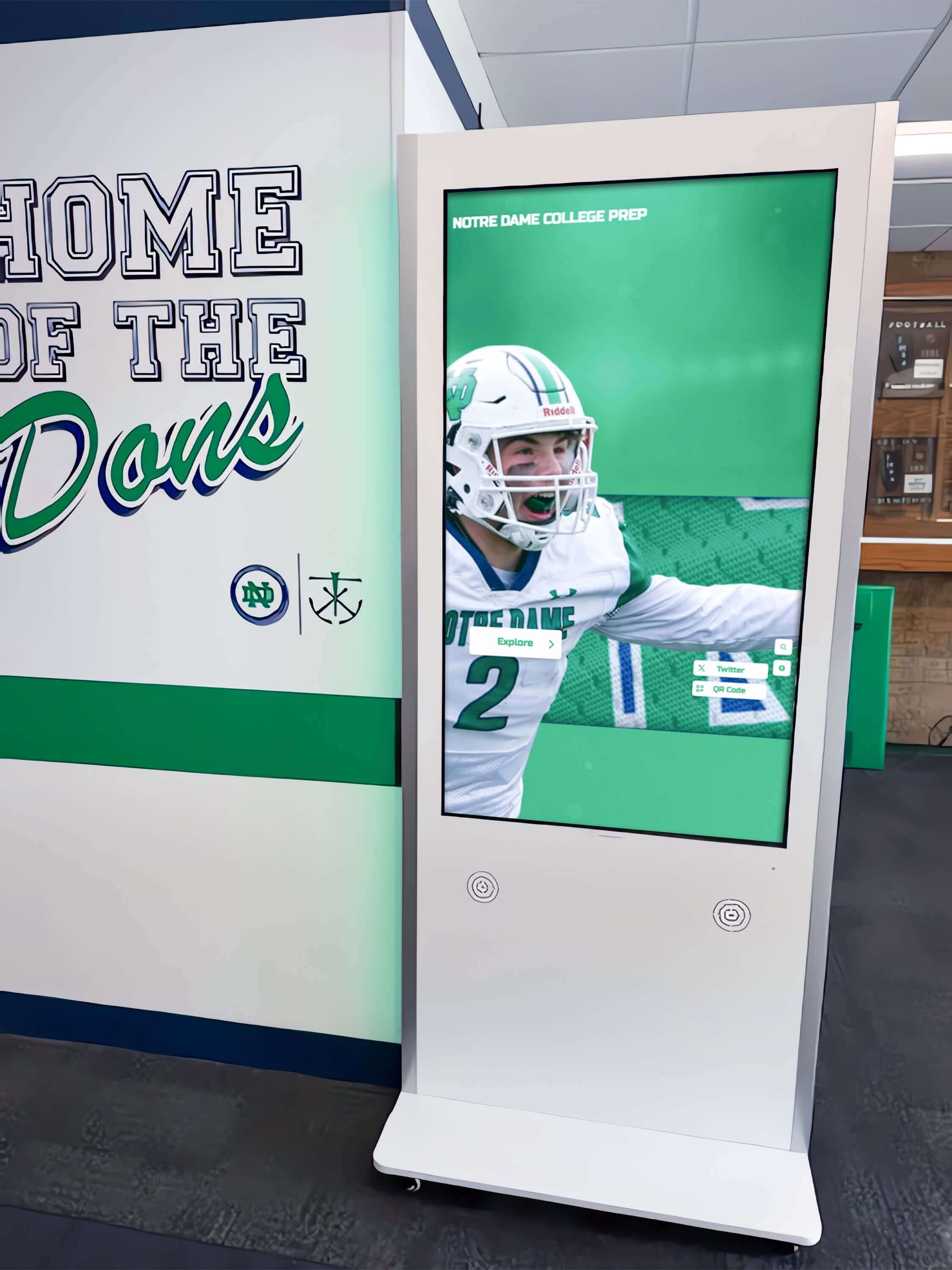
The Evolution from Static Displays to Interactive Kiosks
Traditional school communication relied on physical bulletin boards requiring manual updates, trophy cases limited by physical space, and printed directories that became outdated the moment new students enrolled. Staff spent hours answering directional questions from visitors, updating paper announcements, and managing requests to add recognition for student achievements.
Interactive kiosks eliminate these constraints entirely. There’s no physical limit to how many students you can recognize, no delay between creating content and displaying it campus-wide, and no need for visitors to interrupt busy office staff with basic directional questions. Campus signage best practices now emphasize interactive elements that empower visitors to find their own answers.
The shift mirrors broader technological adoption in education—the same students comfortable with tablets and smartphones naturally understand how to interact with touchscreen kiosks, requiring no training or instruction.
Core Functions of School Kiosks
Campus Navigation and Wayfinding
Large school campuses can be confusing for first-time visitors. Parents attending conferences, prospective students on campus tours, substitute teachers finding their assigned classrooms, and vendors making deliveries all benefit from self-service wayfinding that displays campus maps, building directories, and turn-by-turn directions.
Effective wayfinding kiosks let users search by room number, teacher name, department, or function. The interface shows current location, destination, and the route between them. Some systems integrate with scheduling databases to display which classrooms are in use during specific periods, helping visitors avoid interrupting classes.
Student Recognition and Achievement Display
Physical trophy cases create artificial scarcity—only the most prominent achievements fit in limited display space, and adding new recognition means removing something that’s already there. School digital signage and interactive displays eliminate this constraint by providing unlimited capacity for student recognition.
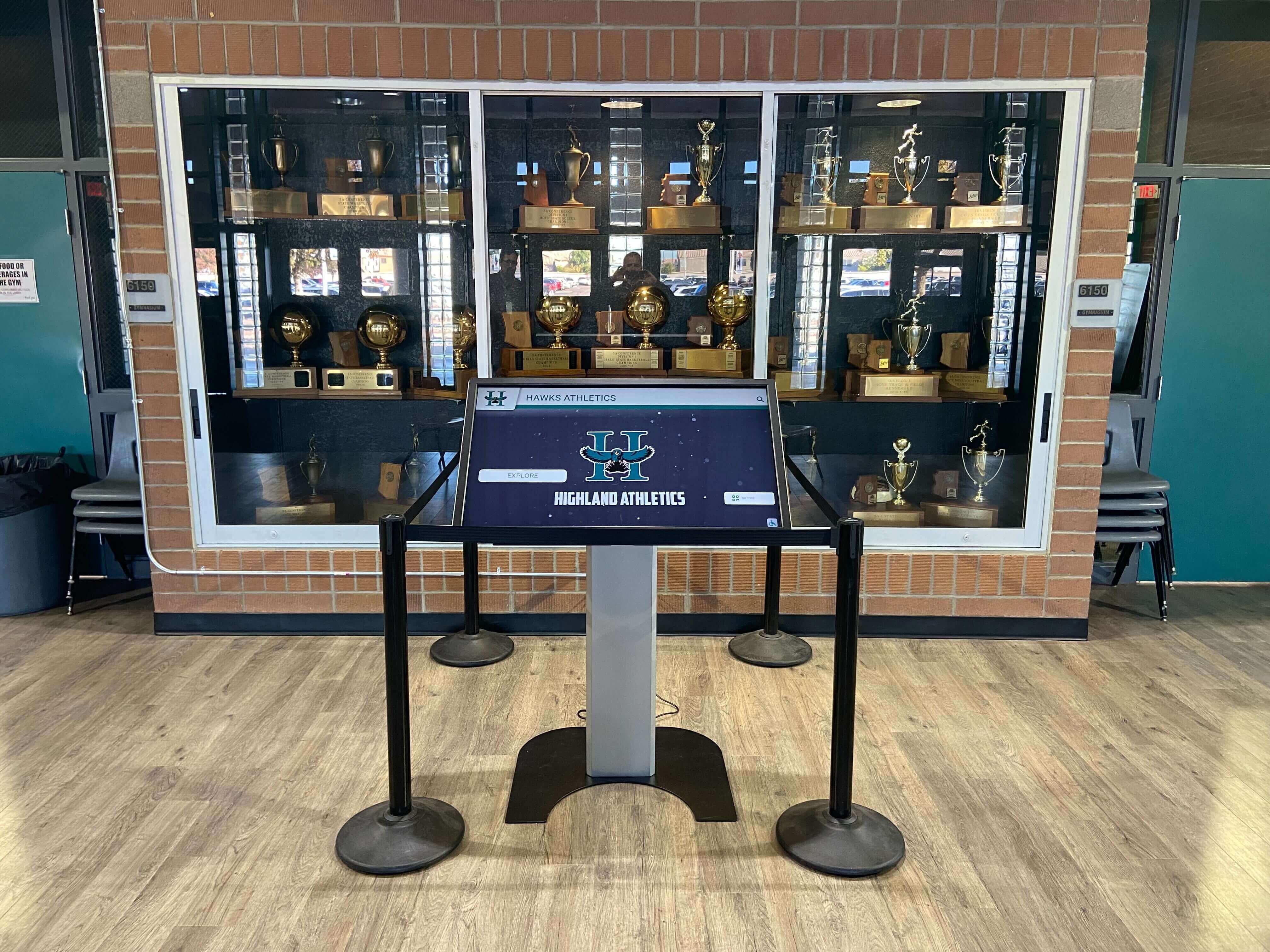
Schools can showcase every student who makes honor roll, every team championship, every scholarship recipient, and every community service leader. Visitors browse by sport, academic subject, year, or individual student. The content updates weekly during seasons or semesters, ensuring recognition appears immediately rather than waiting for yearly trophy case reorganizations.
Event Information and Campus Announcements
Daily announcements, upcoming events, schedule changes, and emergency information all benefit from centrally managed displays positioned throughout campus. Rather than relying on morning announcements that students may not hear or bulletin boards they walk past without reading, kiosks present timely information at decision points—lobby entrances, cafeteria entrances, athletic facilities, and main hallways.
Content scheduling ensures appropriate messages appear at relevant times. Athletic event schedules display prominently during season, college application deadline reminders appear for seniors in the spring, and schedule changes push immediately to all screens when announced.
Directory and Contact Information
Staff directories that include photos, departments, room numbers, and extension numbers help visitors connect with the right people without consuming front office time. Students looking for guidance counselors, parents searching for their child’s teacher, and community members seeking administrative contacts all find what they need through search or browse interfaces.
Key Benefits for Educational Institutions
Reducing Administrative Burden
Front office staff spend significant time answering repetitive questions: “Where is room 214?” “What time does the basketball game start?” “How do I reach the guidance office?” Well-designed school kiosks answer these questions automatically, freeing staff to focus on more complex visitor needs and administrative responsibilities.
The time savings compound across the school year. A single kiosk that prevents just 10 directional questions daily saves approximately 250 hours of staff time annually—the equivalent of six full work weeks that can redirect to more valuable tasks.
Creating Unlimited Recognition Capacity
Traditional trophy cases force difficult decisions about what achievements deserve limited display space. Digital kiosks remove this constraint entirely. Schools can recognize every scholarship recipient, every honor roll student, every service leader, and every athletic achievement without worrying about physical limitations.
This comprehensive recognition improves school culture by celebrating broader achievement beyond just championship teams. Academic excellence, artistic accomplishments, community service, and leadership all receive equal visibility. Student engagement strategies increasingly emphasize visible recognition as a driver of continued achievement.
Improving Visitor Experience
First impressions matter for prospective families, community partners, and visiting officials. An organized, modern campus experience suggests a well-run institution. Interactive kiosks positioned in lobbies and main entrances provide immediate assistance, demonstrating technological competence and visitor-focused service.
Accessibility features ensure all visitors can use the system effectively. WCAG-compliant interfaces with adjustable text size, high contrast options, and intuitive navigation accommodate diverse needs without requiring special assistance.
Streamlining Content Updates
Changing physical bulletin boards requires printing new materials, removing old content, and physically posting updates at every location. Cloud-based kiosk management systems push content updates to every screen simultaneously from a central dashboard. Administrators working from anywhere with internet access can update campus-wide information in minutes rather than hours.
Content scheduling automates routine updates. Holiday break schedules, athletic season information, and semester-specific messages can be created in advance and automatically display at the appropriate time, reducing ongoing management burden.
Types of Content Best Suited for School Kiosks
Interactive Campus Maps
Effective wayfinding requires more than static maps. Interactive systems let visitors search by destination, view their current location, and see recommended routes. Multi-building campuses benefit from building-specific maps that help visitors navigate complex layouts. Some systems include outdoor maps showing parking areas, athletic fields, and building entrances.
Digital Trophy Cases and Halls of Fame
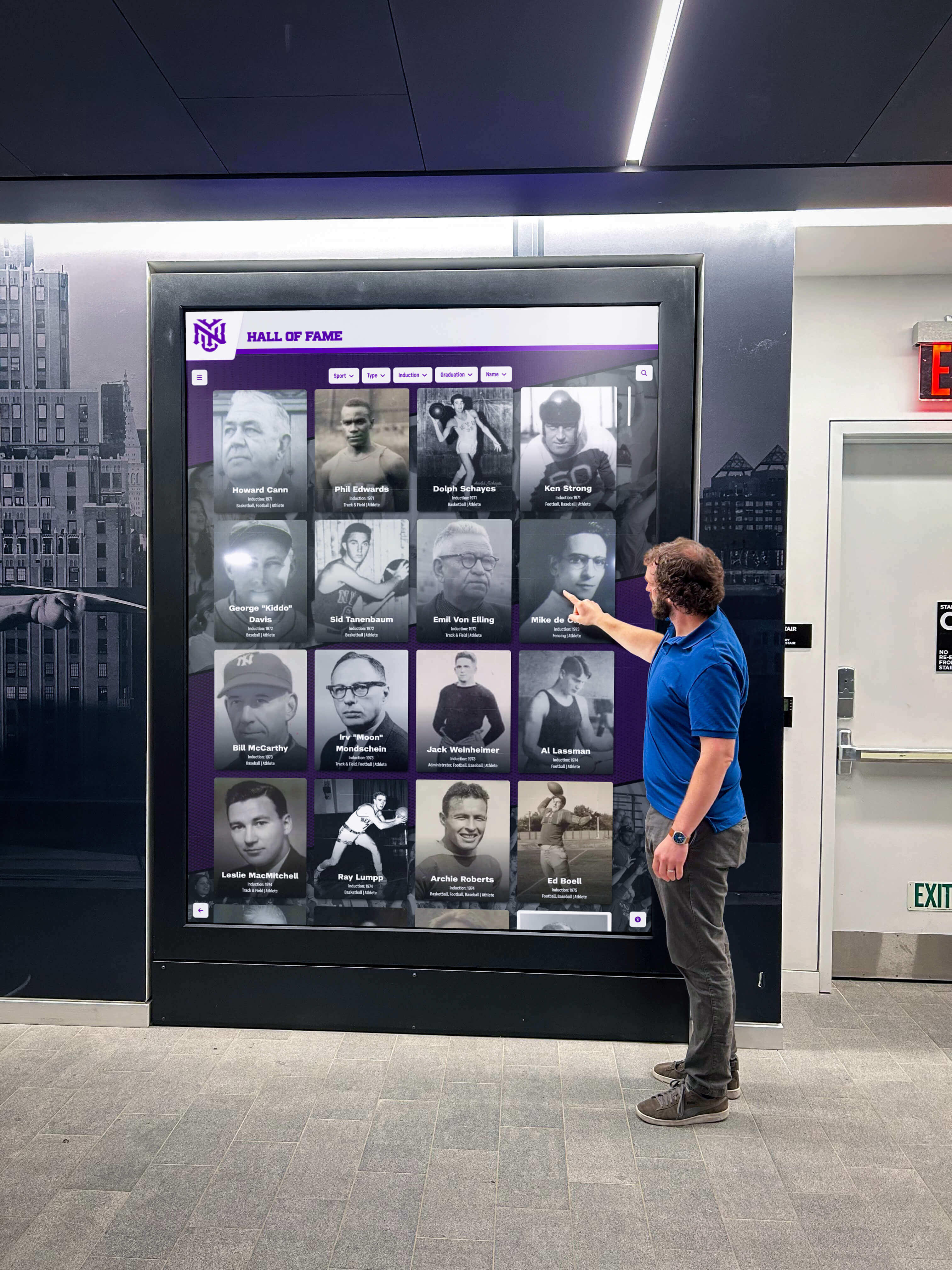
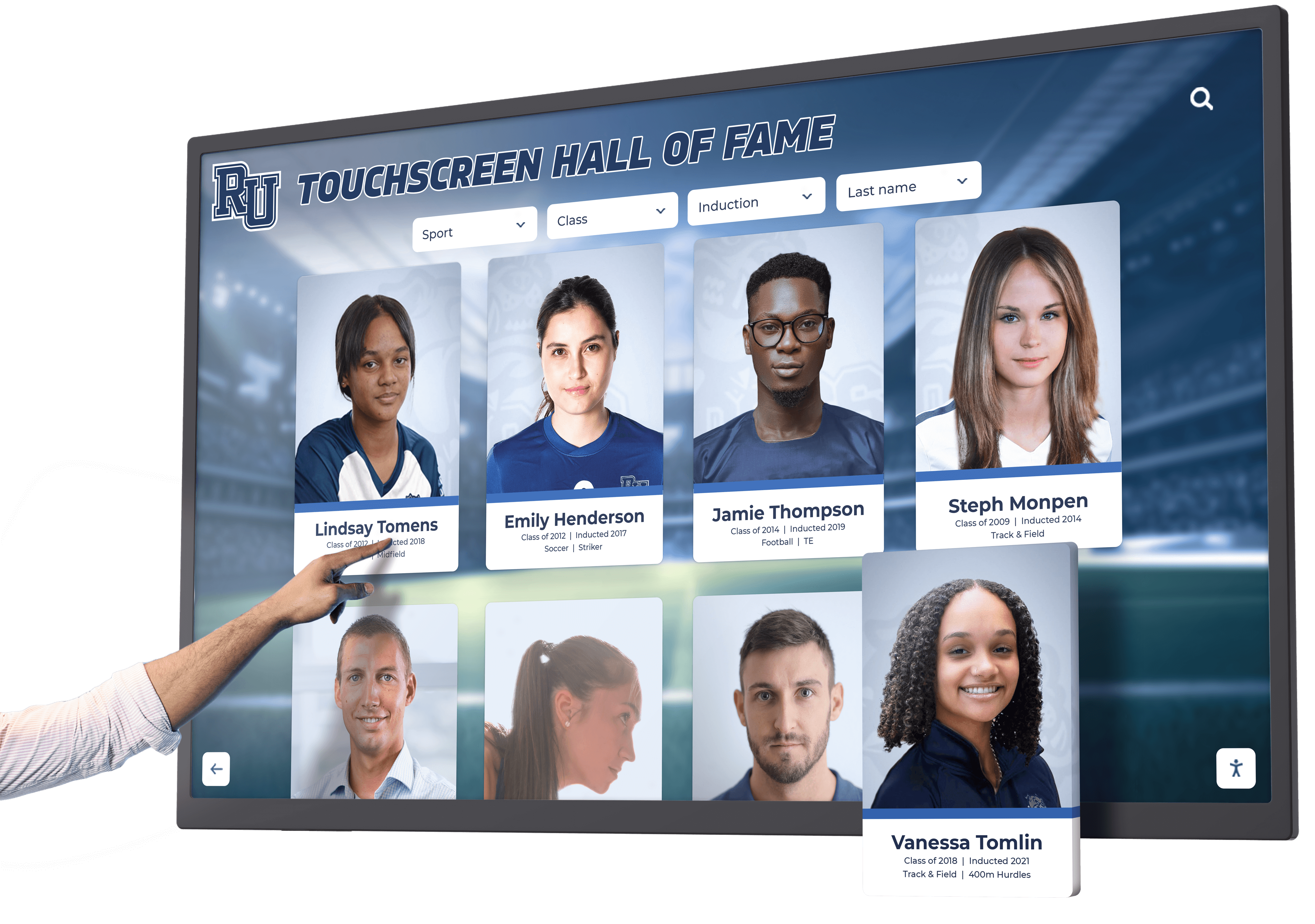
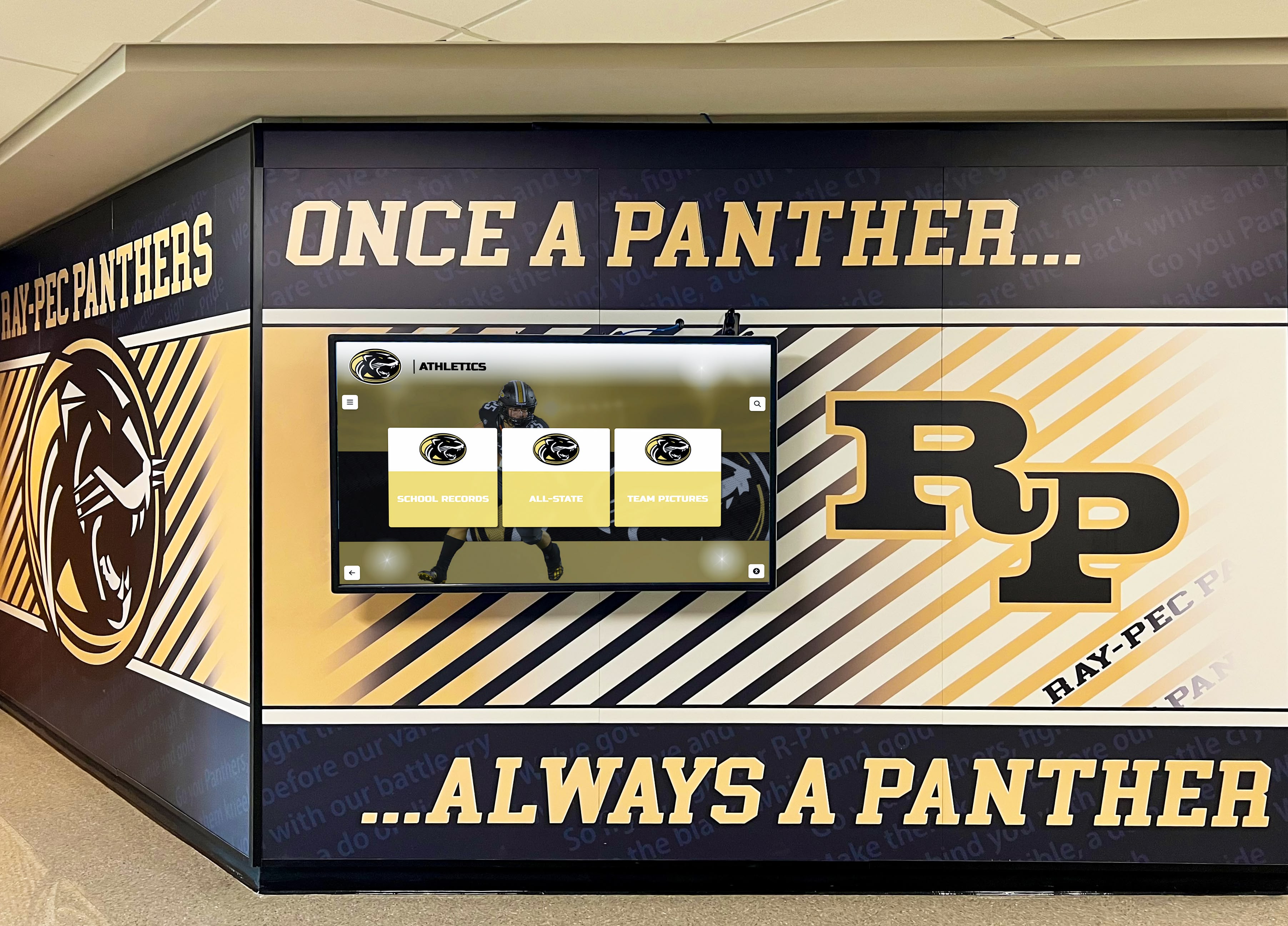

Touchscreen displays in school lobbies and athletic facilities showcase team championships, individual records, hall of fame inductees, and season highlights. Content includes photos, statistics, career accomplishments, and biographical information that visitors explore at their own pace.
Browse and search functions help users find specific athletes, teams, or time periods. Parents can show their children where they’re recognized, alumni visiting campus can find their own accomplishments, and current students can see the legacy they’re joining.
Student Achievement Galleries
Academic honors, artistic accomplishments, scholarship recipients, perfect attendance, community service leaders, and student government officials all deserve recognition. Digital galleries display individual profiles with photos, achievement descriptions, and relevant details.
These galleries update continuously throughout the year as students earn recognition. Monthly honor roll additions, quarterly scholarship announcements, and seasonal award recipients appear immediately without waiting for yearly updates.
Event Calendars and Schedules
Athletic schedules, theater performances, concerts, parent-teacher conferences, standardized testing dates, and school holiday calendars all appear in accessible, searchable formats. Users can filter by event type, date range, or specific programs to find relevant information quickly.
Real-time schedule changes push immediately to displays. Weather-related cancellations, rescheduled events, and venue changes appear across all kiosks without manual intervention at each location.
Donor Recognition
Schools with significant fundraising efforts benefit from digital donor walls that recognize contributions across multiple giving levels. Unlike physical plaques with predetermined spacing, digital recognition accommodates unlimited donors. Digital donor wall guides for schools explain how to structure donor displays that encourage continued giving.
Content includes donor names, recognition levels, tribute dedications, and campaign goals. The system automatically updates as new donations arrive, ensuring immediate recognition that encourages additional participation.
Staff and Faculty Directories
Searchable directories with staff photos, departments, contact extensions, email addresses, and office locations help visitors connect with the right people. Students searching for teachers, parents seeking administrators, and community members looking for specific departments all benefit from self-service directory access.
Implementation Planning and Site Selection
Choosing Strategic Locations
Effective kiosk placement requires understanding traffic patterns and information needs. Main lobby entrances serve visitors looking for directions. Athletic facility lobbies showcase sports achievements. Cafeteria entrances reach students during daily routines. Administrative office areas help visitors find specific staff members.
Avoid locations where screens face windows with direct sunlight, which can create glare and make displays difficult to read. Consider power and network connectivity during site selection—locations without convenient access to these utilities require additional installation costs.
Hardware Considerations
Screen size affects both visibility and cost. Large-format displays (55-inch and above) work well in spacious lobbies where viewers may stand several feet away. Medium displays (43-49 inch) suit hallway installations where viewers stand closer. Consider viewing distance and ambient lighting when specifying screen size.
Touchscreen technology should support responsive, accurate interaction. Commercial-grade displays designed for continuous operation outperform consumer televisions in reliability and longevity. Protective housings may be necessary in high-traffic areas where accidental impacts could occur.
Content Management Requirements
Centralized cloud-based systems allow administrators to manage all displays from a single dashboard. Look for platforms that support content scheduling, user permissions, template libraries, and remote updates. The system should accommodate non-technical users who need to add recognition content or update event information without extensive training.
Integration capabilities matter for schools with existing student information systems, event calendars, or emergency notification platforms. Systems that pull data from these sources reduce duplicate data entry and ensure consistency across platforms.
Installation Timeline and Process
Installation timing for new school buildings differs from retrofitting existing spaces. New construction allows for integrated power and network infrastructure planning. Existing buildings may require additional electrical work and network drops.
Professional installation ensures proper mounting, cable management, and initial configuration. Understanding who installs digital displays helps schools plan appropriate budgets and timelines.
Software and Interface Design
Intuitive Navigation Principles
Effective kiosk interfaces require no instruction. Users should immediately understand how to search, browse, and navigate content without reading instructions or receiving assistance. Large touch targets, clear labels, and logical information hierarchy guide users naturally through available content.
Avoid deep menu structures that require multiple navigation steps to reach useful information. Present primary functions (maps, directories, recognition, events) prominently on home screens. Include a clear “home” button on every screen so users can restart if they get lost.
Accessibility Requirements
WCAG 2.1 AA compliance ensures users with visual, motor, or cognitive disabilities can access kiosk content effectively. This includes adjustable text sizes, high contrast modes, clear touch targets sized appropriately for users with limited dexterity, and navigation that works without precise gestures.
Consider physical accessibility as well—kiosks should mount at heights accommodating both standing users and wheelchair users. Angled displays often provide better sightlines than perfectly vertical screens.
Content Templates and Customization
Pre-built templates for common content types (athlete profiles, event listings, donor recognition, directory entries) speed content creation and ensure visual consistency. Schools should be able to customize templates with institutional colors, logos, and branding elements while maintaining usability.
Software options for creating interactive touchscreen experiences range from full-custom development to turnkey platforms specifically designed for educational institutions. Purpose-built solutions typically provide better results than generic digital signage software adapted for school use.
Maintenance and Support
Remote Monitoring and Updates
Modern school kiosks report operational status remotely, alerting administrators to issues like offline displays, failed network connections, or software errors. This proactive monitoring prevents situations where broken kiosks remain unnoticed for extended periods.
Software updates push remotely, ensuring all displays run current versions with latest features and security patches. Schools avoid the burden of manually updating each display individually.
Content Refresh Strategies
Regular content updates keep kiosks relevant and engaging. Establish processes for routine updates: weekly recognition additions during athletic seasons, monthly honor roll updates, quarterly event calendar reviews, and semester-based content refreshes.
Assign specific staff members responsibility for content management. Clear ownership prevents situations where everyone assumes someone else is managing updates, resulting in stale content that reduces kiosk value.
Hardware Warranty and Service
Commercial-grade displays typically include multi-year warranties covering parts and labor. Understand what the warranty covers—some exclude touchscreen components or limit support to specific issues. Consider extended warranty options for displays in high-use locations.
On-site repair services minimize downtime compared to depot repair requiring display removal and shipping. For schools with multiple displays, having a spare display available ensures critical locations remain operational during repairs.
Measuring Success and ROI
Visitor Engagement Metrics
Modern kiosk platforms track usage statistics including session duration, content views, search queries, and feature utilization. This data reveals which content resonates with users and which features receive little engagement, informing content strategy and interface improvements.
High engagement metrics (frequent use, longer sessions, repeat visitors) indicate the kiosk provides value. Low engagement may signal poor placement, confusing interfaces, or content that doesn’t match user needs.
Administrative Time Savings
Track time spent answering directional questions, updating physical displays, and managing recognition requests before and after kiosk implementation. Quantifying these savings demonstrates ROI and justifies expansion to additional locations.
Front office staff can provide valuable feedback about changes in visitor questions after kiosk deployment. Reduced frequency of basic questions indicates effective self-service.
Recognition Program Expansion
Compare the number of students recognized before and after implementing digital kiosks. Schools typically expand recognition significantly once space constraints disappear, celebrating broader achievement and improving school culture.
Track participation in recognition programs over time. Visible, comprehensive recognition often encourages increased participation as students see peers celebrated and strive for similar accomplishments.
Common Challenges and Solutions
Budget Constraints
School kiosks represent significant initial investment including hardware, software, installation, and content development. Schools with limited budgets can start with strategic pilot installations in highest-impact locations—typically main lobby entrances where visitors first arrive.
Demonstrate ROI from initial deployments to justify expansion. Documented administrative time savings, increased recognition capacity, and improved visitor experience support requests for additional units.
Content Creation Capacity
Building comprehensive recognition galleries, directories, and information databases requires significant initial effort. Schools can phase content development, starting with highest-priority use cases (campus maps and basic directories) and expanding to comprehensive recognition over time.
Engage student technology classes or media programs in content creation. Students can photograph achievements, conduct biographical interviews, and format content under staff supervision, providing valuable learning opportunities while building kiosk content.
Technical Support and Training
Schools without dedicated IT staff may worry about managing another technology system. Choose platforms specifically designed for non-technical users with intuitive content management, comprehensive documentation, and responsive vendor support.
Initial training investments pay dividends in confident, capable users who maximize system value. Look for vendors offering training sessions, video tutorials, and ongoing support resources.
Ensuring Accessibility
School signage ideas for creating welcoming, informative displays must account for diverse user needs. Beyond digital accessibility features, consider physical placement accommodating all visitors, alternative content delivery methods for those unable to use touchscreens, and regular accessibility audits ensuring continued compliance.
Future Trends in School Kiosks
Mobile Integration
QR codes positioned near kiosks allow visitors to continue browsing content on personal devices. Users can start exploring recognition galleries on the kiosk, then scan to continue reading on their phone. This extends engagement beyond the physical kiosk and allows content sharing with others.
Mobile apps complementing kiosk content provide additional functionality: parents can receive notifications when their children earn recognition, students can bookmark favorite content, and alumni can access recognition from anywhere.
Personalized Content Delivery
Emerging systems detect user preferences and tailor content accordingly. Visitors interested in athletic achievements see related content prioritized, while those browsing academic honors receive relevant recommendations. This personalization improves engagement without requiring manual customization.
Integration with Campus Systems
Deeper integration with student information systems, learning management platforms, and attendance databases enables dynamic content that updates automatically. Recognition appears immediately when students achieve qualifying milestones without manual content entry.
Emergency notification systems can take control of kiosks during critical situations, displaying evacuation routes, safety instructions, or all-clear messages campus-wide.
Enhanced Analytics and Insights
Advanced analytics reveal detailed usage patterns: which content attracts attention during specific times, how different visitor types interact with the system, and what information gaps exist. These insights drive continuous improvement in content strategy and interface design.
Selecting the Right School Kiosk Solution
Evaluating Vendor Options
Consider vendors specifically serving educational institutions rather than generic digital signage providers. Education-focused vendors understand unique school needs: recognition program requirements, FERPA compliance, budget constraints, and academic calendar cycles.
Examine existing implementations at similar schools. Reference customers provide realistic perspectives on system capabilities, vendor responsiveness, and long-term satisfaction.
Pilot Programs and Proof of Concept
Request pilot installations or trial periods to evaluate systems before major commitments. Hands-on experience reveals interface usability, content management complexity, and visitor engagement in ways specification sheets cannot.
Involve diverse stakeholders in pilot evaluations: administrators who will manage content, IT staff who will support the system, and end users who will interact with displays. Their feedback ensures selected solutions meet all constituency needs.
Total Cost of Ownership
Look beyond initial hardware costs to understand complete financial commitment. Software licensing, content creation, installation, training, ongoing support, and eventual hardware replacement all contribute to total cost of ownership.
Some vendors offer subscription models including hardware, software, installation, training, and support in single monthly fees. Others charge separately for each component. Calculate total costs across expected system lifespan (typically 5-7 years) for accurate comparisons.
Scalability and Future Growth
Choose solutions that accommodate campus growth without complete replacement. Schools should be able to add displays to new buildings, expand content libraries, and integrate emerging features without migrating to entirely new platforms.
Vendor roadmaps indicate future development directions. Understanding planned enhancements helps ensure selected systems will evolve with changing needs rather than becoming obsolete.
Conclusion: Transforming School Communication Through Interactive Kiosks
School kiosks represent fundamental shifts in how educational institutions communicate with students, visitors, and community members. By replacing passive, static displays with interactive, dynamic systems, schools create self-service information access that reduces administrative burden, expands recognition capacity, and improves visitor experiences.
The most successful implementations start with clear objectives: What problems should kiosks solve? Which locations will provide maximum impact? How will content remain current and engaging? Schools that thoughtfully address these questions before purchasing equipment achieve better outcomes than those focused solely on technology acquisition.
As touchscreen interfaces become increasingly ubiquitous in daily life, visitor expectations continue rising. Schools investing in modern interactive kiosks demonstrate commitment to contemporary communication while building infrastructure that will serve their communities for years to come.
Ready to explore how interactive touchscreen solutions can transform your school’s communication, navigation, and recognition programs? Discover the Rocket Alumni Solutions platform and see how schools nationwide are creating engaging digital experiences that celebrate achievement and welcome every visitor.































