



Caring for family members with dementia presents unique challenges, particularly around maintaining connection, reducing confusion, and preserving meaningful memories. Traditional photo albums require physical handling that may prove difficult, while standard digital devices often present confusing interfaces that overwhelm users experiencing cognitive decline.
Digital memory displays and touchscreen kiosks designed for dementia care address these challenges by providing simple, intuitive access to family photos, familiar faces, and comforting memories through interfaces requiring minimal interaction or technical understanding. These displays range from basic digital photo frames costing under $100 to sophisticated interactive kiosks offering multiple features, with options suitable for various budgets and care situations.
This comprehensive guide explores economical touchscreen display solutions specifically for families managing dementia care at home. We examine digital photo frames, tablet-based displays, interactive kiosks, and DIY solutions—comparing features, costs, setup requirements, and practical considerations that help you select appropriate technology supporting your loved ones without overwhelming your budget or technical capabilities.
Families implementing memory displays for dementia care report meaningful improvements in engagement, reduced anxiety through familiar visual cues, conversation starters during visits, and comfort provided by seeing loved ones’ faces throughout the day. The key lies not in selecting the most sophisticated technology, but in choosing simple, reliable solutions that fit your specific care context, budget constraints, and technical comfort level.

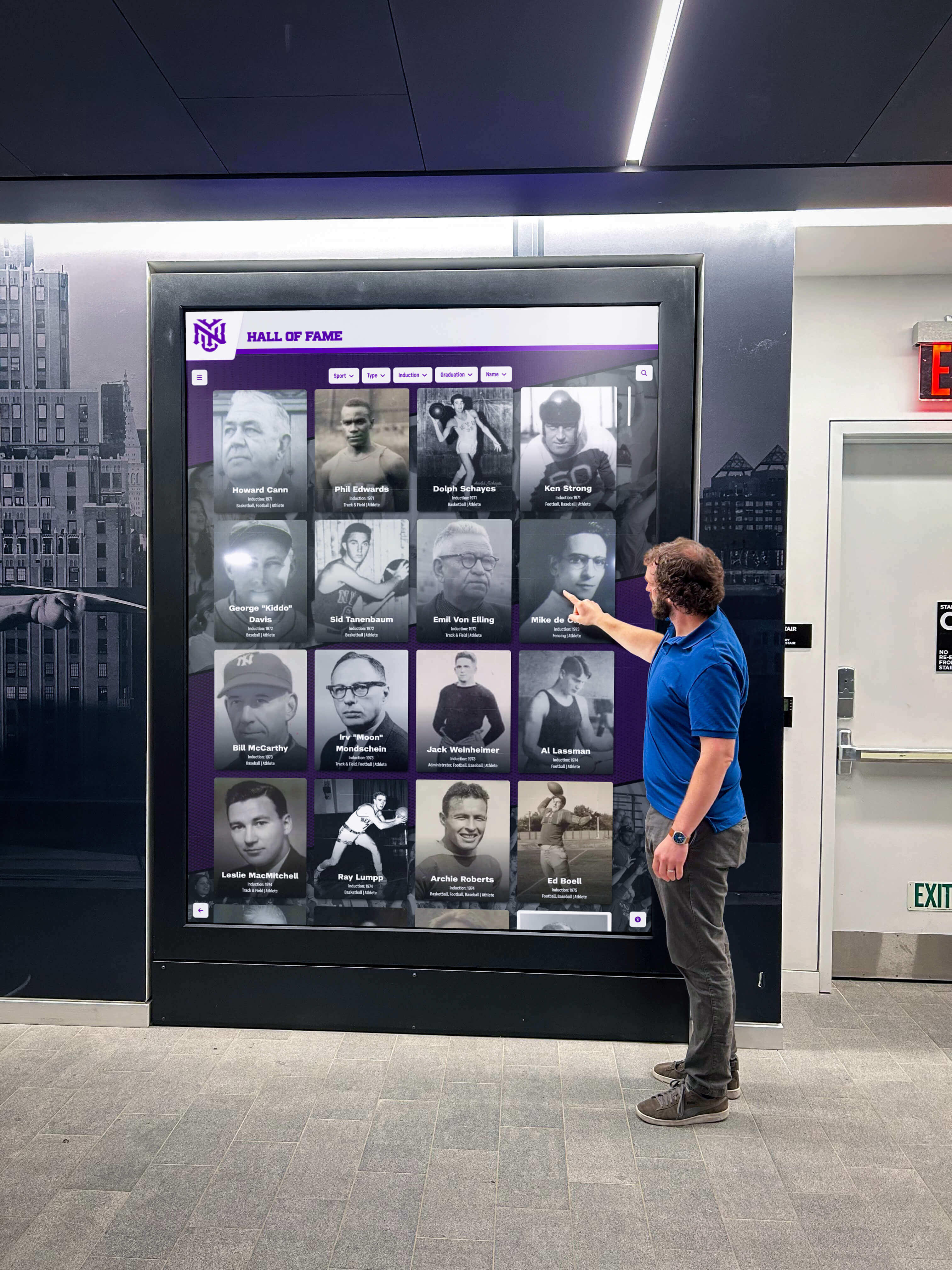
Simple touchscreen interfaces enable family members with dementia to view photos and memories without requiring technical expertise
Understanding Memory Display Needs for Dementia Care
Before exploring specific product options, understanding how dementia affects technology interaction guides appropriate selection.
How Dementia Affects Technology Use
Cognitive changes create specific challenges with standard technology:
Reduced Executive Function
Dementia commonly impairs planning and multi-step task completion. Technology requiring sequential actions—navigate menus, select options, confirm choices—often proves frustrating or impossible. Memory displays for dementia care must minimize interaction steps, ideally operating automatically without requiring user initiation.
Visual Processing Changes
Visual-spatial processing difficulties may affect how individuals perceive screens and images. High-contrast displays, simple layouts without cluttered backgrounds, and familiar photo presentation prove most effective. Some individuals with dementia struggle with changing images, while others find rotation stimulating.
Touchscreen Interaction Difficulties
According to research on dementia-friendly technology, touchscreen devices present challenges because required interaction patterns may not be intuitive for older adults who developed technology skills with physical buttons and controls. Some experts specifically recommend non-touch digital frames for elderly users, noting they are not only less expensive but easier to use and more durable.
Memory and Recognition Fluctuation
Memory capabilities vary throughout disease progression. Early-stage dementia may allow recognition of all family members, while later stages may limit recognition to closest family or even childhood memories only. Displays should accommodate changing recognition capabilities through content adjustments.
What Makes Memory Displays Effective for Dementia
Research-backed features supporting engagement:
Automatic Operation Without Required Interaction
The most effective displays operate independently without requiring users to press buttons, navigate menus, or remember activation procedures. Photos display automatically in slideshow format, with displays activating during waking hours and dimming or deactivating overnight.
According to a University of Suffolk 2026 study on the Snapshot Memory Box, researchers found “strong evidence of a positive impact” for users including those with mild cognitive impairment, early-stage dementia, and Alzheimer’s disease. The device combines photos with audio messages from family members, providing additional sensory connections.
Simple, Uncluttered Visual Presentation
Effective displays show single photos without distracting interface elements, menus, or on-screen text competing for attention. Clean presentation focuses attention on meaningful content rather than confusing technological elements.
Familiar Faces and Meaningful Memories
Content selection proves as important as display technology. Most effective photo collections include close family members with clear face visibility, familiar locations and settings from the person’s life, photos from time periods the individual best remembers (often earlier adulthood), and comfortable, positive images avoiding confusing or distressing contexts.
Caregiver Control from Distance
For families managing care remotely, displays enabling photo updates via smartphone apps or web interfaces provide flexibility without requiring technical assistance visits. Digital photo frames using the Frameo app, endorsed by Alzheimer’s Society, allow multiple family members to share photos instantly from anywhere, maintaining fresh content and enabling participation from distant relatives.

Clear, simple interfaces work best for individuals experiencing cognitive changes from dementia
Budget-Friendly Digital Photo Frame Options
Digital photo frames represent the most economical entry point for memory displays, with quality options available under $200.
Basic Digital Photo Frames ($50-$150)
Entry-level frames provide core functionality:
Standard Features
Basic digital frames display photos loaded via USB drive or SD card. Screen sizes typically range from 7 to 10 inches. Slideshow timing allows customization (5 seconds to several minutes per photo). Remote controls enable basic operation without touching the device. Some models include music playback alongside photos.
Advantages for Dementia Care
Low cost enables trial without significant investment. Simple technology reduces setup complexity. No internet connectivity requirements avoid network complications. Physical photo loading provides family member control. Minimal features reduce confusion and learning requirements.
Limitations to Consider
Manual photo updates require physical access to device. No remote content management from distance. Limited customization compared to sophisticated alternatives. Smaller screen sizes may prove difficult for individuals with vision changes.
Wi-Fi Enabled Digital Photo Frames ($100-$250)
Connected frames add remote management capabilities:
Enhanced Functionality
Wi-Fi frames receive photos sent via companion apps from smartphones. Multiple family members share access through single frame. Cloud storage preserves entire photo libraries. Automatic content updates maintain fresh displays without caregiver visits. Some models include motion sensors activating displays when people approach.
Recommended Options for Dementia Care
According to research on elderly-friendly digital frames, Pix-Star frames are considered among the best options for people with dementias such as Alzheimer’s. The intuitive user interface and Wi-Fi and cloud-enabled features provide convenient access to photos and videos. Family members can manage settings remotely using the Pix-Star web dashboard, controlling up to 25 frames from a single account.
The Alzheimer’s Society Digital Photo Frame uses the Frameo app, designed specifically to “stimulate priceless memories” while offering secure sharing where multiple friends and family contribute photos from anywhere.
Cost Considerations
Quality Wi-Fi frames range from $120-$250 depending on screen size and features. No ongoing subscription fees for most brands. Initial setup requires Wi-Fi network access and basic app configuration. Consider including setup assistance in initial budget.

Touch-enabled displays allow optional interaction while automatically displaying content when not actively used
Tablet-Based Memory Display Solutions
Tablets provide flexible, economical alternatives to dedicated frames, with added functionality supporting other care needs.
Specialized Dementia Tablets ($200-$500)
Purpose-built tablets address specific dementia care requirements:
MyHomeHelper Dementia Memory Aid Tablet
MyHomeHelper is an award-winning digital memory aid featuring 10.1-inch display specifically designed for people who struggle with modern technology. All features appear automatically without requiring the user to touch or press anything.
Hundreds of photos can be uploaded, displaying automatically in slideshow format with optional captions to support recollection. Caregivers manage content remotely via smartphone app, adjusting photos, adding reminders, and customizing displays without requiring technical expertise from the person with dementia.
Memoryboard Digital Display
The 10.1 inch Memoryboard is a simple display helping people with dementia and memory loss stay connected. Caregivers send reminders, messages, and updates via companion app. When not displaying information, the device functions as a digital photo frame in slideshow mode.
Claris Companion Tablet
Claris Companion allows caregivers to email or upload digital photos from anywhere, with new photos automatically displayed and stored in personal photo albums. When not actively used, Companion displays photos in slideshow mode like a digital picture frame, combining memory display with communication and reminder functions.
Standard Consumer Tablets ($80-$400)
General-purpose tablets configured for memory display provide economical flexibility:
Budget-Friendly Options
According to tablets for seniors research, the Amazon Fire 7 is durable, affordable, and useful, allowing everyday tasks like viewing photos and videos. Its low price point (under $100) makes it an accessible entry option, though it sacrifices HD screen quality featured on more expensive devices.
Fire HD 8 and Fire HD 10 provide larger screens (8 and 10 inches) with improved resolution at $90-$150, offering better visual quality for photo viewing.
Configuration for Memory Display Use
Standard tablets become memory displays through simple configuration:
- Install digital photo frame app (many free options available)
- Load photo library onto tablet storage
- Configure app for automatic slideshow on device wake
- Enable power-saving settings preventing complete shutdown
- Mount tablet in charging stand maintaining power
- Disable lock screen or set extended timeout
- Remove unnecessary apps reducing confusion
Advantages of Tablet Approach
Repurpose existing tablets family members already own. Flexibility to add other useful functions (video calling, music, audiobooks). Easy content updates via standard file transfer. Multiple free or low-cost slideshow apps available. Upgrade path as needs change.
Considerations
Requires more technical setup than plug-and-play frames. Tablet operating systems update periodically, potentially changing settings. May tempt users to attempt other functions beyond simple viewing. Battery degradation over time may require replacement.
Interactive Touchscreen Kiosk Options for Home Use
While professional kiosks typically serve institutional settings, smaller interactive displays provide home-appropriate options combining photos with additional memory care features.
Small-Format Interactive Displays ($300-$800)
Compact interactive systems designed for home environments:
Tablet Kiosk Stands
Convert tablets into kiosk-style displays through secure stands with integrated power, typically costing $50-$200 for stand hardware. Combined with tablet purchase ($100-$400), total investment ranges $150-$600. Floor stands provide living room placement, while countertop versions suit bedside tables or kitchen areas.
Touchscreen Photo Displays
Purpose-built interactive photo displays with touchscreen capability enable optional browsing while maintaining automatic slideshow when untouched. Screens range 10-15 inches, suitable for personal spaces without overwhelming room aesthetics.
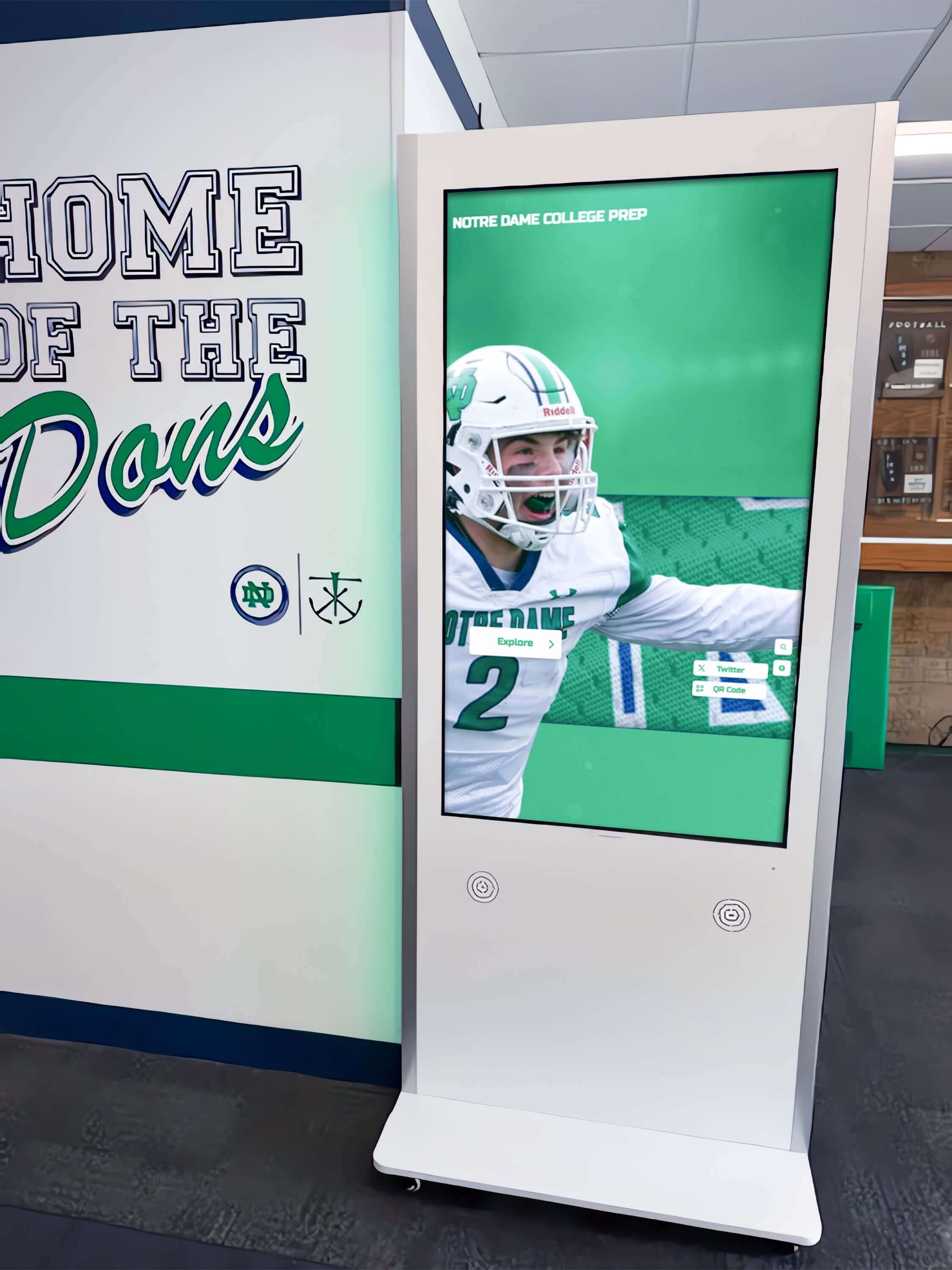
Kiosk-style displays can be scaled for home use, providing interactive photo browsing capabilities
According to touchscreen kiosk pricing research, 15-inch touchscreen digital kiosks are available starting around $1,350, though simpler tablet-based kiosk configurations offer more economical alternatives for home settings.
Custom DIY Interactive Displays ($200-$500)
Technically-inclined families can build custom solutions:
Raspberry Pi Based Systems
Small computers like Raspberry Pi ($35-$75) connect to any HDMI display, running custom photo slideshow software. Add touchscreen capability through supported touchscreen displays ($100-$300). Total hardware costs range $200-$400, with additional time investment for configuration.
Old Tablet Repurposing
Family members’ obsolete tablets find new purpose as dedicated memory displays. Free kiosk apps lock tablets into single-app mode, preventing confusing navigation. Secure mounting and charging solve physical installation, creating permanent display stations.
Benefits and Challenges
DIY approaches minimize costs while enabling complete customization. Technical family members gain flexibility creating precisely tailored solutions. However, these approaches require troubleshooting skills and ongoing technical support, potentially creating caregiver burden if problems arise.
Comparing Costs: What $100, $300, and $500 Can Buy
Budget-appropriate options exist across price ranges:
$100 Budget Solutions
Best Options
- Basic 8-10 inch digital photo frame with remote control ($50-$80)
- Used Amazon Fire HD 10 tablet with photo frame app ($80-$100)
- Budget Wi-Fi photo frame from established brands ($100-$120)
What You Get Simple automated photo displays with manual content updates. Adequate screen size and resolution for clear viewing. Basic remote operation capabilities. Slideshow timing control.
Limitations Manual photo updates requiring physical access. No remote management from distance. Limited customization options. May lack advanced features like audio captions.
$300 Budget Solutions
Best Options
- Premium Wi-Fi digital photo frame with app control ($150-$200)
- New iPad or Android tablet with charging stand ($250-$350)
- Specialized dementia-focused digital display like MyHomeHelper ($300-$400)
What You Get Remote photo management via smartphone apps. Multiple family members sharing upload access. Larger screen options (10-15 inches). Additional features like reminders or messages. Professional mounting options.
Enhanced Capabilities Cloud-based photo libraries maintaining backup copies. Scheduled content rotation maintaining variety. Optional audio captions or music. Motion sensor activation when people approach.
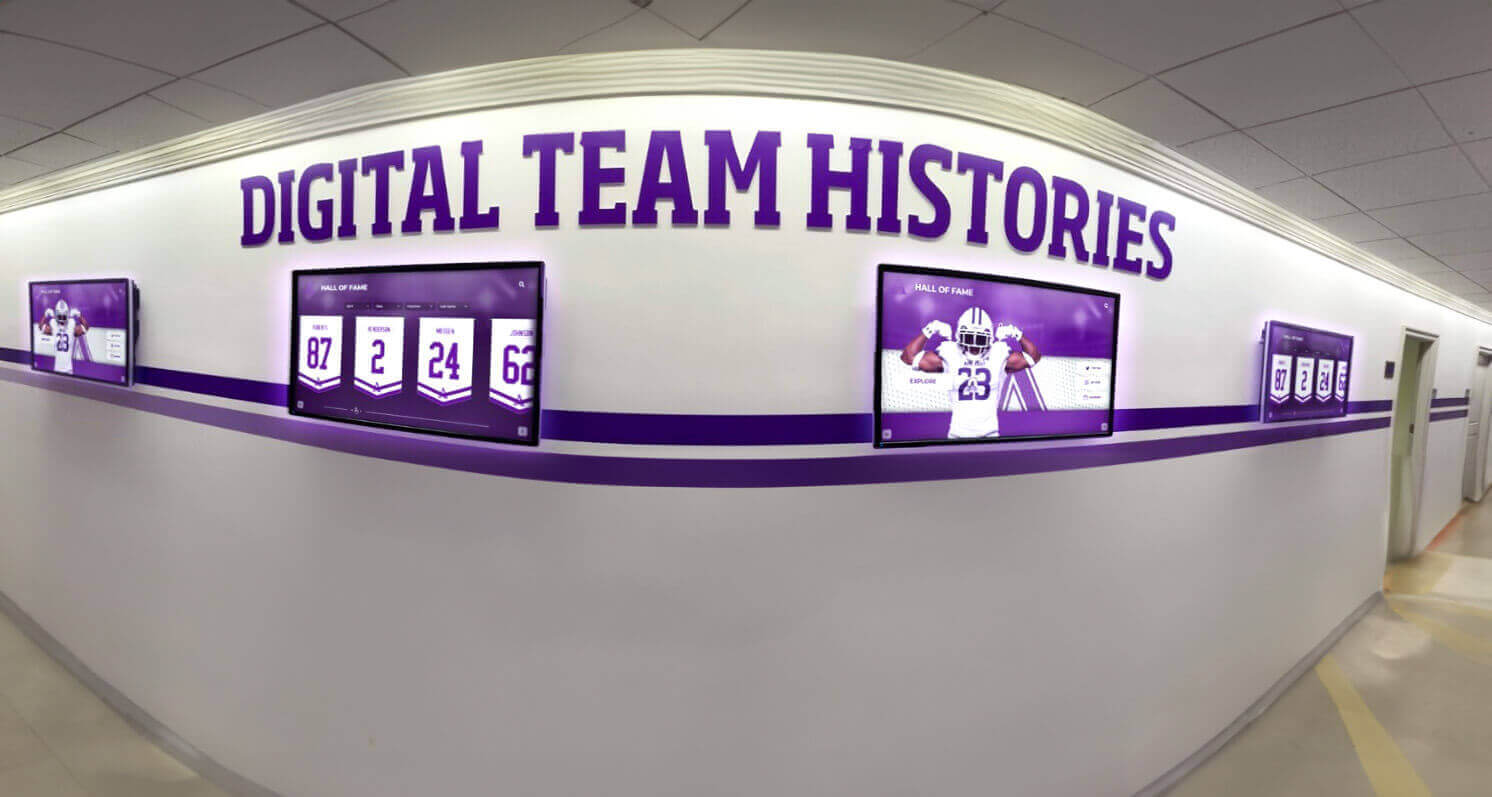
Multiple coordinated displays can show different photo collections in various rooms, though single displays prove sufficient for most home care situations
$500+ Budget Solutions
Best Options
- High-end specialized dementia care systems with comprehensive features ($400-$600)
- Professional-grade digital signage displays adapted for home use ($500-$800)
- Multiple coordinated displays throughout living space ($300-$600)
- Interactive touchscreen systems with custom content management ($500-$1,000)
What You Get Premium screen quality and size. Advanced remote management capabilities. Comprehensive family coordination tools. Integration with other care technologies. Professional installation and support services.
When Higher Investment Makes Sense Multiple family members sharing care responsibilities. Long-term home care plans justifying investment. Technical features addressing specific challenges. Desire for institutional-quality solutions in home settings.
Setting Up Memory Displays: Practical Implementation Guide
Successful implementation requires careful planning beyond simply purchasing equipment.
Content Selection and Preparation
Photo selection dramatically affects engagement and comfort:
Choosing Effective Photos
Research on dementia-friendly visual aids emphasizes using clear images of faces without busy backgrounds. According to guidance from AgingCare.com, consider the individual’s recognition capabilities—if they no longer recognize certain people, removing those photos may reduce confusion, though some caregivers report that even unrecognized faces provide comfort if they appear happy and friendly.
Effective Photo Characteristics
- Close-up faces with clear features and expressions
- Photos from time periods the person best remembers
- Familiar locations that provide comfortable context
- Positive situations avoiding stressful or confusing contexts
- Consistent photo orientation (all vertical or all horizontal)
- High contrast and clear focus supporting visual processing
Photos to Avoid
- Unfamiliar people who may cause confusion
- Complex busy scenes with multiple focal points
- Photos requiring context understanding (modern technology, unfamiliar locations)
- Images that may trigger distressing memories
- Photos where the person with dementia appears significantly different than they remember themselves
Physical Placement Considerations
Display location affects utility and engagement:
Optimal Placement Locations
Common area positions ensure regular viewing during daily routines. Living room placements enable viewing from favorite chairs. Bedroom locations provide comfort and connection during rest periods. Dining areas offer conversation starters during meals. Avoid placing displays opposite windows where glare reduces visibility.
Height and Viewing Angle
Position displays at comfortable sitting eye level when person occupies preferred seating positions. Tilt capability adjusts viewing angles accommodating various seating arrangements. Wheelchair users require lower mounting heights ensuring comfortable viewing. Test visibility from actual usage positions before permanent installation.
Power and Connectivity Access
Ensure reliable power access avoiding visible extension cords creating trip hazards. For Wi-Fi displays, verify strong network signal at intended location. Consider backup power options for critical memory displays during outages.
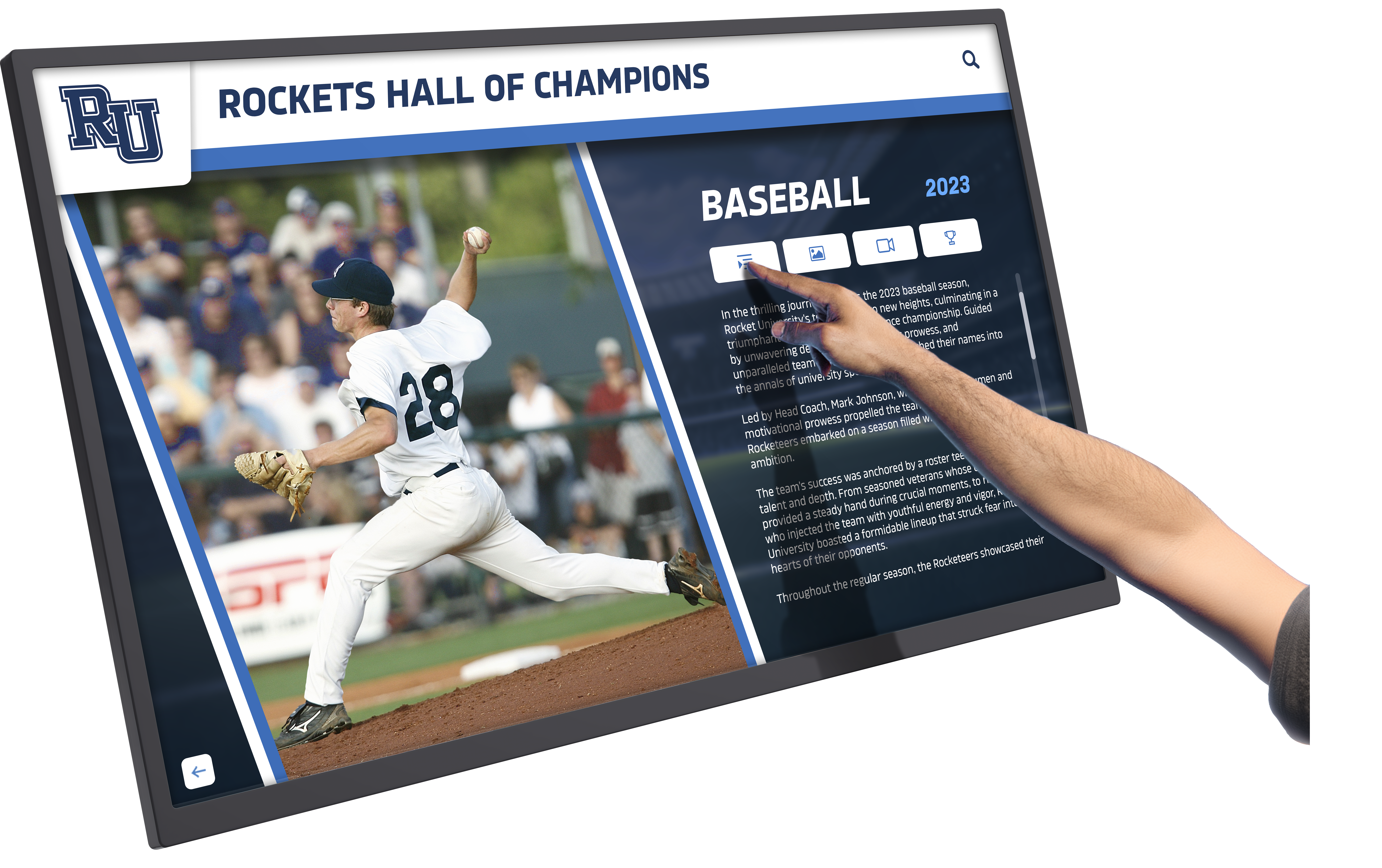
Simple touch interfaces allow optional exploration while maintaining automatic operation when not actively used
Technical Setup and Configuration
Reduce ongoing troubleshooting through proper initial configuration:
Display Settings Optimization
Brightness levels should provide clear visibility without causing eye strain. Automatic brightness adjustment helps, though manual settings provide consistency. Slideshow timing typically works best at 10-30 seconds per photo, allowing recognition without feeling rushed. Transition effects should remain simple—fades prove less jarring than dramatic transitions.
Network and Connectivity
For Wi-Fi displays, use guest network access if available, isolating devices from critical home network. Static IP assignment prevents connectivity issues from address changes. Document network names and passwords for troubleshooting access.
Caregiver Access and Controls
Multiple family members should install management apps and understand update procedures. Document photo submission procedures ensuring consistent size and format. Establish content review processes preventing accidental inclusion of inappropriate images. Schedule regular content refresh maintaining variety without overwhelming with constant changes.
Managing Multiple Care Recipients
Families caring for two or more family members with dementia face unique considerations:
Individual vs. Shared Displays
Shared Display Approach
Single display showing combined photo collection serves both recipients, reducing equipment and management needs. Works well when recipients occupy same living space and share common family connections. Total investment around $150-$300 for quality shared display.
Individual Display Approach
Separate displays enable personalized content matching each person’s specific recognition capabilities and memory periods. Allows different slideshow timing and settings suiting individual preferences. Useful when recipients occupy different spaces or have significantly different cognitive capabilities. Total investment $200-$600 for two separate systems.
Content Management Strategies
Organizing Photo Libraries
Create master photo library with all family images organized by person, time period, and event type. Develop separate collections for each recipient drawing from master library but tailored to their recognition capabilities. Use folder organization enabling quick updates as needs change. Consider using photo management software with tagging capabilities enabling filtering by relevant attributes.
Coordinating Updates Across Displays
For families with multiple displays, establish consistent update schedules maintaining manageable workload. Consider assigning different family members responsibility for each recipient’s display, distributing effort. Use display platforms supporting multi-device management from single interface when possible.
Integration with Broader Care Technology
Memory displays function most effectively when coordinated with complementary care technologies:
Communication and Monitoring Systems
Video Calling Integration
Some advanced tablets and displays include video calling capability, enabling remote family connection. Systems like Claris Companion combine memory photo display with simplified video calling accessible to individuals with limited technical capability. Consider whether single device serving multiple functions or dedicated simple displays better fits your situation.
Remote Monitoring Coordination
Families using remote monitoring systems (cameras, sensors, etc.) can coordinate display placement ensuring visibility while maintaining privacy and dignity. Motion sensors can trigger display activation when care recipients enter rooms, conserving power while ensuring availability during waking hours.
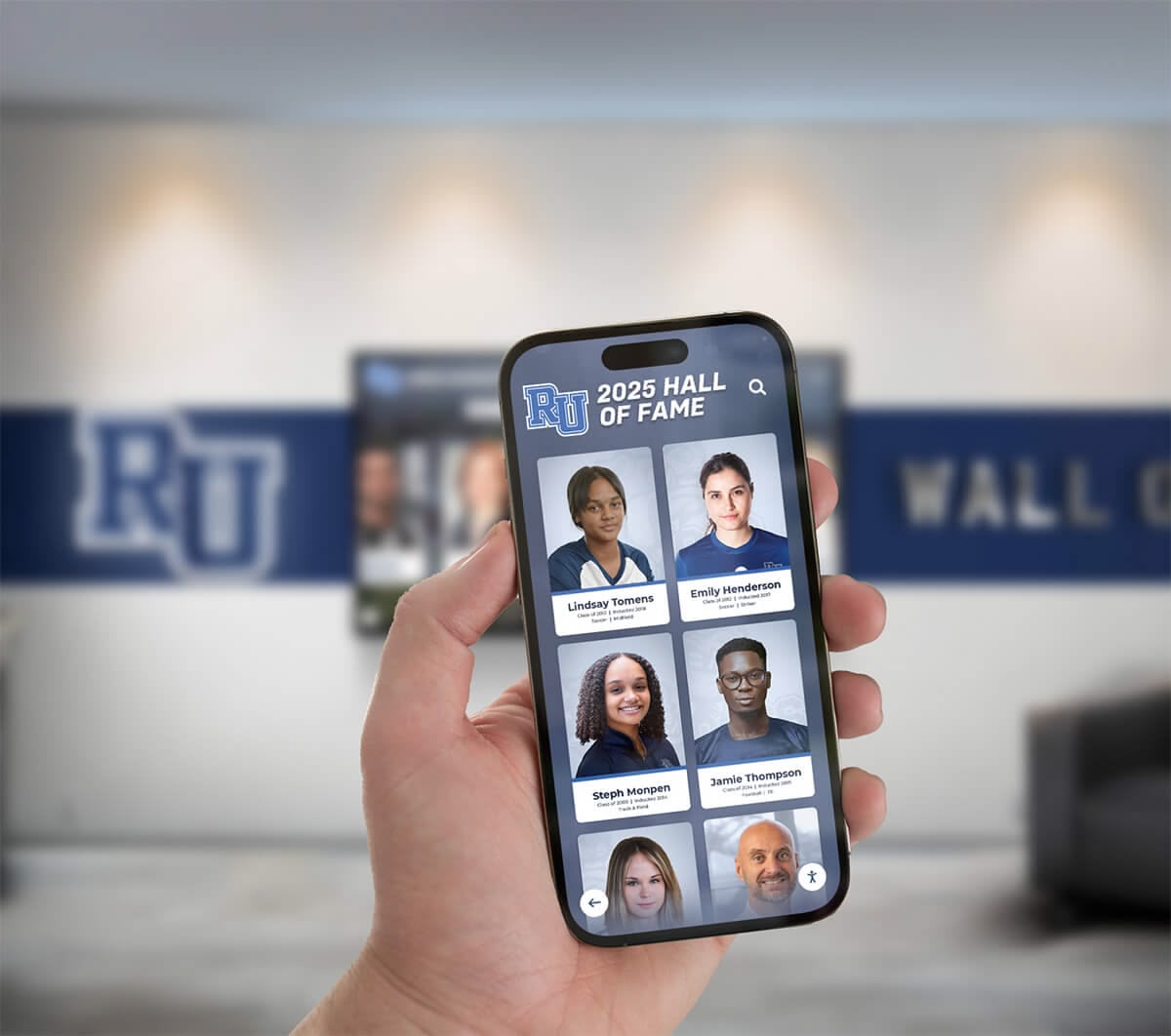
Mobile management apps allow family members to update memory displays remotely without visiting care locations
Medication and Reminder Systems
Some specialized dementia displays like Memoryboard combine photo display with medication reminders and daily schedule information. Consider whether integrated systems or dedicated displays better suit your care approach—combined systems reduce device proliferation but may create overwhelming complexity.
Addressing Common Implementation Challenges
Understanding frequent obstacles helps families avoid predictable problems:
Challenge: Technology Overwhelm
Problem
Care recipients feel overwhelmed by unfamiliar technology, responding with anxiety or avoidance rather than engagement.
Solutions
Start with displays in automatic slideshow mode requiring zero interaction. Introduce during calm, comfortable periods rather than stressful times. Allow gradual familiarization without pressure to interact. Consider motion-activated displays that appear only when people enter rooms, avoiding constant visual presence. If anxiety continues, reduce display size or relocate to less prominent position.
Challenge: Content Recognition Issues
Problem
Individual no longer recognizes people in photos, leading to confusion or distress.
Solutions
Adjust photo selection to time periods with better recognition (often earlier life periods). Include photos of the person themselves, which may be recognized even when others are not. Consider whether completely unrecognized happy faces cause actual distress versus simple non-recognition—some caregivers report that pleasant images provide comfort even without specific recognition. Trial different content sets, observing reactions and adjusting accordingly.
Challenge: Technical Problems and Maintenance
Problem
Displays malfunction, lose Wi-Fi connection, or experience other technical issues requiring troubleshooting expertise family members may lack.
Solutions
Select displays with strong reliability reputations and quality support. Document setup configurations enabling restoration after problems. Establish relationships with local technical support services for complex troubleshooting. Consider extended warranties covering hardware failure. For critical displays, maintain backup devices enabling quick substitution during repairs.
Challenge: Sustainable Content Management
Problem
Initial enthusiasm for updating photos fades, leading to stale content that stops providing engagement value.
Solutions
Create large initial photo libraries supporting months of rotation without updates. Establish realistic update schedules matching family capacity (monthly or quarterly rather than weekly). Distribute update responsibilities across multiple family members preventing single-person burden. Use automated content rotation within existing libraries maintaining variety. Accept that even unchanged content provides value if photos remain meaningful and recognized.
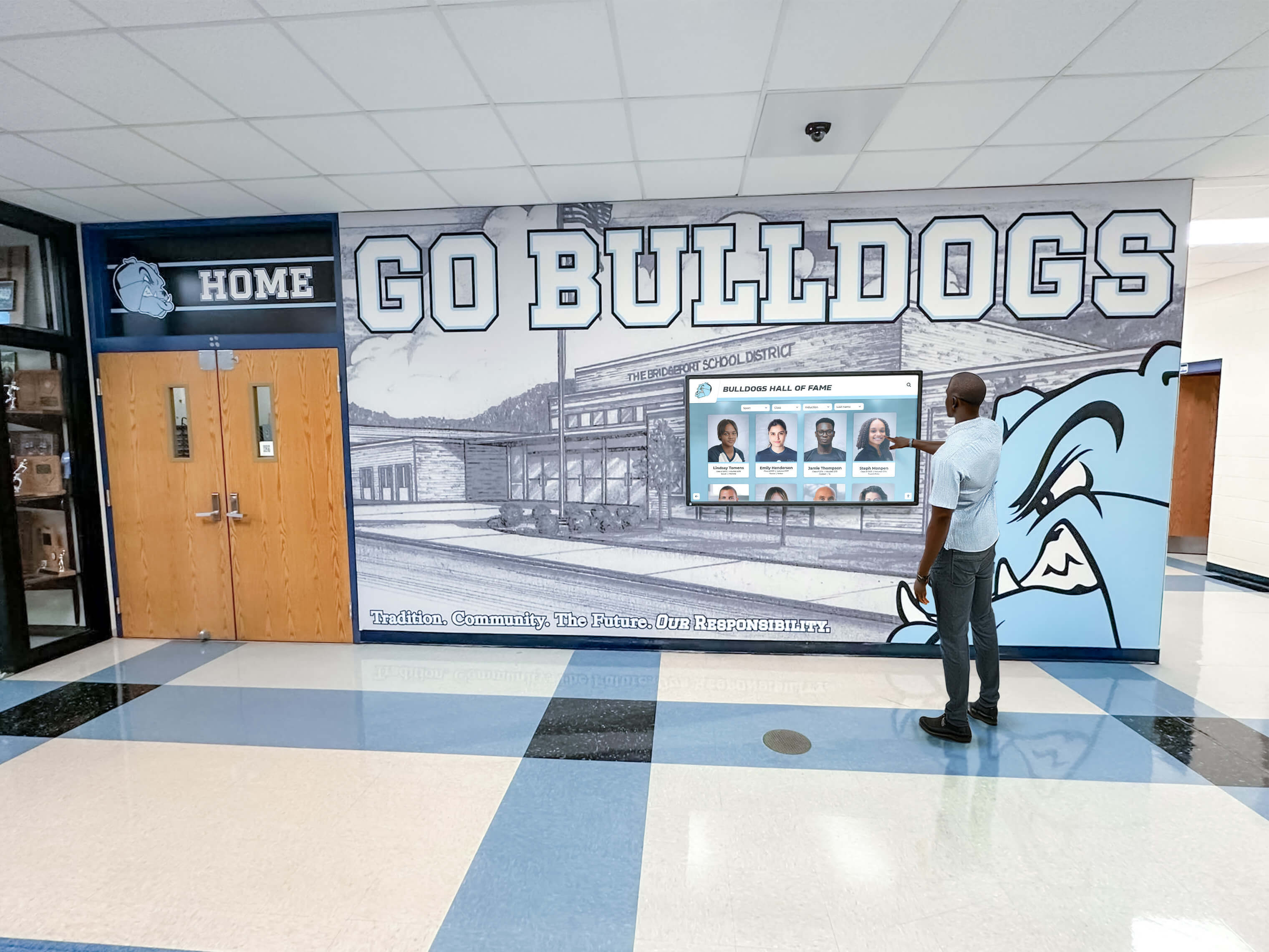
Clear, simple displays work in various environments from home care settings to institutional facilities
When to Consider Professional Installation and Support
Most consumer-grade memory displays enable family self-installation, but some situations benefit from professional assistance:
Situations Warranting Professional Help
Complex Technical Environments
Homes with complicated network configurations, multiple connected devices, or integration with home automation systems may require professional network setup ensuring reliable connectivity. Professional installation prevents configuration problems that cause ongoing frustration.
Physical Installation Challenges
Wall-mounting displays on specific wall types (brick, tile, plaster) may require specialized tools and expertise preventing damage. Professional mounting ensures secure installation, particularly important in homes with individuals who may attempt to remove or adjust displays unsafely.
Long-Distance Family Situations
Families managing care from significant distances may find professional setup and ongoing support worthwhile investment, ensuring local technical assistance when problems arise without requiring travel or attempting remote troubleshooting.
Multiple Display Coordination
Implementing coordinated multiple-display systems throughout homes or facilities benefits from professional planning ensuring appropriate equipment selection, placement optimization, and unified management systems.
Finding Appropriate Support Services
Local computer repair services often provide home technology installation and support at reasonable hourly rates ($75-$150/hour for 1-2 hour setups). Some senior care technology companies specialize in home implementations for dementia care. Home health agencies increasingly offer or coordinate technology support as care component.
Scaling Solutions: From Home Care to Facility Implementation
While this guide focuses on home family care, understanding institutional approaches helps families planning future transitions:
Memory Care Facility Displays
Professional care facilities increasingly implement digital displays for memory support. Comprehensive platforms like Rocket Alumni Solutions, while designed primarily for schools and organizations, adapt to senior living and memory care applications. These systems provide cloud-based management enabling staff to update resident photo displays, family information, and activity schedules without requiring technical expertise.
According to senior living touchscreen awards research, facilities implementing touchscreen recognition systems report improved resident engagement, family satisfaction during tours, and staff efficiency managing recognition programs. Features supporting dementia care include simplified interfaces requiring minimal interaction, automated content rotation, and accessibility features accommodating vision and mobility limitations.
Continuity Planning for Care Transitions
Families facing eventual transition from home care to facility care should consider solutions enabling continuity. Photo libraries and content developed for home displays can transfer to facility systems, maintaining familiar visual content during difficult transitions. Document photo collections, content organization, and successful strategies, enabling sharing with facility staff who can implement similar approaches.
Explore Digital Display Solutions for Memory Care
While Rocket Alumni Solutions primarily serves schools and organizations with digital recognition displays, the underlying technology adapts to various memory display applications. Learn about cloud-based content management, intuitive interfaces, and scalable display solutions that simplify photo sharing and memory preservation.
Explore Display SolutionsDecision Framework: Choosing Your Memory Display Solution
Synthesizing options into practical decision-making:
Assessment Questions
Budget and Value Priorities
What total investment feels comfortable for your situation? Consider both initial hardware costs and any ongoing subscription fees. Do you prefer single economical purchase or are you willing to invest more initially for enhanced features and convenience? Remember that even basic $50-$100 solutions provide meaningful value when properly implemented.
Technical Comfort and Support Availability
Rate your family’s technical comfort level honestly. Do you have technically-capable family members available for troubleshooting, or would simpler plug-and-play solutions prove more sustainable? Consider that sophisticated systems requiring ongoing technical support may ultimately provide less value than simple reliable solutions requiring minimal intervention.
Care Situation and Timeframe
Is this for immediate short-term needs or longer-term care planning? Short-term situations may warrant simpler economical options, while multi-year care benefits from more robust investments. How many care recipients will use displays? Multiple recipients may justify higher per-person investment in quality equipment with better management tools.
Content Management Capacity
Who will manage photo content, and how much time can they realistically invest? Be honest about sustainable effort levels—ambitious plans for frequent updates often prove unsustainable. Systems enabling content management by multiple distributed family members may prove more sustainable than single-person responsibility.
Recommended Starting Approaches
For Tight Budgets Under $150
Start with quality Wi-Fi digital photo frame ($100-$150) providing remote management without requiring expensive specialized systems. Brands like Pix-Star or Frameo-enabled frames offer excellent value with family-friendly apps. This provides meaningful functionality while minimizing financial risk if approach proves unsuccessful.
For Moderate Budgets $200-$400
Consider specialized dementia-focused tablets like MyHomeHelper or Claris Companion ($300-$400) providing purpose-built solutions designed specifically for your use case. Alternatively, good consumer tablets ($150-$300) plus quality stands and apps provide flexible solutions adaptable to changing needs.
For Families Managing Multiple Recipients
Invest in individual displays for each person ($150-$300 each) enabling personalized content matching specific cognitive capabilities. Select systems using common management platforms, simplifying coordination across multiple displays. Total investment $300-$600 provides appropriate solutions for two family members.
For Tech-Savvy Families Wanting Maximum Control
Build custom DIY solutions using tablets or Raspberry Pi systems ($200-$500), enabling complete customization and control. Accept time investment for configuration and maintenance, leveraging technical capabilities for precisely tailored solutions.
Implementation Timeline and Expectations
Setting realistic expectations prevents discouragement:
Week 1: Research and Purchase
Research options using this guide and linked resources. Read product reviews and manufacturer specifications. Purchase selected display solution, allowing shipping time. Gather family photos for content library, organizing by time period and scanning physical photos as needed.
Week 2: Setup and Initial Configuration
Unpack and test equipment in controlled setting before installation. Configure basic settings including network connectivity, slideshow timing, and display preferences. Load initial photo collection (start with 50-100 photos rather than thousands). Position display in intended location, testing visibility from actual usage positions.
Week 3-4: Introduction and Adjustment
Introduce display during calm, comfortable periods. Observe reactions without pushing engagement. Adjust photo selection based on recognition and response patterns. Fine-tune slideshow timing and brightness based on actual usage. Allow time for familiarization before judging success.
Ongoing: Maintenance and Evolution
Add photos monthly or quarterly based on capacity. Remove photos that cause confusion or distress. Adjust settings as recognition capabilities change. Troubleshoot technical issues as they arise. Accept that usage patterns may fluctuate, with periods of high engagement alternating with less interest.
Resources and Further Learning
Continuing education supports successful implementation:
Reputable Information Sources
Dementia Care and Technology Guidance
- Alzheimer’s Society provides evidence-based guidance on technology supporting dementia care
- AbilityNet’s Dementia and Computing guide offers practical technology accessibility advice
- A Place for Mom senior care resources includes technology guides for family caregivers
Digital Display Product Research
- Pix-Star elderly-friendly frame guide
- Best dementia-friendly tablets comparison
- Interactive touchscreen display solutions for various applications
Community Support
Online caregiver forums provide peer experience and recommendations. Local Alzheimer’s Association chapters often offer technology guidance. Senior center programs sometimes include family caregiver technology workshops. Home health agencies increasingly provide technology integration support.
Conclusion: Affordable Memory Solutions Supporting Family Care
Creating meaningful memory displays for family members with dementia requires neither expensive institutional systems nor sophisticated technical expertise. Practical, economical solutions ranging from basic digital photo frames under $100 to specialized dementia-focused tablets around $300-$400 provide effective memory support for most home care situations.
The most successful implementations focus on simplicity over sophistication—automatic operation requiring minimal interaction, clear presentation of meaningful familiar photos, and sustainable content management matching realistic family capacity. Research consistently demonstrates that even simple digital photo displays provide measurable benefits including improved engagement, reduced anxiety, conversation facilitation, and comfort through connection with loved ones.
For families managing two family members with dementia, appropriate solutions exist across budget ranges. Shared displays serving both recipients work well when individuals occupy common spaces and share family connections, with quality options available for $150-$300. Individual personalized displays enable content matching specific cognitive capabilities for $200-$600 total investment covering both recipients.
Technology selection matters less than thoughtful implementation. A basic $80 digital frame loaded with well-chosen photos and positioned appropriately provides more value than sophisticated $500 systems poorly implemented or left with stale content. Start with simple economical options, learning what works for your specific situation before investing in advanced features that may prove unnecessary.
The caregiver effort required for sustainable memory display programs proves modest—initial photo library development taking several hours, with ongoing updates requiring 30 minutes monthly or quarterly. Focus on creating adequate initial content supporting long-term rotation rather than committing to frequent updates that become burdensome and unsustainable.
Remember that memory displays complement rather than replace human connection and care. They provide comfort during times between family visits, conversation starters during interactions, and connection with familiar faces throughout daily life. Their value lies not in technological sophistication but in simple reliable presentation of meaningful memories that preserve connection and dignity.
Ready to begin? Start with assessment of your specific situation—budget reality, technical comfort, care timeline, and content management capacity. Select appropriate display technology from options outlined in this guide. Develop initial photo library focusing on clearly recognizable faces from meaningful time periods. Install displays in comfortable visible locations. Allow time for familiarization while observing responses and adjusting accordingly.
Your loved ones’ comfort, connection, and quality of life deserve support through thoughtful technology that works within your practical constraints. With appropriate selection and realistic implementation, affordable memory displays provide meaningful support for families managing the challenges of dementia care at home.
For families exploring how institutional-grade display technology might adapt to home memory care applications, learn more about cloud-based content management systems designed for simple operation without requiring technical expertise.
Sources
- Pix-Star: Elderly-Friendly Digital Picture Frames
- Alzheimer’s Society: Digital Photo Frame
- Snapshot Memory Box: Dementia Support with Photo and Audio
- MyHomeHelper: Dementia Memory Aid Tablet
- Memoryboard: Simple Display for Dementia and Memory Loss
- Claris Companion: User-Friendly Tablets for Seniors
- AbilityNet: Dementia and Computing
- A Place for Mom: Best Tablets for Seniors
- Utah Hospice: Best Dementia-Friendly Tablets
- Touch Screen Kiosk Review: Complete Price Guide 2024-2025
- Say it with Symbols: Visual Memory Aids for Dementia Care
- AgingCare: Digital Picture Frames for Dementia































