



A JROTC unit crest is more than a decorative emblem—it’s the visual identity of an entire cadet program, communicating the unit’s history, branch affiliation, school values, and the standards every cadet entering the program is expected to uphold. When designed well, a unit crest carries the same institutional weight as a school seal or athletic logo: it becomes a symbol that alumni recognize immediately, current cadets wear with pride, and community members associate with a program that takes itself seriously.
Yet many JROTC programs operate with generic insignia that came with the program charter and have never been updated, or with crests designed without a clear strategy that struggle to translate from embroidered patches to wall displays. Both situations leave real recognition value on the table.
This guide covers JROTC unit crest design ideas from the foundational elements that make insignia work—shield shapes, heraldic symbols, branch colors, motto design—through custom concepts tailored to specific school identities, and finally to the display strategies that give unit crests the permanent, visible home they deserve on school recognition walls and digital trophy cases.
JROTC units have recognized the power of distinctive visual identity since the program’s founding. Every branch—Army, Navy, Marine Corps, Air Force, and Coast Guard—maintains heraldic traditions that give unit crests their vocabulary of shapes, colors, and symbols. Understanding that vocabulary is the first step in designing insignia that looks authoritative and intentional rather than generic.

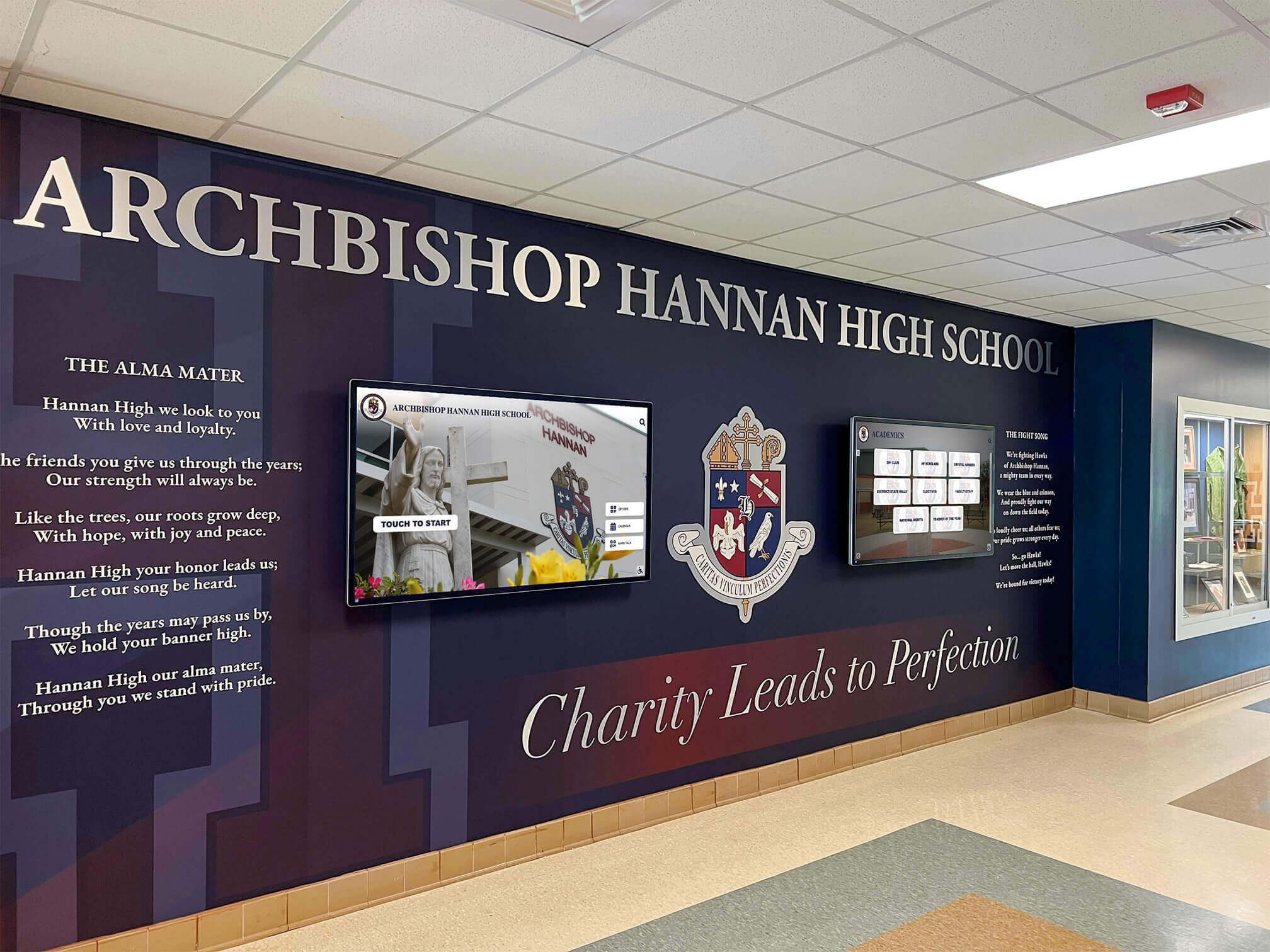
School lobbies that integrate crests and unit insignia with digital recognition screens create comprehensive identity environments — this is exactly the display ecosystem JROTC unit crests deserve
What Is a JROTC Unit Crest?
Before designing or redesigning unit insignia, it helps to understand the distinction between official and custom elements within the JROTC heraldic framework.
Official Unit Designators vs. Custom Crests
Each JROTC unit is assigned an official unit designation by the sponsoring branch. Army JROTC units carry alphanumeric designations tied to cadet command structure. Navy JROTC units operate under Naval Science programs with corresponding official insignia. These official elements are standardized and cannot be freely modified.
Custom unit crests exist in addition to official designators. They’re unique to a specific school’s program and often incorporate:
- The school’s mascot, colors, or founding year
- Geographic references to the school’s region or community
- Historical references to the unit’s competitive achievements or program milestones
- Motto language developed by the unit or adopted from branch traditions
- Branch-specific symbols combined with school-specific imagery
Custom crests appear on unit guidons, display walls, challenge coins, patches, plaques, and—increasingly—on digital recognition displays. They serve as the primary visual identifier for the program within the school and community, as distinct from the official branch-assigned designators.
For programs exploring the full range of JROTC visual identity design, resources on JROTC logo design ideas provide a broader framework for the logos, wordmarks, and identity systems that unit crests fit within.
Why Unit Crest Design Matters for School Recognition
A unit crest on a display wall carries different weight than generic program signage. Specific design choices communicate specific values:
- A crest with a traditional heraldic shield signals permanence — this program has history and intends to continue it
- A motto in Latin or military idiom signals seriousness — the program connects itself to traditions larger than any single school year
- Color choices that echo the school palette signal integration — the JROTC program is part of this school’s identity, not an add-on
- Clean, legible design signals professionalism — the program holds itself to standards visible in everything it does
The design decisions made at the insignia level ripple through every physical and digital display the program maintains.
Visual Design Library: Core Crest Elements
This section catalogs the primary design elements used in JROTC unit crest design, organized as a practical reference for programs developing custom insignia.
Shield Shapes
The shield is the foundational element of most heraldic crests. Different shield shapes carry different associations and work differently at various display sizes.
Traditional heater shield The classic pointed-bottom shield associated with medieval heraldry. Recognizable, authoritative, and scalable—works well from small patch sizes to large wall installations. Most official military unit crests use this or similar shapes.
French shield (targe) A rectangular shield with a curved notch cut into one corner (originally for the lance). More modern-feeling than the heater but still rooted in heraldic tradition. Works well for programs wanting a less conventional look while maintaining institutional gravity.
Oval or lozenge shapes More decorative and less martial than traditional shields. Better suited for academic achievement elements within a crest than as the primary shape for a JROTC unit insignia that needs to project military bearing.
Custom geometric shapes Some units incorporate school-specific shapes—the silhouette of a mascot, a state outline, or a geometric form that echoes school architecture. These work when the custom shape is immediately recognizable to the school community. They require extra design care to remain legible at small display sizes.
Heraldic Divisions
The interior of a shield can be divided in ways that carry heraldic meaning and create visual interest.
Per pale (vertical division): Creates a two-color field that works well for programs combining school colors with branch colors.
Per fess (horizontal division): Upper and lower halves with different elements—often used to separate sky/aerial elements from ground elements, or unit history from current program identity.
Quarterly (four quadrants): Allows incorporation of four distinct elements—branch symbol, school mascot, motto device, and founding date element, for example. Requires careful design to avoid visual crowding.
Per chevron (diagonal division): Creates a dynamic, forward-leaning composition that suits programs emphasizing action and progression.
Charged field (single-color background with central device): Simpler and often more legible at small sizes. A single strong symbol against a solid field reads clearly at every scale from cadet patch to display wall installation.
Military Symbols by Branch
Each branch offers distinctive symbols that signal program affiliation.
Army JROTC elements
- Castle towers (Corps of Engineers heritage)
- Crossed rifles (infantry tradition)
- Fleur-de-lis (historically associated with Army heraldry)
- Stars representing rank or achievement
- Olive drab and gold color palette
- Eagles in profile or displayed (wings spread)
Navy JROTC elements
- Anchors (naval tradition)
- Fouled anchors (anchor with chain, classic naval officer symbol)
- Tridents (often associated with naval special operations traditions)
- Ship’s wheel or helm imagery
- Navy blue and gold color palette
- Rope and rigging elements
Air Force JROTC elements
- Wings (stylized or realistic)
- Stars and contrails representing flight
- Propeller or jet engine imagery
- Ultramarine blue and silver/white palette
- Lightning bolt elements
- Globe or compass rose for global reach
Marine Corps JROTC elements
- Eagle, Globe, and Anchor (the USMC emblem)
- Crossed swords
- Scarlet and gold palette
- Bulldog imagery (traditionally associated with Marine toughness)
- Anchor with globe references
Coast Guard JROTC elements
- Racing stripe (distinctive diagonal Coast Guard mark)
- Crossed anchors with shield
- Blue, red, and white palette
- Lighthouse imagery
- Rescue buoy or life ring elements
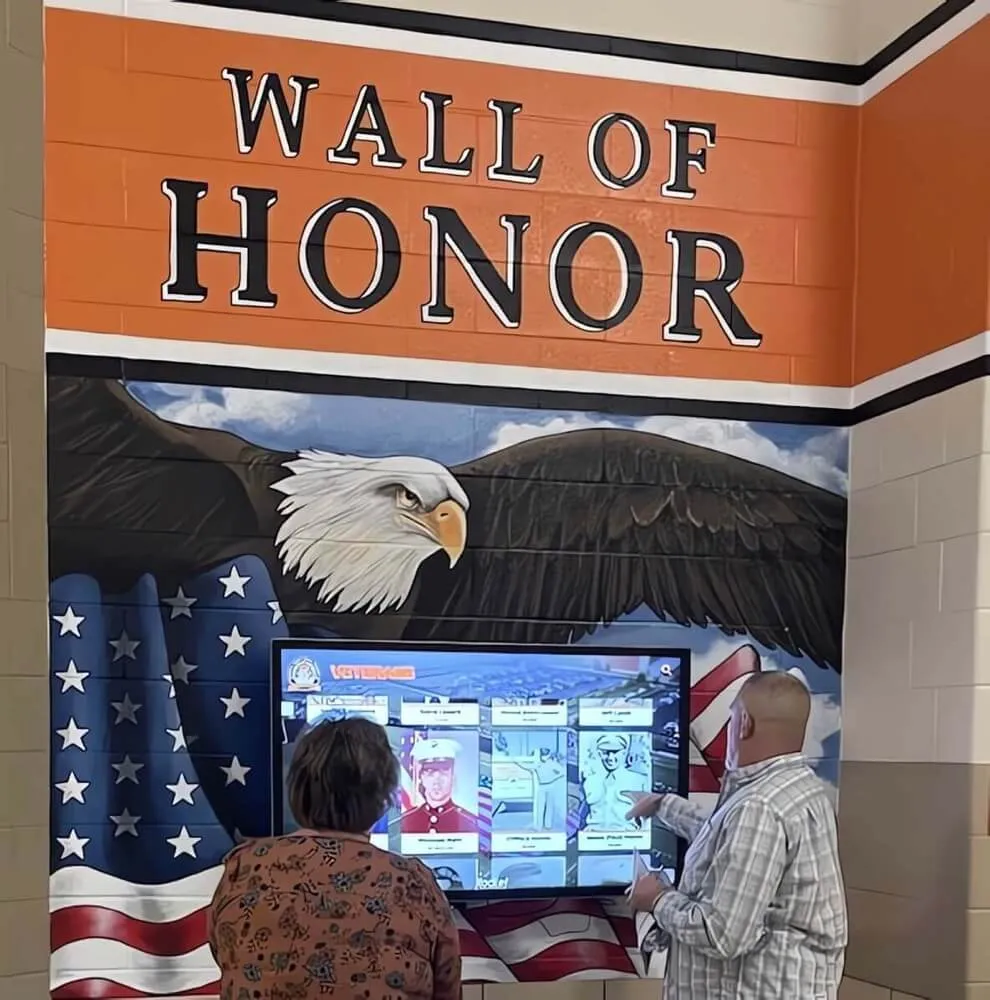
Eagle and flag imagery — core elements of military heraldry — translate powerfully to school recognition walls, creating displays that honor JROTC programs with appropriate institutional weight
Motto Scrolls and Typography
The motto is the verbal heart of a unit crest. It should be short enough to read instantly and meaningful enough to function as a genuine program standard.
Scroll placement options
- Below the shield (most traditional): creates a stable base for the composition
- Above the shield: works when the motto is the program’s primary statement
- Wrapped around the shield: more ornate, better for larger display applications
- Integrated within the shield at the bottom: cleaner for small sizes
Language choices
- Latin: connects the unit to centuries of military tradition; phrases like Semper Fidelis, Per Ardua, Virtus, or Noblesse Oblige carry weight even for readers who don’t know the translation
- English: more accessible, more specific to the program’s own language about its values
- Branch slogans adapted to unit identity: using the branch’s established language as a starting point for unit-specific variations
Typography considerations Serif fonts in a compressed or display style maintain heraldic character. Sans-serif fonts work only when the overall crest design leans intentionally modern. Script or calligraphic fonts work for decorative scrolls but can become illegible at small sizes.
Color Palette Guidelines
Color choices do significant work in crest design. Programs have three overlapping sets of color associations to balance: branch colors, school colors, and heraldic meaning.
Heraldic color conventions Traditional heraldry uses a limited palette with specific meanings: gold (or) signals honor and achievement; silver (argent) signals purity and clarity of purpose; red (gules) signals courage; blue (azure) signals loyalty and truth; black (sable) signals constancy; green (vert) signals hope and loyalty in nature.
Most JROTC units work within this palette naturally—military branch colors align with these traditions because they draw from the same heraldic heritage.
Practical display considerations A crest destined for a school display wall needs sufficient contrast to read clearly at distance. High-contrast color pairs—navy on gold, black on silver, white on deep red—work better than similar-value combinations. Test designs at both patch scale and large-format scale before finalizing.
School color integration JROTC programs that incorporate school colors create visual continuity between the unit’s identity and the institution it represents. When school colors align with branch colors (gold schools with Army JROTC; blue schools with Navy or Air Force), the integration is natural. When colors conflict, a limited accent use of school colors against a primary branch palette usually resolves the tension better than forcing equal prominence.
Custom JROTC Unit Crest Design Concepts
Beyond the standard elements, programs can incorporate distinctive custom concepts that make their unit crest genuinely unique to their school community.
School Mascot Integration
Incorporating the school mascot into a unit crest creates immediate recognition within the school community. Design approaches that work:
Mascot as central device: The school’s lion, eagle, mustang, or panther occupies the center of the shield, with branch-affiliated elements in the corners or surrounding scroll. This approach makes school identity primary while maintaining military heraldic structure.
Mascot in heraldic pose: Traditional heraldry renders animals in specific stylized positions—rampant (rearing up), passant (walking), couchant (lying down). Placing a school mascot in a heraldic pose creates a design that feels authentically military rather than like a sports logo dropped into an official context.
Mascot and branch symbol combined: An eagle mascot combined with the branch eagle, an anchor beneath a panther, or a bulldog positioned alongside military gear creates unique compositions that merge two identity systems into one coherent image.
Geographic and Community References
Units with strong community identity can encode geographic references directly into the crest design.
- State outline or landmark silhouette in the field or as a charge
- Local geography (mountains, rivers, coastline) as a visual horizon line within the shield
- Community founding date or significant year in the motto scroll or as numerals in the crest
- Regional flora or fauna used as heraldic charges alongside military elements
These elements ensure the unit crest reads as belonging to a specific place rather than being a generic military insignia that could be applied to any school.
Competitive Achievement References
Programs with strong competitive track records can incorporate achievement imagery into crest design.
- Stars or service stripes in the field representing years of program operation or consecutive achievement
- Laurel wreaths encircling the shield (classical symbol of victory, used in military awards)
- Color bars (similar to military service ribbons) incorporated as a design element
- Competition-specific symbols for programs with histories in drill competition, marksmanship, or academics
Schools looking at how visual program identity connects to long-term recognition display strategy will find useful context in resources on designing high school recognition walls.
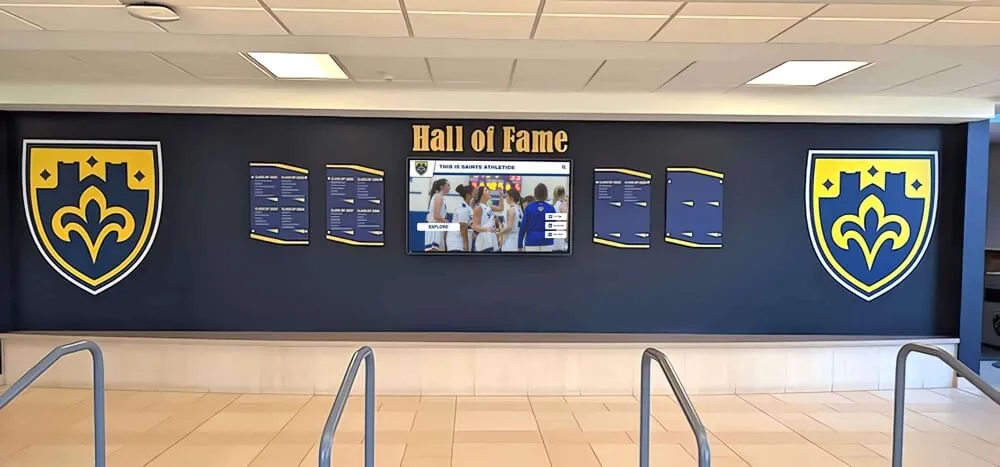
Shield-based display systems on school recognition walls demonstrate exactly how unit crest imagery translates from embroidered patch to permanent institutional installation — the visual grammar is the same at any scale
Class-Year and Legacy Elements
Long-running JROTC programs can create crest variations that acknowledge program history without redesigning the primary insignia.
Founding year integration: Including the program’s founding year in the primary crest (rather than just on a plaque) signals continuity and institutional maturity.
Legacy chevron or bar: A small element on the crest itself that changes or accumulates with program milestones—similar to how military units mark campaign service—gives the crest a living quality rather than a static one.
Annual guidon variations: Some programs maintain a primary unit crest while producing annual variations (guidons, class coins, or banners) that mark each graduating class within the program’s consistent visual identity.
Displaying JROTC Unit Crests on School Recognition Walls
A well-designed unit crest needs an equally well-designed display context. The insignia exists to be seen—by current cadets, by prospective cadets, by parents, and by community members who want to understand what this program represents.
Physical Display Approaches
Dimensional crest installations The most traditional approach: a fabricated three-dimensional reproduction of the unit crest mounted directly to a wall or display board. Cast resin, cut aluminum, engraved stone, and dimensional foam are all used for these installations. They create visual weight and permanence that flat-printed graphics cannot match.
Plaque-mounted crests The unit crest as the central element of a larger plaque that includes program information, founding date, sponsor instructor names, and the institution’s full name. Plaques work well in trophy cases and recognition corridors where context text adds meaning.
Banner and guidon displays Guidon-style fabric banners incorporating the unit crest create visual impact at large scale. These work especially well in school lobbies, gymnasiums, and JROTC program spaces, where ceiling height allows vertical display.
Combined crest and trophy case Many JROTC programs maintain physical trophy cases displaying competitive awards, drill competition trophies, and academic recognition alongside the unit crest. This creates a complete program identity display rather than just an insignia installation. Resources covering athletic trophy case design ideas apply directly to JROTC program display design.
Wall Display Strategies for Maximum Impact
Where a unit crest is displayed matters as much as how it’s designed.
School entrance and lobby placement The primary building entrance or lobby is the highest-visibility location for any recognition display. JROTC programs whose crests appear at building entry communicate that the program holds the same institutional standing as the school’s athletic programs and academic honors.
Dedicated JROTC program corridor Programs with sufficient wall space often designate a specific hallway or corridor section to the JROTC program—displaying the unit crest prominently alongside competitive achievements, cadet photos, and program history. This creates an identity environment rather than a single installation.
Administrative office adjacency Placement near or within the main office and administrative spaces ensures that the JROTC program’s visual identity is encountered during any official school visit. This context—alongside academic and organizational recognition—positions the program within the school’s full achievement ecosystem.
Integration with school hall of fame JROTC programs that integrate their unit crest and recognition into the school’s broader hall of fame display create a unified vision of what the school values and celebrates. For schools using modular display systems, programs like the community hall of fame approach offer frameworks applicable to JROTC program integration.
Give Your JROTC Unit Crest a Display That Lasts
Rocket Alumni Solutions' Digital Trophy Case platform lets JROTC programs display unit crests, cadet recognition, competitive history, and program archives in one comprehensive touchscreen installation — updated remotely without IT support, accessible by families via QR code, and unlimited in what it can recognize and celebrate.
Explore Digital Trophy Case SolutionsDigital Trophy Case Integration for JROTC Programs
Physical displays have real strengths—dimensional crests carry presence that screens cannot fully replicate. But they also have real limits: they can only display what fits in the space, updating them is slow and expensive, and alumni who aren’t on campus can’t access them.
Digital trophy cases solve these limits while extending what a unit crest display can do.
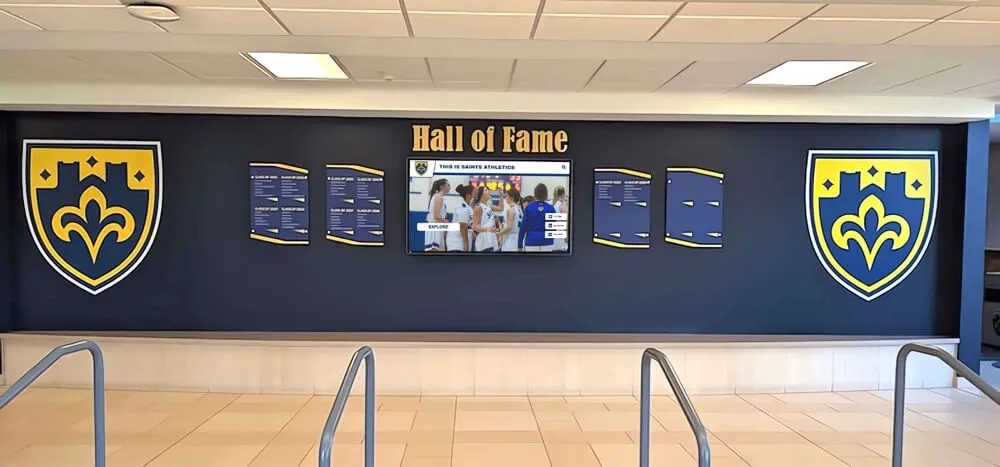
Display walls that combine physical shield and insignia elements with digital touchscreens create the best of both recognition worlds — permanent presence with unlimited expandability
What a Digital Trophy Case Adds to Unit Crest Display
The unit crest as a navigation anchor In a digital trophy case, the unit crest functions as the visual entry point to the program’s complete recognition record. Visitors encounter the crest on screen, then explore the cadet records, competitive achievements, and program history that the crest represents. The insignia becomes a door rather than just a symbol.
Complete cadet recognition records Where a physical display can show a trophy case and a few plaques, a digital system can maintain a complete historical record of every award-winning cadet, every competitive achievement, and every sponsor instructor who has served the program. The unit crest sits atop a searchable archive rather than a fixed display.
Year-over-year program history Digital systems preserve the full timeline of what the unit crest has represented: competitive rankings by year, cadet command structures across graduating classes, drill competition results going back decades. This transforms a static insignia into a gateway to genuine institutional memory. For programs exploring approaches to this kind of historical record-keeping, guidance on digitizing old yearbooks and archives for hall of fame displays provides applicable frameworks.
Remote access for families and alumni QR codes displayed alongside the physical installation allow families, alumni, and community members to access the full JROTC program recognition record from their phones. A cadet’s parents can share their child’s recognition with extended family. A program alumnus stationed overseas can look up their old unit’s recent competitive results. This extends the reach of recognition far beyond the hallway.
Scheduled and event-based content Digital systems can surface specific content at specific times—displaying current year cadet command when school is in session, rotating to historical highlights during alumni events, spotlighting recent competition results immediately after competitions. The unit crest remains constant while the surrounding content responds to the program’s calendar.
JROTC-Specific Display Content Beyond the Crest
A digital trophy case built around a JROTC program can house:
Cadet achievement profiles Individual profiles for cadets who have received awards, achieved officer rank, been selected for summer leadership programs, or distinguished the program through service. Over the life of the program, this archive becomes one of the most valuable recognition resources available.
Competitive achievement records Drill competition rankings, color guard competition results, marksmanship competition records, and academic bowl performance. Programs with long competitive histories gain enormously from systems that preserve these records permanently rather than relying on handoff between instructor generations.
Sponsor instructor recognition Senior Army Instructors, Naval Science Instructors, and Air Force Senior Aerospace Science Instructors who have served a program for years or decades deserve permanent recognition alongside the cadets they’ve developed. Digital systems can maintain full instructor histories without space constraints.
Program milestone documentation Accreditation milestones, unit of distinction awards, distinguished unit ribbons, and other program-level recognitions that represent institutional achievement beyond any individual cadet’s service.
For programs examining how this kind of comprehensive recognition system compares to traditional hall of fame approaches, resources on modernizing high school recognition provide direct comparisons that apply to JROTC program display decisions.
Physical/Digital Hybrid Display Strategies
The most effective JROTC display environments combine physical and digital elements in ways that leverage the strengths of each.
Dimensional crest + digital screen pairing Mount the physical three-dimensional unit crest at eye level on the wall, with a touchscreen display immediately adjacent. The physical crest provides visual weight and permanence; the digital screen provides depth, history, and interactivity. Visitors encounter both immediately.
Physical trophy case + digital context panel Existing trophy cases don’t need to be removed to incorporate digital recognition. Adding a digital display adjacent to an existing physical case—with the unit crest featured prominently—creates a hybrid installation that preserves the physical hardware while dramatically expanding what the display communicates.
Hallway corridor with digital anchor For programs with dedicated corridor space, installing a digital display as the anchor of the JROTC recognition corridor—surrounded by physical installations like guidon displays, plaques, and framed photos—creates an environment where every element supports the program’s full identity story.
Schools exploring how digital recognition systems compare to traditional physical installations across cost, capacity, and engagement can review resources on replacing traditional gym banners with digital alternatives.
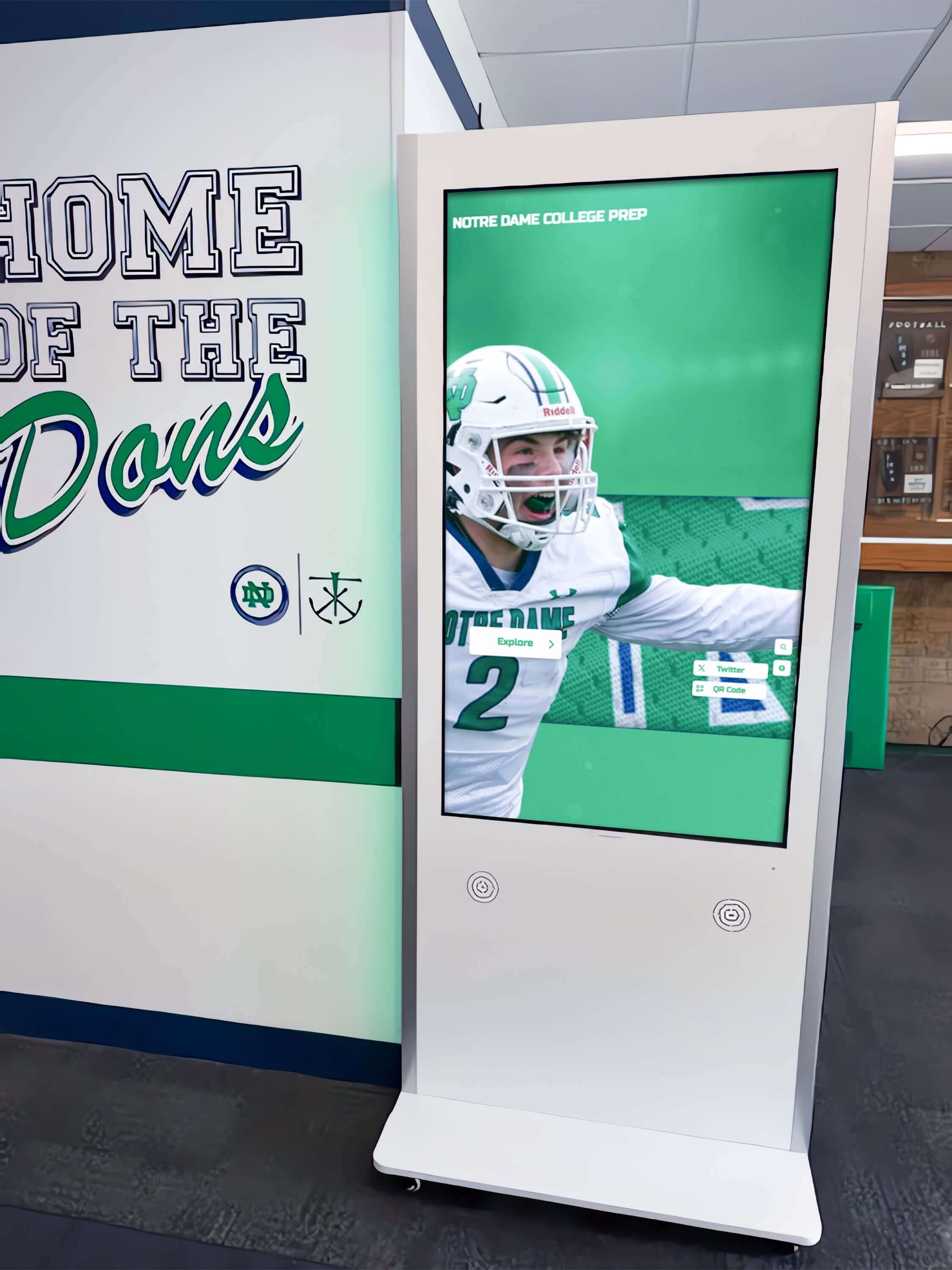
Interactive touchscreen kiosks in school hallways create recognition experiences that physical installations cannot replicate — JROTC programs can use the same systems that athletic programs rely on to showcase unit crests, cadet records, and competitive history
Creating a Comprehensive JROTC Recognition Display System
Programs building from scratch—or rebuilding display systems that have become outdated—benefit from a systematic approach that starts with design and ends with permanent recognition infrastructure.
Step 1: Audit the Current Display State
Before designing or redesigning, document what currently exists:
- Is the unit crest design current, professionally executed, and representative of the program?
- What physical display infrastructure exists (trophy cases, plaques, banner systems)?
- What’s missing from the current display? (Common gaps: historical cadet records, program milestones, instructor recognition, pre-digital era achievements)
- Where does current display placement work, and where is the program invisible in school spaces where it should be visible?
Step 2: Clarify Design Intent Before Commission
If a unit crest design or redesign is part of the project, clarify these questions before working with any designer:
- What branch elements are non-negotiable (official insignia requirements)?
- Which school identity elements should appear (mascot, colors, founding year)?
- What display contexts will the crest need to work in? (patch, plaque, wall installation, digital screen, printed materials)
- What is the program’s motto, and is the current motto language accurate to what the program actually values?
- Who needs to approve the final design (JROTC leadership, school administration, branch representative)?
Step 3: Design for Display Scale
The most common design mistake is creating a crest that looks excellent on a computer screen but fails at the actual display sizes that matter.
Test any crest design at:
- 1.5-inch patch scale (standard for uniform patches)
- 4-6 inch plaque scale
- 18-24 inch wall installation scale
- Screen display scale (1080p or 4K digital display)
A crest that doesn’t read clearly at all these scales needs revision. Simplicity and high contrast are the design qualities that preserve legibility across scale ranges.
Step 4: Plan the Display Infrastructure
A completed unit crest design needs a plan for where and how it will be displayed before it can do its recognition work.
Programs considering how to build a hall of fame or recognition display that serves the JROTC program alongside the school’s full range of achievement categories can find comparative guidance in hall of fame tools for schools.
Step 5: Connect Display to Program Culture
Display infrastructure that doesn’t connect to program culture becomes wallpaper. JROTC programs whose cadets actively engage with the recognition system—who understand what the crest represents, who can identify historical program achievements, who know that their own contributions will eventually be part of the permanent record—develop genuine investment in the program’s legacy.
This connection starts in how instructors talk about the crest and display system from day one of each cadet’s enrollment. Related service-oriented programs have found similar success in how visible recognition changes program culture and engagement—the pattern documented in recognizing air traffic controllers and service professionals mirrors what JROTC programs find when they take recognition infrastructure seriously.
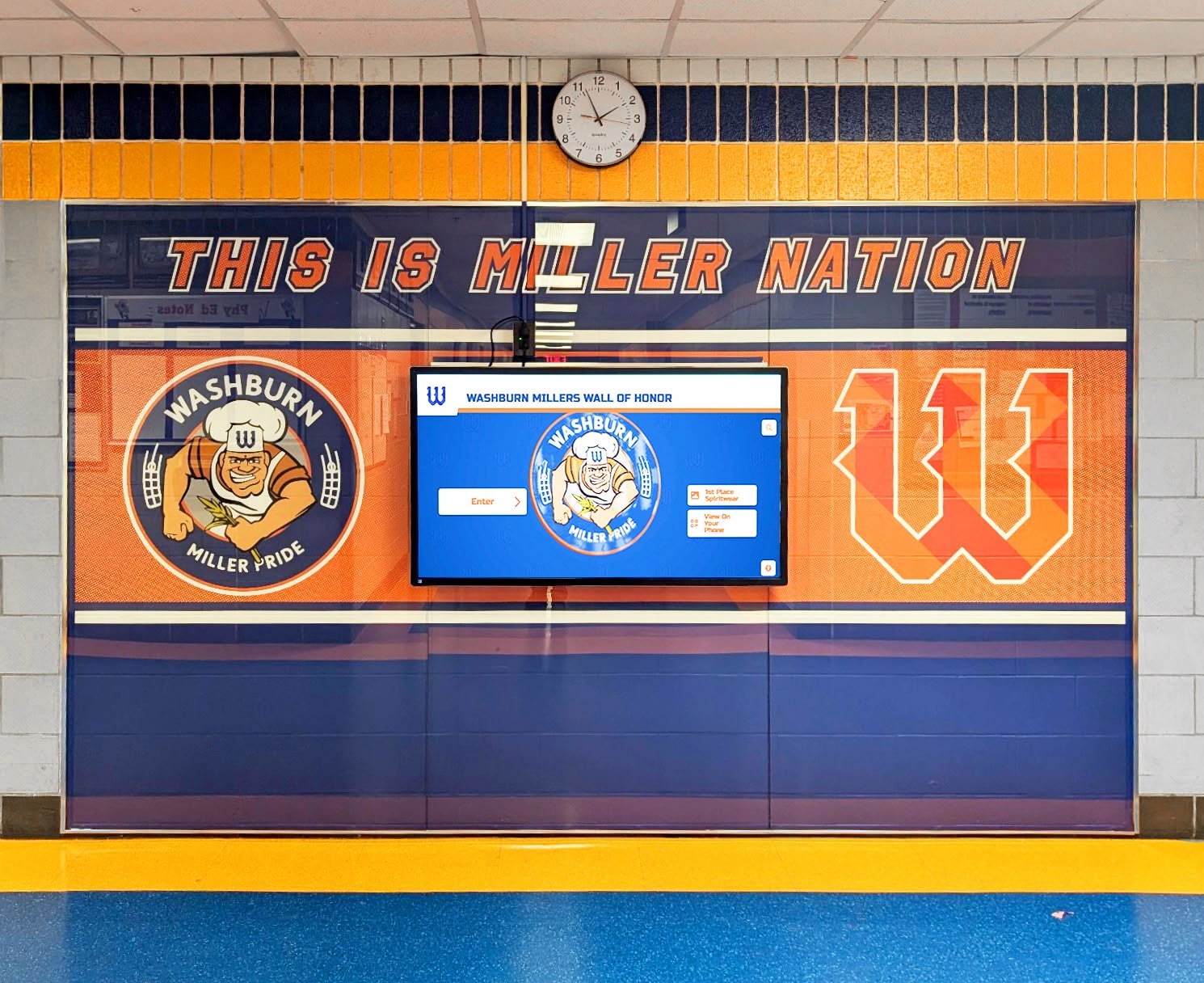
Wall of honor installations that pair physical recognition elements with digital displays create the kind of comprehensive program identity environment that JROTC units deserve alongside athletic and academic programs
Frequently Asked Questions: JROTC Unit Crest Design and Display
Can a JROTC unit design its own crest without official approval?
Custom unit crests for display purposes—on walls, in trophy cases, on program materials—don’t require the same approval process as official uniform insignia. However, programs should verify current regulations with their sponsoring branch command regarding what can appear on items cadets wear versus display-only applications. For wall displays and trophy case installations, programs generally have significant design freedom.
What’s the difference between a unit crest and a unit patch?
A unit crest is typically the formal heraldic device that represents the program’s identity—designed in shield format with traditional heraldic elements. A unit patch may be simpler, more stylized, and designed specifically for uniform application with size and color constraints. Many programs develop both, with the crest serving as the “official” identity element and the patch as a simplified, wearable adaptation.
How often should a JROTC unit crest be updated?
Crests that incorporate permanent elements—branch affiliation, school identity, core values—shouldn’t need frequent updates. Programs typically redesign crests when the school mascot changes, when program expansion warrants updated iconography, or when the existing design simply doesn’t translate well to modern display contexts. A crest designed before large-format digital displays existed may need updates to read well on current display hardware.
What display size is appropriate for a unit crest on a school wall?
For the primary recognition wall installation, a crest between 18 and 36 inches is standard. Smaller than 18 inches reads as a decorative element rather than a statement of institutional identity. Larger than 36 inches works when the display wall and ceiling height support it. When the crest is the anchor element of a larger display system—surrounded by plaques, photos, or digital screens—bigger typically serves better.
How do digital trophy cases handle JROTC program content differently than athletic programs?
The content architecture is similar but the specific record categories differ. Athletic trophy cases organize around team seasons and individual athletic performance. JROTC digital displays organize around cadet command structures, competitive categories (drill, marksmanship, color guard, academics), and program-level recognitions. Cloud-based systems allow administrators to create custom categories that match exactly how the program is organized rather than forcing JROTC content into athletic program templates.
What’s the most common JROTC display mistake schools make?
Treating the JROTC program as a secondary display priority while athletic and academic recognition receive prominent hallway placement. JROTC programs develop leadership, discipline, community service, and civic values in students with the same (often greater) depth and consistency as any athletic or academic program. Display infrastructure that reflects this equivalence—giving unit crests and cadet recognition the same visual prominence as athletic hall of fame displays—communicates institutional values that current and prospective cadets, families, and community members genuinely notice.
For schools reviewing how their full suite of recognition programs compares to best practices, resources on the best hall of fame tools for athletics, donors, arts, and history cover the full range of categories JROTC programs sit within.
Programs interested in related service-oriented student recognition contexts can also find useful parallels in how other programs like Civil Air Patrol structure rank and recognition systems.
Building Recognition Infrastructure That Serves the Program for Decades
The unit crest is the starting point, not the end point, of a complete JROTC recognition system. Programs that invest in both crest design and display infrastructure create recognition environments that:
- Give current cadets a visible record of what the program has accomplished and what they’re contributing to
- Give alumni a permanent institutional connection to a program that shaped them
- Give the school community clear evidence of the program’s value and longevity
- Give prospective cadets and their families the first impression of a program that takes itself seriously
The best JROTC unit crest designs aren’t the most elaborate—they’re the most intentional. They encode specific values in specific visual choices, translate clearly from patch to wall installation, and anchor recognition systems that grow more valuable with every graduating class added to the permanent record.
Digital trophy cases extend this permanence indefinitely. Where physical displays eventually fill up or become outdated, digital systems absorb every new achievement, preserve every historical record, and make the full depth of what a program has accomplished available to everyone who encounters the crest on screen.
Give Your JROTC Program Recognition That Matches Its Standards
Rocket Alumni Solutions' Digital Trophy Case platform gives JROTC programs unlimited capacity to display unit crests prominently, document cadet achievement records permanently, archive competitive history, and recognize sponsor instructors — all managed remotely via cloud CMS without IT support. QR codes extend recognition to families and alumni anywhere. No space constraints, no engraving delays, no institutional forgetting. See how programs across the country are building recognition systems that honor the discipline and values their cadets demonstrate every day.
Book A Demo






























