



Museums and galleries face a defining challenge in 2026: capturing and maintaining visitor attention in an era where smartphone screens compete for every moment of focus. Traditional static exhibits, printed labels, and passive viewing experiences no longer satisfy audiences accustomed to interactive, personalized digital experiences that respond to their interests and enable self-directed exploration.
The solution involves more than simply installing touchscreens throughout exhibition spaces. Effective interactive displays for cultural institutions require careful consideration of hardware durability, content design appropriate for diverse audiences, accessibility standards ensuring universal access, and sustainable management systems that curators can maintain without constant technical support.
This comprehensive guide explores how museums, galleries, historical societies, and archives successfully implement interactive touchscreen solutions that enhance visitor engagement, provide deeper educational experiences, accommodate diverse learning styles, and preserve institutional knowledge in accessible digital formats—all while respecting the primacy of physical artifacts and the contemplative atmosphere cultural spaces require.
Museums implementing thoughtful interactive technology report significant improvements in visitor engagement metrics, longer average visit durations, increased repeat visitation, and stronger educational outcomes across diverse audience segments. The key lies in treating touchscreens as tools that deepen rather than distract from the core museum experience.

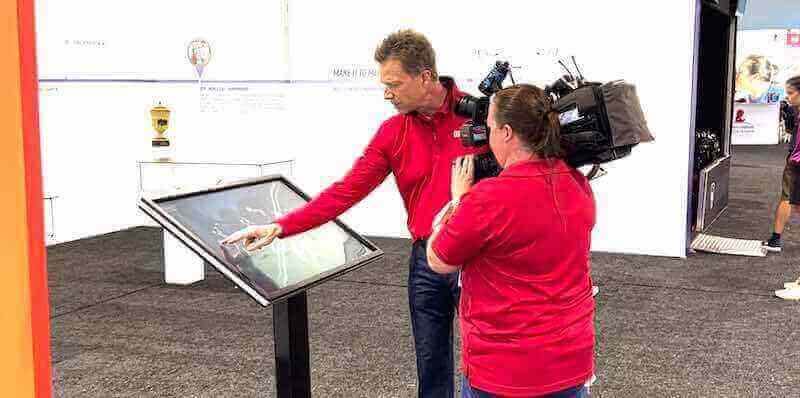
Professional-grade interactive touchscreen kiosks transform how visitors explore collections, enabling self-directed learning and deeper engagement with cultural content
Understanding the Museum Touchscreen Technology Landscape
Before implementation, cultural institutions must understand the specific technology requirements that differentiate museum applications from retail or corporate digital signage.
Commercial-Grade Display Requirements
Museum touchscreen installations demand hardware specifications far exceeding consumer electronics:
Display Durability and Longevity Commercial-grade touchscreen displays serve as the primary interface, typically ranging from 43 inches for individual kiosks to 75+ inches for group viewing experiences. These commercial displays differ significantly from consumer televisions, featuring extended operational lifetimes rated for continuous use in public settings, higher brightness levels ensuring visibility in varied lighting conditions, and industrial-grade components designed for thousands of daily interactions over years of service.
According to Pro Display, museum applications typically require 400-500 nits minimum, with 700+ nits preferred for locations near windows or under bright lighting.
Touch Technology Considerations Different touch technologies offer distinct advantages for museum environments:
- Projected Capacitive Touch: Most common for museum applications, offering exceptional accuracy, multi-touch capability supporting simultaneous users, and durability through glass overlays protecting display surfaces
- Infrared Touch: Provides large-format options suitable for oversized installations while functioning with gloves or styluses that capacitive screens may not detect
- Surface Acoustic Wave: Offers superior image clarity without overlay distortion but requires more maintenance in high-traffic environments
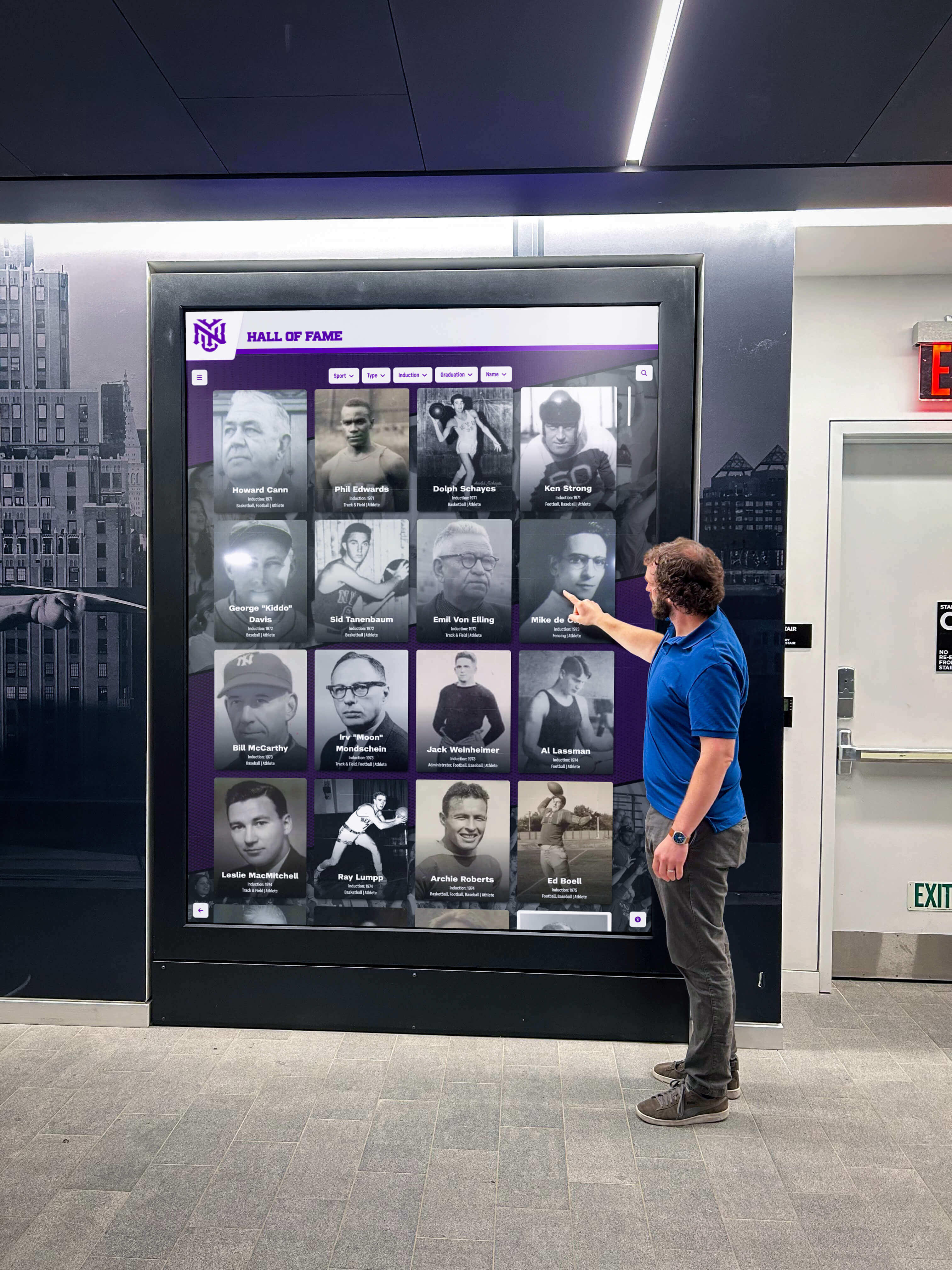
High-traffic museum lobbies require robust touchscreen technology capable of withstanding thousands of daily interactions while maintaining responsive performance
Environmental Considerations Museum environments present unique challenges:
- Temperature and humidity control protecting artifacts may affect electronic performance
- Lighting conditions ranging from dim galleries to bright natural light near windows
- Acoustic requirements in contemplative spaces necessitating silent operation
- Aesthetic requirements ensuring technology complements rather than detracts from exhibition design
- Security concerns preventing tampering or theft of valuable equipment
Hardware Form Factors for Different Museum Applications
Cultural institutions deploy interactive touchscreens in various configurations serving distinct purposes:
Freestanding Kiosks Self-contained units suitable for lobby areas, gallery centers, or temporary exhibitions. Kiosks provide maximum flexibility, enabling relocation as exhibitions change while offering built-in computers, speakers, and sometimes printing capabilities for visitor-generated content.
Wall-Mounted Displays Flush or low-profile mounting preserves gallery space while providing permanent interactive stations. Wall mounting works particularly well for digital archives and historical timeline displays presenting institutional history or collection overviews.
Table-Based Interactive Surfaces Horizontal touchscreen tables encourage group interaction and collaborative exploration. Multiple visitors simultaneously explore content, making table formats ideal for education programs, family areas, or interactive mapping applications.
Large-Format Video Walls Multi-screen installations create immersive experiences for high-impact exhibition moments. Video walls provide scale impossible with single displays while supporting both touch interaction and passive video presentation.
Content Design Strategies for Cultural Institutions
Hardware represents only half the equation. Compelling content determines whether visitors engage with interactive displays or walk past them.
Principles of Museum-Appropriate Interactive Content
Effective museum touchscreen content balances educational depth with intuitive navigation:
Layered Information Architecture Museum audiences span casual visitors seeking overview information to subject experts wanting detailed scholarship. Layered content design accommodates this range:
- Level 1: Brief introductory text and striking visuals catching attention and providing essential context (30-60 seconds engagement)
- Level 2: Moderate detail for interested visitors wanting deeper understanding without academic depth (2-4 minutes engagement)
- Level 3: Comprehensive information, scholarly details, curator notes, and academic references satisfying subject experts (5-15+ minutes engagement)
This structure, pioneered by interpretive planning professionals, allows each visitor to engage at their preferred depth without overwhelming casual audiences or disappointing serious learners.
Visual-First Design Museum visitors come to see, not read. Effective touchscreen content prioritizes:
- High-resolution images enabling detailed zoom examination
- Video content bringing contexts to life
- 3D object rotation for artifacts not on physical display
- Animated diagrams explaining complex processes
- Minimal text supporting rather than dominating screens
According to research on museum visitor behavior, displays with 70% or more visual content generate 3-4 times longer engagement than text-heavy screens.
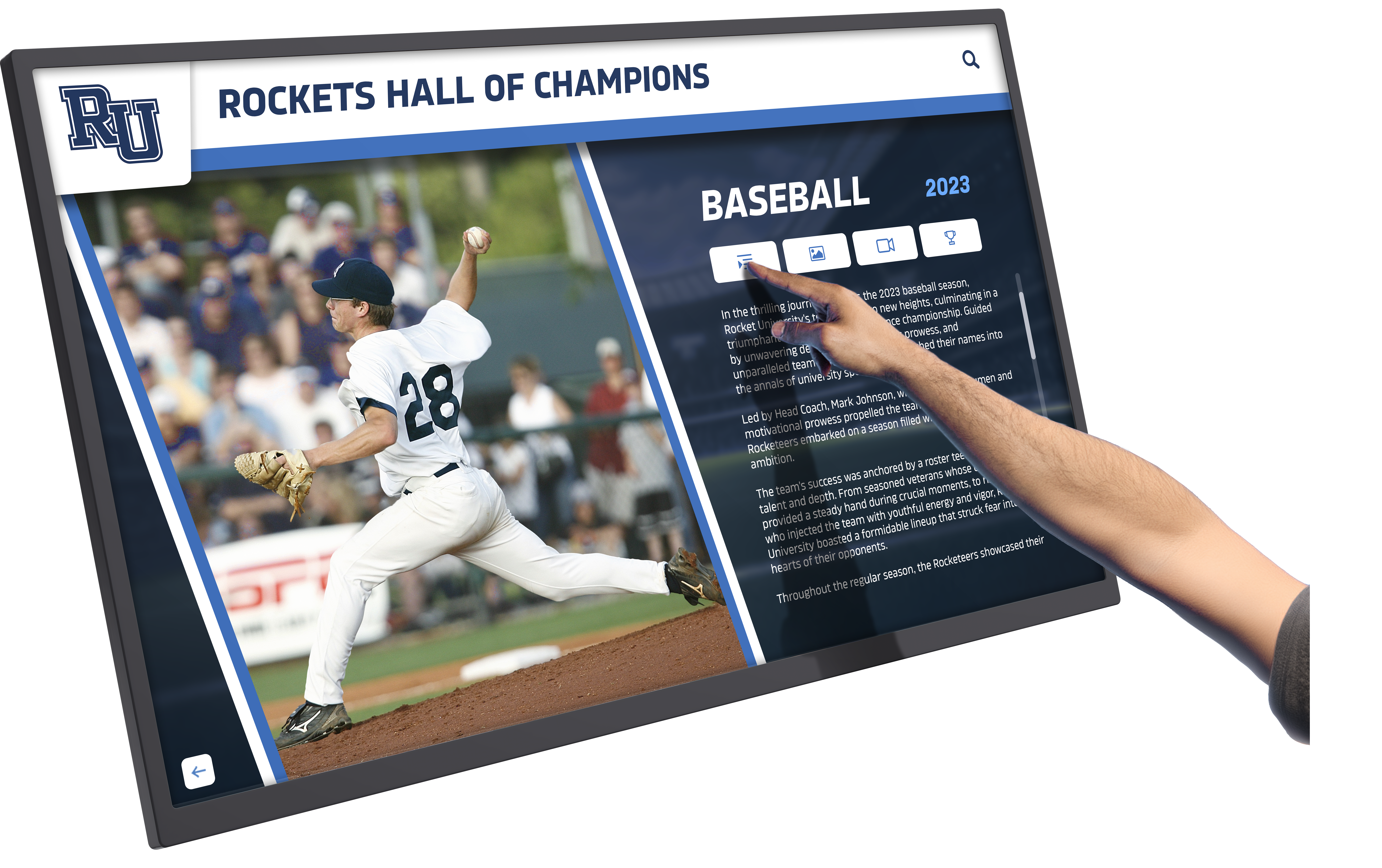
Intuitive touch interfaces enable visitors to explore detailed profiles, statistics, and stories at their own pace
Clear Navigation Patterns Museum touchscreens must accommodate users unfamiliar with digital interfaces:
- Large, clearly labeled buttons and navigation elements
- Consistent placement of navigation controls across all screens
- Obvious “home” or “start over” options preventing trapped users
- Visual breadcrumbs showing location within information hierarchy
- Timeout functions returning to home screens after inactivity
Solutions like Rocket Alumni Solutions provide museum-appropriate interface design optimized for public touchscreen use without requiring custom software development.
Content Categories for Museum Touchscreens
Cultural institutions successfully implement interactive content across multiple categories:
Collection Exploration Interfaces Digital collection databases enable visitors to search artifacts not currently on display, explore works by artist/era/medium, view high-resolution details impossible in physical display, compare related objects across collections, and access curatorial commentary and scholarly research.
Digital archive systems preserve institutional collections while making them accessible to broader audiences.
Interactive Timelines and Histories Historical institutions use touchscreens to present complex chronologies:
- Period-by-period exploration of institutional or regional history
- Biographical timelines of notable figures
- Evolution of artistic movements or technological development
- Interactive historical maps showing territorial or demographic changes
- Comparative timelines placing local history in broader context
Museums report that historical timeline displays generate strong engagement across age groups, particularly when personal or local connections exist.
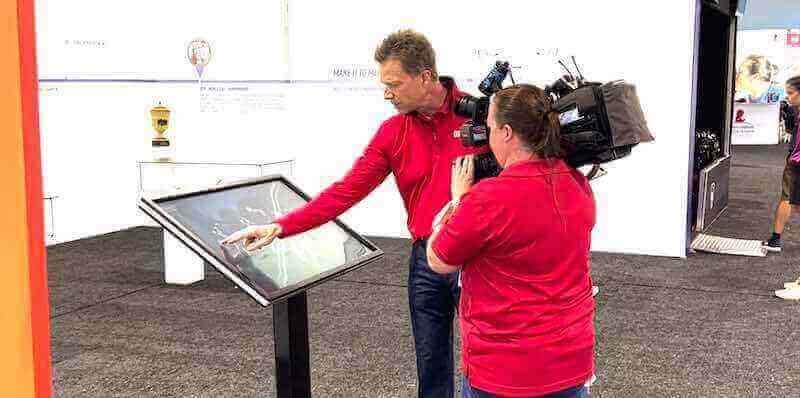
Professional museum installations require content designed for diverse audiences, from children to scholars, all accessing the same interface
Multimedia Storytelling Touchscreens excel at presenting rich narratives combining multiple media:
- Oral history interviews from community members or artists
- Behind-the-scenes documentation of conservation work
- Artist or curator commentary on specific works
- Historical photographs and documents providing context
- Animated reconstructions of historical sites or events
Educational Games and Interactives Particularly valuable for family audiences and school groups:
- Object identification challenges building visual literacy
- Historical scenario simulations
- Virtual archaeological excavations
- Art-making tools inspired by collection works
- Quiz formats testing and reinforcing learning
According to the American Alliance of Museums, interactive educational content increases family visit duration by an average of 35-40% while improving learning outcomes across age groups.
Augmented Reality Integrations Advanced implementations overlay digital content on physical spaces:
- Historical photographs superimposed on current locations
- Cutaway views revealing internal structures
- Virtual restoration showing objects in original condition
- Animated elements bringing static artifacts to life
- Multilingual translations appearing over physical labels
Accessibility and Universal Design Requirements
Museums serve diverse publics, requiring interactive installations that accommodate all visitors regardless of physical, sensory, or cognitive abilities.
ADA Compliance for Museum Touchscreens
Federal accessibility standards mandate specific requirements:
Physical Accessibility
- Maximum 48-inch height for highest interactive elements
- Clear floor space of 30x48 inches accommodating wheelchairs
- Knee and toe clearance for forward approach installations
- Operable controls requiring no tight grasping or twisting
- Maximum 5 pounds force for physical controls
Visual Accessibility ADA-compliant touchscreen installations incorporate multiple accommodation strategies:
- Screen reader compatibility for blind visitors
- High-contrast viewing modes for low-vision users
- Text sizing controls enabling enlargement
- Color schemes avoiding red-green combinations problematic for colorblind visitors
- Captioning for all audio and video content
Auditory Accessibility
- Visual alternatives to all audio content
- Induction loop systems for hearing aid users
- Adjustable volume controls with wide range
- Headphone jacks for private listening
- Visual indicators showing audio playback status
Cognitive Accessibility
- Plain language avoiding jargon and complex sentence structures
- Consistent navigation reducing cognitive load
- Clear visual hierarchies guiding attention
- Avoidance of timed interactions requiring rapid response
- Simple, intuitive metaphors for interactive controls
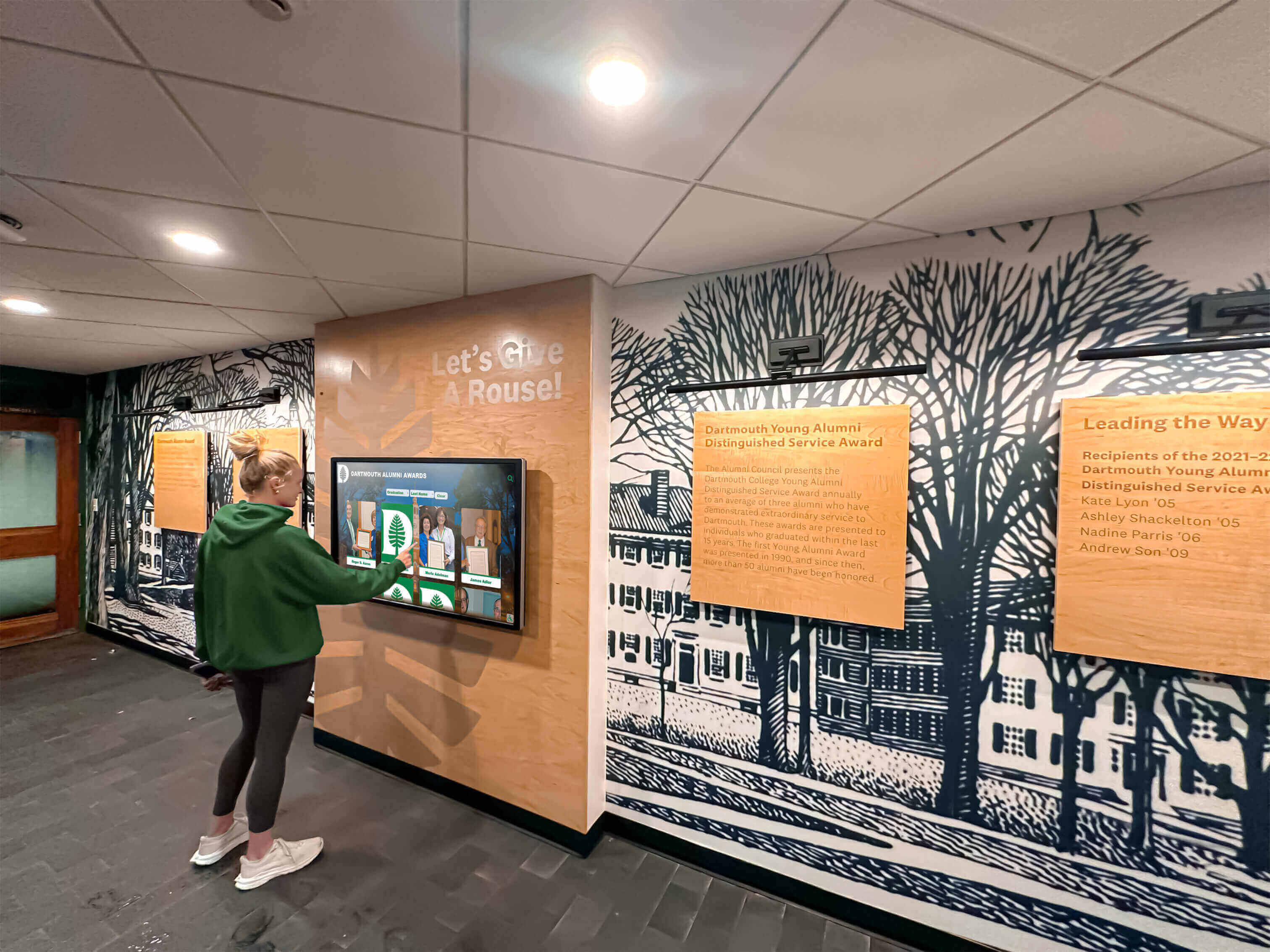
Accessible touchscreen placement and interface design ensure all visitors can engage with museum content regardless of physical abilities
Multilingual Content Delivery
Cultural institutions serving diverse communities require language accessibility:
Language Selection Systems
- Prominent, universally recognized language selector on home screens
- Flag or language name in native script identifying options
- Persistent language choice throughout session
- Easy switching between languages mid-exploration
- Content parity ensuring translation completeness
Translation Quality Considerations Professional translation services ensure cultural appropriateness and accuracy beyond machine translation capabilities. Museums report that investing in quality translation significantly increases engagement from non-English-speaking visitors while demonstrating institutional values of inclusion and respect.
Visitor Engagement and Behavioral Considerations
Understanding how museum visitors actually interact with technology informs effective implementation.
Managing Attention Competition
Museums must balance providing engaging interactive content without allowing technology to overwhelm physical artifacts:
Strategic Placement Decisions Position interactive touchscreens in ways that complement rather than compete with objects:
- Introduction areas preparing visitors before viewing artifacts
- Conclusion spaces for deeper exploration after initial viewing
- Adjacent to display cases providing expanded information
- Separate study areas for extended research activities
- Lobby spaces orienting visitors and building anticipation
Avoid placing prominent touchscreens directly in sightlines to important artifacts, which research shows reduces physical object viewing time by 40-60%.

Well-placed interactive displays provide supplementary information without distracting from primary artifacts and exhibitions
Balancing Passive and Active Engagement Successful museums create varied visitor experiences:
- Contemplative viewing of physical objects without digital mediation
- Optional interactive enhancements for those seeking deeper engagement
- Scheduled interactive programs and demonstrations
- Quiet gallery spaces intentionally technology-free
- Active learning labs with concentrated interactive resources
This variety acknowledges different visitor preferences while preventing “screen fatigue” in audiences experiencing digital overload.
Group vs. Individual Interaction Patterns
Museums serve both solo visitors and groups requiring different interactive approaches:
Individual User Optimization Personal exploration interfaces benefit from:
- Vertical portrait-oriented screens accommodating single users
- Personalized content recommendations based on interaction history
- Save-and-share functionality enabling visitors to email content
- QR code integrations extending experience to personal devices
- Privacy considerations for potentially sensitive interaction data
Group-Friendly Features Family and tour group experiences improve through:
- Horizontal table formats enabling simultaneous multi-user access
- Large text and graphics visible from several feet away
- Turn-taking games encouraging group participation
- Side-by-side comparison tools facilitating discussion
- Group challenge activities suitable for school programs
Technical Infrastructure and Content Management
Sustainable interactive installations require reliable technical infrastructure and manageable content systems.
Behind-the-Scenes Technical Requirements
Museums must plan for systems beyond the visible touchscreen:
Computing and Processing Modern museum interactives require substantial computing power:
- Dedicated media players or embedded computers for each display
- Sufficient RAM supporting smooth video and high-resolution images
- Graphics processing capability for 3D or augmented reality content
- Local storage for offline content delivery and fast load times
- Network connectivity enabling remote management and updates
System-on-chip displays integrate computing directly into monitors, reducing equipment complexity while maintaining performance suitable for most museum applications.
Network Infrastructure Connected interactive systems require robust networking:
- Dedicated VLANs separating public-facing systems from administrative networks
- Sufficient bandwidth supporting simultaneous video streams
- Wireless options for locations where cabling proves challenging
- Redundancy protecting against single-point failures
- Security measures preventing unauthorized access or content modification
Power and Environmental Control Often-overlooked infrastructure considerations:
- Adequate electrical capacity for multiple displays
- Surge protection safeguarding expensive equipment
- Cooling systems managing heat generation
- Cable management preserving aesthetic appearance
- Backup power for critical always-on displays
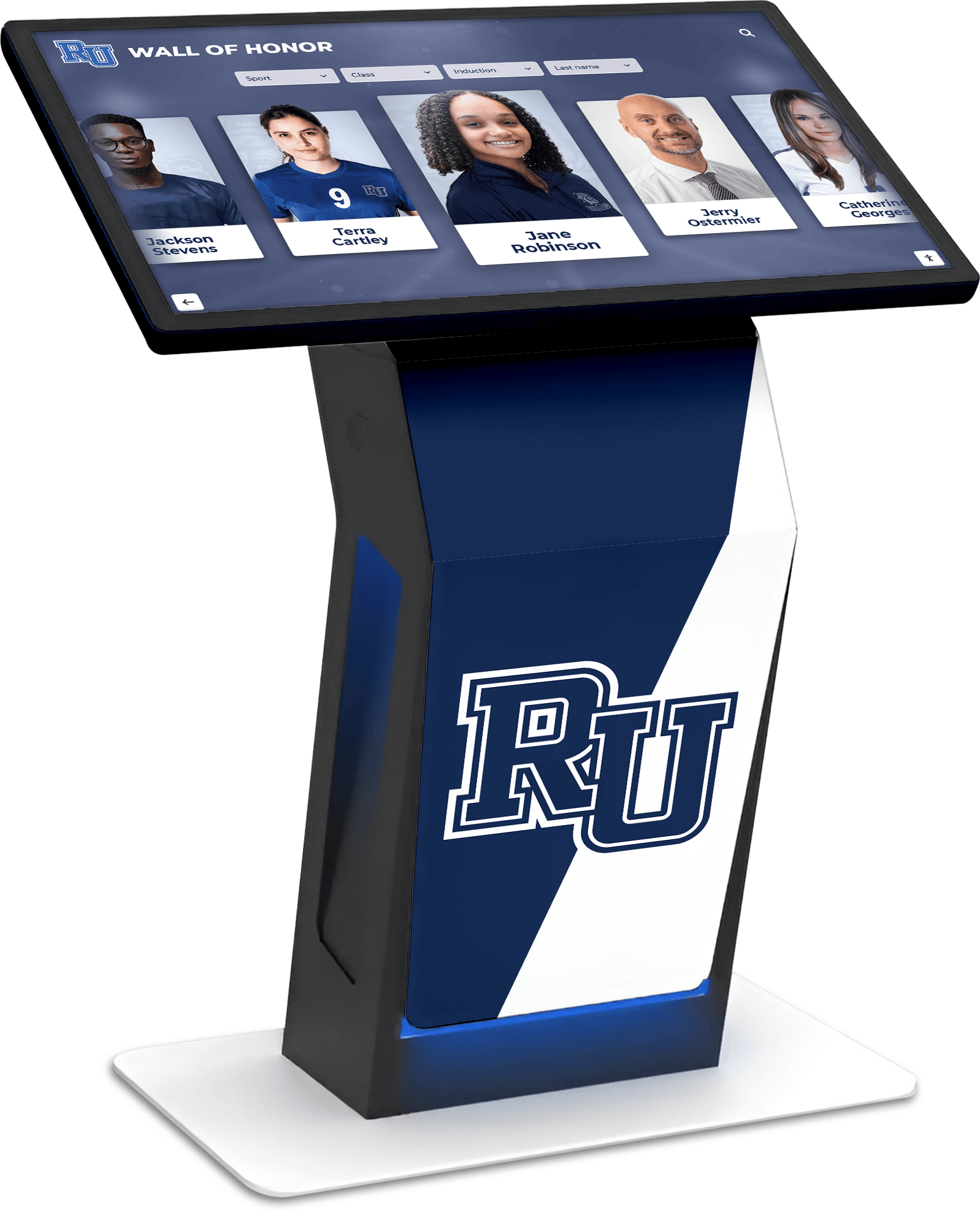
Professional kiosk installations integrate power, networking, and computing infrastructure in clean, museum-appropriate enclosures
Content Management Systems for Cultural Institutions
Long-term success requires sustainable content management:
Cloud-Based vs. Local Management Modern museum systems increasingly leverage cloud platforms:
- Remote content updates without physical access to displays
- Multi-site management from centralized dashboards
- Automatic software updates and security patches
- Scheduled content publishing for temporary exhibitions
- Usage analytics revealing popular content and engagement patterns
Solutions like digital recognition platforms provide museum-appropriate content management without requiring custom software development.
Staff Training Requirements Sustainable systems accommodate curator capabilities:
- Intuitive interfaces requiring minimal training
- Template-based content creation maintaining consistency
- Bulk import tools for large content collections
- Preview functionality testing changes before publication
- Role-based permissions appropriately distributing responsibilities
Museums report that content management complexity represents the primary barrier to keeping interactive displays current. Selecting systems matching staff capabilities proves more important than feature-richness requiring technical expertise.
Content Refresh Strategies Maintaining relevance requires systematic updating:
- Core permanent collection content requiring only occasional updates
- Rotating featured object highlights changing monthly or quarterly
- Temporary exhibition content with scheduled publication and removal
- Event calendars and program information updating weekly
- “This day in history” daily content maintaining freshness
Scheduled publishing automation ensures timely content updates without requiring manual intervention for every change.
Visitor Data, Privacy, and Analytics
Interactive systems generate valuable data about visitor behavior while raising privacy considerations.
Analytics Supporting Institutional Goals
Touchscreen systems provide insights into visitor interests:
Interaction Metrics
- Total sessions and unique users per display
- Average interaction duration revealing engagement levels
- Most-viewed content identifying popular subjects
- Navigation paths showing information-seeking patterns
- Abandonment points revealing confusing interfaces
These metrics guide content development, exhibition planning, and continuous improvement efforts.
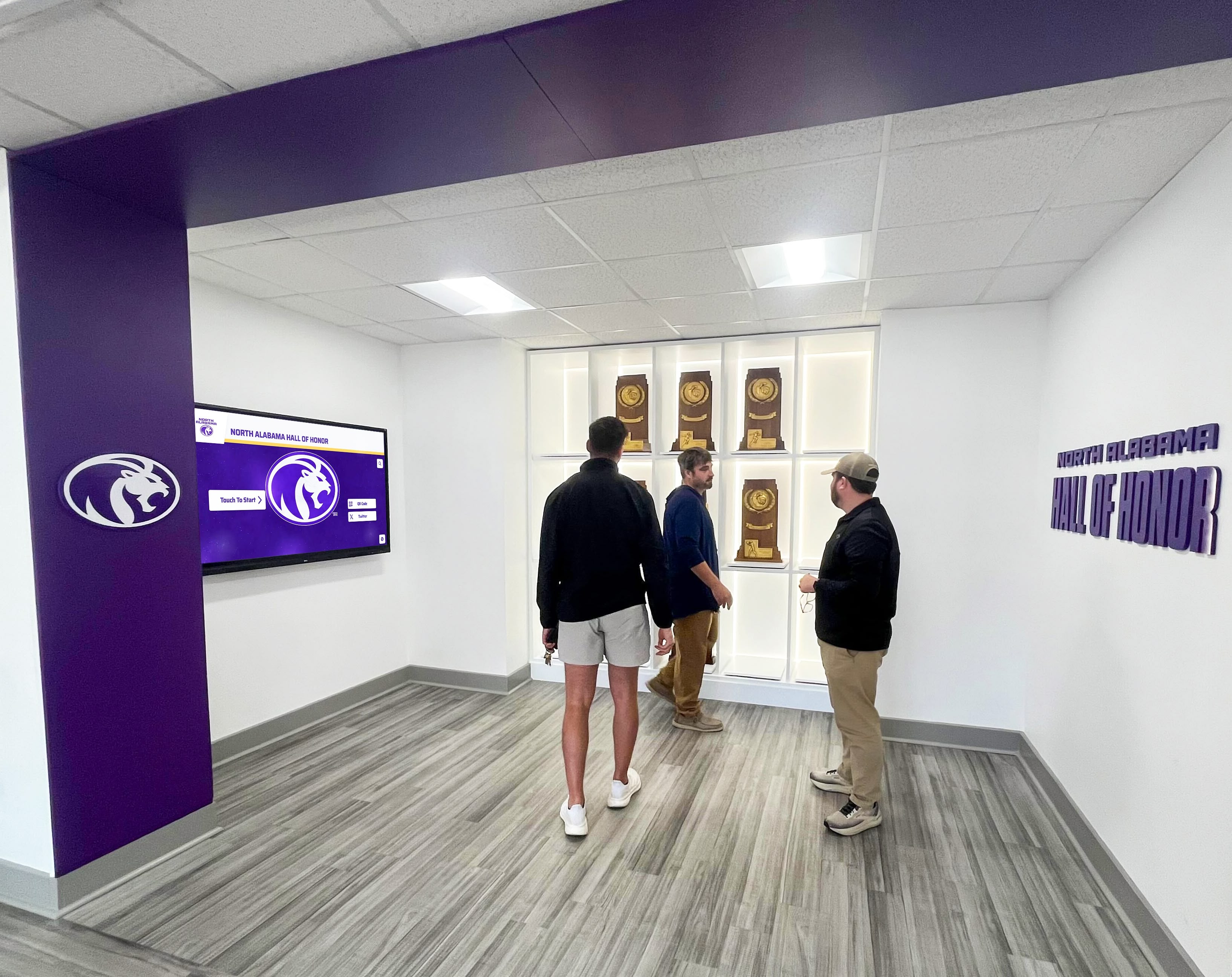
Analytics from interactive displays reveal which content resonates with visitors, informing both digital and physical exhibition development
Educational Outcome Assessment Interactive systems enable learning measurement:
- Pre- and post-interaction knowledge assessments
- Quiz completion rates and accuracy
- Content depth exploration indicating learning engagement
- Return visitor patterns showing sustained interest
- Comparison between interaction types and learning outcomes
This data supports grant applications, educational program development, and demonstration of institutional impact.
Privacy and Data Protection Considerations
Museums must balance valuable analytics with visitor privacy:
Privacy-Protecting Practices
- Anonymous interaction tracking without personal identification
- No video or photographic recording of users
- Clear signage explaining what data is collected
- Opt-in rather than opt-out data collection
- Regular data purging eliminating long-term tracking
- Compliance with GDPR, CCPA, and relevant privacy regulations
Cultural institutions hold positions of public trust, making privacy protection particularly important even when not strictly legally required.
Case Applications Across Museum Types
Different cultural institution types implement interactive touchscreens addressing specific institutional needs.
Art Museums and Galleries
Visual arts institutions use touchscreens to provide context without detracting from artwork viewing:
Artist Background and Context Interactive displays present artist biographies, movement histories, and cultural contexts that traditional wall labels cannot accommodate. Visitors view artworks first, then access deeper information if interested.
Technical Analysis and Conservation Touchscreens show infrared and x-ray images revealing underdrawings, pentimenti, and conservation treatment. This behind-the-scenes content proves particularly engaging while demonstrating museum expertise.
Collection Connections Interactive interfaces present thematic connections across collections, comparative works from other institutions, and influence networks showing artistic relationships impossible to display physically.
Art museums report that digital display systems significantly increase visitor engagement with contemporary art, which audiences often find challenging without interpretive support.
History Museums and Historical Societies
Historical institutions use interactive technology to bring past eras to life:
Oral History Archives Touchscreen access to recorded interviews with community members, veterans, or historical witnesses provides powerful personal connections to past events. Searchable databases enable visitors to explore topics or individuals matching their interests.
Historical Document Exploration High-resolution scans of letters, diaries, photographs, and official records allow detailed examination impossible with physical documents. Transcriptions, translations, and scholarly annotations make archival materials accessible to general audiences.
Then-and-Now Comparisons Interactive sliders revealing historical photographs overlaid on current images dramatically demonstrate change over time. This technique proves particularly effective for local history museums connecting past to present community.
Historical societies implementing digital archive systems preserve fragile documents while democratizing access to institutional collections.
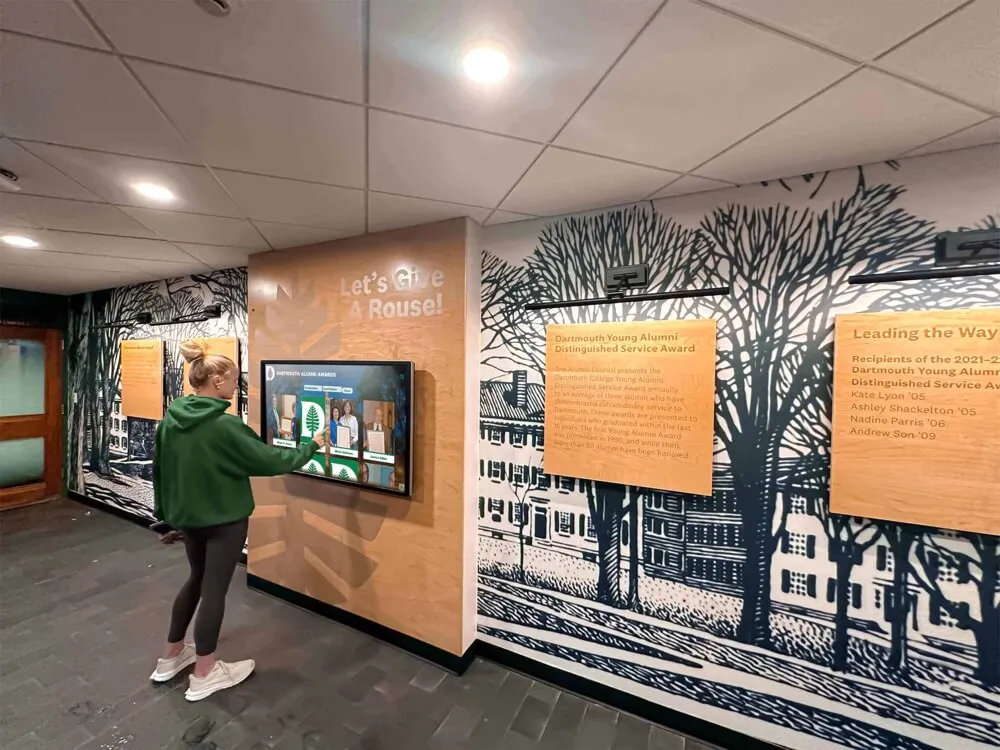
Historical institutions combine physical environmental design with interactive digital access to archival collections and institutional memory
Science Museums and Discovery Centers
Science institutions leverage interactivity for hands-on learning:
Interactive Simulations Touchscreens enable visitors to manipulate variables, test hypotheses, and observe results. Scientific phenomena difficult to demonstrate physically become accessible through interactive simulation.
Data Visualization Tools Complex datasets transform into manipulable graphics enabling pattern discovery. Visitors explore climate data, astronomical information, or biological relationships through intuitive visual interfaces.
Gaming and Challenge Activities Educational games teach scientific concepts through play. Competition elements and progressive difficulty maintain engagement across age groups while reinforcing learning objectives.
Science museums pioneered many interactive techniques now spreading to other institution types, demonstrating effectiveness of technology-enhanced learning experiences.
Children’s Museums and Family Learning Spaces
Youth-focused institutions design interactivity specifically for developing capabilities:
Age-Appropriate Interface Design
- Large buttons and simplified navigation for young children
- Icon-based rather than text-heavy interfaces
- Immediate feedback confirming actions
- Short, focused activities matching attention spans
- Durability withstanding enthusiastic interaction
Multi-Generational Engagement Effective children’s museum interactives engage both children and accompanying adults:
- Activities requiring collaboration between age groups
- Multiple difficulty levels scaling to participant age
- Content interesting to adults while accessible to children
- Design encouraging conversation and shared discovery
Children’s museums report that well-designed interactive educational displays significantly extend average family visit duration while improving learning outcomes.
Implementation Planning and Project Management
Successful museum interactive installations require systematic planning addressing technical, content, and institutional factors.
Needs Assessment and Goal Definition
Begin with clear understanding of institutional objectives:
Visitor Experience Goals
- What gaps in current visitor experience need addressing?
- Which audience segments would benefit most from interactive content?
- What learning outcomes should interactives support?
- How should technology enhance rather than replace physical collections?
- What success metrics will indicate effective implementation?
Content Development Priorities Assess available content and creation needs:
- Existing digital assets ready for interactive presentation
- Content requiring digitization or creation
- Staff expertise available for content development
- Budget for professional media production if needed
- Timeline for content readiness matching installation schedule
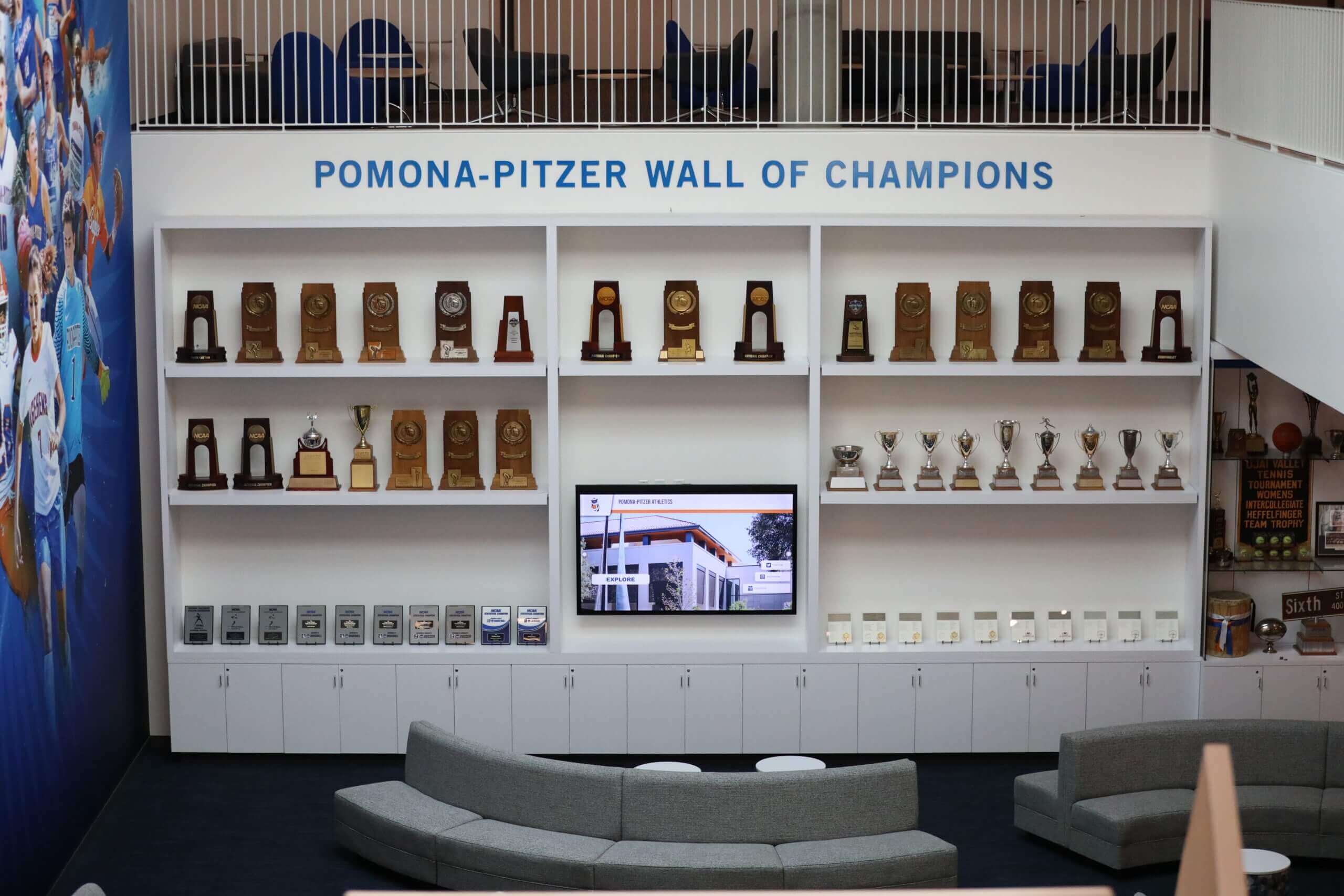
Successful installations blend physical artifacts with digital interactive elements, each enhancing rather than competing with the other
Vendor Selection and Partnership
Museums rarely possess in-house expertise for complete interactive implementation:
Defining Requirements Clear specifications guide vendor selection:
- Hardware requirements including size, resolution, durability
- Software capabilities and content management needs
- Installation services and timeline expectations
- Training and documentation requirements
- Ongoing support and maintenance agreements
- Budget parameters and payment structure
Evaluating Providers Assess potential partners through:
- Prior museum and cultural institution projects
- References from similar organizations
- Financial stability ensuring long-term support
- Technical capabilities matching requirements
- Content development services if needed
- Local presence or remote support capabilities
Organizations like Rocket Alumni Solutions specialize in public-facing interactive installations with management systems designed for non-technical staff, making them particularly suitable for museums without dedicated IT departments.
Installation and Testing
Thorough testing prevents problems after public launch:
Pre-Installation Testing
- Content review ensuring accuracy and appropriateness
- Interface testing with representative users
- Accessibility verification across user needs
- Network and integration testing
- Staff training on operation and basic troubleshooting
Soft Launch Period Limited public access before full promotion enables:
- Real-world user feedback collection
- Technical problem identification and resolution
- Content refinement based on actual behavior
- Staff experience with support needs
- Adjustment of brightness, volume, and physical positioning
Museums typically conduct 2-4 week soft launch periods before promotional campaigns and school group visits.
Maintenance, Support, and Long-Term Sustainability
Interactive installations require ongoing attention ensuring continued functionality and relevance.
Technical Maintenance Requirements
Plan for regular maintenance activities:
Daily Checks
- Verify displays power on and function properly
- Confirm content displays correctly
- Test touch responsiveness
- Check for physical damage or vandalism
- Restart frozen systems as needed
Preventive Maintenance Regular scheduled activities extend equipment life:
- Screen cleaning maintaining touch sensitivity and appearance
- Software updates addressing security and functionality
- Hardware inspections identifying wear before failure
- Network health monitoring
- Backup verification ensuring data protection
Repair and Replacement Budget for inevitable repairs:
- Spare parts for common failure points
- Service contracts for complex repairs
- Equipment replacement funds for aged systems
- Temporary solutions for exhibition continuity
- Rapid response for high-visibility failures
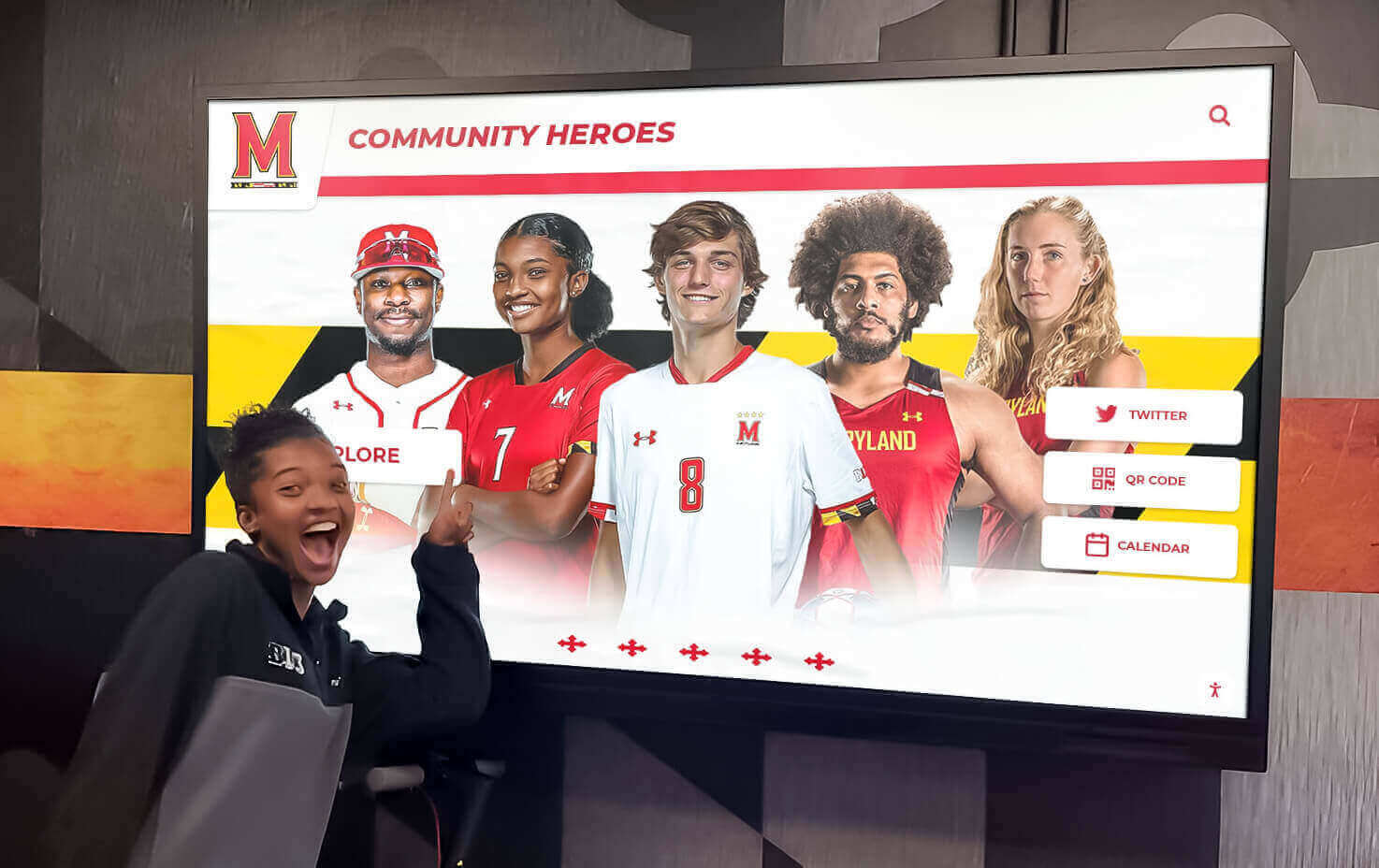
Reliable, well-maintained systems ensure consistent visitor experiences without technical disruptions detracting from museum visits
Content Lifecycle Management
Keeping content current prevents interactive displays from becoming outdated:
Content Review Schedules
- Annual comprehensive content audits
- Quarterly updates for rotating highlights
- Weekly event and program information updates
- Immediate updates for discovered errors
- Systematic retirement of temporary exhibition content
Continuous Improvement Analytics and feedback guide enhancement:
- Popular content expansion based on interaction data
- Confusing navigation redesign based on user behavior
- New content addressing visitor questions
- Technology upgrades maintaining competitiveness
- Accessibility improvements reflecting best practices
Museums treating interactive systems as living projects requiring continuous attention sustain visitor interest and institutional benefit over decades.
Funding and Budget Considerations
Interactive museum installations represent significant investments requiring realistic financial planning.
Initial Implementation Costs
Comprehensive budget planning addresses all project components:
Hardware Costs
- Touchscreen displays and computers ($3,000-$15,000 per unit depending on size and specifications)
- Kiosk enclosures or mounting systems ($1,000-$5,000 per installation)
- Network infrastructure upgrades ($5,000-$25,000 for facility-wide improvements)
- Installation labor ($2,000-$8,000 per unit)
- Testing and commissioning ($5,000-$15,000)
Software and Content Development
- Content management system licensing ($3,000-$15,000 annually or $20,000-$100,000 one-time for enterprise systems)
- Custom software development ($25,000-$200,000 for complex applications)
- Content creation and digitization ($15,000-$100,000 depending on scope)
- Professional media production ($5,000-$50,000)
- User experience design and testing ($10,000-$40,000)
Project Management and Integration
- Project coordination and oversight
- Vendor management and coordination
- Staff training and documentation
- Accessibility testing and compliance
- Contingency funds (typically 15-20% of hardware/software costs)
Total initial costs for museum interactive installations typically range from $50,000 for single-display pilot projects to $500,000+ for comprehensive facility-wide implementations.
Ongoing Operational Costs
Plan for sustained operation:
- Software licensing or subscription fees ($2,000-$10,000 annually)
- Content updates and management ($5,000-$30,000 annually)
- Technical support and maintenance ($3,000-$15,000 annually)
- Hardware replacement reserves ($5,000-$20,000 annually)
- Staff training for new personnel
Museums report that ongoing costs typically represent 15-25% of initial implementation investment annually.
Funding Sources and Strategies
Cultural institutions successfully fund interactive technology through multiple sources:
Grant Funding Multiple foundation and government programs support museum technology:
- Institute of Museum and Library Services (IMLS) grants
- National Endowment for the Humanities (NEH) technology programs
- State humanities councils and arts agencies
- Private foundations supporting education and technology
- Corporate foundation grants particularly from technology companies
Grant applications benefit from clear demonstration of visitor impact, accessibility improvements, and educational outcomes enabled by proposed technology.
Capital Campaigns and Major Gifts Interactive installations often become named opportunities in facility renovations or exhibition openings. Technology appeals to donors seeking visible, modern impact while avoiding ongoing endowment commitments.
Earned Revenue Models Some institutions offset costs through:
- Corporate sponsorship of specific interactive features
- Admission fee portions designated for technology maintenance
- Museum store revenue sharing from interactive-inspired products
- Rental fees for interactive technology use by external groups
Future Trends in Museum Interactive Technology
Understanding emerging trends helps museums plan implementations that remain relevant.
Emerging Technologies
Several developing technologies show particular promise for cultural institutions:
Artificial Intelligence and Personalization AI systems begin offering individualized visitor experiences:
- Recommendation engines suggesting content based on interaction patterns
- Natural language interfaces enabling conversational exploration
- Computer vision identifying visitor interests from physical engagement
- Automated content summarization adjusting depth to user behavior
- Predictive analytics anticipating visitor needs
Early implementations show promise though privacy concerns require careful consideration.
Extended Reality (XR) Integration Blended physical-digital experiences expand:
- Augmented reality overlaying information on physical artifacts
- Virtual reality transporting visitors to inaccessible locations
- Mixed reality enabling manipulation of virtual objects in physical space
- Photogrammetry creating detailed 3D models for virtual exploration
- Holographic displays presenting artifacts in free-floating space
Museums implementing XR report strong visitor enthusiasm though high costs currently limit widespread adoption.
Mobile Device Integration Smartphones become integrated interactive components:
- QR codes linking to extended content on personal devices
- Progressive web apps providing guided tours
- Beacon technology triggering location-specific content
- Social sharing encouraging visitor-generated content
- Contactless interaction options maintaining hygiene
Mobile integration extends museum experiences beyond physical visits while reducing pressure on installed interactive systems.
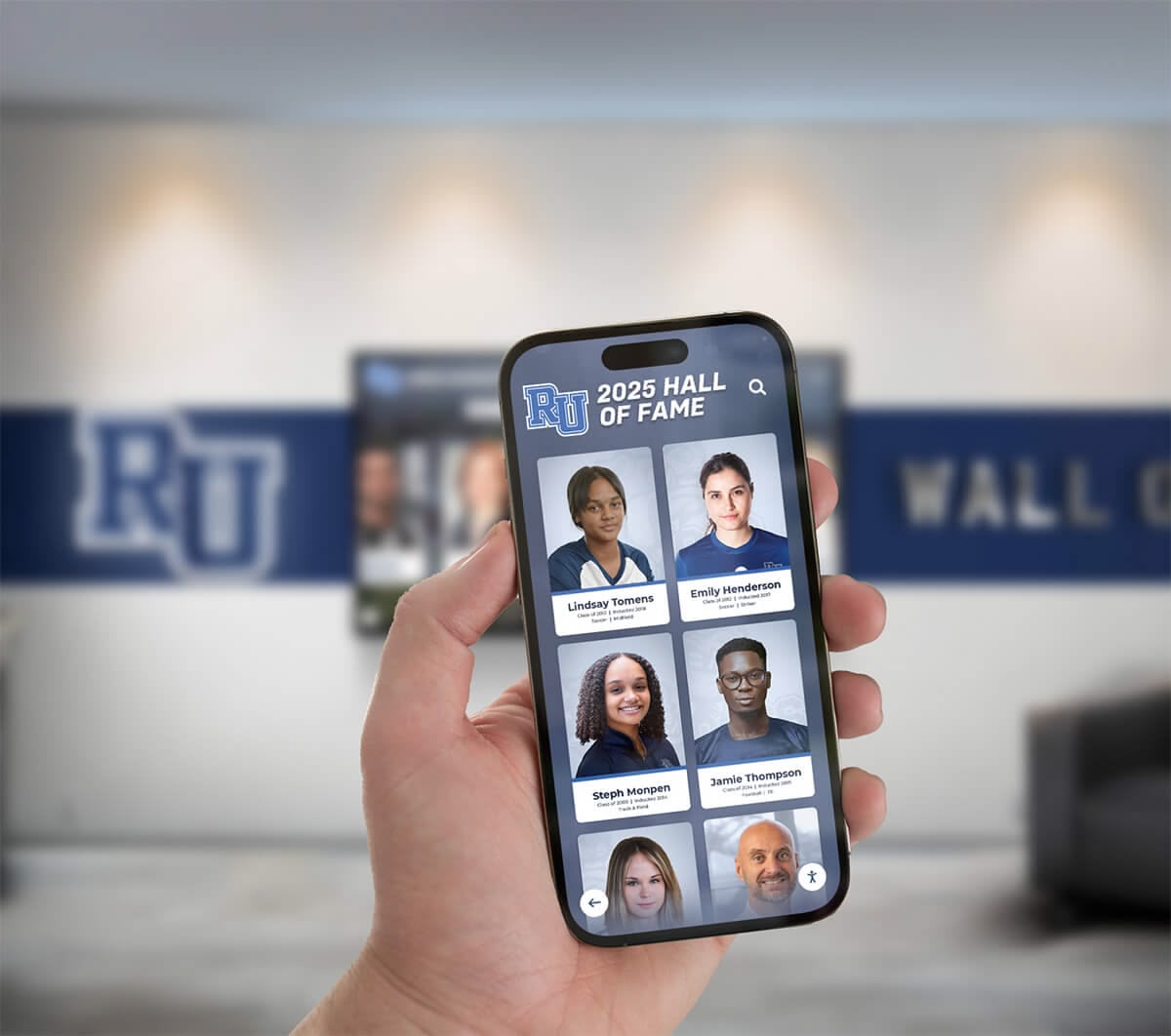
Mobile device integration extends interactive museum content beyond physical touchscreens while enabling personalized experiences on visitor-owned devices
Sustainability and Environmental Considerations
Growing environmental consciousness affects museum technology decisions:
Energy Efficiency
- LED display technology reducing power consumption
- Automatic screen dimming during low-traffic periods
- Power management systems optimizing energy use
- Solar power options for outdoor or remote installations
- Life-cycle assessment considering total environmental impact
Equipment Longevity Sustainability favors durable, repairable systems over disposable technology:
- Modular designs enabling component replacement
- Software updates extending equipment life
- Repairability prioritized over total replacement
- Vendor selection favoring companies supporting long product lifecycles
- Buy-it-for-life philosophy reducing waste
Museums increasingly consider environmental impact alongside functionality and cost in technology decisions.
Conclusion: Technology Serving Museum Mission
Interactive touchscreens, when thoughtfully implemented, profoundly enhance museum and gallery experiences by providing deeper educational content, accommodating diverse learning styles, preserving institutional knowledge in accessible formats, and engaging contemporary audiences expecting participatory experiences. However, technology succeeds only when serving core institutional missions rather than becoming ends in themselves.
The most effective museum interactive installations demonstrate several consistent characteristics: they complement rather than compete with physical artifacts, provide genuinely useful content unavailable elsewhere, accommodate visitors across ages and abilities, remain technically reliable through quality hardware and maintenance, and utilize management systems enabling sustainable content updates by museum staff without specialized technical expertise.
Cultural institutions beginning interactive technology implementation benefit from starting modestly with pilot projects demonstrating value before comprehensive investments, prioritizing user experience and content quality over technical sophistication, selecting partners experienced in museum applications specifically, planning realistically for ongoing maintenance and content management, and measuring success through visitor engagement and learning outcomes rather than technology metrics alone.
Transform Your Museum's Visitor Experience
Discover how interactive touchscreen solutions designed specifically for museums and cultural institutions can enhance visitor engagement, preserve institutional knowledge, and create accessible digital experiences—without requiring technical expertise or overwhelming your staff.
Book A DemoMuseums and galleries worldwide successfully implement interactive touchscreen technology that respects the primacy of physical collections while meeting contemporary visitor expectations. Whether your institution preserves art, history, science, or cultural heritage, thoughtfully designed interactive displays can deepen visitor connections with your collections while advancing educational missions.
The future of museum interpretation increasingly involves blended physical-digital experiences where technology enables rather than replaces direct engagement with authentic artifacts. Interactive touchscreens represent one component of this evolution—powerful when implemented strategically, problematic when deployed without clear purpose or sustainable planning.
Your museum’s unique collections, mission, and audiences determine appropriate interactive strategies. Begin with clear goals, select technologies matching institutional capabilities, prioritize content that genuinely serves visitors, and maintain commitment to long-term sustainability. Interactive touchscreens implemented with these principles deliver lasting value to both institutions and the diverse publics they serve.
Ready to explore how interactive touchscreen technology can serve your museum’s specific needs? Learn more about museum kiosk implementation strategies or discover comprehensive digital display solutions for cultural institutions.
Sources:































