




Visitors arriving at schools, museums, universities, and community organizations increasingly expect interactive digital experiences that match the intuitive touch interfaces they use on smartphones and tablets every day. Static bulletin boards, printed directories, and unchanging trophy cases no longer satisfy audiences accustomed to searching, filtering, and exploring information on demand.
Interactive kiosk solutions with touch technology address this expectation gap by transforming passive viewing into active exploration. These systems enable visitors to discover recognition galleries, search directories, explore historical timelines, access wayfinding assistance, and engage with institutional content through natural touch gestures that require no instruction or technical expertise.
This comprehensive guide explores how schools, universities, museums, nonprofits, and community organizations successfully implement interactive kiosk solutions that enhance visitor engagement, improve information accessibility, celebrate achievements without space constraints, and create memorable experiences that strengthen community connections.
Organizations implementing effective interactive kiosk solutions report dramatic improvements in visitor satisfaction, information accessibility, and community engagement. The key lies not in simply installing touchscreens, but in selecting appropriate hardware, developing compelling content, ensuring accessibility for all visitors, and establishing sustainable management processes that keep displays relevant and functional.

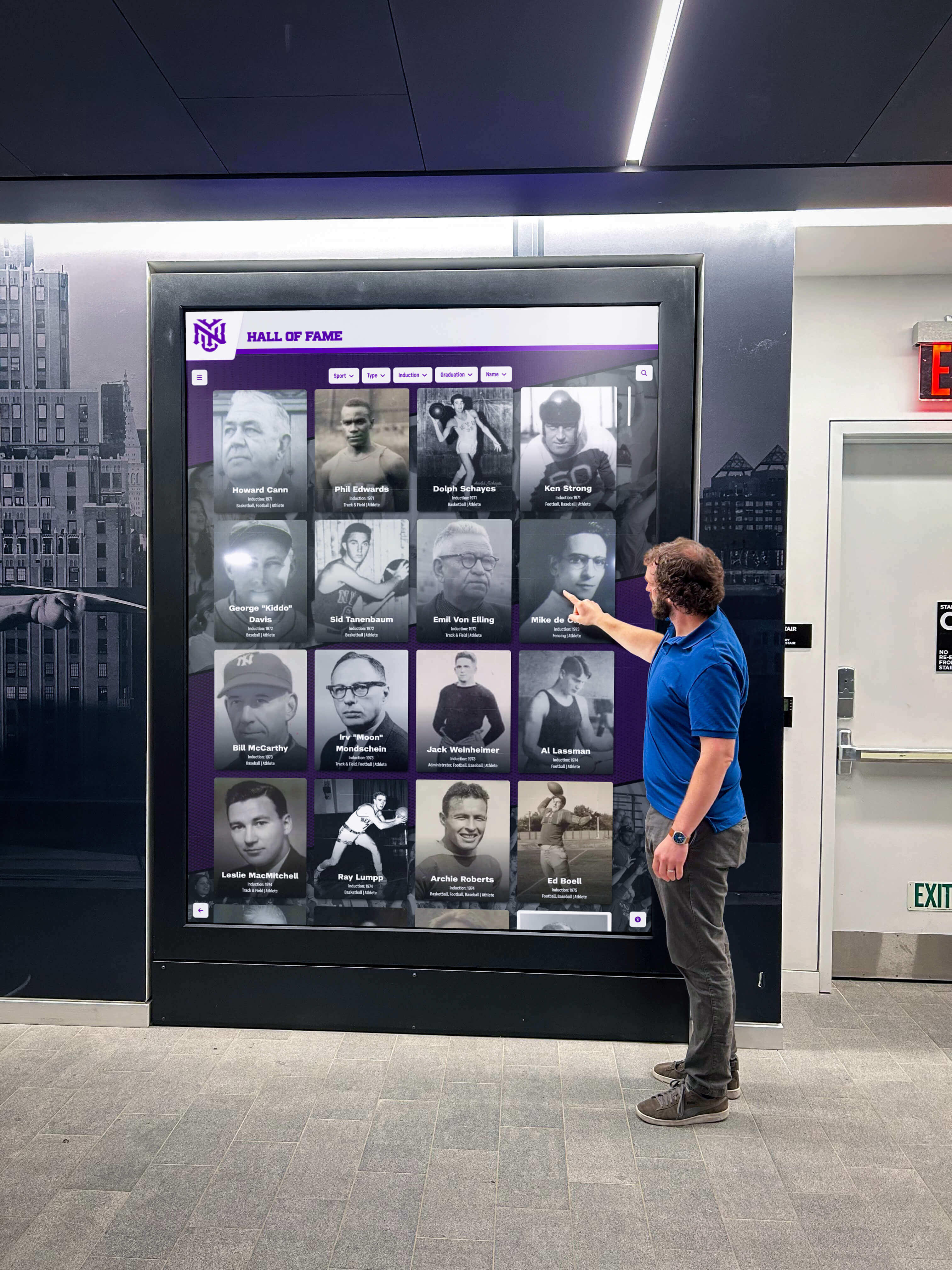
Modern interactive kiosks in high-traffic areas provide intuitive access to recognition content, directories, and institutional information
Understanding Interactive Kiosk Technology
Before implementation, organizations benefit from understanding the technology components that distinguish effective interactive kiosks from disappointing installations.
Core Components of Interactive Kiosk Systems
Successful interactive kiosk solutions integrate several technology elements working together seamlessly:
Commercial-Grade Touchscreen Displays
The display forms the primary visitor interface, typically ranging from 32 inches for compact installations to 75+ inches for large lobby environments. Commercial-grade displays differ fundamentally from consumer televisions through several critical specifications:
- Continuous operation ratings supporting 24/7 use without overheating
- Higher brightness levels (350-700 nits) ensuring visibility in varied lighting conditions
- Industrial-grade components designed for years of daily public interaction
- Extended commercial warranties reflecting durability expectations
- Integrated touchscreen capability using capacitive or infrared technology
According to touchscreen industry standards, commercial displays in public deployment scenarios last 2-3 times longer than consumer televisions while maintaining consistent image quality and touch responsiveness.
Touch Technology Options
Different touch technologies offer distinct advantages for interactive kiosk applications:
Projected capacitive touch technology represents the most common choice for modern interactive kiosks, offering excellent accuracy, multi-touch capability supporting gestures like pinch-to-zoom, durability through protective glass overlays, and familiar smartphone-like responsiveness that visitors instinctively understand.
Infrared touch provides alternatives for specific scenarios including large-format sizes exceeding 70 inches, outdoor installations with high ambient light, applications requiring stylus or gloved operation, and budget-conscious implementations prioritizing cost over ultimate performance.
Surface acoustic wave technology delivers superior image clarity but requires more frequent cleaning and maintenance in high-traffic public environments where dust and debris accumulation affects performance.
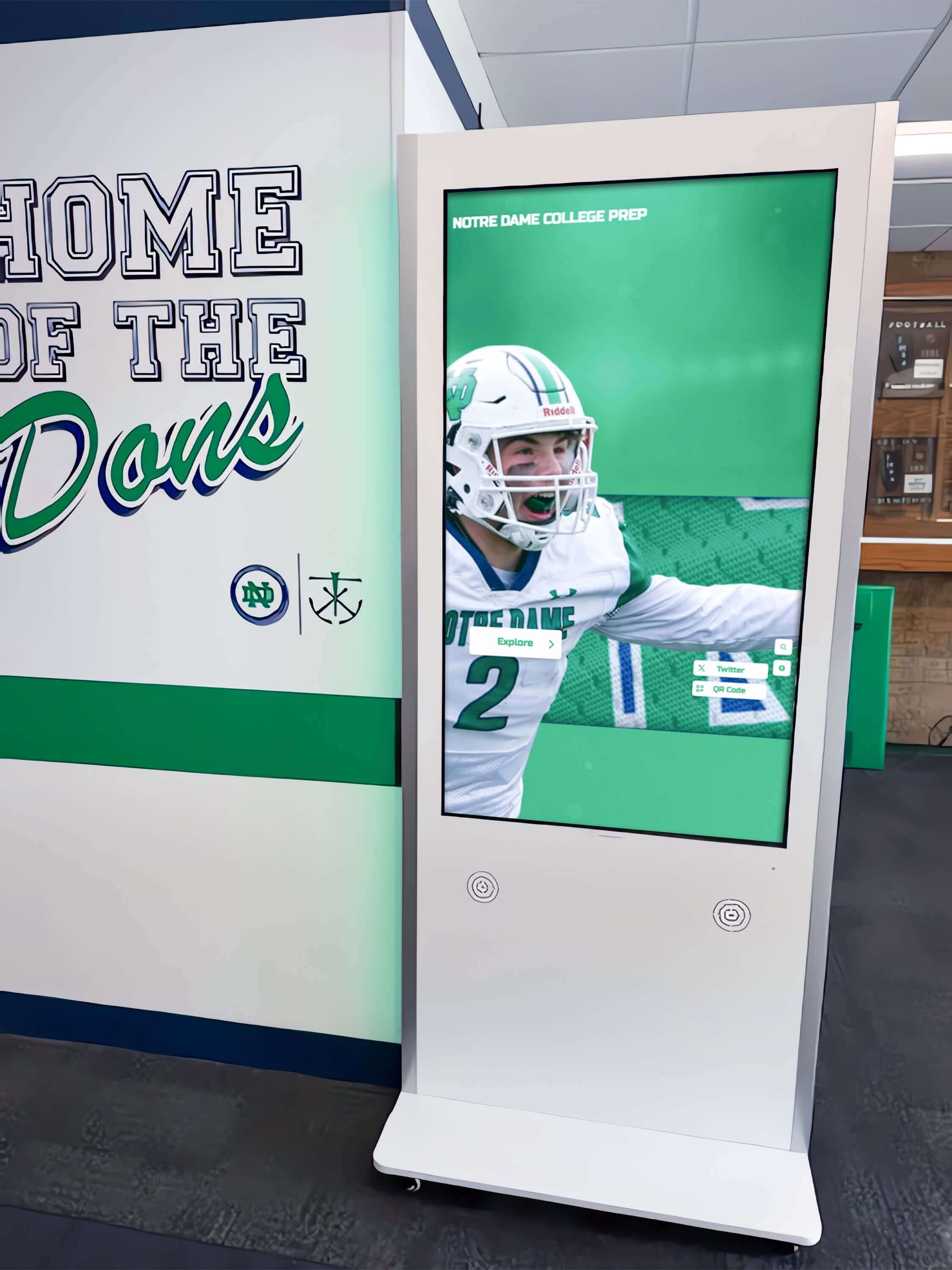
Strategic placement of interactive kiosks in athletic areas provides natural engagement opportunities for students, athletes, and visitors
Computing Systems and Processing
Interactive kiosks require computing power to run content management software and deliver responsive user experiences:
System-on-chip displays integrate computers directly into monitor enclosures, reducing equipment complexity and minimizing visible cables or external components. These integrated systems provide sufficient processing power for most interactive kiosk applications while simplifying installation and reducing potential failure points.
External media players connect to displays via HDMI, offering flexibility to upgrade computing power independently of displays. Small-form-factor PCs or specialized media players mount behind displays or within kiosk enclosures, providing dedicated processing for demanding content including high-resolution video or complex interactive features.
Modern interactive kiosk solutions increasingly favor system-on-chip displays for installations prioritizing reliability and clean aesthetics over maximum processing flexibility.
Enclosure and Mounting Options
Physical installation formats serve different spatial contexts and visitor flow patterns:
Freestanding floor kiosks on pedestal bases suit lobbies and open areas where flexibility matters, enabling repositioning as needs change. Wall-mounted displays preserve floor space while providing permanent interactive stations in corridors and entrance areas. Recessed installations integrate displays flush with walls, creating seamless architectural integration ideal for new construction or renovation projects.
Solutions like interactive touchscreen systems provide hardware recommendations and mounting options appropriate for institutional applications.
Software Architecture and Content Management
While hardware enables interaction, software determines daily usability and long-term sustainability:
Cloud-Based Management Platforms
Modern interactive kiosk solutions leverage cloud platforms providing remote content updates without requiring physical access to displays. Administrators manage content from desktop computers, tablets, or smartphones from any location with internet access.
Cloud-based systems offer centralized control of multiple displays across different locations, automatic software updates ensuring security and functionality, scheduled publishing automating time-sensitive content changes, and comprehensive analytics revealing usage patterns and popular content.
Schools and organizations report that cloud management eliminates the technical barriers that previously made sophisticated interactive displays accessible only to institutions with dedicated IT departments.
Content Management System Requirements
Effective platforms balance powerful features with intuitive interfaces suitable for non-technical administrators:
- Template-based content creation streamlining profile and page development
- Drag-and-drop media management simplifying photo and video uploads
- Search functionality enabling administrators to locate and edit content efficiently
- Version control and content approval workflows supporting multi-user teams
- Export and backup capabilities protecting against data loss
Organizations should prioritize content management simplicity over feature complexity. The most sophisticated system proves worthless if designated administrators cannot confidently manage daily updates without constant technical support.
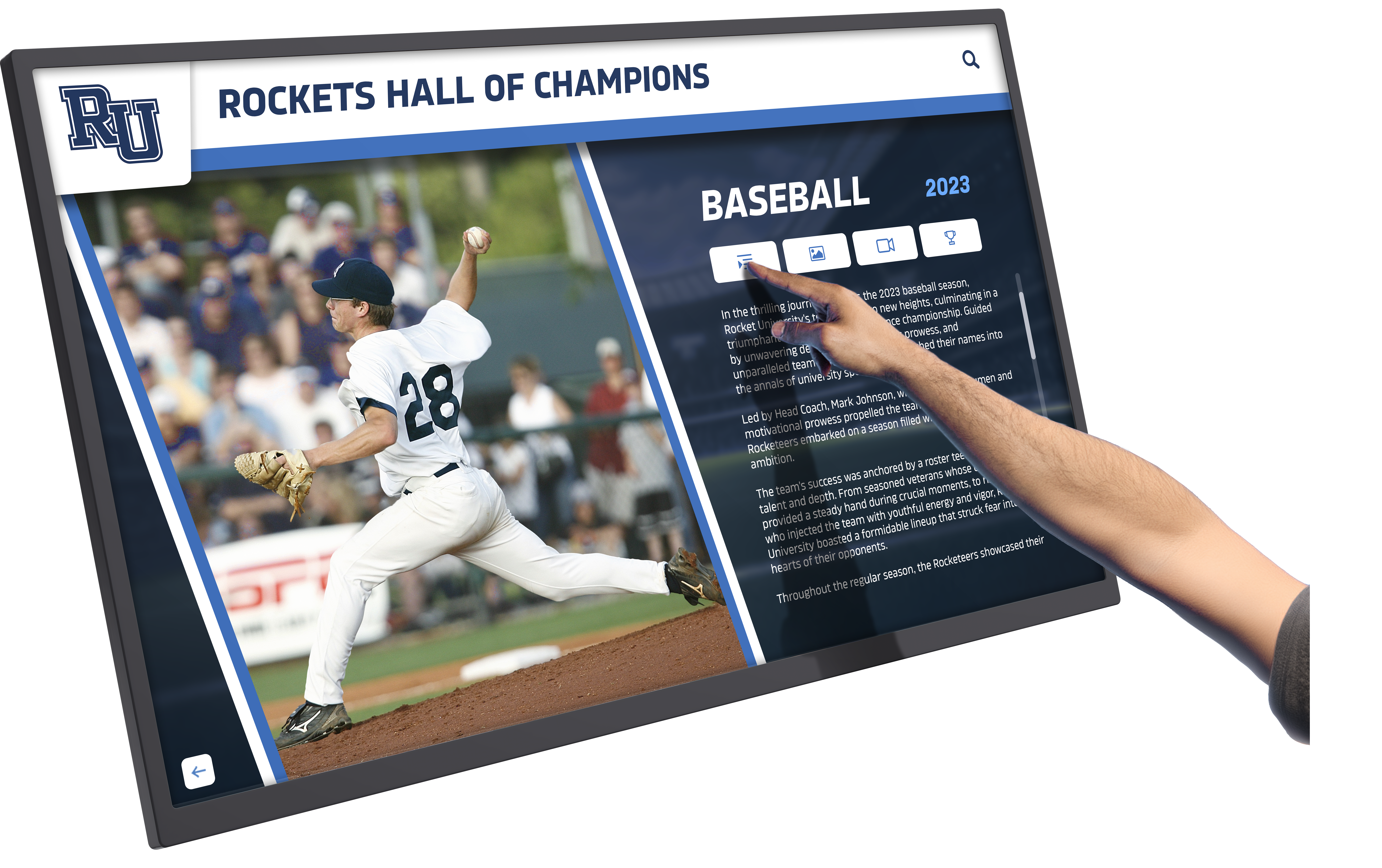
Intuitive touch interfaces enable visitors to explore detailed profiles, statistics, and achievement stories at their own pace
Strategic Planning for Interactive Kiosk Implementation
Successful implementations begin with systematic planning addressing organizational needs, spatial contexts, and sustainability considerations.
Needs Assessment and Goal Definition
Clear objectives guide appropriate technology selection and implementation strategies:
Information Access Objectives
Interactive kiosks excel at providing on-demand access to information that previously required staff assistance or remained inaccessible. Schools use interactive kiosks for campus directories helping visitors locate offices and classrooms, event calendars displaying schedules with filtering by audience or category, frequently asked questions reducing repetitive staff inquiries, program descriptions for prospective students and families, and building maps with wayfinding guidance.
Defining specific information challenges that interactive kiosks should address ensures implementations deliver measurable value rather than technology for its own sake.
Recognition and Achievement Display Goals
Many organizations implement interactive kiosks primarily for recognition purposes celebrating accomplishments across multiple categories. Athletic hall of fame displays showcase team championships, individual records, and athlete profiles with unlimited capacity compared to physical trophy cases.
Academic achievement recognition celebrates honor roll students, scholarship recipients, and competition success across all grade levels. Donor recognition walls acknowledge philanthropic contributions with flexible giving level displays. Historical archives preserve institutional heritage through timeline presentations and digitized photograph collections.
Interactive kiosk solutions eliminate the impossible choices that physical space constraints force upon recognition programs. Every deserving achievement receives visibility without displacing others.
Communication and Engagement Functions
Organizations leverage interactive kiosks for dynamic communication including daily announcements and schedule changes, event promotion and registration information, emergency alerts and safety messaging, campus news and community updates, and social media content integration.
The combination of recognition, information access, and communication capabilities within single interactive kiosk systems delivers comprehensive value justifying investment.
Location Strategy and Visitor Flow Analysis
Strategic placement maximizes visibility and utilization:
High-Traffic Primary Locations
Main entrance lobbies capture first impressions as visitors arrive. Administrative office reception areas serve prospective students, families, and community members. Athletic facility entrances engage athletes, families, and fans. Student commons and dining areas reach daily campus populations. Library entrances provide natural exploration opportunities.
Primary locations should receive first priority for interactive kiosk installation, establishing credibility and awareness before expanding to secondary areas.
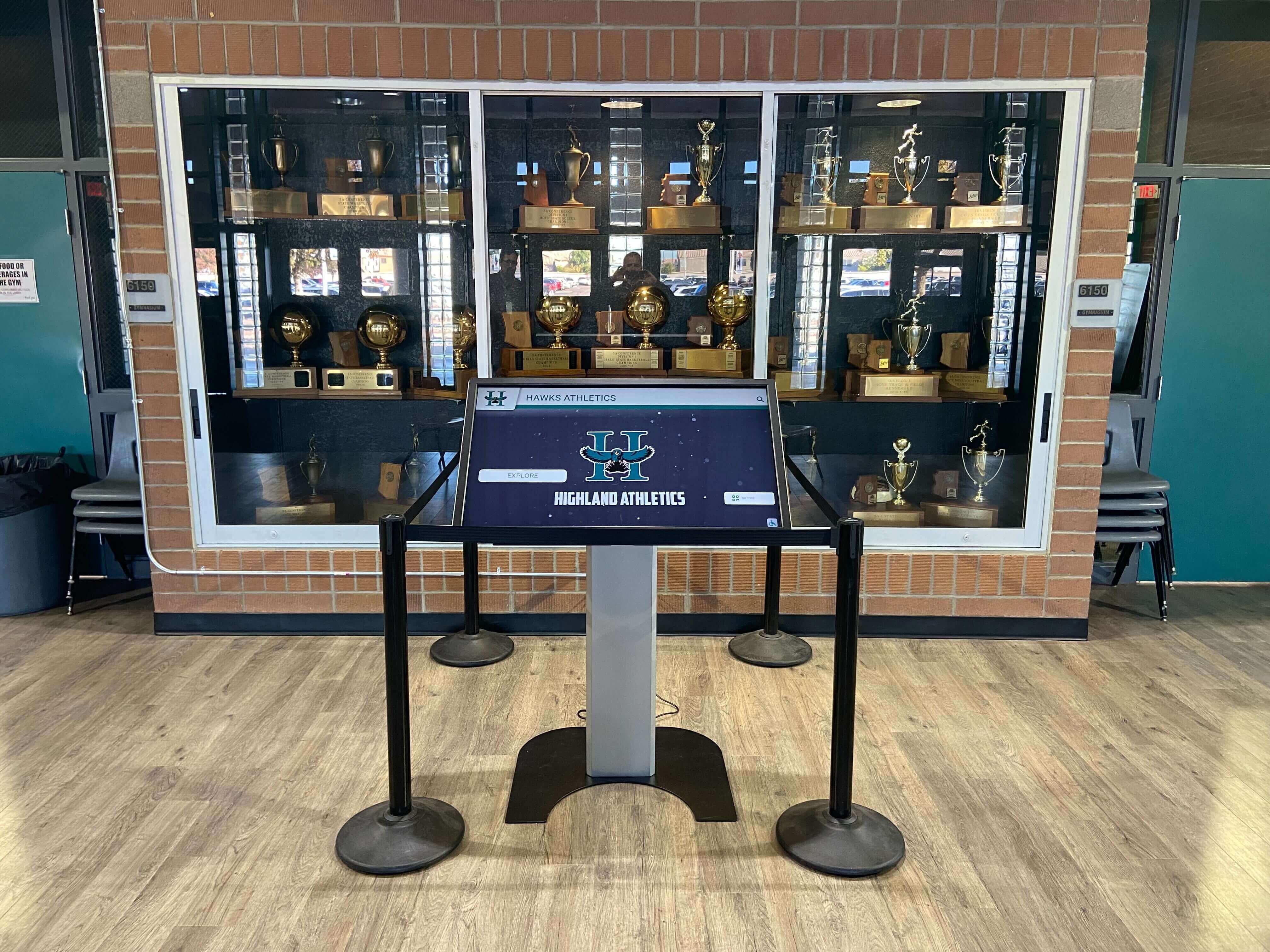
Interactive kiosks integrate with existing trophy case areas, combining physical artifacts with unlimited digital recognition capacity
Accessibility Considerations
All installations must accommodate visitors with diverse abilities ensuring universal access. Maximum touchscreen heights enable wheelchair users to reach all interactive elements. Clear floor space provides wheelchair approach room conforming to ADA specifications. Audio output options serve visitors with visual impairments. High-contrast viewing modes support users with low vision. Simple navigation accommodates cognitive differences.
Organizations implementing accessible touchscreen displays ensure inclusive experiences for all community members.
Dwell Time Considerations
Content complexity should match typical visitor engagement duration at different locations. Reception area waiting zones support detailed content exploration during extended dwell periods. High-traffic corridors require concise information accessible during brief interactions. Dedicated recognition galleries accommodate longer engagement sessions as visitors explore achievement histories.
Matching content depth to location-specific dwell patterns optimizes visitor experience and information retention.
Budget Development and Total Cost of Ownership
Realistic financial planning addresses both initial and ongoing costs:
Initial Implementation Investment
Comprehensive budgets include multiple components beyond hardware costs. Commercial-grade touchscreen displays with integrated computers range from $3,000-$12,000 per unit depending on size and specifications. Kiosk enclosures, wall mounts, or custom stands add $800-$4,000 per installation. Professional installation including power, network connections, and mounting costs $1,500-$5,000 per location.
Software platform licensing requires $2,000-$10,000 annually for cloud-based systems or $20,000-$100,000 for one-time enterprise licenses. Initial content development including profile creation, photo preparation, and data migration ranges from $3,000-$15,000 depending on recognition scope. Administrator training and onboarding typically requires $500-$2,000 investment.
Single interactive kiosk pilot implementations typically range from $8,000-$25,000 total investment. Comprehensive multi-display installations scale from $40,000-$150,000 depending on quantity, customization, and content complexity.
Ongoing Operational Costs
Annual software subscriptions for cloud-based platforms range from $1,500-$8,000 depending on feature set and number of displays. Content updates and management require either internal staff time or contracted services. Hardware maintenance and technical support cost approximately $500-$2,500 annually per display. Power consumption and network connectivity represent minimal ongoing expenses. Hardware replacement reserves for aging equipment should accumulate 10-15% of initial hardware investment annually.
Organizations report total ongoing costs typically represent 10-20% of initial implementation investment annually, with higher percentages for smaller installations and lower percentages for larger deployments benefiting from economies of scale.
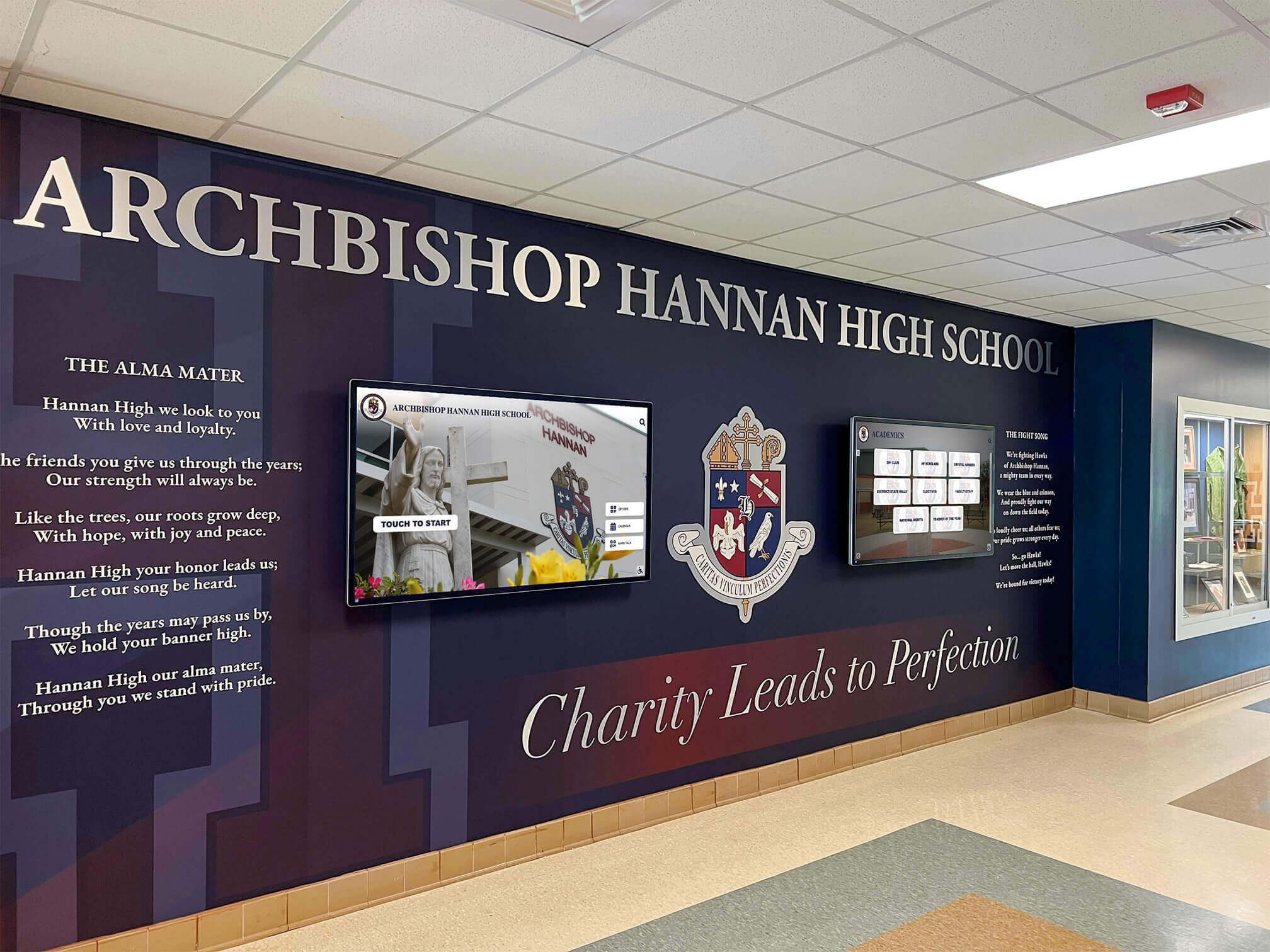
Multiple coordinated displays in prominent lobbies maximize recognition capacity while enabling diverse content presentation
Content Strategies for Interactive Kiosk Success
Hardware and software enable interactive experiences, but compelling content determines whether visitors engage or walk past displays.
Recognition and Achievement Content
Recognition represents one of the highest-value content categories for schools, universities, and community organizations:
Athletic Recognition and Record Boards
Digital trophy case solutions provide unlimited capacity for athlete profiles with photos, statistics, and achievement details. Championship team rosters document players, coaches, and season highlights. School records by sport and event track all-time performances. Conference and state honors celebrate selection to all-star teams and competitive recognition.
Athletic recognition creates pride while providing recruiting tools showcasing program tradition to prospective student-athletes and families.
Academic Excellence Displays
Schools implementing visible academic recognition report increased student motivation and stronger academic culture. Honor roll and dean’s list recognition by term celebrates consistent academic performance. Scholarship recipient acknowledgment honors academic achievement and financial assistance. Competition success showcases academic teams in debate, quiz bowl, math competitions, and science olympiad. Graduation honors including valedictorians, salutatorians, and special academic awards receive prominent visibility.
Digital platforms enable equal recognition for academic achievement alongside athletic success, addressing equity concerns in institutions where athletics historically dominated recognition displays.
Donor Recognition and Development Content
Nonprofits, educational institutions, and cultural organizations leverage interactive kiosks for donor wall applications acknowledging philanthropic support. Donor listings organized by giving level provide tiered recognition without displaying specific contribution amounts. Campaign progress visualization builds excitement and momentum for fundraising initiatives. Impact stories demonstrate how contributions benefit programs and people. Memorial and tribute giving acknowledgment honors loved ones through educational support.
Digital donor recognition enables immediate updates as new contributions arrive, ensuring timely acknowledgment without waiting for annual plaque updates.
Arts and Cultural Program Showcases
Theater programs display production histories with cast photos, playbills, and performance videos. Music programs showcase concert performances, competition success, and student musician profiles. Visual arts galleries present student artwork, exhibition histories, and artist statements. Cultural programs document performances, demonstrations, and community engagement.
Interactive kiosk solutions ensure arts achievements receive visibility equal to athletic and academic recognition, creating comprehensive institutional cultures celebrating excellence across all domains.
Informational and Wayfinding Content
Practical utility content demonstrates immediate value:
Interactive Directories and Navigation
Searchable staff and faculty directories with photos, titles, and contact information reduce confusion and administrative inquiries. Department locations and office room numbers help visitors navigate complex facilities. Building maps with “you are here” indicators provide spatial orientation. Service locations and hours of operation inform visitors about available resources.
Touch interfaces enable visitors to search by name, department, or service type, dramatically improving information findability compared to static directories requiring visual scanning of alphabetical lists.
Interactive wayfinding and directory systems reduce staff inquiries while improving visitor navigation experiences
Calendar and Event Information
Dynamic scheduling content stays current through calendar system integration. Master event calendars with filtering by category or audience help visitors discover relevant activities. Daily schedules with times and locations provide at-a-glance orientation. Registration deadlines and sign-up information facilitate participation. Athletic schedules and game information keep communities informed about competition dates.
Automated calendar integration ensures displays show accurate information without requiring manual updates for every schedule change.
Historical Archives and Institutional Heritage
Museums, historical societies, and educational institutions use interactive kiosks for digital archive access preserving institutional memory. Historical timelines document founding stories, facility evolution, leadership succession, and milestone achievements. Digitized photograph collections make archival images accessible with search and filtering capabilities. Yearbook archives provide searchable access to decades of institutional history. Oral history collections present community member interviews documenting lived experiences.
Interactive platforms make institutional collections accessible while protecting fragile physical documents from handling damage.
Engagement Features and Interactive Elements
Technology capabilities transform passive viewing into active exploration:
Search and Filtering Functionality
Robust search capabilities represent critical interactive features enabling visitors to locate specific individuals, achievements, or information efficiently. Name search finds specific people within large recognition databases. Year or date filtering displays achievements from particular time periods. Category filtering shows only selected recognition types like athletics, academics, or donor contributions. Keyword search locates content matching text queries.
Search functionality proves especially valuable for alumni returning to campus seeking classmates and teammates from their era, providing personalized reconnection experiences impossible with static displays.
Multimedia Integration
Rich media creates emotional connections impossible through text and static images alone. Video interviews with recognized individuals provide personal achievement stories and advice to current students. Photo galleries document events, performances, and celebrations. Audio content presents oral histories and commemorative messages. Interactive timelines enable chronological exploration of institutional history.
Organizations report that interactive display content incorporating video and multimedia generates 3-4 times longer visitor engagement compared to text and photos alone.
QR Code Integration
QR codes bridge physical interactive kiosks with personal mobile devices, extending experiences beyond fixed locations. Visitors scan codes to access extended content on smartphones, send directions or information to personal devices, share recognition profiles via social media, bookmark content for later viewing, and subscribe to updates about specific recognition categories.
Mobile integration extends institutional touchpoints beyond physical visits while respecting different preferences for interaction modalities.

Card-based interfaces enable intuitive exploration of recognition content with familiar smartphone-like interaction patterns
Hardware Selection and Procurement
Choosing appropriate equipment ensures reliability, longevity, and visitor satisfaction through years of daily public use.
Display Size and Resolution Selection
Screen dimensions should match viewing contexts and content requirements:
Small Format (32-43 inches)
Compact displays suit individual viewing stations in reception areas, limited wall space in corridors or offices, directory and wayfinding applications with concise information, locations with close viewing distances under four feet, and budget-conscious pilot implementations testing interactive kiosk effectiveness.
Minimum 1920x1080 (Full HD) resolution ensures text readability at arm’s length viewing distances typical of compact touchscreen interaction.
Medium Format (49-55 inches)
Mid-size displays represent the most common general-purpose application size, ideal for main lobby installations with moderate viewing distances, recognition displays where profile detail visibility matters, locations serving 1-3 simultaneous viewers, and installations balancing presence with budget considerations.
Full HD resolution suffices for most applications, though 4K (3840x2160) provides enhanced clarity for premium installations emphasizing image quality.
Large Format (65-75+ inches)
Oversized displays create maximum impact in grand lobbies and expansive spaces, group viewing scenarios where multiple visitors simultaneously engage, high-impact recognition displays emphasizing achievement importance, locations with significant viewing distances exceeding eight feet, and flagship installations demonstrating institutional commitment to recognition.
4K resolution prevents pixelation at large sizes, ensuring professional image quality that reflects positively on institutional standards.
Organizations typically standardize on one or two sizes across facilities, balancing consistency with location-specific requirements. Standardization simplifies procurement, reduces spare parts inventory, and creates visual consistency across campus.
Touch Technology Evaluation
Different touch technologies offer operational characteristics suited to specific applications:
Projected Capacitive Touch (PCAP)
This technology represents the most common choice for modern interactive kiosks, offering excellent accuracy supporting precise selection of small interface elements, multi-touch capability enabling pinch-to-zoom and gesture controls, durability through protective glass overlays, familiar smartphone-like response visitors instinctively understand, and premium user experience justifying higher cost.
Projected capacitive touch works through protective glass layers, preventing direct contact with display surfaces while maintaining responsive interaction. This construction protects displays while enabling effective cleaning and maintenance in high-traffic public environments.
Infrared Touch Technology
Infrared options suit specific scenarios including large format sizes exceeding 70 inches where capacitive overlays become prohibitively expensive, outdoor or high-ambient-light locations, applications requiring glove or stylus operation that capacitive screens may not reliably detect, and budget-conscious implementations prioritizing cost over ultimate user experience.
Infrared systems detect touch interruption of invisible infrared light grids across display surfaces. While generally reliable, infrared may experience occasional false touches from insects or debris in outdoor applications.
Computing Platform Recommendations
Processing requirements depend on content complexity and feature sets:
System-on-Chip Displays
Integrated computing built into display enclosures offers simplified installation with fewer components, reduced failure points improving reliability, all-in-one warranties covering entire systems, sufficient performance for most interactive kiosk applications, and clean installations with minimal visible equipment.
System-on-chip displays represent the recommended choice for most interactive kiosk implementations unless specific requirements demand external computing platforms.
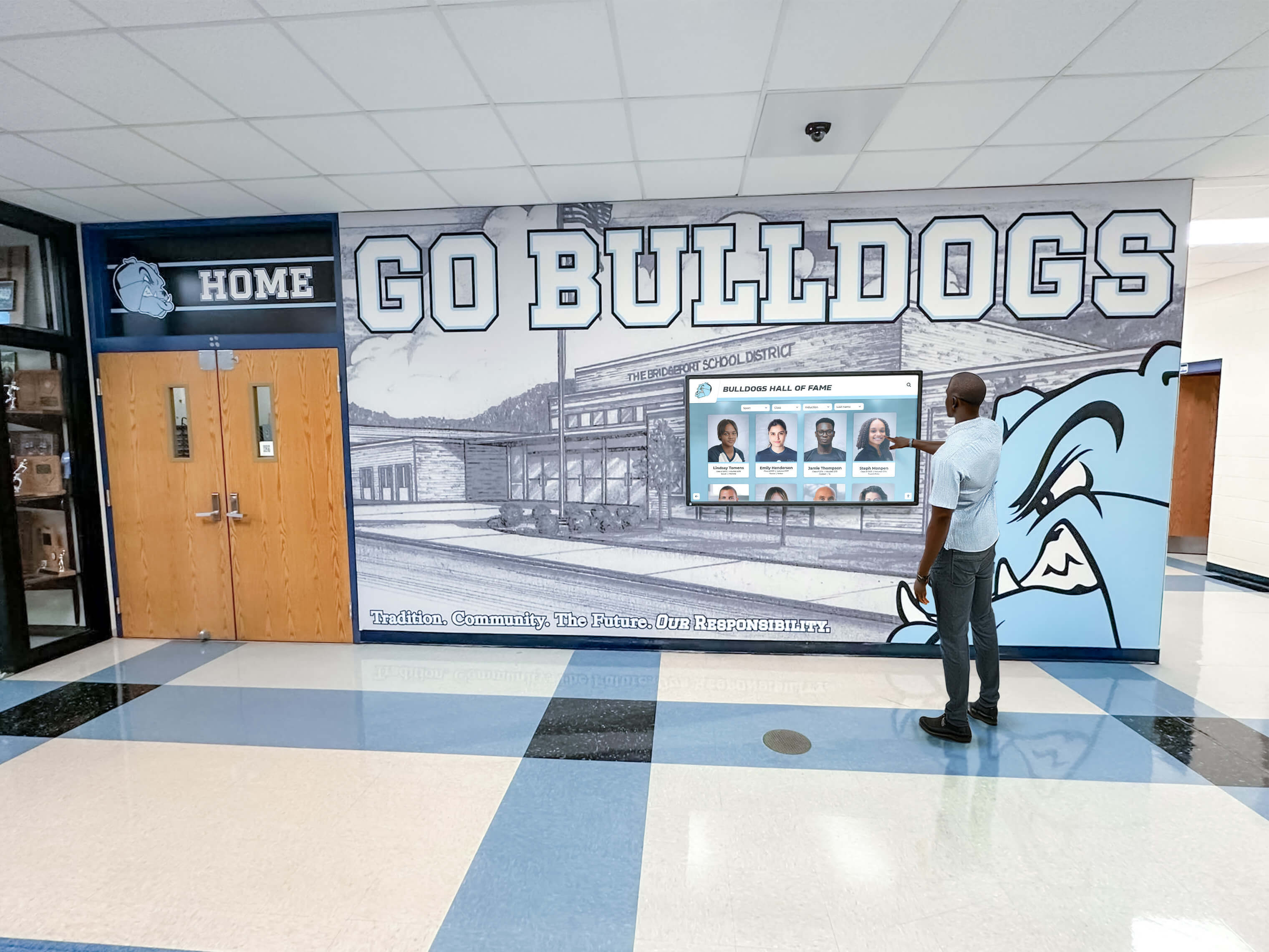
Large-format displays in athletic areas create prominent recognition opportunities engaging passersby throughout daily routines
External Media Players
Separate computing devices connect to displays via HDMI, offering flexibility to upgrade computing without replacing displays, support for specialized applications requiring specific operating systems, potentially higher performance for demanding content including 4K video, and compatibility with existing standardized player infrastructure.
External players add equipment requiring mounting, power, and cable management. Organizations should select this approach when using custom software with specific computing requirements or when standardizing on particular player platforms across multiple applications.
Vendor Selection and Partnership
Choosing appropriate partners affects implementation success and long-term satisfaction:
Integration Partner Evaluation
Few organizations possess in-house expertise for complete interactive kiosk implementation. Evaluation criteria should include prior experience with schools or similar institutions, comprehensive services from planning through training, technical support capabilities and response times, content management platform quality and usability, and reference customers in similar contexts willing to discuss experiences.
Solutions like Rocket Alumni Solutions specialize in turnkey implementations for schools and organizations, providing integrated hardware, software, content development, and ongoing support designed specifically for institutional applications. This comprehensive approach eliminates complexity of coordinating multiple vendors while ensuring component integration.
Manufacturer Selection for Hardware
When procuring hardware independently, evaluate display manufacturers based on commercial product lines designed for public deployment, warranty terms and support reputation, authorized service network availability in your region, track record in educational and institutional markets, and price-to-performance value proposition.
Leading commercial display manufacturers including NEC, Samsung, LG, Planar, and ViewSonic offer institutional-grade product lines with appropriate warranties and support infrastructure.
Installation and Technical Implementation
Professional installation ensures reliability, accessibility, and appropriate facility integration.
Physical Installation Requirements
Multiple building systems require coordination:
Electrical Infrastructure
Power requirements vary by installation type but universally require dedicated circuits for each display or small groups of displays, proper electrical code compliance and permit acquisition when required, surge protection safeguarding expensive equipment from power fluctuations, power management capability for scheduled operation saving energy during closed hours, and emergency power integration for critical displays requiring 24/7 operation.
Coordinate with facilities management and licensed electricians early in planning to avoid delays and ensure code compliance protecting investment and ensuring safety.
Network Connectivity
Cloud-managed interactive kiosks require reliable internet access enabling remote content updates. Wired Ethernet connections provide most reliable connectivity supporting consistent performance. Wireless network access serves locations where cabling proves impractical or cost-prohibitive. Sufficient bandwidth supports video content and real-time updates without degrading performance. Separate VLANs or network segments isolate public displays from internal administrative systems. Firewall configuration allows necessary cloud platform access while maintaining security.
Most content management platforms require only modest bandwidth (2-5 Mbps), making connectivity requirements easily achievable in nearly all institutional locations.
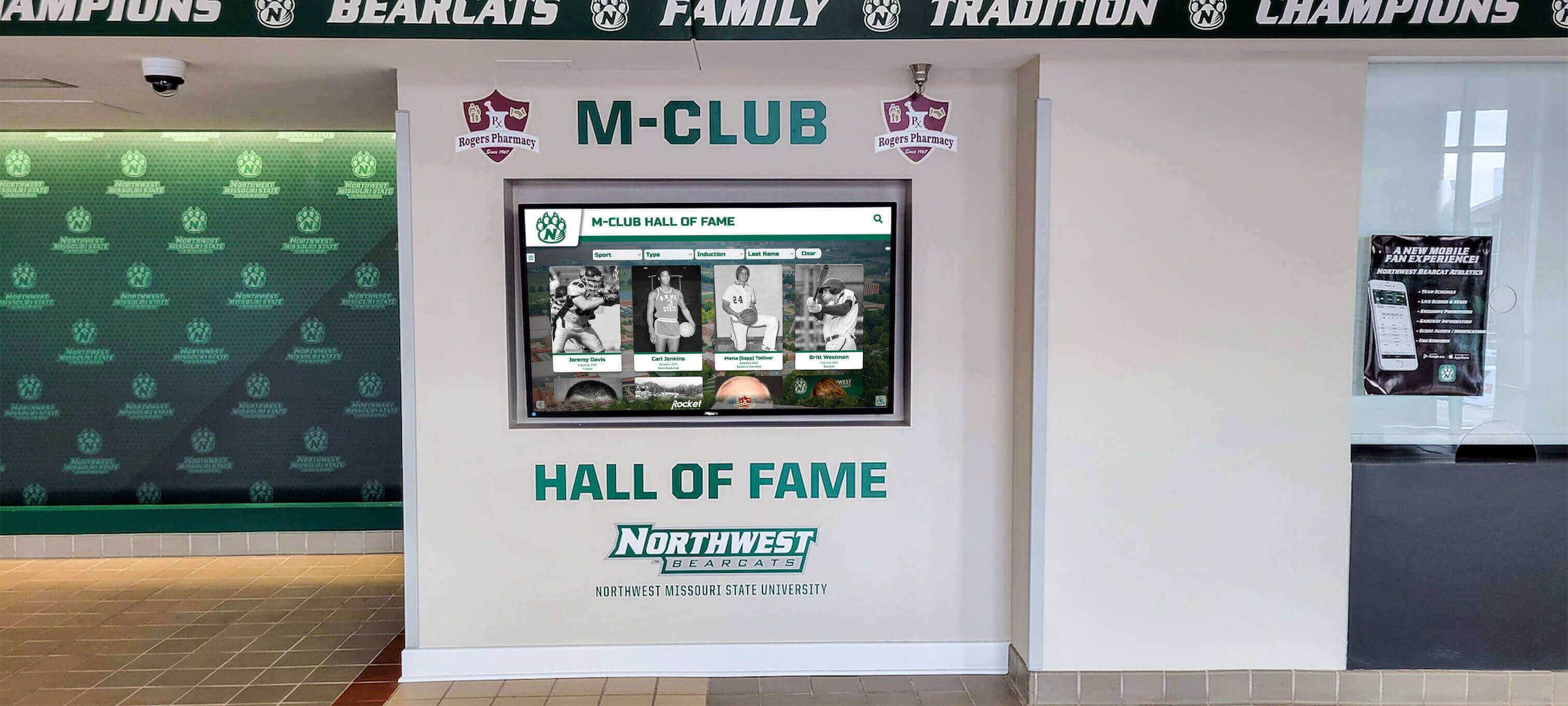
Wall-mounted installations provide professional appearance while preserving floor space in corridors and common areas
Mounting and Accessibility Compliance
ADA-compliant installation meets diverse visitor needs through touchscreen height ensuring wheelchair users can reach all interactive elements (typically maximum 48 inches to highest interactive element), clear floor space accommodating wheelchair approach (minimum 30x48 inches), viewing angles appropriate for standing and seated users, ambient light management preventing screen glare and washout, and cable management maintaining clean professional appearance.
Consult ADA guidelines and local accessibility codes during planning to ensure compliant installations avoiding costly post-installation modifications.
Software Configuration and Launch
Platform deployment establishes management infrastructure:
Content Management System Setup
Initial configuration creates operational frameworks through administrative account creation with role-based permissions supporting multiple managers, display registration and location assignment enabling centralized control, template customization reflecting institutional branding and visual identity, navigation structure design organizing content logically, and integration configuration for calendars, directories, or external data sources.
Professional implementation partners typically handle initial configuration as part of turnkey service packages, delivering ready-to-use systems rather than requiring internal technical configuration expertise.
Initial Content Development
Launch preparation requires substantial content creation. Organizations should develop minimum viable content including welcome messages and institutional overviews, directory and wayfinding information serving immediate utility needs, current event calendars demonstrating dynamic information value, contact information and operational hours, and emergency and safety procedures when appropriate.
Starting with utility content demonstrates immediate value while providing time to develop comprehensive recognition content libraries. Digital signage content strategies offer ideas for diverse content types maximizing display value.
Phased content expansion over initial months systematically grows content depth. Launch with essential informational content in weeks 1-2. Add recognition and achievement content during weeks 3-6. Implement historical and archival materials in weeks 7-12. Develop interactive features and advanced content in months 4-6.
Gradual expansion prevents overwhelming initial requirements while demonstrating growing value over time, building stakeholder support for continued investment.
Training and Change Management
Technology succeeds only when people understand and embrace it, requiring systematic training and communication.
Administrator Training and Support
Content managers require appropriate preparation ensuring sustainable operation:
Core Content Management Skills
Essential training topics include logging into cloud-based content management systems from various devices, adding and editing recognition profiles and informational pages, uploading and formatting images meeting quality standards, scheduling content publication and automatic expiration, monitoring display status and troubleshooting basic issues, and accessing support resources when problems exceed administrator capabilities.
Training sessions typically require 2-4 hours depending on platform complexity and administrator technical comfort. Video tutorials and written documentation support ongoing reference as questions arise during regular operation.
Distributed Management Approaches
Sustainable content strategies distribute responsibilities across appropriate staff. Athletics staff manage sports-related recognition independently. Admissions personnel control recruitment and prospective student information. Development staff manage donor recognition content. Student life administrators maintain event calendars. Academic affairs staff handle honor roll and scholarship recognition.
Distributed responsibility prevents bottlenecks while ensuring subject matter experts control relevant content. Clear role definitions and permissions prevent conflicts while enabling appropriate access.
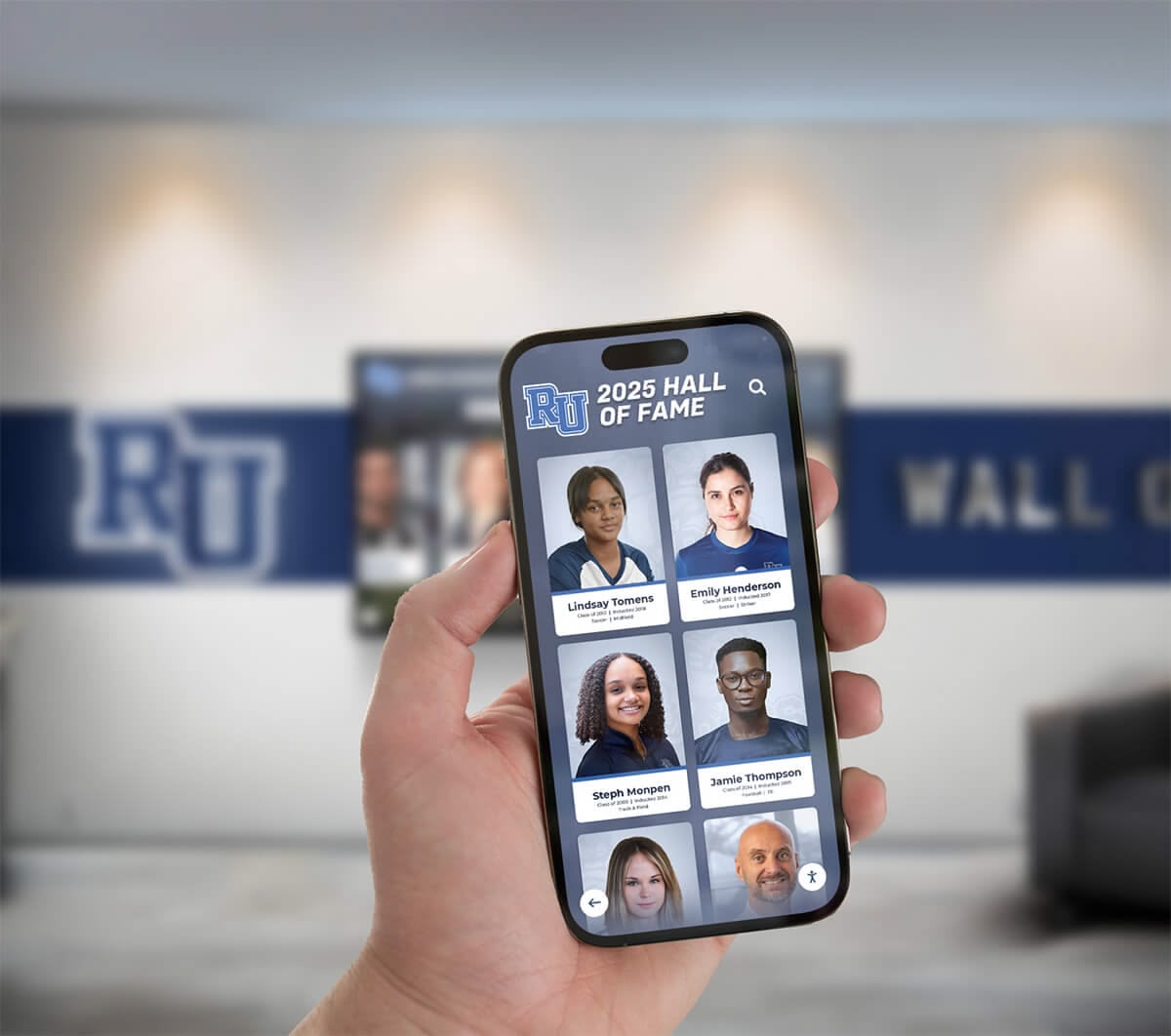
Mobile-accessible management platforms enable content updates from anywhere, not just when physically present on campus
Community Awareness and Promotion
Technology impact depends on utilization requiring systematic awareness building:
Launch Communication
Multi-channel announcement builds awareness through all-community email announcing new interactive kiosks and highlighting key content, social media posts featuring displays and recognition categories, physical signage near displays directing attention, demonstration sessions for key stakeholder groups, and website features explaining kiosk capabilities and locations.
Initial promotion generates curiosity and encourages first-time interaction establishing usage patterns.
Ongoing Engagement
Sustained usage requires continued attention through regular content updates keeping displays fresh and relevant, featured content promotion highlighting new additions, interactive contests encouraging exploration, integration with events and programming, and user feedback collection and responsiveness demonstrating commitment to continuous improvement.
Organizations report that displays with monthly content updates maintain engagement levels 3-4 times higher than displays with quarterly or less frequent updates. Fresh content provides reasons for repeated interaction while stale displays quickly fade into background invisibility.
Measuring Success and Optimizing Performance
Data-driven assessment guides optimization and demonstrates value justifying investment.
Engagement Metrics and Analytics
Modern platforms provide usage visibility informing continuous improvement:
Interaction Tracking
Quantitative measures reveal engagement patterns including total sessions and unique users per display, average interaction duration showing engagement depth, most-viewed content identifying popular recognition categories or information, search term analysis revealing visitor interests and information-seeking behavior, and navigation path data showing how visitors explore content structures.
Analytics dashboards aggregate this data into actionable insights without requiring manual analysis expertise. Organizations should review analytics quarterly, using insights to inform content development and interface refinement decisions.
Content Performance Assessment
Identify high and low-performing content through recognition profiles generating most interest, informational pages receiving longest viewing times, interactive features showing highest utilization, underperforming content candidates for removal or redesign, and optimal content rotation frequencies maintaining freshness without overwhelming visitors.
Performance analysis enables evidence-based decisions about content investment and improvement priorities rather than relying solely on subjective impressions.
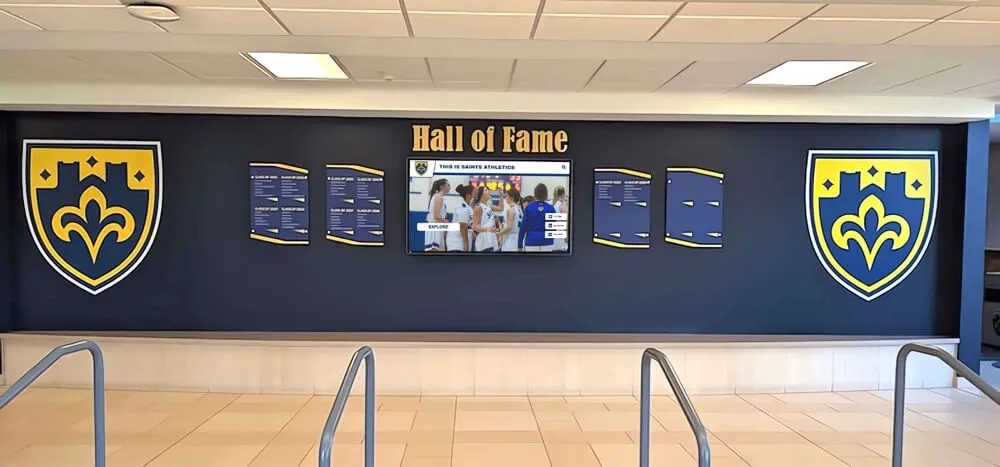
Traditional physical elements integrate with digital displays, combining tangible recognition with unlimited digital capacity
Qualitative Value Assessment
Numbers tell only part of the success story:
Stakeholder Feedback Collection
Gather perspectives from diverse users through informal conversations about display utility and interest, formal surveys assessing satisfaction and gathering suggestions, focus groups exploring detailed experiences and needs, observation of visitor behavior and interaction patterns, and tracking complaints and compliments about interactive kiosk systems.
Regular feedback collection enables responsive improvements addressing identified shortcomings before they undermine technology value and stakeholder support.
Operational Impact Measures
Assess effects on organizational functions including reduction in directional questions to reception staff, decrease in repetitive informational inquiries, increased alumni engagement and institutional connection, prospective student and family feedback during campus visits, and donor appreciation for recognition visibility and presentation quality.
Schools implementing comprehensive interactive kiosk solutions report 40-60% reduction in basic informational inquiries to administrative staff, freeing personnel for higher-value interactions requiring human judgment and relationship building that technology cannot replace.
Common Implementation Challenges and Solutions
Understanding frequent obstacles helps organizations avoid predictable problems plaguing interactive kiosk projects.
Challenge: Content Development Overwhelm
Organizations consistently underestimate content creation time and effort:
Solution Approaches
Start with minimum viable content and expand gradually rather than delaying launch until achieving comprehensive content perfection. Use templates and standardized layouts reducing custom design requirements for every profile. Implement bulk content import tools accelerating historical achievement migration. Engage students, volunteers, or work-study employees in content development projects expanding capacity. Consider professional content development services for initial population when internal resources prove insufficient.
Most successful implementations launch with 20-30% of envisioned content, expanding systematically based on capacity and audience feedback rather than exhausting resources in pre-launch perfection pursuit.
Challenge: Technical Issues and Downtime
Hardware or connectivity problems diminish credibility and stakeholder confidence:
Solution Approaches
Establish service agreements with clear response time expectations ensuring timely problem resolution. Maintain spare displays or critical components enabling rapid replacement minimizing extended downtime. Implement remote monitoring detecting problems proactively before visitors encounter failures. Train staff on basic troubleshooting including restart procedures resolving many common issues. Document common problems and solutions creating institutional knowledge persisting through personnel changes.
Most technical issues resolve quickly when appropriate support resources exist, minimizing disruption to operations and visitor experiences. The key lies in planning for inevitable problems rather than hoping they never occur.
Challenge: Outdated or Stale Content
Displays become ignored when content grows stale and recognition lags current achievements:
Solution Approaches
Assign specific content update responsibilities with clear accountability to individuals. Implement scheduled content review calendars ensuring periodic audits. Use automation for time-sensitive content including events and schedules reducing manual update burden. Establish content expiration policies requiring regular review of all published information. Monitor analytics identifying content requiring updates based on engagement patterns and age.
Organizations should schedule quarterly content audits ensuring accuracy and relevance across all display content. Systematic review processes prevent gradual staleness that undermines credibility.
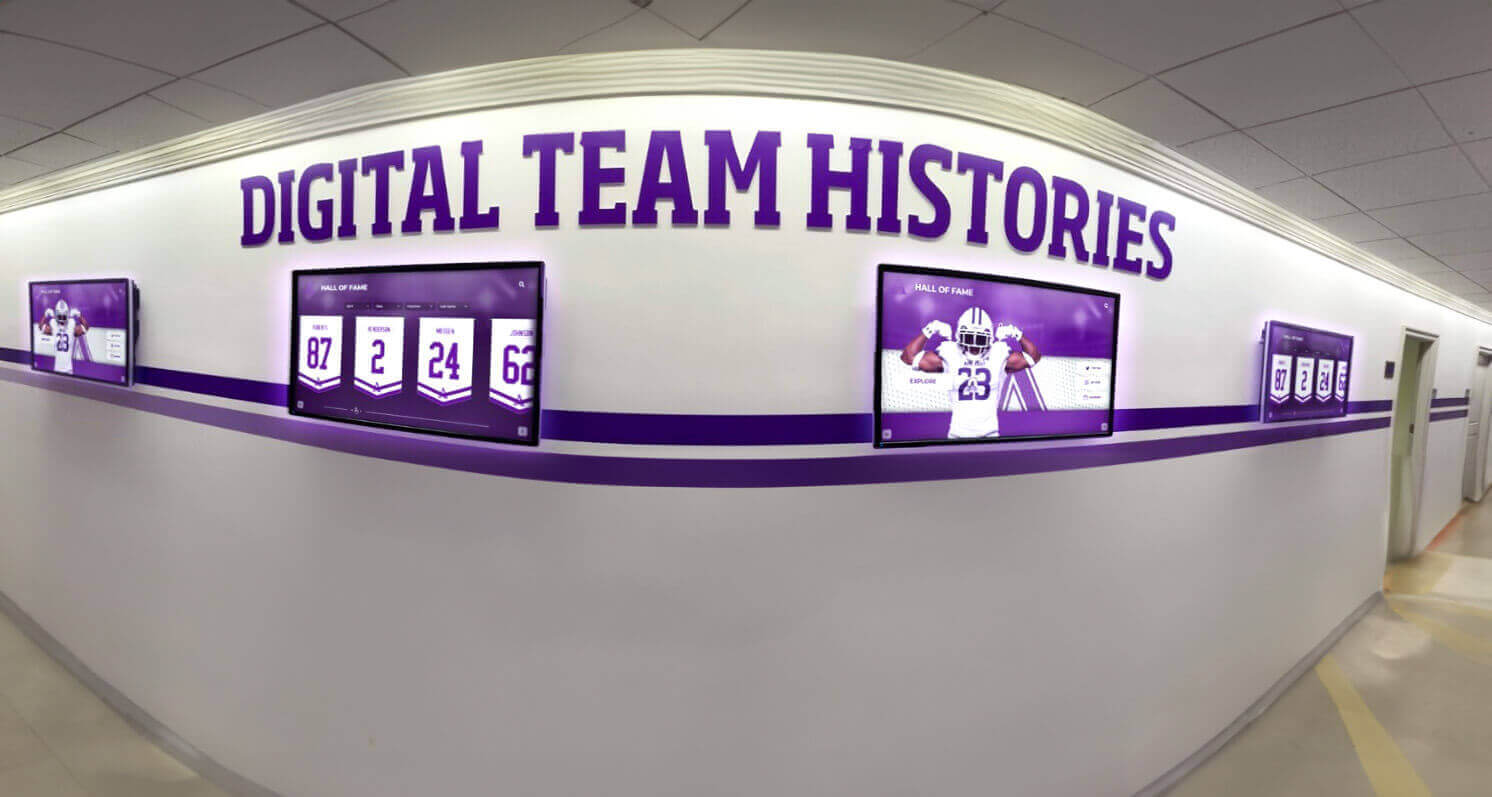
Multiple coordinated displays present comprehensive content across extended hallway spaces maximizing recognition visibility
Future Trends in Interactive Kiosk Technology
Understanding emerging developments helps organizations plan implementations remaining relevant through coming years.
Artificial Intelligence Integration
AI capabilities begin enhancing touchscreen experiences in meaningful ways:
Natural Language Interfaces
Conversational interaction replacing hierarchical menu navigation through voice or text queries replacing structured navigation, context-aware responses understanding intent beyond literal keywords, personalized content recommendations based on interaction history, accessibility improvements for users with limited technical comfort, and multilingual support through automatic translation.
Early implementations show promise though privacy concerns require careful consideration in public institutional contexts.
Content Personalization
Adaptive experiences responding to user behavior through recommendation engines suggesting related content, interest-based content prioritization, learning from interaction patterns, demographic-appropriate content presentation when determinable, and returning user recognition and preference memory when appropriate.
Personalization increases engagement by surfacing most relevant content for each visitor rather than requiring extensive manual navigation through large content libraries.
Enhanced Multimedia and Immersive Experiences
Advancing technology enables richer storytelling:
Augmented Reality Integration
Digital enhancement of physical environments through historical photographs superimposed on current locations, virtual object placement in physical spaces, interactive annotations on physical displays, wayfinding arrows overlaid on real-time camera views, and translation overlays on physical signage making content accessible to diverse language speakers.
AR integration blends physical and digital experiences creating memorable interactions impossible with either medium alone.
Mobile Device Integration
Smartphones become interactive kiosk complements rather than competitors through QR code connections bridging physical displays and personal devices, extended content access beyond kiosk capacity, personal calendar integration for events, social sharing of recognition content, and navigation instructions sent to phones for offline access.
Digital recognition systems increasingly extend beyond fixed kiosks to mobile apps and responsive websites, creating comprehensive digital ecosystems serving diverse access preferences.
Transform Your Visitor Experience with Modern Interactive Kiosks
Discover how comprehensive interactive kiosk solutions designed specifically for schools, universities, museums, and organizations can enhance information access, celebrate unlimited achievements, and create engaging experiences that strengthen community connections—without requiring technical expertise or overwhelming your staff.
Explore Interactive Kiosk SolutionsConclusion: Creating Memorable Visitor Experiences
Interactive kiosk solutions with touch technology transform how schools, universities, museums, nonprofits, and community organizations engage visitors, provide information, and celebrate achievements. When thoughtfully planned and professionally implemented, these systems enhance visitor satisfaction, improve information accessibility, eliminate recognition space constraints, and create memorable experiences that strengthen institutional connections.
The comprehensive strategies explored in this guide provide frameworks for successful implementation—from initial needs assessment through hardware selection, content development, training, and performance measurement. Organizations succeeding with interactive kiosks recognize that technology represents only one component; compelling content, intuitive interfaces, accessibility for all visitors, and sustainable management processes determine long-term impact.
Modern cloud-based platforms eliminate technical barriers that previously made sophisticated touchscreen solutions accessible only to institutions with dedicated IT departments. Intuitive interfaces, comprehensive training resources, and responsive support services enable schools and organizations of all sizes to implement interactive displays that engage audiences without overwhelming administrative resources.
Whether your institution plans single-kiosk pilot implementations testing effectiveness or comprehensive multi-display networks serving diverse locations, beginning with clear objectives and realistic planning ensures appropriate technology selection and sustainable operations. Start where you are, leverage solutions designed specifically for institutional contexts, and expand systematically as capacity and confidence grow.
Interactive kiosk solutions elevate visitor experiences from passive viewing to active exploration, from frustrating information searches to intuitive discovery, from limited physical recognition to unlimited digital celebration. The question isn’t whether touch technology can enhance your organization—it’s how quickly you’ll implement solutions that your community deserves and visitors increasingly expect.
Ready to explore how interactive kiosk solutions can transform your institution’s visitor experience and recognition programs? Learn more about comprehensive platforms designed specifically for schools and organizations, discover how institutions nationwide are leveraging touchscreen technology for campus directories, or explore donor recognition wall implementation strategies showcasing philanthropic support through interactive displays.































