



Intent: Demonstrate how schools can safely digitize aging yearbook collections and repurpose historical photos into modern recognition displays without risking damage to irreplaceable archives.
Schools and organizations possess treasure troves of historical memory bound within aging yearbook collections—decades of student photos, team pictures, and milestone moments documenting institutional history. These printed volumes sit on library shelves, gradually deteriorating as paper yellows, bindings crack, and pages become too fragile to handle safely. Meanwhile, schools planning hall of fame displays, recognition walls, or alumni engagement initiatives struggle to incorporate this rich historical content without physically extracting pages or risking irreversible damage to original yearbooks.
The tension between preservation and accessibility creates frustration for administrators who recognize yearbooks’ value but lack practical methods for safely digitizing these materials and integrating historical photos into modern recognition displays. Traditional approaches risk permanent damage—removing pages destroys original volumes, repeated handling accelerates deterioration, and inadequate digitization methods produce poor-quality images unsuitable for professional displays.
This comprehensive guide provides proven methods for safely digitizing old yearbooks while preserving originals intact, explains professional scanning techniques preventing damage, and demonstrates how digitized yearbook content integrates seamlessly into interactive hall of fame displays that bring historical photos to life for current students, alumni, and visitors.
Schools succeeding at yearbook preservation understand that digitization represents investment in institutional memory, creating permanent digital archives while keeping physical yearbooks safe from handling damage. The right approach balances preservation priorities with accessibility goals, producing high-quality digital files suitable for recognition displays, alumni resources, and archival storage.

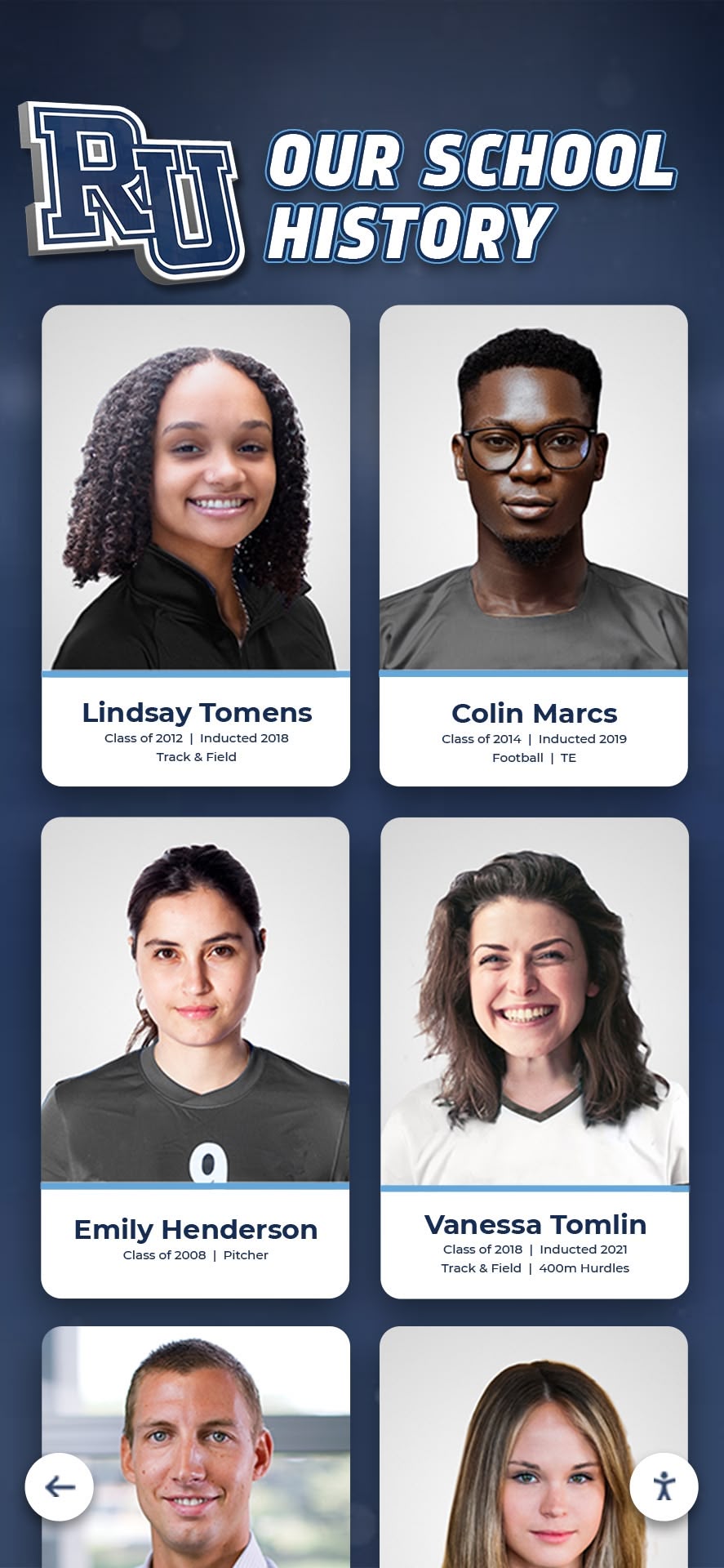
Digital displays transform historical yearbook photos into interactive portrait galleries, making decades of institutional memory accessible and engaging
Why Schools Need to Digitize Old Yearbook Collections
Before exploring digitization methods, understanding the urgency and benefits clarifies why this project deserves priority attention and resource allocation.
The Deterioration Crisis Facing Physical Yearbooks
Time steadily destroys printed yearbooks through natural degradation processes:
Physical Deterioration Patterns
Paper-based materials face inevitable decay:
- Acidic paper yellows and becomes brittle over 20-30 years
- Adhesive binding failure causes pages to loosen and separate
- Laminated covers crack and peel away from books
- Photographs fade as chemical compounds break down
- Moisture exposure creates mold, warping, and permanent staining
- Repeated handling damages fragile pages beyond repair
Research from the Library of Congress indicates that yearbooks printed before 1990 on high-acid paper experience accelerated deterioration, with brittleness often appearing within 30-40 years. Schools with yearbook collections dating to mid-20th century or earlier face imminent preservation crises as materials reach critical degradation points.
Access and Handling Damage
Well-intentioned use causes incremental harm:
- Students and staff handling yearbooks stress bindings and pages
- Page corners dog-ear and tear from repeated turning
- Spine damage occurs from improper opening and storage
- Oils from hands transfer to pages accelerating degradation
- Scanning attempts using standard copiers force spines open creating permanent damage
- Multiple people requesting access compounds wear exponentially
Many schools report yearbooks from 1970s-1990s requiring restricted access due to condition concerns, meaning materials become functionally unavailable despite physical existence.
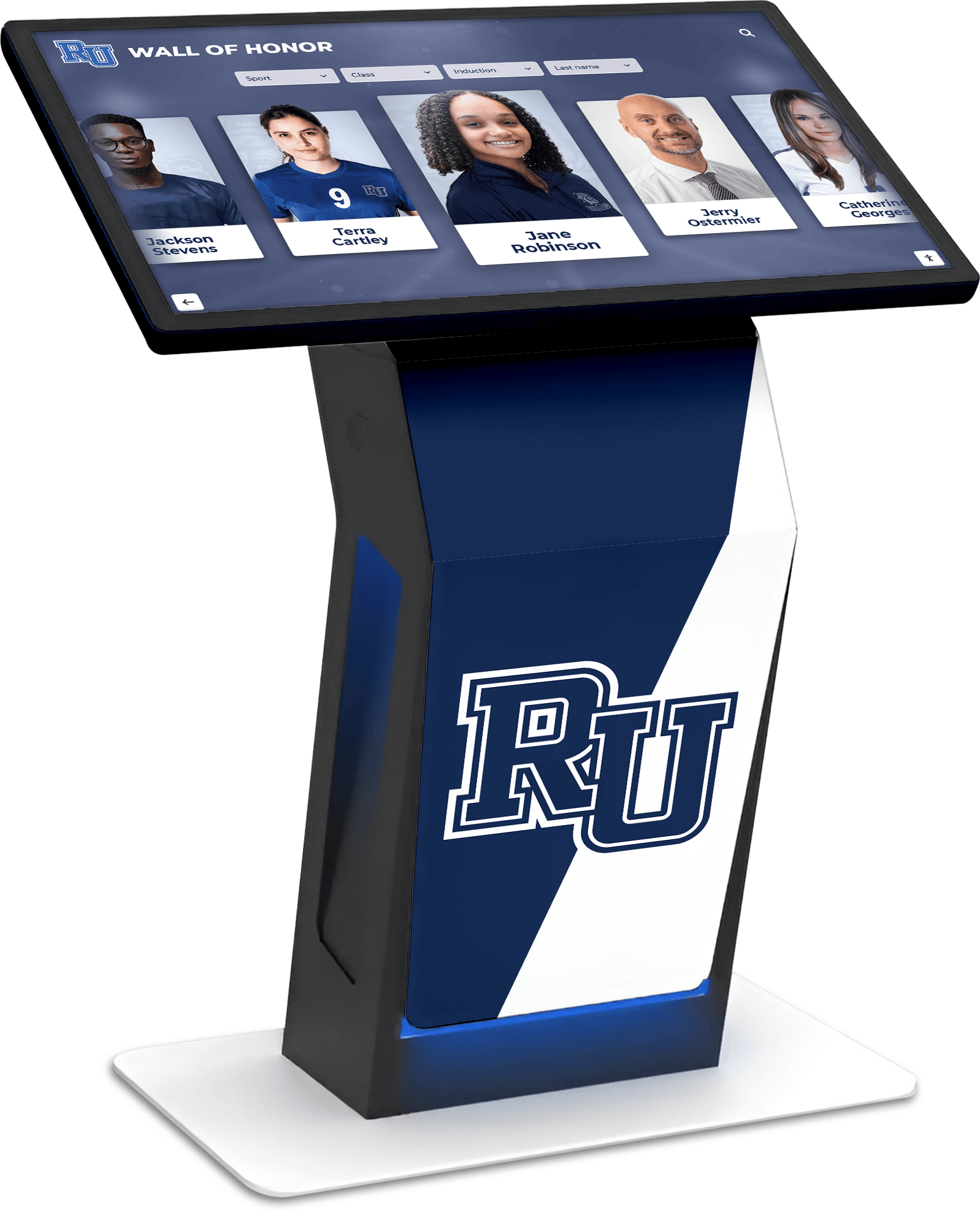
Interactive kiosks provide unlimited access to historical yearbook content without risk of damaging fragile originals
Benefits of Digitized Yearbook Archives
Digital conversion creates value extending far beyond simple preservation:
Preservation and Protection Benefits
- Original yearbooks stored safely with minimal handling requirements
- Digital files serve as backup if physical copies are damaged or lost
- Climate-controlled storage protects originals while digital versions remain accessible
- Unlimited access without degradation risk
- Future-proofed against continued physical deterioration
Enhanced Accessibility and Discovery
- Students and alumni explore yearbooks from anywhere via web access
- Searchable databases enable finding specific individuals instantly
- Full-text OCR allows searching for names, activities, and organizations
- Mobile-friendly viewing fits contemporary access expectations
- Digital yearbook platforms create engaging exploration experiences
Hall of Fame Integration Opportunities
- Historical photos populate recognition displays showing program evolution
- Alumni profiles include yearbook portraits from graduation years
- Team photos from championship seasons enhance athletic recognition
- Comparative displays show facilities, uniforms, and traditions across decades
- Multi-generational family displays connect alumni parents with current students
Schools implementing comprehensive digitization report 400-600% increases in yearbook access after making collections available digitally, demonstrating suppressed demand that physical-only access prevented from being served.
Safe Yearbook Digitization Methods: Professional Standards
Digitizing yearbooks requires specialized techniques protecting originals while producing high-quality digital files suitable for professional displays.
Non-Destructive Scanning Approaches
The fundamental rule: never damage original yearbooks during digitization. Several methods achieve this goal with varying quality and efficiency levels.
Overhead Book Scanners (Recommended Method)
Professional overhead scanners represent optimal solutions:
Technical Specifications
- V-shaped cradle supports books at natural opening angles (typically 120-140 degrees)
- No spine pressure or forced flattening required
- High-resolution cameras capture facing pages simultaneously
- Specialized software corrects for page curvature and perspective distortion
- Produces 300-600 DPI images suitable for display applications
- Handles books in any condition including extremely fragile materials
Advantages
- Zero physical stress on book bindings and spines
- Fast processing (2-4 minutes per book with practice)
- Excellent image quality suitable for hall of fame displays
- Suitable for books too fragile for any other method
- Consistent results across varying book conditions
Limitations and Considerations
- Equipment costs $2,000-8,000 for quality overhead scanners
- Requires dedicated space and stable mounting surface
- Initial learning curve for optimal capture technique
- Manual page turning still required
Schools digitizing substantial yearbook collections should strongly consider overhead book scanners as primary tools. Many schools partner with local libraries, archives, or digitization services already possessing this equipment rather than purchasing outright.
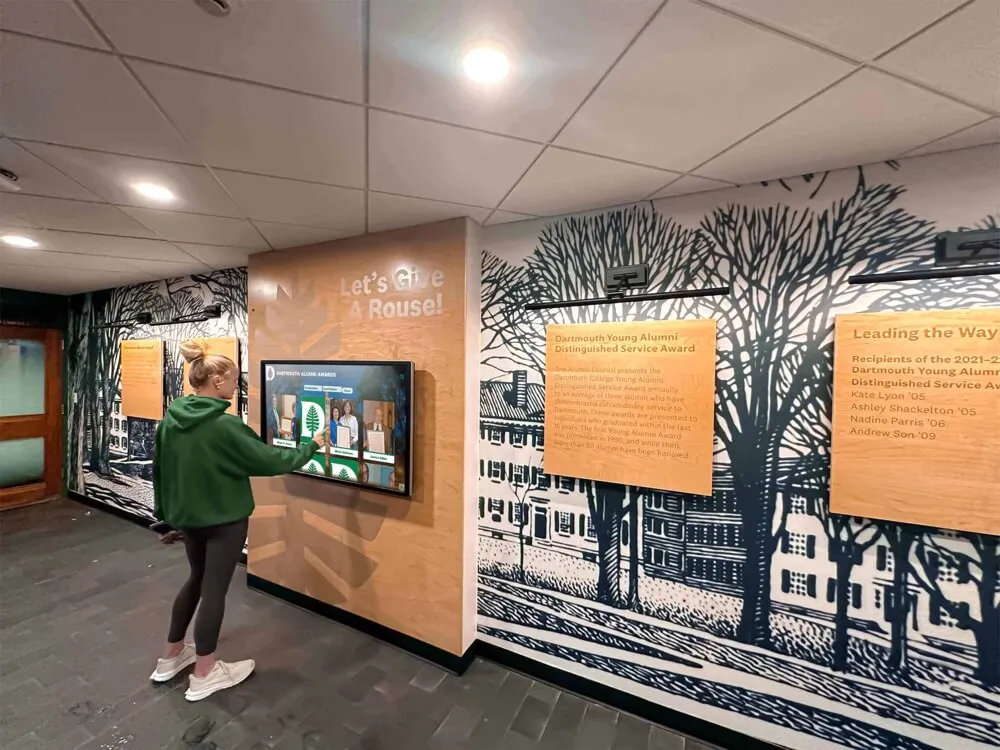
Alumni engagement increases dramatically when historical yearbook content becomes easily searchable and accessible through interactive displays
Flatbed Scanning with Book Supports
Standard flatbed scanners work for some yearbooks with proper technique:
Safe Flatbed Scanning Protocol
- Use scanners with detachable lids enabling top clearance
- Support books with foam wedges maintaining natural opening angles
- Never force books flat against scanner glass
- Scan one page at a time for fragile materials
- Use 300 DPI minimum for display-quality images
- Clean scanner glass frequently preventing dust in scans
When Flatbed Scanning Works
- Yearbooks in good condition with flexible bindings
- Newer books (post-2000) with durable construction
- Smaller format books (under 9x12 inches)
- Individual pages already loose or separated
When to Avoid Flatbed Scanning
- Extremely fragile or brittle materials
- Books with tight bindings preventing opening
- Oversized yearbooks forcing awkward positioning
- Collections where speed matters and efficiency is critical
- Materials already showing spine or binding damage
Schools with mixed condition collections typically reserve flatbed scanning for newer yearbooks in good condition while using overhead scanners or professional services for older, fragile materials.
Professional Digitization Services
Many organizations opt for professional scanning rather than DIY approaches:
Service Capabilities
- Specialized equipment handling all material conditions
- Experienced technicians understanding preservation priorities
- Quality control processes ensuring consistent output
- Format conversion and metadata tagging services
- Batch processing handling large collections efficiently
- Insurance coverage protecting materials during processing
Cost Considerations
- Per-page pricing typically $0.15-0.50 per page depending on specifications
- Standard yearbook (200-300 pages) costs $30-150 to digitize
- Volume discounts available for large collections
- Faster turnaround for urgent projects adds premium fees
- Additional services (OCR, metadata, file organization) available
Many schools find professional services cost-effective for initial yearbook digitization, freeing staff time while ensuring excellent results. Organizations like Internet Archive and state library systems sometimes offer subsidized or free digitization services for educational institutions.
Proper Handling Techniques During Digitization
Even non-destructive scanning requires careful handling protecting yearbooks throughout the process.
Pre-Scanning Preparation
- Work in clean, dry environment free from food, beverages, and contaminants
- Wash hands thoroughly before handling materials or wear cotton gloves for extremely fragile items
- Clear adequate workspace allowing books to rest naturally
- Organize materials to minimize repeated movement
- Document existing damage conditions with photographs before beginning
- Have repair supplies available for emergencies
Safe Material Handling Practices
Proper technique prevents accidental damage:
- Support book weight fully when moving, never holding by covers alone
- Open books gently to natural maximum angle, never forcing pages flat
- Turn pages from top corners using fingertips, not entire hand
- Place clean paper between hand and pages when supporting materials
- Allow adequate time for careful work rather than rushing
- Take breaks preventing fatigue that increases accident risk
Environmental Controls
Digitization environment affects both materials and image quality:
- Maintain 65-75°F temperature with 30-50% relative humidity
- Avoid direct sunlight exposure causing fading and heat damage
- Use consistent lighting for uniform image quality
- Minimize dust through regular cleaning and air filtration
- Control static electricity attracting dust to scanning surfaces
- Store materials away from water sources and leaky roofs
Schools with climate-controlled archival storage should digitize materials in or near these spaces rather than transporting yearbooks to less controlled environments where damage risk increases.
Technical Standards for Display-Quality Yearbook Scans
Digital files intended for hall of fame displays require specifications ensuring professional appearance and longevity.
Resolution and Image Quality Requirements
Minimum Technical Specifications
- 300 DPI minimum resolution for acceptable quality
- 400-600 DPI preferred for optimal display results
- Color scanning even for black-and-white yearbooks (captures paper tone and aging characteristics)
- TIFF or PNG file formats preserving maximum quality
- JPEG acceptable for access copies if quality set to maximum (95-100%)
Display Application Considerations
Different uses require varying quality levels:
Large Touchscreen Displays
- 400+ DPI source images for optimal clarity
- Individual portrait extractions at original scan resolution
- Color correction ensuring accurate skin tones and detail
- Adequate resolution for digital zoom features
- Professional appearance when displayed at 55-75 inch sizes
Web and Mobile Access
- Lower resolution derivatives acceptable (150-200 DPI)
- Compressed file sizes improving load times
- Responsive image serving adapting to screen sizes
- Progressive rendering for faster perceived load times
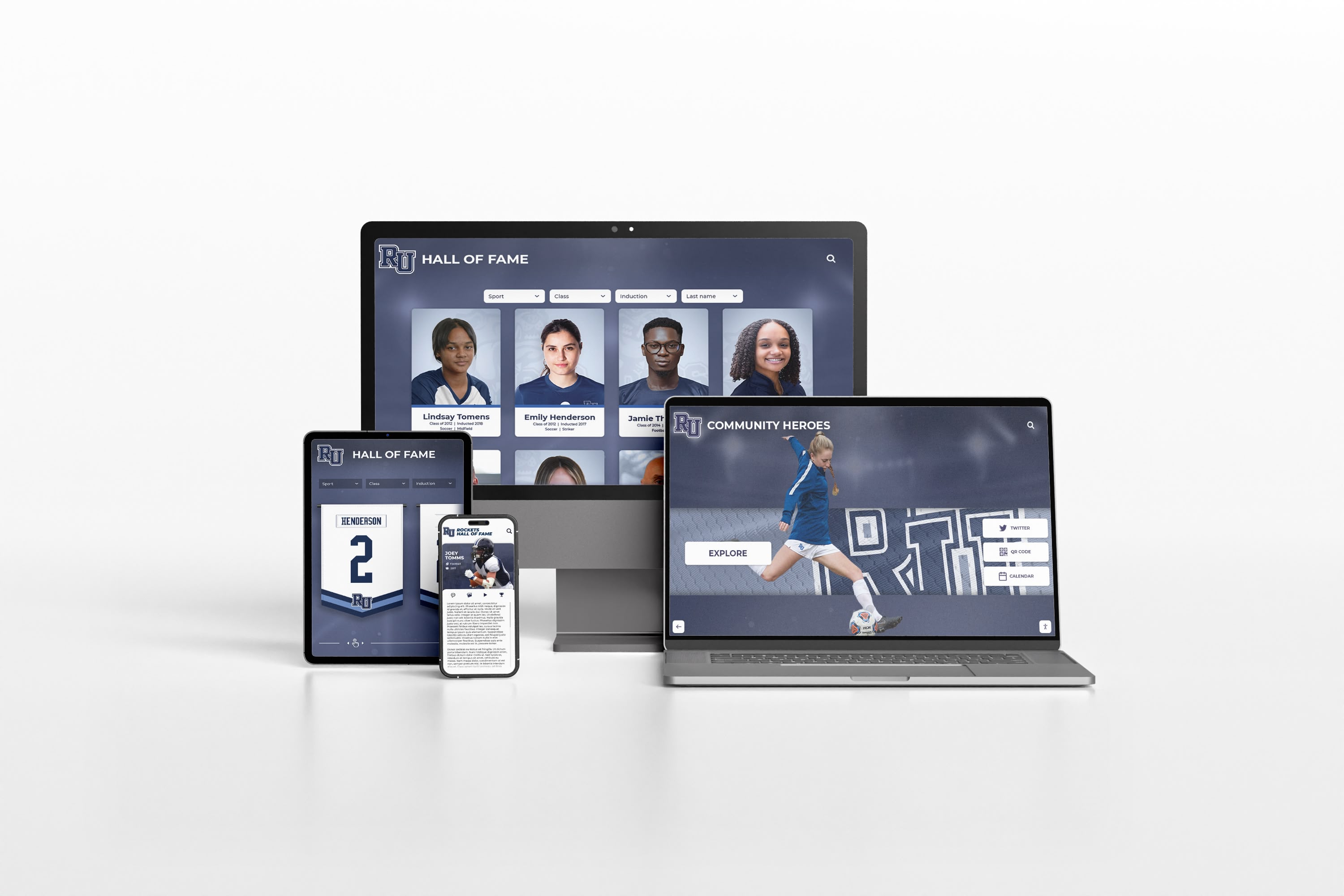
Multi-device accessibility ensures digitized yearbook content reaches alumni and families regardless of viewing platform
File Organization and Metadata Standards
Systematic organization enables finding and using digitized content efficiently:
Logical File Structure
/Yearbook-Archives/
  /1960/
    /1960-Yearbook-Full.pdf
    /Pages/
      1960-001.tif
      1960-002.tif
    /Portraits/
      /Seniors/
      /Juniors/
  /1961/
  ...
Essential Metadata Fields
- Year and publication date
- School name and location
- Volume number and edition information
- Original physical condition notes
- Scanning date, equipment, and operator
- Copyright and usage rights information
- Subject keywords and content tags
Comprehensive digital archives require consistent metadata enabling search, discovery, and rights management across decades of materials.
Extracting and Preparing Individual Photos for Hall of Fame Displays
Once yearbooks are digitized, extracting individual photos and preparing them for recognition displays requires additional processing.
Photo Extraction and Enhancement Techniques
Individual Portrait Extraction
Converting yearbook pages into separate portrait images:
- Use image editing software (Photoshop, GIMP) or batch processing tools
- Crop individual portraits maintaining consistent dimensions
- Preserve adequate space around faces preventing claustrophobic framing
- Standardize orientation and aspect ratios across all portraits
- Name files systematically enabling identification (LastName-FirstName-Year.jpg)
- Maintain sufficient resolution for display applications (minimum 800x1000 pixels)
Image Quality Enhancement
Digital processing can improve scanned yearbook photos:
- Adjust contrast improving faded historical photos
- Color correction compensating for yellowed paper
- Dust and scratch removal addressing scanning artifacts
- Sharpening algorithms enhancing detail in soft images
- Background cleanup removing distracting elements
- Careful retouching preserving authentic historical appearance
Balance enhancement with authenticity—goal is presenting photos clearly, not creating misleading representations different from originals.
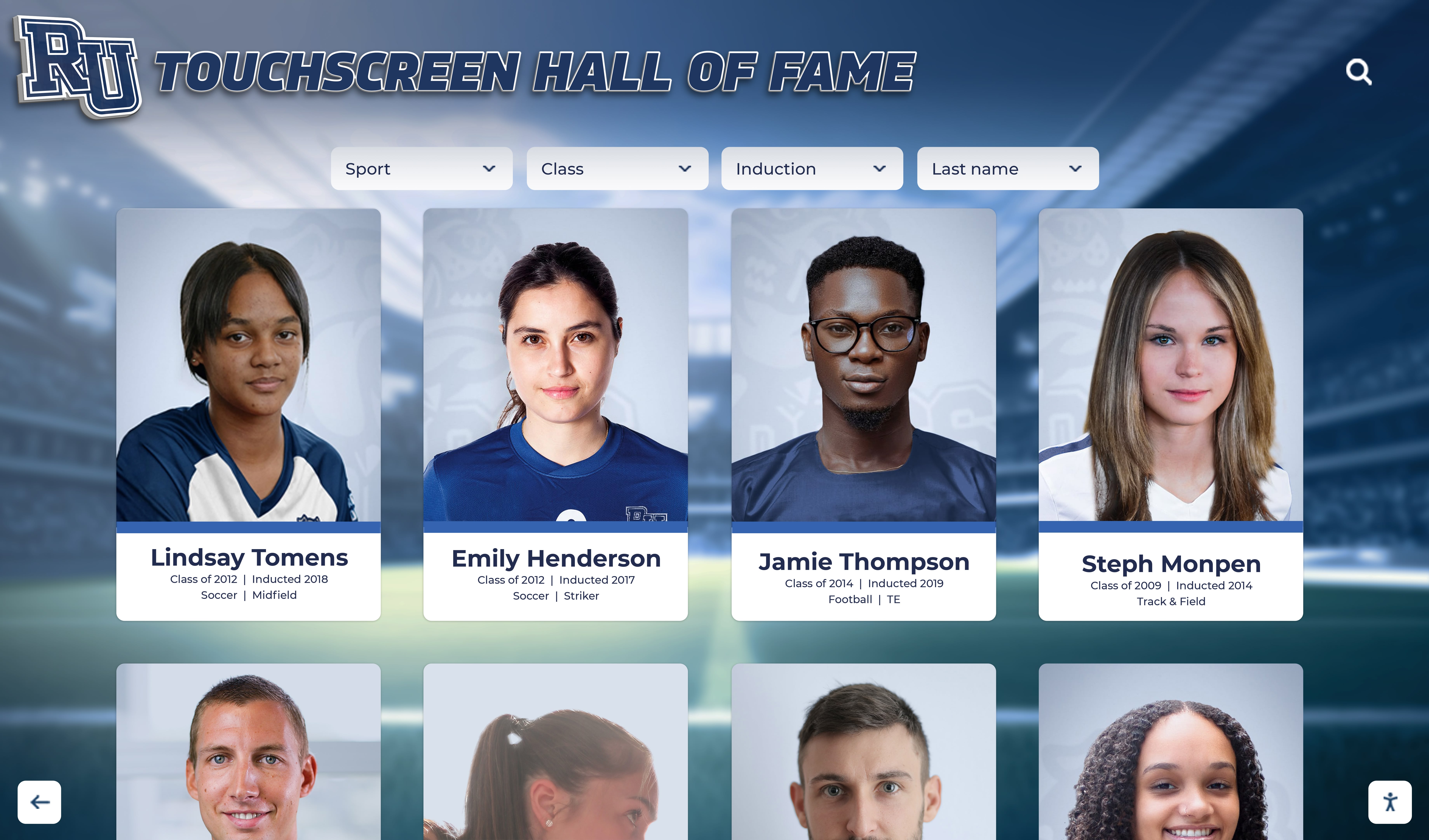
Extracted yearbook portraits populate interactive recognition displays, transforming static printed photos into searchable, shareable digital profiles
Creating Comprehensive Individual Profiles
Hall of fame displays benefit from pairing yearbook photos with contextual information:
Profile Data Collection
- Full name with proper spelling and punctuation
- Graduation year and class
- Athletic participation and achievements
- Academic honors and activities
- Leadership positions and organizations
- Post-graduation career information (when available)
- Alumni updates and current status
Information Sources Beyond Yearbooks
- School records and achievement documentation
- Team rosters and athletic records
- Newspaper clippings and media coverage
- Alumni surveys and reunion information
- School history archives and commemorative publications
- Oral history interviews with long-time staff and alumni
Comprehensive profiles transform simple yearbook photos into rich biographical records creating meaningful recognition experiences.
Integrating Digitized Yearbook Content into Hall of Fame Displays
The ultimate goal involves presenting digitized yearbook materials through engaging, accessible recognition displays that honor institutional history.
Interactive Touchscreen Display Integration
Modern digital recognition platforms enable sophisticated yearbook content presentation:
Unlimited Historical Recognition Capacity
Solutions like Rocket Alumni Solutions transform yearbook digitization efforts into comprehensive recognition systems:
- Upload unlimited individual portraits from all yearbook years
- Create searchable databases spanning entire institutional history
- Organize by graduation year, sport, activity, or achievement
- Include detailed biographical information beyond photo alone
- Update continuously as new information becomes available
- Preserve complete digital archives without space constraints
Traditional hall of fame walls face severe capacity limitations, forcing difficult choices about which individuals and years receive recognition. Digital trophy cases eliminate these restrictions, showcasing every graduate from every year through interactive exploration rather than limited physical plaques.
Engaging Exploration Features
Digital displays make historical yearbook content discoverable and engaging:
- Name search functionality finding specific individuals instantly
- Year browsing exploring complete graduating classes
- Filter by sport, activity, or achievement category
- Comparative views showing uniform evolution, facility changes, tradition development
- Timeline presentations demonstrating program growth
- Random “featured alumni” highlights introducing students to institutional history

Touch interfaces make exploring decades of yearbook content intuitive and engaging, encouraging repeated interaction and discovery
Multi-Generational Family Recognition
Digitized yearbooks enable powerful multi-generational displays connecting historical and contemporary alumni:
Family Legacy Showcases
- Parents and children attending same institution
- Siblings across different decades
- Three-generation family attendance patterns
- Family athletic participation in same sports
- Multi-generational academic or activity involvement
These displays create emotional connections as current students discover family members in historical yearbooks, while alumni visiting campus see themselves alongside children or grandchildren in unified recognition systems.
Web-based access extends yearbook archives beyond campus, enabling alumni worldwide to explore institutional history
Mobile and Web Access Extensions
Physical displays represent entry points to comprehensive digital yearbook archives:
QR Code Integration
- Touchscreen displays generate QR codes linking to individual profiles
- Students and visitors access expanded content on personal devices
- Mobile-friendly viewing enabling exploration beyond display location
- Social media sharing capabilities extending recognition reach
- Alumni accessing from anywhere maintaining institutional connection
Comprehensive Web Portals
- Full yearbook archives browsable from any internet-connected device
- Advanced search capabilities exceeding touchscreen display limitations
- Complete page images supplementing extracted portraits
- Download options for personal copies and sharing
- Alumni updating personal information maintaining current connections
Organizations implementing unified digital recognition across touchscreen kiosks, web portals, and mobile access create comprehensive yearbook archive systems serving diverse stakeholder needs. Resources like digital class composites demonstrate modern approaches to presenting class photos interactively.
Project Planning and Implementation Strategies
Successful yearbook digitization requires systematic planning managing scope, resources, and timeline expectations.
Assessing Your Yearbook Collection
Inventory and Condition Assessment
Begin by understanding what you’re working with:
- Count total yearbooks spanning all years
- Assess physical condition (excellent, good, fair, poor, critical)
- Identify gaps in collections requiring acquisition from alumni or archives
- Document special considerations (oversized formats, unusual binding, severe damage)
- Prioritize materials based on condition urgency and usage demand
- Estimate total pages requiring scanning
Many schools discover collections span 50-100+ years with 5,000-15,000 total pages requiring digitization, helping establish realistic project scope and resource requirements.
Prioritization Strategies
Most schools cannot digitize entire collections immediately, requiring strategic phasing:
Urgent Priority Categories
- Materials in poor condition facing imminent deterioration
- High-demand years requested frequently by alumni
- Recent decades supporting current hall of fame initiatives
- Years with special significance (anniversaries, championships)
- Collections available only in single fragile copies
Phased Approach Benefits
- Manageable workload preventing volunteer/staff burnout
- Learning curve improvements increasing efficiency over time
- Budget spreading across multiple fiscal years
- Demonstrated value enabling additional resource allocation
- Continuous progress rather than overwhelming complete project
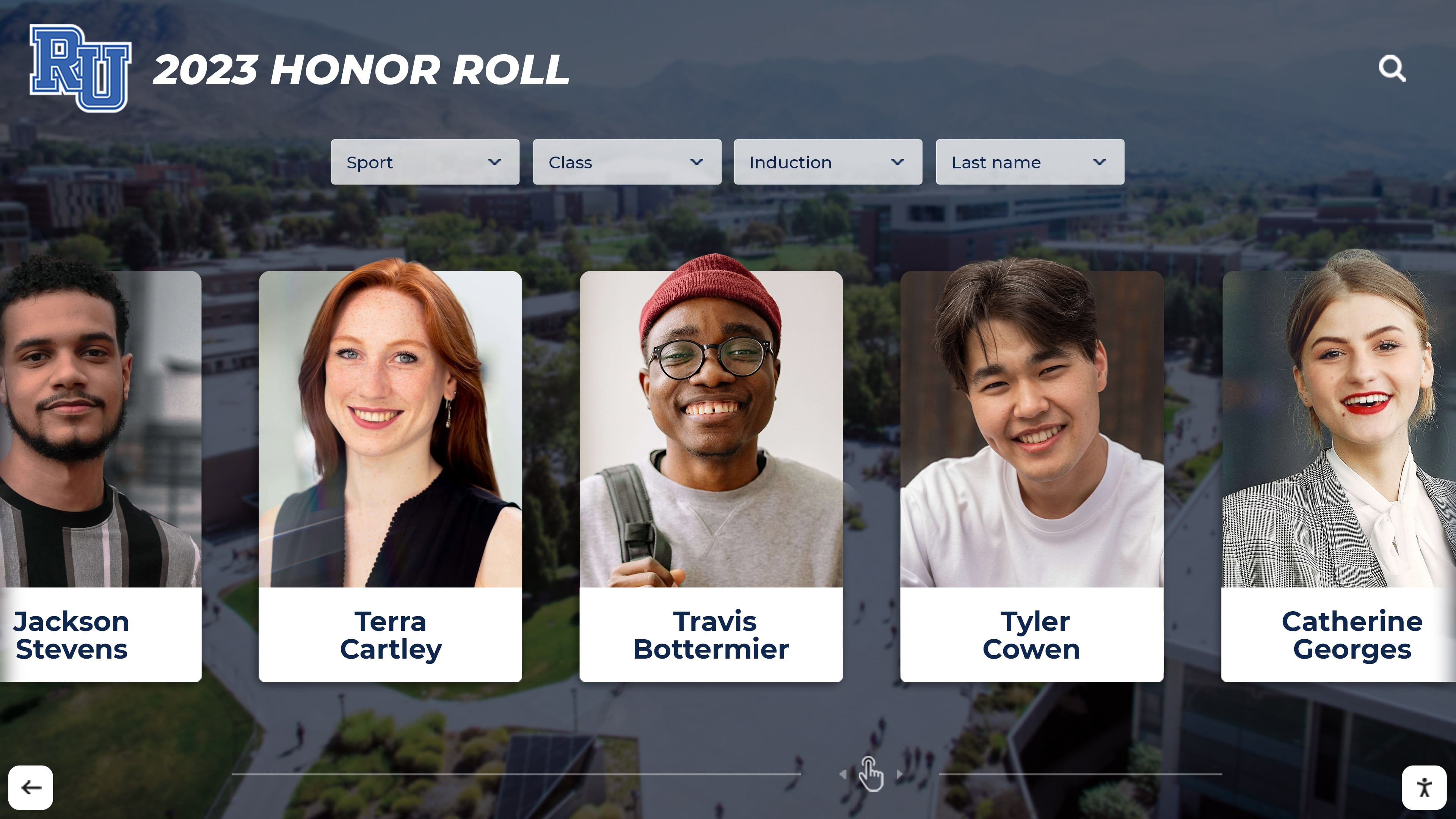
Recent yearbook photos integrate seamlessly with historical archives in unified digital recognition displays
Budget and Resource Planning
Cost Components for DIY Digitization
- Overhead book scanner or flatbed equipment: $500-8,000
- Computer and storage (external drives, cloud storage): $500-2,000
- Image editing software subscriptions: $120-600 annually
- Archival storage supplies (boxes, protective sleeves): $200-800
- Staff or volunteer time (major investment even if “free”)
- Total initial investment: $1,500-12,000 depending on approach
Professional Service Alternative Costs
- Scanning services: $30-150 per yearbook
- Collection of 50 yearbooks: $1,500-7,500
- Photo extraction and enhancement: Additional $10-30 per yearbook
- OCR and metadata services: Additional $20-50 per yearbook
- Total professional service cost: $2,000-10,000 for typical collection
Digital Display Platform Integration
- Interactive touchscreen display hardware: $3,000-7,000
- Digital recognition software platform: $2,500-7,000 annually
- Implementation and content setup: $2,000-5,000
- Total display integration: $7,500-19,000 initial investment
Schools should view yearbook digitization and hall of fame integration as multi-year investments in institutional memory preservation and alumni engagement infrastructure, not one-time expenses.
Volunteer and Staff Coordination
Effective Project Roles
- Project coordinator overseeing overall effort
- Scanning technicians operating equipment
- Quality control reviewers checking output
- Data entry personnel creating metadata
- Photo editors enhancing images
- Archive specialists organizing files
Volunteer Recruitment Sources
- Alumni associations with retired professionals
- Student service organizations seeking projects
- Library science graduate programs offering practicum opportunities
- Local history groups supporting preservation efforts
- Parent volunteers with relevant skills
- Community service workers fulfilling requirements
Projects relying entirely on paid staff typically struggle with competing priorities. Successful efforts blend limited staff oversight with trained volunteer teams managing bulk production work.
Copyright, Privacy, and Usage Considerations
Digitizing and displaying yearbook content involves navigating legal and ethical considerations.
Copyright and Intellectual Property
Publication Rights Complexity
Yearbook copyright involves multiple overlapping interests:
- School ownership of compiled yearbook as collective work
- Individual photographer copyrights for specific images
- Student privacy considerations for personal images
- Licensing agreements with yearbook publishers
Most schools possess sufficient rights to digitize their own yearbooks for archival and educational purposes under fair use doctrines, particularly when limiting access to school community rather than broad commercial distribution. However, consultation with legal counsel ensures compliance with specific circumstances and local regulations.
Recommended Usage Guidelines
- Limit access to school community (students, staff, alumni, families)
- Non-commercial educational and recognition purposes
- Attribution to yearbook publication year and school
- Respect opt-out requests from individuals preferring exclusion
- Avoid licensing digitized content to third parties without clearance
- Maintain original context rather than extracting images for unrelated purposes
Privacy and Consent Considerations
Balancing Recognition with Privacy
Historical yearbook photos involve individuals who may not have anticipated digital display decades later:
- Most educational uses of institutional yearbooks fall within reasonable expectations
- Individual profile pages should allow opt-out mechanisms
- Sensitive information (addresses, phone numbers) should be excluded
- Consider restricting extremely old materials to on-campus access only
- Provide clear contact information for removal requests
- Honor student and alumni preferences respectfully
Programs like showcasing school history navigate these considerations thoughtfully while enabling appropriate recognition and engagement.
Maintaining and Expanding Your Digital Yearbook Archive
Digitization represents beginning rather than conclusion of yearbook preservation efforts.
Ongoing Collection Management
Continuous Addition Processes
- Digitize new yearbooks annually maintaining complete archives
- Accept donated historical materials filling collection gaps
- Update individual profiles as alumni information becomes available
- Incorporate related materials (newspapers, programs, newsletters)
- Cross-reference with other institutional records and databases
- Regular backups preventing data loss
Quality Improvement Initiatives
- Rescan poor-quality early digitization efforts as skills improve
- Enhance metadata as additional information surfaces
- Add OCR text layers to early scans lacking searchability
- Standardize naming conventions across collection
- Migrate files to updated formats maintaining long-term accessibility
Alumni Engagement Opportunities
Digital yearbook archives create valuable alumni connection tools:
Interactive Engagement Features
- “Where Are They Now” profile updates from alumni
- Class reunion photo additions supplementing yearbooks
- Alumni achievement updates maintaining current accomplishments
- Memory sharing enabling stories and reminiscences
- Alumni spotlights featuring interesting career paths
Development and Fundraising Support
- Enhanced donor recognition incorporating yearbook photos
- Class giving campaigns using historical class photos
- Reunion planning tools showing classmates and memories
- Major gift prospect research identifying accomplished alumni
- Endowment campaigns honoring historical figures
Forward-thinking development offices recognize digital yearbook archives as valuable donor engagement infrastructure supporting fundraising objectives while celebrating institutional history.
Transform Historical Yearbooks into Interactive Recognition Displays
Discover how schools nationwide digitize yearbook collections and showcase decades of institutional history through engaging touchscreen displays. Modern recognition platforms provide unlimited capacity for historical photos, searchable databases connecting generations, and interactive exploration creating meaningful engagement with your school's heritage—all while keeping fragile original yearbooks safely preserved.
Explore Recognition SolutionsConclusion: Preserving History While Creating Engagement
Schools face a clear choice regarding aging yearbook collections: allow irreplaceable historical records to continue deteriorating in storage while remaining largely inaccessible, or invest in professional digitization creating permanent archives that serve institutional memory preservation and active recognition purposes simultaneously. The difference extends far beyond simple preservation versus neglect—thoughtful digitization followed by integration into interactive recognition displays transforms static historical artifacts into dynamic engagement tools connecting current students with institutional heritage while honoring alumni achievement across generations.
Effective yearbook digitization prioritizes non-destructive methods protecting originals, produces high-quality scans suitable for professional display applications, implements systematic organization enabling efficient access and discovery, and culminates in presentation systems making historical content genuinely engaging rather than archived and forgotten. Schools succeeding at this transformation report dramatically increased yearbook utilization, strengthened alumni connections, enhanced student appreciation for institutional history, and satisfaction that irreplaceable materials receive both protection and purposeful use.
The investment in yearbook digitization and hall of fame integration delivers value across multiple dimensions—preservation protecting against permanent loss, accessibility serving stakeholders unable to visit campus, engagement creating emotional connections with history, and recognition honoring individuals whose achievements might otherwise remain forgotten in crumbling pages. Modern digital recognition platforms eliminate the false choice between preserving yearbooks safely and making their contents accessible, providing comprehensive solutions showcasing unlimited historical photos through interactive displays while original volumes rest securely in climate-controlled storage.
Your school’s yearbooks document decades of student experiences, championship moments, and individual achievements deserving celebration beyond limited physical access. With systematic digitization planning, proper preservation techniques, quality digital processing, and integration into engaging recognition displays, these historical treasures transform from deteriorating storage problems into dynamic alumni engagement assets strengthening your institutional community across generations.
Ready to protect your yearbook collection while making historical photos accessible through modern hall of fame displays? Discover comprehensive solutions helping schools nationwide digitize archives, preserve institutional memory, and create interactive recognition experiences bringing history to life for students, alumni, and visitors—ensuring decades of achievement receive the ongoing celebration and accessibility that advancing technology now makes possible.































