



Local nonprofits face a persistent communication challenge: how do you effectively display community partnerships, honor veterans, promote upcoming events, and celebrate supporters when budget constraints limit your options and space restricts traditional bulletin boards? The solution many organizations miss is a mounted digital display that transforms a single wall-mounted screen into a dynamic communication platform.
Digital wall mount displays provide nonprofits with flexible, updateable recognition and information systems that grow with your organization. Rather than investing in expensive printed materials that become outdated or static plaques with limited capacity, a mounted TV-style screen enables you to highlight community partnerships this week, present veteran recognition next week, and promote upcoming events whenever needed—all from the same display.
This comprehensive guide explores everything small to mid-sized nonprofits need to know about implementing digital wall mount displays, including realistic pricing options for different budgets, essential features for nonprofit applications, content strategies for community engagement, and practical implementation steps that respect limited staff time and technical resources.
Nonprofits implementing wall-mounted digital displays report substantial improvements in community awareness, partnership visibility, and volunteer engagement while reducing ongoing costs for printed materials and static signage updates. The key lies in selecting appropriate technology that balances capability with affordability while choosing management platforms that non-technical staff can actually maintain.

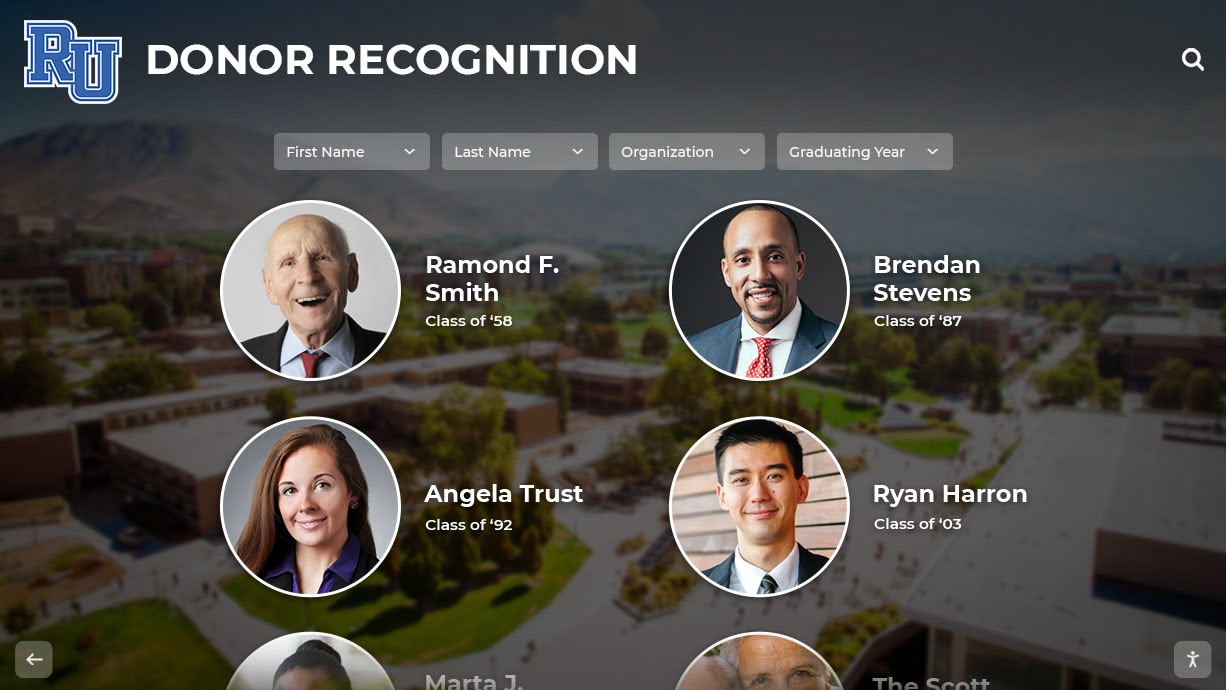
Wall-mounted digital displays provide nonprofits with professional platforms for recognizing partnerships, honoring veterans, and promoting community engagement
Understanding Digital Wall Mount Displays for Nonprofits
Before exploring pricing and implementation details, nonprofits benefit from understanding what distinguishes effective digital displays from simply mounting a consumer television on the wall.
What Makes a Display “Digital Recognition-Ready”
Nonprofit digital displays serve multiple purposes beyond passive video playback:
Interactive vs. Passive Displays Organizations choose between two fundamental approaches. Passive displays present rotating content like digital slideshows, requiring no viewer interaction. These simpler systems work well for lobby announcements, event promotion, and cycling through partnership logos or veteran tributes.
Interactive touchscreen displays enable visitors to search directories, explore detailed partnership information, or browse comprehensive veteran recognition galleries. According to research from Crown TV, interactive displays generate 3-5 times longer engagement compared to passive screens, making them valuable for organizations wanting deeper community connection.
Commercial vs. Consumer Display Specifications The distinction between commercial and consumer displays significantly affects longevity and reliability. Consumer televisions purchased from retail stores typically cost $300-800 for 43-55 inch screens but lack features critical for public deployment:
- Consumer displays rate for 4-8 hours daily operation vs. 16-24 hours for commercial units
- Shorter warranties (1 year) vs. extended commercial warranties (3-5 years)
- Plastic construction vs. industrial-grade materials designed for continuous use
- Consumer-focused connectivity vs. commercial integration options
- No built-in content management vs. professional digital signage capabilities
Commercial displays designed for signage applications cost more initially ($600-2,000 for comparable sizes) but provide 2-3 times longer operational lifespan while avoiding frequent replacement cycles.
Key Features for Nonprofit Applications
Effective nonprofit displays require specific capabilities:
Content Management Simplicity The primary factor determining long-term success is whether your staff can actually update content. Complex systems requiring technical expertise inevitably lead to outdated displays as IT priorities shift or personnel change. Look for cloud-based platforms offering:
- Intuitive drag-and-drop content editors
- Template systems maintaining visual consistency
- Scheduled publishing for time-sensitive content
- Mobile accessibility for remote updates
- No specialized software installation requirements
Solutions like Rocket Alumni Solutions provide nonprofit-appropriate interfaces designed for non-technical administrators, enabling sustainable content management without ongoing technical support dependencies.
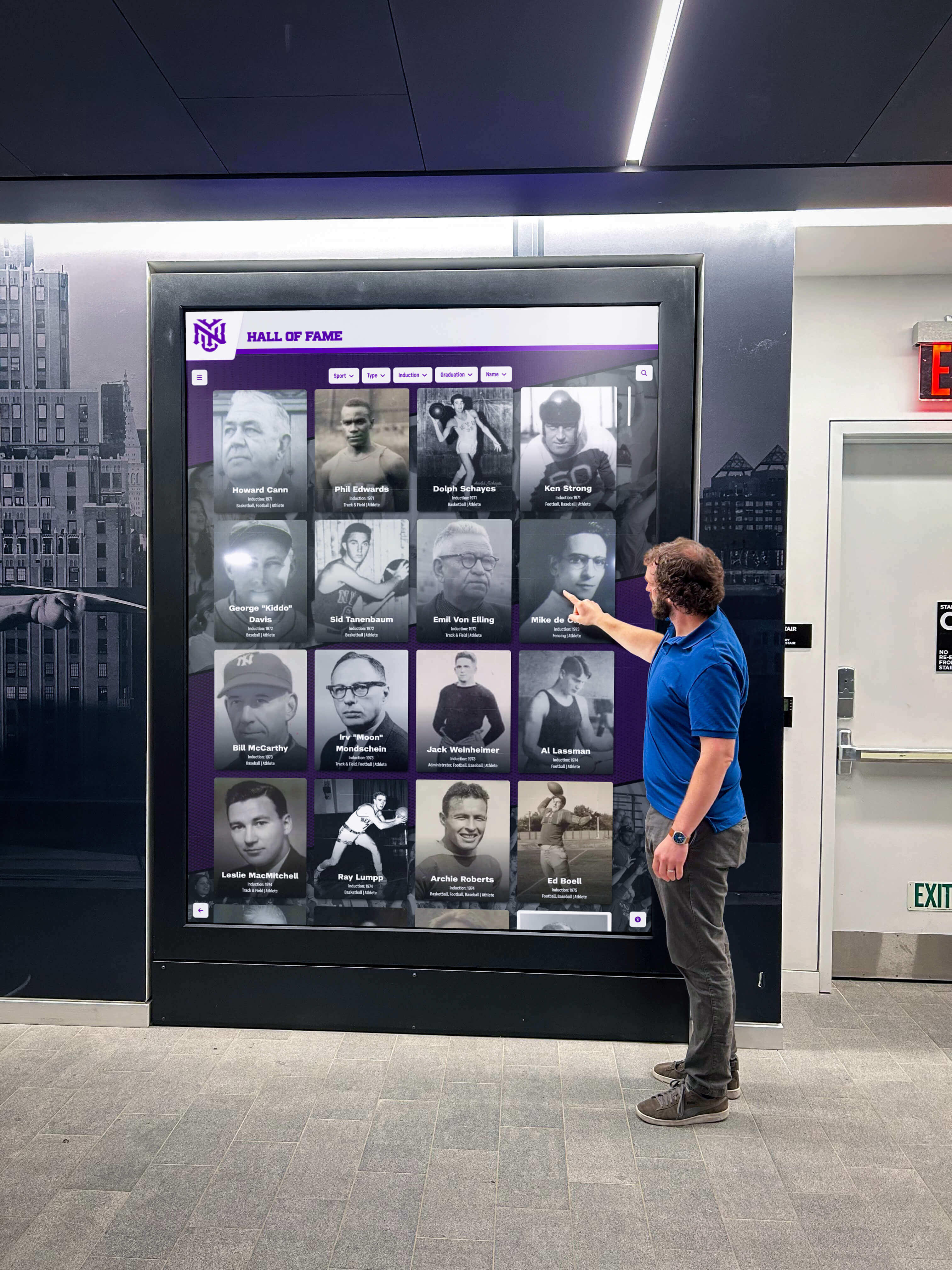
Touchscreen displays in lobbies enable visitors to explore partnership information and veteran recognition at their own pace
Flexible Content Categories Nonprofit displays serve diverse purposes requiring organized content management:
- Community partnership recognition with logos and descriptions
- Veteran honor walls with service details and photos
- Event calendars with registration information
- Volunteer spotlights and appreciation
- Donor recognition organized by contribution level
- Program impact stories and testimonials
- Upcoming event promotion and details
Platforms supporting multiple content categories with independent management enable different staff members to control relevant sections without accessing unrelated content.
Accessibility and Inclusion Features Nonprofits serving diverse communities require displays accommodating all visitors:
- High-contrast viewing modes for low-vision users
- Text sizing options enabling enlargement
- Simple navigation suitable for varying technical comfort levels
- Multilingual content delivery when serving diverse populations
- Appropriate mounting heights ensuring wheelchair users can access interactive elements
Organizations implementing accessible digital displays report increased engagement across all demographic groups while demonstrating organizational commitment to inclusion.
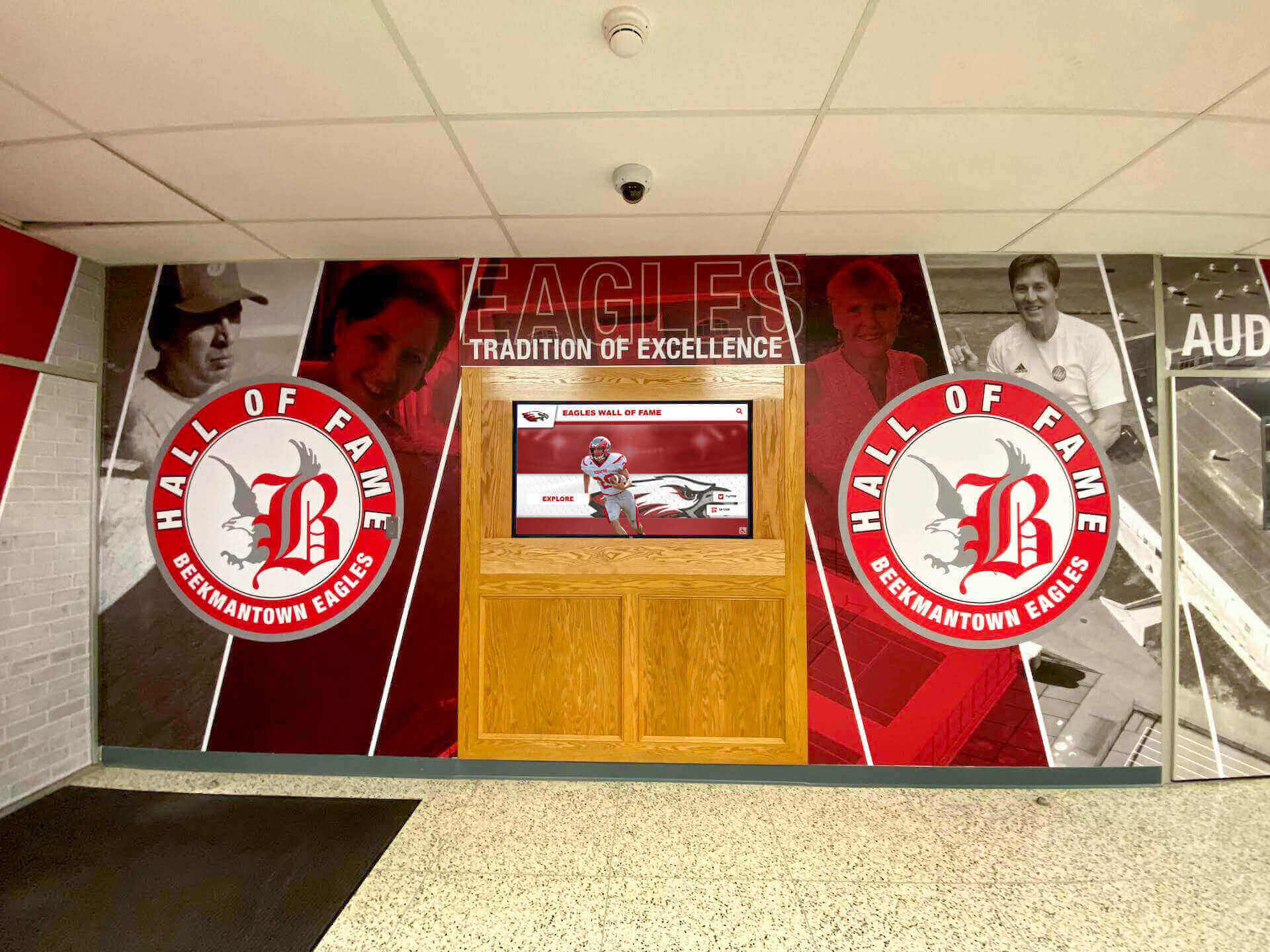
Professional installations integrate displays with existing architectural elements, creating cohesive recognition environments
Pricing Breakdown: Budget-Friendly Options for Small Nonprofits
Understanding complete implementation costs helps nonprofits plan realistic budgets matching their financial capacity.
Entry-Level Implementation ($1,500-$3,500)
Small nonprofits starting with single-display implementations can achieve professional results within modest budgets:
Basic Hardware Components
- 43-55 inch commercial display: $600-1,200 (commercial-grade unit designed for extended operation)
- Media player or small computer: $200-400 (dedicated device running content management software)
- Wall mount hardware: $100-200 (appropriate for display size and weight)
- Installation labor: $300-600 (professional mounting, power connection, network setup)
- Cabling and accessories: $100-200 (HDMI cables, power surge protection, cable management)
Software and Content Development
- Content management platform: $300-1,000 annually (cloud-based subscription enabling remote updates)
- Initial content creation: $400-1,000 (design templates, initial partnership/veteran content entry)
- Training and setup: Included or $200-300 (staff training on content management)
Total Entry-Level Investment: $2,000-$3,500 for complete implementation including first-year software
This tier works well for nonprofits needing basic community partnership displays, veteran recognition, and event promotion without interactive features. Content updates via simple web dashboards requiring no technical expertise.
Mid-Range Implementation ($4,000-$8,000)
Organizations seeking improved capabilities or larger displays benefit from mid-tier implementations:
Improved Hardware
- 55-65 inch commercial touchscreen display: $2,000-4,000 (interactive capability enabling visitor exploration)
- Integrated media player: $400-800 (more powerful computing supporting interactive features)
- Professional mounting system: $300-500 (articulating or low-profile commercial mount)
- Professional installation: $800-1,500 (includes electrical circuit if needed, network configuration, calibration)
Advanced Software Platform
- Interactive content management system: $1,200-2,500 annually (supporting searchable databases, detailed profiles, interactive navigation)
- Custom content development: $1,000-2,500 (comprehensive partnership pages, detailed veteran tributes, event integration)
- Staff training program: $300-600 (comprehensive training including advanced features)
Total Mid-Range Investment: $5,500-$10,400 initial year, $1,500-3,000 annually thereafter
This tier provides touchscreen interaction, expanded content capacity, and professional features suitable for organizations with significant community partnerships or extensive veteran recognition needs.
Premium Implementation ($8,000-$15,000+)
Larger nonprofits or those prioritizing flagship installations invest in comprehensive solutions:
Premium Hardware Systems
- 65-75 inch commercial touchscreen: $4,000-8,000 (large-format display suitable for lobbies or gathering spaces)
- Professional-grade media system: $800-1,500 (enterprise computing supporting advanced features)
- Architectural integration: $1,000-3,000 (custom mounting, surrounding millwork, branded elements)
- Comprehensive installation: $1,500-3,000 (complete electrical, networking, professional calibration, architectural coordination)
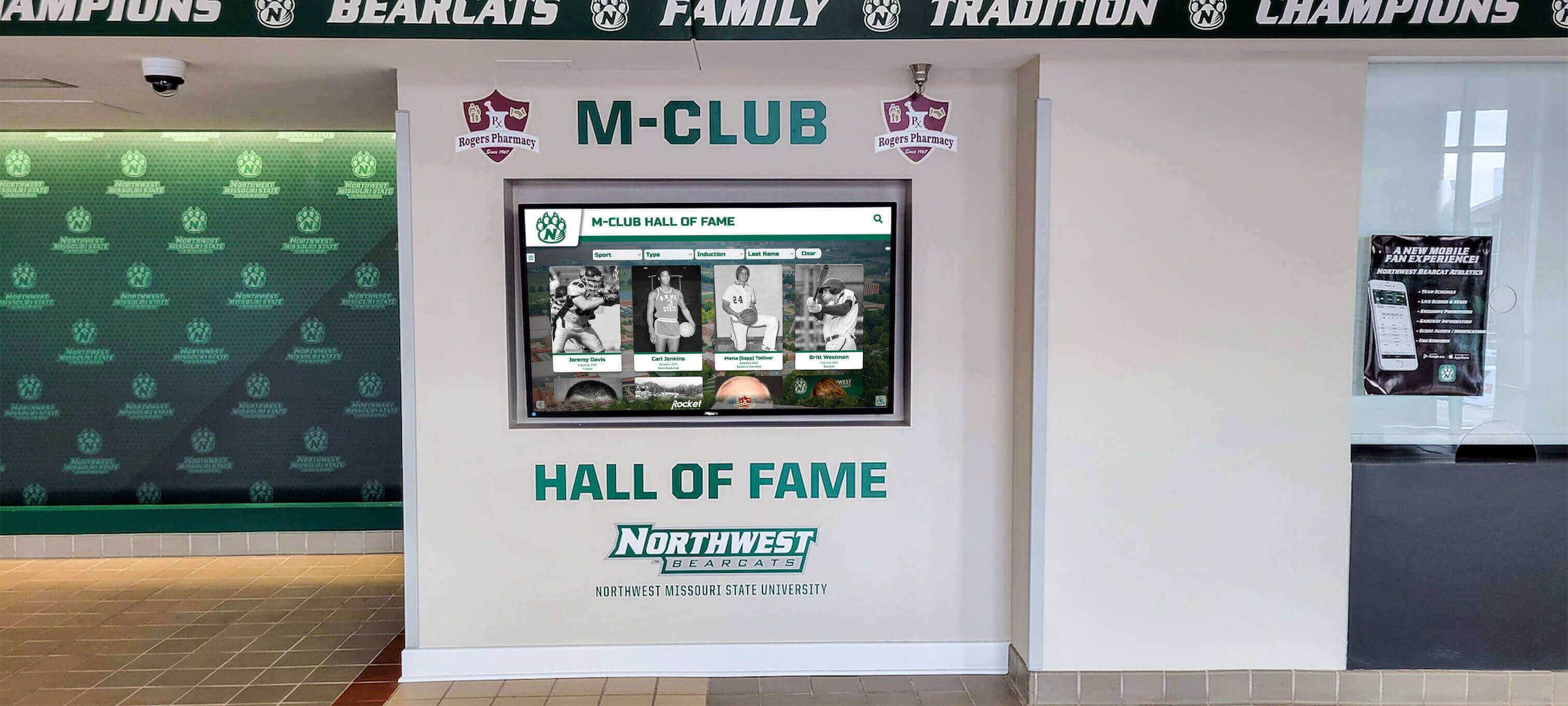
Premium installations provide flagship recognition experiences appropriate for main lobbies and high-traffic community spaces
Enterprise Software and Services
- Comprehensive recognition platform: $3,000-6,000 annually (advanced features, unlimited content, priority support)
- Professional content development: $3,000-8,000 (complete design, extensive data entry, multimedia production)
- Ongoing support and training: $500-1,500 annually (continuing education, optimization services, technical support)
Total Premium Investment: $12,500-$28,000 initial year, $4,000-8,000 annually thereafter
Premium implementations suit organizations where digital recognition represents strategic priorities for donor stewardship, community partnerships, or veteran honor programs requiring comprehensive presentations.
Alternative: Display Rental for Events
Nonprofits needing temporary displays for specific events can rent equipment:
Event Display Rental Pricing
- Daily rental rates: $150-400 per day depending on screen size
- Weekend packages: $400-900 for Friday-Sunday events
- Weekly rates: $800-1,800 for week-long installations
- Monthly rentals: $1,500-3,500 for extended campaigns
According to Stellar XP, multi-day events receive discounted daily rates, and bundling services like technical support or content management often leads to package discounts. Organizations planning multiple events annually may find purchasing more economical than repeated rentals.

Rental displays provide flexible options for fundraising events, community celebrations, and temporary installations
Content Strategies for Nonprofit Digital Displays
Hardware capabilities matter only as much as the content displayed. Strategic content development ensures sustained community engagement.
Community Partnership Recognition
Visible partnership acknowledgment strengthens relationships while attracting new collaborators:
Partnership Profile Elements Effective partner recognition includes multiple components:
- Organization logos displayed prominently with consistent sizing
- Brief partnership descriptions explaining collaborative efforts
- Specific program outcomes demonstrating partnership impact
- Contact information enabling community members to learn more
- Recognition levels when applicable (founding, sustaining, supporting partners)
- Partnership duration or milestone acknowledgments
Rotating partner spotlights ensure all collaborators receive featured visibility while maintaining fresh content that encourages repeated viewing. Organizations implementing digital partnership displays report increased partnership inquiries and renewed commitment from existing collaborators seeing their support publicly recognized.
Partnership Categories Organize partners by relationship type:
- Corporate sponsors providing financial support
- Service partners delivering programs collaboratively
- In-kind contributors donating goods or services
- Community organizations sharing resources or facilities
- Government agency partners enabling services
- Educational institution collaborations
- Faith-based organization connections
Category organization helps visitors understand the breadth of community support while enabling partners to see themselves within appropriate contexts.
Veteran Recognition and Honor Displays
Military service recognition holds special significance for many nonprofits:
Veteran Profile Components Comprehensive veteran tribute includes:
- Service member photos (historical and current when available)
- Name and rank at discharge
- Branch of service with appropriate insignia
- Years and locations of service
- Conflicts or operations participated in
- Medals, decorations, and commendations received
- Post-service community contributions
- Personal statements or reflections when veterans participate in content development
Veterans Day recognition programs become year-round tributes through digital displays, ensuring continuous honor rather than single-day acknowledgment.
Organizational Approaches to Veteran Content Different nonprofits emphasize various aspects:
- Veterans service organizations focus on detailed service histories
- Community centers feature veteran volunteers and board members
- Educational nonprofits recognize veteran staff or program participants
- Social service agencies honor veterans served through programs
- Historical societies document local veteran contributions across eras
Respectful Content Development Working with veteran content requires sensitivity:
- Always verify accuracy of service details with veterans or families
- Obtain explicit permission before displaying photos or personal information
- Respect preferences for privacy or limited disclosure
- Ensure correct use of rank, insignia, and military terminology
- Provide options for updates as veterans achieve additional milestones
- Include pathways for family contact to update information after veteran passes
Interactive displays enable detailed veteran profiles with service histories, photos, and personal tributes
Event Promotion and Community Calendar
Dynamic event information keeps displays relevant and useful:
Event Content Elements Comprehensive event promotion includes:
- Event names and compelling descriptions
- Dates, times, and location details
- Registration requirements and processes
- Cost information and scholarship availability
- Target audience or participation criteria
- Expected outcomes or program benefits
- Contact information for questions
- Photo galleries from previous similar events
Updating Strategies Maintaining current event information without overwhelming staff:
- Calendar integration automatically pulling from central scheduling systems
- Scheduled publishing removing past events automatically
- Template-based event pages requiring only detail changes
- Quick-update capabilities for last-minute changes or weather cancellations
- Archive access showing past event success and participation
Organizations report that displays showing current, accurate event information generate 40-60% higher registration rates compared to static printed materials that may be outdated or overlooked.
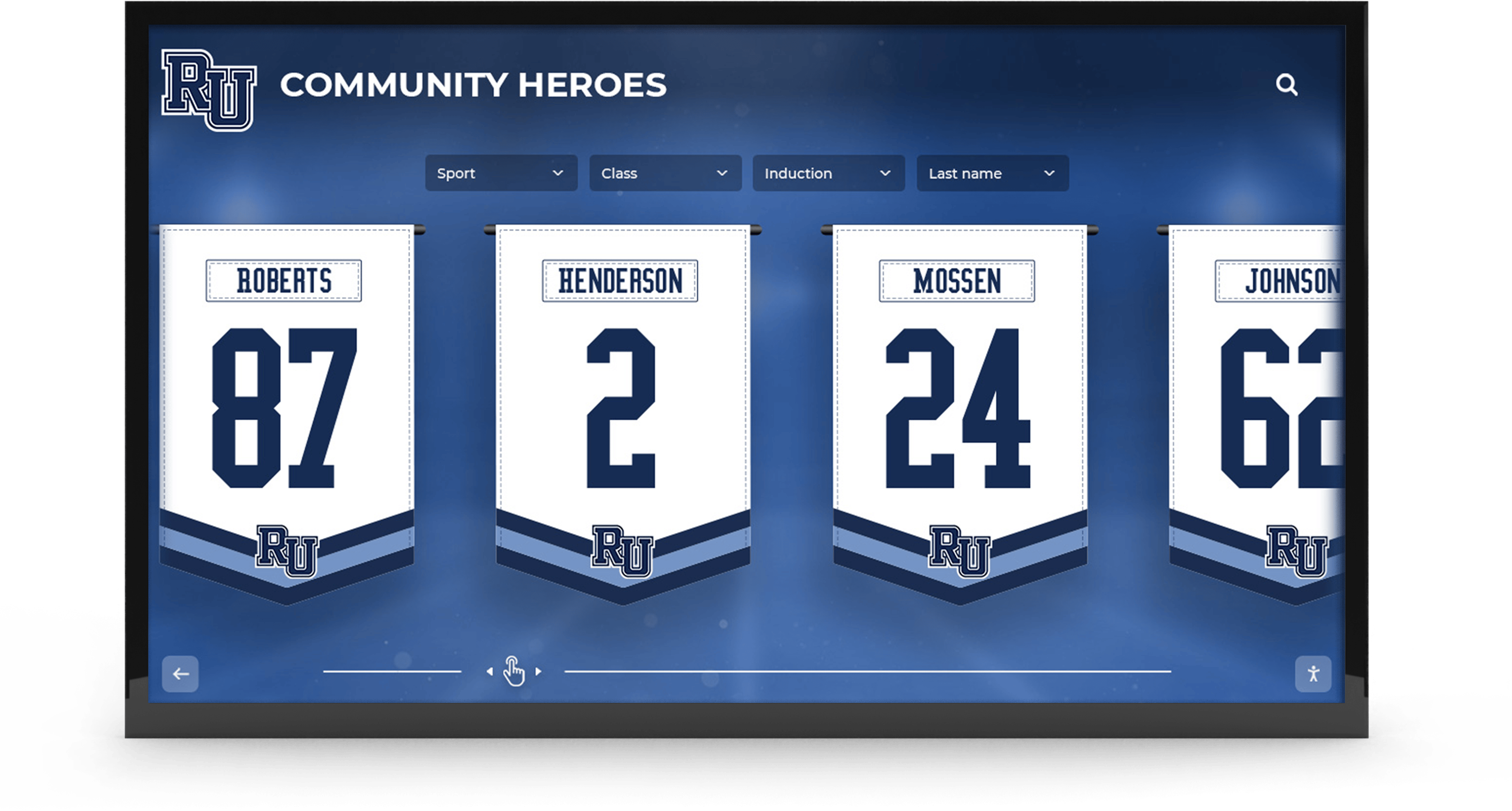
Event promotion displays present upcoming community openings, partnership celebrations, and program opportunities
Donor Recognition and Giving Appreciation
Visible donor acknowledgment encourages continued support while inspiring new contributions:
Donor Display Best Practices Effective digital donor recognition includes:
- Organized donor listings by contribution level or campaign
- Anonymous options respecting privacy preferences while acknowledging generosity
- Impact stories connecting gifts to tangible outcomes
- Tribute and memorial giving with appropriate sensitivity
- Corporate donor recognition with logo display
- Multi-year giving acknowledgment showing sustained support
- Legacy and planned giving society recognition
Research from donor recognition programs shows that visible recognition increases donor retention by 15-25% while encouraging gift upgrades over time. Digital platforms enable immediate recognition updates as new gifts arrive, ensuring current acknowledgment without waiting for annual plaque updates.
Recognition Level Structures Common donor tier frameworks for nonprofit displays:
- Leadership Circle: $25,000+ (lifetime or campaign total)
- Major Donors: $10,000-$24,999
- Benefactors: $5,000-$9,999
- Patrons: $2,500-$4,999
- Supporters: $1,000-$2,499
- Friends: $500-$999
- Contributors: Under $500
Adjust thresholds based on organizational giving patterns and donor base characteristics. Smaller community nonprofits typically employ lower thresholds than large institutional organizations.
Implementation Planning for Limited Resources
Nonprofits operating with small staff and tight budgets require practical implementation approaches.
Phased Implementation Strategy
Avoiding overwhelm through systematic development:
Phase 1: Foundation (Months 1-2) Begin with essential components:
- Purchase and install hardware in primary location
- Implement basic content management platform
- Develop core content (partnership logos, key events, mission statement)
- Train primary administrator on basic content updates
- Launch with 20-30% of envisioned content
Starting modestly establishes credibility and generates community awareness while providing time to develop comprehensive content libraries.
Phase 2: Content Expansion (Months 3-6) Systematically add depth:
- Add detailed partnership profiles beyond basic logos
- Develop comprehensive veteran recognition section
- Implement event calendar integration
- Create volunteer spotlight rotation
- Expand donor recognition content
Gradual expansion prevents overwhelming initial requirements while demonstrating growing value over time.
Phase 3: Optimization (Months 7-12) Refine based on experience:
- Add interactive features if upgrading to touchscreen
- Develop additional content categories based on community interest
- Implement automation for routine updates
- Expand to additional display locations if warranted
- Optimize content based on engagement analytics
Content Development Resources
Limited staff capacity requires efficient content creation approaches:
Volunteer Involvement Many content tasks suit skilled volunteers:
- Data entry for partnership or veteran information
- Photo collection and organization
- Interview veterans or partners for stories
- Proofread content before publication
- Research historical information for timelines
- Design graphic elements using provided templates
Student Partnership Opportunities Educational institutions offer collaboration potential:
- Graphic design students creating visual content
- Writing students developing partnership profiles
- History students researching veteran contributions
- Marketing students strategizing promotional content
- IT students assisting with technical implementation
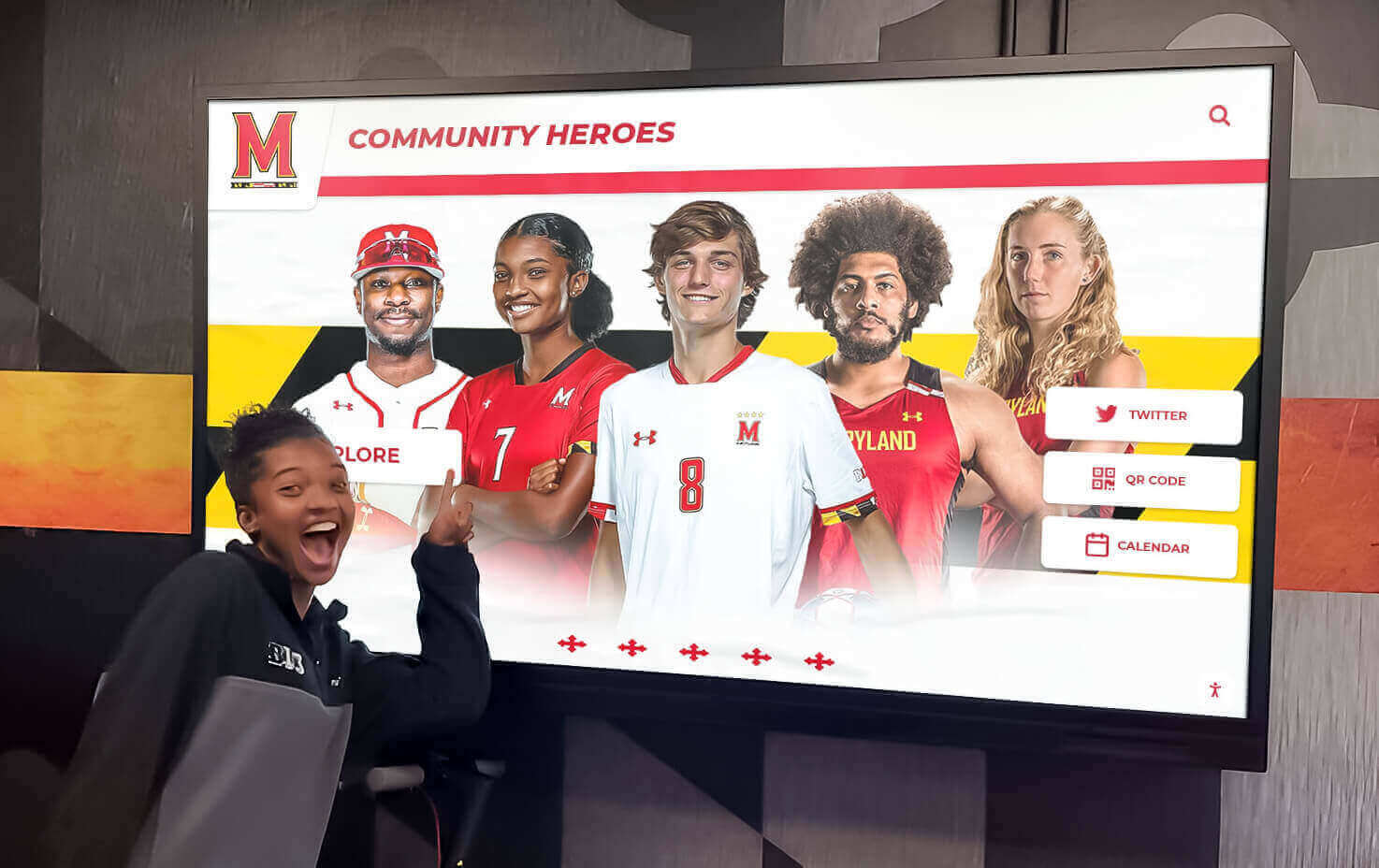
Community involvement in content development strengthens connections while distributing workload across multiple contributors
Content Template Development Standardized formats accelerate creation:
- Partnership profile templates requiring only logo, description, and contact details
- Veteran tribute templates with consistent photo placement and information fields
- Event promotion templates needing only specific detail changes
- Volunteer spotlight templates maintaining visual consistency
- Impact story templates guiding narrative structure
Templates maintain professional appearance while enabling non-design staff to create acceptable content quickly.
Technical Support Considerations
Nonprofits without IT departments require sustainable support approaches:
Vendor Support Services Select providers offering appropriate assistance:
- Phone or email support during business hours
- Remote diagnosis capabilities for software issues
- Clear troubleshooting documentation for common problems
- Video tutorials accessible online
- Annual service contracts for hardware maintenance
Local Technology Partners Establish relationships with community technology resources:
- Local computer repair shops for basic hardware issues
- Community college IT programs offering practicum support
- Corporate volunteer programs providing technical mentorship
- Retired technology professionals volunteering expertise
- Neighboring nonprofits sharing resources and troubleshooting
Most technical problems resolve through simple steps like restarting displays or checking cable connections. Comprehensive troubleshooting guides provided by vendors enable staff to resolve 80-90% of issues without external assistance.
Location and Installation Considerations
Strategic placement maximizes visibility and community engagement.
Optimal Placement Locations
Nonprofits benefit from display positioning in high-traffic community areas:
Primary Location Options
- Main entrance lobbies where visitors first arrive and form impressions
- Reception areas where people wait and have time to engage
- Community gathering spaces where groups meet and socialize
- Service delivery areas where clients spend extended time
- Event spaces doubling as meeting rooms and program locations
Primary displays should occupy the most visible, accessible location in your facility, establishing prominence that reflects organizational priorities.
Secondary Location Opportunities
- Hallways connecting frequently visited areas
- Classrooms or program spaces featuring relevant content
- Staff areas displaying internal recognition
- Outdoor covered areas for community festivals or markets (weatherproof enclosures required)
- Partner organization lobbies through collaborative installations

Main lobby installations ensure maximum visibility while creating welcoming environments that celebrate community connections
Accessibility and Viewing Considerations
Compliant installations accommodate all community members:
ADA Compliance Requirements Federal accessibility standards mandate specific parameters:
- Maximum 48-inch height to highest interactive element (for touchscreens)
- Clear floor space of 30x48 inches accommodating wheelchair approach
- Viewing angles appropriate for standing and seated users
- No protruding objects creating hazards for visually impaired visitors
- High-contrast content display modes
Organizations serving vulnerable populations should exceed minimum requirements, demonstrating commitment to inclusion through exemplary accessibility.
Environmental Factors Physical context affects display effectiveness:
- Ambient lighting: Avoid direct sunlight on screens; use high-brightness displays near windows
- Viewing distance: Larger screens for spaces where viewers are farther away
- Sound environment: Audio content works only in quiet areas
- Traffic flow: Avoid placements obstructing hallways or exits
- Safety: Secure mounting preventing tip-over hazards
Consult with installation professionals familiar with commercial display placement when planning mounting locations.
Ongoing Management and Sustainability
Long-term success requires realistic operational approaches matching nonprofit resource constraints.
Content Update Schedules
Regular updates maintain community interest and display relevance:
Recommended Update Frequency
- Event calendar: Weekly or as events are scheduled
- Partnership recognition: Monthly spotlight rotations ensuring all partners receive featured periods
- Veteran tributes: Quarterly additions as new veterans are identified or honored
- Donor recognition: Monthly or immediately as major gifts arrive
- Impact stories: Quarterly featuring different program successes
- Volunteer spotlights: Monthly recognition of different contributors
Organizations maintaining at least monthly content updates report engagement levels 3-4 times higher than displays updated quarterly or less frequently. Fresh content creates reasons for repeated viewing while demonstrating organizational vitality.
Efficiency Strategies Maintaining currency without overwhelming staff:
- Assign content responsibility to staff closest to information (events team manages calendar, development manages donor recognition)
- Use scheduling features publishing content automatically on specified dates
- Implement content expiration policies requiring periodic review
- Batch similar updates (add multiple partnership profiles in single session)
- Leverage automation for routine content (event calendar integration, social media feeds)
Measuring Impact and Value
Demonstrating return on investment justifies continued support:
Quantifiable Metrics Track measurable outcomes:
- Volunteer inquiry increase following volunteer spotlights
- Partnership requests after partnership display implementation
- Event registration improvements compared to previous promotion methods
- Donor recognition response and giving frequency changes
- Community awareness through surveys
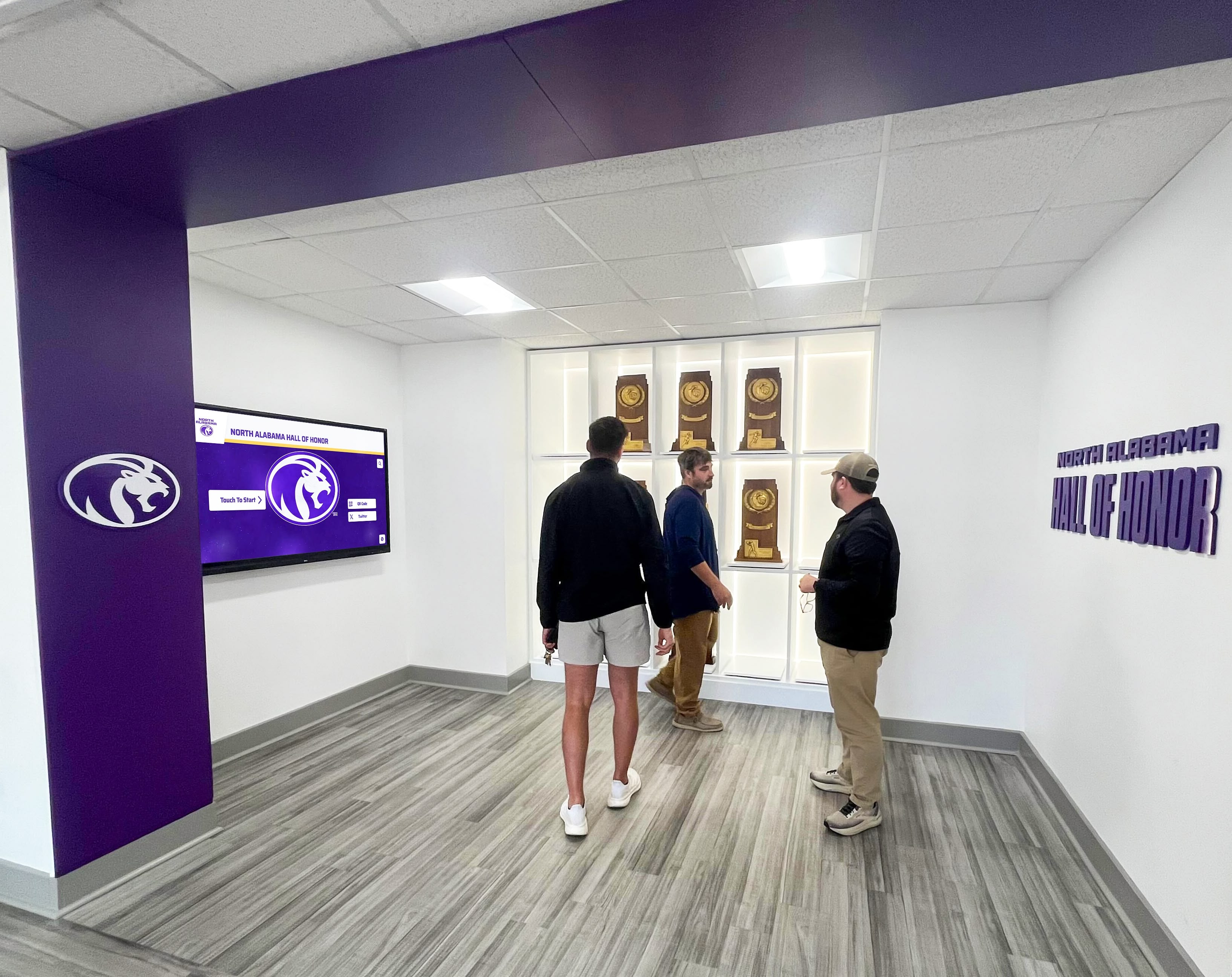
Displays create gathering points where community members explore organizational impact and connection opportunities
Qualitative Feedback Gather stakeholder perspectives:
- Visitor comments and compliments about displays
- Partner feedback on recognition presentation
- Veteran and family appreciation for tribute quality
- Staff observations about community response
- Board member perspectives on organizational image enhancement
Most nonprofits find qualitative feedback more powerful than quantitative metrics when advocating for continued investment in digital recognition systems.
Cost-Benefit Considerations Digital displays provide multiple value streams:
- Reduced printing costs for event flyers and partnership materials
- Staff time savings from fewer inquiries about events or services
- Improved fundraising through better donor recognition
- Strengthened partnerships through visible acknowledgment
- Improved community perception and organizational credibility
While precise ROI calculation challenges nonprofits, aggregate benefits typically justify investment within 12-18 months for organizations with active community engagement.
Funding Strategies and Budget Sources
Creative financing approaches make displays accessible to budget-constrained nonprofits.
Grant Funding Opportunities
Multiple foundation and government programs support nonprofit technology:
Technology Grant Programs
- Community foundation capacity-building grants
- Corporate foundation technology improvement programs
- State and local government nonprofit support initiatives
- National service organization equipment grants
- Industry-specific foundation programs (veterans organizations, arts councils, etc.)
Grant applications benefit from clear demonstration of community impact, partner engagement improvements, and accessibility improvements enabled by proposed displays. Frame requests around mission advancement rather than technology acquisition.
Donor-Funded Recognition Systems
Many display implementations are donor-underwritten:
Recognition System Sponsorship Approach major donors or community businesses about underwriting displays:
- Name recognition opportunities for founding sponsors
- Corporate logo inclusion in display interface design
- Dedication plaques acknowledging sponsorship
- Prominent acknowledgment during unveiling events
- Ongoing recognition in organizational communications
According to nonprofit donor recognition research, technology donations and sponsorships appeal to donors seeking visible, tangible impact without ongoing endowment commitments.
Partnership Collaborative Funding Multiple partners sometimes jointly fund recognition systems:
- Corporate partners contributing proportional to recognition received
- Veterans organizations funding veteran tribute sections
- Community foundations supporting overall implementation
- Service clubs underwriting specific content areas
- Government contracts including equipment provisions
Collaborative funding distributes costs while creating shared ownership and ongoing engagement.
Budget-Saving Strategies
Strategic decisions reduce implementation expenses:
Cost Reduction Approaches
- Start with single display rather than multi-screen implementations
- Begin with passive display before adding interactive touchscreen capability
- Use volunteer labor for non-technical tasks like content entry
- Negotiate bundled pricing when purchasing hardware and software together
- Consider refurbished commercial displays from reputable vendors (typically 30-40% less expensive with shorter warranties)
- Implement gradually rather than comprehensive launch requiring extensive initial content development
Organizations successfully implement entry-level displays for under $2,000 total investment through strategic decision-making and volunteer involvement.
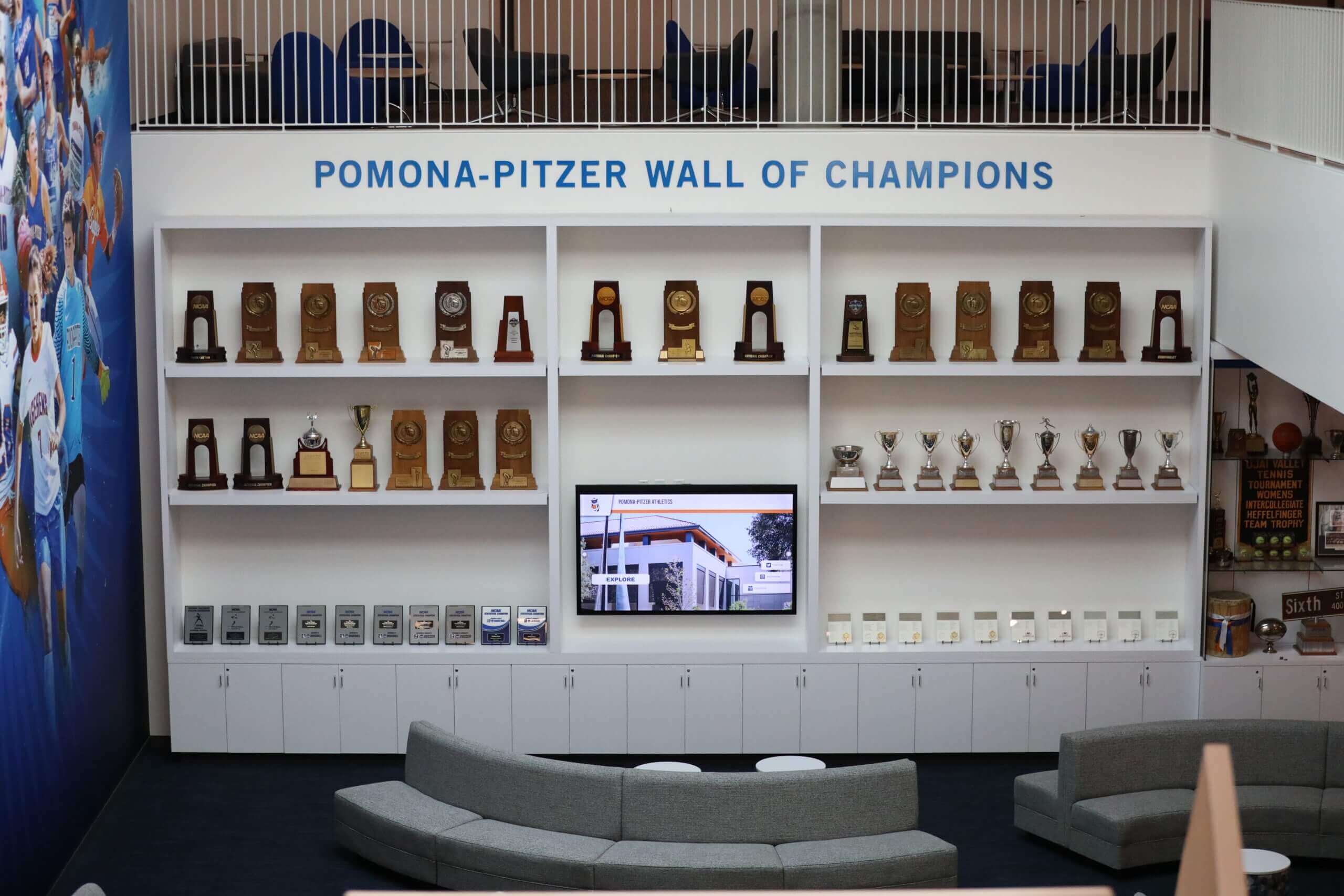
Community spaces integrating digital displays create gathering environments that celebrate partnerships and shared accomplishments
Special Considerations for Small Nonprofits
Organizations with limited staff and modest budgets face unique implementation challenges.
Simplified Management for Small Teams
Single-person operations require particularly simple systems:
Essential Platform Characteristics
- Web-based access requiring no software installation
- Mobile-friendly interfaces enabling updates from phones
- Drag-and-drop content editing without technical skills
- Pre-built templates eliminating design requirements
- Automatic backups preventing data loss
- Simple troubleshooting with phone support access
Solutions designed specifically for small nonprofits prioritize simplicity over feature comprehensiveness. Better to have basic capabilities that staff actually use than sophisticated features requiring expertise unavailable in your organization.
Volunteer Administrator Approaches Some nonprofits designate volunteer content administrators:
- Retired communications professionals contributing skills
- Board members with relevant expertise
- Partner organization staff sharing resources
- Community college interns gaining experience
- Technology-comfortable volunteers seeking meaningful contribution
Clear administrator role descriptions and documented procedures enable volunteer involvement without requiring permanent staff allocation.
Security and Privacy Considerations
Nonprofit displays sometimes include sensitive information:
Content Privacy Guidelines
- Obtain explicit permission before displaying individual photos or personal information
- Provide opt-out mechanisms for recognition-averse supporters
- Protect minor privacy in family-focused programming
- Respect veteran preferences regarding service detail disclosure
- Maintain donor confidentiality when requested
- Secure administrative access preventing unauthorized content changes
Technical Security Measures
- Password-protected content management systems
- Role-based access limiting who can modify different content sections
- Network segmentation isolating display systems from internal operations
- Regular software updates addressing security vulnerabilities
- Physical security preventing tampering with display hardware
Most cloud-based content management platforms include appropriate security features by default, requiring only organizational policies around content approval and access control.
Alternatives and Complementary Approaches
Digital displays work best as part of comprehensive recognition strategies:
Hybrid Physical-Digital Recognition
Combining traditional and modern elements:
Integrated Approaches
- Physical plaques or architectural elements for permanent recognition
- Digital displays for rotating spotlights and current information
- QR codes on physical recognition linking to expanded online content
- Printed materials directing community members to digital displays
- Physical artifacts or memorabilia displayed adjacent to digital screens
Hybrid recognition approaches provide timeless dignity of traditional materials with storytelling depth and flexibility of digital content.
Web-Based Recognition Extensions
Digital displays complement online recognition:
Coordinated Online Platforms
- Website pages mirroring display content for remote access
- Social media integration amplifying partnership and veteran recognition
- Email newsletters featuring spotlighted partners or events
- Mobile apps providing portable access to recognition content
- Virtual recognition for supporters unable to visit physical facility
Coordinated multi-channel recognition provides consistent acknowledgment across all organizational touchpoints while extending reach beyond physical visitors.
Transform Your Nonprofit Recognition with Digital Displays
Discover how digital wall mount displays designed specifically for nonprofits can present community partnerships, honor veterans, promote events, and recognize supporters—all with budget-friendly options and management systems that non-technical staff can actually maintain.
Explore SolutionsGetting Started: Practical Next Steps
Moving from consideration to implementation requires systematic planning.
Needs Assessment Checklist
Before purchasing equipment, clarify organizational requirements:
Content Priority Questions
- What recognition or communication needs currently go unmet?
- Which partnerships or veterans deserve greater visibility?
- What events require more effective promotion?
- How many different content categories do we need to manage?
- Who will be responsible for content updates?
- What budget can we realistically allocate?
Technical Environment Assessment
- Where would displays have maximum visibility and community impact?
- Do those locations have electrical power and network connectivity?
- What mounting options work with our facility construction?
- Do we have staff comfortable with basic technology management?
- What technical support resources exist locally?
Clear answers guide appropriate technology selection matching capabilities to actual needs and available resources.
Vendor Evaluation Criteria
Selecting partners who understand nonprofit constraints:
Essential Vendor Characteristics
- Prior experience with nonprofit or community organization clients
- Reference customers you can contact
- Transparent pricing without hidden costs
- Straightforward contracts without predatory terms
- Responsive support accessible when you need assistance
- Platform simplicity matching your staff capabilities
- Scalability enabling gradual expansion as budget allows
Request demonstrations using content similar to your planned applications. See how systems handle partnership recognition, event promotion, and veteran tributes to evaluate suitability before committing.
Implementation Timeline
Realistic planning prevents deadline pressure:
Typical Implementation Schedule
- Weeks 1-2: Needs assessment, budget confirmation, vendor selection
- Weeks 3-4: Equipment ordering, site preparation, content planning
- Weeks 5-6: Installation, initial content development, staff training
- Weeks 7-8: Soft launch with core content, feedback collection
- Week 9+: Public announcement, ongoing content expansion
Rush implementations typically sacrifice content quality or skip adequate staff training. Organizations succeeding with digital displays invest 6-8 weeks in systematic planning and preparation.
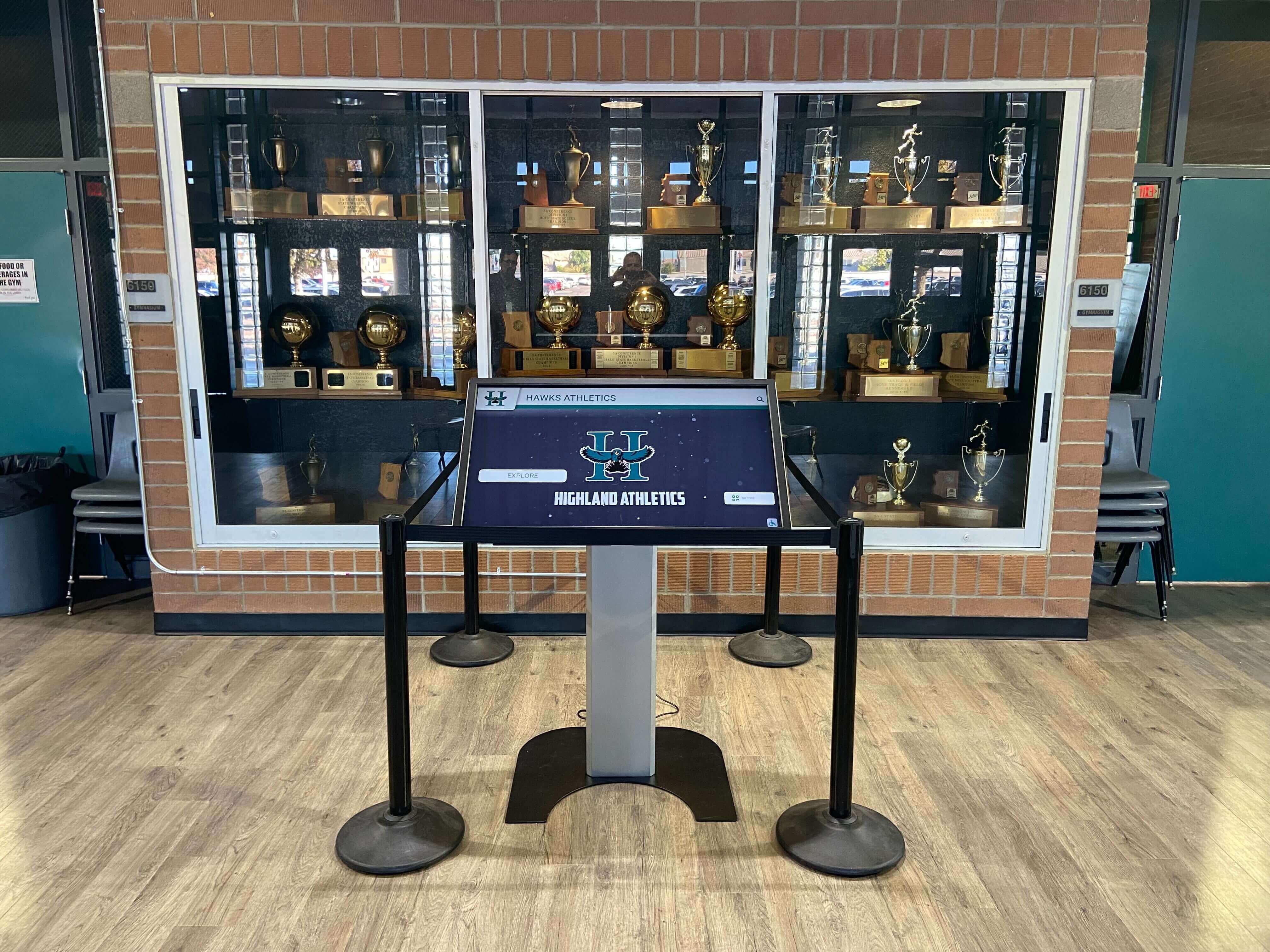
Professional installations integrate displays into existing spaces, creating recognition experiences that complement rather than dominate environments
Conclusion: Elevating Nonprofit Community Engagement Through Digital Recognition
Digital wall mount displays offer small and mid-sized nonprofits practical, affordable platforms for presenting community partnerships, honoring veterans, promoting events, and recognizing supporters. When thoughtfully selected and professionally implemented, these displays transform single wall spaces into dynamic communication platforms that grow with organizational needs.
The pricing frameworks explored in this guide demonstrate that effective digital recognition systems remain accessible to nonprofits across budget ranges—from entry-level implementations under $2,500 to comprehensive flagship installations, with appropriate options matching every resource level. The key lies in selecting technology matching current capabilities while providing pathways for gradual expansion as confidence and capacity grow.
Small nonprofit teams can successfully manage digital displays when systems prioritize simplicity over sophistication. Cloud-based platforms with intuitive interfaces, template-based content creation, and responsive support enable one-person operations to maintain professional recognition displays without overwhelming limited administrative capacity or requiring technical expertise unavailable in many community organizations.
Content strategies focusing on partnership visibility, veteran honor, event promotion, and community celebration provide frameworks for sustainable displays that serve organizational mission rather than becoming technology projects disconnected from core work. Phased implementation approaches enable modest beginnings that expand systematically based on capacity rather than attempting comprehensive launches requiring extensive upfront content development.
Whether your nonprofit needs basic event promotion, comprehensive partnership recognition, detailed veteran tributes, or integrated community engagement platforms, digital wall mount display solutions exist matching your specific requirements and budget constraints. The question isn’t whether digital displays can strengthen your community connection—it’s how quickly you’ll implement recognition systems that your partners, veterans, and supporters deserve.
Ready to explore digital display options for your nonprofit? Book a demo to see nonprofit-appropriate solutions designed specifically for limited budgets and small staff teams, or discover how organizations nationwide are implementing community recognition displays that strengthen partnerships while celebrating community contributions.
Sources:































