The Easiest Touchscreen Solution




Live Example: Rocket Alumni Solutions Touchscreen Display
Interact with a live example (16:9 scaled 1920x1080 display). All content is automatically responsive to all screen sizes and orientations.
Intent: decide — A glass trophy cabinet holds what it holds. When the school wins a fourteenth regional title, or the swim team produces its ninth state qualifier, the question is no longer which plaque to hang. It is where to put all of it without another renovation estimate landing on the principal’s desk.
A digital trophy case kiosk answers that question by replacing fixed shelf space with a touchscreen that visitors can search, browse, and explore. Every championship, every record-holder, every scholar-athlete honoree lives in the same display—organized, instantly searchable, and updatable from any device with an internet connection. The cabinet never runs out of room because room is no longer the constraint.
This guide explains exactly how a digital trophy case kiosk works, what features separate strong implementations from underwhelming ones, and how the leading display options compare so administrators, athletic directors, and IT leaders can choose the right fit for their school.
Schools that have made the switch describe the same discovery: the recognition problem was never about trophies. It was about the gap between how many achievements a program produces and how many a glass case can honor at once. A kiosk closes that gap permanently.

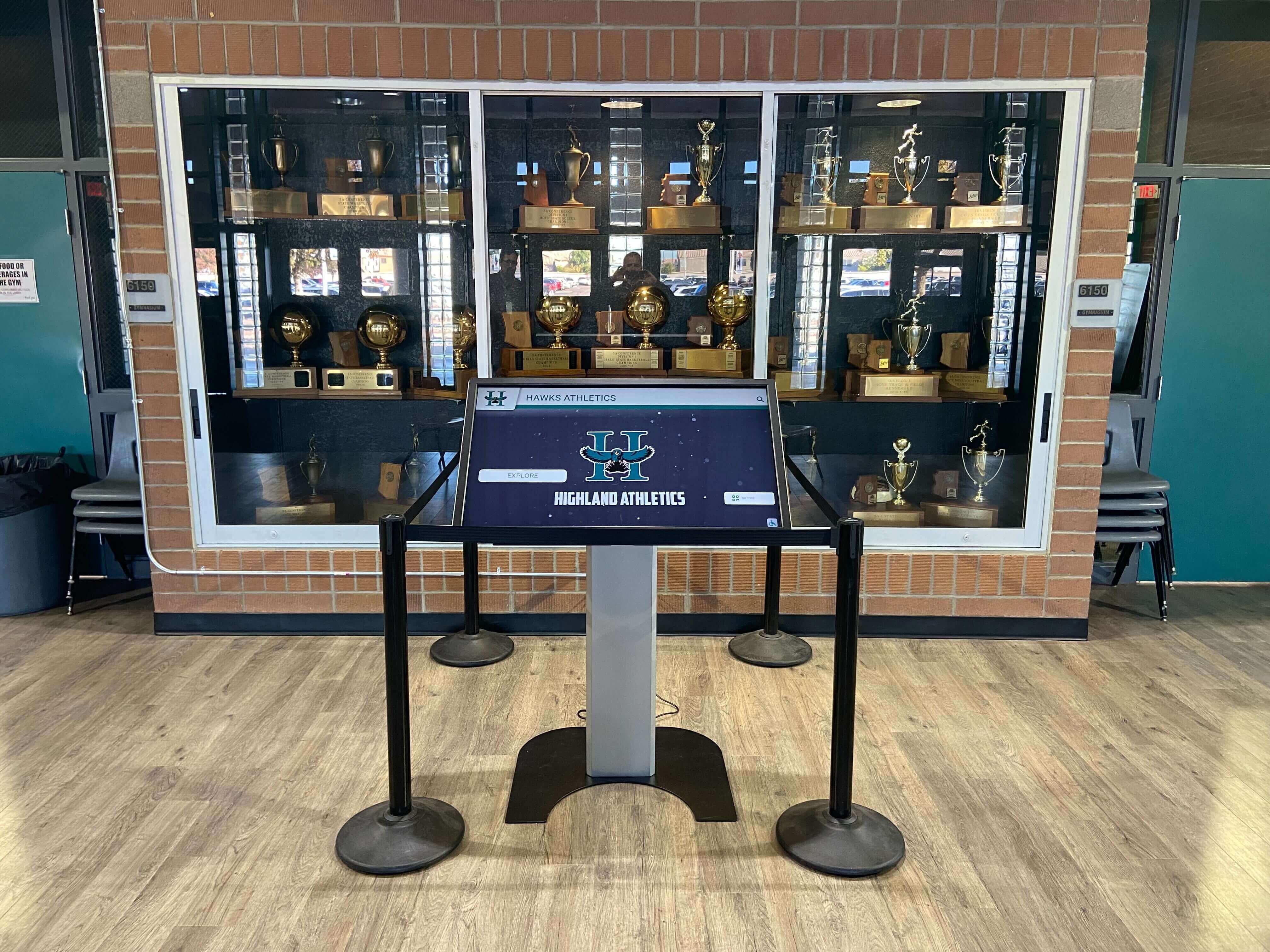
A digital trophy case kiosk sits where the glass cabinet used to be—same hallway, same foot traffic, dramatically more recognition capacity
What Is a Digital Trophy Case Kiosk?
A digital trophy case kiosk is a freestanding or wall-mounted touchscreen display that presents a school’s achievements as an interactive, searchable database rather than a fixed physical arrangement. Visitors tap, swipe, and search the way they would on a smartphone. The school manages all content through a cloud-based platform without touching the screen itself.
The hardware is straightforward: a commercial-grade touchscreen—typically 43 to 65 inches—housed in a branded enclosure and connected to the school’s network. The software does the real work. Content management platforms allow staff to add new championships, athlete profiles, record books, and photo galleries remotely, with changes appearing on the screen within seconds of publishing.
Touchscreen electronic trophy case kiosks in schools have moved well past pilot stage. Athletics hallways, main lobby entrances, field house corridors, and alumni centers now routinely host these installations as the primary recognition display rather than a supplement to physical cases.
What Visitors Experience
A student walking up to the kiosk does not need instructions. The interface works like anything else with a screen:
- Browse by sport, academic program, or activity
- Tap a championship year to see the full roster, coaching staff, and season record
- Search a name to pull up every achievement tied to that athlete across all their years
- Swipe through photo galleries from the season or the ceremony
- Scan a QR code to share a profile with a parent or alumnus who cannot visit in person
The depth available on a kiosk—video clips, statistical records, oral history notes, multi-year timelines—is simply unreachable inside a glass cabinet regardless of how the plaques are arranged.
What Administrators Experience
From the management side, the kiosk runs on a cloud content management system accessible from any browser. An athletic director can add a state championship from their phone on the bus ride home from the tournament. A communications coordinator can schedule a senior athlete spotlight to go live the morning of a banquet. IT does not need to be involved for routine updates.
This remote, browser-based approach removes the friction that keeps traditional trophy cases perpetually behind. When updating requires finding a key, opening a cabinet, printing a label, and coordinating with facilities, updates get postponed. When updating takes four minutes from a laptop, it happens the same week the achievement occurs.
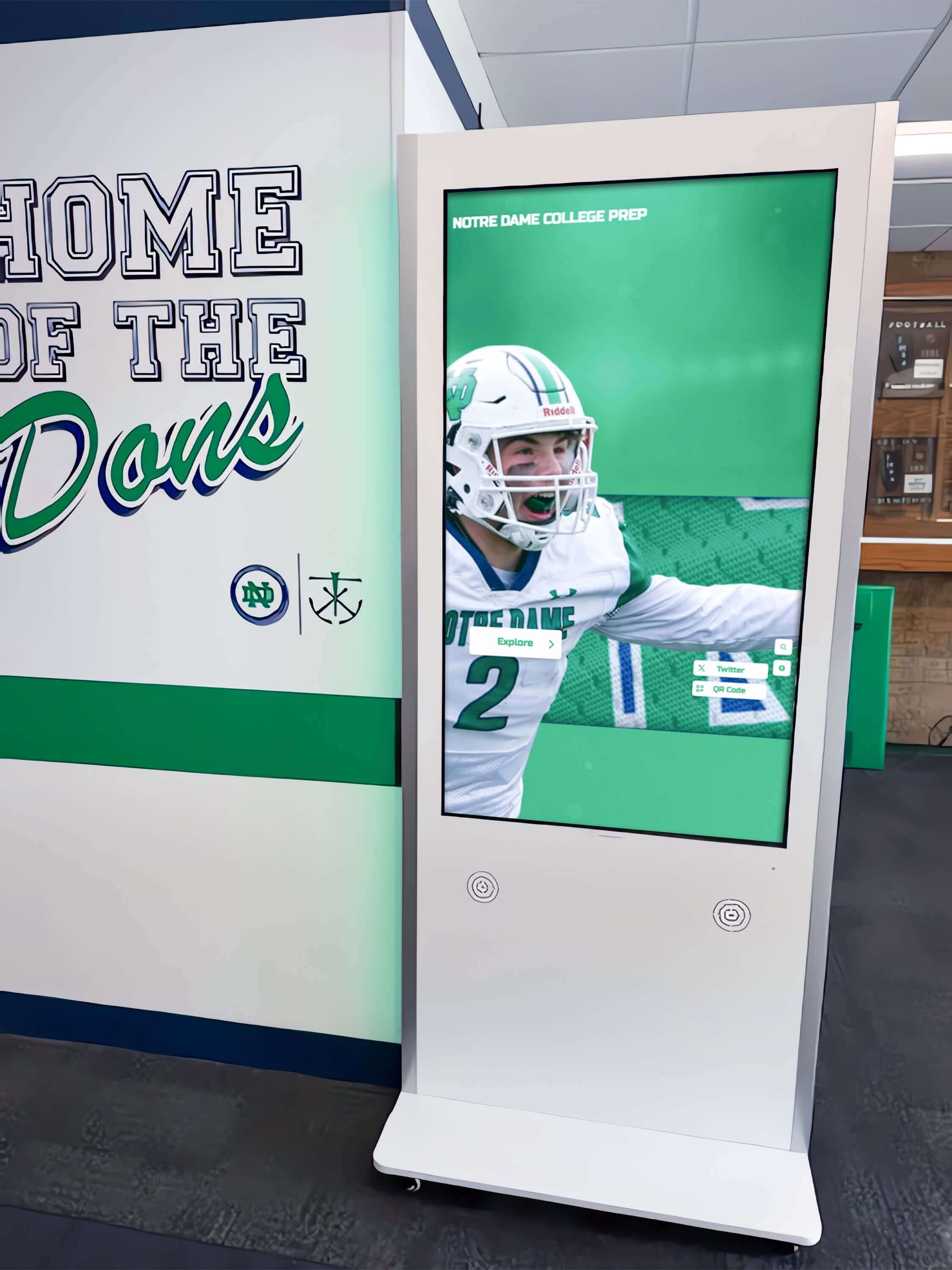
Hallway kiosk installations capture daily foot traffic from students, staff, and visitors passing through athletic corridors
Why Searchability Matters More Than Display Space
The standard pitch for going digital focuses on unlimited capacity. That is real, but it undersells the more transformative benefit: searchability.
A glass trophy case displays what the administrator chose to display. A kiosk displays what the visitor wants to find. Those are different experiences with meaningfully different outcomes.
Consider the alumni who graduated in 2004 and drove four hours to attend a reunion. She was a state-qualifying cross-country runner. Her name appears nowhere visible in a hallway case packed with football and basketball hardware. On a kiosk, she searches her own name and her profile appears—photos, times, honors—in under ten seconds. That moment of recognition, delivered instantly and without anyone having to plan for it, is what makes these installations matter to the people they are supposed to serve.
The same logic applies to:
- Parents at open house who want to find their daughter’s swimming recognition from last semester
- Recruits visiting campus who want to see how the program has performed over the past decade, not just its most recent banner
- Donors and board members doing facility tours who ask about a program’s history on the spot
- Current athletes building motivation by exploring what the program’s all-time leaders have accomplished
Bringing the school trophy case online for alumni and visitors through a kiosk-connected platform extends this searchability beyond the hallway—QR codes on the screen link to mobile-accessible versions of the same content, letting alumni browse records from home.
Core Features to Look For in a Digital Trophy Case Kiosk
Not every touchscreen display system delivers the same functionality. These are the capabilities that separate a genuinely useful kiosk from a digital picture frame.
Unlimited Entries With Automatic Organization
A capable system imposes no entry cap. Championships from 1987 and championships from this past spring coexist in the same searchable archive. The platform should sort and rank content automatically—most recent seasons at the top by default, records ranked by performance value, athletes surfaced by the categories most relevant to the viewer’s current filter.
Manual re-sorting every time something is added defeats the purpose of going digital.
Cloud-Based CMS With No IT Tickets Required
Staff should be able to log in from home and add a new team photo within minutes. The system should handle image optimization, layout formatting, and publishing workflow without requiring technical knowledge. Scheduled publishing—setting a profile to go live on a specific future date—is a practical necessity for managing ceremony timing, season launches, and academic honor roll announcements.
ADA and WCAG 2.1 AA Accessibility
Public-facing educational displays carry accessibility obligations. A compliant kiosk offers adjustable text size, high-contrast viewing modes, screen reader compatibility, and touchscreen positioning that wheelchair users can reach without assistance. Accessibility is not optional when the display sits in a public school hallway.
QR Code Integration for Mobile Access
Every profile and gallery on the kiosk should generate a QR code that visitors can scan to continue exploring on their phones. This extends recognition beyond the physical screen—parents share athlete profiles on social media, alumni bookmark pages they want to revisit, coaches pull up records during recruiting conversations without needing access to the kiosk itself.
Sponsorship Display Capability
A kiosk positioned in a high-traffic athletic corridor or lobby represents genuine sponsorship real estate. Platforms that support integrated sponsor recognition allow booster organizations or community businesses to receive visible acknowledgment alongside the school’s achievement content—a funding model that many schools use to offset ongoing subscription costs.

Card-based navigation lets visitors browse individual athlete profiles with the same intuitive tap-and-scroll they use on a smartphone
Photo and Video Galleries
Static text records are the floor, not the ceiling. A strong platform hosts photo galleries from team seasons, highlight clips, ceremony footage, and oral history interviews. Visual content is what keeps visitors engaged past the first thirty seconds and what drives the QR code scans that extend the kiosk’s reach off-campus.
Records and Statistical Archives
Sport-specific record boards—career leaders in rushing yards, season bests in the 400-meter hurdles, single-game scoring records—are among the most-browsed content categories on athletic kiosks. The platform should support structured data entry for records and display them in ranked, filterable formats rather than as plain text lists.
Comparing Digital Trophy Case Kiosk Options
Schools evaluating a digital trophy case kiosk investment encounter several approaches. Understanding the differences helps administrators identify which model actually fits their recognition goals, budget structure, and IT capacity.
Static Digital Signage Systems
Digital signage platforms designed for retail, corporate lobbies, or campus wayfinding can display image slideshows on screens. Some schools attempt to use these as trophy case replacements by loading championship graphics as slides.
The limitation is fundamental: digital signage plays content at visitors, it does not respond to them. There is no search function. There is no way for a parent to find their child’s name or for an alumnus to locate their graduating class. Content management requires uploading formatted image files rather than entering recognition data into structured fields. Every update means designing a new slide rather than adding a record to a database.
These systems work well for scheduled announcements and hallway communications. They are not built for the searchable, data-driven recognition experience that a genuine kiosk provides. For a direct comparison between the two approaches, interactive trophy case displays for schools outlines the functional gap clearly.
Traditional Glass Trophy Cabinets With Digital Supplements
Some schools install a flat-screen monitor inside or alongside an existing trophy case, displaying a rotating slideshow while the glass cabinet remains the primary display. This hybrid approach preserves tradition while adding a visual element.
The challenge is the same one that drove the modernization conversation in the first place: the physical cabinet still limits capacity, still requires physical access to update, and still forces decisions about which achievements get visible space. The monitor is an enhancement to a system with a ceiling, not a replacement for it.
Weighing the static case vs. digital archive decision in depth reveals why most schools treating this as a long-term solution eventually revisit the question as their recognition volume continues to grow.
Purpose-Built Interactive Recognition Kiosks
Platforms designed specifically for school recognition combine the hardware, software, and content architecture for the job. These systems provide searchable athlete and team databases, sport-specific record boards, photo and video hosting, QR code generation, cloud CMS with no IT dependency, and accessibility compliance as core features rather than optional add-ons.
Trophy display case options for schools now routinely include purpose-built interactive kiosks as the category that addresses unlimited capacity and searchability simultaneously—a combination that neither glass cabinets nor adapted signage systems can match.
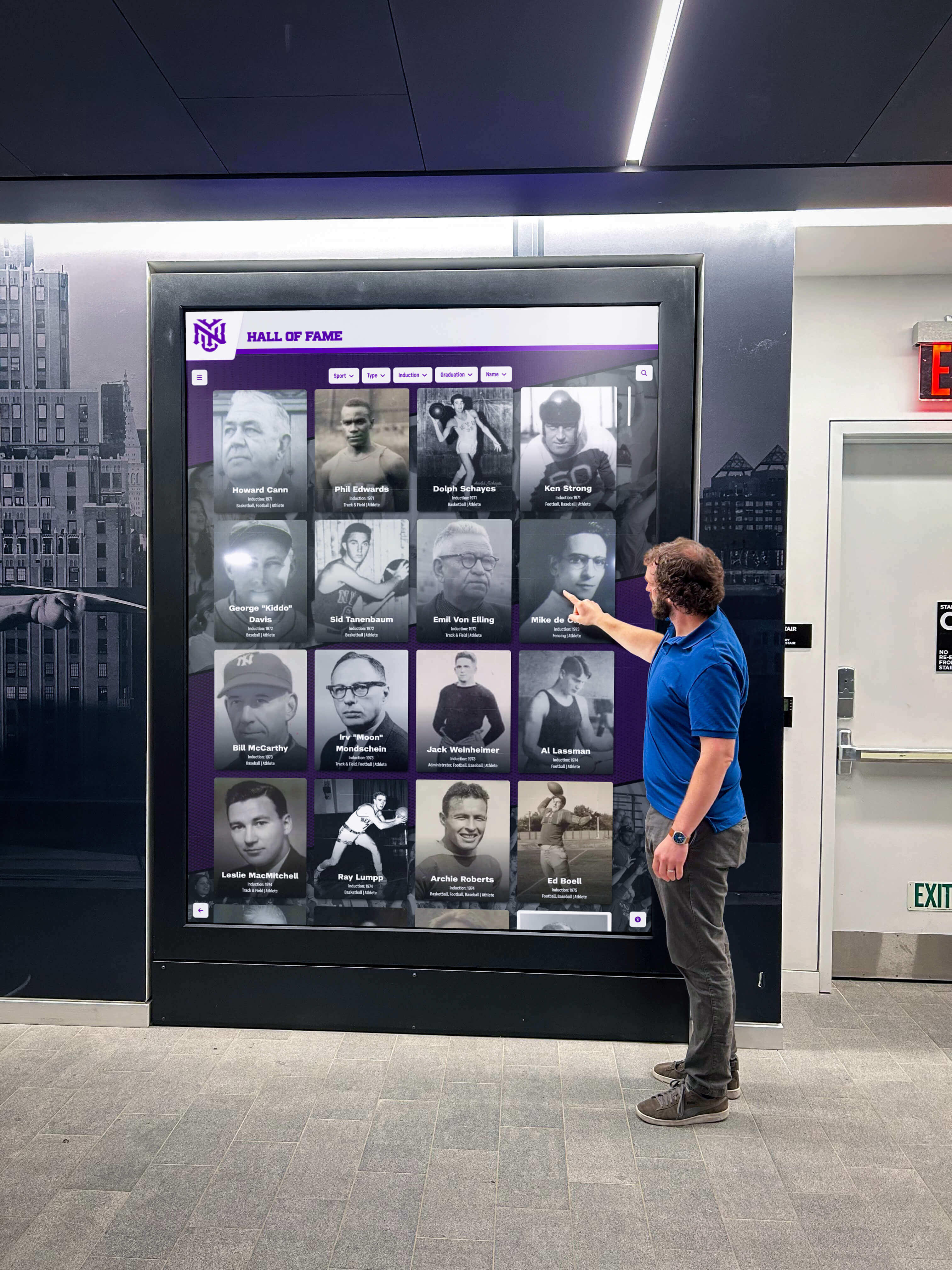
Lobby kiosks become natural conversation starters during campus visits, open houses, and alumni events
Rocket Alumni Solutions: A Purpose-Built Option
Rocket Alumni Solutions builds interactive recognition kiosks designed for the specific operational realities of schools and athletic departments. The Digital Wall of Honor kiosk platform combines commercial-grade touchscreen hardware with a cloud CMS built for non-technical administrators.
Key capabilities relevant to schools evaluating this category:
- Unlimited entries with no cap on athletes, teams, achievements, or historical records
- Automatic ranking and sorting so new content integrates without manual re-organization
- Scheduled publishing for advance content preparation tied to ceremonies, banquet nights, or season launches
- ADA WCAG 2.1 AA compliance for public-facing accessibility requirements
- QR code generation on every profile enabling mobile sharing and off-campus access
- Sponsorship display integration for booster and community partner recognition
- Weekly content updates managed entirely through a browser—no IT tickets, no vendor calls
- Remote cloud management from any device, from any location
The content architecture treats each athlete, team, and achievement as a structured record rather than a graphic file. That distinction is what enables search, filtering, and the kind of self-directed browsing experience that makes a kiosk genuinely useful rather than decorative.
How Schools Install and Launch a Kiosk
Understanding the practical steps from decision to launch helps administrators plan timelines and involve the right internal stakeholders.
Site Selection and Placement
The location decision is as important as the technology selection. High-traffic positions maximize exposure:
- Main entrance lobbies: Maximum visibility for all visitors, prospective families, and community members
- Athletic facility corridors: Direct relevance for athletes, coaches, and game-day attendees
- Alumni center entrances: Natural fit for reunion events and development office tours
- Cafeterias or student commons: Daily exposure to the full student population
Electrical access and network connectivity are the two physical requirements. Wired Ethernet is preferable for reliability, though wireless connections work in most school environments. Professional installation typically handles mounting, power, and network configuration as a bundled service.
The kiosk setup guide for schools walks through site requirements, network considerations, and installation sequencing in detail.
Initial Content Development
A kiosk does not need to launch fully populated to deliver value. Most schools identify a practical starting scope:
- Current-season athletic rosters and recent championship teams
- Hall of fame inductees already recognized through existing programs
- All-time records for major sports programs
- Key academic honors and scholar-athlete recognition
Historical content—decades of team records, individual career statistics, archival photographs—can be added progressively after launch. Content development tools that support bulk import from spreadsheets significantly accelerate the history-population process.
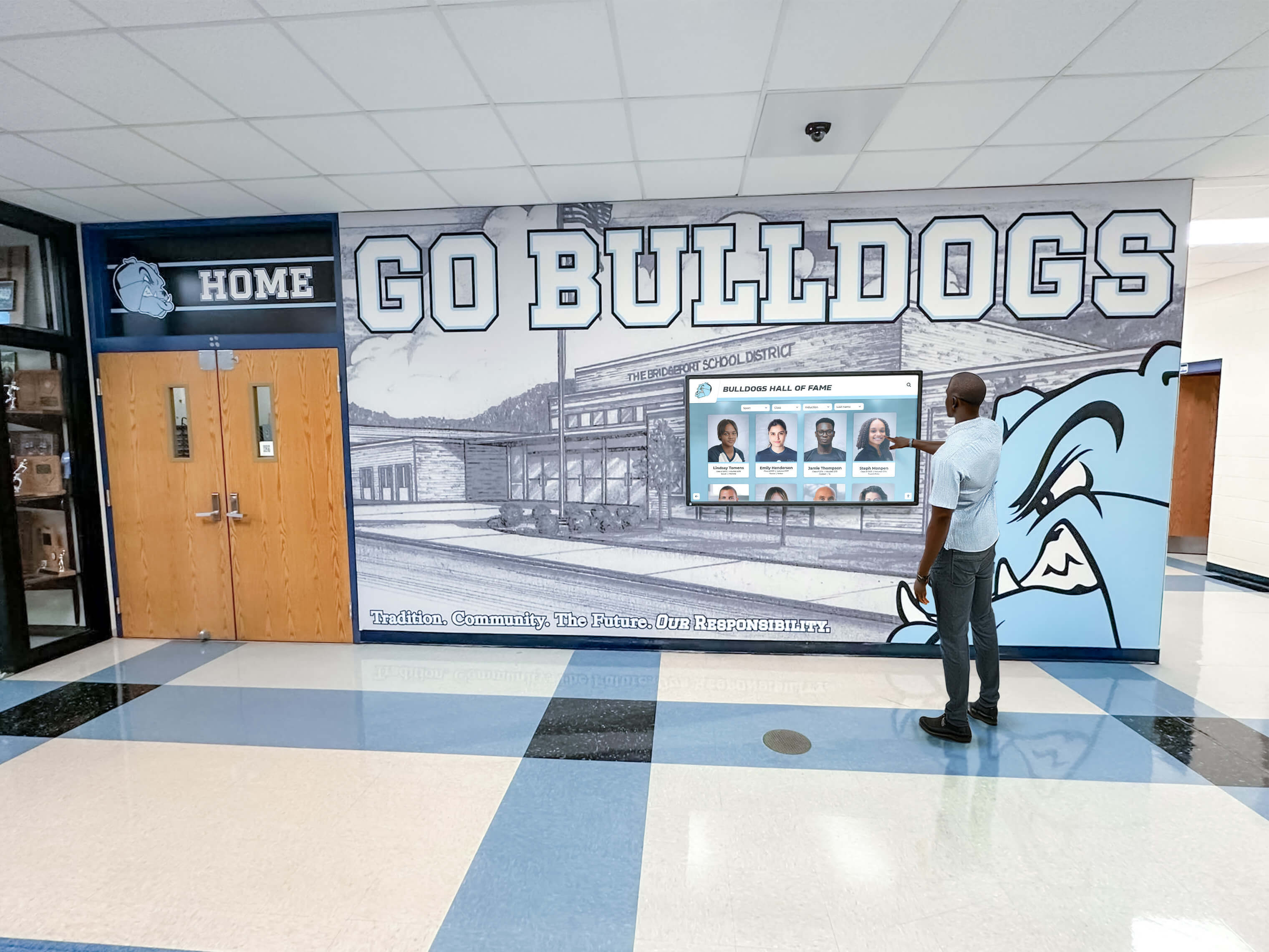
Hallway browsers spend more time with kiosk content when it offers searchable depth rather than a rotating display they cannot control
Staff Training and Update Workflows
Well-designed platforms require minimal training. Typical preparation includes:
- Initial walkthrough of the content management dashboard (two to four hours)
- Role assignment so athletic staff, academic affairs coordinators, and activities directors each manage their own content independently
- A simple update schedule: immediate additions for major achievements, seasonal updates for year-end recognition, and annual audits for historical accuracy
Schools report that distributed update ownership—where each department manages its own content rather than routing everything through a single administrator—keeps recognition current without concentrating the workload.
Content You Can Add Beyond Trophies
The “trophy case” framing understates what a kiosk can hold. Schools using these platforms well populate them with a much broader range of recognition content.
Athletic Records and Statistical Archives
Championship trophy display ideas for high school athletics increasingly center on data alongside hardware. School record boards—career rushing yards, cumulative batting average, personal best times in track events—give current athletes measurable benchmarks to pursue while honoring the record holders permanently.
Statistical archives that span decades of program history create the kind of browsable depth that keeps alumni engaged for extended sessions during campus visits.
Academic and Scholar-Athlete Recognition
A kiosk positioned in a shared hallway is an opportunity to recognize academic achievement with the same visual weight traditionally reserved for athletics. Honor rolls by semester, National Merit Scholars, AP Scholar designations, academic competition champions, and graduating class valedictorians all belong in the same searchable archive.
Scholar-athlete profiles—where academic and athletic accomplishments appear on a single record—are among the most shared content categories when QR codes are enabled. Families find these profiles and send links to extended family members who cannot visit in person.
Photo Galleries and Season Archives
Team photos, championship ceremony moments, banquet recognition images, and candid season photography give the kiosk an emotional dimension that statistical records alone cannot provide. A parent can watch the state championship game highlights on the kiosk in the hallway on the way to a parent-teacher conference. That is a recognition experience no glass cabinet can offer.
Donor and Sponsor Recognition
Development offices use recognition kiosks to honor named donors, capital campaign contributors, and scholarship endowment funders in a format that updates instantly when new gifts arrive. Compared to a physical donor wall requiring fabrication lead time and installation appointments, a kiosk entry for a new major gift can go live the same day acknowledgment letters are sent.
Community and booster sponsors can receive logo placement and profile visibility within the same interface that showcases athletic achievements—a meaningful sponsorship benefit that supports ongoing platform costs.
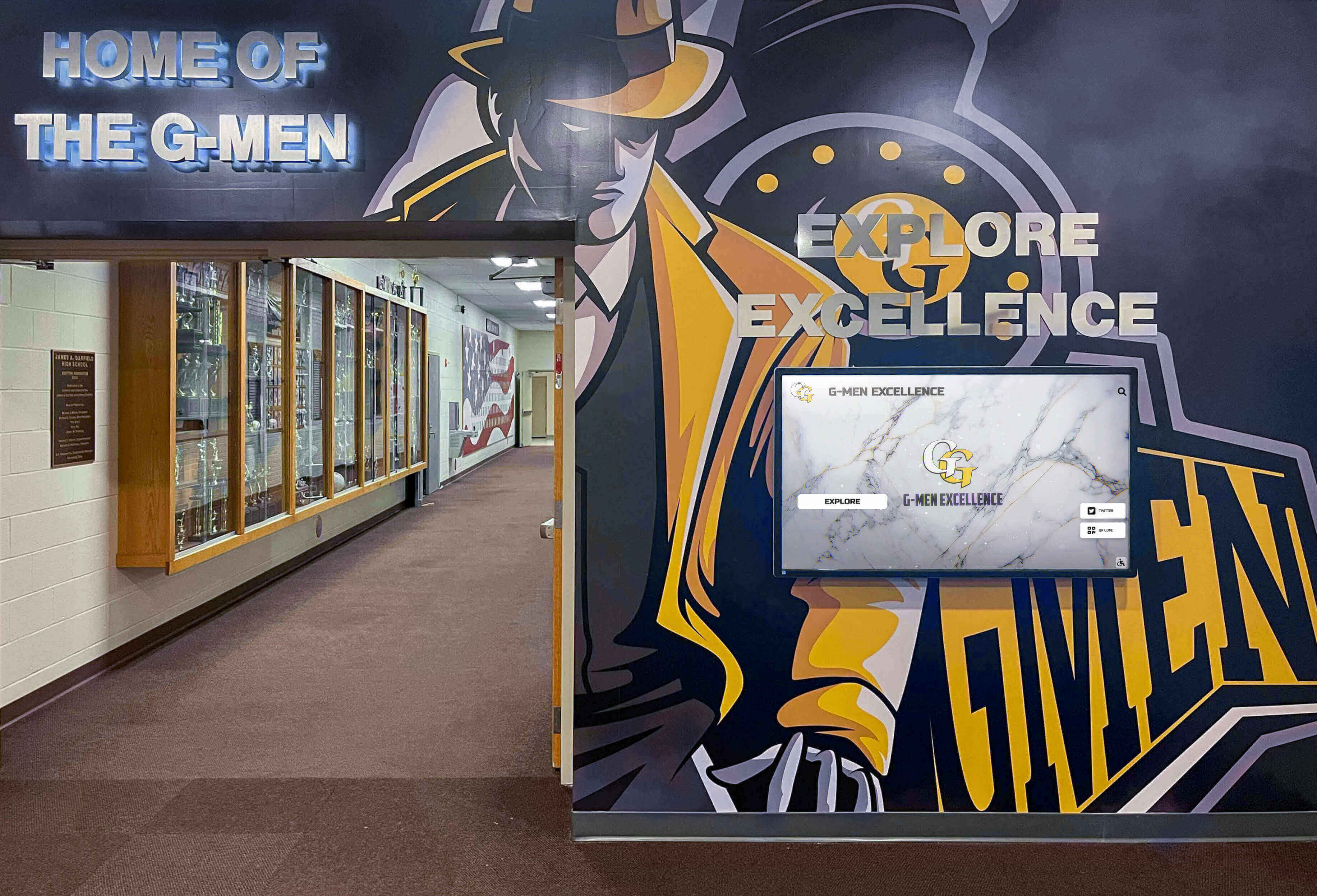
Digital kiosks integrate alongside existing trophy cases and murals, expanding recognition capacity without requiring physical case removal
Alumni Profiles and Historical Archives
Beyond the standard trophy case, kiosks serve as institutional memory systems. Alumni profiles—connecting current students to graduates who went on to professional careers, military service, or distinguished community roles—create the kind of longitudinal school story that motivates student engagement and strengthens alumni loyalty.
Yearbook archives, historical facility photographs, and program milestone timelines round out the historical dimension of a comprehensive recognition kiosk.
Managing the Kiosk Without IT Help
One of the primary adoption barriers schools report when evaluating digital recognition systems is the assumption that ongoing management requires technical support. Purpose-built platforms are designed to eliminate that dependency.
What “No IT Required” Actually Means
Cloud-based content management systems handle the technical layer invisibly. Administrators do not interact with servers, databases, or code. They interact with web-based forms that look like any other content management interface:
- Add a new athlete profile: fill in name, sport, years, achievements, upload a photo, click publish
- Update a record: open the existing entry, change the value, save
- Schedule a banquet recognition spotlight: set the publish date and time in advance, the system handles the rest
Software updates, security patches, and system maintenance happen automatically in the background. The school’s IT staff does not need to be involved in any of this routine operation.
Keeping Content Current Throughout the Year
The greatest risk to a kiosk’s long-term value is recognition lag—when achievements happen in October but the kiosk still shows content from the previous spring. The digital trophy case touchscreen awards workflow most schools succeed with assigns update responsibility by season:
- Fall sports season: Athletic director or sport-specific coordinator adds results and team content as the season concludes
- Winter sports season: Same process for basketball, wrestling, swimming, hockey
- Spring sports season: Completions and record updates before the academic year closes
- Academic calendar milestones: Honor roll additions after each semester’s recognition cycle
- As-needed additions: Major achievements, hall of fame inductions, and donor recognition added within the week they occur
Scheduled publishing lets administrators prepare content during slower periods and set it to appear at the correct recognition moment without requiring them to be available on a specific publication date.
Frequently Asked Questions
Does a digital trophy case kiosk replace the physical trophy cabinet entirely?
Most schools run both. Physical trophies—particularly state championship hardware and historically significant awards—retain ceremonial and symbolic value that a screen cannot fully replicate. The kiosk handles everything a physical cabinet cannot: unlimited historical records, searchable databases, photo galleries, QR-enabled sharing, and frequent updates. Many installations position the kiosk directly adjacent to a retained physical case, with the two formats serving complementary roles. For a detailed breakdown of how they compare, the digital hall of fame vs. traditional trophy case in the hallway covers the decision framework thoroughly.
How long does installation take?
Physical installation—mounting hardware, running power, and connecting network—typically completes in one to two days depending on site preparation needs. Content population varies based on historical scope. Schools that launch with current-year content only can go live within days of hardware installation. Comprehensive historical digitization projects can run several months, but the kiosk goes live before that work is complete.
What happens when content needs to be added after business hours?
Cloud-based platforms are accessible from any device with internet access at any time. An athletic director who is traveling with a team can add a championship result from a hotel room the night of the victory.
How much does a digital trophy case kiosk cost?
Hardware costs depend on screen size and enclosure type. Software licensing and content management platforms carry annual subscription fees. Total first-year investment varies significantly by provider and scope. Most schools find that phased implementation—starting with a single high-visibility kiosk—provides clear ROI evidence before committing to a network of displays.
Can alumni access the content without visiting campus?
Yes. QR codes on the kiosk link to mobile-accessible versions of individual profiles and galleries. Some platforms also offer standalone web archives accessible through a URL that can be shared via email or posted on the school’s website—extending the recognition experience to alumni, distant family members, and community supporters who cannot visit in person.
See a Digital Trophy Case Kiosk in Action
Unlimited recognition capacity, searchable archives, remote cloud management, and ADA-compliant touchscreen interaction—all in a display that replaces the glass cabinet without a renovation. Request a live demonstration and see how the platform handles your school's specific recognition content before making any commitment.
Schedule a DemoThe Difference Between a Display and a Recognition System
A glass trophy cabinet is a display. It holds what fits, shows what was chosen, and asks nothing of the visitor except to walk past and glance. A digital trophy case kiosk is a recognition system—one that responds to what each visitor is looking for, holds every achievement the school has ever produced, and stays current because the people closest to the achievements can update it themselves.
For schools where the question has shifted from “which trophy to keep” to “how do we honor everything our programs accomplish,” the kiosk is the structural answer. The glass cabinet will always be full. The searchable archive never runs out of room.
Schools evaluating this category for the first time benefit from understanding what separates a purpose-built recognition kiosk from adapted signage systems or simple screen installations. The digital trophy case interactive displays for schools category has matured to the point where the distinction between a searchable recognition database and a digital slideshow is immediately obvious to any visitor who uses both.
Recognition that visitors can find is recognition that works.
Live Example: Rocket Alumni Solutions Touchscreen Display
Interact with a live example (16:9 scaled 1920x1080 display). All content is automatically responsive to all screen sizes and orientations.