




Digital screens and interactive kiosks offer powerful platforms for communication, recognition, and engagement—but only when they display content that matters to your audience. Too many organizations invest in impressive display technology only to struggle with blank screens, repetitive slides, or outdated information that people learn to ignore.
The challenge isn’t the technology itself. Modern digital signage systems provide incredible capabilities for displaying changing content, creating interactive experiences, and maintaining engagement across multiple screens. The real obstacle is identifying what content to display, how to organize information effectively, and how to keep displays fresh without requiring full-time content management.
This comprehensive guide presents 120 actionable content ideas organized across 12 categories specifically designed for schools, universities, athletic departments, nonprofit organizations, and community institutions. Whether you manage a single lobby display or a network of interactive kiosks, these ideas help you create purposeful content that engages viewers while advancing institutional goals.
Organizations that excel at digital signage recognize that effective content combines informational value with visual appeal, balances promotional messaging with genuine service, and remains current without overwhelming staff resources. The strategies and specific ideas in this guide help you build content libraries that keep screens relevant and audiences engaged.

Interactive touchscreen kiosks in high-traffic areas provide engagement opportunities when loaded with purposeful, well-organized content
Understanding What Makes Digital Signage Content Effective
Before exploring specific content ideas, understanding fundamental principles that separate engaging displays from ignored screens helps guide content development.
Content That Commands Attention
Effective digital signage content demonstrates specific characteristics:
Visual Clarity and Readability
- Text large enough to read from expected viewing distances (minimum 24pt for most contexts)
- High contrast between text and backgrounds ensuring legibility
- Limited text per screen avoiding information overload (6-8 lines maximum)
- Strategic use of white space preventing cluttered appearance
- Professional image quality without pixelation or distortion
Relevance to Viewing Context
- Content matching location purpose and audience demographics
- Timely information addressing current needs and interests
- Local context rather than generic messaging
- Appropriate content depth for typical viewing duration
- Cultural sensitivity reflecting community values
According to research on digital signage best practices, viewers form impressions within 3-5 seconds and decide whether to engage based on immediate visual appeal and apparent relevance. Content must pass this instant assessment test.
Changing Rather Than Static Presentation
- Motion elements catching peripheral attention
- Regular content rotation preventing stale displays
- Varied visual treatments maintaining interest
- Transitions between content elements guiding attention
- Interactive elements inviting participation when appropriate
Balancing Information Types
Comprehensive digital signage strategies include multiple content categories:
Evergreen Content (40-50%) Content remaining relevant across extended periods:
- Mission statements and institutional values
- Program descriptions and service information
- Historical timelines and founding stories
- Frequently asked questions and basic wayfinding
- Recognition of enduring achievements and milestones
Seasonal and Event Content (30-40%) Time-sensitive information tied to specific periods:
- Upcoming events and registration deadlines
- Seasonal activities and holiday information
- Academic calendar milestones and schedule changes
- Weather-related updates and emergency information
- Campaign promotions and initiative updates
Real-Time Updating Content (10-20%) Information updating automatically:
- Current time, date, and weather conditions
- Live social media feeds from institutional accounts
- Real-time performance metrics and goal progress
- Calendar integrations showing today’s schedule
- News feeds from institutional communications
Balancing these content types ensures screens remain current without requiring constant manual updates while maintaining core messaging that reinforces institutional identity.
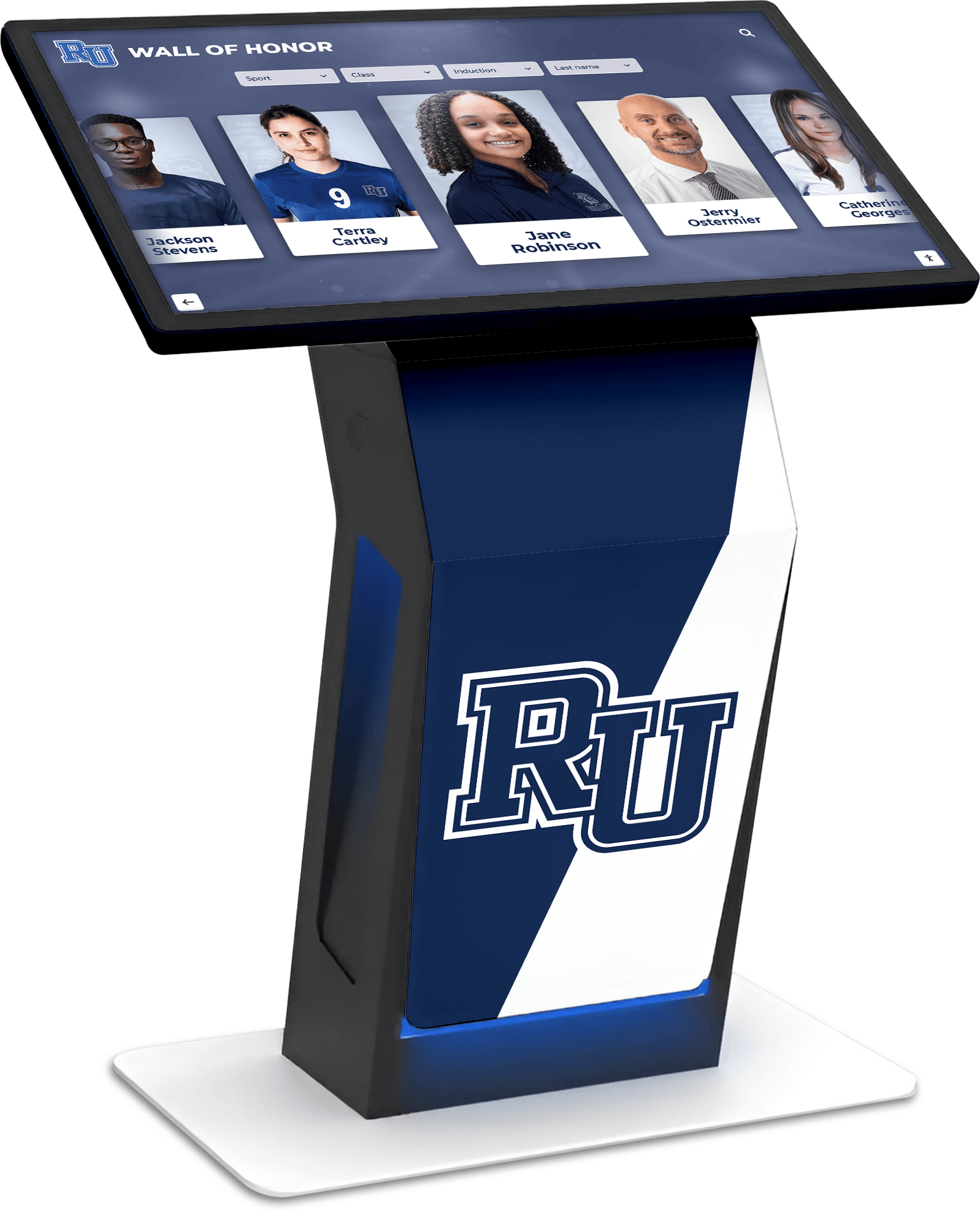
Recognition displays provide evergreen content that celebrates achievement while inspiring current community members
Recognition and Achievement Content (15 Ideas)
Recognition represents one of the most powerful content categories for schools, universities, and community organizations. Unlike promotional content that audiences often tune out, recognition creates genuine interest while strengthening culture.
Individual Achievement Recognition
1. Hall of Fame Inductees Present individuals receiving your organization’s highest recognition honor. Include photos, achievement summaries, and career highlights. Digital displays eliminate space constraints limiting traditional plaques, enabling unlimited inductee profiles.
2. Academic Excellence Recognition Display honor roll students, scholarship recipients, perfect attendance achievers, and academic award winners. Organize by term, department, or achievement type. According to the National Association of Secondary School Principals, visible recognition of academic achievement correlates with increased student motivation.
3. Athletic Achievement Displays Present record holders, all-conference selections, championship team rosters, and career milestone achievers. Filter by sport, season, or achievement category. Schools implementing digital athletic recognition report stronger program culture and improved alumni engagement.
4. Employee and Staff Recognition Celebrate years of service milestones, retirement tributes, employee of the month selections, and professional achievement awards. Organizations recognizing staff contributions publicly demonstrate values while improving retention.
5. Student Leadership Profiles Highlight student government officers, club presidents, team captains, and peer mentors. Include responsibilities, accomplishments, and contact information enabling connection.
6. Scholarship Recipients and Donors Connect scholarship winners with the donors funding their education. Display recipient achievements alongside donor stories, creating meaningful connections between benefactors and beneficiaries.
7. Distinguished Alumni Spotlights Feature accomplished graduates in their current careers and accomplishments. Include “where are they now” updates connecting current students with success stories. Alumni recognition programs strengthen institutional bonds while providing aspirational examples.
8. Community Service Leaders Recognize volunteers, service hour leaders, and community impact award recipients. Quantify impact through hours served, people helped, or projects completed.
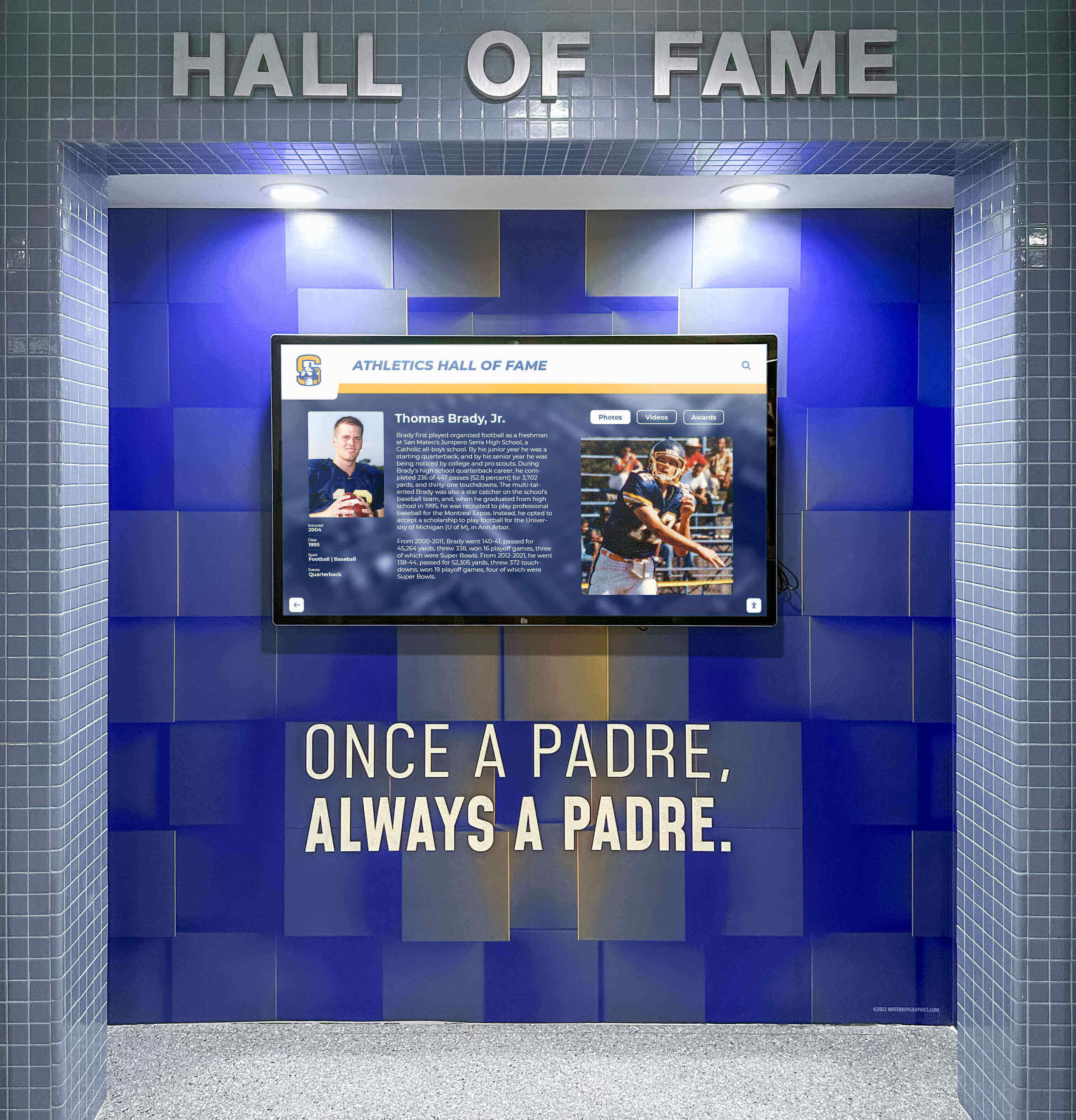
Athletic hall of fame displays preserve program legacy while creating engagement for students, alumni, and visitors
Team and Group Recognition
9. Championship Team Celebrations Document championship seasons with complete rosters, season statistics, tournament brackets, and game highlights. Include coaching staff recognition and key moment descriptions.
10. Competition Success Recognition Celebrate teams succeeding in academic competitions, fine arts festivals, robotics tournaments, debate championships, and other competitive events. Include team photos, awards earned, and individual standouts.
11. Organizational Achievement Milestones Recognize clubs, departments, or programs reaching significant milestones: years of operation, participation growth, fundraising totals, or impact metrics.
12. Graduating Class Profiles Honor graduating cohorts with class composite photos, accomplishment summaries, college acceptance lists, scholarship totals, and legacy projects.
13. Perfect Attendance Recognition Display students or staff maintaining perfect attendance records. Organize by term, year, or career totals. Perfect attendance recognition programs incentivize consistent participation.
14. Donor Recognition Walls Acknowledge financial contributors organized by giving levels. Include donor photos when available, impact statements, and facility naming recognition. Digital donor walls update instantly as new gifts arrive.
15. Memorial and Tribute Recognition Honor deceased community members, fallen heroes, or individuals who shaped institutional history. Include biographical information, photos, and legacy descriptions.
Event Promotion and Calendar Content (12 Ideas)
Event promotion represents essential digital signage content for schools and organizations with active programming schedules.
Upcoming Events and Activities
16. Master Event Calendar Display comprehensive upcoming event listings organized chronologically. Include event names, dates, times, locations, and brief descriptions. Enable filtering by category, audience, or department.
17. Today’s Event Highlights Show events happening today with specific times and locations. Update automatically based on calendar integrations, ensuring accuracy without manual updates.
18. This Week’s Featured Events Spotlight major events happening within the next seven days. Include more detailed information than master calendars: featured speakers, registration links, or ticket information.
19. Athletic Game Schedules Present upcoming game schedules across all sports. Include opponents, locations, game times, and directions for away contests. Highlight home games and rivalry matchups.
20. Performing Arts Calendars Promote upcoming concerts, theater productions, art exhibitions, and recitals. Include ticket information, showtimes, and featured performers.
21. Academic Deadlines and Milestones Display important academic dates: registration periods, add/drop deadlines, exam schedules, grade posting dates, and graduation application deadlines.
22. Professional Development Opportunities List upcoming workshops, training sessions, speaker series, and career development events relevant to your audience.
23. Community Event Promotion Share relevant community events benefiting your audience: city activities, partner organization events, service opportunities, or cultural celebrations.
24. Countdown Clocks to Major Events Display time remaining until significant milestones: homecoming, finals week, graduation, championship games, or annual fundraising galas. Countdowns create anticipation and urgency.
25. Registration Deadline Reminders Highlight approaching deadlines for event registration, program enrollment, or activity sign-ups. Include QR codes linking directly to registration forms.
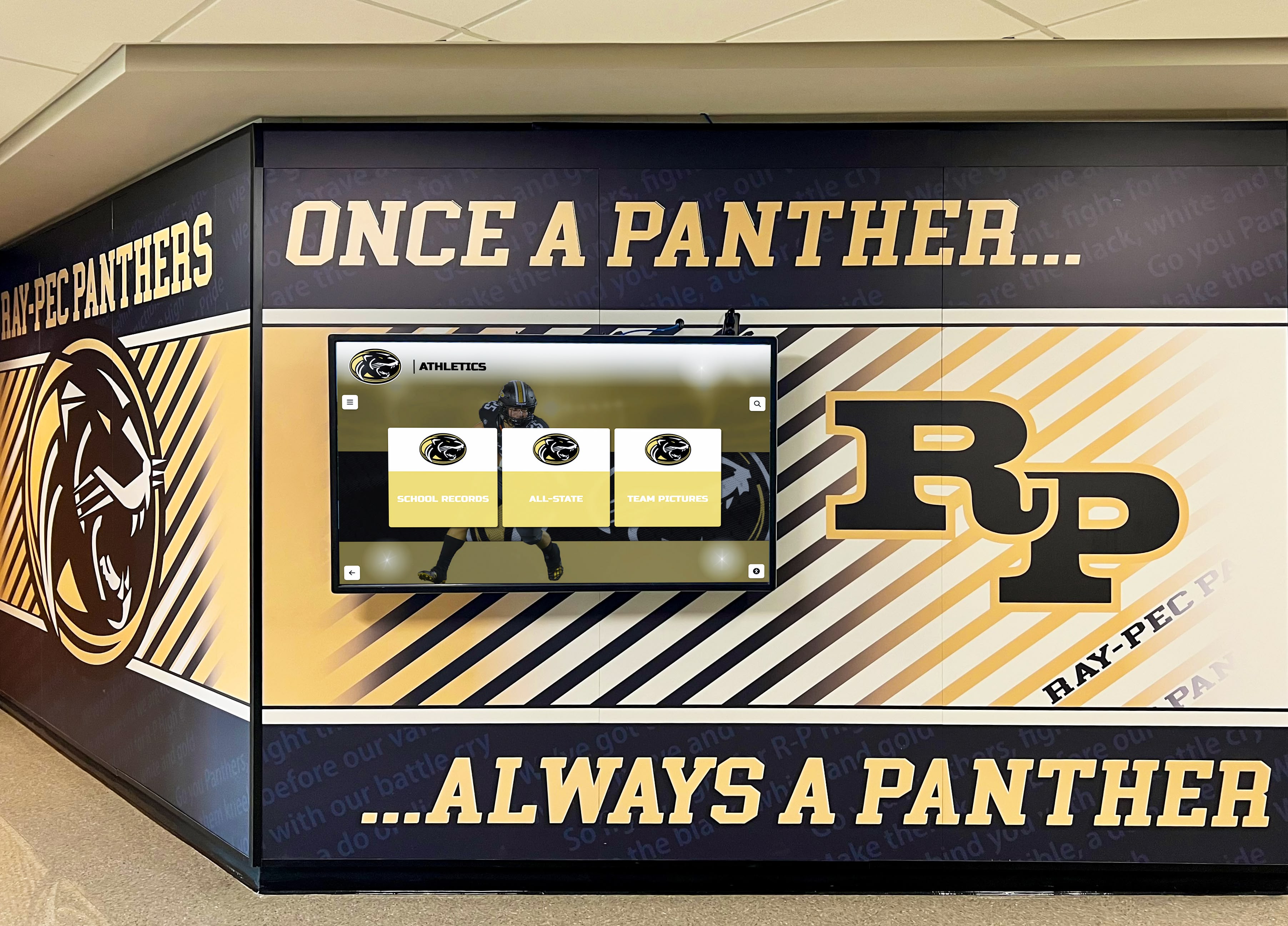
Hallway displays in high-traffic areas maximize event promotion visibility while reinforcing school identity
Post-Event Recaps and Highlights
26. Event Photo Galleries Share photo collections from recent events. Rotate through images automatically, creating dynamic visual interest while celebrating participation.
27. Event Impact Statistics Quantify event success: attendance numbers, funds raised, volunteer hours contributed, or participation rates. Data demonstrates program value and success.
Informational and Educational Content (15 Ideas)
Educational content provides value to viewers while positioning your organization as a helpful resource.
Practical Information and Resources
28. Campus Maps and Wayfinding Provide interactive maps showing building locations, parking areas, department offices, and amenities. Include “You Are Here” indicators on location-specific displays.
29. Building Directories List offices, classrooms, departments, or services within buildings. Organize alphabetically or by floor. Include room numbers and brief descriptions.
30. Frequently Asked Questions Address common questions specific to your organization. Rotate through questions regularly, covering admissions, programs, services, policies, and procedures.
31. Organizational Charts Display leadership structures, department relationships, and reporting hierarchies. Help community members understand organizational structure and identify appropriate contacts.
32. Emergency Procedures Share evacuation routes, emergency contact numbers, assembly points, and safety protocols. Include weather-related procedures, medical emergency guidance, and security information.
33. Hours of Operation Display operating hours for various services: library, dining, offices, facilities, and support services. Include holiday and break schedule changes.
34. Technology Resources and Support Promote available technology: computer labs, printing services, device checkout, Wi-Fi access points, and technical support contacts.
35. Transportation Information Share bus schedules, parking availability, shuttle routes, and alternative transportation options. Include real-time updates for transit arrival times when available.
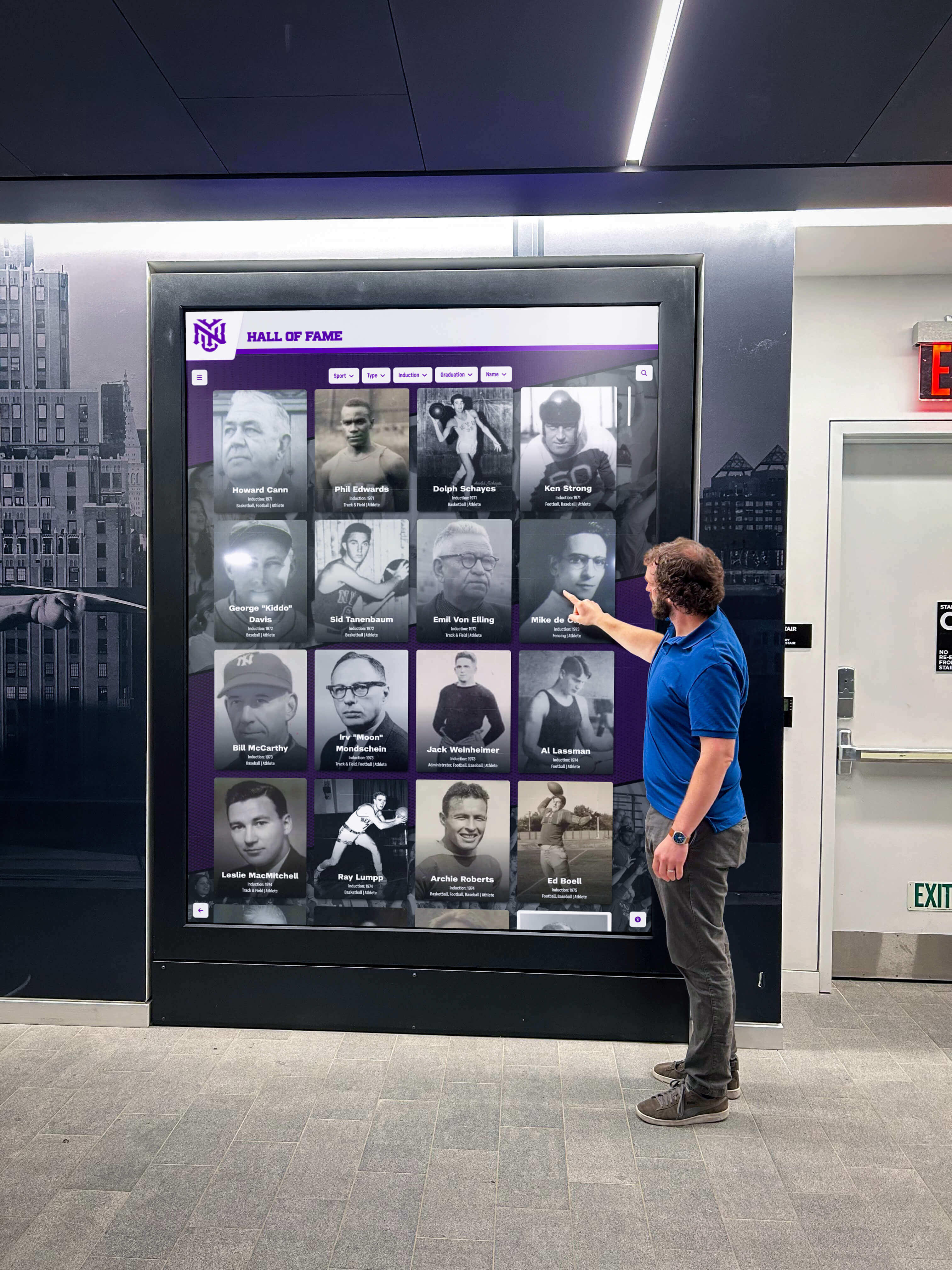
Interactive wayfinding displays in entrance areas help visitors navigate facilities while reducing staff time answering directional questions
Educational and Informative Content
36. Historical Timelines Present institutional history chronologically: founding dates, major milestones, facility additions, leadership changes, and significant achievements. Connect current community with historical legacy.
37. “This Day in History” Share daily historical facts relevant to your organization or field. Rotate content daily, creating reasons for repeat engagement.
38. Program Overviews and Descriptions Explain available programs, majors, certifications, or service offerings. Include requirements, benefits, and contact information for learning more.
39. Student Work Galleries Display exemplary student projects, artwork, research findings, or creative work. Rotate content regularly, providing recognition while demonstrating program quality.
40. Career Pathways Information Show career options related to your programs or fields. Include salary information, educational requirements, and skills needed. Help students connect education with career outcomes.
41. Scholarship and Financial Aid Information Promote available scholarships, application deadlines, eligibility requirements, and financial aid resources. Simplify complex financial information into digestible summaries.
42. Wellness and Health Tips Share practical health information: nutrition tips, exercise suggestions, stress management techniques, sleep hygiene, or mental health resources.
Engagement and Interactive Content (10 Ideas)
Interactive elements transform passive viewing into active participation, dramatically increasing engagement and recall.
Direct Interaction Features
43. Searchable Directories Enable viewers to search for specific people, departments, programs, or information. Touchscreen interfaces make finding targeted information simple and fast.
44. Interactive Timeline Exploration Allow users to navigate historical timelines at their own pace. Include filtering by category, decade, or topic. Provide detailed information on demand rather than cramming screens with text.
45. Digital Photo Galleries with Navigation Present photo collections users control: alumni portraits, athletic team composites, event galleries, or facility archives. Enable zooming, filtering, and social sharing.
46. Virtual Tours and 360° Views Offer interactive facility tours for prospective students, new community members, or visitors. Include hotspots linking to additional information about featured spaces.
47. Feedback Collection Interfaces Gather audience input through simple touchscreen surveys, polls, or suggestion forms. Use responses to improve services while demonstrating that community voices matter.
48. QR Code Connections Display QR codes linking to extended content, forms, registration pages, or social media profiles. Enable viewers to instantly access detailed information on personal devices.
49. Social Media Integration Display live feeds from institutional social media accounts. Encourage community members to follow accounts and use specific hashtags for content inclusion.
50. Trivia and Quiz Games Create engaging educational games testing knowledge about your organization, field, or community. Include leaderboards tracking high scores, encouraging repeat participation.
51. Recognition Nomination Portals Enable community members to nominate peers for recognition awards. Simplify nomination processes while increasing participation in recognition programs.
52. Interactive Calendars Allow users to browse event calendars by date, category, or keyword. Enable adding selected events directly to personal calendars via QR codes.

Touchscreen interfaces enable natural interaction with content, dramatically increasing engagement compared to static displays
Athletics and Competition Content (12 Ideas)
Athletic content generates consistent interest among students, alumni, and community members while celebrating program achievement.
Game Day and Competition Information
53. Live Game Scores and Updates Display real-time scores during games and matches. Include period/quarter information, scoring plays, and statistical leaders.
54. Season Records and Statistics Present current season records, player statistics, team rankings, and conference standings. Update automatically as new game data becomes available.
55. Upcoming Opponent Information Profile upcoming opponents: records, key players, head coaches, historical matchup results, and what to watch. Build anticipation while educating fans.
56. Incoming Athlete Profiles Introduce incoming athletes joining programs: hometowns, positions, accolades, and coach quotes. Generate excitement for future seasons.
57. Senior Recognition Profiles Honor graduating athletes with career retrospectives: statistics, memorable moments, awards, post-graduation plans, and appreciation messages.
58. Coach Profiles and Milestones Recognize coaching achievements: career victory totals, championship titles, coaching philosophy statements, and biographical information.
59. Record Board Updates Display all-time records organized by category. Feature recent record-breaking performances and historical record holders. Digital record boards update instantly without requiring physical plaque replacement.
60. Game Day Promotions and Themes Promote special game themes, promotional giveaways, fan contests, and student section activities. Include dress codes for themed games.
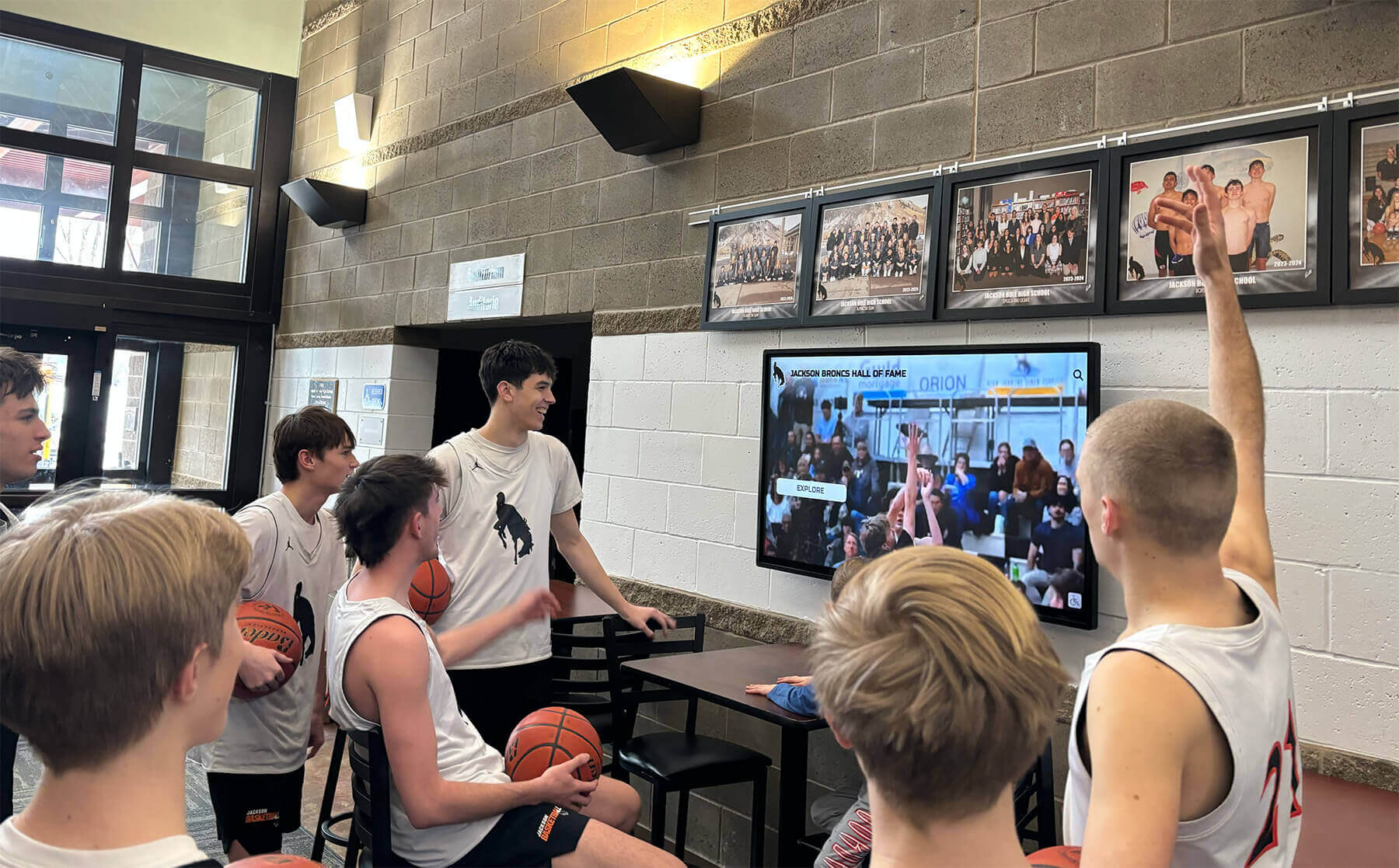
Game highlight displays let athletes relive memorable moments while showing program quality to visitors and recruits
Athletic Program Information
61. Team Rosters with Player Profiles Present complete team rosters with individual athlete profiles: positions, class years, hometowns, and personal bests. Enable filtering by sport or season.
62. Training and Practice Schedules Display practice times and facility reservations. Help athletes, parents, and staff coordinate schedules without constant communication requests.
63. Booster Club and Fan Engagement Promote booster membership, volunteer opportunities, and ways to support athletic programs. Recognize top boosters and share impact of contributed funds.
64. Athletic Facility Information Present available facilities, reservation procedures, hours of operation, and usage policies. Include safety guidelines and equipment information.
Community Building and Culture Content (10 Ideas)
Content strengthening community bonds and institutional culture creates environments where people feel connected and valued.
Community Connection
65. New Community Member Introductions Welcome new students, staff, faculty, or residents. Include photos, backgrounds, interests, and roles. Help new members integrate quickly while encouraging existing community to extend welcome.
66. Birthday and Anniversary Celebrations Recognize birthdays and work anniversaries. Organizations implementing birthday recognition programs report improved morale and culture.
67. Staff and Faculty Spotlights Feature individual community members with in-depth profiles: roles, backgrounds, interests, fun facts, and why they chose your organization. Humanize leadership and staff.
68. Student Organization Directories List active clubs, organizations, and extracurricular activities. Include meeting times, leadership contacts, membership information, and recent accomplishments.
69. Diversity and Inclusion Celebrations Recognize cultural heritage months, awareness campaigns, and diverse community contributions. Educate about different backgrounds while celebrating inclusive community.
70. Tradition Explanations and History Explain institutional traditions, their origins, and significance. Help new community members understand culture while reinforcing traditions with existing members.
71. Mission, Vision, and Values Displays Regularly display core institutional values and mission statements. Keep purpose visible and top-of-mind for decision-making and daily actions.
72. Community Impact Statistics Quantify collective community impact: volunteer hours, donations collected, environmental initiatives, service projects completed, or lives touched.
73. Thank You Messages and Appreciation Recognize community contributions: volunteers, donors, supporters, and participants. Express gratitude publicly and specifically.
74. Quote Rotations and Inspiration Share relevant quotes from notable figures, institutional founders, or community members. Rotate regularly, providing fresh inspiration and thought-provocation.
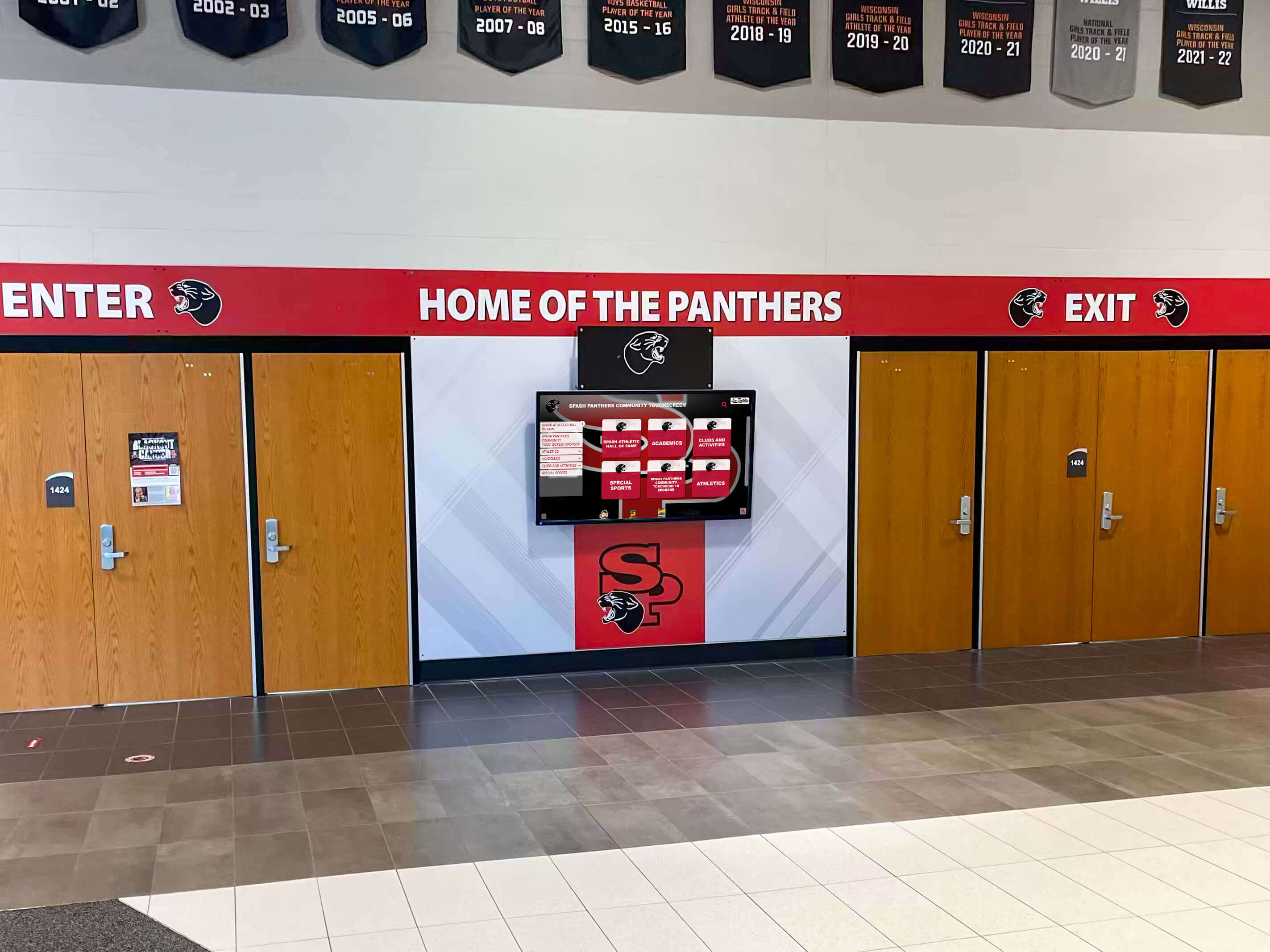
Entrance displays reinforce institutional identity while welcoming community members and visitors
Social Media and Communication Content (8 Ideas)
Integrating social media and communication channels extends content reach while encouraging ongoing engagement.
Social Media Integration
75. Instagram Feed Displays Show recent posts from institutional Instagram accounts. Include images, captions, and engagement metrics. Encourage followers to engage with social content.
76. Twitter/X Feed Integration Display real-time tweets from organizational accounts or relevant hashtags. Keep community informed about announcements, news, and conversations.
77. User-Generated Content Campaigns Encourage community members to share content using specific hashtags. Feature selected submissions on displays, creating sense of participation and recognition.
78. Social Media Growth Metrics Display follower counts and growth statistics. Encourage community to follow and engage with institutional social channels.
79. Hashtag Campaign Promotion Promote specific hashtag campaigns tied to events, initiatives, or ongoing themes. Display sample posts showing how to participate.
80. Behind-the-Scenes Content Share informal photos and videos showing daily life, event preparation, staff moments, or program insights. Humanize organization and build connection.
Announcements and Updates
81. Daily Bulletin Boards Display important daily announcements: schedule changes, reminders, lost-and-found, lunch menus, or weather alerts.
82. Newsletter Stories Share key stories from institutional newsletters, magazines, or publications. Drive readership while featuring important news.
Safety and Emergency Content (8 Ideas)
Safety content demonstrates organizational priorities while providing practical value during emergencies.
Emergency Preparedness
83. Emergency Alert Capabilities Maintain capability to instantly display emergency alerts, evacuation instructions, severe weather warnings, or security information. Test regularly to ensure functionality.
84. Severe Weather Protocols Display procedures for various weather emergencies: tornadoes, severe storms, lightning, flooding, or extreme temperatures. Include shelter locations and safety guidelines.
85. Medical Emergency Information Show AED locations, first aid kit positions, emergency contact numbers, and basic medical emergency procedures. Include reminders about not moving injured persons.
86. Fire Safety and Evacuation Routes Display building-specific evacuation routes, assembly points, fire extinguisher locations, and fire alarm activation procedures.
87. Active Threat Response Share “Run, Hide, Fight” protocols or organizational security procedures. Balance preparedness with avoiding unnecessary alarm.
88. Health Services and Resources Promote available health services: counseling, medical clinics, crisis hotlines, or wellness programs. Include contact information and hours.
89. Safety Tip Rotations Cycle through practical safety tips: personal security, cyber safety, travel safety, health precautions, or situational awareness reminders.
90. Anonymous Reporting Options Promote anonymous reporting systems for safety concerns, bullying, substance issues, or other problems. Encourage community vigilance while ensuring confidentiality.
Promotional and Marketing Content (10 Ideas)
Strategic promotional content advances organizational goals while providing valuable information to audiences.
Program and Service Promotion
91. Admissions Information Promote application deadlines, open house events, virtual tour options, and admissions requirements. Target prospective students and families visiting campus.
92. Summer Program Advertising Market summer camps, workshops, academic programs, or special sessions. Include dates, costs, registration information, and program features.
93. Facility Rental Promotion Advertise available spaces for events, meetings, or activities. Include capacity information, amenities, and booking procedures.
94. Merchandise and School Store Promote branded merchandise, spirit wear, or school supplies. Include pricing, locations, and special promotional offers.
95. Season Ticket and Pass Sales Advertise athletic season tickets, performing arts subscriptions, or facility memberships. Feature value propositions and purchasing deadlines.
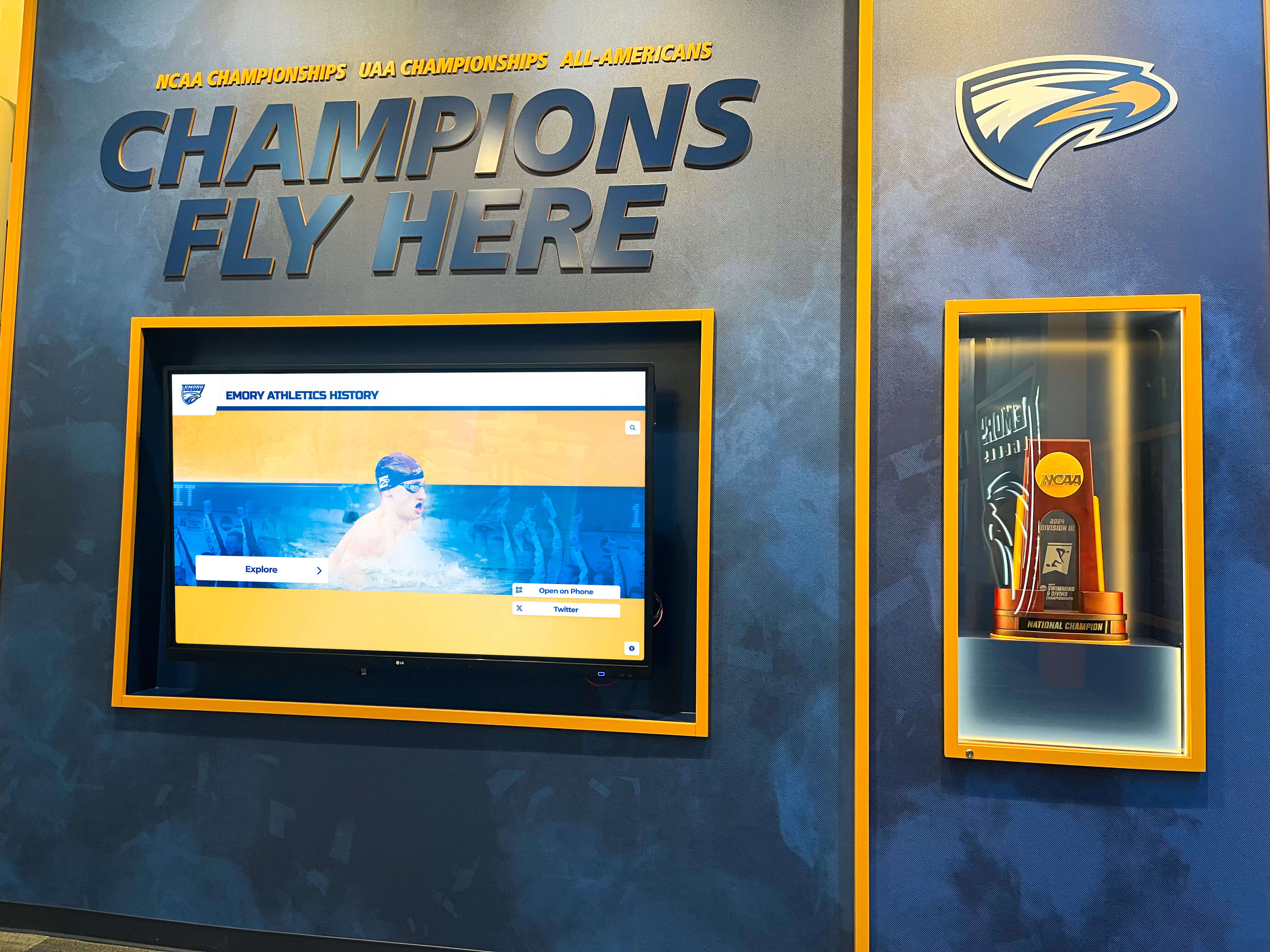
Trophy and championship displays serve dual purposes: recognizing achievement while marketing program excellence
96. Fundraising Campaign Updates Display capital campaign progress, annual fund totals, or specific initiative fundraising status. Include impact statements explaining fund usage.
97. Alumni Engagement Invitations Promote alumni events, networking opportunities, mentorship programs, or giving campaigns. Maintain visible connection with graduate community.
98. Partnership and Sponsorship Recognition Acknowledge business partners, sponsors, or community supporters. Include logos, appreciation messages, and descriptions of support provided.
99. Enrollment Period Reminders Promote course registration periods, program enrollment windows, or activity sign-up deadlines. Reduce missed opportunities through visible reminders.
100. New Program Launches Introduce new academic programs, services, facilities, or initiatives. Generate awareness and interest through comprehensive information sharing.
Seasonal and Holiday Content (10 Ideas)
Seasonal content keeps displays feeling current while celebrating shared cultural moments.
Holiday Recognition
101. Holiday Greeting Messages Display seasonal greetings for major holidays. Include imagery reflecting celebration while remaining inclusive of diverse backgrounds.
102. Holiday History and Traditions Educate about holiday origins, cultural significance, and celebration traditions. Build understanding while honoring diversity.
103. Seasonal Safety Reminders Share season-specific safety information: winter driving, summer heat precautions, holiday travel tips, or seasonal illness prevention.
104. Break and Closure Schedules Clearly communicate holiday closures, modified hours, and when normal operations resume. Reduce confusion and miscommunication.
105. Seasonal Activities and Events Promote seasonal programming: winter festivals, spring celebrations, summer activities, or fall traditions.
Academic Year Milestones
106. Back-to-School Welcome Welcome returning and new community members at year start. Share excitement about new academic year while providing key information.
107. Homecoming Celebration Content Promote homecoming events, spirit week themes, game information, and reunion details. Build excitement for major annual tradition.
108. End-of-Year Celebrations Recognize year completion, graduating seniors, year-end awards, and summer plans. Create closure while celebrating accomplishments.
109. Testing and Finals Encouragement Provide motivation during high-stress academic periods. Share study tips, stress management resources, and encouragement messages.
110. Summer Transition Information Communicate summer schedules, reduced services, facility access, and fall preparation requirements.
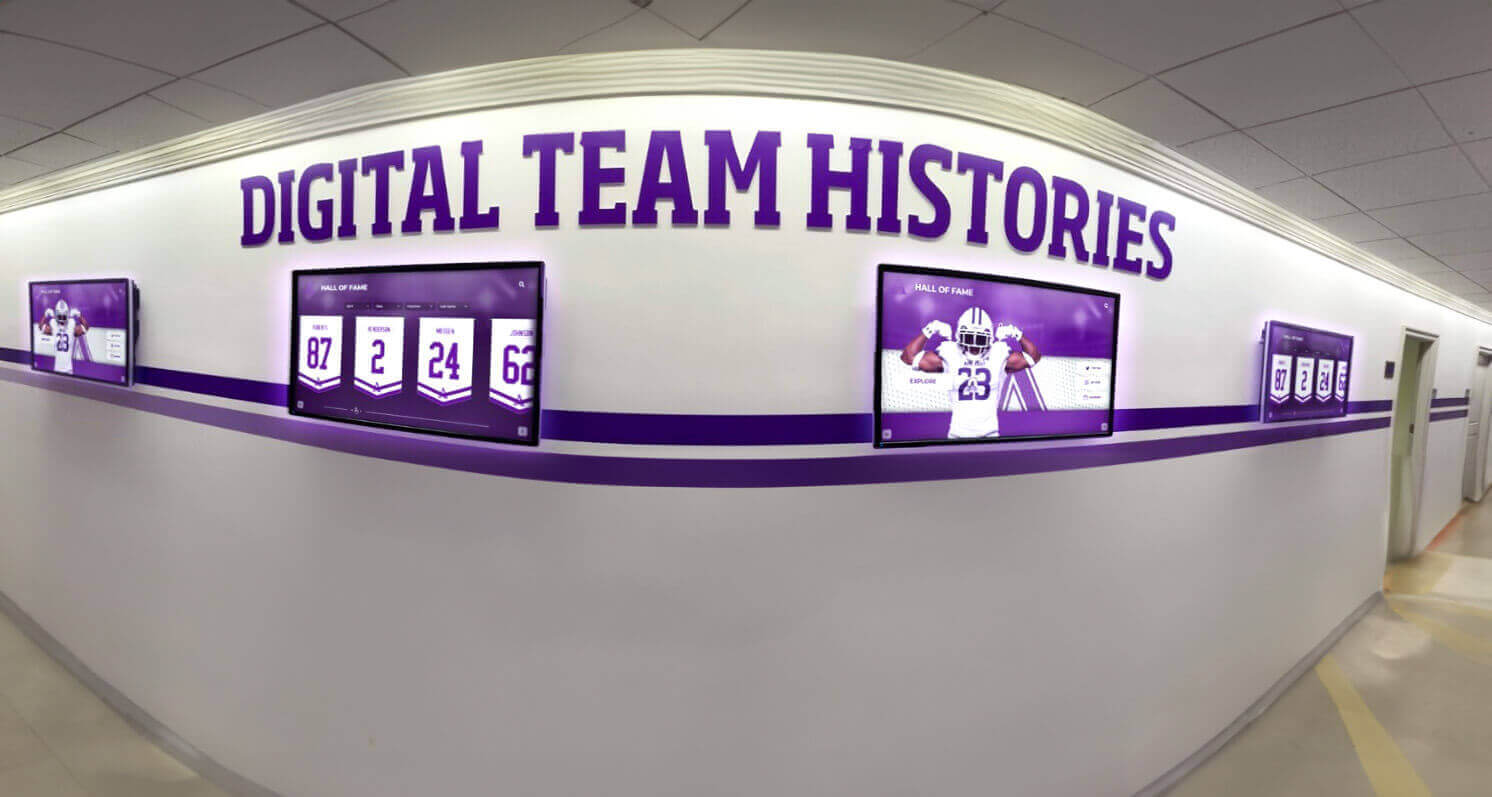
Hallway displays in academic buildings maximize visibility while creating engaging environments that celebrate institutional history
Data Visualization and Performance Metrics (10 Ideas)
Data displays demonstrate progress, create accountability, and celebrate achievement in measurable ways.
Goal Progress and Performance Tracking
111. Fundraising Goal Thermometers Visualize campaign progress toward financial goals. Update regularly showing both current totals and remaining amounts needed.
112. Attendance and Participation Metrics Display participation rates for events, programs, or activities. Create friendly competition while celebrating engagement.
113. Academic Performance Trends Show aggregate academic metrics: grade point averages by grade level, honor roll percentages, or test score improvements. Avoid individual identification while celebrating collective achievement.
114. Environmental Impact Tracking Quantify sustainability efforts: energy savings, recycling rates, water conservation, or carbon footprint reductions. Make environmental stewardship visible.
115. Athletic Performance Statistics Present team and individual statistics: win-loss records, scoring averages, all-time comparisons, or conference standings.
116. Library Usage Statistics Display circulation numbers, database usage, study room reservations, or programming attendance. Demonstrate library value and engagement.
117. Technology Lab Utilization Show computer lab occupancy, peak usage times, or available workstations. Help users find available resources while demonstrating demand.
118. Giving Participation Rates Display donor participation percentages by constituency groups. Create friendly competition between classes, departments, or organizations.
119. Volunteer Hour Totals Quantify community service impact through collective volunteer hours. Break down by project, organization, or time period.
120. Student Organization Growth Track membership growth in clubs and organizations. Recognize expanding participation while encouraging involvement.
Implementing Content Management Systems That Work
Having excellent content ideas means nothing without systems enabling efficient management and consistent updates.
Cloud-Based Content Management
Modern digital signage platforms provide remote management capabilities eliminating need for on-site technical expertise:
Centralized Control Dashboards
- Manage multiple displays from single interface
- Schedule content publication for specific dates and times
- Organize content libraries by category, season, or purpose
- Assign different content to different screen locations
- Monitor display status and diagnose problems remotely
Schools and organizations report 70-85% reduction in administrative time after implementing cloud-based management systems compared to manually updating traditional displays.
Role-Based Access Control Enable appropriate staff to manage relevant content:
- Athletic directors update sports content independently
- Student affairs staff manage event calendars
- Communications teams control messaging and announcements
- Recognition administrators add award recipients
- Multiple administrators prevent single-point-of-failure
Solutions like Rocket Alumni Solutions provide straightforward content management requiring no technical background while maintaining professional presentation quality and system reliability.
Content Update Scheduling and Automation
Automation reduces manual workload while ensuring timely content:
Scheduled Publishing
- Queue content publication for future dates automatically
- Remove expired content without manual intervention
- Coordinate announcements with event dates
- Schedule seasonal content rotation in advance
- Ensure displays stay current during staff absences
Template-Based Content Creation
- Standardized layouts maintaining visual consistency
- Simplified content creation for non-designers
- Bulk import capabilities for roster updates or directory changes
- Consistent branding across all displays
- Professional results without graphic design expertise
Organizations implementing touchscreen software solutions with comprehensive management features maintain engaging content without overwhelming staff resources.
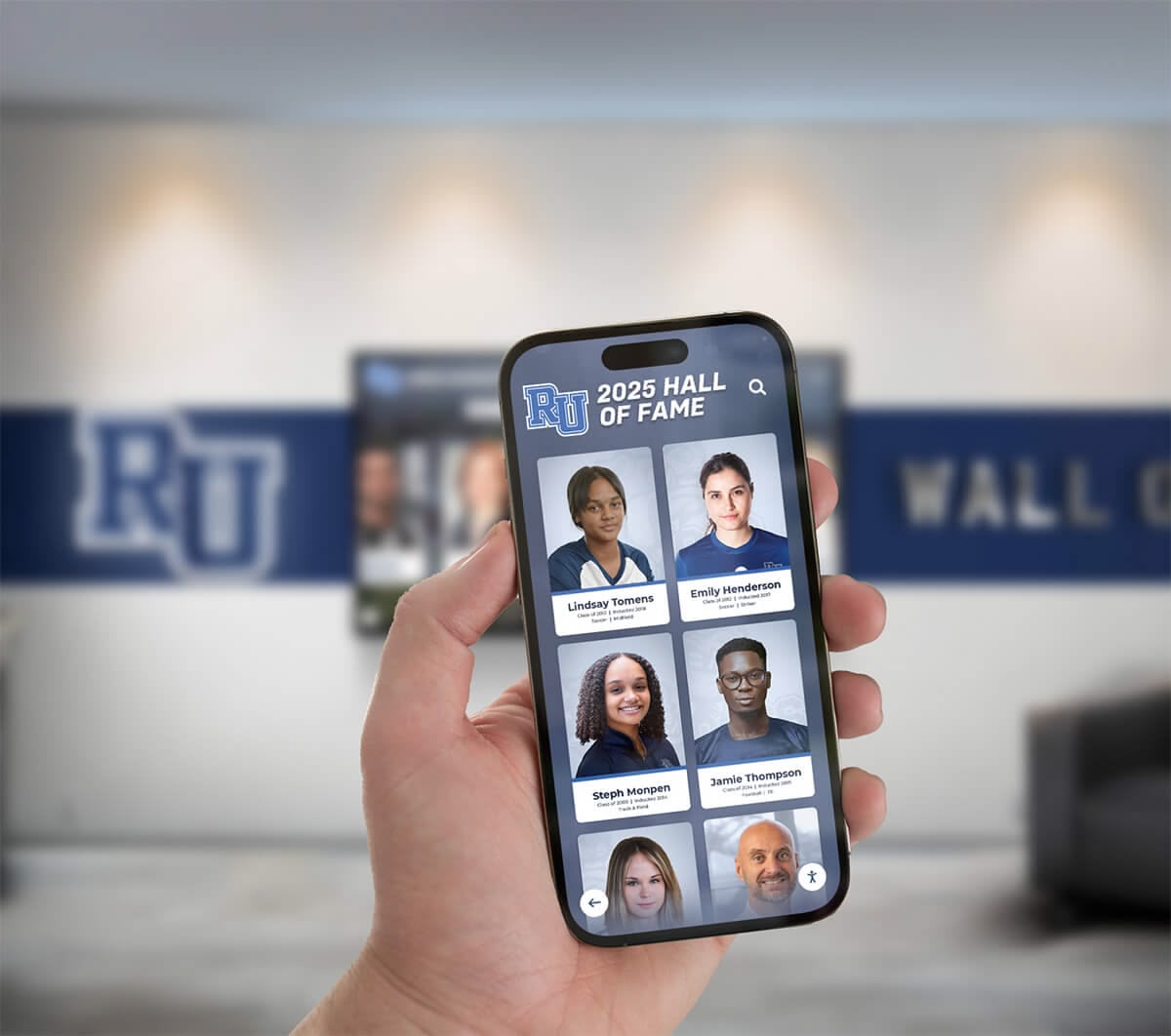
Mobile-accessible content management enables updates from anywhere while extending recognition reach beyond physical displays
Creating Content That Actually Gets Viewed
Technical implementation matters, but content strategy determines whether displays engage audiences or become digital wallpaper.
Location-Specific Content Strategy
Optimize content for specific display locations:
Main Entry Displays Focus on wayfinding, welcome messages, event features, and institutional pride content. First impression displays should orient visitors while reinforcing positive identity.
Athletic Facility Displays Emphasize sports schedules, athletic recognition, team rosters, record boards, and booster information. Audience-specific content increases relevance.
Academic Building Displays Feature academic deadlines, department information, faculty profiles, student work, and program-specific achievements.
Dining and Social Spaces Include entertainment-focused content: social media feeds, trivia, upcoming social events, and community celebrations. Longer dwell times enable more detailed content.
Administrative Office Areas Display practical information: hours, services, FAQ content, and procedural guidance. Help visitors find what they need quickly.
Content Refresh Schedules
Balance familiarity with novelty through strategic content rotation:
Daily Updates
- Calendar events and daily schedules
- Today’s birthdays and anniversaries
- Current weather and time
- Breaking news or urgent announcements
Weekly Rotations
- Featured student or staff profiles
- Upcoming week’s event features
- Quote or inspiration changes
- Social media feed refreshes
Monthly Changes
- Recognition feature stories
- Historical “this month in history” content
- New achievement additions
- Seasonal content updates
Evergreen Content
- Core mission and values statements
- Historical timelines
- Program descriptions
- Facility information
Balancing update frequencies keeps displays fresh without requiring constant attention while maintaining core content that reinforces institutional identity.
Measuring Digital Signage Content Effectiveness
Data-driven content optimization ensures displays achieve intended goals rather than simply filling screens.
Engagement Metrics to Track
For interactive touchscreen displays, monitor:
Direct Interaction Measures
- Daily user sessions and unique interactions
- Average interaction duration per session
- Most-viewed content categories and specific items
- Search terms revealing audience interests
- Navigation patterns showing content flow
Content Performance Analysis
- Bounce rates identifying unengaging content
- Completion rates for multi-screen sequences
- QR code scan frequencies
- Social sharing activity from displays
- Feedback submission rates and content
Organizations can request analytics reports from display platform providers showing which content engages audiences most effectively, enabling data-driven content development.
Qualitative Assessment Methods
Supplement analytics with observational assessment:
Viewing Behavior Observation
- Average time viewers spend looking at displays
- Percentage of passersby who notice displays
- Groups stopping to discuss content
- People photographing screen content
- Return viewers coming back multiple times
Stakeholder Feedback Collection
- Formal surveys about display utility and interest
- Informal conversations revealing content preferences
- Suggestion boxes for content requests
- Staff observations about frequently asked questions reduced
- Community comments on social media about displays
Combined quantitative and qualitative data reveals what content succeeds while identifying improvement opportunities.
Transform Your Displays With Content That Engages
Discover how digital recognition and signage platforms provide unlimited content capacity, straightforward management, and proven engagement. See how schools and organizations nationwide create displays that audiences actually view and value.
Book A DemoCommon Digital Signage Content Mistakes to Avoid
Understanding frequent failures helps organizations avoid predictable problems undermining display effectiveness.
Content Mistakes That Kill Engagement
Too Much Text Per Screen Displays crammed with small text ensure nobody reads anything. Limit screens to 6-8 lines of large, readable text. Use multiple screens for complex information rather than cramming everything into one view.
Outdated Information Nothing undermines credibility faster than expired event announcements, incorrect hours, or last year’s schedules. Implement content review calendars ensuring regular updates.
Generic Stock Photography Impersonal stock images create disconnection. Use authentic photos of your actual community, facilities, and activities whenever possible. Real faces and places generate stronger engagement.
Inconsistent Branding Random fonts, color schemes, and layouts create unprofessional appearance. Establish templates maintaining visual consistency while allowing content variety.
No Clear Content Owner Displays without designated content managers slowly decay into irrelevance. Assign specific roles and responsibilities for content updates and quality control.
Purely Promotional Content Displays that only advertise and promote create viewer fatigue. Balance promotional content with genuinely useful information and recognition content audiences value.
Static, Never-Changing Content Displays showing identical content for weeks or months train audiences to ignore them. Regular content rotation maintains attention even if core content themes remain consistent.
Integrating Digital Signage With Other Communication Channels
Maximum impact comes from coordinated communication strategies where digital displays complement other channels.
Cross-Channel Content Coordination
Website and Digital Display Alignment
- Promote website content on displays with QR codes for detailed information
- Display web-based content through embedded feeds
- Use consistent visual branding across digital properties
- Drive website traffic through display teasers
- Extend recognition beyond physical campus through web integration
Social Media and Display Integration
- Show social feeds on displays encouraging follows
- Promote specific hashtags generating user content
- Share display content on social media extending reach
- Coordinate campaigns across social and signage platforms
- Create reasons for social audiences to visit physical locations
Email Communication and Signage Sync
- Reinforce email newsletter content through display features
- Promote newsletter subscription through display calls-to-action
- Test message effectiveness through display views before email sends
- Coordinate announcement timing across channels
- Use consistent messaging themes across email and displays
Multi-channel approaches create reinforcing message repetition improving recall and action while respecting different audience preferences for consuming information.
Starting Your Digital Signage Content Strategy
Organizations just beginning digital signage implementation benefit from phased content development avoiding overwhelming initial requirements.
Phase 1: Essential Foundation Content (Weeks 1-2)
Start with basic content establishing display utility:
- Welcome messages and mission statements
- Current event calendars and schedules
- Basic wayfinding and directory information
- Hours and contact information
- Emergency procedures and safety content
Basic utility content proves display value while you develop more sophisticated content.
Phase 2: Recognition and Achievement Content (Weeks 3-6)
Add content celebrating community:
- Honor roll and academic achievement
- Athletic recognition and records
- Employee and staff acknowledgment
- Historical timelines and traditions
- Distinguished alumni and community leaders
Recognition content generates sustained interest while requiring less frequent updates than event promotion.
Phase 3: Interactive and Engaging Content (Weeks 7-12)
Implement engaging interactive features:
- Searchable directories and databases
- Photo galleries and virtual tours
- Social media integration
- Feedback collection interfaces
- Real-time data displays
Interactive elements dramatically increase engagement but require more sophisticated technical implementation.
Ongoing: Content Optimization and Expansion
Continuously refine based on data and feedback:
- Analyze engagement metrics identifying successful content
- Retire underperforming content types
- Experiment with new content formats
- Expand content libraries gradually
- Train additional staff on content management
Sustainable digital signage programs evolve continuously rather than remaining static after initial implementation.
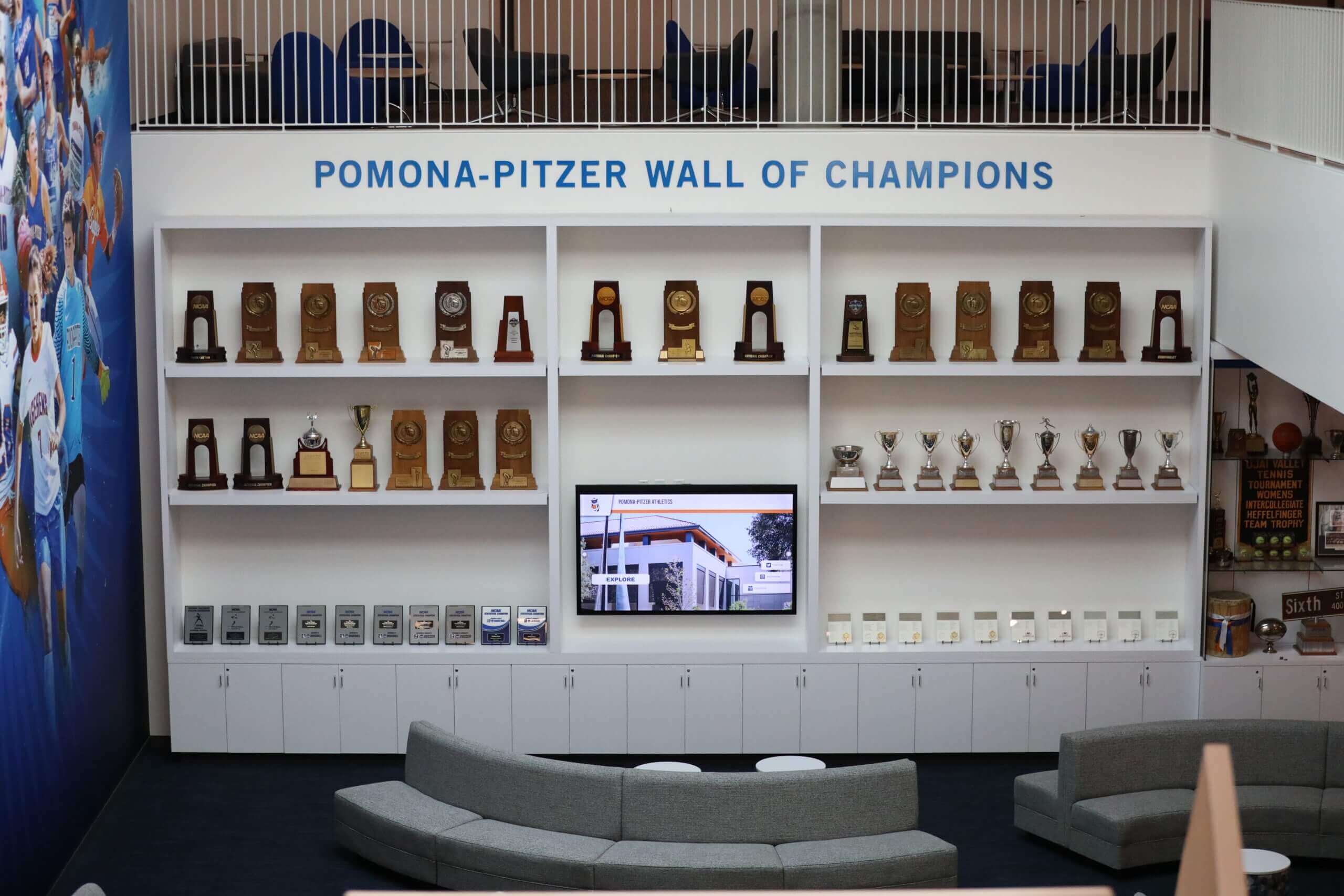
Dedicated recognition spaces create engaging environments celebrating achievement while providing gathering spaces for community connection
Conclusion: From Empty Screens to Engaging Experiences
Digital signage and interactive kiosks provide powerful platforms for communication, recognition, and engagement—but only when loaded with purposeful, well-organized content that matters to your audience. The 120 content ideas in this guide span recognition, events, information, interaction, athletics, community building, social media, safety, promotion, seasonal themes, and data visualization—providing comprehensive starting points for screens that people actually view and value.
Successful digital signage programs balance evergreen content maintaining consistent institutional identity with timely updates keeping displays current and relevant. They combine informational value with visual appeal, promotional messaging with genuine service, and recognition content with practical utility. Most importantly, they implement management systems enabling sustainable content updates without overwhelming staff resources.
Organizations ranging from small schools to large universities successfully implement engaging digital signage by starting with essential content, expanding systematically based on capacity, and continuously refining based on engagement data and community feedback. Modern cloud-based platforms eliminate technical barriers that previously required dedicated IT support while providing simple interfaces enabling appropriate staff to manage relevant content independently.
Whether you currently manage displays showing repetitive slides or you’re planning first-time implementation, these content ideas and implementation strategies help you create digital signage that strengthens culture, celebrates achievement, improves communication, and genuinely engages your community. The difference between ignored displays and valued information sources comes down to thoughtful content strategy executed through sustainable management systems.
Your screens and kiosks represent valuable real estate in high-traffic areas where community members naturally gather and pass through daily. Make those displays count by filling them with content your audience actually wants to see—recognition celebrating their achievements, information answering their questions, and engagement inviting their participation.
Ready to transform empty or underutilized displays into engaging experiences your community values? Explore how modern digital recognition and signage platforms provide the unlimited capacity, straightforward management, and proven templates that turn these content ideas into reality without requiring technical expertise or full-time content staff.































