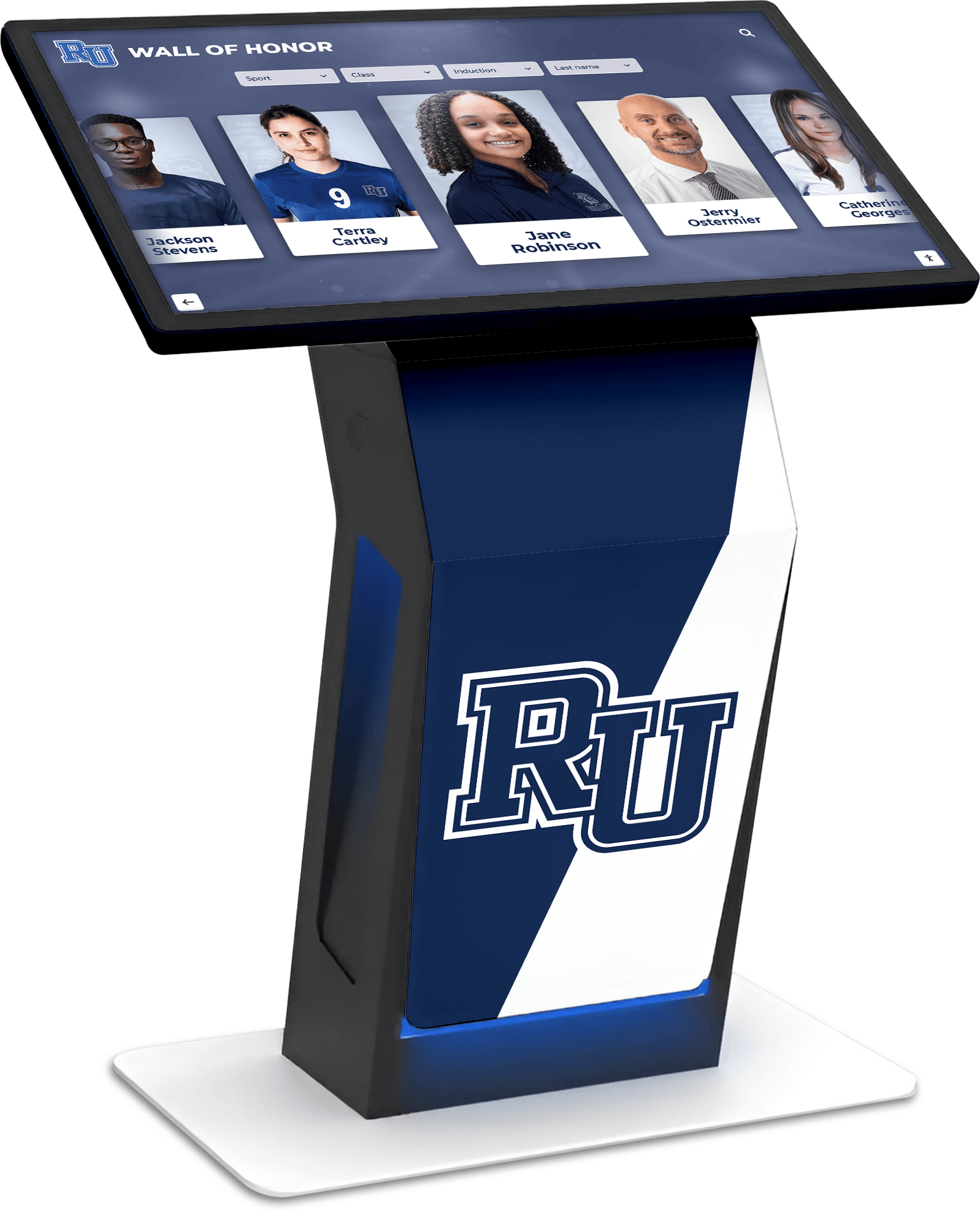




For decades, schools have displayed class composites in hallways and lobbies—those framed collections of individual student portraits arranged by graduating year. Students, alumni, and visitors would flip through pages or scan mounted photos to find familiar faces, relive memories, or connect names with images from years past.
Traditional composite displays face fundamental limitations that frustrate modern users. Physical frames hold only limited years before requiring rotation or storage. Pages fade and tear with handling. Finding a specific person requires visual scanning of dozens or hundreds of faces. And as graduates return for reunions or visits, locating their year among multiple displays scattered across facilities becomes a treasure hunt.
Digital class composite displays solve these challenges by transforming static photo collections into interactive touchscreen experiences where users search by name, browse by year, explore photos and information for specific classes, and discover institutional history spanning decades—all through intuitive interfaces requiring no instruction.
Schools implementing digital composite solutions report dramatically improved alumni engagement, reduced storage concerns, unlimited recognition capacity, and engaging experiences that students actually use compared to ignored physical displays gathering dust in forgotten hallways.

Digital touchscreen displays enable intuitive browsing of class composites by year, name search, and detailed profile exploration
Understanding Traditional Composite Display Limitations
Before exploring digital solutions, recognizing why schools seek alternatives helps clarify the value proposition and implementation priorities.
Physical Space and Capacity Constraints
Traditional composite displays impose harsh restrictions on recognition capacity:
Limited Display Years
- Physical frames typically accommodate 10-20 graduating classes before running out of wall space
- Schools must choose between rotating displays (hiding some years) or purchasing additional frames
- Popular reunion years get requested but may be in storage rather than displayed
- Discontinued programs lose visibility entirely when composites get removed
- Growing class sizes require larger composites that consume more space
A typical high school with 50 years of composites faces impossible choices about which decades receive hallway visibility. Most schools rotate displays, meaning two-thirds of graduating classes remain invisible in storage at any given time.
Maintenance and Preservation Challenges
Physical composites deteriorate over time:
- Photographs fade from sunlight exposure and age
- Glass frames accumulate dust and require regular cleaning
- Flip-through pages tear, crease, or detach from binding
- Moisture damage affects photos in certain locations
- Replacement or restoration costs add up significantly
Schools report spending $200-800 annually per composite frame on cleaning, glass replacement, and minor repairs—expenses that accumulate across decades of graduating classes.
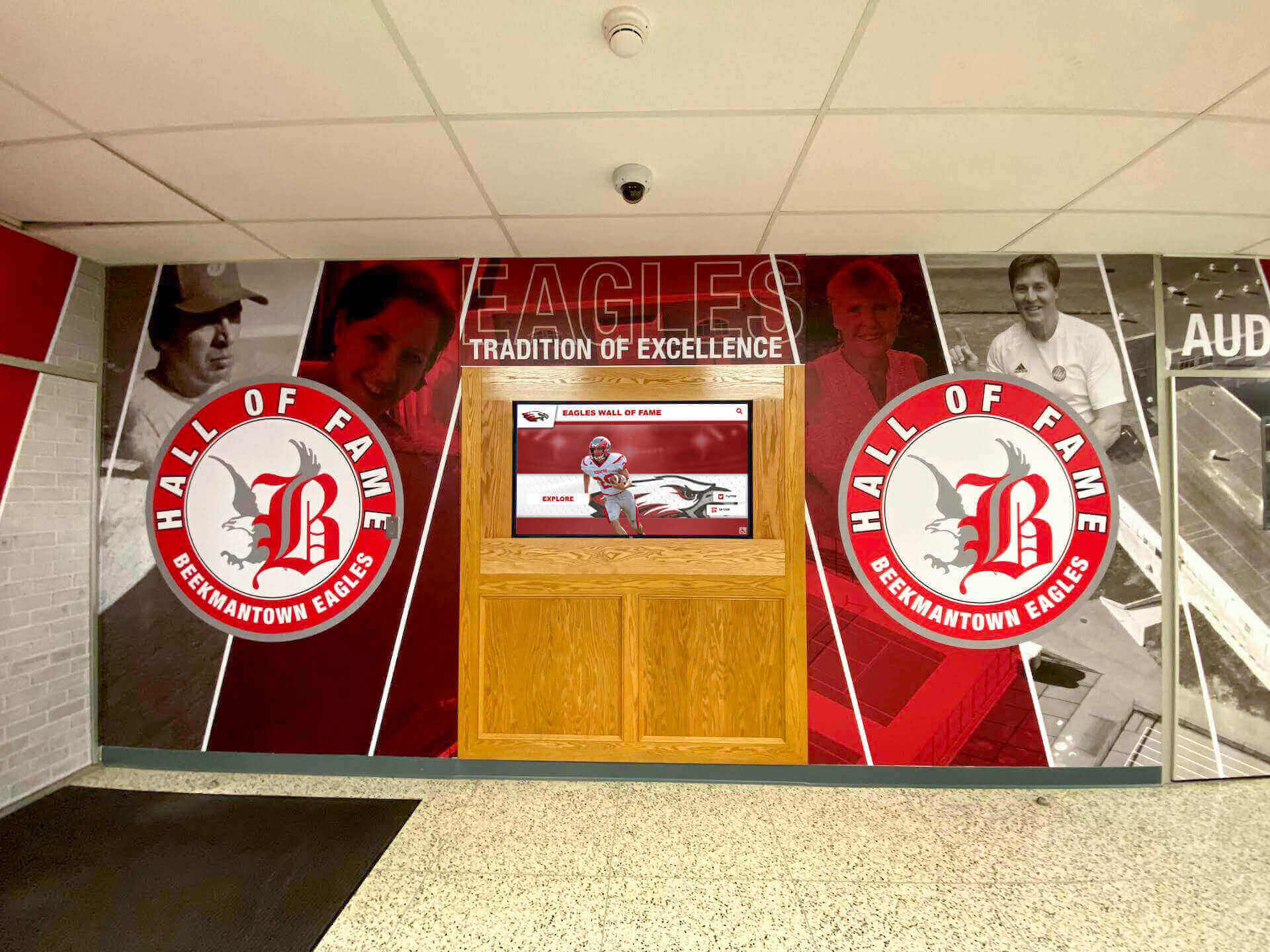
Modern school lobbies integrate digital displays with traditional murals, creating comprehensive recognition environments
Usability and Accessibility Issues
Even well-maintained composites present significant usability challenges:
Search and Discovery Friction
- Finding specific individuals requires visual scanning of entire class
- Alphabetical organization helps but still demands significant search time
- Multiple locations mean checking several frames to find particular years
- No cross-referencing by activities, sports, or other affiliations
- Alumni returning after decades struggle to remember their exact graduation year
Typical search time to locate one specific individual in traditional composites averages 5-8 minutes when the year is known, and 15-30 minutes when searching across multiple potential years.

Touch interfaces enable instant name search, finding individuals in seconds rather than minutes of visual scanning
Limited Context and Information
Traditional composites provide minimal information:
- Name and portrait only (no activities, achievements, or context)
- No connection to athletic or academic achievements
- Missing contact information for alumni engagement
- No ability to show “where are they now” updates
- Static display prevents adding new information or corrections
Schools implementing digital yearbook archives report that alumni spend 5-10 times longer exploring digital composite displays compared to glancing at physical frames, discovering classmates, activities, and institutional history beyond simple portraits.
Equity and Representation Concerns
Traditional display limitations create unintended recognition imbalances:
Visibility Hierarchy
- Recent graduates receive prominent display while earlier classes rotate to storage
- Popular reunion years (25th, 50th anniversaries) may be unavailable when alumni visit
- Smaller graduating classes receive equal physical space as larger classes, creating density imbalances
- Composite location quality varies (main hallway versus basement corridor)
- Some programs (athletics, arts) receive dedicated recognition while general student body gets generic composites
Alumni Connection Challenges Physical composites fail to facilitate meaningful alumni engagement:
- No mechanism for profile updates or “where are they now” information
- Missing links between classmates enabling renewed connections
- Impossible to showcase alumni achievements or distinguished graduate recognition
- No integration with reunion planning or alumni event promotion
- Limited ability to celebrate milestone anniversaries or class achievements
Solutions like Rocket Alumni Solutions address these limitations by providing unlimited digital recognition capacity where every graduating class receives equal visibility and searchability regardless of year.
Digital Class Composite Display Solutions
Interactive touchscreen platforms fundamentally transform how schools present class composites and yearbook archives.
Interactive Touchscreen Composite Browsing
Digital platforms replace physical page-flipping with intuitive touch navigation:
Year-Based Browsing Users select graduating year from visual timeline or dropdown menu:
- Full decade views showing all classes from a ten-year span
- Individual year selection displaying that specific graduating class
- Thumbnail grid of all students from selected year
- Class statistics and demographics (class size, demographics where appropriate)
- Notable achievements and milestones from that year
This approach mirrors the familiar “flip through composites” experience but eliminates physical page handling while adding instant access to any year spanning decades of institutional history.
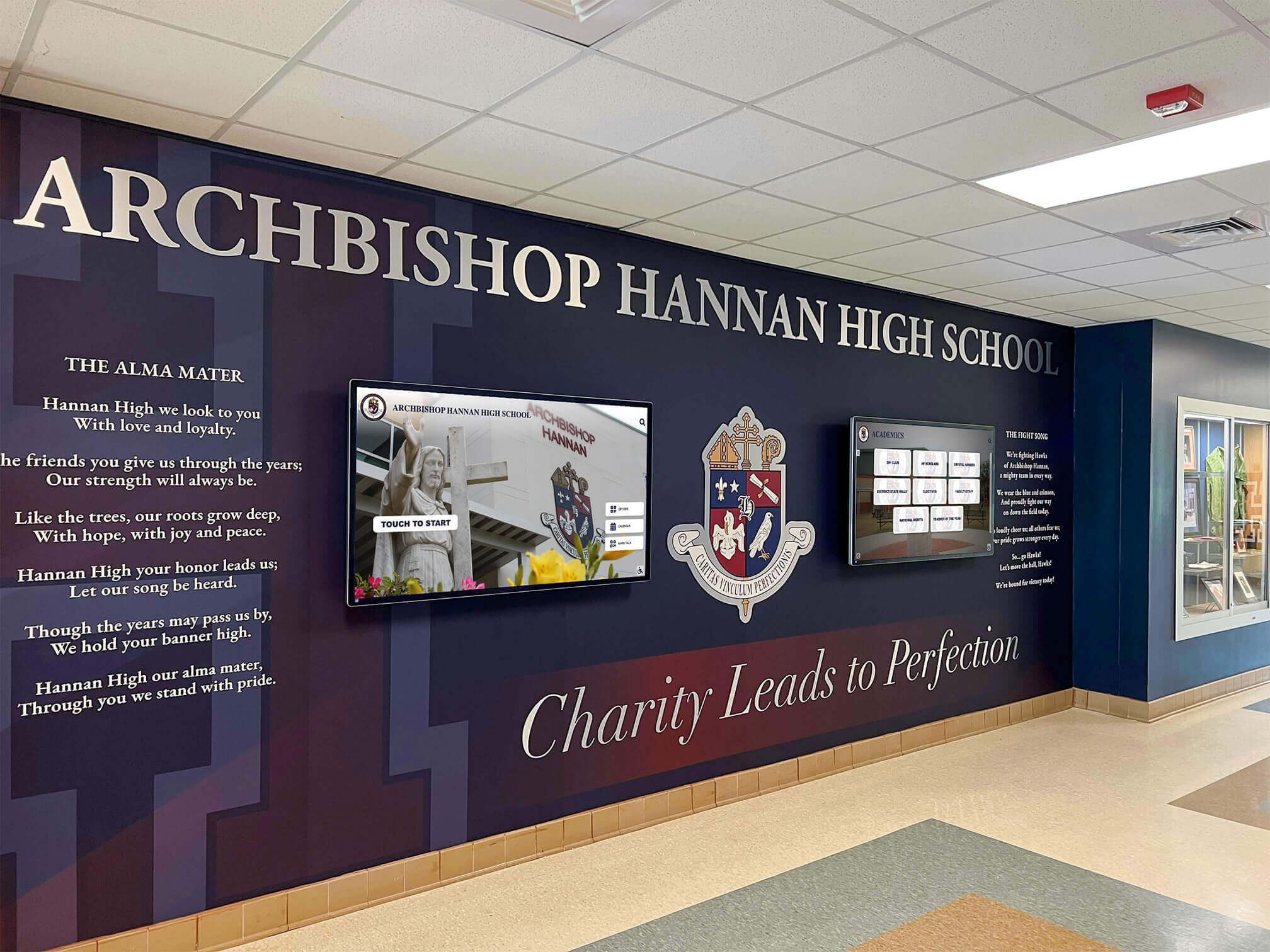
Multiple coordinated displays in lobbies provide comprehensive recognition including class composites, achievements, and institutional history
Name Search Functionality The most powerful feature traditional composites cannot match:
- Type-ahead search finding individuals instantly across all years
- Search by first name, last name, or maiden name for married alumni
- Phonetic search accommodating spelling variations
- Wildcard searches when users remember partial names
- Recent search history for quick return to profiles
Search reduces composite exploration from minutes of visual scanning to seconds of typing, dramatically improving user experience particularly for alumni returning after many years.
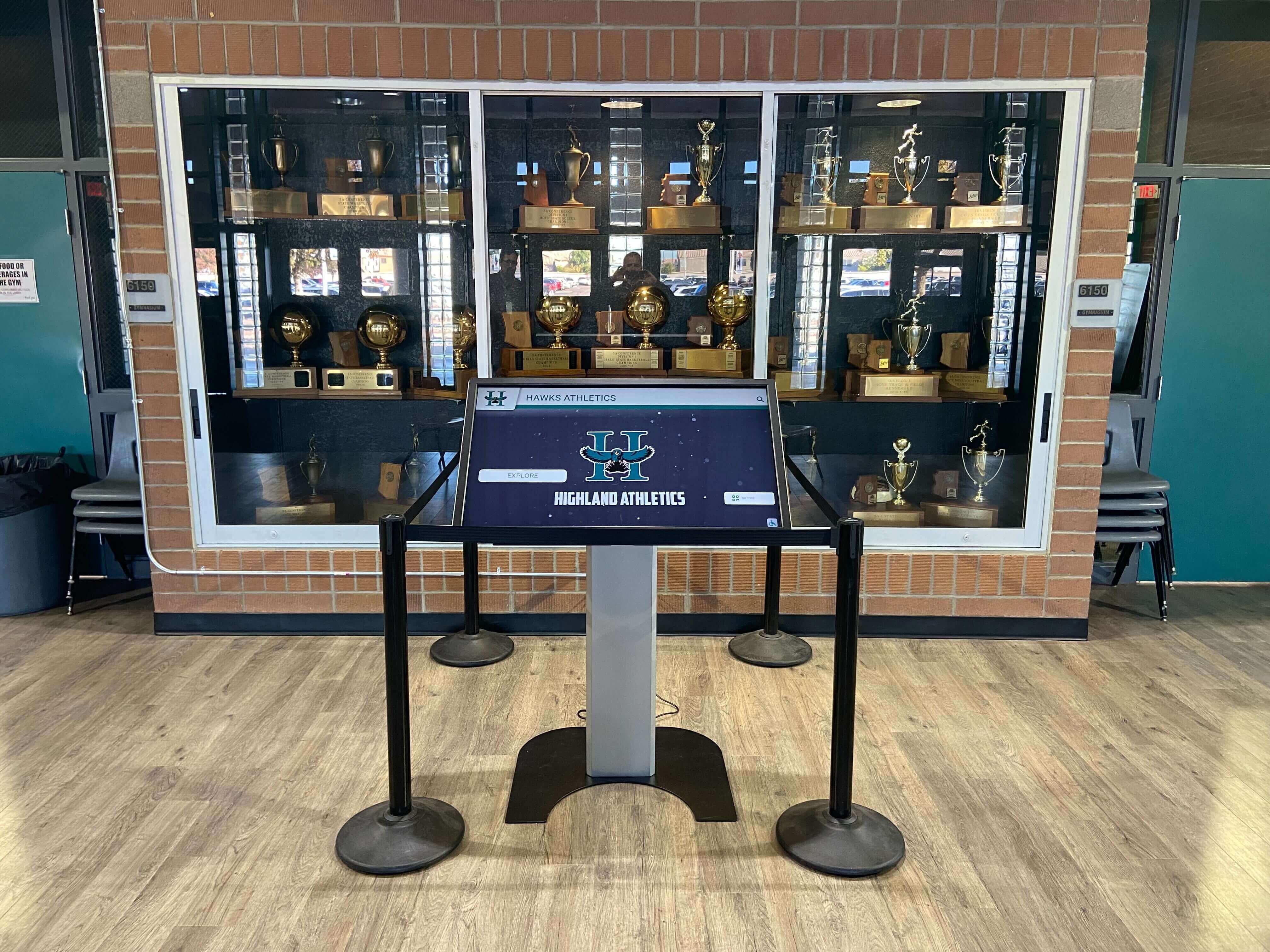
Digital composite displays can integrate with existing trophy areas, combining yearbook archives with athletic and achievement recognition
Enhanced Profile Information
Digital composites exceed traditional photograph-only displays by including:
- Student portrait (scanned from original yearbook or new photography)
- Activities, clubs, and organization participation
- Athletic team membership and achievements
- Academic honors and recognition
- Senior quotes or personal statements
- Post-graduation updates (colleges attended, career paths)
- Contact preferences enabling alumni connections
Schools implementing comprehensive student recognition programs report that detailed profiles create significantly deeper engagement compared to simple portrait galleries.
Complete Yearbook Digitization
Beyond individual composites, schools digitize entire yearbook collections:
Full Yearbook Page Display Interactive platforms present complete yearbook experiences:
- Page-by-page browsing of historical yearbooks from any year
- Zoom capability enabling detailed examination of photos and text
- Section navigation jumping directly to sports, clubs, or senior portraits
- Searchable content within yearbook pages
- Preservation of original yearbook design and layout
This approach preserves institutional memory while making fragile physical yearbooks accessible without handling damage.
Multimedia Enhancement
Digital yearbook displays incorporate content impossible in print:
Video Integration
- Graduation ceremony footage from each year
- Athletic highlights and championship moments
- Performing arts productions and competitions
- Senior speeches and commencement addresses
- Historical news footage or school video archives
Audio Components
- School songs and fight songs from different eras
- Oral history interviews with distinguished alumni
- Principal addresses and historical recordings
- Music program performances
- Era-appropriate popular music setting temporal context
Schools implementing digital archives for schools create comprehensive institutional memory systems extending far beyond simple photo galleries.
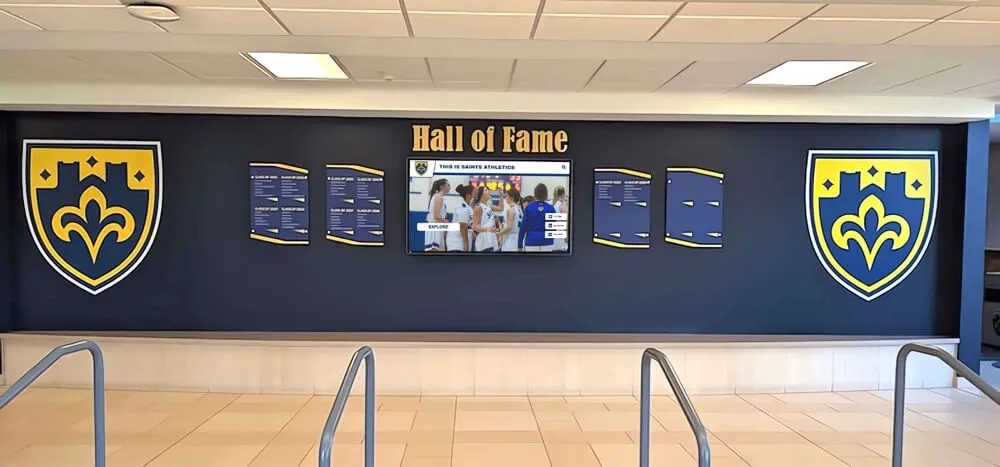
Traditional physical elements like shields complement digital displays, creating layered recognition experiences combining tangible and interactive elements
Alumni Engagement Features
Digital composite platforms enable ongoing connection beyond static displays:
Profile Update Capabilities Alumni can submit information enhancing their profiles:
- “Where are they now” career and location updates
- Professional achievements and accomplishments
- Photos from reunions and current life
- Contact preferences for classmate connections
- Memories and stories about school experiences
This capability transforms composites from historical snapshots into living alumni directories maintaining relevance across decades.
Reunion and Event Integration
Class composite displays support alumni programming:
- Reunion photo galleries uploaded and displayed
- Event registration and attendance tracking
- Milestone anniversary recognition and celebration
- Class gift campaigns and participation tracking
- Reunion committee contact information
Development offices report that prominent digital alumni recognition correlates with increased reunion attendance and philanthropic engagement.
Social Sharing and Mobile Access
Extending composite access beyond physical campus:
- QR codes enabling mobile viewing from personal devices
- Social media sharing of individual profiles or class years
- Email links sending composite pages to friends and classmates
- Mobile-optimized interfaces for remote browsing
- Alumni network integration facilitating connections
Remote access proves particularly valuable for alumni unable to visit campus regularly but interested in maintaining institutional connection.
Planning Your Digital Composite Implementation
Successful projects begin with systematic planning addressing content, technical requirements, and long-term sustainability.
Content Assessment and Digitization Strategy
Existing Material Inventory Begin by cataloging available source materials:
Physical Composite Frames
- Document years available in current displays
- Assess photograph condition and quality
- Identify missing years requiring alternative sources
- Note special formats (oversized classes, unusual arrangements)
- Plan frame disposition after digitization (storage, disposal, repurposing)
Yearbook Collections
- Inventory complete yearbooks by year
- Assess condition and fragility
- Identify gaps requiring acquisition from alumni or libraries
- Note special editions or anniversary yearbooks
- Consider rare or historical yearbooks requiring special handling
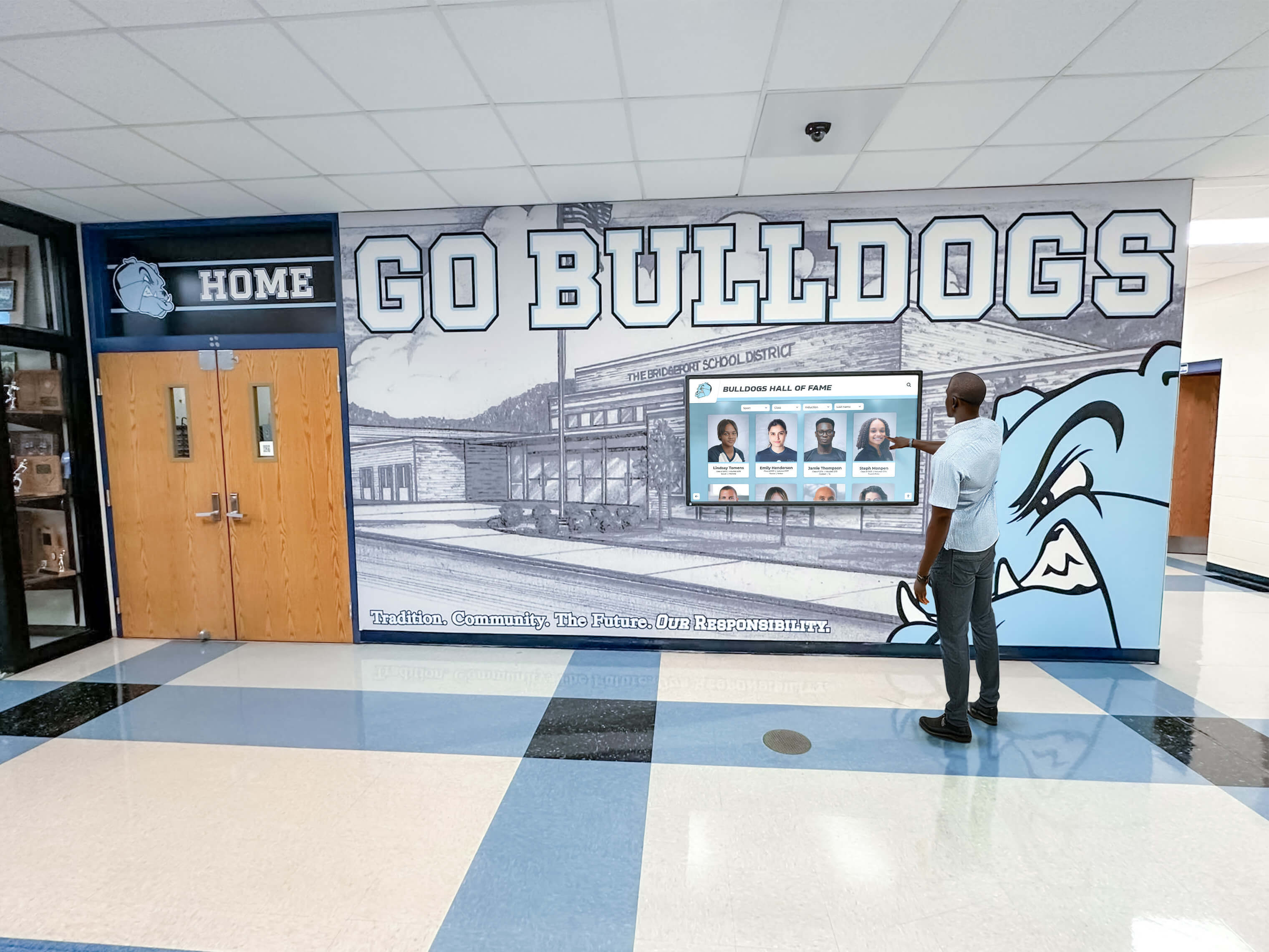
Hallway installations provide natural engagement opportunities for students exploring institutional history and class archives
Digitization Approach Options
Schools choose from several content creation strategies:
In-House Scanning Organizations with time and equipment perform digitization internally:
- Flatbed scanners for yearbook pages and small composites
- Copy stands with cameras for large mounted composites
- Student workers, volunteers, or work-study employees performing scanning
- Phased approach digitizing a few years monthly over extended timeline
- Lower cash cost but significant time investment
Professional Digitization Services Third-party vendors accelerate content creation:
- Professional scanning producing higher quality results
- Faster turnaround completing decades of content in months
- Specialized equipment handling fragile or oversized materials
- Quality control and image enhancement included
- Higher upfront cost but minimal internal staff time required
Most successful implementations begin with professional digitization of priority years (recent graduates, upcoming reunion years) while gradually scanning historical materials through internal processes.
Hardware and Software Platform Selection
Display Hardware Considerations
Touchscreen specifications affect user experience and longevity:
Screen Size Selection
- Small format (32-43 inches): Reception areas with individual viewing
- Medium format (49-55 inches): Main lobby installations serving multiple users
- Large format (65-75+ inches): Grand spaces emphasizing composite gallery importance
Schools typically standardize on 49-55 inch displays balancing visibility, interaction comfort, and budget considerations.
Touch Technology Projected capacitive touch provides optimal composite browsing experience:
- Multi-touch supporting intuitive pinch-to-zoom gestures
- Precise selection enabling small portrait tapping
- Durable glass protecting display through years of public interaction
- Familiar smartphone-like response requiring no instruction
Commercial-grade displays designed for continuous public operation last 3-5 times longer than consumer televisions while maintaining consistent performance.
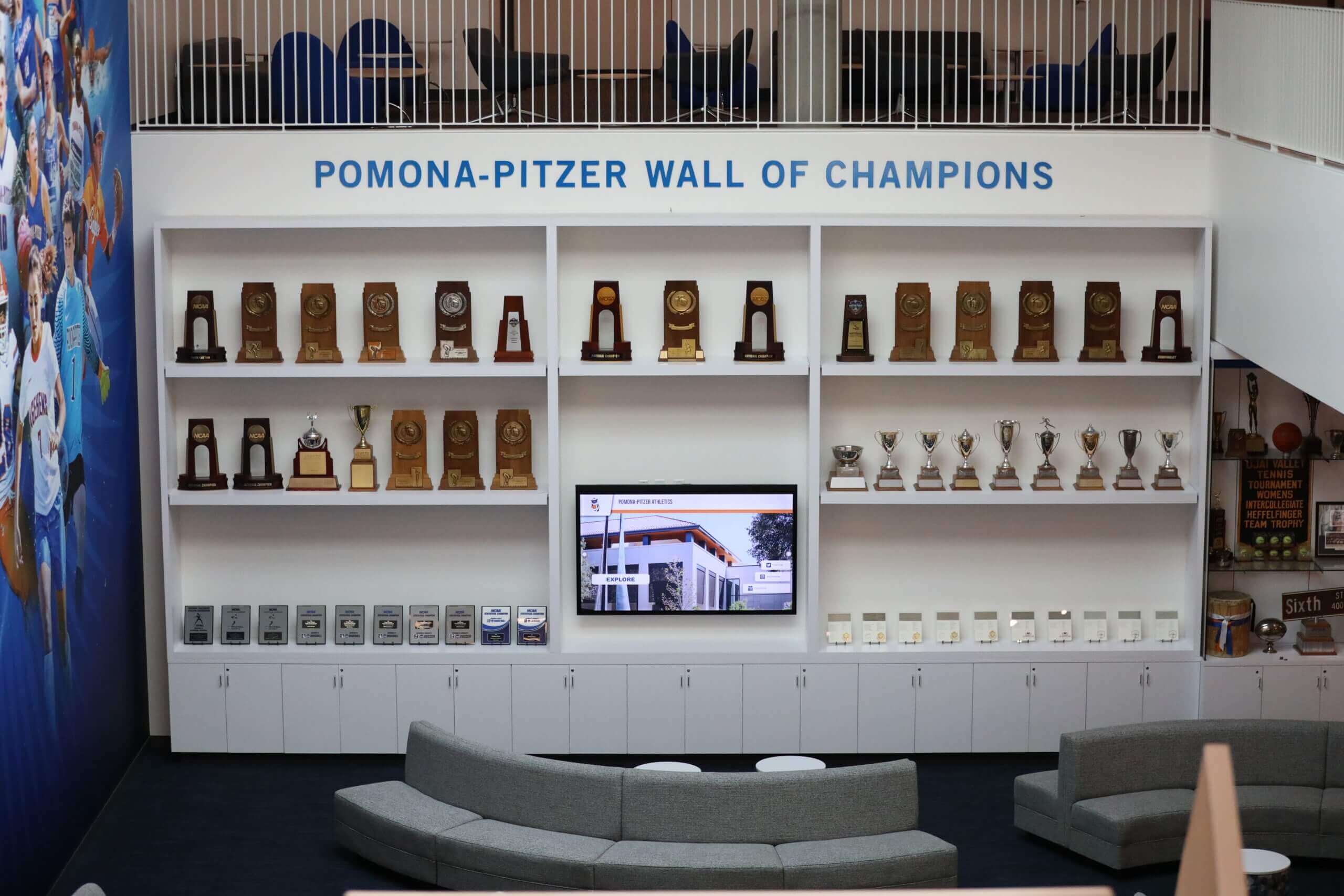
Recognition lounges combining digital displays with physical elements create engaging spaces for exploring institutional history
Software Platform Requirements
Effective digital composite platforms provide:
Core Functionality
- Intuitive year browsing with visual timeline navigation
- Fast, accurate name search across all graduates
- High-resolution photo display with zoom capability
- Profile page templates maintaining visual consistency
- Mobile-responsive design for QR code access
- Cloud-based management enabling remote content updates
Advanced Features
- Yearbook page scanning and browsing integration
- Video and multimedia content support
- Alumni profile update submission forms
- Reunion and event information integration
- Analytics tracking usage and popular content
- Multiple display management from single dashboard
Platforms like Rocket Alumni Solutions specialize in composite and yearbook display applications for schools, providing purpose-built interfaces optimized for class photo browsing rather than generic digital signage requiring extensive customization.
Budget and Timeline Planning
Implementation Cost Components
Comprehensive budgets address multiple elements:
Hardware Costs
- Commercial touchscreen display: $3,000-$8,000 (size and specification dependent)
- Kiosk enclosure or wall mount: $800-$2,500
- Professional installation (power, network, mounting): $1,500-$3,000
Content Development Costs
- Professional yearbook and composite scanning: $3,000-$15,000 (depends on years and volume)
- Data entry and profile creation: $2,000-$8,000 (depends on graduate count and detail level)
- Photo enhancement and quality improvement: $1,000-$3,000
- Historical research and caption writing: $1,000-$5,000 (if pursuing detailed annotation)
Software Platform Costs
- Annual cloud-based platform subscription: $2,000-$6,000
- Initial setup and customization: $1,000-$3,000
- Training for content administrators: $500-$1,500
Single touchscreen composite display implementations typically range from $12,000-$35,000 including hardware, professional content development for priority years, and first-year software licensing. Ongoing costs average $2,500-$5,000 annually for software, content updates, and maintenance.
Phased Implementation Timeline
Most schools implement gradually:
Phase 1 (Months 1-2): Planning and Procurement
- Stakeholder engagement and goal definition
- Content inventory and prioritization
- Vendor selection and contracting
- Hardware procurement and installation
Phase 2 (Months 2-4): Priority Content Development
- Recent graduates (past 5-10 years) digitization
- Upcoming reunion years (25th, 50th anniversaries)
- Distinguished alumni and hall of fame members
- Platform setup and template customization
Phase 3 (Months 4-12): Launch and Expansion
- Public launch with essential content library
- Promotion and community awareness campaign
- Systematic digitization of remaining years
- Alumni submission process establishment
- Performance monitoring and optimization
Phase 4 (Year 2+): Ongoing Maintenance and Growth
- Annual addition of new graduating classes
- Historical content completion
- Alumni profile updates and enhancements
- Feature expansion based on usage data
This approach manages cash flow while demonstrating value early through recent graduate content before investing in complete historical digitization.
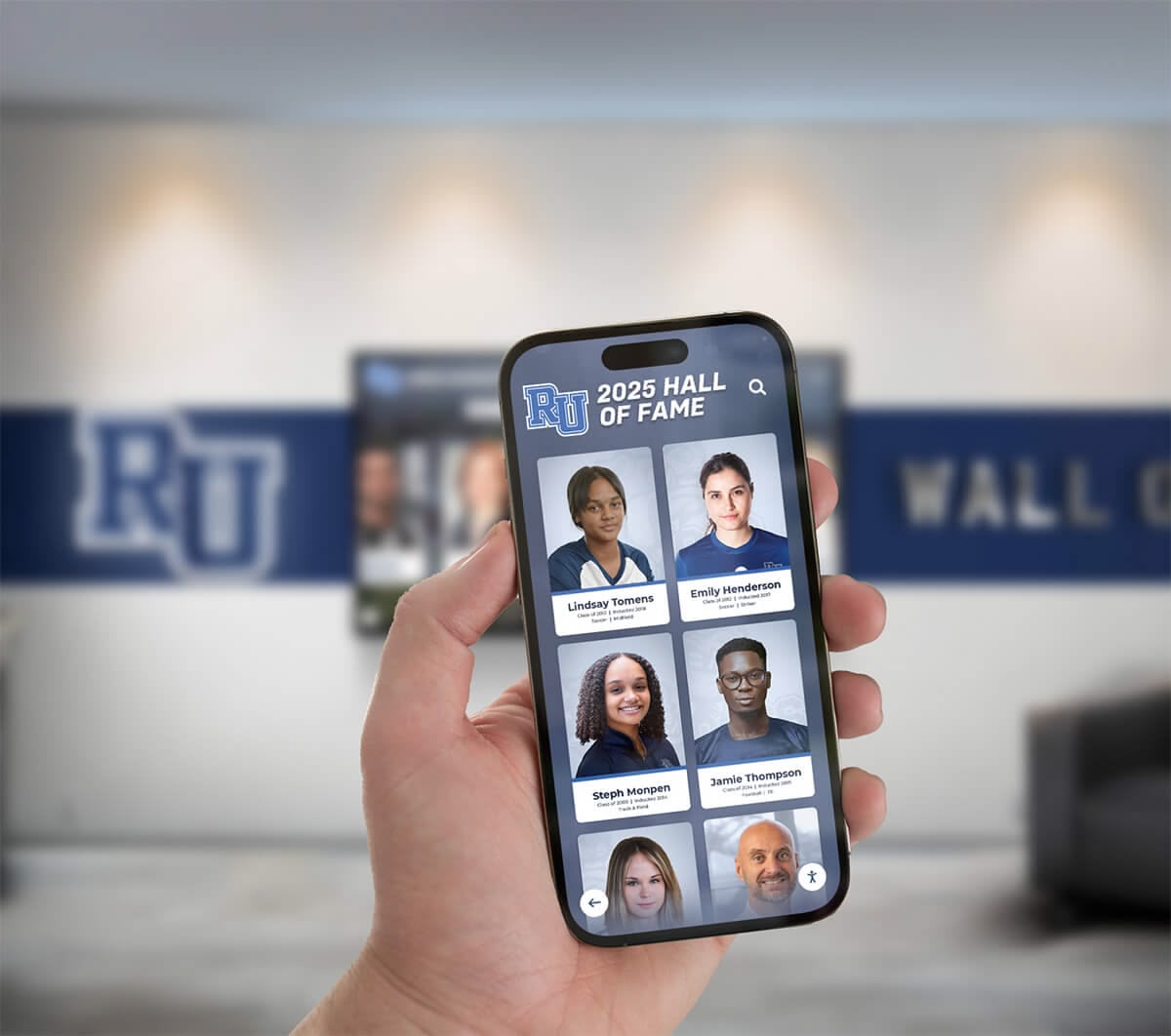
Mobile-accessible platforms extend composite browsing beyond physical displays, enabling alumni exploration from anywhere
Content Organization and Navigation Design
User interface design dramatically affects composite display effectiveness and utilization.
Intuitive Navigation Structures
Primary Access Methods
Successful implementations provide multiple browsing approaches:
Timeline Navigation Visual decade representations enabling era selection:
- Horizontal timeline showing institutional history span
- Decade thumbnails (1970s, 1980s, 1990s, etc.) with representative photos
- Year selection within chosen decade
- Visual design communicating time progression
- Thumbnail grids showing all graduates from selected year
This approach works particularly well for alumni remembering general era but uncertain of exact graduation year, and for visitors exploring institutional history chronologically.
Direct Year Selection Dropdown or grid selector for known year access:
- Full year listing from founding to present
- Prominent placement for immediate access
- Year count or class size indicators
- Special designation for milestone years (50th anniversary, centennial classes)
- Recent year highlighting for current student interest
Name Search Type-ahead functionality providing instant results:
- Search box prominently displayed on home screen
- Real-time results appearing as user types
- Surname-first search accommodating traditional directory expectations
- Maiden name search supporting married alumni
- Fuzzy matching helping with spelling variations
Schools report that name search represents 60-70% of composite display usage, making this functionality critical for user satisfaction.
Profile Page Design and Content Hierarchy
Essential Information Every graduate profile should include:
- Portrait photograph (high-resolution yearbook scan)
- Full name (including maiden name if applicable)
- Graduation year and class affiliation
- Activities and club participation
- Athletic team membership
- Academic honors and recognition
Enhanced Information Additional content increasing engagement:
- Senior quotes or personal statements from yearbook
- Post-graduation education (college, university, trade school)
- Career path and professional accomplishments
- Current location (city/state level for privacy)
- Distinguished alumni recognition if applicable
- Contact preferences for classmate connections
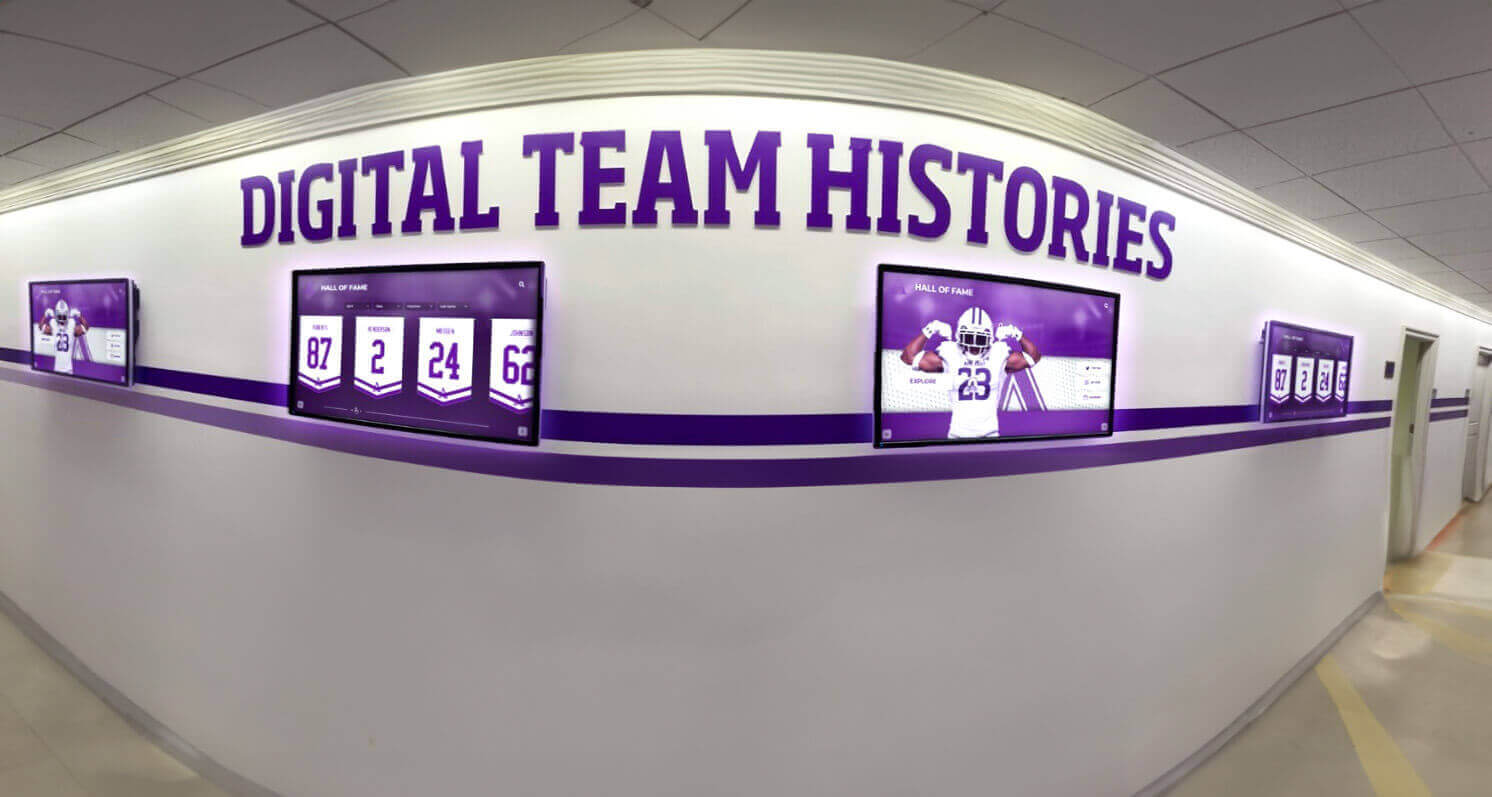
Multiple coordinated displays present comprehensive content across hallway spaces, including composites, athletic records, and achievement histories
Contextual Links Connections enabling deeper exploration:
- “View classmates” button showing other graduates from same year
- Activity/club links showing all participants (drama club members, football team rosters)
- Timeline placement showing graduate within institutional history
- Related achievements (if individual has athletic or academic hall of fame recognition)
- Reunion information for graduate’s class
This linked structure encourages extended browsing sessions as users discover connections and explore related content.
Class Year Landing Pages
Beyond individual profiles, year-specific pages provide class context:
Class Overview Information
- Total class size and demographic information
- Notable achievements and recognition that year
- Significant institutional events or milestones
- Popular culture references providing temporal context
- Composite photograph group view
Reunion Information
- Upcoming reunion dates and registration details
- Past reunion photo galleries
- Class gift campaigns and participation statistics
- Reunion committee contact information
- Special anniversary recognition (25th, 50th milestones)
Classmate Connections
- Alphabetical directory of all graduates
- Activity and organization rosters
- Athletic team compositions
- Superlatives and senior awards
- In memoriam section honoring deceased classmates
Schools implementing class recognition programs report that comprehensive class year pages significantly increase alumni engagement compared to simple photo galleries.
Advanced Features and Integration Opportunities
Sophisticated implementations extend beyond basic composite browsing.
Cross-Referencing and Discovery Features
Activity and Organization Directories
Digital platforms enable searches impossible with physical composites:
Club and Organization Rosters
- Complete participation lists across all years
- Individual member profiles linked from roster pages
- Organization histories and achievement timelines
- Leadership recognition (presidents, officers)
- Activity photos and accomplishment documentation
This functionality allows users to find all drama club participants across decades, or view every student who played in the marching band, creating connections across graduating classes.
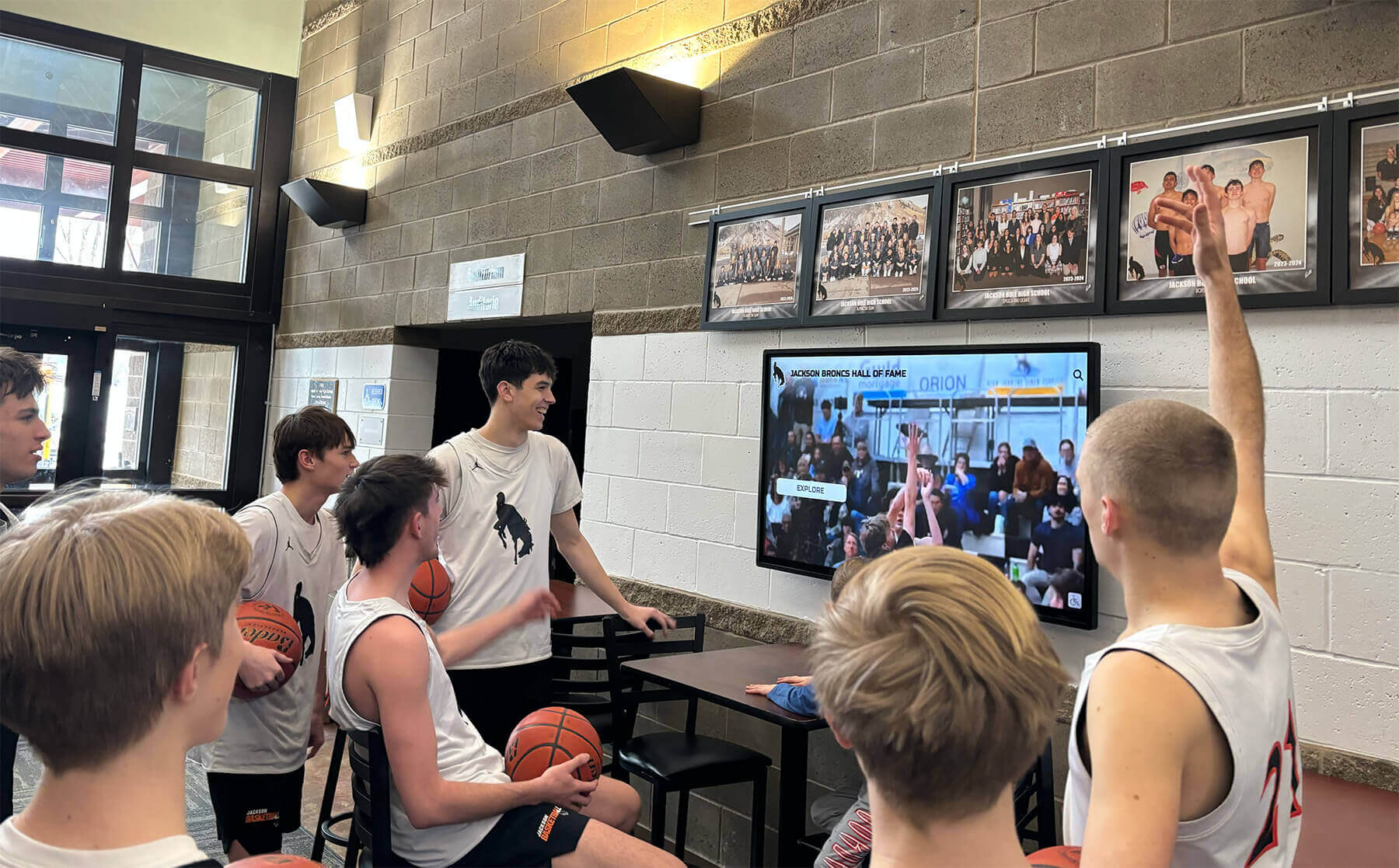
Athletic facility displays integrate composite archives with current team information and game highlights
Athletic Team Histories
Digital record boards and team histories complement composite displays:
- Sport-specific participant directories across all years
- Team photos and season rosters by year
- Championship teams and tournament achievements
- Individual athlete profiles linked to composites
- Coach histories and career records
Academic Honor Recognition
- Honor society member directories
- Valedictorian and salutatorian recognition
- Scholarship recipient acknowledgment
- Academic competition participants
- Special distinction awards (National Merit, AP Scholars)
Historical Timeline and Institutional Context
Era-Based Historical Frameworks
Contextualizing composites within institutional history:
Decade Overview Pages
- Institutional developments and facility expansions that decade
- Leadership succession (principals, superintendents, presidents)
- Significant achievements and milestone events
- Enrollment growth and demographic changes
- Representative photos from era
Historical Photo Galleries
- Campus evolution through architectural photos
- Facility construction and renovation documentation
- Historical event photography
- Vintage yearbook covers and designs
- Era-appropriate cultural artifacts
This context helps younger students and visitors understand institutional evolution while giving alumni opportunities to explore broader history beyond their specific graduating class.
Integration with Existing Recognition Systems
Athletic Hall of Fame Connections
Linking composites with athletic recognition:
- Hall of fame inductees identified in composite profiles
- Sport-specific achievement recognition noted on profiles
- Team championship participation flagged
- Record holders identified and linked to detailed statistics
- Athletic career highlights summarized in profiles
Schools implementing comprehensive athletic recognition displays benefit from integrated platforms connecting composites, athletic achievements, and hall of fame recognition in unified systems.
Donor Recognition Integration
Development operations leverage composite platforms:
- Alumni donors identified in composite profiles (with permission)
- Giving society membership acknowledged
- Class gift participation rates displayed
- Named scholarship connections to recipient composites
- Distinguished philanthropy recognition for major donors
Development staff report that visible recognition of alumni donors through integrated composite and donor displays correlates with increased giving frequency and amounts.
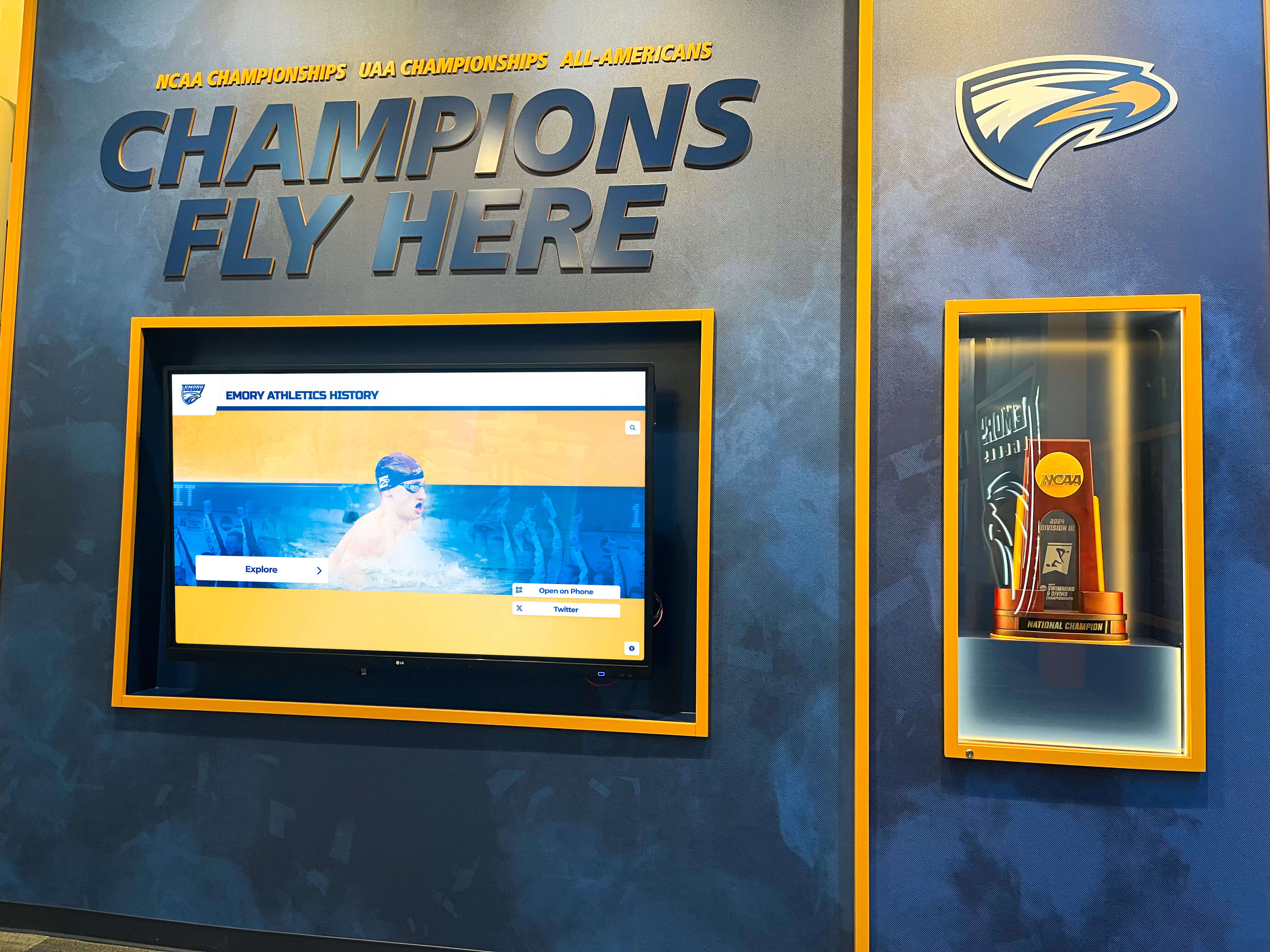
Championship recognition walls combine physical trophies with digital composite archives and achievement documentation
Implementation Best Practices and Success Factors
Learning from successful implementations helps schools avoid common pitfalls.
Content Quality Standards
Photography Quality Requirements
Professional presentation demands attention to image quality:
Resolution Standards
- Minimum 300 DPI for individual portraits
- High-resolution scans preserving detail from yearbook originals
- Consistent sizing and cropping across all profiles
- Color correction for faded vintage photographs
- Enhancement removing blemishes or damage from aged photos
Visual Consistency
- Standardized portrait framing and aspect ratios
- Uniform background treatment across years when possible
- Consistent color profiles preventing weird tints
- Professional editing maintaining natural appearance
- Metadata preservation tracking source materials
Schools report that inconsistent photo quality represents the most common complaint in composite display implementations, emphasizing the importance of professional digitization producing uniform results.
Data Accuracy and Verification
Information integrity builds trust and credibility:
Verification Processes
- Cross-referencing yearbooks, school records, and alumni databases
- Multiple source confirmation for biographical information
- Maiden name research for married alumni
- Activity participation verification through yearbook documentation
- Gradual correction of errors as alumni provide feedback
Ongoing Accuracy
- Alumni submission review and approval processes
- Regular data audits identifying incomplete or suspicious information
- Clear attribution of alumni-submitted updates
- Version history tracking information changes
- Contact mechanisms enabling error reporting
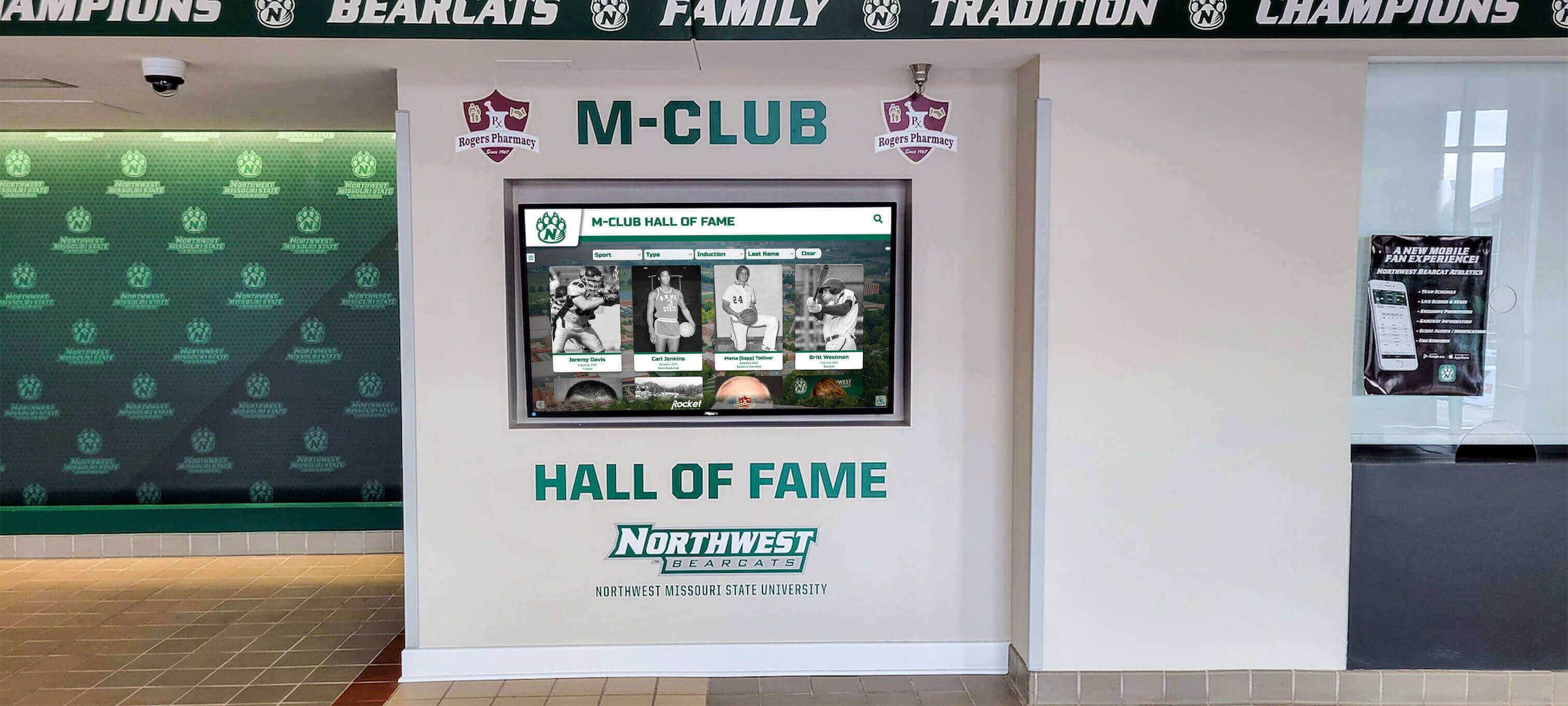
Wall-mounted corridor installations provide accessible composite browsing throughout campus facilities
Privacy and Permission Considerations
Student Privacy Compliance
Educational institutions must navigate privacy regulations:
FERPA Considerations Schools must ensure composite displays comply with student privacy laws:
- Directory information determination and classification
- Opt-out processes for students/families requesting non-disclosure
- Age-appropriate consent for minor students
- Alumni status changes affecting privacy protection
- State-specific student privacy regulations
Many schools consider graduating class composites directory information publicly available unless families specifically opt out, but institutional policies vary significantly.
Alumni Consent and Control
Respectful implementations empower alumni:
- Clear communication about composite digitization and display plans
- Opt-out mechanisms for alumni preferring non-inclusion
- Profile update submission processes enabling alumni information control
- Contact preference settings (visible to classmates, hidden, alumni office only)
- Photo replacement options for alumni dissatisfied with yearbook portraits
Promotion and Community Awareness
Launch Communication Strategy
Building awareness drives utilization:
Multi-Channel Announcement
- All-community email announcing new digital composite displays
- Social media posts featuring displays and encouraging exploration
- Alumni newsletter features explaining access and functionality
- Student assembly or orientation demonstrations
- Physical signage directing visitors to display locations
Ongoing Engagement
Sustained awareness requires continued attention:
- Monthly content update announcements highlighting new additions
- Featured graduate spotlights promoting discovery
- Reunion coordination leveraging composites for event promotion
- Alumni submission encouragement campaigns
- Student assignments incorporating composite exploration
Schools report that displays receiving monthly promotion maintain usage levels 4-5 times higher than launches without ongoing awareness efforts.
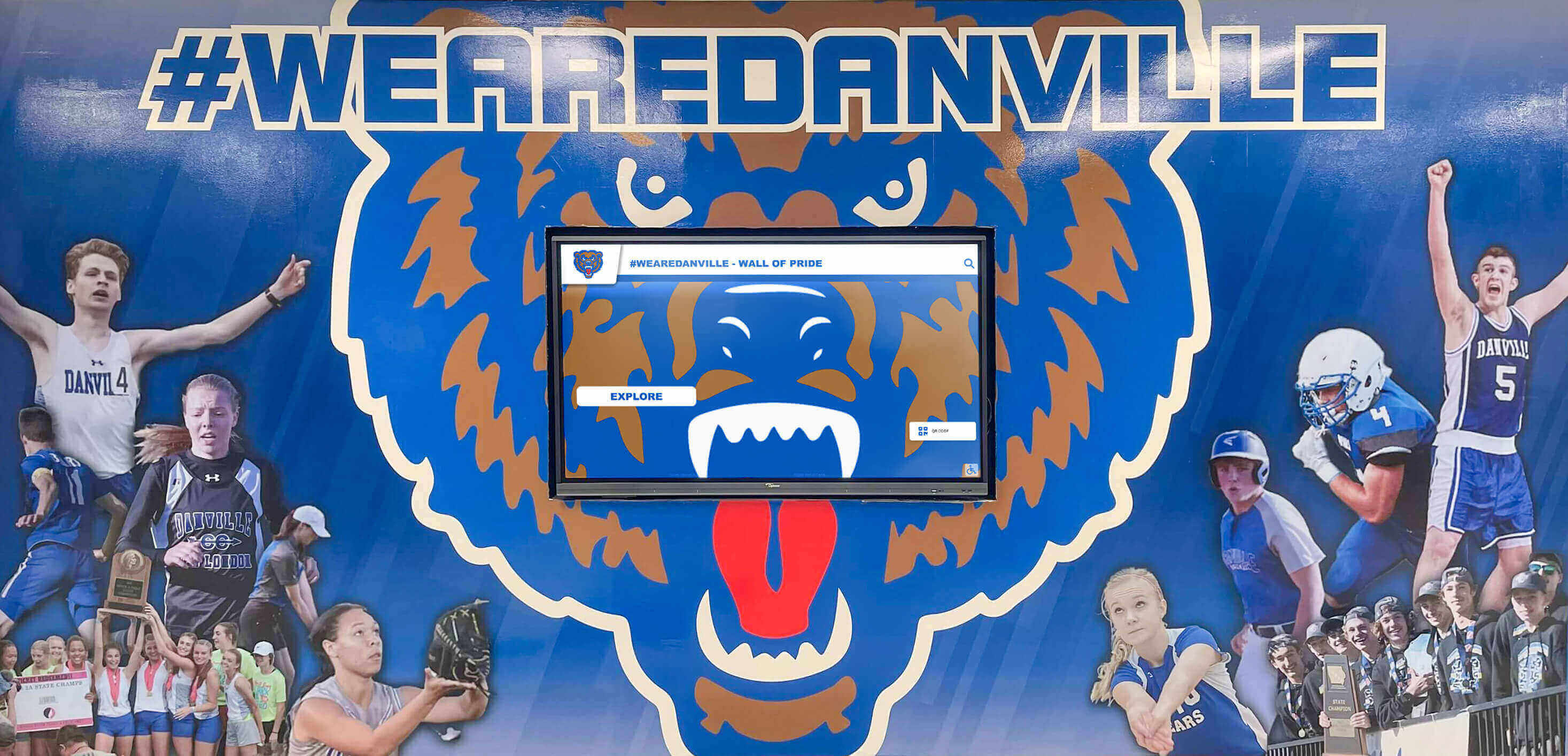
Branded environmental graphics combined with digital composite displays create immersive recognition spaces celebrating institutional pride
Measuring Success and Optimization
Data-driven assessment guides continuous improvement and demonstrates value.
Usage Analytics and Engagement Metrics
Quantitative Performance Indicators
Modern platforms provide comprehensive usage visibility:
Interaction Statistics
- Daily sessions and unique users revealing utilization levels
- Average session duration showing engagement depth
- Searches per session indicating content discovery patterns
- Most-viewed years identifying popular graduating classes
- Most-searched names revealing prominent alumni
- Navigation path analysis showing how users explore content
Content Performance
- Profile completion rates across different graduating years
- Media type engagement (photos vs. yearbook pages vs. profiles)
- Feature utilization (search vs. timeline browsing)
- Peak usage times informing optimal content publishing schedules
- Mobile vs. kiosk access patterns
Analytics should be reviewed quarterly, using insights to prioritize content development and interface refinements.
Alumni Feedback and Testimonials
Qualitative Value Assessment
Numbers tell only part of the success story:
Direct Feedback Collection
- Informal conversations during alumni events and campus visits
- Formal surveys assessing satisfaction and gathering suggestions
- Social media monitoring tracking public response
- Reunion feedback specifically about composite displays
- Profile update submission rates indicating alumni interest
Operational Impact Measures
- Alumni office inquiry reduction for basic information requests
- Reunion attendance increases correlated with display implementation
- Development gift frequency from alumni featured in displays
- Student engagement with institutional history
- Prospective family reactions during campus tours
Schools implementing digital composites consistently report that visible alumni recognition strengthens institutional connection and community pride in ways difficult to precisely quantify but clearly observable.
Continuous Improvement Processes
Iterative Enhancement Strategy
Successful implementations evolve continuously:
Regular Content Expansion
- Annual addition of new graduating classes
- Systematic historical digitization filling gaps
- Profile enhancement adding detail to existing entries
- Alumni submission integration keeping profiles current
- New features responding to user feedback and requests
Interface Refinement
- Navigation improvements based on usage data
- Search algorithm enhancement improving results relevance
- Visual design updates maintaining modern aesthetics
- Accessibility improvements accommodating diverse users
- Performance optimization ensuring fast load times
Integration Expansion
- Connecting composites with other recognition systems
- API development enabling alumni directory applications
- Mobile app feature additions
- Social media integration enhancements
- Event system connections for reunion promotion
Organizations should dedicate ongoing resources to composite display maintenance and enhancement rather than treating implementation as one-time projects.
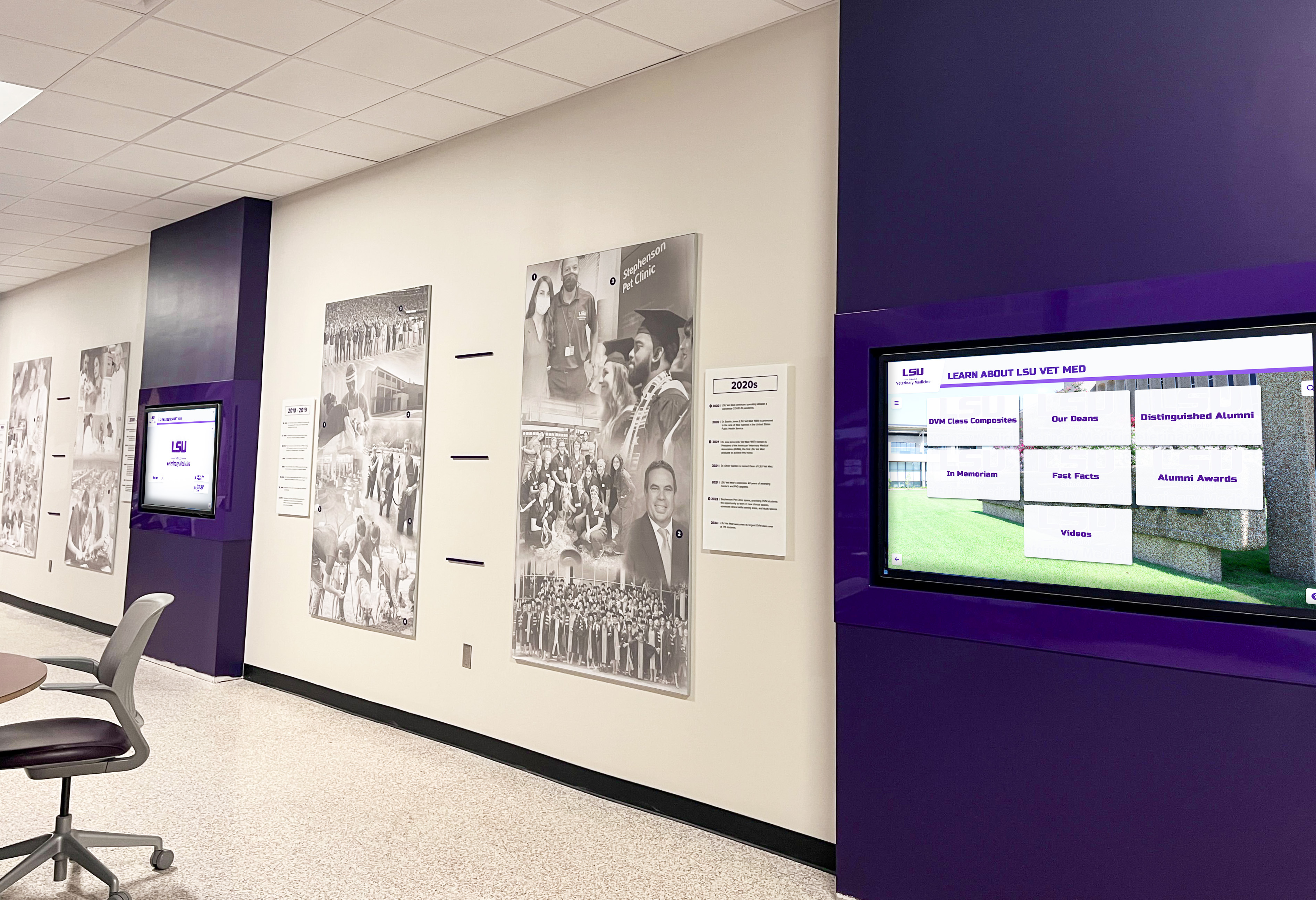
Multiple coordinated displays maximize recognition capacity while presenting diverse content types including composites, achievements, and institutional information
Special Applications and Use Cases
Digital composite platforms enable applications beyond traditional yearbook browsing.
Reunion Planning and Event Support
Class Reunion Enhancement
Digital composites serve reunion programming:
Pre-Event Engagement
- Reunion promotion through class-specific landing pages
- Registration information and event details
- Memory sharing encouraging alumni storytelling
- “Where are they now” updates generating excitement
- Classmate contact facilitation for reunion committees
Event-Day Applications
- Mobile display stations at reunion venues
- Icebreaker activity encouraging composite exploration
- Memory sharing kiosks capturing updates and photos
- Live social media integration showing reunion photos
- Door prize drawings using composite attendance lists
Post-Reunion Follow-Up
- Photo gallery uploads preserving reunion memories
- Attendee updates and reconnection information
- Class gift campaign tracking and recognition
- Thank you messages from reunion committees
- Planning information for next milestone reunion
Schools implementing alumni engagement strategies report that digital composite displays significantly enhance reunion experiences while providing year-round engagement between events.
Admissions and Marketing Applications
Prospective Student Recruitment
Digital composites support enrollment:
Campus Visit Integration
- Historical context demonstrating institutional tradition
- Notable alumni showcasing post-graduation success
- Activity and organization histories previewing opportunities
- Athletic tradition documentation for prospective student-athletes
- Campus evolution photography showing facilities development
Admissions offices report that prospective families specifically comment on digital recognition displays as differentiators demonstrating institutional investment in student experience and technology integration.

Lobby composite displays create immediate positive impressions for prospective students and families visiting campus
Marketing Content Generation
Composite archives provide institutional storytelling materials:
- Notable alumni profiles for marketing publications
- Historical photography for anniversary campaigns
- Diversity and inclusion visual documentation
- Program tradition evidence for recruitment materials
- Social media content celebrating milestones and throwbacks
Advancement and Development Applications
Donor Recognition and Stewardship
Development operations leverage composites strategically:
Alumni Donor Identification
- Visual recognition of philanthropic support in profiles
- Giving society membership acknowledgment
- Naming opportunity connections to beneficiaries
- Class participation rates in development campaigns
- Major gift recognition for transformational donations
Campaign Management Tools
- Class giving competitions and participation tracking
- Reunion gift promotion and progress visualization
- Peer-to-peer solicitation facilitation
- Impact communication showing gift utilization
- Legacy society promotion and planned giving information
Development directors report that integrated composite and donor recognition displays create powerful visual messaging about alumni engagement and philanthropic culture.
Future Trends and Emerging Technologies
Understanding technology evolution helps schools plan implementations remaining relevant through coming years.
Artificial Intelligence Applications
Facial Recognition and Auto-Tagging
Emerging capabilities accelerate content development:
- Automated photograph identification across yearbook pages
- Relationship mapping identifying consistent friend groups
- Activity participation detection from yearbook photos
- Duplicate detection preventing profile redundancy
- Quality assessment flagging poor scans requiring reshoots
Privacy considerations require careful implementation with transparent policies and opt-out mechanisms.
Natural Language Search and Interaction
Conversational interfaces enhance accessibility:
- Voice search enabling “Show me the class of 1985”
- Contextual queries understanding “Find John Smith who played football”
- Recommendation engines suggesting related profiles
- Multilingual support through automatic translation
- Accessibility improvements for visually impaired users
Content Personalization
Adaptive experiences respond to usage patterns:
- Recently-viewed profiles appearing in quick access
- Interest-based suggestions based on exploration patterns
- Returning user recognition (when appropriate with privacy consent)
- Customizable favorites and bookmarks
- Alert subscriptions notifying users about updates to specific classes or profiles
Extended Reality Integration
Augmented Reality Enhancements
Blending physical and digital experiences:
- AR overlays providing information when smartphones scan physical composites
- Virtual composite rooms enabling remote exploration
- 3D campus history reconstructions
- Historical photo overlays on current campus locations
- Interactive timelines with AR activation points
Virtual Reality Applications
Immersive composite exploration:
- VR yearbook browsing experiences
- Virtual reunion spaces for remote participants
- Temporal environment recreation showing campus as it appeared in different eras
- First-person perspective historical tours
- Immersive storytelling about institutional history
Transform Your Class Composites with Modern Interactive Displays
Discover how digital composite solutions eliminate physical space constraints while providing unlimited recognition capacity, intuitive searching, and engaging experiences that students, alumni, and visitors actually use. See how schools nationwide showcase decades of graduating classes through touchscreen displays combining yearbook archives, achievement recognition, and alumni connection tools.
Book A DemoMobile and Web Platform Extensions
Progressive Web Applications
Mobile-optimized experiences extending kiosk access:
- Responsive composite browsing from smartphones and tablets
- Personal profile management for alumni updates
- Reunion coordination and communication tools
- Photo submission enabling alumni contribution
- Social sharing facilitating classmate reconnection
Alumni Network Integration
Composite displays become engagement platform foundations:
- Professional networking facilitated through classmate connections
- Mentorship programs linking alumni with current students
- Career guidance leveraging alumni professional experiences
- Geographic directories enabling local chapter organization
- Interest-based affinity groups connecting across graduating classes
Conclusion: Modernizing Institutional Memory and Alumni Connection
Digital class composite displays fundamentally transform how schools preserve institutional memory and facilitate alumni engagement. By replacing limited physical frames and flip-through pages with unlimited interactive touchscreen experiences, schools overcome space constraints while providing search functionality, enhanced information, and engaging exploration impossible with traditional formats.
The strategies explored in this comprehensive guide provide frameworks for successful implementation—from content digitization and platform selection through interface design, privacy compliance, promotion, and ongoing optimization. Schools succeeding with digital composites recognize that technology represents only one component; quality content, intuitive navigation, respectful privacy practices, and sustained promotional efforts determine long-term impact and utilization.
Modern cloud-based platforms eliminate technical barriers that previously made sophisticated interactive displays accessible only to institutions with dedicated IT departments. Intuitive content management, professional implementation services, and responsive support enable schools of all sizes to implement composite displays that engage communities without overwhelming administrative resources or budgets.
Whether your school plans single-display pilot implementations testing effectiveness in prominent locations or comprehensive multi-display networks serving diverse campus areas, beginning with clear objectives around which graduating years to prioritize and how to promote usage ensures appropriate technology selection and sustainable operations. Start where you are, leverage specialized platforms designed specifically for educational composite applications, and expand systematically as digitization progresses and community awareness grows.
Digital composite displays elevate alumni experiences from frustrating searches through dusty physical frames to intuitive discovery enabling instant location of classmates, activities, and institutional context. The question isn’t whether interactive technology can enhance your school’s composite displays—it’s how quickly you’ll implement solutions that alumni deserve and modern visitors increasingly expect.
Ready to explore how digital class composite displays can transform your yearbook archives and alumni engagement while eliminating physical storage challenges? Explore comprehensive solutions designed specifically for schools and learn how institutions nationwide are leveraging interactive touchscreen technology for alumni recognition, historical preservation, and comprehensive student achievement celebration.































