




Schools and organizations implementing digital recognition displays face a persistent tension between creative control and design coherence. Static template systems lock institutions into rigid layouts that cannot accommodate unique program needs or distinctive brand expressions. Yet complete design freedom often produces fragmented visual experiences as multiple administrators make disconnected choices, inconsistent styles accumulate over time, and the platform gradually drifts off-brand.
This dilemma forces an uncomfortable choice: accept creative limitations with locked templates, or build and maintain custom systems while absorbing the ongoing cost of ensuring responsive design, accessibility compliance, feature compatibility, and brand consistency across countless individual decisions. Neither option delivers the outcome schools actually need—distinctive recognition displays that reflect institutional identity while maintaining platform-grade reliability and cohesive user experiences.
Rocket Alumni Solutions resolves this tension through a fundamentally different approach: custom layouts are built quickly as platform components, design governance prevents fragmentation through systematic constraints, and AI-assisted quality control catches common mistakes before they degrade experiences. Schools achieve genuine creative freedom without paying the price of maintaining bespoke systems or accepting the risk of fragmented visuals undermining institutional credibility.
The distinction matters because recognition displays represent institutional identity to visitors, prospective students, donors, and community members. Fragmented designs with inconsistent typography, awkward spacing, poor accessibility, or off-brand styling communicate unintended messages about institutional standards and attention to detail—exactly the opposite message schools intend when investing in digital recognition systems.

Professional recognition displays reflect institutional brand standards through consistent design systems while accommodating unique content needs
The False Choice Between Templates and Custom Systems
Understanding how traditional approaches create problems clarifies why Rocket’s model delivers superior outcomes.
Static Templates: Creative Ceiling Problem
Template-based digital signage platforms prioritize operational simplicity by offering predetermined layouts that users cannot fundamentally modify:
Limited Expression Capabilities
Schools discover that fixed templates cannot accommodate distinctive program structures, unique recognition categories, or institutional brand elements that distinguish their identity. Athletic programs with unusual sports combinations cannot display information effectively. Donor recognition programs with specific giving level structures cannot match fundraising campaign requirements. Academic recognition showcasing specialized programs cannot present information appropriately within generic layouts.
The result: schools either compromise their recognition approach to fit available templates, or they abandon platforms entirely when inflexibility prevents expressing institutional distinctiveness. Neither outcome serves the original goal of celebrating achievements effectively while maintaining brand consistency.
According to digital recognition platform research, institutions report that template limitations frequently force content compromises that reduce recognition program effectiveness—athletes receive less information than deserved, donors see generic acknowledgment rather than meaningful recognition, and academic achievers experience standardized celebration rather than distinctive honor.
Innovation Bottlenecks
When schools identify recognition approaches that would enhance engagement but require layout modifications, template systems create dependency on vendor product roadmaps. Requested features appear only if enough customers share needs and vendors prioritize development. Schools wait months or years for changes they could implement immediately with genuine creative control.
This dynamic particularly frustrates early-adopter institutions developing innovative recognition approaches that could benefit the entire field. Template limitations prevent experimentation and constrain sector-wide progress in recognition program effectiveness.
Brand Expression Constraints
Institutional identity extends beyond logo placement and color schemes to typography choices, spatial relationships, interaction patterns, and visual hierarchies that communicate brand personality. Generic templates accommodate surface branding but rarely support the deeper design expressions that distinguish memorable institutional experiences from forgettable generic interactions.
Schools investing substantial resources in brand development discover that recognition displays using rigid templates fail to reflect their carefully crafted identity, creating disconnected experiences that undermine brand coherence across institutional touchpoints.
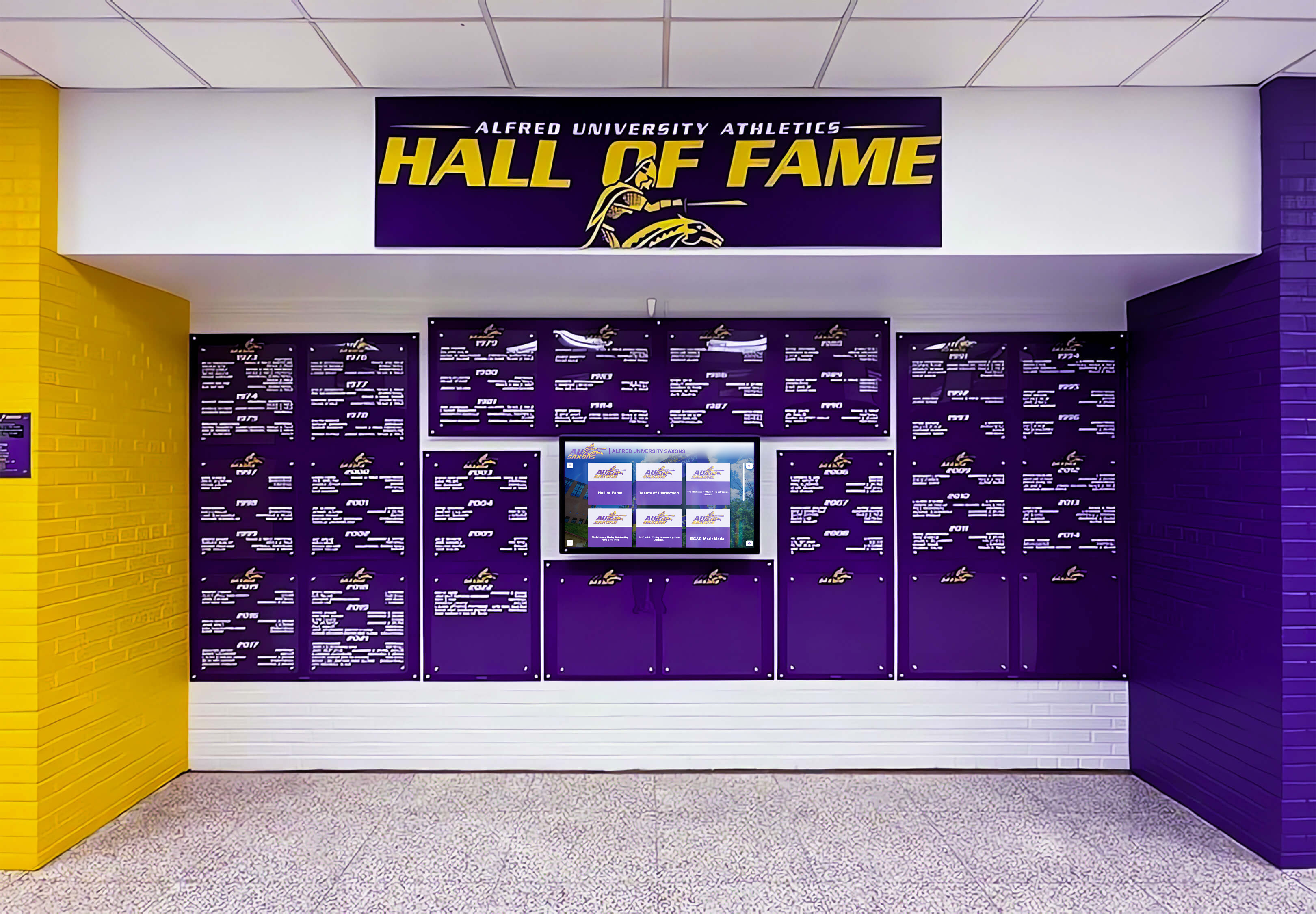
Custom layouts enable authentic brand expression through institutional color palettes, typography, and visual hierarchy
Bespoke Custom Systems: Maintenance Burden Problem
Organizations avoiding template limitations by building custom recognition systems discover that creative freedom creates ongoing responsibilities many underestimate:
Responsive Design Maintenance
Custom layouts must function correctly across desktop computers, tablets, smartphones, portrait and landscape orientations, and varying screen sizes within each device category. Each new layout requires testing across dozens of viewport configurations, troubleshooting layout breaks, adjusting touch target sizes for different contexts, and validating interaction patterns work appropriately on all devices.
Organizations implementing interactive touchscreen displays report that responsive design maintenance represents 20-30% of ongoing development effort as device ecosystems evolve and new screen sizes emerge.
Accessibility Compliance Burden
Custom layouts must meet WCAG 2.1 AA standards ensuring inclusive experiences for visitors with disabilities. Compliance requires sufficient color contrast ratios preventing readability problems, keyboard navigation supporting users unable to use touch interfaces, screen reader compatibility enabling access for visitors with visual impairments, focus indicators showing interactive element state, and appropriate semantic HTML structure supporting assistive technologies.
Accessibility compliance represents technical expertise distinct from visual design skills. Organizations building custom systems must either develop accessibility knowledge internally or engage specialized consultants for audits and remediation—ongoing expenses that accumulate as new layouts are created and standards evolve.
Feature Compatibility Responsibility
As recognition platform capabilities expand—adding search functionality, video integration, filtering options, QR code generation, analytics tracking, or mobile synchronization—custom layouts must accommodate new features without breaking existing functionality. Each platform enhancement triggers layout compatibility review and potential modification work.
Schools maintaining custom systems discover that feature additions carrying no incremental cost for template users require development effort ensuring custom layouts support new capabilities appropriately. The cumulative burden increases over time as platform sophistication grows.

Platform features like dynamic filtering and search must integrate seamlessly with custom layout designs
Ongoing Quality Assurance
Custom systems require regular testing ensuring content updates and platform changes don’t introduce problems. Organizations must verify layouts after content publishing, test interactions across devices periodically, monitor accessibility compliance as standards evolve, validate performance with large content volumes, and troubleshoot cross-browser compatibility issues.
This QA responsibility extends beyond initial launch, requiring sustained testing capacity and technical expertise for problem diagnosis and remediation when issues emerge. Schools lacking dedicated development resources discover that QA requirements exceed available capacity, resulting in gradual quality degradation as untested changes accumulate.
The Cost of Creative Freedom
Organizations choosing bespoke approaches own complete responsibility for responsive design, accessibility compliance, feature compatibility, ongoing QA, brand consistency enforcement, and technical debt management. The total cost of ownership includes not just initial development but sustained maintenance ensuring systems remain functional, compliant, and on-brand across years of daily operation.
Many institutions underestimate these ongoing costs, budgeting for initial custom development while failing to resource the permanent maintenance obligations that custom systems create. The result: systems gradually degrade as maintenance capacity proves insufficient, ultimately requiring expensive remediation or platform replacement.
Rocket’s Solution: Custom Layouts as Platform Components
Rocket Alumni Solutions delivers creative freedom through a fundamentally different model that eliminates the tradeoff between flexibility and sustainability:
Free Custom Layout Development
Rather than limiting schools to static templates or forcing them to build and maintain custom systems, Rocket takes custom requests from all customers and builds new layouts quickly as platform components:
Request-Based Development Process
Schools describe recognition needs that available layouts cannot accommodate effectively—unusual program structures requiring different information organization, specialized content types needing specific presentation approaches, distinctive brand expressions requiring unique visual treatments, or innovative engagement approaches demanding new interaction patterns.
Rocket evaluates requests focusing on use cases likely benefiting multiple institutions while accommodating unique requirements. Approved requests enter development queues where engineers build new layouts meeting school specifications while ensuring platform integration.
Development timelines typically span one week to one month depending on complexity, dramatically faster than schools could achieve through internal efforts while eliminating the ongoing maintenance burden that bespoke systems create. Schools receive professional layouts without paying the cost of sustaining custom development capacity.
Shared Library Benefit Model
New layouts built for specific schools enter the shared layout library available to all Rocket customers. This approach delivers multiple benefits:
Organizations requesting custom layouts receive distinctive designs meeting their unique needs while benefiting from platform-grade reliability. Other schools discover valuable layouts they hadn’t conceived, expanding creative possibilities without individual development requests. The entire Rocket customer base benefits from continuous layout library expansion driven by diverse institutional needs and innovative thinking across hundreds of schools.
Learn how digital signage content strategies enable flexible content presentation within consistent design systems.
The shared library model creates positive network effects where each school’s custom requests improve the platform for everyone, accelerating capability growth while distributing development costs across the customer base rather than forcing individual schools to absorb complete development expense.
Real Creative Freedom Without Limits
Unlike template systems that reject requests exceeding predetermined capabilities, Rocket treats custom layout requests as product development opportunities. Schools articulate needs without constraining thinking to existing templates, describe ideal recognition experiences matching program requirements, experiment with innovative engagement approaches, and express distinctive brand identities authentically.
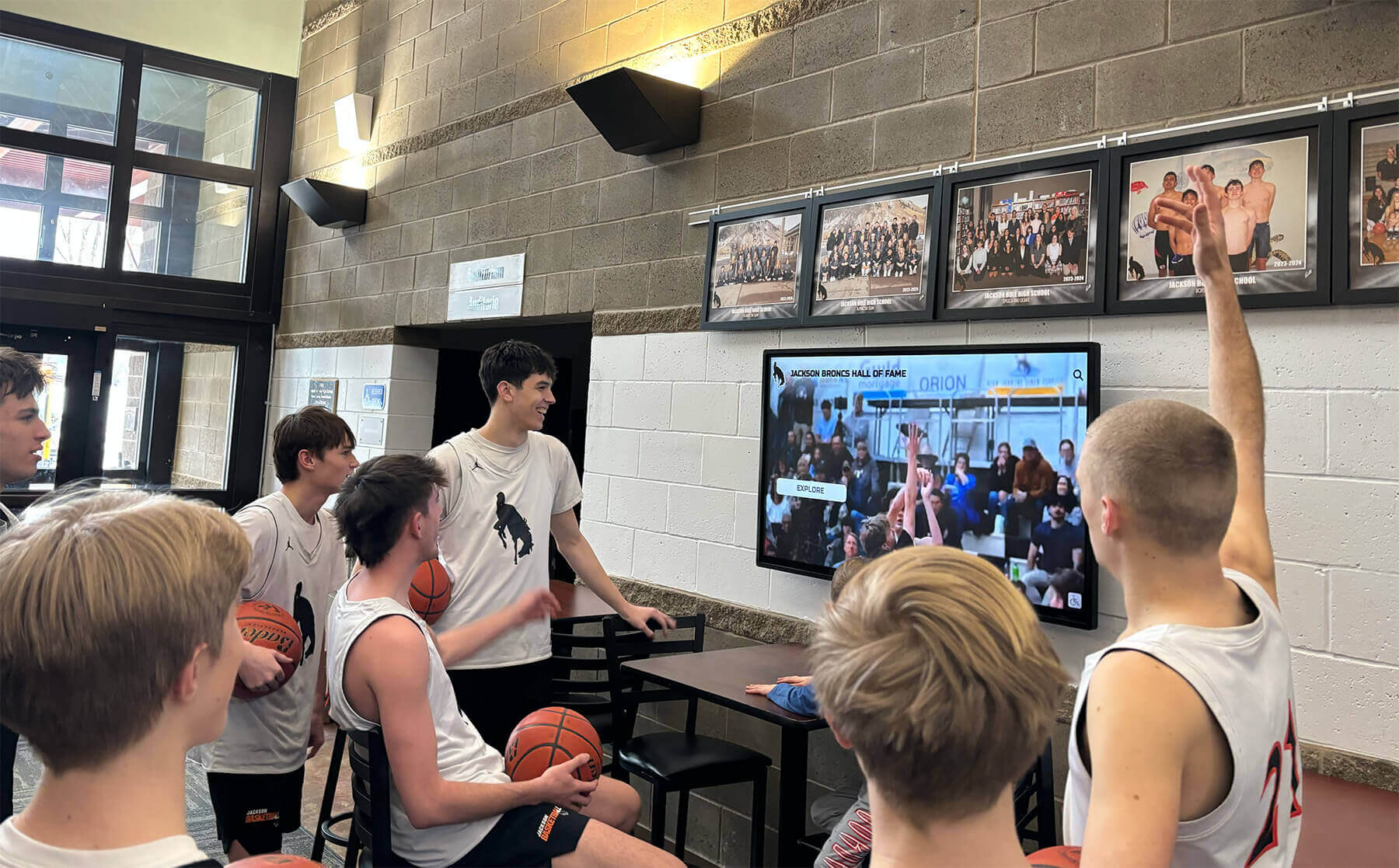
Custom layouts support specialized content types including video highlights and interactive game summaries
This approach resolves the template constraint problem completely—creative possibilities expand continuously as diverse schools articulate needs and Rocket builds corresponding layouts. The platform evolves through actual institutional requirements rather than predetermined vendor assumptions about what schools might need.
Platform-Grade Reliability Guarantees
When Rocket builds custom layouts, they become first-class platform components inheriting comprehensive guarantees that distinguish them from bespoke systems:
Responsive Across All Contexts
New layouts function correctly across all screen sizes, device types, and orientations through systematic responsive design implementation. Engineers test layouts on touchscreen kiosks from 32 to 86 inches, desktop computers with various resolutions, tablets in portrait and landscape modes, smartphones from compact to large sizes, and different pixel densities ensuring sharp rendering.
Schools receive custom layouts that work reliably regardless of viewing context, eliminating the testing burden and responsive design expertise that bespoke approaches require. Visitors experience consistent functionality whether interacting at fixed kiosks, browsing on tablets, or viewing on smartphones.
ADA/Accessibility-Aligned
All Rocket layouts meet WCAG 2.1 AA accessibility standards ensuring inclusive experiences. Custom layouts include sufficient color contrast preventing readability problems, keyboard navigation supporting non-touch interaction, screen reader compatibility with appropriate ARIA labels, focus indicators showing interactive element state, and semantic HTML structure supporting assistive technologies.
Accessibility compliance represents built-in platform capability rather than additional requirement schools must implement and maintain. Institutions gain confidence that recognition displays serve all community members including visitors with disabilities, avoiding potential compliance issues and demonstrating institutional commitment to inclusion.
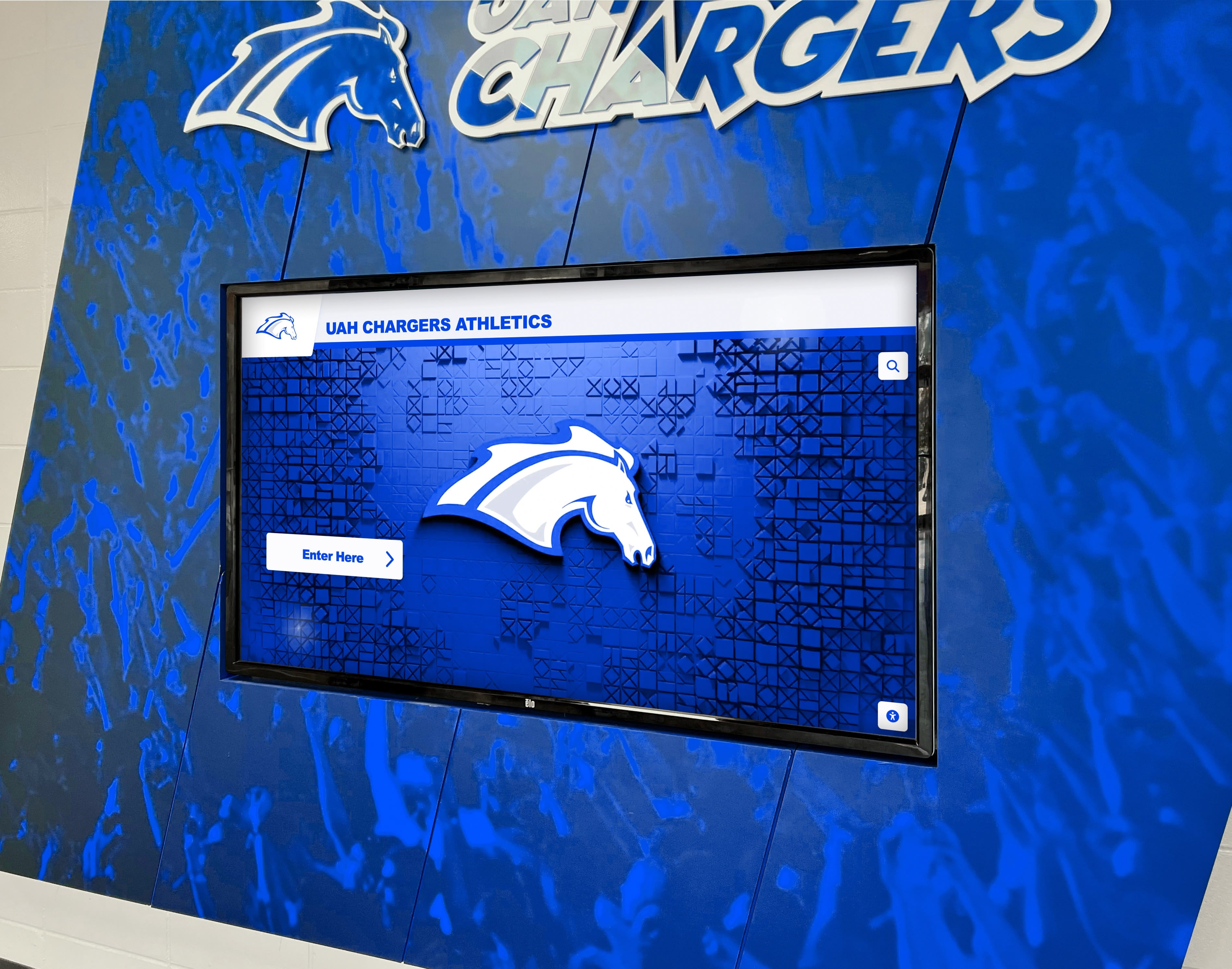
Platform accessibility standards ensure recognition displays serve visitors with diverse abilities
Consistent Interaction Patterns
Custom layouts maintain familiar interaction patterns visitors recognize from elsewhere in Rocket systems. Navigation controls occupy consistent locations, touch gestures behave predictably, search and filtering use standard interfaces, transitions and animations follow platform conventions, and information hierarchy uses recognizable visual cues.
Consistency reduces learning burden as visitors encounter different layout styles across recognition categories. Familiar patterns enable intuitive exploration even when encountering new layouts for the first time, maximizing engagement while minimizing confusion.
Research on interactive kiosk usability demonstrates that consistent interaction patterns increase successful task completion rates by 40-60% compared to systems where each section behaves differently.
Compatible With All Features
New layouts integrate with complete Rocket feature set without requiring special handling or customization. Custom layouts support search and filtering enabling content discovery, integrate with QR code generation for mobile access, accommodate video and multimedia content, work with sponsorship display features, enable scheduled publishing for time-sensitive content, and provide analytics tracking for engagement measurement.
Feature compatibility ensures schools can leverage full platform capabilities regardless of layout choices. Organizations avoid the frustration of discovering that distinctive layouts prevent accessing valuable features, or that feature updates don’t work properly with custom designs.
Forward Compatibility Commitment
As Rocket develops new capabilities—enhanced multimedia support, improved mobile experiences, advanced analytics, or emerging interaction paradigms—custom layouts receive updates ensuring continued compatibility. Schools don’t worry about distinctive layouts becoming stranded on outdated feature sets while the platform evolves.
Forward compatibility represents ongoing investment protecting institutional choices and ensuring long-term viability of custom layouts. Schools gain confidence that creative decisions remain supported through years of platform evolution rather than creating eventual migration requirements when custom systems become incompatible with advancing capabilities.
Design Governance Prevents Fragmentation
While custom layouts provide creative flexibility, systematic design governance maintains visual coherence preventing the fragmented experiences that plague unmanaged systems:
Typography System Enforcement
Rocket’s design system controls text presentation ensuring readable, consistent experiences:
Established Type Scale
All layouts use predetermined type sizes for headings, body text, captions, and interface elements. The established scale creates visual hierarchy while preventing arbitrary size choices that create inconsistent emphasis patterns. Institutions perceive professional polish rather than haphazard text sizing.
Approved Font Selections
Layouts utilize specified typefaces chosen for readability at various sizes, appropriate character for institutional contexts, sufficient weight variations supporting hierarchy, and technical reliability across display technologies. Font choices contribute to cohesive brand expression while avoiding problematic selections that reduce legibility or convey unintended associations.
Readable Line Length Limits
Design system guidelines prevent excessively wide text columns that reduce readability for visitors scanning long content. Maximum line lengths ensure comfortable reading regardless of screen size, maintaining appropriate character counts per line even on large-format displays where unconstrained text would stretch awkwardly across entire screens.
Typography governance creates visual consistency enabling visitors to focus on content rather than adjusting to inconsistent text presentation. Systematic constraints prevent individual design decisions from undermining readability or creating scattered visual experiences.
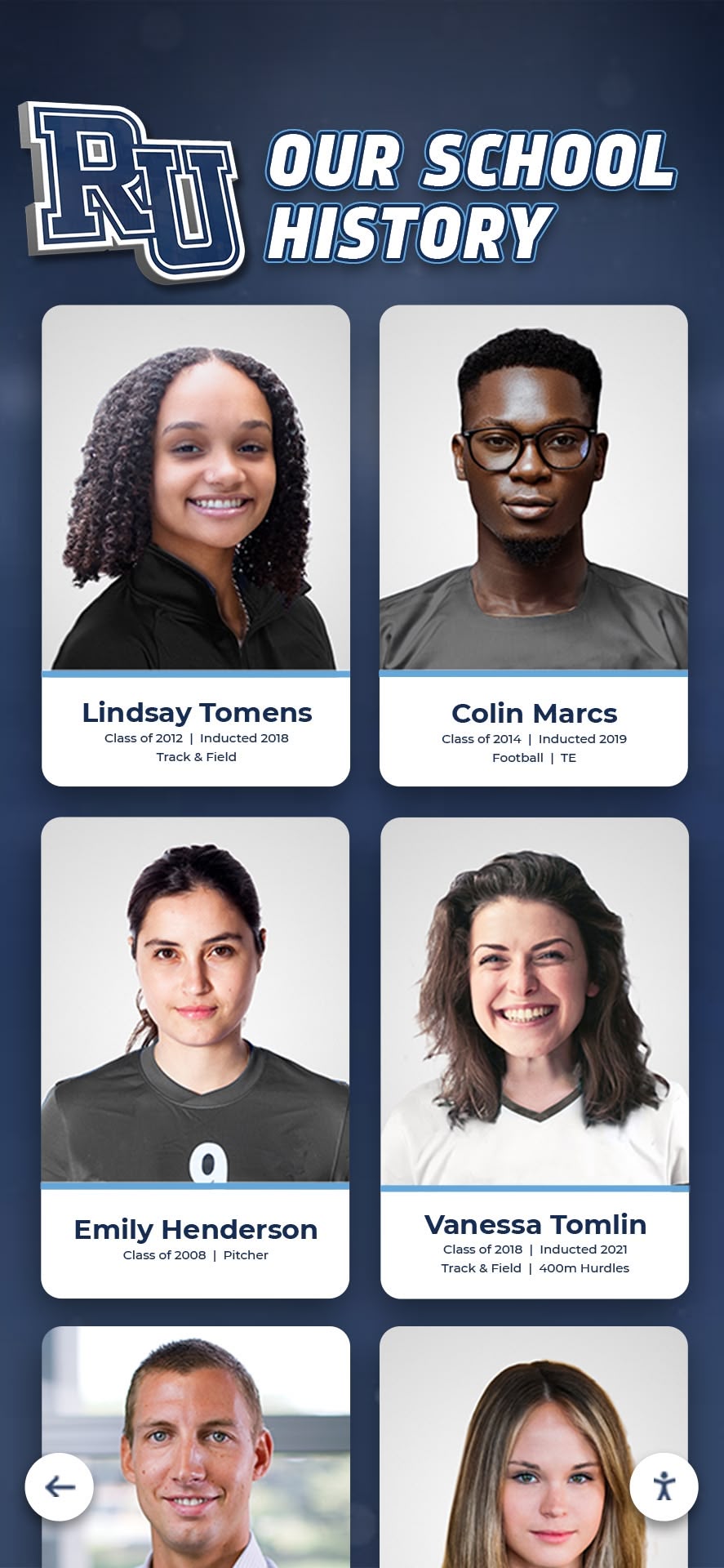
Consistent typography systems enable visual variety while maintaining coherent hierarchy and readability
Spacing and Layout Grid System
Systematic spatial organization prevents cluttered or unbalanced designs:
Consistent Spacing Units
Rocket employs standardized spacing increments for margins, padding, and element separation. Layouts use multiples of base spacing units rather than arbitrary pixel values, creating rhythmic visual organization where spatial relationships feel intentional and harmonious rather than random and cluttered.
Organizations implementing recognition display programs report that consistent spacing dramatically improves perceived quality even when viewers cannot articulate specific design principles—displays simply “look professional” through systematic spatial organization.
Grid-Based Alignment
Content aligns to invisible grid structures ensuring visual order. Elements snap to grid positions preventing misaligned components, uneven spacing, or ragged edges that create amateurish appearances. Grid discipline maintains professionalism across diverse content types and varying information density.
Appropriate Density Guidance
Design system principles prevent overly dense pages that overwhelm visitors or sparse layouts that waste space and require excessive navigation. Guidelines ensure layouts present appropriate information quantities enabling efficient browsing without cognitive overload.
Density balance proves especially important for recognition displays where varying achievement volumes require flexible presentation. Systematic guidelines ensure displays with many achievers feel comprehensive rather than cluttered, while displays with fewer entries feel curated rather than empty.
Navigation Logic Consistency
Predictable navigation reduces confusion and supports effective exploration:
Standardized Menu Structures
Navigation menus follow consistent organizational patterns across recognition categories. Visitors understand how to locate content types, filter by relevant criteria, access detailed information, and return to overview displays without relearning navigation patterns for each section.
Persistent Interface Elements
Key interface components occupy consistent positions regardless of layout variations. Search functionality appears in expected locations, category filters use familiar patterns, home navigation remains accessible, and settings or help options stay findable.
Interface consistency enables confident exploration as visitors trust that learned patterns transfer across recognition categories and content types. Confidence encourages deeper engagement compared to uncertain navigation experiences where visitors hesitate to explore unfamiliar sections.
Logical Content Hierarchy
Information architecture follows recognizable patterns where important content receives prominence, supporting details provide appropriate depth, related information clusters logically, and clear paths guide visitors through progressive disclosure.
Hierarchical consistency helps visitors develop accurate mental models of information organization, enabling efficient content discovery and reducing frustrated searching. Systematic structure transforms large content libraries from overwhelming collections into navigable resources.
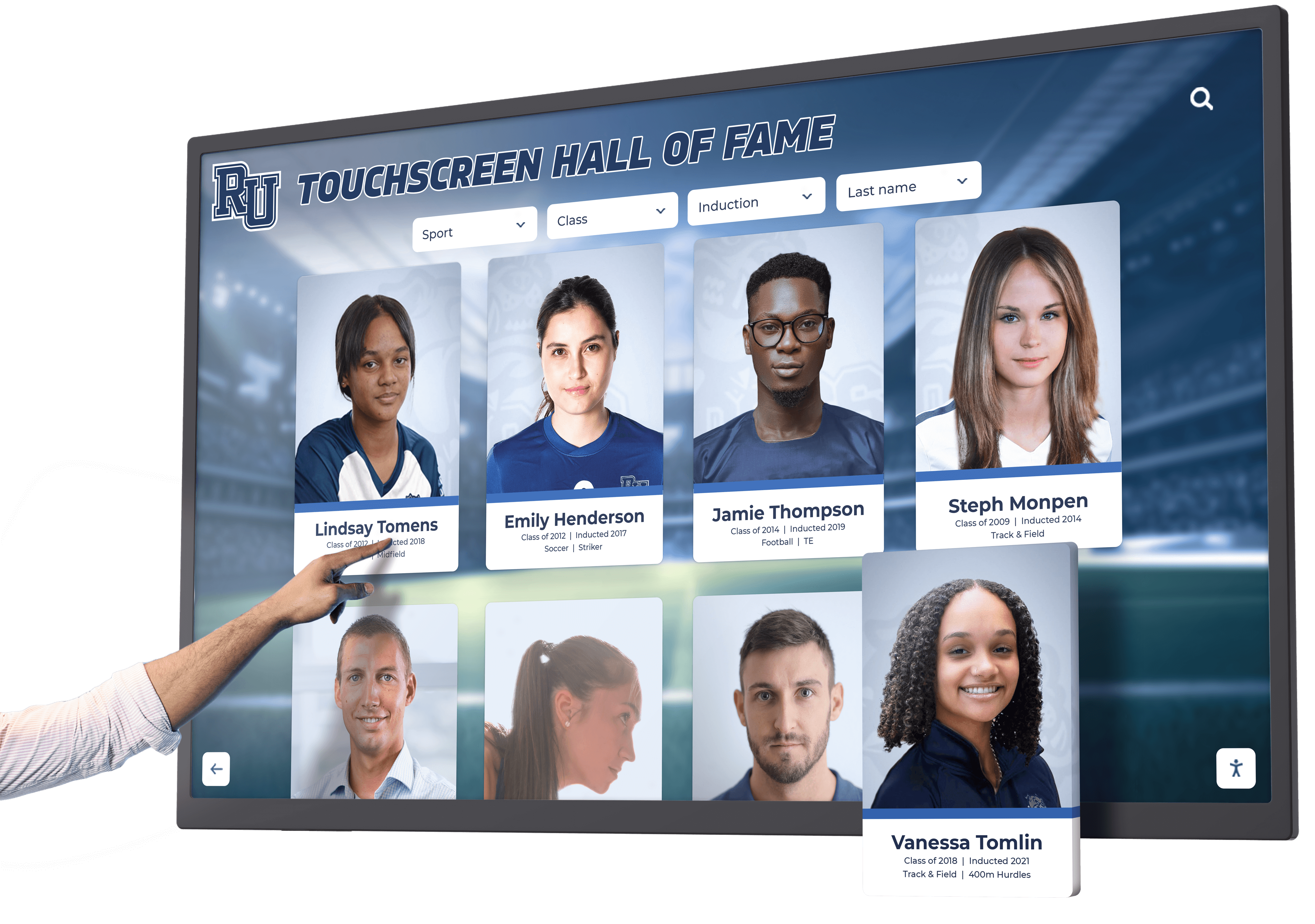
Consistent navigation patterns enable intuitive exploration across diverse recognition content types
Component Behavior Standards
Interactive elements behave predictably maintaining user confidence:
Touch Target Sizing
All interactive elements meet minimum size requirements ensuring reliable touch activation without precision pointing. Buttons, links, and controls accommodate typical finger sizes preventing frustrated tapping when targets prove too small or too densely packed.
Interaction Feedback
Touchable elements provide visual feedback confirming activation through color changes, transitions, or animations. Feedback prevents uncertainty about whether touches registered, reducing repeated tapping and visitor frustration.
Transition Timing
Animations and transitions use consistent durations and easing functions creating cohesive movement language. Systematic timing prevents jarring inconsistencies where some interactions feel sluggish while others respond too quickly.
Component behavior standards ensure reliable interaction regardless of which layouts schools employ. Visitors develop accurate expectations about system responsiveness and interactive element behavior, enabling confident engagement rather than tentative experimentation wondering whether touches will work.
AI-Assisted Quality Control
While design system governance prevents many common problems, AI-powered checks catch additional issues before content publishes:
Automated Style Consistency Verification
Machine learning systems analyze content submissions detecting deviations from established standards:
Color Contrast Analysis
AI algorithms evaluate text-background color combinations ensuring sufficient contrast for readability. Systems flag combinations failing WCAG standards before publication, preventing accessibility problems that manual review might miss. Administrators receive specific guidance about required color adjustments rather than generic warnings.
Typography Consistency Checks
Algorithms detect inappropriate font selections, oversized or undersized text, inconsistent heading hierarchies, or excessive styling variations within single pages. Automated checks prevent typographic chaos that accumulates when multiple administrators make independent styling choices without coordination.
Spacing Irregularity Detection
Machine learning identifies layouts with uneven spacing, misaligned elements, or spatial relationships that deviate from design system standards. AI flags problems enabling correction before visitors encounter unprofessional appearances that undermine institutional credibility.
Automated verification scales design governance beyond what manual review can achieve, providing consistent quality control regardless of content volume or administrator design expertise.
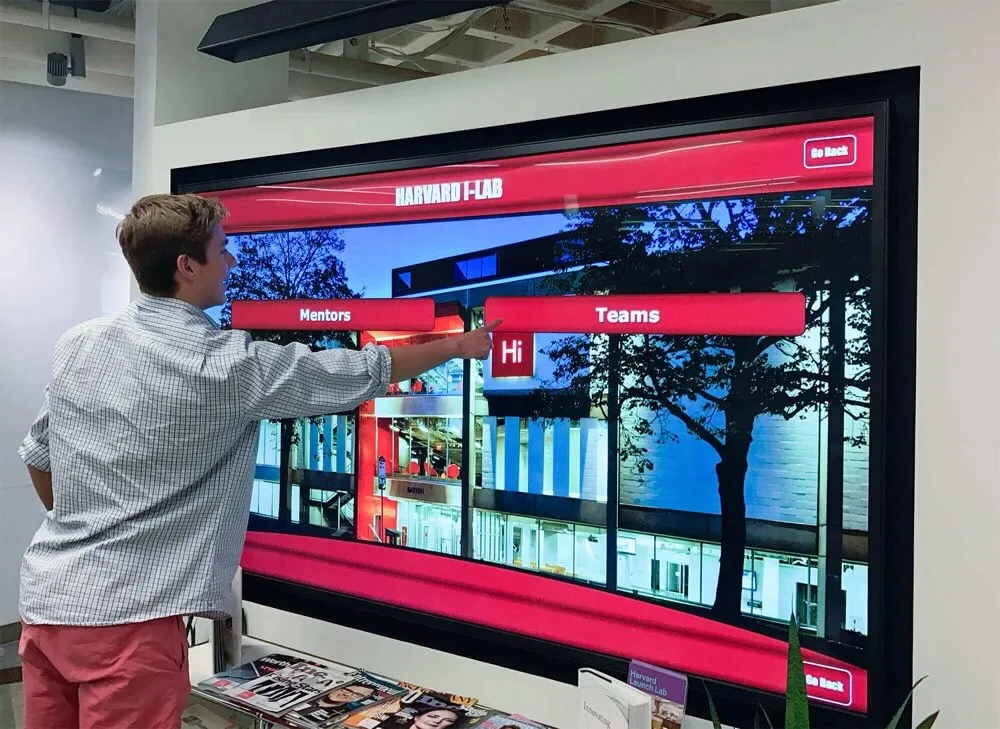
AI systems provide real-time guidance helping administrators maintain professional quality standards
Image Quality and Composition Analysis
Photography significantly impacts recognition display quality, yet many administrators lack professional imaging expertise:
Resolution Validation
AI systems check uploaded photos ensuring sufficient resolution for intended display sizes. Low-resolution images that would appear pixelated or blurry trigger warnings with specific guidance about required minimum dimensions. Automated validation prevents quality problems from reaching displays.
Cropping and Composition Guidance
Machine learning algorithms analyze image composition detecting awkward cropping that truncates important subjects, excessive empty space reducing subject visibility, poor framing that doesn’t emphasize relevant content, and unbalanced compositions that appear amateurish.
Systems provide cropping suggestions helping administrators optimize framing even without photography training. Guidance transforms casual snapshots into professional-looking images appropriate for institutional displays.
Problematic Content Detection
AI flags images with quality issues including extreme darkness or brightness requiring exposure adjustment, severe blur from motion or focus problems, distracting backgrounds that compete with subjects, and inappropriate content that shouldn’t appear in institutional contexts.
Automated screening prevents embarrassing quality problems while educating administrators about image standards over time. Recognition display content strategies emphasize that professional-quality imagery significantly impacts perceived program value.
Page Density and Readability Scoring
AI evaluates overall page quality beyond individual element checks:
Information Density Assessment
Algorithms analyze content volume relative to available space, detecting pages that cram too much information creating overwhelming experiences, or sparse pages with insufficient content appearing incomplete. Systems recommend adjustments creating appropriate density for comfortable browsing.
Readability Analysis
Natural language processing evaluates text complexity ensuring content accessibility for target audiences. Systems flag unnecessarily complex language, excessively long sentences, or dense paragraphs that reduce comprehension. Guidance helps administrators communicate effectively with diverse visitors including younger students and community members from varied educational backgrounds.
Cognitive Load Evaluation
Machine learning models trained on user interaction patterns predict pages likely causing confusion or overwhelming visitors. Algorithms identify complex navigation, unclear information hierarchies, or excessive choices requiring simplified presentation. Recommendations prevent cognitive overload that discourages exploration.
Comprehensive AI quality control enables administrators without design expertise to publish professional content confidently. Systems prevent common mistakes while educating users about standards, gradually improving content quality as administrators internalize principles through repeated feedback.
Brand Consistency Enforcement
AI systems ensure content aligns with institutional identity:
Color Palette Adherence
Algorithms verify that color choices match approved institutional palettes preventing off-brand color variations. Systems allow approved colors while flagging selections that diverge from brand standards, maintaining visual coherence across all content.
Logo Usage Validation
Machine learning detects improper logo usage including incorrect color versions, distorted aspect ratios, insufficient clear space around logos, or inappropriate backgrounds compromising visibility. Automated checks prevent brand guideline violations that undermine professional appearance.
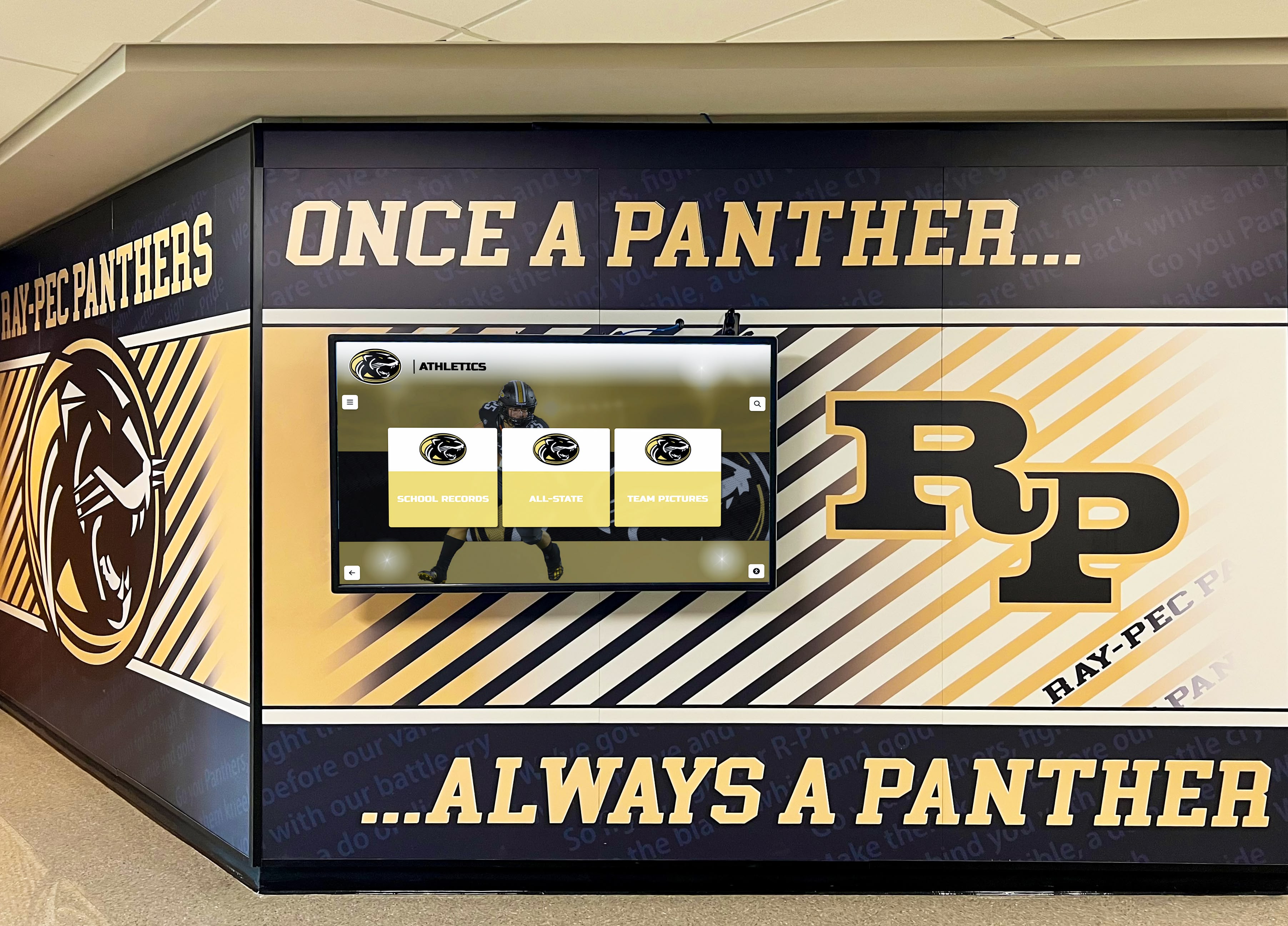
Brand consistency enforcement ensures digital displays align with institutional visual identity standards
Tone and Messaging Alignment
Natural language analysis evaluates content tone ensuring appropriate institutional voice. Systems identify messaging that seems too informal or excessively formal compared to established brand voice, maintaining consistent communication personality across recognition content.
AI brand enforcement enables distributed content management without creating off-brand variations. Multiple administrators contribute content confidently while automated systems maintain institutional standards preventing gradual brand dilution.
The Better Bargain: Platform-Grade Custom
Comparing Rocket’s approach with alternatives clarifies superior value proposition:
Bespoke System Reality Check
Organizations choosing complete custom development accept comprehensive responsibilities:
Responsive Design Maintenance: Ensuring layouts work across all devices, orientations, and screen sizes requires sustained testing and adjustment effort as device ecosystems evolve.
Accessibility Compliance: Meeting WCAG standards demands specialized expertise that most schools lack internally, requiring ongoing consultant engagement or expensive knowledge development.
Feature Parity Over Time: Maintaining compatibility with advancing platform capabilities prevents custom layouts from becoming stranded on outdated feature sets, requiring development effort for each enhancement.
Ongoing Quality Assurance: Regular testing prevents quality degradation as content volumes grow and platform changes accumulate, demanding technical resources many institutions cannot sustain.
Brand Drift Risk: Without systematic governance, distributed content management gradually produces off-brand variations as individual administrators make disconnected choices accumulating over months and years.
The total cost includes not just initial development but permanent obligations ensuring custom systems remain functional, compliant, performant, and on-brand. Organizations frequently underestimate these sustained costs, discovering that maintaining bespoke systems exceeds available budget and capacity.
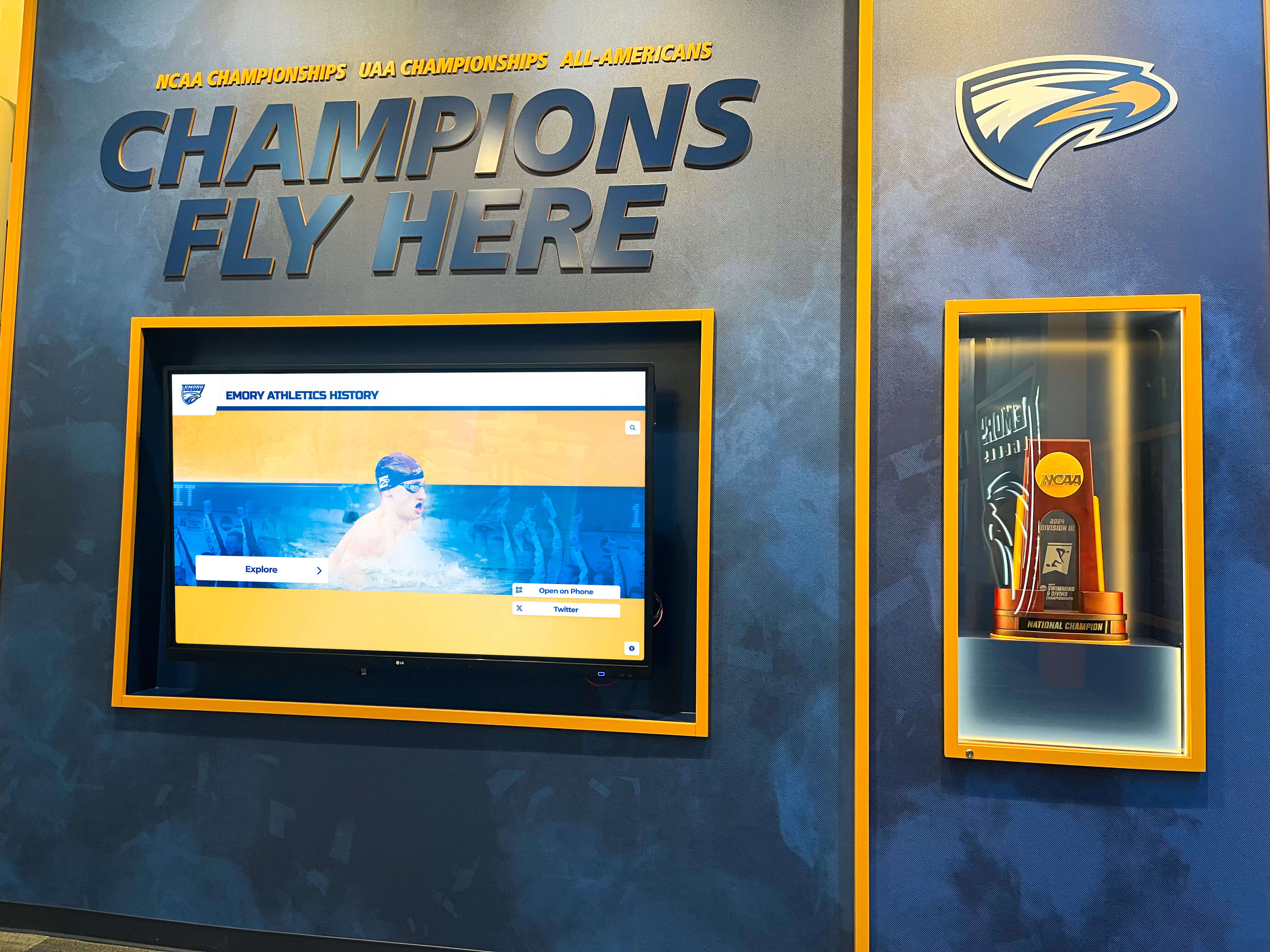
Custom recognition displays require sustained maintenance ensuring ongoing responsiveness and accessibility
Rocket’s Platform-Grade Custom Promise
Rocket’s model delivers custom outcomes without bespoke maintenance burdens:
Creative Freedom: Schools request distinctive layouts matching unique program needs and institutional identity without creative constraints that template systems impose.
Platform Reliability: Custom layouts inherit responsive design, accessibility compliance, feature compatibility, and forward compatibility as built-in capabilities rather than ongoing responsibilities.
Design Governance: Systematic constraints prevent fragmentation while allowing creative expression within boundaries maintaining visual coherence and brand alignment.
AI Quality Control: Automated systems catch common problems preventing quality degradation despite distributed content management by administrators with varying design expertise.
Zero Maintenance Burden: Schools receive distinctive layouts without accepting responsibility for responsive design updates, accessibility compliance, feature compatibility, or quality assurance testing.
Continuous Expansion: The shared library model means creative possibilities expand continuously as diverse institutions articulate needs and Rocket builds corresponding layouts benefiting entire customer base.
Organizations achieve genuine custom outcomes with platform-grade reliability and governance—the best characteristics of both approaches without accepting disadvantages of either. Schools move fast implementing distinctive recognition while staying on-brand through systematic constraints and AI assistance.
Real Implementation: How Schools Benefit
Understanding theoretical advantages matters less than observing practical outcomes:
Athletic Recognition Customization
High school athletic departments showcase diverse sports combinations requiring flexible layouts. Traditional templates force sports into predetermined grids that waste space for programs with few teams or cannot accommodate programs with many sports.
Rocket builds custom layouts matching actual program structures—whether six sports or twenty-four sports, traditional athletics or emerging sports, or specialized formats for club and intramural programs. Schools present athletic recognition appropriately without compromising content to fit template limitations.
Custom record boards display sport-specific statistics and achievements using layouts appropriate for each sport’s unique measurement frameworks. Track and field displays accommodate numerous events with specialized record formats. Swimming presentations handle individual and relay records across multiple stroke distances. Team sport layouts present different statistics relevant to each competitive format.
Athletic directors report that custom athletic recognition displays dramatically improve engagement as athletes explore detailed statistics and historical context impossible within generic templates.
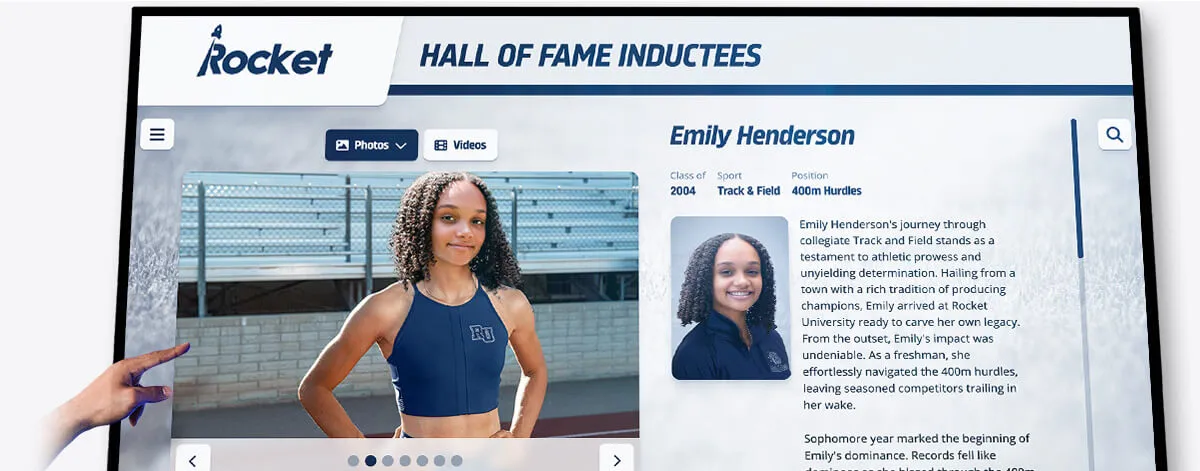
Sport-specific custom layouts present relevant statistics and context appropriate for each athletic discipline
Donor Recognition Flexibility
Development offices manage complex giving programs with specialized recognition requirements. Some institutions use traditional giving level hierarchies. Others employ campaign-specific recognition. Many combine memorial giving, planned giving, annual giving, and major gifts requiring distinct presentation approaches.
Rocket builds donor recognition layouts matching actual development program structures rather than forcing institutions into predetermined formats. Layouts accommodate giving societies with unique names and level structures, campaign-specific recognition highlighting particular fundraising initiatives, memorial and tribute giving presented sensitively, planned giving acknowledgment for future commitments, and corporate sponsorship displays with appropriate branding integration.
Development directors implementing digital donor recognition solutions report that custom layouts enable authentic program presentation rather than compromising recognition approach to accommodate template constraints.
Academic and Arts Program Recognition
Schools celebrating academic and arts achievements beyond athletics require layouts reflecting diverse program structures. Academic recognition spans honor roll, competition success, scholarship recipients, special awards, and departmental honors—each category requiring appropriate presentation contexts.
Arts program recognition includes theater productions with cast lists and playbills, music performances with ensemble rosters and concert programs, visual arts showcases with artwork galleries and artist statements, and creative writing or media productions with student work samples.
Rocket develops custom layouts presenting each achievement category appropriately rather than forcing diverse content into athletic-centric templates. Schools achieve comprehensive recognition celebrating excellence across all domains with equal visibility and appropriate presentation.
Administrators report that visible academic and arts recognition creates balanced institutional culture where diverse talents receive acknowledgment, improving student motivation and community engagement across programs historically overshadowed by athletic recognition.
Historical Archive Presentations
Schools, museums, and community organizations preserving institutional heritage require layouts supporting chronological narratives and archival content presentations. Historical timelines demand different visual treatments than current recognition profiles. Digitized photograph collections need gallery presentations with metadata and context. Oral history archives require audio integration with transcript access.
Rocket builds custom layouts appropriate for historical content types—timeline formats supporting chronological exploration, gallery interfaces showcasing archival photography collections, interview presentations integrating audio with supporting materials, and commemorative content honoring institutional milestones and heritage preservation.
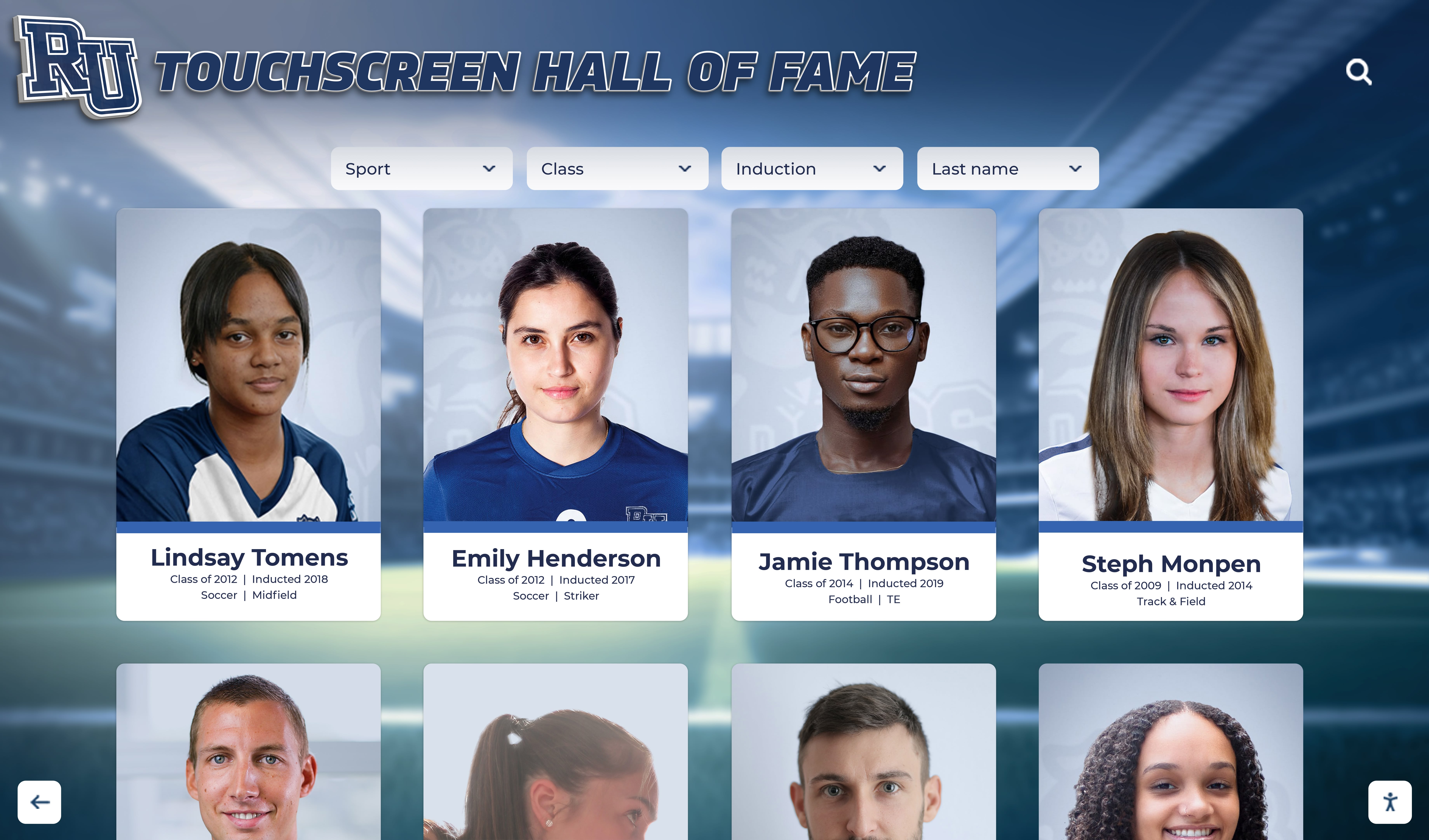
Custom historical layouts enable chronological exploration and archival content presentation appropriate for heritage preservation
Organizations implementing digital archive solutions emphasize that appropriate visual treatment transforms archival materials from static collections into engaging interactive explorations connecting communities with institutional heritage.
Moving Fast While Staying On-Brand
The practical benefit of Rocket’s approach manifests in operational agility:
Rapid Implementation Without Risk
Schools launch new recognition categories or modify existing presentations quickly without worrying about introducing design problems. AI quality control and design system governance prevent common mistakes while administrators focus on content rather than technical design considerations.
Organizations report deployment timelines 60-70% faster compared to bespoke approaches requiring design reviews, accessibility audits, responsive testing, and brand compliance verification before each content publication. Speed advantages compound over time as schools rapidly adapt recognition programs to evolving needs and opportunities.
Distributed Management Without Drift
Multiple administrators manage different recognition categories independently without creating fragmented experiences. Athletic staff control sports recognition, development personnel manage donor walls, academic affairs handles honor roll displays, and student life maintains event content—all operating within design systems preventing disconnected visual experiences.
Distributed responsibility prevents bottlenecks while maintaining coherence through systematic constraints and AI-assisted quality control. Schools achieve operational efficiency without sacrificing visual consistency.
Experimentation Without Consequences
Schools try new recognition approaches, layout variations, and engagement features confidently knowing that design governance and AI systems prevent experiments from degrading overall quality. Innovation flourishes when administrators can explore new ideas without fearing they’ll accidentally introduce problems requiring technical remediation.
Organizations report that psychological safety to experiment accelerates recognition program evolution and improvement. Administrators suggest creative approaches they might otherwise suppress due to uncertainty about technical implications or design appropriateness.
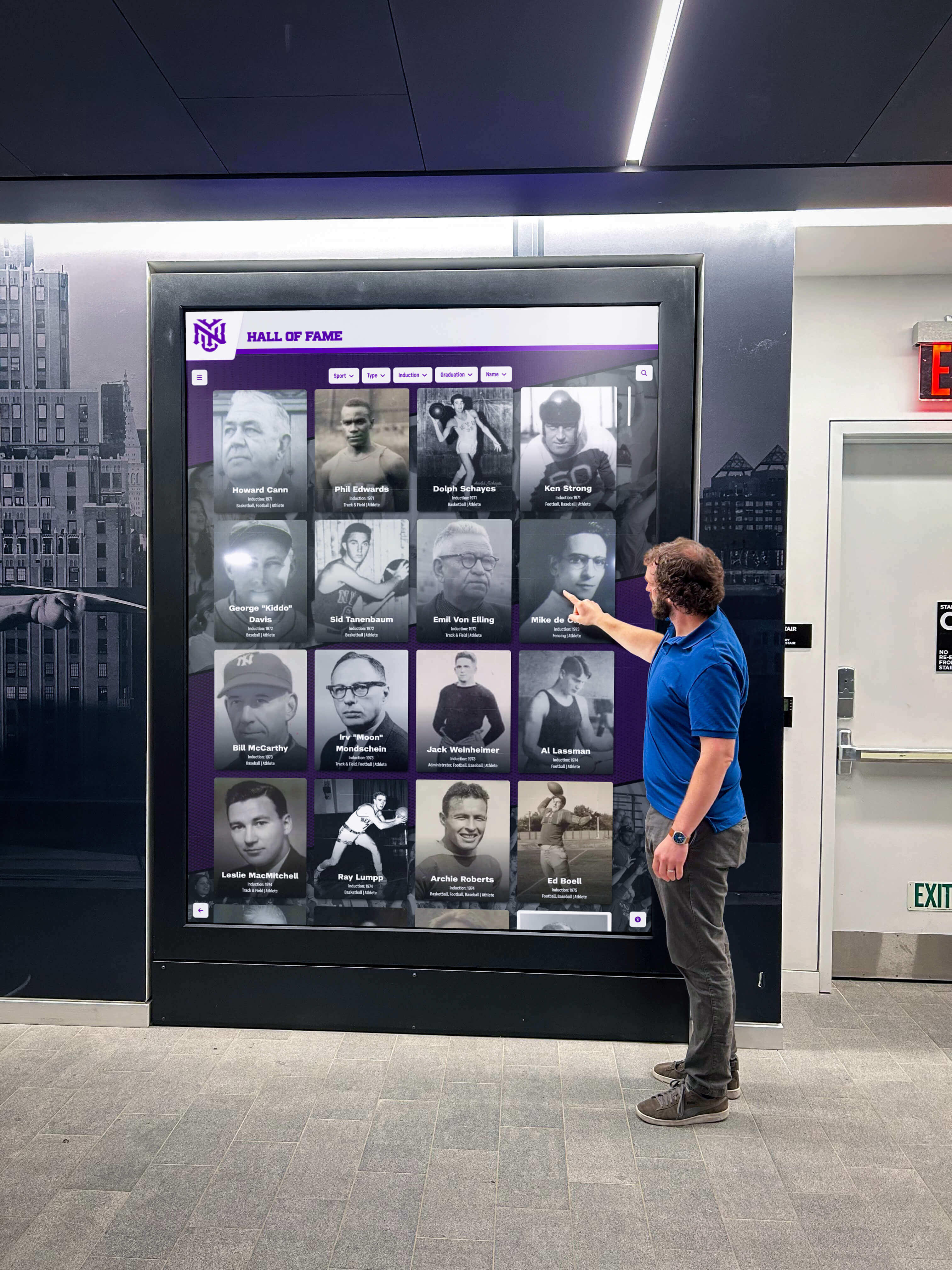
Design governance enables confident experimentation with innovative features and layouts without risking quality degradation
Confidence at Scale
As recognition programs grow—adding content categories, expanding historical archives, incorporating multimedia, or implementing new engagement features—schools maintain confidence that quality and consistency will persist. Platform governance scales reliably regardless of content volume or administrator count.
Organizations operating large recognition programs spanning athletics, academics, arts, donor recognition, and historical archives report that systematic governance remains effective at scale where manual review approaches would fail. Growth enhances rather than threatens program quality through network effects of expanding layout libraries and evolving AI capabilities.
Conclusion: Controlled Flexibility Resolves the Dilemma
The tension between creative freedom and design consistency represents a false choice when platforms provide the right structural approach. Static templates that prevent customization ultimately constrain recognition program effectiveness, forcing schools to compromise content approach to accommodate inflexible systems. Bespoke custom development delivers freedom while creating permanent maintenance obligations that schools struggle to sustain, resulting in quality degradation or expensive ongoing consultant dependency.
Rocket Alumni Solutions resolves this dilemma through custom layouts built as platform components, design governance preventing fragmentation through systematic constraints, and AI-assisted quality control catching problems before publication. Schools achieve distinctive recognition displays reflecting institutional identity while maintaining platform-grade reliability across responsive design, accessibility compliance, feature compatibility, and brand consistency.
The outcome: genuine creative freedom without accepting the cost and risk of maintaining bespoke systems, or enduring the creative limitations of static templates. Schools move fast implementing distinctive recognition programs while staying on-brand through design systems and AI assistance ensuring consistent quality regardless of distributed content management.
Organizations evaluating recognition platform options should assess whether providers offer mere template selection or genuine custom layout development, examine how platforms prevent design fragmentation at scale, and evaluate quality control mechanisms ensuring consistent experiences despite varying administrator expertise. The capability to deliver custom outcomes with platform-grade reliability and systematic governance distinguishes comprehensive solutions from limited alternatives forcing uncomfortable tradeoffs.
Your recognition program deserves both creative freedom expressing institutional distinctiveness and design consistency maintaining professional quality at scale. Rocket’s approach demonstrates that controlled flexibility resolves the traditional dilemma—providing the creative control schools need with the governance and quality assurance schools cannot sustain independently. Book a demo to explore how platform-grade custom layouts can serve your institution’s unique recognition needs while maintaining the visual consistency your brand deserves.































