




As America approaches its 250th birthday on July 4, 2026, museums nationwide face a significant opportunity to engage visitors with the nation’s founding story through modern technology. Traditional static exhibits and printed placards cannot match the depth and interactivity that contemporary audiences expect. Visitors want to explore history at their own pace, access detailed information beyond surface-level facts, and connect personally with the stories that shaped the nation.
Museums preparing for the Semiquincentennial celebrations need technology solutions that deliver comprehensive historical content while accommodating diverse visitor learning styles and accessibility requirements. Interactive history touchscreens provide museums with the capacity to showcase unlimited content—from founding documents and historical timelines to personal stories and multimedia archives—without physical space constraints that limit traditional exhibits.
This guide examines how museums can implement interactive history touchscreens for America’s 250th anniversary celebrations, creating engaging experiences that transform passive viewing into active exploration of the nation’s founding, evolution, and the pursuit of liberty that continues today.
Museums across the United States are preparing ambitious exhibitions for 2026, with institutions like the National Museum of American History planning year-long programs featuring the museum-wide exhibition “In Pursuit of Life, Liberty, and Happiness” showcasing 250 transformative objects from their collection. These exhibitions require technology that matches the scale and significance of the Semiquincentennial moment.

Media organizations recognize interactive touchscreen exhibits as compelling storytelling platforms worth documenting and sharing
The Semiquincentennial Opportunity for Museums
Understanding the scale and scope of America’s 250th anniversary helps museums plan technology investments that serve immediate celebration needs while providing long-term value.
America 250 Exhibition Plans Nationwide
According to the National Museum of American History, from March through August 2026, their facility will host museum theater programs, musical performances, hands-on demonstrations, tours, talks, and engaging activities centered on the Semiquincentennial. The museum plans to debut “In Pursuit of Life, Liberty, and Happiness,” featuring 250 objects representing moments that transformed the nation.
Other significant exhibitions include:
National Archives “Road to Revolution” Through August 2026, the National Archives in Washington, D.C. will explore the documents that shaped America’s founding, requiring display technology capable of presenting archival materials with appropriate context and accessibility features.
Museum of the American Revolution “The Declaration’s Journey” This exhibition will celebrate the Declaration of Independence’s 250-year legacy and global influence through rare artifacts and stories, demanding technology that can deliver multilayered historical narratives.
Thaddeus Stevens & Lydia Hamilton Smith Center Opening in Lancaster, Pennsylvania in 2026, this new facility will bring history to life through immersive exhibits, media experiences, and educational programs focused on democracy and civil rights history.
Museums implementing interactive technology report significantly higher visitor engagement compared to traditional static displays, with some institutions noting up to 40% increases in exhibit interaction time.
Visitor Expectations for Historical Content
Modern museum visitors arrive with expectations shaped by smartphone ubiquity and interactive digital experiences in daily life:
Self-Directed Exploration Visitors want control over their museum experience, exploring topics that interest them most rather than following predetermined paths through exhibitions. Interactive touchscreens enable visitors to select content based on personal interests, diving deeper into specific historical figures, events, or themes while bypassing less relevant material.
Multilayered Information Access Surface-level historical facts serve as entry points, but engaged visitors seek deeper context. Touchscreen interfaces provide layered information architecture where visitors can choose introductory overviews or access detailed scholarly content, primary source documents, and expert analysis depending on their knowledge level and interest.
Multimedia Integration Text-only historical presentations fail to capture attention in an era of video streaming and visual communication. Visitors expect historical exhibits to incorporate photographs, video footage, audio recordings, interactive maps, and animated timelines that bring events to life beyond static descriptions.
Interactive touchscreens in prominent locations invite exploration and accommodate multiple simultaneous users
Accessibility and Inclusion Modern museums must serve diverse audiences including visitors with visual or hearing impairments, non-English speakers, and individuals with varying literacy levels. Digital exhibits can incorporate closed captioning, audio descriptions, screen reader compatibility, adjustable text sizes, and multilingual content that physical placards cannot match.
According to STQRY’s 2025 museum kiosk guide, interactive kiosks can store vast amounts of data, and by simply tapping the screen, visitors can access in-depth articles, high-resolution images, audio recordings, and interactive maps related to exhibits.
Benefits of Interactive History Touchscreens for Museums
Understanding specific advantages helps museums justify technology investments and design implementations that maximize value.
Unlimited Content Capacity Beyond Physical Constraints
Physical museum spaces impose severe limitations on how much content institutions can display. Wall space, floor space, and structural load-bearing capacity restrict the number of artifacts, documents, and explanatory materials museums can present simultaneously.
Overcoming Space Limitations Interactive touchscreens eliminate physical constraints by providing unlimited digital storage:
- Display hundreds of historical documents where wall space permits only a dozen framed originals
- Showcase entire photographic archives rather than selecting representative samples
- Present complete historical timelines spanning centuries rather than abbreviated versions
- Offer comprehensive biographies of historical figures instead of brief captions
- Include extensive bibliographies and source citations for researchers and students
Museums preparing for America’s 250th anniversary face particular space challenges when attempting to represent 250 years of national history comprehensively. Digital displays provide the capacity to acknowledge significant events, documents, and figures without impossible decisions about what to exclude.
Enhanced Visitor Engagement and Interaction
Passive viewing creates minimal lasting impact. Research consistently demonstrates that interactive engagement produces better information retention and more memorable experiences.
Active Learning Through Interaction Touchscreen exhibits transform visitors from passive observers to active participants:
- Manipulate historical timelines to explore cause-and-effect relationships
- Compare historical documents side-by-side to understand evolution of ideas
- Search for specific topics, people, or events based on personal interests
- Complete interactive activities testing historical knowledge
- Contribute personal reflections or family stories connecting to broader history
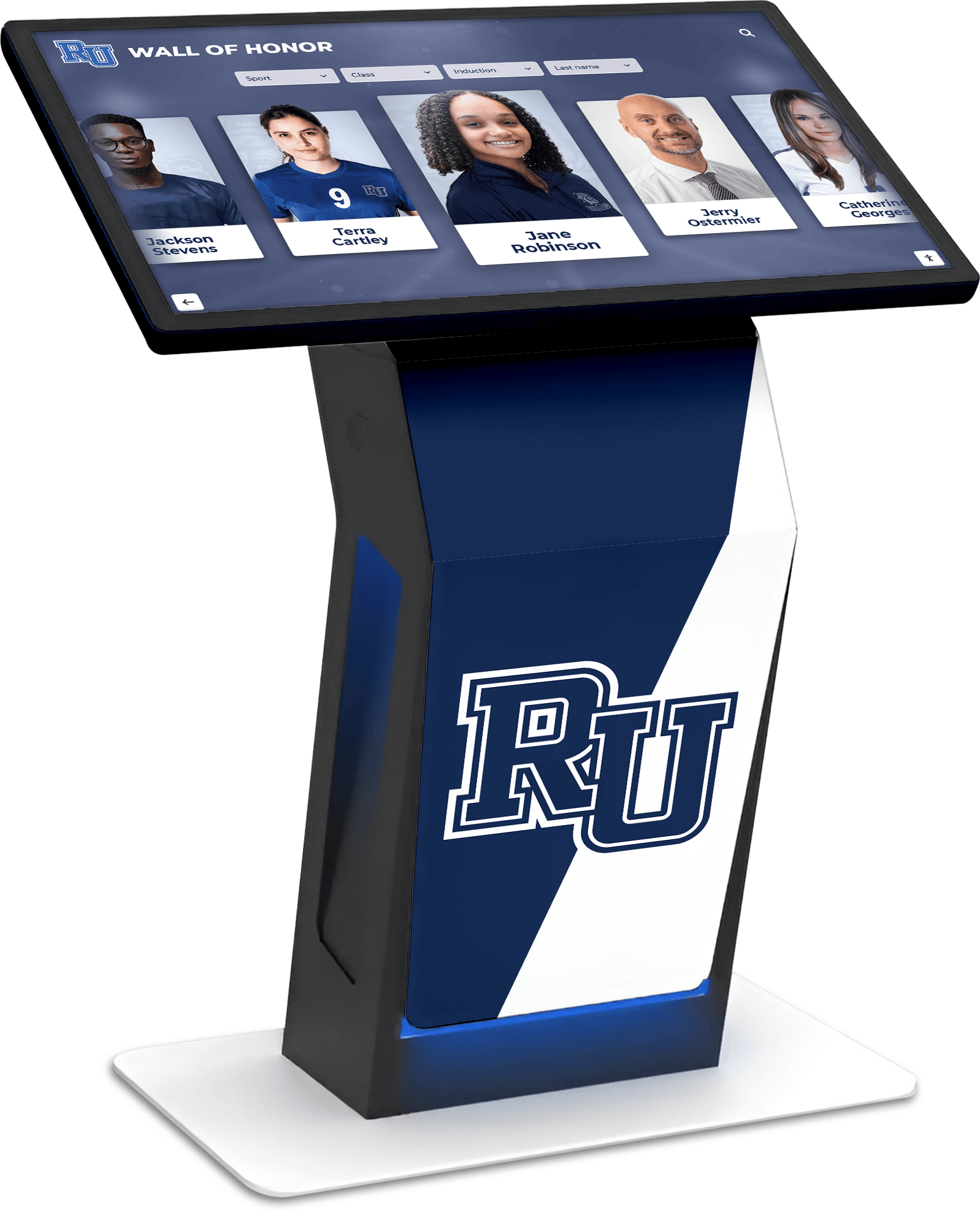
Freestanding kiosk designs allow museums to position interactive exhibits throughout facilities without construction
Research from museum technology specialists indicates that tactile engagement makes experiences more immersive and caters to different learning styles. Touch screen kiosks allow visitors to explore exhibits at their own pace, access additional information, view multimedia content, and participate in engaging activities.
Accommodating Diverse Learning Styles Different visitors process information differently. Some learn best through reading detailed text, others through visual content, and many through hands-on interaction. Interactive touchscreens accommodate multiple learning preferences within single exhibits:
- Visual learners benefit from photographs, maps, and video content
- Auditory learners access narrated content and audio recordings
- Kinesthetic learners engage through touch interaction and interface manipulation
- Reading/writing learners access detailed text and document archives
Accessibility and Universal Design
Museums serve public missions requiring inclusive access regardless of visitor abilities or backgrounds. Digital technology provides accessibility features impossible with traditional physical exhibits.
ADA Compliance and Accessibility Features Modern touchscreen systems incorporate features serving visitors with disabilities:
- Screen reader compatibility for visually impaired visitors
- Closed captioning and transcripts for hearing-impaired visitors
- Adjustable text sizes accommodating visual impairments
- High-contrast display modes improving readability
- Wheelchair-accessible mounting heights and interface positioning
- Alternative input methods beyond touch interaction
Multilingual Content Delivery America’s museums attract international visitors and serve increasingly diverse domestic populations. According to museum technology research, museum touch screen displays translate information, which is vital if museums attract tourists from around the world, allowing visitors to follow cultural journeys without exclusion.
For America’s 250th anniversary, multilingual capability becomes particularly important as international visitors arrive to experience founding documents and democratic institutions that influenced global movements.

Intuitive touchscreen interfaces require no technical expertise, enabling visitors of all ages to explore content independently
Remote Content Management and Real-Time Updates
Traditional exhibits require physical presence for updates, creating logistical challenges and limiting content freshness. Cloud-based digital systems enable remote management from any internet-connected device.
Simplified Content Updates Museum staff can update exhibit content without visiting physical locations:
- Add new historical documents as archives are digitized
- Incorporate visitor-contributed stories and personal histories
- Correct factual errors or update interpretations based on new scholarship
- Seasonal content changes highlighting different historical themes
- Event-specific content for lectures, programs, or temporary exhibitions
Scheduled Publishing for Timed Releases America’s 250th anniversary spans an entire year of celebrations. Cloud-based touchscreen systems support scheduled content publishing, automatically displaying new material on specific dates without staff intervention:
- Daily historical facts counting down to July 4, 2026
- Monthly thematic content exploring different aspects of American history
- Anniversary-specific content appearing on historical dates (Lexington and Concord, Declaration signing, Constitution ratification)
- Rotating featured stories preventing content staleness for repeat visitors
Solutions like Rocket Alumni Solutions provide cloud-based content management systems designed specifically for institutional recognition and historical displays, enabling museums to update content remotely without technical expertise or campus visits.
Essential Features for Museum History Touchscreens
Successful museum technology implementations require specific capabilities supporting educational missions and visitor engagement goals.
Intuitive User Interface Design
Museum visitors possess varying technical comfort levels. Touchscreen interfaces must function intuitively without instruction, accommodating both tech-savvy younger visitors and older adults with limited touchscreen experience.
Clear Navigation Architecture Effective museum touchscreens provide obvious navigation:
- Large, clearly labeled buttons avoiding small touch targets
- Consistent navigation patterns throughout exhibits
- Prominent “Home” or “Start Over” buttons preventing disorientation
- Breadcrumb trails showing location within content hierarchy
- Search functionality enabling direct access to specific content
- Visual menus using images alongside text labels
Minimal Learning Curve Visitors should engage content within seconds rather than spending minutes learning interface operation. Design principles include:
- Standard interaction gestures (tap, swipe, pinch-to-zoom) matching smartphone conventions
- Clear visual feedback confirming touch inputs
- Self-explanatory icons and symbols
- Attract loops demonstrating interaction when kiosks are idle
- Automatic return to home screen after periods of inactivity
Museums implementing interactive displays report higher visitor satisfaction when interfaces require no instruction and accommodate varied technical abilities.
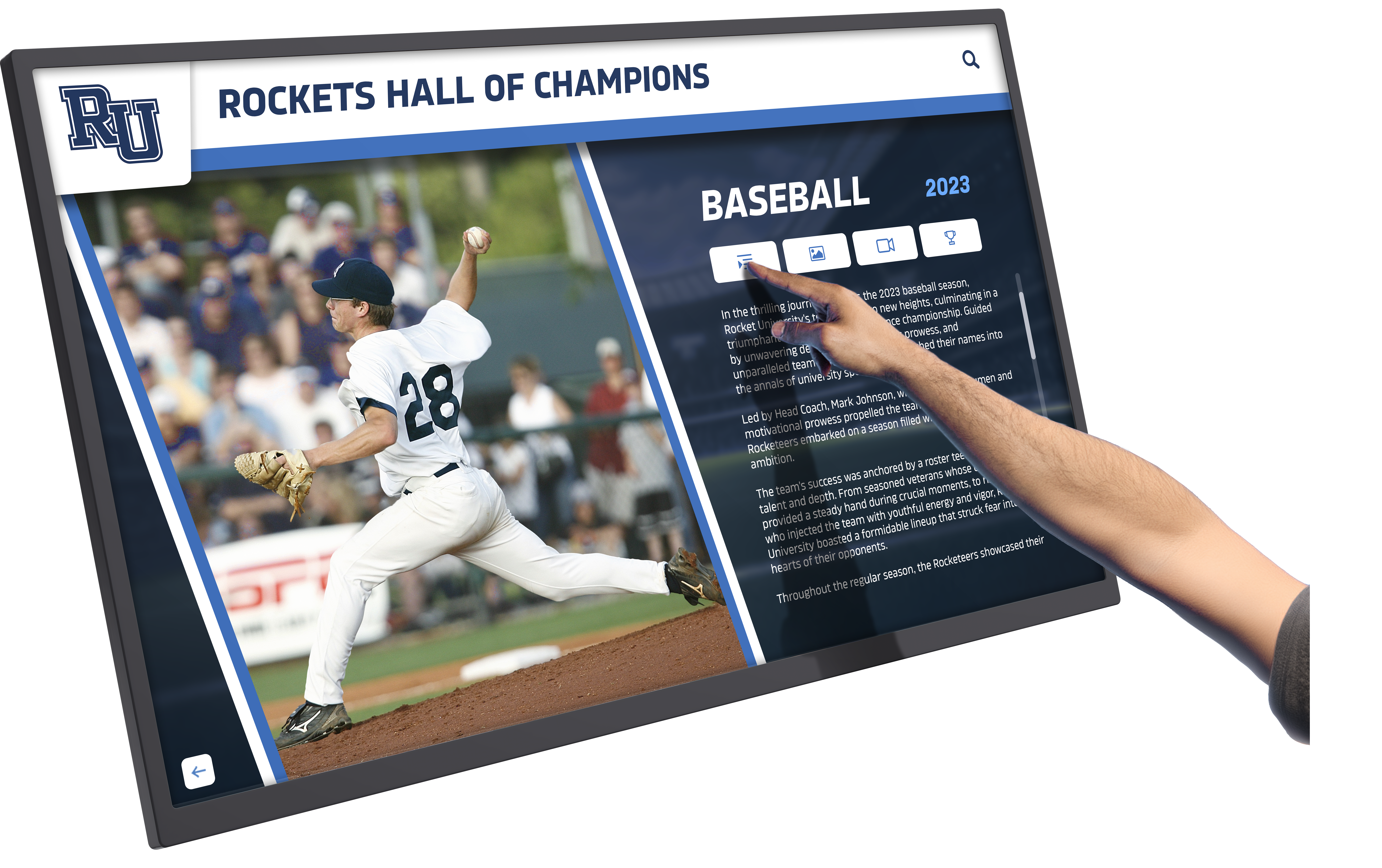
Professional touchscreen displays respond instantly to touch input, creating responsive experiences that encourage extended exploration
Comprehensive Content Management System
Museum content collections grow continuously as institutions digitize archives, acquire new materials, and develop fresh interpretations of historical events. Content management systems must accommodate expansion and reorganization.
Organizational Structure and Taxonomy Effective content management requires thoughtful organization:
- Hierarchical category structures organizing content logically
- Tag systems enabling multiple classification methods simultaneously
- Date-based organization for chronological exploration
- People-based organization connecting content to historical figures
- Event-based organization grouping related materials
- Location-based organization tying content to geographical sites
Media Asset Management Historical exhibits incorporate diverse media types requiring specialized handling:
- High-resolution image support displaying document details
- Video hosting and playback for historical footage
- Audio file management for oral histories and narrated content
- Document storage for PDFs and transcribed text
- 3D model support for artifact visualization
- Map integration for geographical context
Museums planning comprehensive historical displays benefit from platforms specifically designed for institutional storytelling rather than generic digital signage systems lacking content organization features.
Commercial-Grade Hardware for Public Environments
Consumer touchscreen devices fail rapidly in museum environments with continuous use, varying environmental conditions, and diverse users. Museums require commercial-grade hardware built for institutional deployment.
Durability and Reliability Museum touchscreens must withstand:
- Continuous daily operation for years without failure
- Thousands of touch interactions weekly
- Varying humidity and temperature conditions
- Exposure to natural light potentially causing screen glare
- Physical contact from diverse users including children
- Minimal maintenance requirements fitting museum budgets
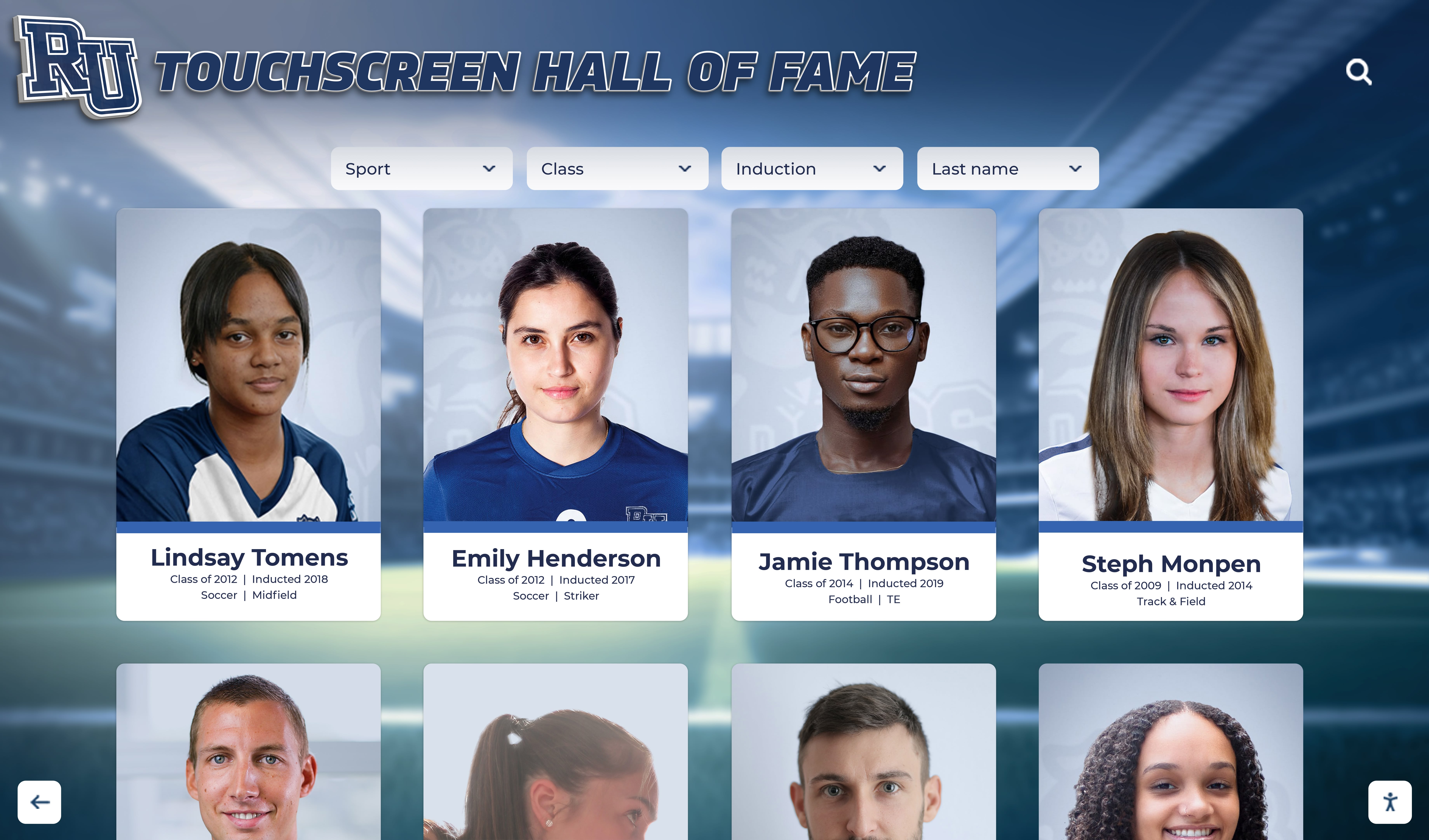
High-resolution displays present detailed imagery with clarity required for viewing historical photographs and documents
Size and Viewing Distance Considerations Screen size must match intended use and viewing distance:
- 32-43 inch displays for individual exploration kiosks
- 55-65 inch displays for small group viewing (2-4 people)
- 75+ inch displays for larger groups or prominent lobby installations
- Ultra-bright displays for locations with significant ambient light
- Anti-glare coatings reducing reflection from windows or artificial lighting
Analytics and Engagement Measurement
Understanding how visitors interact with exhibits helps museums assess effectiveness and guide future improvements.
Visitor Interaction Tracking Modern touchscreen systems capture usage data:
- Total interaction sessions and unique users
- Average engagement duration per visitor
- Most-viewed content categories and specific items
- Search queries revealing visitor interests
- Navigation paths showing how visitors explore content
- Time-of-day usage patterns informing staffing needs
Content Performance Analysis Usage data reveals which content resonates with visitors:
- High-engagement content deserving prominence
- Low-engagement content requiring revision or repositioning
- Complete versus abandoned viewing sessions
- Return visitor rates indicating compelling content
- Social sharing frequency for shareable content
Museums can use engagement data to demonstrate institutional impact, justify technology investments to boards and funders, and continuously improve historical programming for maximum visitor value.
Implementing Touchscreens for America’s 250th Anniversary
Practical implementation guidance helps museums move from concept to deployed exhibits ready for Semiquincentennial visitors.
Content Strategy and Historical Narrative
Technology serves content; compelling historical storytelling remains paramount regardless of delivery mechanism. Museums must approach digital exhibits with clear narrative strategies.
Foundational Historical Content America’s 250th anniversary creates opportunities to present comprehensive founding narratives:
Documents and Primary Sources Present founding documents with context explaining significance:
- Declaration of Independence with detailed annotations explaining each section
- Constitution and Bill of Rights with explanations of rights and governmental structure
- Federalist Papers excerpts showing debates about republican government
- State ratification documents revealing regional perspectives
- Early congressional proceedings showing government formation
- Personal correspondence from founding figures revealing human dimensions
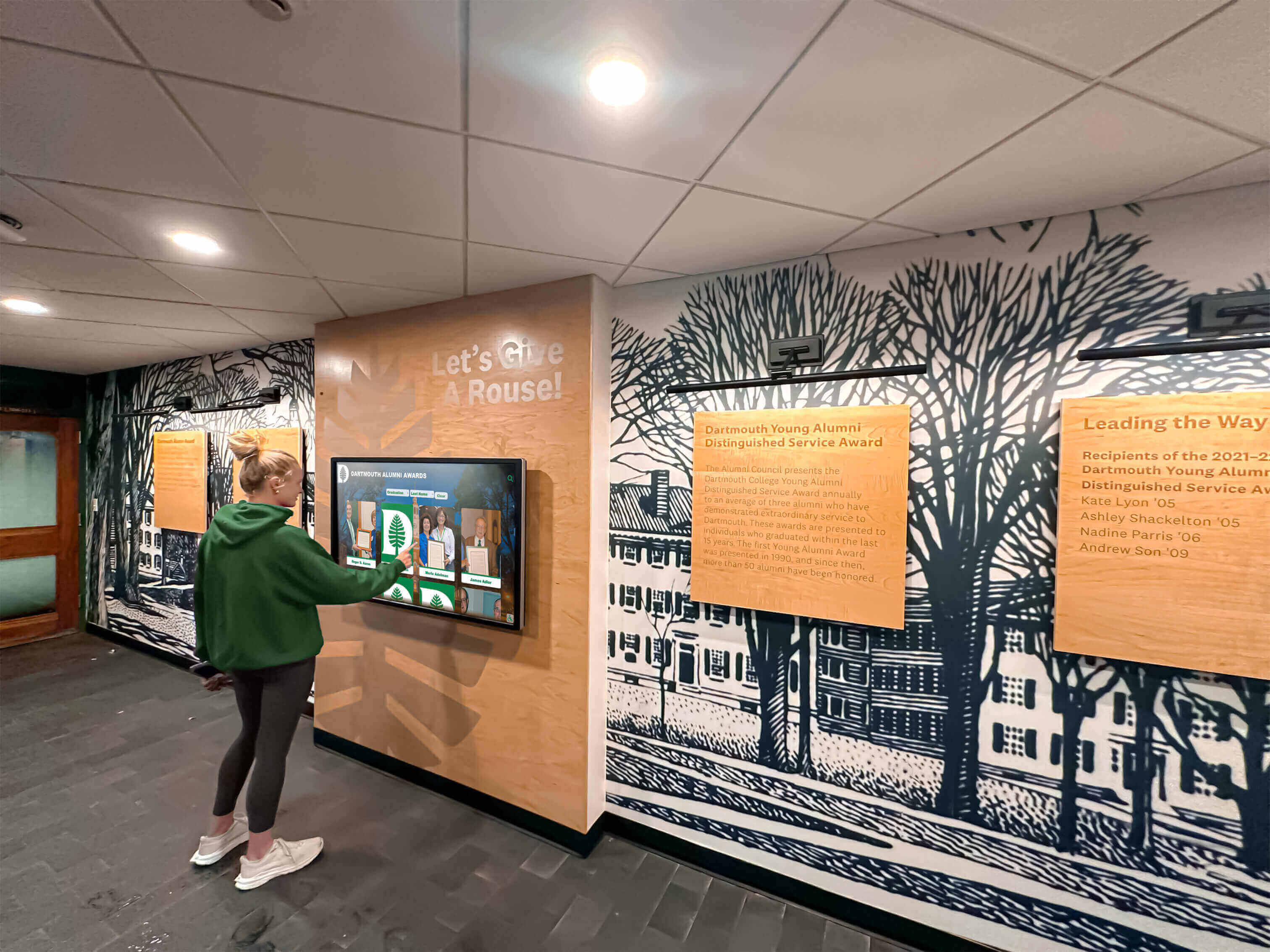
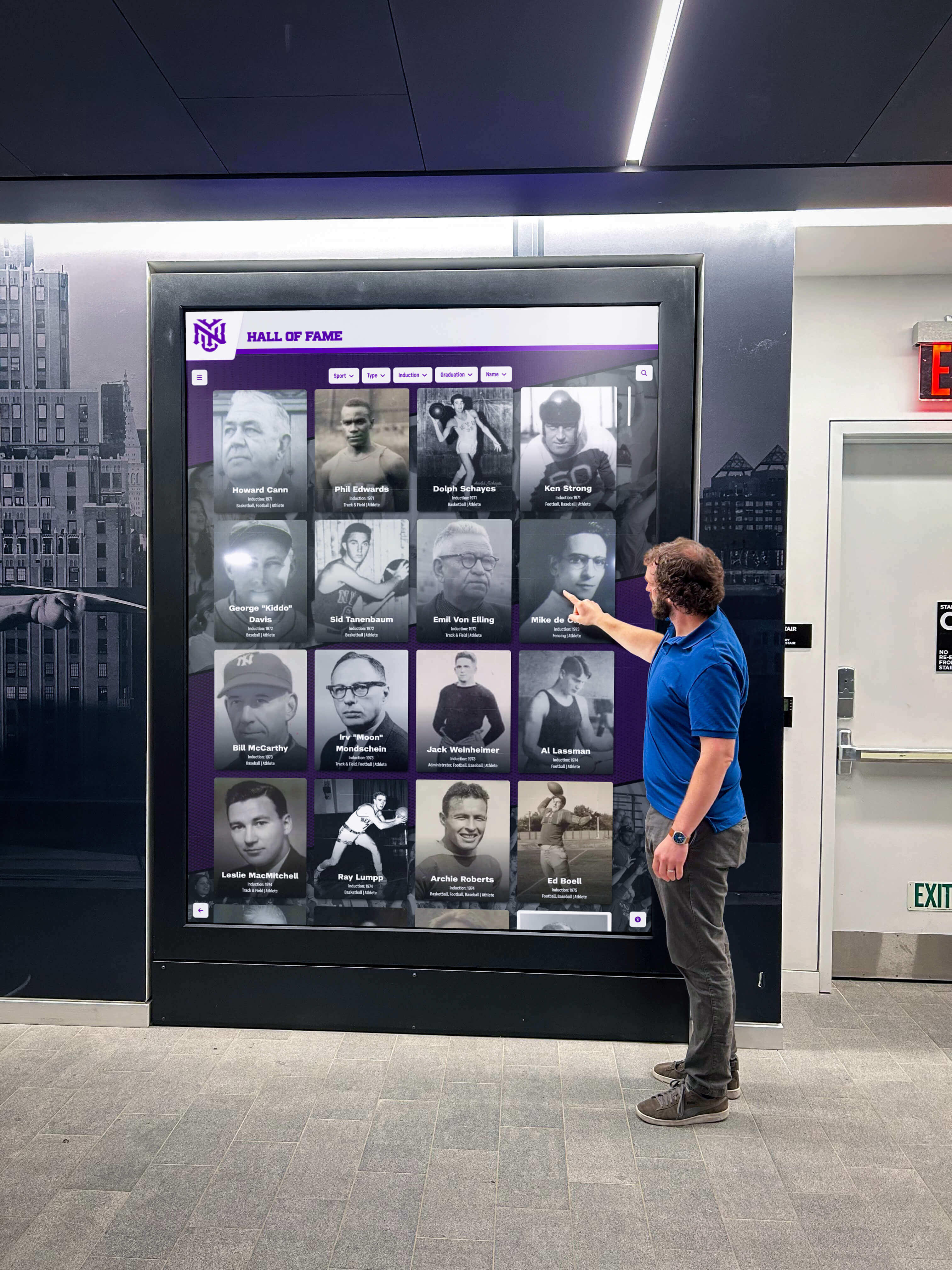
Strategic placement in hallways and common areas ensures exhibits reach maximum audiences throughout daily activities
Biographical Content on Founding Figures Move beyond hagiography to present complex, accurate portrayals:
- Comprehensive biographies of major figures (Washington, Jefferson, Adams, Franklin, Hamilton, Madison)
- Profiles of lesser-known but significant contributors
- Inclusion of women’s roles often minimized in traditional narratives (Abigail Adams, Mercy Otis Warren, Phillis Wheatley)
- Honest acknowledgment of contradictions between founding ideals and practices (slavery, indigenous displacement)
- Personal stories revealing human characteristics beyond marble monument representations
Historical Timeline and Chronology Help visitors understand event sequences and causal relationships:
- Detailed Revolutionary War timeline from pre-war tensions through peace treaty
- Constitutional Convention chronology showing debate evolution
- Early republic timeline documenting government establishment
- Comparative international timeline showing global events affecting American development
- State-by-state timelines revealing regional variations in historical experience
Thematic Organization and Story Arcs
Beyond chronological presentation, thematic organization helps visitors understand broader patterns and connect historical events to contemporary relevance.
Pursuit of Liberty and Rights Track evolution of rights and liberties through American history:
- Founding era declarations of natural rights
- Expansion of voting rights through amendments and legislation
- Civil rights movements from abolition through present
- Women’s suffrage and gender equality progress
- LGBTQ+ rights evolution and ongoing struggles
- Contemporary debates about liberty versus security
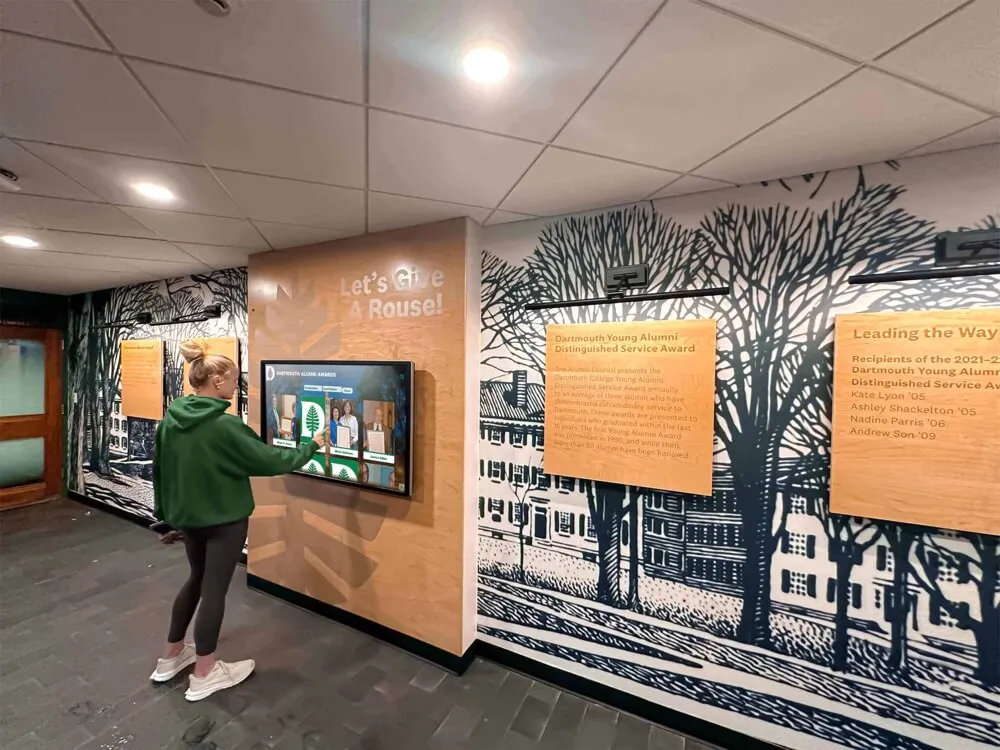
Touchscreen displays complement traditional museum design elements including murals and architectural features
Democratic Institutions and Governance Explore how American democratic practices developed and evolved:
- Constitutional framework and separation of powers
- Electoral systems and their transformations
- Judiciary evolution and landmark Supreme Court decisions
- Federal versus state power tensions and resolutions
- Political party development and partisan politics evolution
- Legislative processes and major policy achievements
Economic Development and Opportunity Document American economic history and the pursuit of prosperity:
- Colonial economies and trade patterns
- Industrial revolution and manufacturing growth
- Labor movements and workers’ rights expansion
- Immigration waves and economic contributions
- Technological innovation driving economic transformation
- Contemporary economic challenges and inequality
Historical timeline displays organized thematically help visitors make connections across time periods and understand ongoing American narratives.
Technical Implementation Planning
Successful deployments require attention to technical details beyond content development.
Infrastructure Requirements Museums must ensure facilities support digital exhibits:
- Reliable high-speed internet connectivity for cloud-based systems
- Electrical power access at display locations
- Network security protecting systems while allowing updates
- Wireless connectivity enabling mobile device integration
- Backup power systems protecting against outages
- Environmental controls maintaining appropriate temperature and humidity
Hardware Selection and Placement Choose appropriate hardware matching usage patterns:
- Freestanding kiosk designs for flexible positioning
- Wall-mounted displays for permanent installations
- Table-mounted horizontal displays for group exploration
- Outdoor-rated enclosures for exterior locations
- Wheelchair-accessible mounting heights meeting ADA requirements
- Anti-vandalism features for unsupervised locations
Software and Content Platform Select systems offering necessary features:
- Cloud-based management enabling remote updates
- Intuitive content management requiring no technical expertise
- Unlimited content capacity accommodating growth
- Multimedia support for diverse content types
- Accessibility features meeting WCAG standards
- Analytics dashboards tracking engagement
Solutions like Rocket Alumni Solutions provide specialized platforms designed for institutional recognition and historical displays, offering features specifically relevant to museums rather than general-purpose digital signage systems.
Content Development Best Practices
Creating compelling historical content requires attention to accuracy, accessibility, and engagement.
Historical Accuracy and Scholarship
Museums bear responsibility for presenting factually accurate historical content based on reputable scholarship.
Source Documentation and Citations All historical content should be properly sourced:
- Cite primary sources for direct quotations and historical documents
- Reference scholarly works supporting historical interpretations
- Document provenance for artifacts and photographs
- Acknowledge when historical consensus is lacking
- Update content as new scholarship emerges
- Provide bibliographies for visitors seeking deeper exploration

Card-based interface designs enable visitors to browse many options efficiently and select specific content for detailed exploration
Balanced Historical Presentation Present complex history acknowledging multiple perspectives:
- Include voices from diverse participants including marginalized groups
- Acknowledge historical controversies rather than presenting single narratives
- Present founding era accomplishments while honestly addressing failures
- Include indigenous perspectives on colonization and expansion
- Document African American experiences including slavery and resistance
- Recognize women’s contributions often excluded from traditional accounts
Age-Appropriate Content Museums serve visitors across age ranges requiring varied content complexity:
- Elementary-level content using accessible language and fundamental concepts
- Secondary-level content providing greater depth and nuance
- Adult content assuming historical literacy and offering scholarly detail
- Toggle options allowing visitors to select appropriate complexity levels
- Visual content accessible regardless of reading level
- Interactive activities engaging young visitors while educating
Accessibility Compliance
Digital exhibits must serve all visitors regardless of abilities.
WCAG Compliance Standards Follow Web Content Accessibility Guidelines ensuring usability:
- Text alternatives for non-text content (images, videos, audio)
- Captions and transcripts for multimedia content
- Keyboard navigation alternatives to touch interaction
- Sufficient color contrast for readability
- Text resizing without loss of functionality
- Screen reader compatibility for visually impaired visitors
Physical Accessibility Ensure hardware accommodates diverse physical abilities:
- Wheelchair-accessible mounting heights (typically 15-48 inches from ground)
- Reach ranges accommodating users with limited mobility
- Interface designs usable with limited dexterity
- Audio output options for screen content
- Adjustable display angles reducing glare and improving sightlines
Museums implementing accessible digital displays report increased satisfaction from diverse visitor populations and compliance with legal accessibility requirements.
Multimedia Integration
Combining text, images, video, and audio creates richer historical experiences than any single media type.
Video Content Development Historical video content serves multiple purposes:
- Documentary footage contextualizing historical periods
- Expert interviews providing scholarly perspective
- Reenactments bringing historical moments to life
- Oral history recordings preserving personal experiences
- Site tours showing historical locations
- Animated content explaining complex concepts
Photographic Archives Historical photographs provide powerful visual connection to the past:
- Digitized period photographs showing historical figures and events
- Before-and-after comparisons showing change over time
- Family photographs humanizing historical experiences
- Archaeological and architectural photography documenting physical history
- Artistic renderings from periods before photography
- Modern photographs of historical sites and artifacts
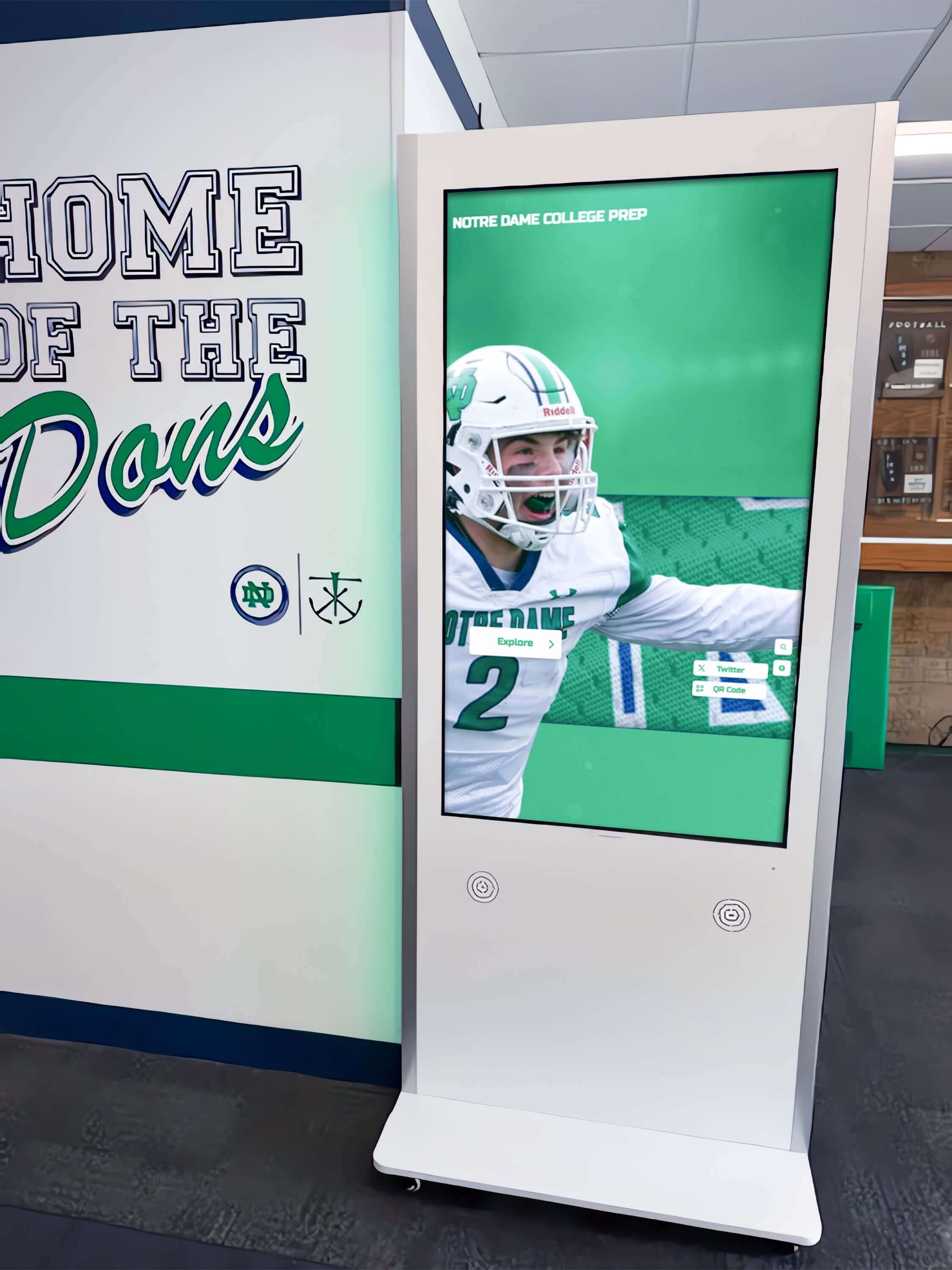
Kiosk installations require minimal physical infrastructure while delivering comprehensive interactive content
Audio Content and Narration Audio enhances exhibits while serving visitors who prefer listening:
- Professional narration providing content for non-readers
- Historical audio recordings preserving authentic voices
- Musical content from historical periods
- Soundscapes recreating historical environments
- Multilingual audio tracks supporting international visitors
- Audio descriptions for visually impaired visitors
Interactive Maps and Geographical Content Location provides important historical context:
- Interactive maps showing territorial evolution
- Battle maps revealing military campaign geography
- Trade route maps explaining economic connections
- Migration maps documenting population movements
- Comparative maps showing geographical change over time
- Zoom functionality enabling detailed exploration
Beyond 2026: Long-Term Value of Museum Touchscreen Exhibits
While America’s 250th anniversary provides immediate justification for technology investments, museums should consider long-term utility extending beyond Semiquincentennial celebrations.
Evergreen Historical Content
Foundational historical content about America’s founding remains relevant permanently, providing enduring value:
- Constitutional content supports civics education indefinitely
- Biographical content about founding figures serves ongoing educational needs
- Revolutionary War history maintains interest beyond anniversary years
- Democratic institutions content addresses perennial visitor interests
- Primary source document collections support research continuously
Museums can update and refresh anniversary-specific content while maintaining core historical programming serving ongoing mission and educational objectives.
Flexible Platform for Future Exhibitions
Touchscreen platforms installed for 2026 exhibitions can serve future programming:
- Temporary exhibition content replacing anniversary material
- Rotating thematic displays preventing staleness for repeat visitors
- Special event programming for lectures, symposia, or commemorations
- Educational programming aligned with school curricula and field trips
- Community history projects incorporating local stories and artifacts
Cloud-based systems enable museums to completely transform content without hardware replacement, maximizing return on initial technology investments.
Community Engagement and Local History
Beyond national founding narratives, museums can adapt technology for local historical programming:
- Local founding stories and community establishment
- Regional contributions to Revolutionary War and founding era
- Local military service and participation in national events
- Immigrant community histories and cultural contributions
- Civil rights history and local activism
- Contemporary community stories connecting past and present
Museums implementing comprehensive historical displays find that local content generates strong community engagement and repeat visitation from residents exploring familiar stories.
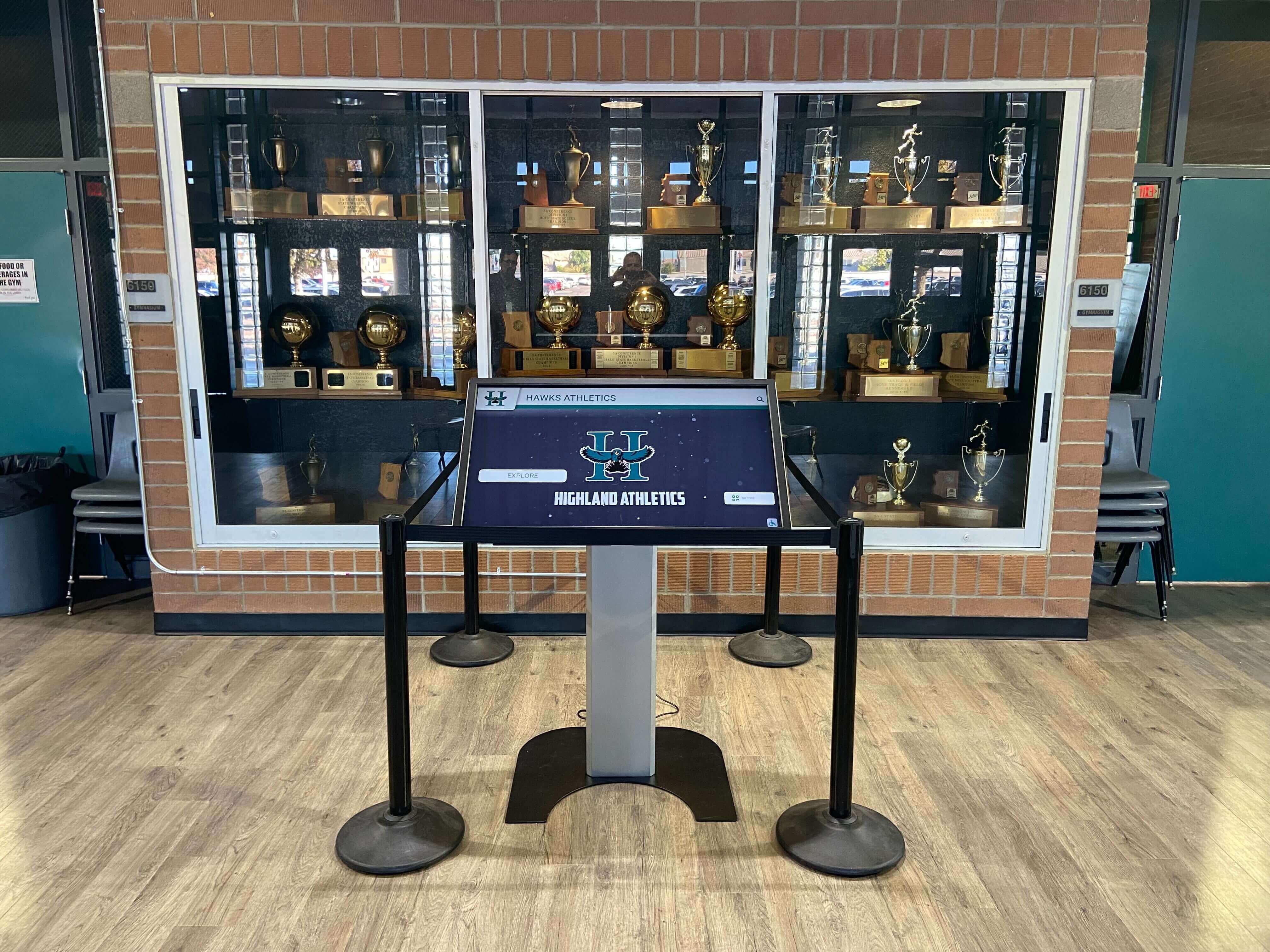
Touchscreen systems integrate with existing museum infrastructure including display cases and architectural features
Educational Programming Integration
Digital exhibits support formal and informal educational programming:
- School field trip programming with age-appropriate content
- Curriculum-aligned content supporting state educational standards
- Pre-visit and post-visit materials extending classroom learning
- Teacher resources including lesson plans and primary sources
- Student research support with citable sources
- Distance learning content accessible remotely
Museums can position touchscreen content as educational resources serving schools beyond physical visits, extending institutional impact and justifying public funding.
Measuring Success and Visitor Impact
Museums should establish metrics assessing exhibit effectiveness and visitor engagement.
Quantitative Metrics
Usage Statistics
- Total interactions per day, week, month
- Unique users versus repeat interactions
- Average engagement duration per session
- Content views by category and item
- Geographic distribution of remote access
- Peak usage times informing staffing decisions
Visitor Flow and Dwell Time
- Time spent at interactive exhibits versus static displays
- Complete versus abandoned sessions
- Return visitor rates for repeat engagement
- Exhibit sequence patterns showing visitor paths
Qualitative Assessment
Visitor Feedback Collection
- Exit surveys assessing satisfaction and learning
- Comment cards capturing visitor perspectives
- Focus groups exploring exhibit impact
- Social media mentions and visitor reviews
- Educator feedback from school field trips
- Accessibility feedback from visitors with disabilities
Learning Outcomes Assessment
- Pre- and post-visit knowledge testing
- Curriculum-aligned educational assessment for student groups
- Long-term retention studies measuring lasting impact
- Behavioral changes indicating learning application
- Critical thinking development through inquiry-based activities
Museums can use assessment data to demonstrate institutional value, justify funding requests, improve exhibit design, and fulfill educational mission accountability.
Conclusion: Technology Serving Historical Mission
America’s 250th anniversary provides museums with extraordinary opportunities to engage visitors with the nation’s founding story, democratic experiments, and ongoing pursuit of liberty and equality. Interactive history touchscreens transform how institutions present historical content, replacing space-constrained static displays with unlimited digital capacity, passive viewing with active exploration, and one-size-fits-all presentations with personalized learning experiences.
The strategies explored in this guide provide frameworks for museums implementing touchscreen technology for Semiquincentennial exhibitions—from content development emphasizing historical accuracy and diverse perspectives to technical implementation ensuring accessibility and durability to long-term planning extending value beyond anniversary celebrations. These approaches enable museums to create memorable experiences that educate visitors, preserve historical legacy, and fulfill public missions of making history accessible and engaging.
Transform Your Historical Exhibits for America's 250th
Discover how interactive touchscreen displays enable museums to present unlimited historical content, create engaging visitor experiences, and celebrate America's founding story through modern technology. See how institutions nationwide are preparing for 2026 Semiquincentennial celebrations with digital exhibits that serve educational missions while accommodating diverse audiences.
Book A DemoMuseums implementing comprehensive touchscreen systems report increased visitor engagement, extended dwell times, and stronger educational outcomes compared to traditional static exhibits. Modern platforms like Rocket Alumni Solutions eliminate traditional constraints around physical display space and update complexity, enabling museums to showcase unlimited historical documents, maintain detailed timelines spanning centuries, and present hundreds of biographical profiles through intuitive interfaces accessible to visitors of all ages and abilities.
As you plan for America’s 250th anniversary celebrations, consider how interactive history touchscreens can transform your institution’s ability to tell the American story. The founding documents, revolutionary narratives, and democratic experiments that shaped the nation deserve presentation methods matching their significance—technology that engages contemporary audiences while preserving historical accuracy and serving educational missions that extend beyond anniversary years into your institution’s ongoing commitment to making history accessible, compelling, and relevant for generations to come.































